
Purchase Rules
Purchase Rules limits who can buy a product or variation. Everyone still sees it, and a buyer who doesn’t qualify sees the reason. Use it for courses with prerequisites, member-only products, or anything a customer should only buy once.
Set a Rule
- Go to FluentCart → GT Extensions, enable Purchase Rules and save.
- Open a product in FluentCart and choose Purchase rules from its menu.
- Tick Limit who can buy this product, choose the conditions and click Save.
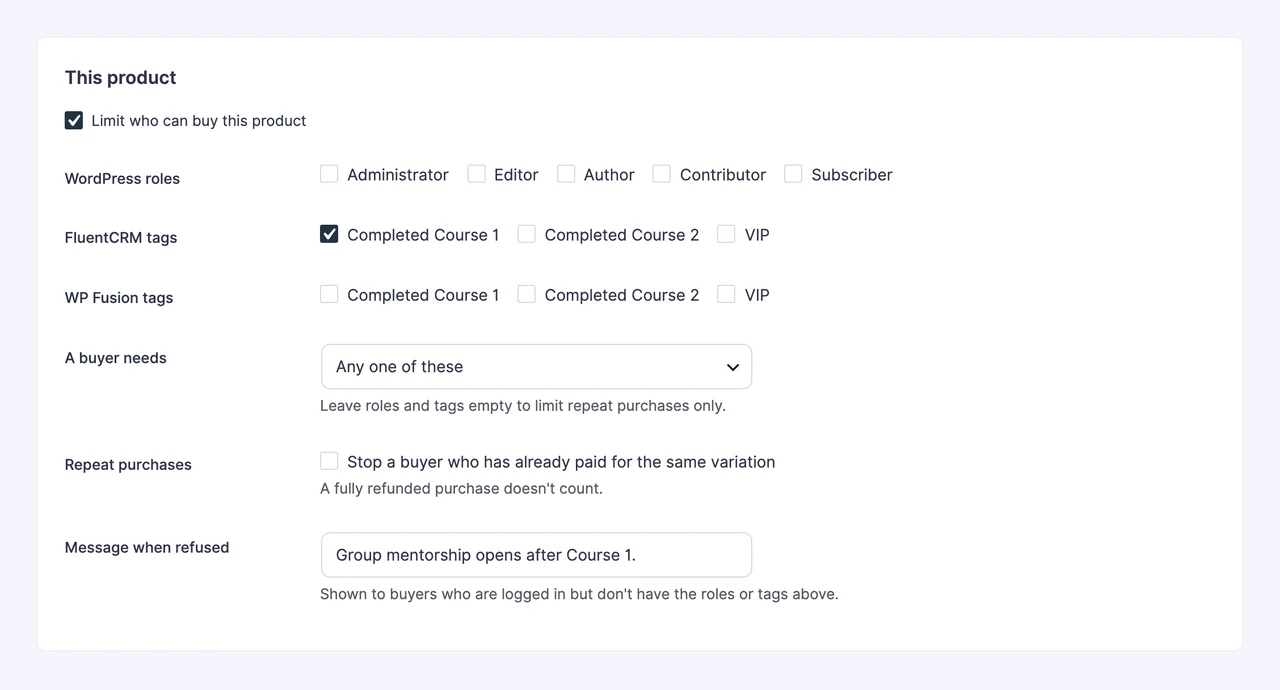
A rule can use any mix of these:
- WordPress roles
- FluentCRM tags
- WP Fusion tags
- A repeat-purchase limit for the same variation
Under A buyer needs, choose whether any one of the roles and tags is enough or the buyer needs all of them. Leave roles and tags empty to limit repeat purchases only. A rule’s own message replaces the default refusal text, which you can change in the module settings.
Rules for Variations
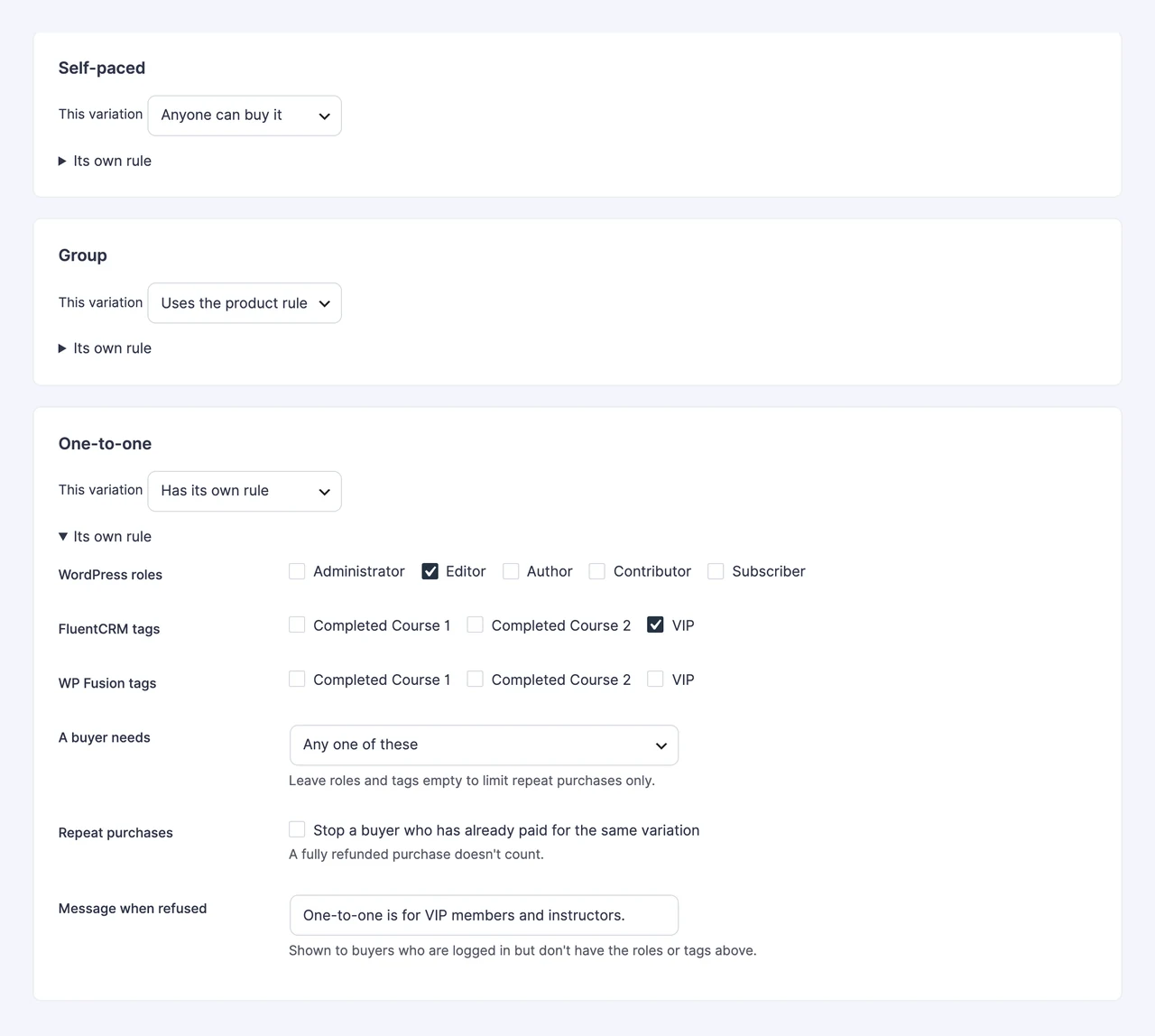
Each variation follows one of three settings. Its own rule replaces the product rule.
- Uses the product rule: the default.
- Anyone can buy it: no restriction, even when the product has a rule.
- Has its own rule: its own roles, tags, repeat limit and message.
What Buyers See
In On-page Checkout, a refused plan stays listed and turned off, with the reason. Plans from several products can share one list:
[gtfc_checkout plans="34,35,36"]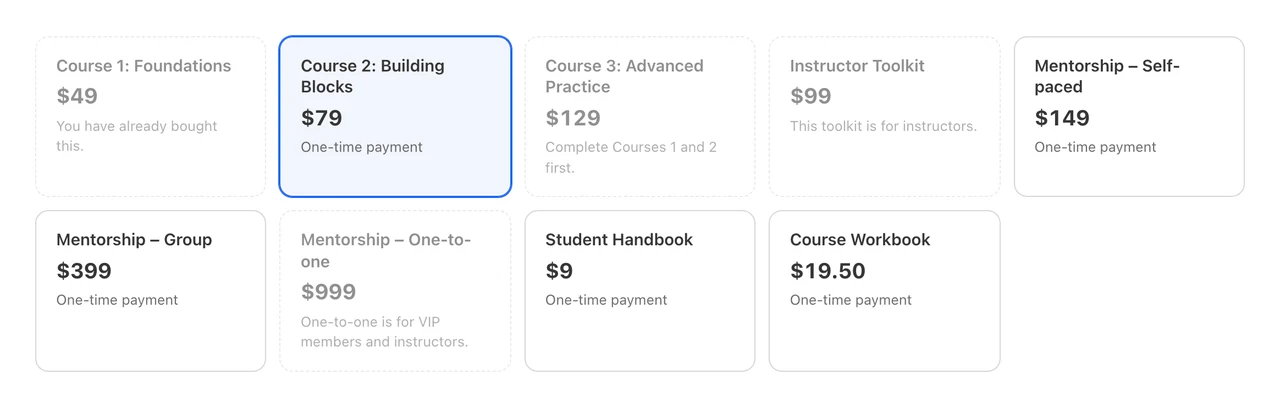
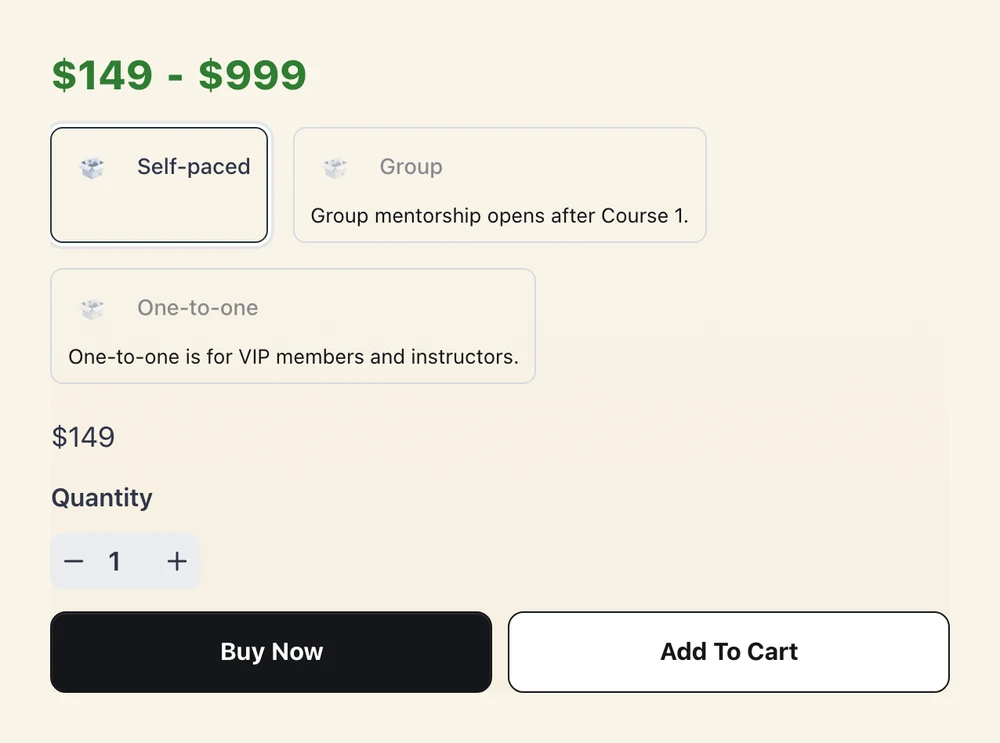
On a product page, a refused variation is turned off with the reason, and the selection moves to one the buyer can have. When no variation is open, the buttons are removed and the reason takes their place.
Where Rules Are Checked
The rule runs for the current user at each of these points, so a direct link won’t get around it:
- Adding to a cart
- Instant, modal and on-page checkout, including direct links
- Placing the order, so a buyer who loses a tag after opening a checkout is still refused
Invoice and existing-order payment carts are exempt, because you issued them. Subscription renewals don’t run these checks.
Course Prerequisites
FluentCart only knows what someone bought, not what they finished. To require Course 1 before Course 2, have your course plugin or an automation apply a tag when a student finishes Course 1, then put that tag on the rule for Course 2. For a course that needs two earlier ones, add both tags and choose all of them under A buyer needs.
Good to Know
- Guests: any rule requires login, because roles, tags and past orders can’t be checked without an account.
- Already bought: this means a paid order for the same variation, under the account’s customer record or its email. Unpaid orders and fully refunded lines don’t count.
- Courses that expire: the repeat limit counts any paid order, however old. If students can buy a course again after it expires, leave the limit off for that course.
- Missing plugins: if FluentCRM or WP Fusion is deactivated, its tags count as missing, so the restriction stays closed unless another condition passes.
- WP Fusion tags: the rule reads WP Fusion’s saved copy of the user’s tags, so a page view makes no CRM request. FluentCRM on the same site updates that copy at once. An external CRM updates it when WP Fusion syncs, so set up its webhooks if a tag must open a course right away.
- Turning the module off: anyone can buy these products again. Your rules stay saved.
For Developers
gtfc/purchase_rules/result changes the answer for one buyer. It receives an empty string, login, denied or owned, then the rule, the variation ID and the user ID. Return an empty string to allow the purchase:
add_filter('gtfc/purchase_rules/result', function ($result, $rule, $variationId, $userId) {
    return user_can($userId, 'manage_options') ? '' : $result;
}, 10, 4);