Skip to content
Stackless for WooCommerce icon

Stackless for WooCommerce

You don’t need any other add-ons for WooCommerce.

Subscriptions, built-in Stripe, PayPal and Polar payments, software licensing, multi-currency, invoices and store tools in one plugin that runs on core WooCommerce alone. Switch on the modules you use. The rest load no code.

Choose a license
  • All 30 modules
  • Unlimited site activations
  • Updates for life, or while Annual is active
  • One-on-one email and Twitter Chat support
Get Stackless for $99

Secure checkout. 14-day unconditional refund period.

  • WordPress 6.6+
  • WooCommerce 9.9+
  • PHP 7.4+
  • HPOS compatible
  • Cart and Checkout blocks
30 modules in 9 groups
Each has its own switch. Switched-off modules load no code.
Core WooCommerce only
No WooCommerce Subscriptions, WooPayments or separate gateway plugin.
HPOS and Checkout blocks
The classic checkout works too.
Unlimited sites
Both licenses cover unlimited site activations.

See It in a Real Store Screens From Stackless 1.0

Storefront screenshots were taken on a basic demo theme. They look even better on a dedicated WooCommerce theme.

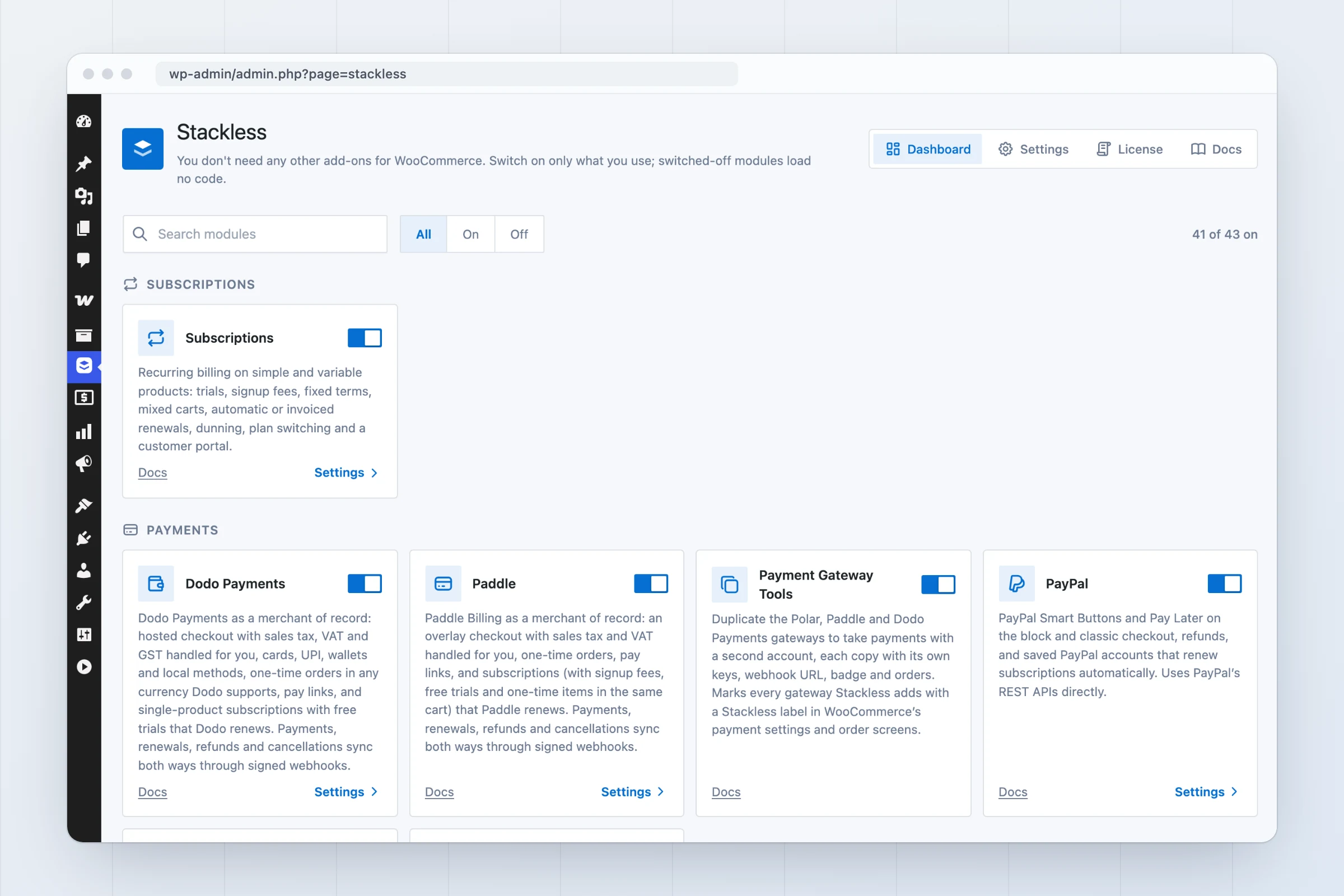
Stackless dashboard in WordPress admin showing module cards for subscriptions, payments and checkout, each with an on/off toggle
One dashboard, 30 modules: switch on only what you use.
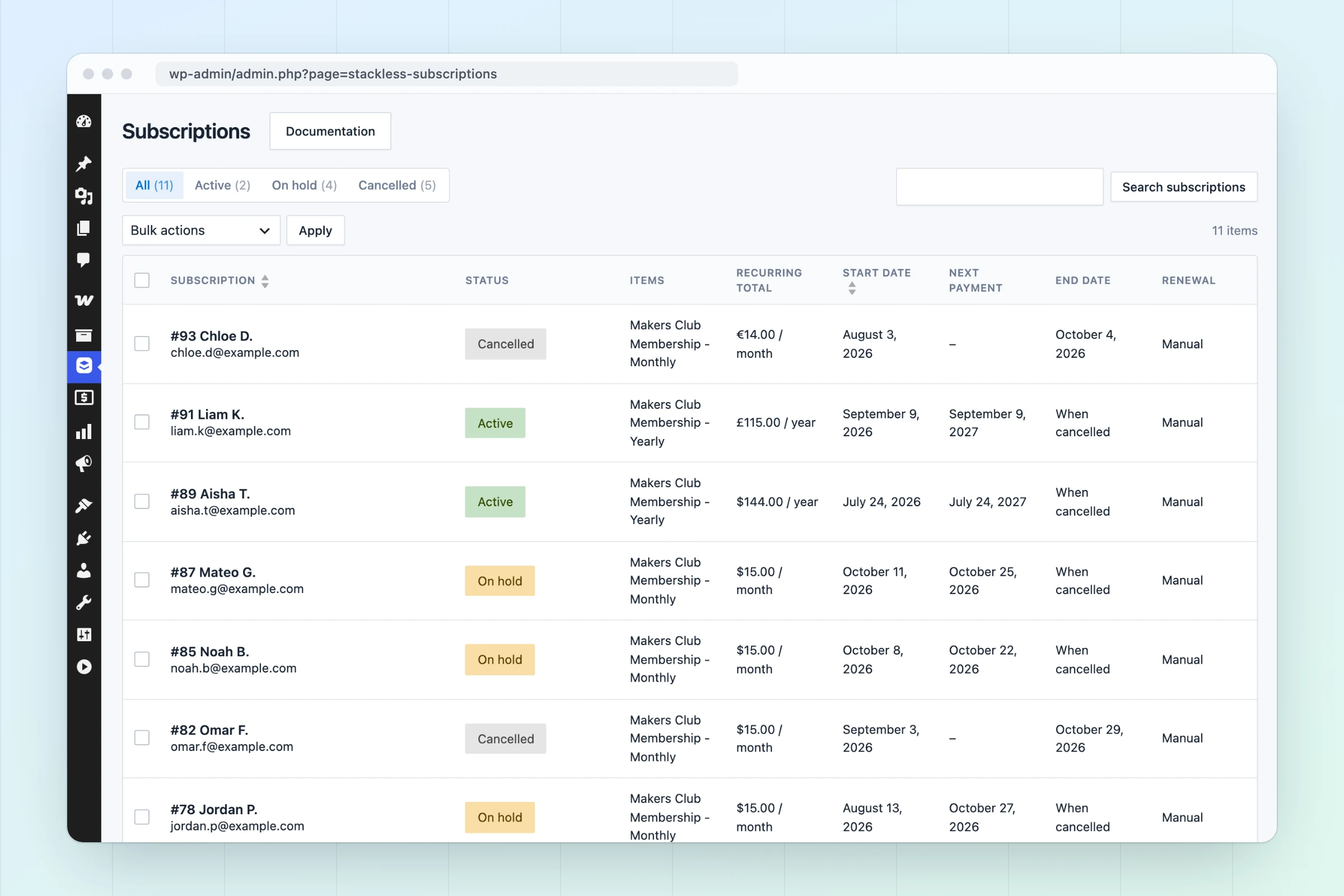
Stackless subscriptions list with active, trial, on-hold, pending-cancellation and cancelled subscriptions, recurring totals and next payment dates
Every subscription status, recurring total and next payment at a glance.
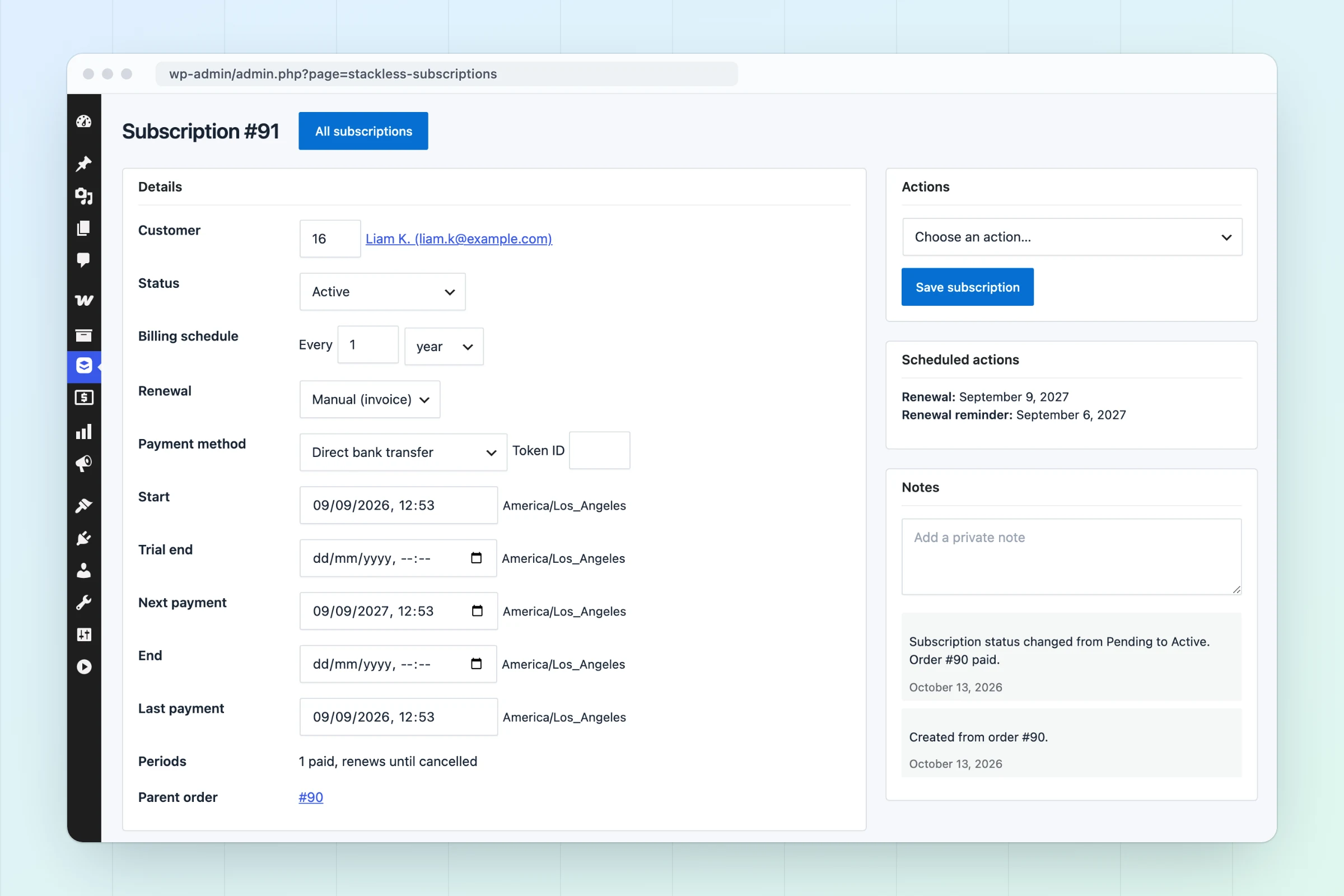
Stackless subscription edit screen with billing schedule, renewal mode, editable dates, recurring items, scheduled actions and notes
Edit schedules, dates and renewal mode, with scheduled actions shown.
WordPress dashboard widget showing active subscriptions, 30-day churn, monthly recurring revenue per currency and upcoming renewals
MRR per currency, churn and upcoming renewals on your dashboard.
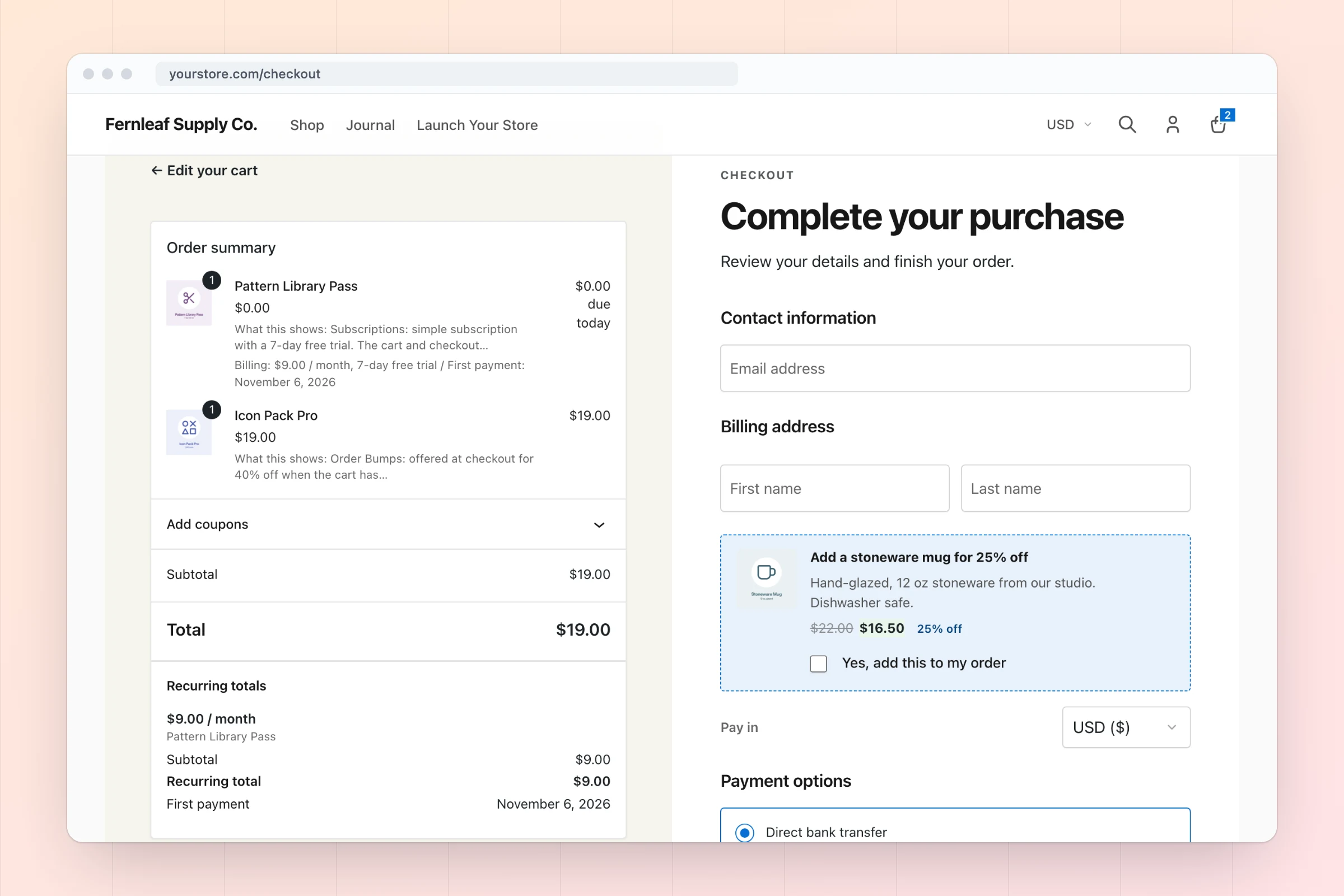
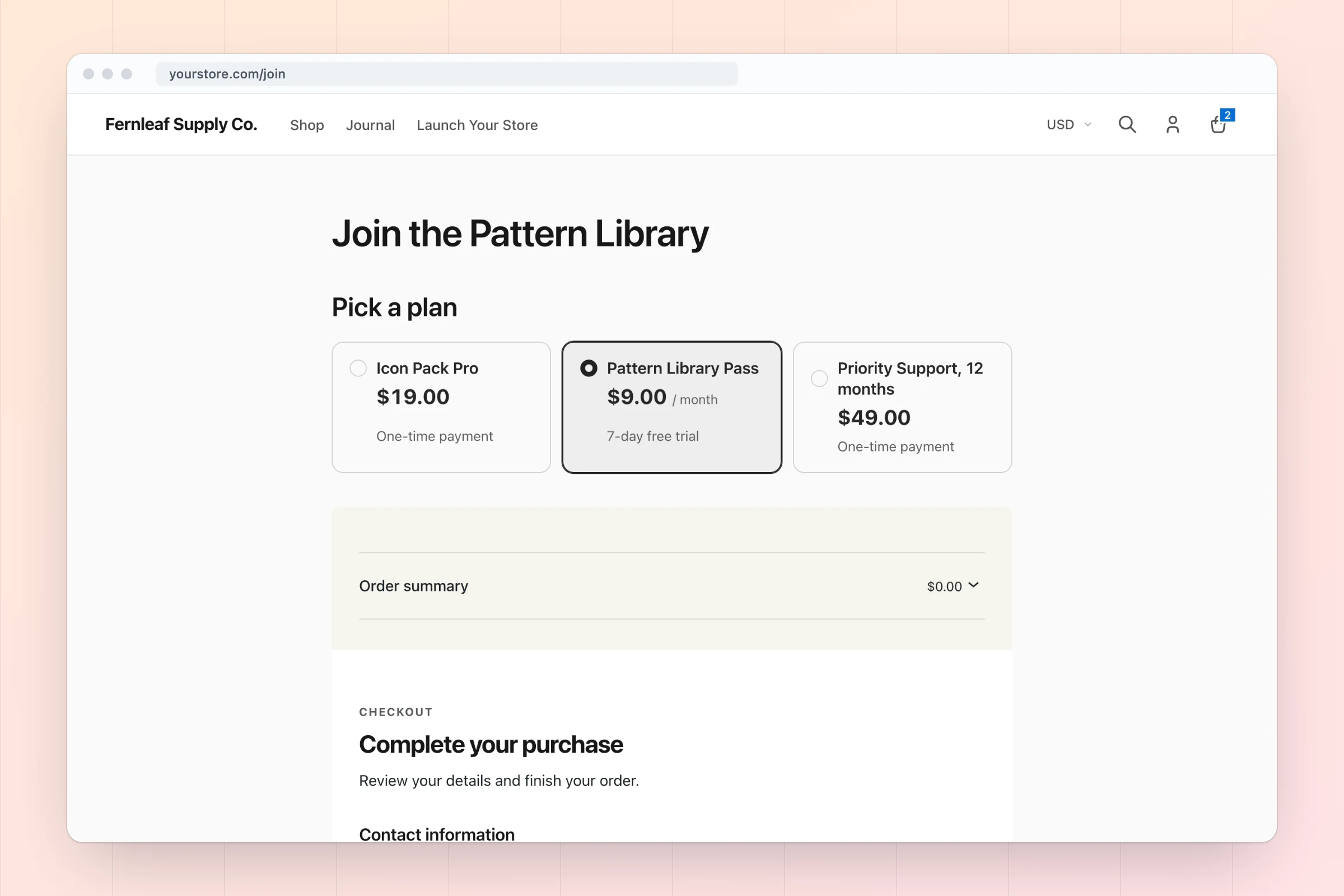
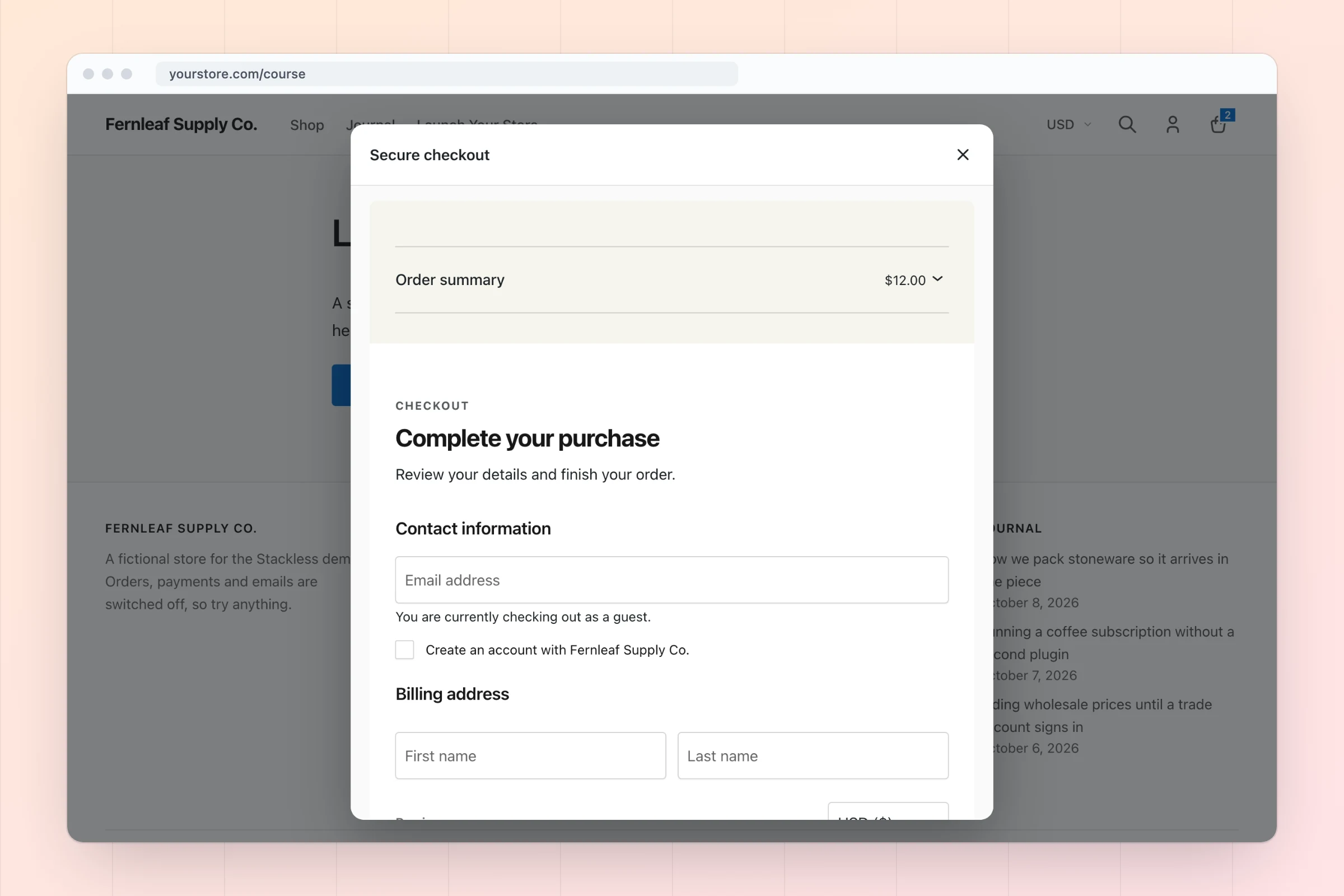
WooCommerce block checkout using the Warm Split layout with recurring totals, a free trial, two order bumps and a currency selector above payment options
Block checkout with recurring totals, order bumps and currency choice.
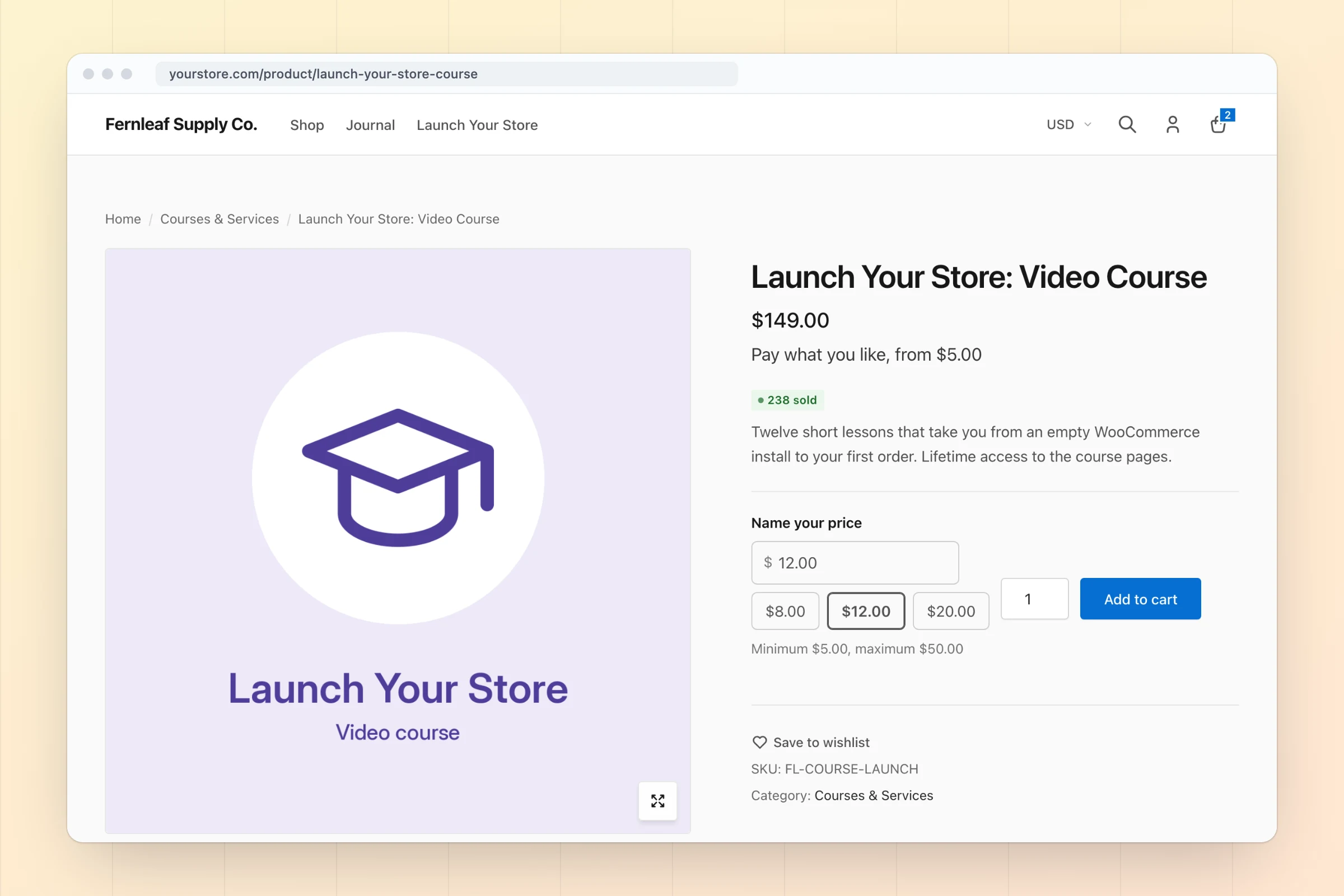
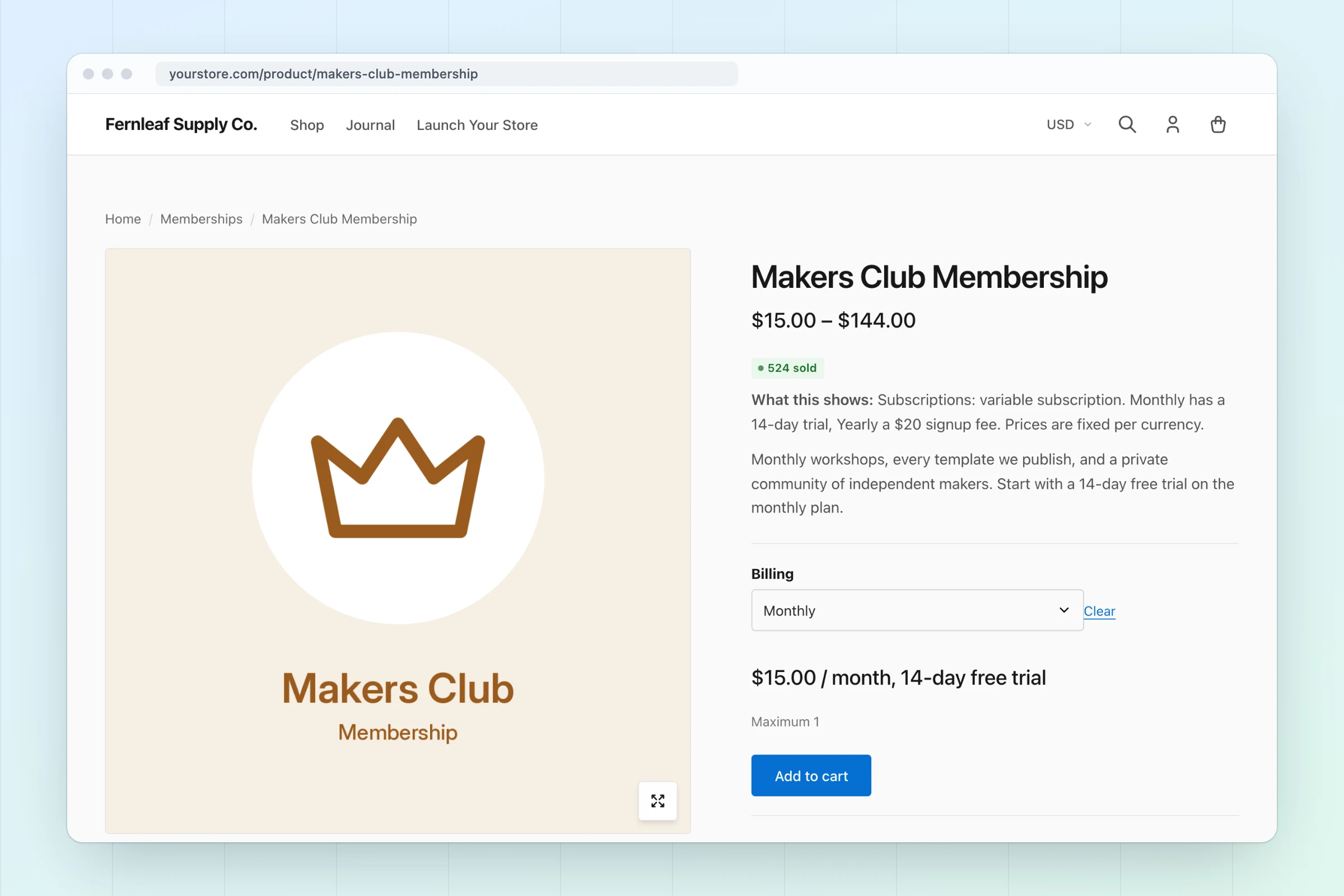
WooCommerce product page showing a monthly subscription price with signup fee, sold count badge, wishlist button, product add-ons and a low-stock label
Subscription pricing, add-ons, sold count and low-stock labels.
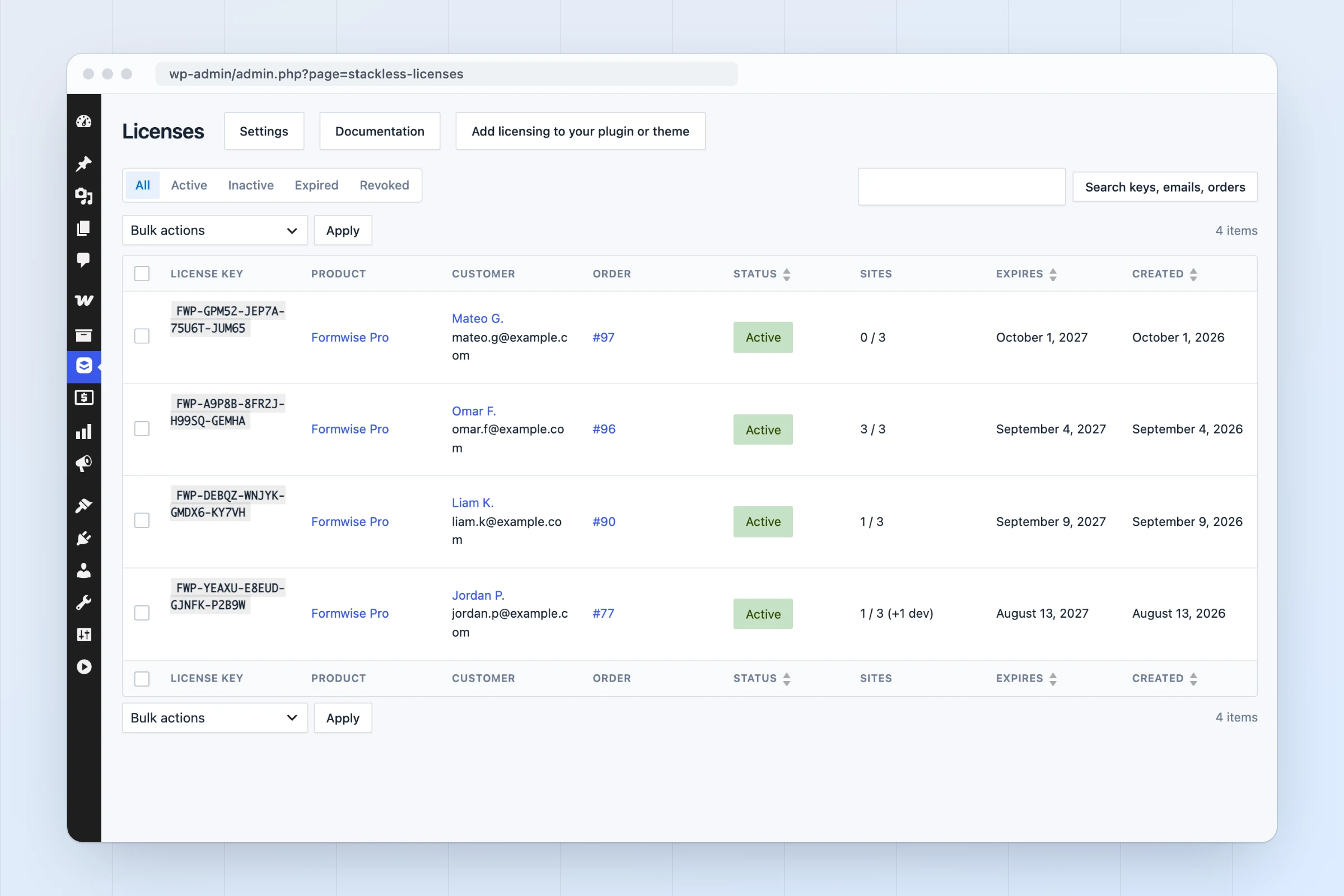
Stackless licenses list with license keys, customers, orders, site activations against limits and expiry dates
License keys with site limits, dev sites that don’t count, and expiry.
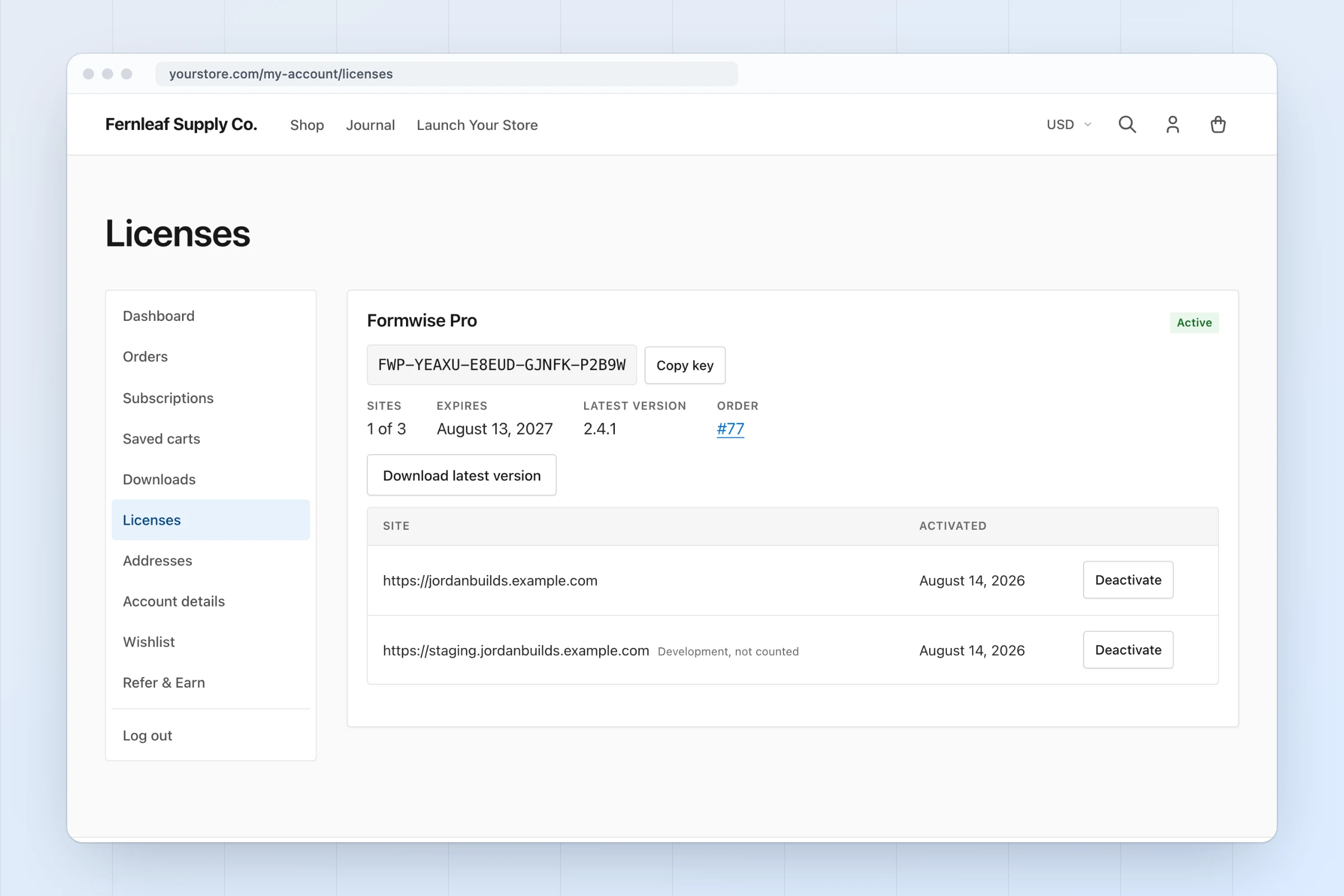
Customer My Account licenses tab with a license key, copy button, sites used, expiry and activated sites with deactivate buttons
Customers copy keys and manage their own site activations.
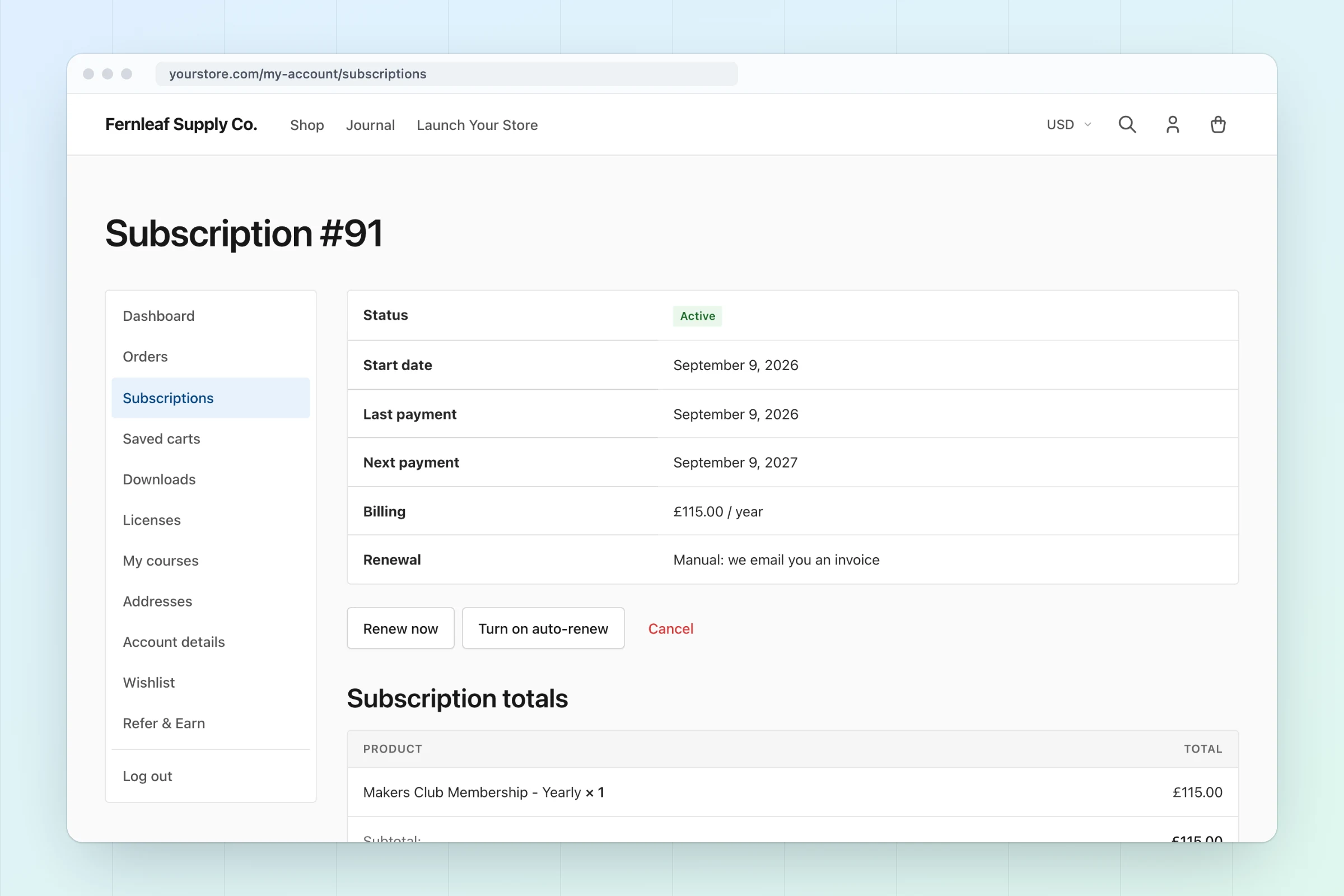
Customer My Account subscription page with status, next payment, renew now and cancel actions, plan switching and related orders
Customers renew, cancel or switch plans from My Account.
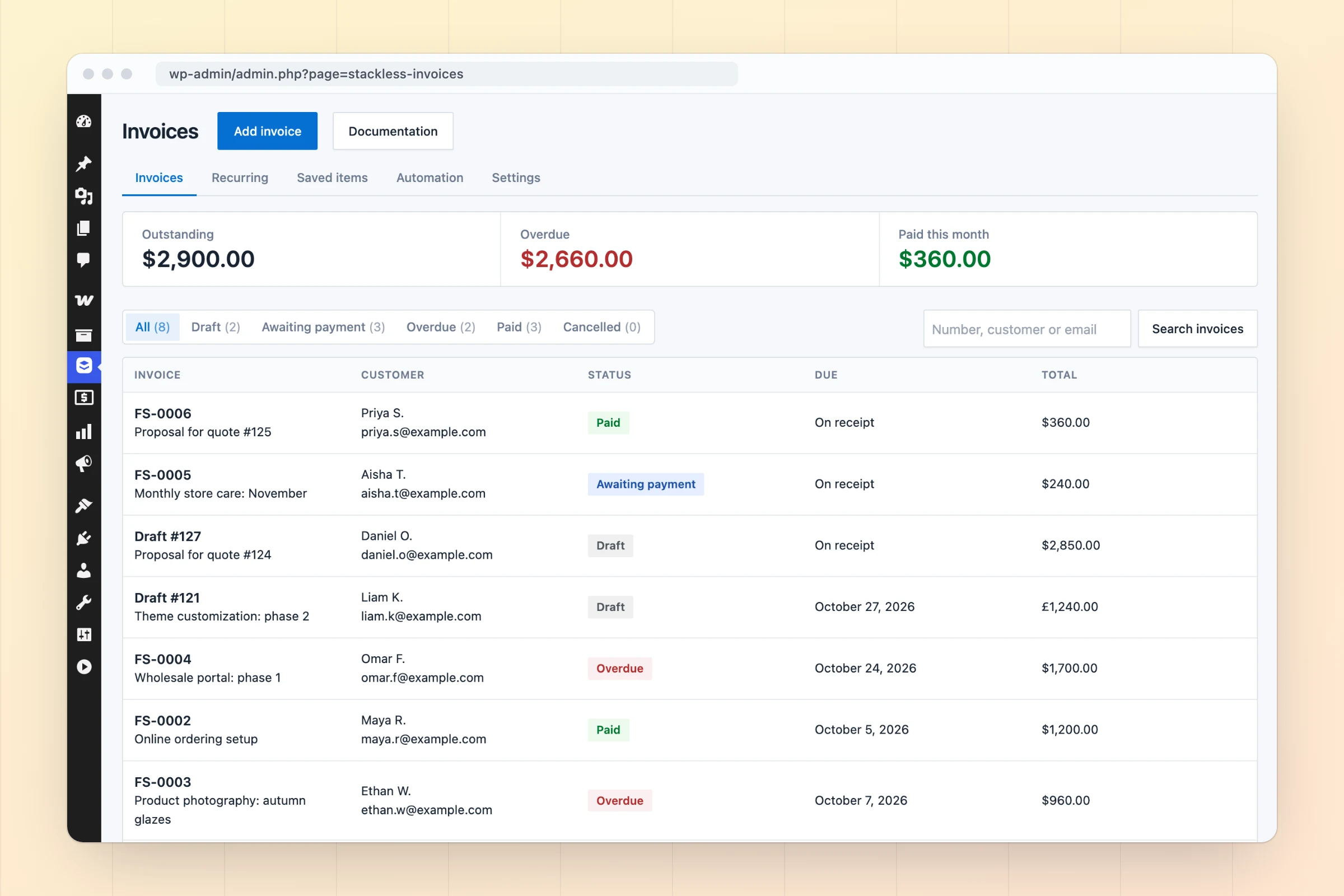
Stackless invoices list with outstanding, overdue and paid-this-month totals and draft, awaiting payment, overdue and paid invoices
Outstanding, overdue and paid invoices, totalled for you.
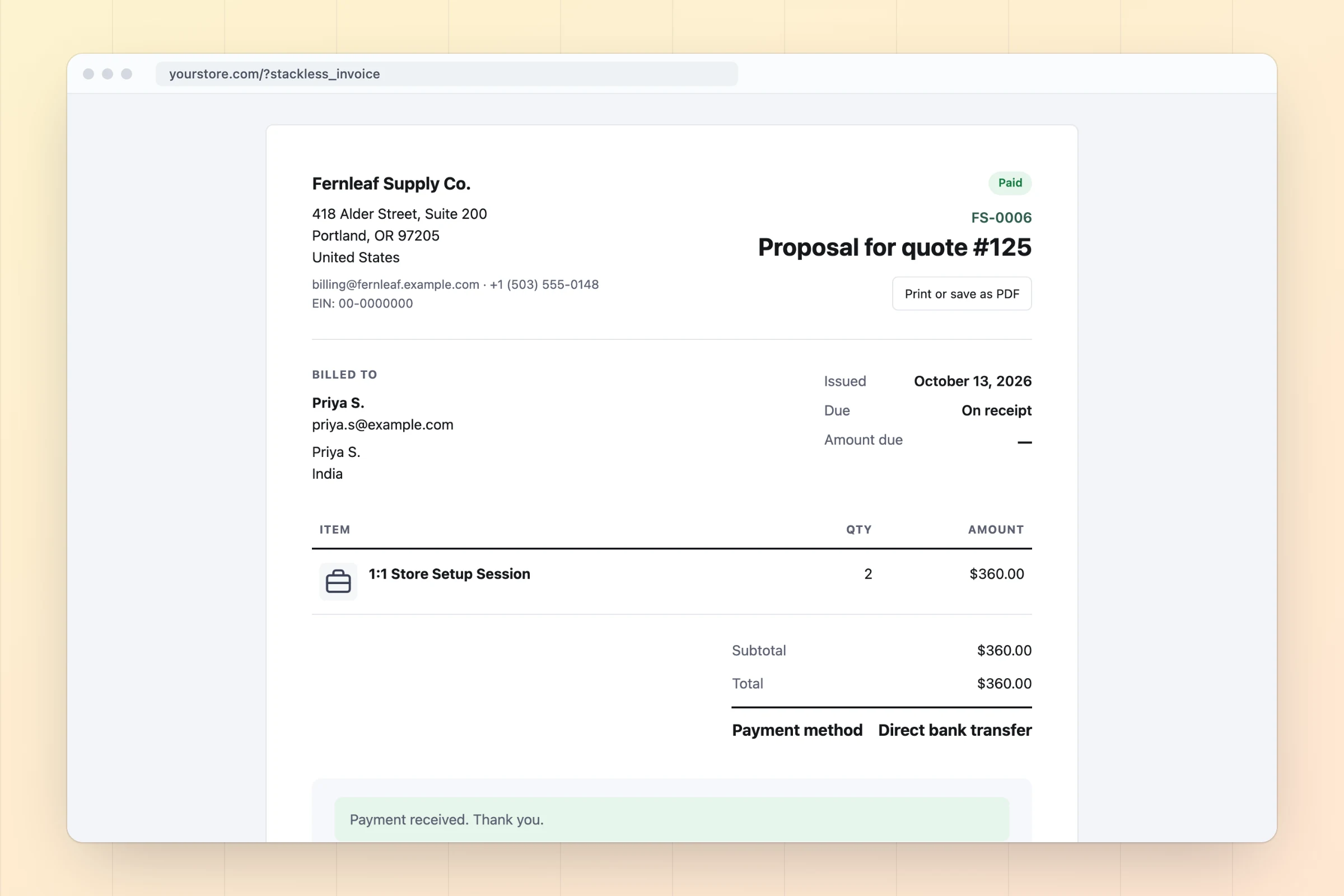
Branded printable invoice from Stackless with line items, discount, total, a pay button and payment terms
Branded invoices customers can print or pay in one click.
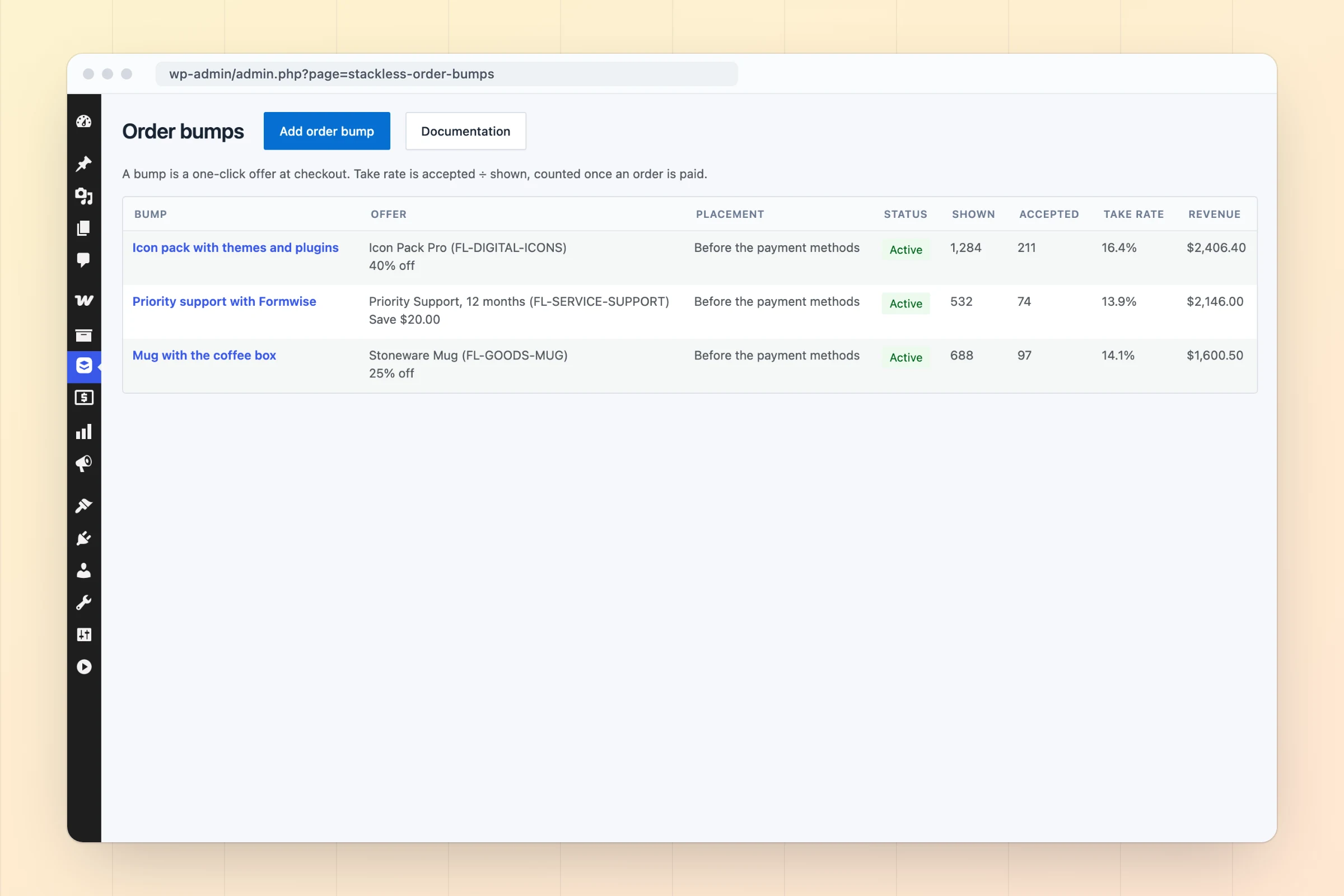
Stackless order bumps list showing offers, placement, times shown, accepted, take rate and revenue
Order bumps with take rate and revenue for each offer.
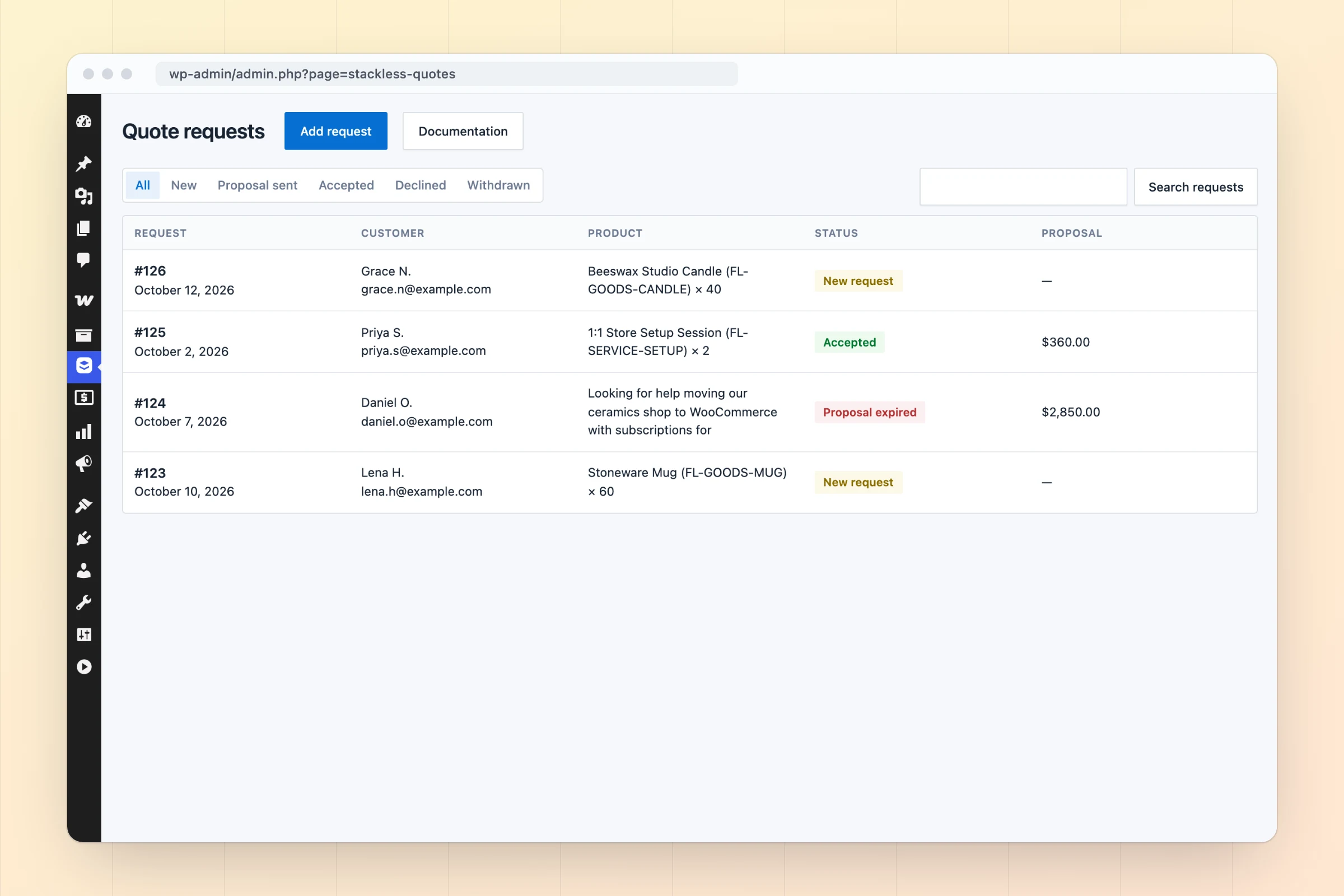
Stackless quote requests list with new requests, a sent proposal and an accepted quote with proposal totals
Quote requests that become proposals and paid invoices.
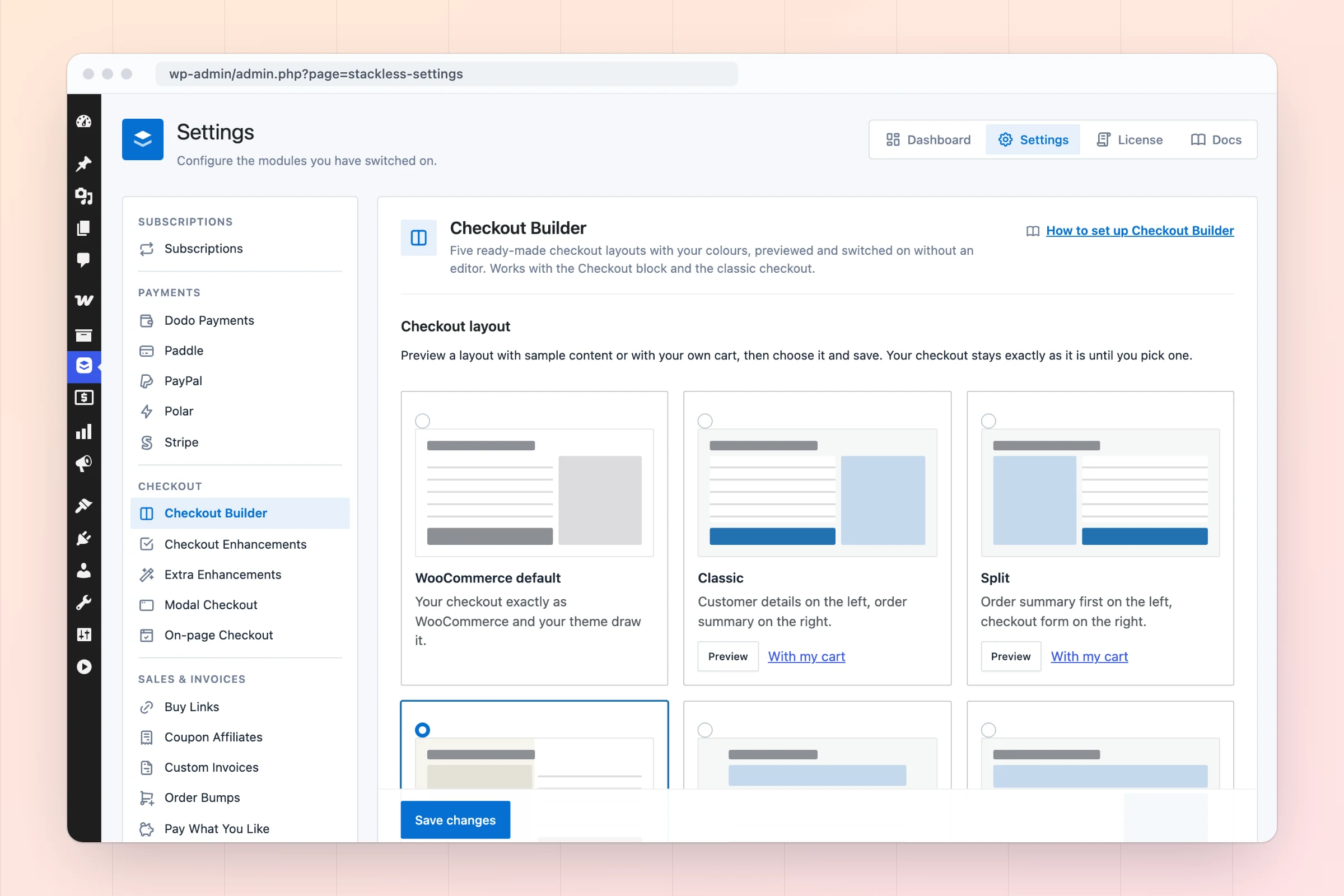
Stackless Checkout Builder settings with a gallery of six checkout layouts: WooCommerce default, Classic, Split, Warm Split (active), Focused and Review First
Five ready-made checkout layouts, switched on without an editor.
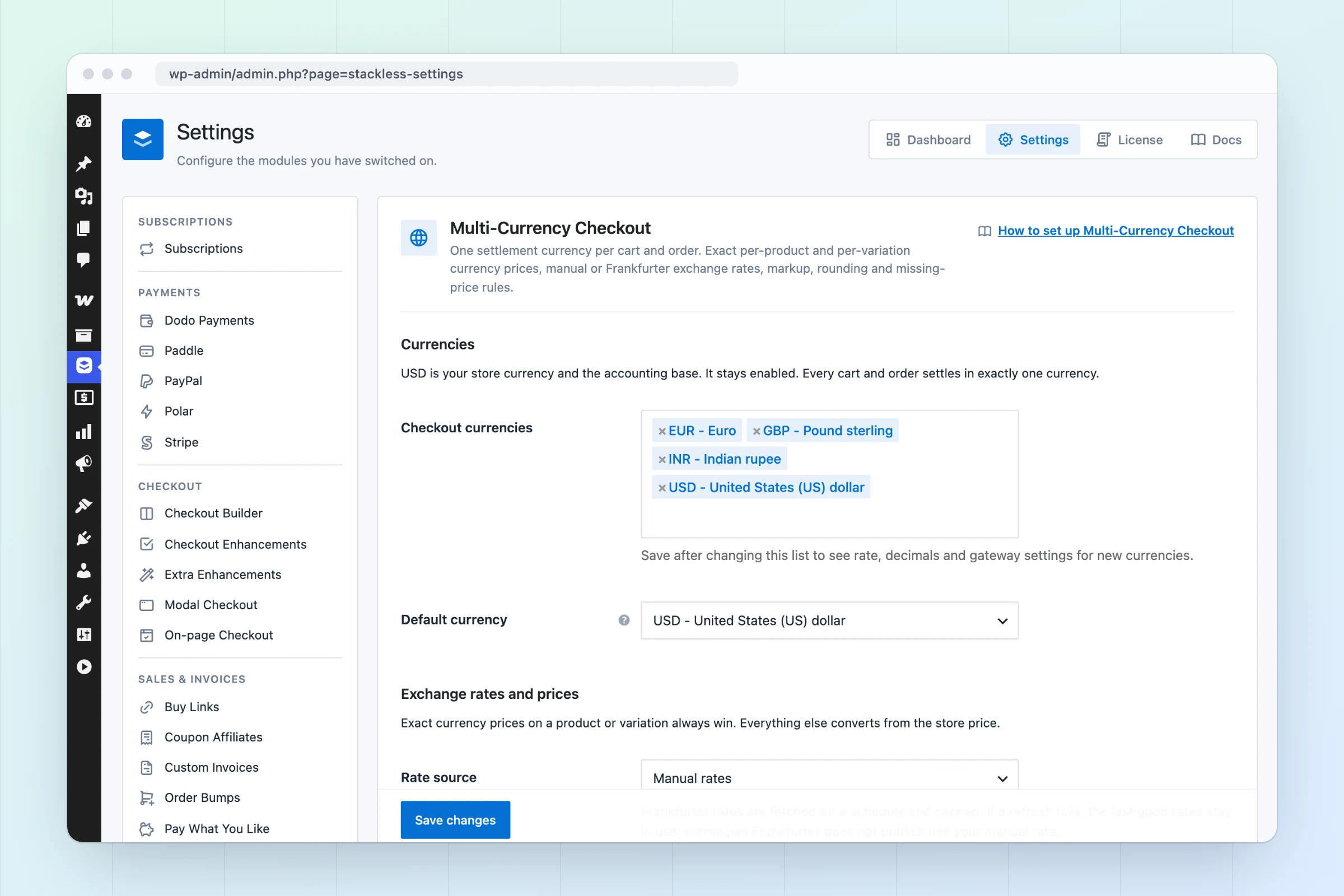
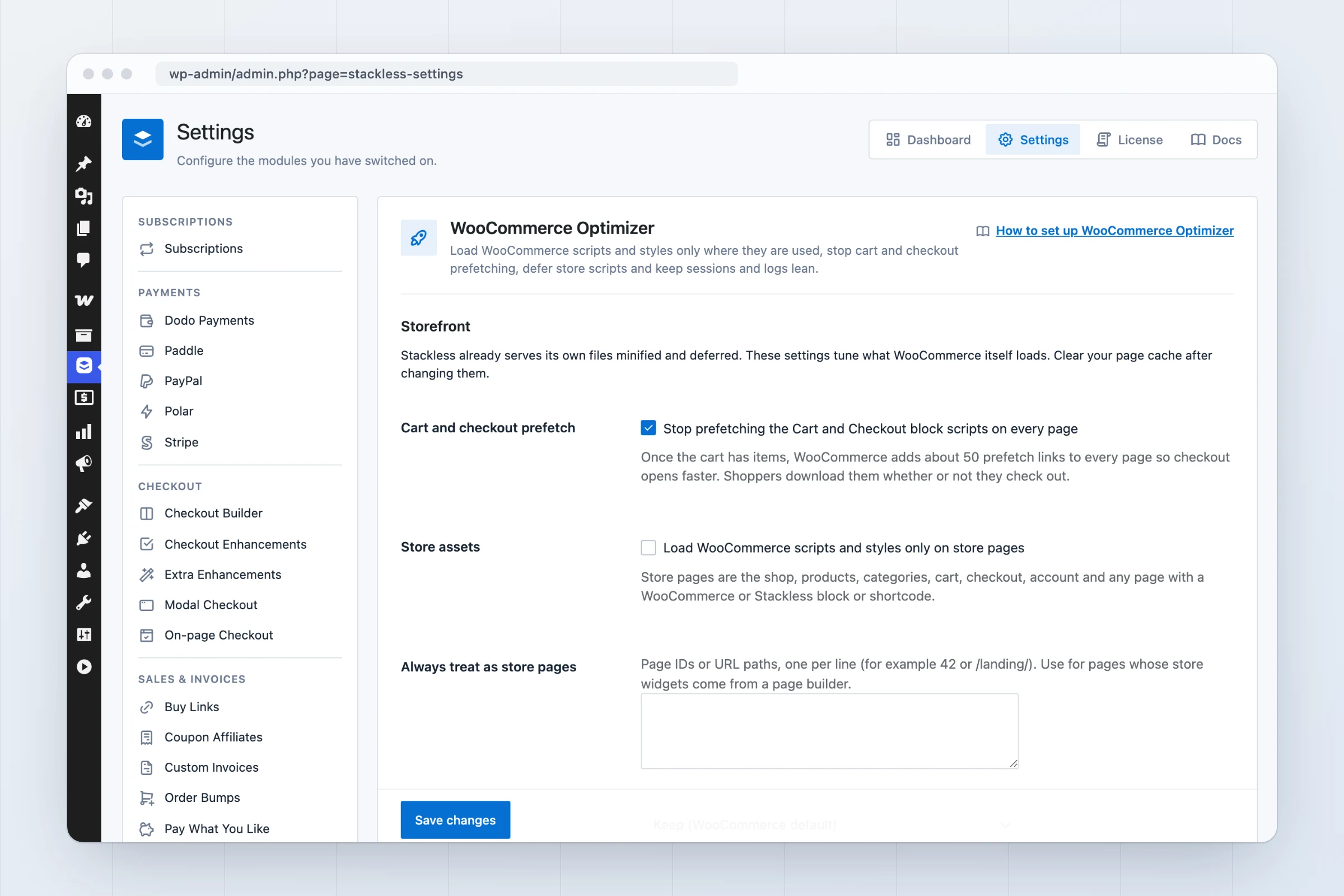
Stackless settings screen with the module sidebar and Multi-Currency Checkout options for USD, EUR, GBP and INR
Every module’s settings in one place.
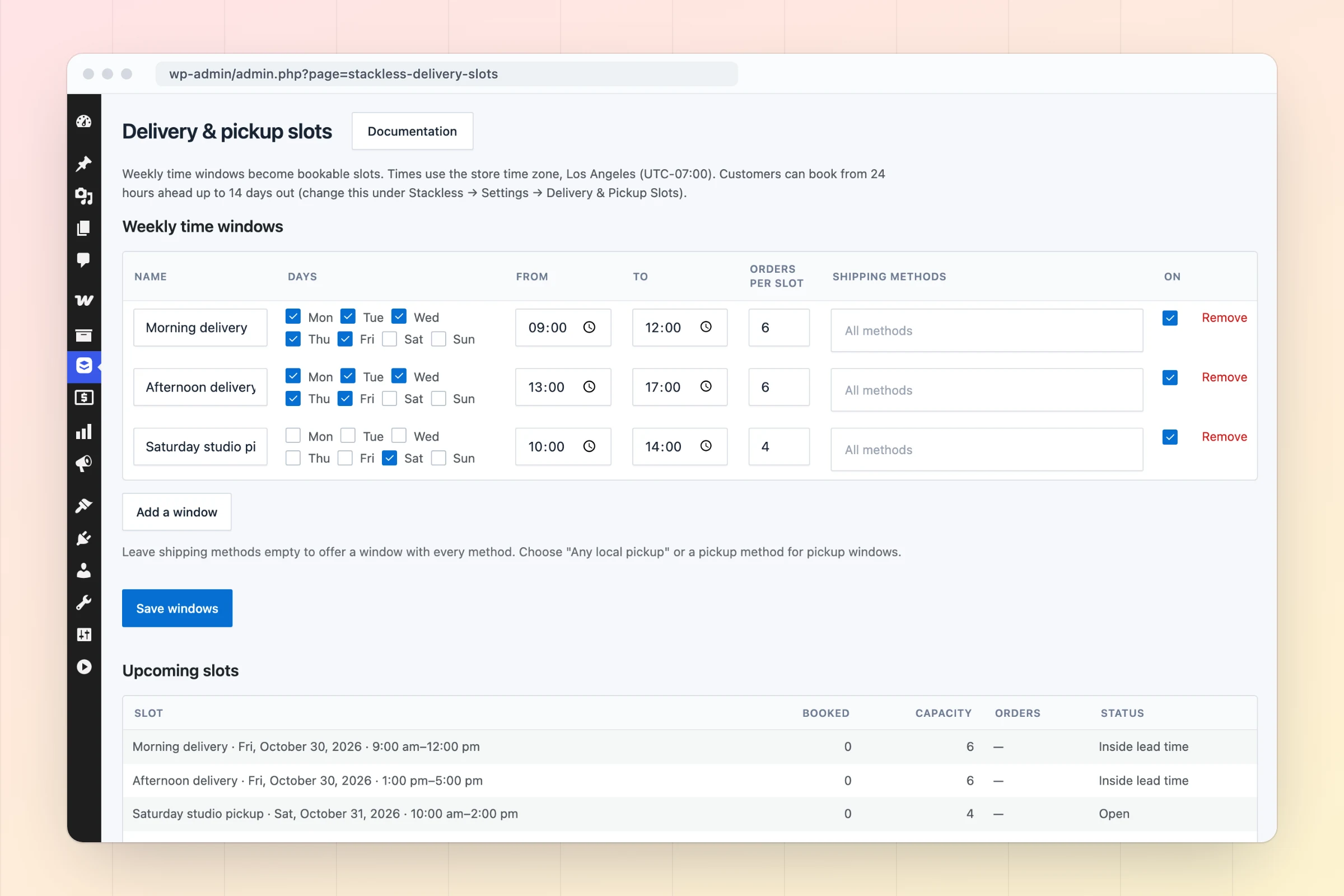
Stackless delivery slots screen with weekly time windows, capacity per slot and upcoming slots with booked orders
Delivery and pickup windows with per-slot capacity.
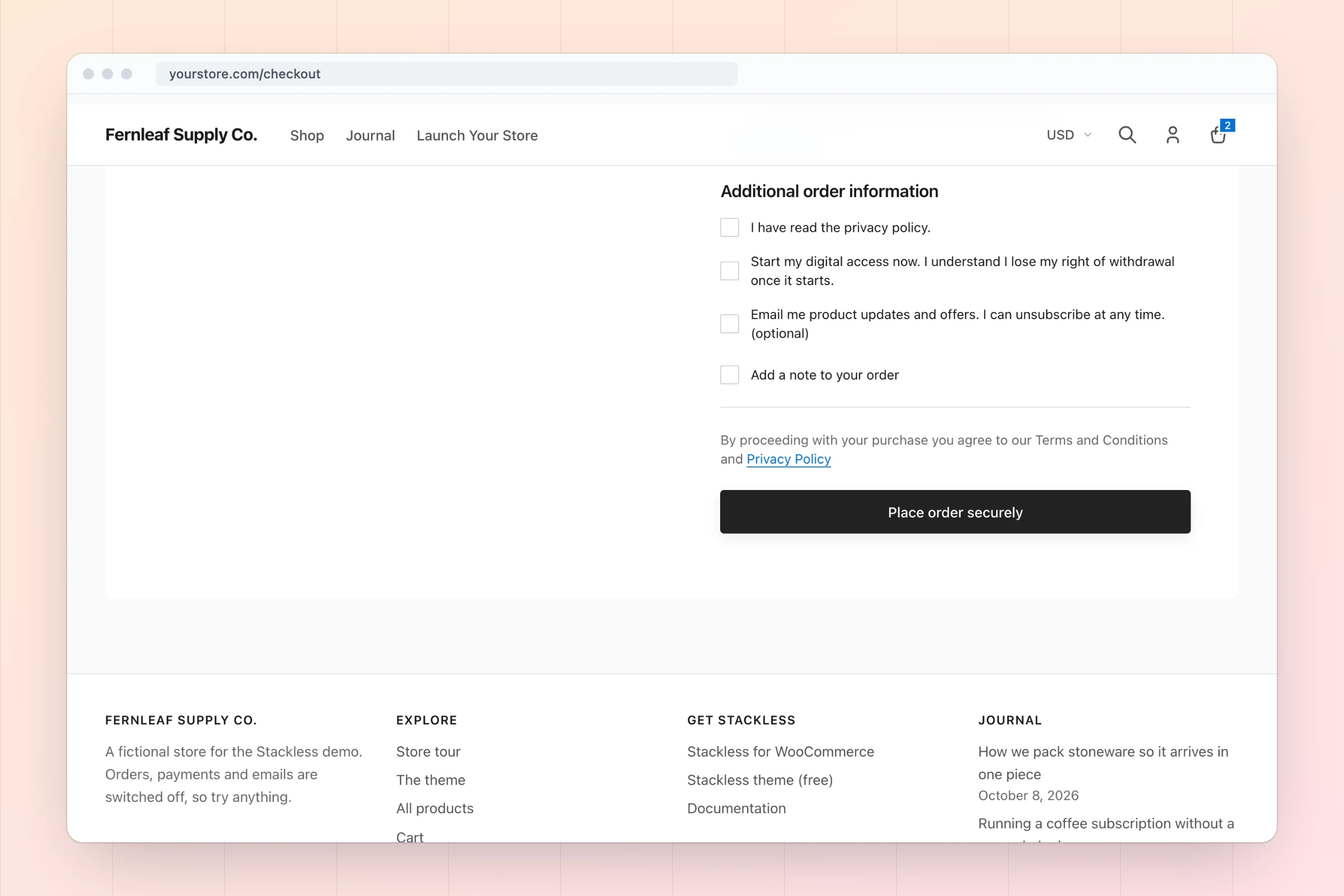
Checkout trust block and consent checkboxes for privacy, digital-access waiver and marketing emails, plus a paid gift-note field
Consent checkboxes, a trust block and paid checkout fields.
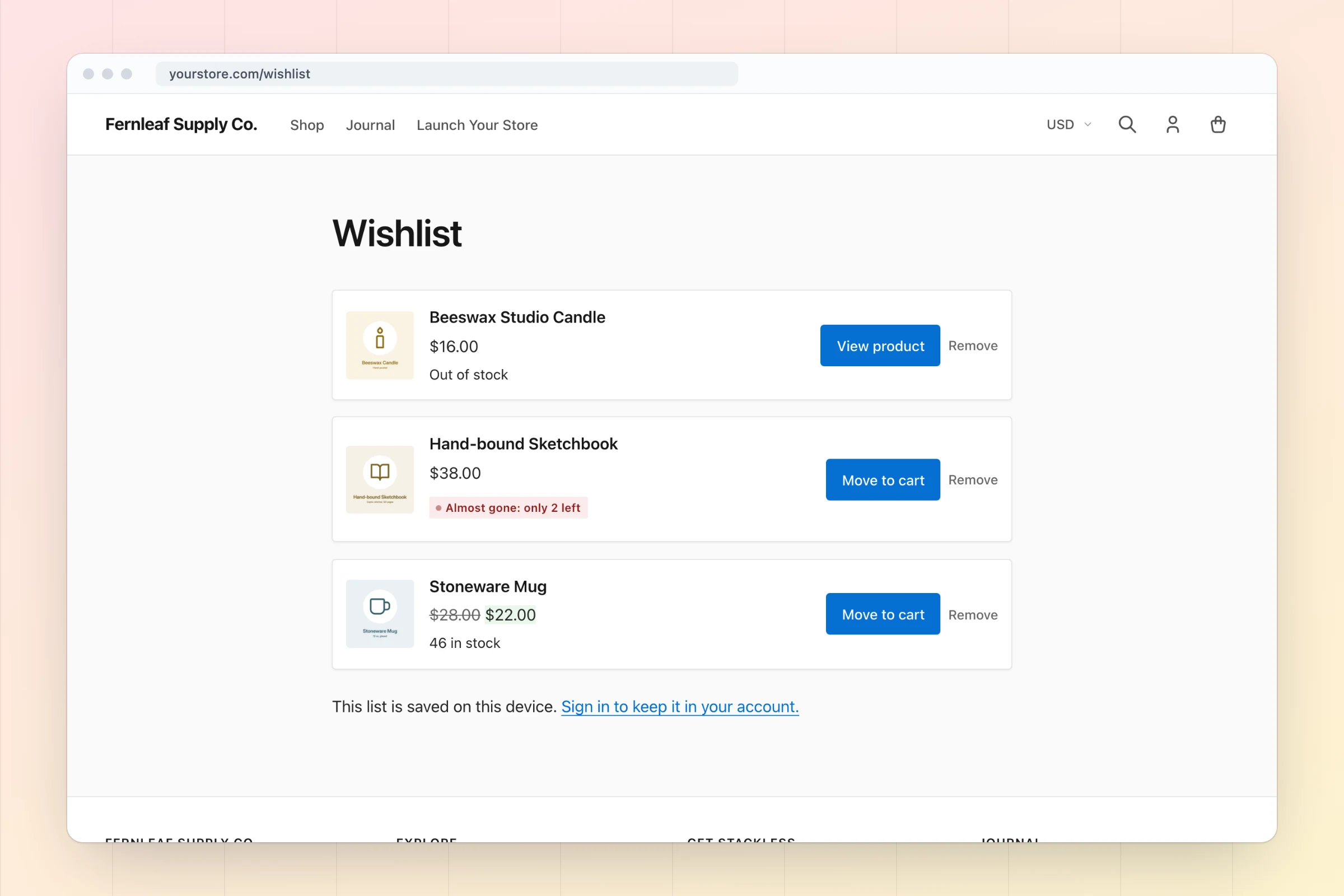
Wishlist page listing saved products with Move to cart and Remove buttons
Wishlists with one-click move to cart.

1 / 18

Loading screenshot

Every Job in Your Add-on Stack Has a Module Here

You don’t need any other add-ons for WooCommerce to run subscriptions, payments, licensing, currencies, invoices and the checkout. Here’s the list of plugins a store tends to collect, matched to the Stackless module that does the same job. Shipping carriers, tax services and marketing tools stay separate.

Add-on categories and the Stackless modules that cover them
The jobWhat stores usually addStackless module
Recurring billingWooCommerce Subscriptions or another subscriptions pluginSubscriptions
Charging saved cards for renewalsWooPayments, or a Stripe or PayPal gateway plugin with subscription supportStripe, PayPal, Polar
Selling your own plugins and themesA software licensing pluginSoftware Licensing
Prices in more than one currencyA multi-currency or currency switcher pluginMulti-Currency Checkout, Currency-Aware Payment Gateways, Storefront Currency Selector
Invoices and quotesAn invoicing plugin and a quote request pluginCustom Invoices, Request a Quote
A better checkoutA checkout field editor, an order bump plugin and a checkout layout pluginCheckout Enhancements, Order Bumps, Checkout Builder, Buy Links
Buyer-only pagesA membership or content restriction pluginPage Access
Product options and servicesA product add-ons plugin, plus custom code for services that skip shippingFields & Paid Add-ons, Service Products
Customer toolsSeparate wishlist, back-in-stock, delivery slot and saved cart pluginsWishlist, Back-in-stock Alerts, Delivery & Pickup Slots, Saved Carts & Order Again
Catalog tweaksSnippets or small plugins for price text, quantities, badges and buttonsFree Price Text, Sold Count, Stock Urgency Labels, Min/Max Quantity, Hide Price Until Login, Custom Add to Cart Text, External Product Extras, Product Details Table

If a plugin you already run does the same job, such as WooCommerce Subscriptions, the overlapping Stackless module pauses itself and names the plugin. Two plugins never fight over one checkout.

30 Modules, Each on Its Own Switch Grouped the Way the Admin Groups Them

Every module is optional. Turn on Subscriptions and Stripe today, add Order Bumps next month and leave the rest off. Only License & Updates is on when you install.

Subscriptions1

  • Subscriptions

    Recurring billing on simple and variable products: trials, signup fees, fixed terms, mixed carts, automatic or invoiced renewals, dunning, plan switching and a customer portal.

Payments3

  • Stripe

    Take cards, Apple Pay, Google Pay, Link and local payment methods with Stripe, save cards, and renew subscriptions automatically.

  • PayPal

    PayPal Smart Buttons and Pay Later on the block and classic checkout, refunds, and saved PayPal accounts that renew subscriptions automatically.

  • Polar

    Polar as a merchant of record: hosted checkout with sales tax and VAT handled for you, one-time orders, pay links and single-product subscriptions that Polar renews.

Checkout2

  • Checkout Enhancements

    Consent checkboxes with stored proof, a shorter checkout for virtual-only carts, your own checkout wording, and a trust block under the payment methods.

  • Checkout Builder

    Five ready-made checkout layouts with your colors, previewed and switched on without an editor. Works with the Checkout block and the classic checkout.

Sales & invoices4

  • Order Bumps

    One-click add-on offers at checkout, shown by cart rules, priced on the server, with take rates per bump.

  • Buy Links

    Shareable links that fill the cart and open checkout, with coupons, multiple products and tamper-proof signatures, plus an optional Buy now button.

  • Custom Invoices

    Invoice customers for products or custom items with a printable invoice and a secure pay link. Numbered invoices, recurring billing, deposits with automatic balance invoices, and due-date reminders.

  • Request a Quote

    Let customers ask for a quote from any page or product. Reply with a proposal they accept online; accepting issues the invoice and takes them to payment.

Currency3

  • Multi-Currency Checkout

    One settlement currency per cart and order. Exact per-product and per-variation currency prices, manual or Frankfurter exchange rates, markup, rounding and missing-price rules.

  • Currency-Aware Payment Gateways

    Choose which payment gateways handle each currency and which one is shown first. Unsupported gateways are removed at checkout and rejected on the server.

  • Storefront Currency Selector

    Let shoppers pick their currency with a shortcode, a block, or a selector above the checkout payment methods. Switching reprices the cart on the server.

Access & licensing2

  • Software Licensing

    Sell plugins and themes with license keys, site activation limits, a license API and automatic updates from your store.

  • Page Access

    Unlock chosen pages for customers who buy a product. Published pages show an access notice; private pages stay hidden from everyone except buyers. Subscriptions keep access while active.

Catalog8

  • Free Price Text

    Show custom text such as “Free” instead of a zero price on product pages, shop grids, the cart and checkout.

  • Sold Count

    Show an “X sold” badge on products once they pass a sales threshold. Uses WooCommerce’s own sales counter.

  • Stock Urgency Labels

    Show “Only 3 left” style labels when stock runs low, with separate low and very-low thresholds and messages.

  • Min/Max Quantity

    Set minimum, maximum and step quantities store-wide, per product and per variation. Enforced on the classic cart and the Cart and Checkout blocks.

  • Hide Price Until Login

    Hide prices and buying from guests, store-wide, by category or per product, with a login link in place of the price.

  • Custom Add to Cart Text

    Rename the add to cart button per product type, for free, subscription and sold-out products, and per product or variation.

  • External Product Extras

    Control rel and target on External/Affiliate product links, hide their prices, count outbound clicks, and make sure they can never be added to the cart.

  • Product Details Table

    Add a specifications table to products with presets for physical goods, downloads, books, software and services. Values fill in from WooCommerce data and feed product schema.

Store tools6

  • Wishlist

    Guest and account wishlists that merge on sign-in, with buttons on product pages and shop grids, a wishlist page, a My Account tab, share links and move to cart.

  • Back-in-stock Alerts

    A “Notify me” form on out-of-stock products and variations, confirmed by email, with one availability email when stock returns.

  • Fields & Paid Add-ons

    Product add-ons (checkbox, dropdown, text, number) with per-item or one-off prices, and collapsible checkout fields with optional fees.

  • Delivery & Pickup Slots

    Customers pick a delivery or pickup time at checkout. Weekly time windows with capacity per slot, lead time, closed dates and per-shipping-method availability.

  • Saved Carts & Order Again

    Customers save their cart under a name, restore it later, and reorder from any past order. Adds a Saved carts tab to My Account.

  • Service Products

    Mark products as services: no shipping, plus after-payment instructions and an optional booking or intake link on the thank-you page, emails and the customer account.

Admin1

  • License & Updates

    Activate your Stackless license to receive automatic updates from gauravtiwari.org. The plugin works fully without it.

Subscriptions Without WooCommerce Subscriptions Mixed Carts, Renewals, Retries and Plan Switching

Subscriptions is a pricing option on the products you already have, so there’s no new product type to learn. A customer can buy a monthly plan, a yearly plan and a one-time product in the same checkout.

Plans

  • Subscription pricing on simple and variable products
  • Billed every day, week, month or year, at any count
  • Free trials, signup fees and fixed-length plans

Mixed carts

  • Several subscriptions and one-time items in one checkout
  • One subscription per billing schedule; items on the same schedule share one
  • Recurring totals shown for each schedule on the cart and checkout

Renewals

  • Automatic renewals through the built-in Stripe, PayPal and Polar gateways
  • Manual renewals on any other gateway: a renewal order and an emailed pay link
  • Failed-payment retries on a schedule you set, such as 1, 3 and 5 days

Changes

  • Cancel now or at the end of the paid period
  • Plan switching with proration for unused time
  • Recurring coupons for every cycle, the first payment or a set number of cycles

You and your customers

  • 10 subscription emails, from new subscription to trial ending
  • A Subscriptions area in My Account
  • Admin list and edit screens, plus an MRR and churn dashboard widget

Stripe, PayPal and Polar Are Built In Any Other Gateway Still Renews by Pay Link

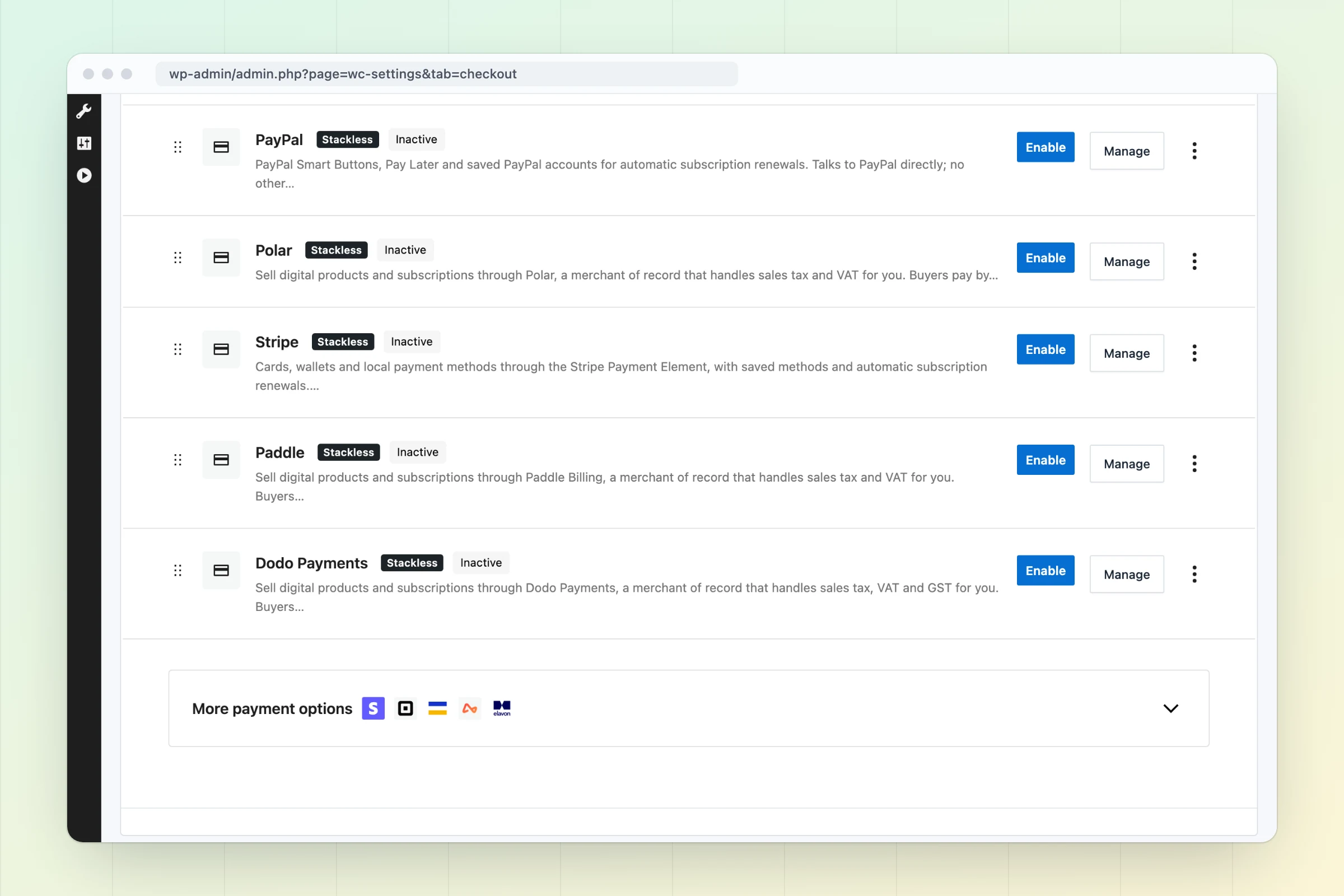
Core WooCommerce can’t charge a saved card, which is why subscription stores end up with a gateway plugin. Stackless ships its own gateways that save the payment method and charge renewals. You connect your own Stripe, PayPal or Polar account.

Stripe

Automatic renewals
  • The Payment Element on the Checkout block and the classic checkout
  • 3D Secure, plus Apple Pay, Google Pay and Link express buttons
  • Saved cards and off-session renewal charges
  • Refunds from the order screen and webhooks for payment status

PayPal

Automatic renewals
  • Smart Buttons and Pay Later on the block and classic checkout
  • Saved PayPal accounts that renew subscriptions
  • Refunds from the order screen
  • Talks to PayPal’s REST APIs directly

Polar

Merchant of record
  • Polar is the seller of record and handles sales tax and VAT
  • Hosted checkout, one-time orders and pay links
  • Single-product subscriptions with free trials that Polar renews
  • Payments, renewals, refunds and cancellations sync through signed webhooks

Every other gateway

Bank transfer, cash on delivery or any third-party gateway can still take subscriptions in manual-renewal mode. On the due date Stackless creates the renewal order and emails the customer a pay link. One-time orders work with any gateway, as they always have.

Switch On What You Use The Rest Stays Out of Your Store

Stackless lives in its own wp-admin menu. Every module is a switch on one dashboard, grouped the same way as the list above.

  1. Step 1

    Install it on WooCommerce

    Upload Stackless to a site running WordPress 6.6+, WooCommerce 9.9+ and PHP 7.4+. Only License & Updates is on at first, so nothing changes on your store yet.

  2. Step 2

    Switch on the modules you need

    Open Stackless in wp-admin, search or filter the module list, and flip a switch. A module that stays off loads no code at all.

  3. Step 3

    Set it up, then add your license

    Each module has its own settings screen. Add your license key for updates and support. Every feature works without it.

When another plugin already does a module’s job

The module pauses and the dashboard says why, for example: Paused because WooCommerce Subscriptions is active and does the same job.

What It Doesn’t Do Yet Read This Before You Buy

A plugin that replaces a stack has edges. These are the ones that matter today, so you can decide before you install it.

Works today

  • Subscriptions, one-time products and mixed carts on the Cart and Checkout blocks or the classic checkout
  • Automatic renewals through the built-in Stripe, PayPal and Polar gateways
  • Manual renewals with emailed pay links on any other gateway
  • HPOS stores on WooCommerce 9.9 and newer, tested with 11.2
  • Every module on its own switch, with no license needed to run it

Doesn’t yet

  • Polar takes one subscription per checkout. Mixed carts go to Stripe, PayPal or a manual-renewal gateway.
  • There’s no importer from WooCommerce Subscriptions yet, so existing subscribers don’t move over on their own.
  • You need your own Stripe, PayPal or Polar account. Stackless connects to them; it isn’t a payment processor.
  • Product add-on fields and the Buy now button need the classic add-to-cart form. The newer Add to Cart with Options block doesn’t show them.

Two Licenses, Every Module Pay Yearly or Pay Once

Both licenses include all 30 modules and unlimited site activations. The license adds updates and support; every feature works without it.

Annual

Renews yearly

$39USD per year

$69/year when the deal ends

Updates and support while your subscription is active.

  • All 30 modules
  • Unlimited site activations
  • Updates for as long as you renew
  • Incredibly fast and helpful one-on-one email and Twitter Chat support.
  • Download and license key in your account
Get Annual for $39/Year

Renews yearly until you cancel.

$99 lifetime and $39/year are early adopter prices; they rise to $399 and $69/year when the deal ends. 14-day unconditional refund period. Prices shown in USD; checkout shows supported local currencies and the final amount before payment.

  • WordPress 6.6+
  • WooCommerce 9.9+, tested with 11.2
  • PHP 7.4+
  • HPOS compatible

Questions Before You Switch Answered Plainly

The things worth knowing before you move a working store onto one plugin.

Something else on your mind? Ask through product support. Incredibly fast and helpful one-on-one email and Twitter Chat support.

Will it work with my theme?

Stackless works through WooCommerce’s own cart, checkout, My Account and email templates, so a theme that supports WooCommerce supports it.

Does it support HPOS and the Cart and Checkout blocks?

Yes. Stackless declares compatibility with HPOS and with the Cart and Checkout blocks, and the classic checkout works too. The one exception is on the product page: product add-on fields and the Buy now button need the classic add-to-cart form.

What happens if I stop renewing the annual license?

Updates and support stop. Every module keeps working, because the license only adds updates and support. You can renew later or buy the lifetime license instead.

I already use WooCommerce Subscriptions. Can I switch?

You can install Stackless next to it, but the Stackless Subscriptions module pauses while WooCommerce Subscriptions is active, so two plugins never bill the same customer. The other modules work alongside it. There’s no importer for existing subscriptions yet.

Which payment gateways renew subscriptions automatically?

The built-in Stripe, PayPal and Polar gateways charge renewals automatically. Any other WooCommerce gateway, including bank transfer, works in manual-renewal mode: the customer gets an email with a pay link when each renewal is due. One-time orders work with any gateway.

What if it does not suit my store?

There is a 14-day unconditional refund period. Use Product Support for help or a refund request.

You Don’t Need Any Other Add-ons for WooCommerce Start With the Module Your Store Needs Next

Switch on the job that costs you the most plugins today. The other modules wait, switched off, until you need them. Early adopter price: $99 lifetime, $399 when the deal ends.