Drag-and-drop builders
- Markup buried in nested wrapper divs you didn’t write
- A runtime shipped to every visitor on every page
- Deactivate the plugin and the site collapses into shortcodes
Free & open source · v2.6.0
GT Page Blocks Builder turns the WordPress editor into a proper HTML/CSS/JS workbench — live theme-styled previews, a reusable section library, AI assist, theme regions, and a REST API. No shortcode soup. No two-megabyte builder runtime.
Every WordPress developer hits the same fork: fight the block editor’s Custom HTML block with no preview and nowhere to put CSS, or surrender a site to a drag-and-drop builder that owns your markup forever. There’s a third way.
Drag-and-drop builders
Raw Custom HTML block
GT Page Blocks Builder
post_content — your HTML survives deactivationIn the block editor
Drop in a Page Block and it opens as a rendered preview of your section, styled by your actual theme. Flip to code when you want to type; the preview keeps up while you do.
data-theme="dark" without leaving the editorclass=" and press Ctrl+Space; suggestions come from your theme’s CSSFull-page builder
One click from the admin bar opens the frontend builder: every section of the post in a sidebar, CodeMirror with Emmet expansion in the middle, and your real page rendering live on the right. Gutenberg stays the source of truth — the builder reads and writes ordinary blocks.
Type section.hero>h1+p, hit tab, keep moving. Class suggestions are scanned from your theme so your sections speak its design language.
Bring your own OpenAI, Anthropic, or Gemini key. Describe a section; generated CSS and JS are split into their own editors automatically. The output is plain code you own.
Sections with PHP or wpautop render through a server-side preview, so what you see in the builder is what the front end ships — not a guess.
Library & API
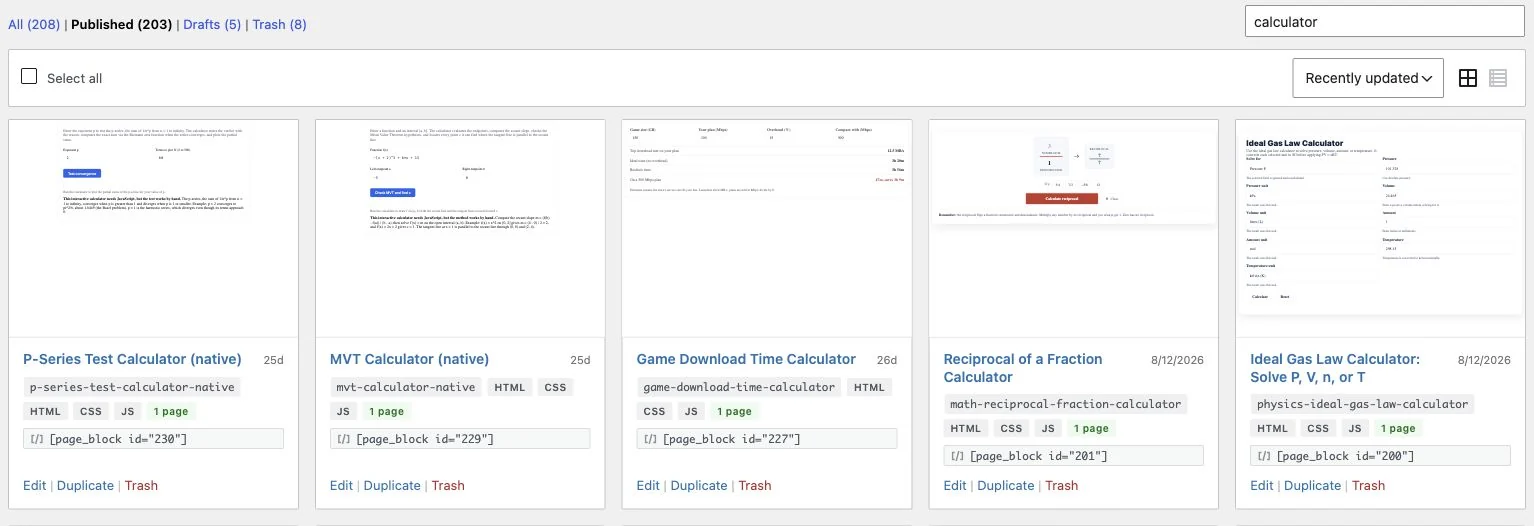
The library is a card grid of your saved sections with live thumbnails rendered in your theme’s CSS — search it, filter by status, duplicate, trash, restore. Pull any saved block into a page from the editor’s Browse-library modal, drop it in a template with a shortcode, or pin it to a theme region.
[page_block id="42"] anywhere shortcodes runpbb/v1, ready for scripts and CI# Everything in your library
curl https://example.com/wp-json/pbb/v1/blocks
# Create a section from a script
curl -X POST .../pbb/v1/blocks \
-H "X-WP-Nonce: ..." \
-d '{"title":"CTA band",
"content":"<section>...</section>",
"css":".cta{...}","status":"publish"}'
# Rendered output, server-side
curl .../pbb/v1/blocks/42/render <?php // header.php — the whole thing ?>
<?php gt_pb_region( 'header' ); ?>
<main>
<?php the_content(); ?>
</main>
<?php gt_pb_region( 'footer' ); ?> New in 2.6.0 · Theme building
Assign any library block to a theme region — header, hero, before/after content, sidebar, footer, 404 — and render it with one function call. Pair the plugin with a near-empty theme and the entire site becomes editable sections: versioned, previewable, reusable.
No theme edits at all? Blocks can also hook straight into core actions — wp_body_open, wp_footer, before and after the content — with priority ordering and a position chip in the library so you always know what renders where.
Upgrading? The old block name keeps rendering, and wp gt-pb migrate-blocks (or Settings → Tools) rewrites stored content in one pass — dry-run included.
Engineering
The best performance feature is everything this plugin doesn’t ship. There is no front-end framework, no builder runtime, no render-blocking anything — just your markup, delivered the way you’d deliver it by hand.
<head>, onceSection CSS is collected at template_redirect and printed as one style tag — no flashes of unstyled sections.
Flip a block to file mode and its CSS/JS is written to cacheable static files in uploads.
HTML, CSS, and JS are minified at render — with pre/code contents left intact.
Per-block opt-in plus a site-level capability filter. When execution isn’t allowed, tags are stripped, never printed.
Sections are stored as standard blocks in post_content. Deactivate everything — your HTML is still your HTML.
Migrations and scripting via the command line, plus the REST API for everything else. Automation is a first-class citizen.
Getting started
Upload the zip, activate, pick which post types get the builder. No account, no license key, no phoning home.
Add a Page Block, write HTML/CSS/JS with the live preview — or describe the section and let your AI key draft it.
Push it to the library, insert it on any page, drop the shortcode in a widget, or assign it to a theme region site-wide.
Everything on this page — the editor, the builder, the library, the REST API, theme regions, AI support — ships in one GPL-2.0 plugin. Download it, read every line of it, fork it if you like.