
Cloudflare Free
Coordinate eligible HTML caching at the edge with the origin cache.
- Preview and synchronize a managed Cache Rule.
- Inspect rule conflicts and drift.
- Purge exact URLs without requiring APO or Workers.
Less work for your server. More speed for your visitors.
Page caching, Cloudflare Free, and frontend optimization in one dashboard.
Built for blogs and stores, with cache exclusions for WooCommerce, FluentCart, and Easy Digital Downloads.
Free and open source on WordPress.org. Enable the layers your site needs.
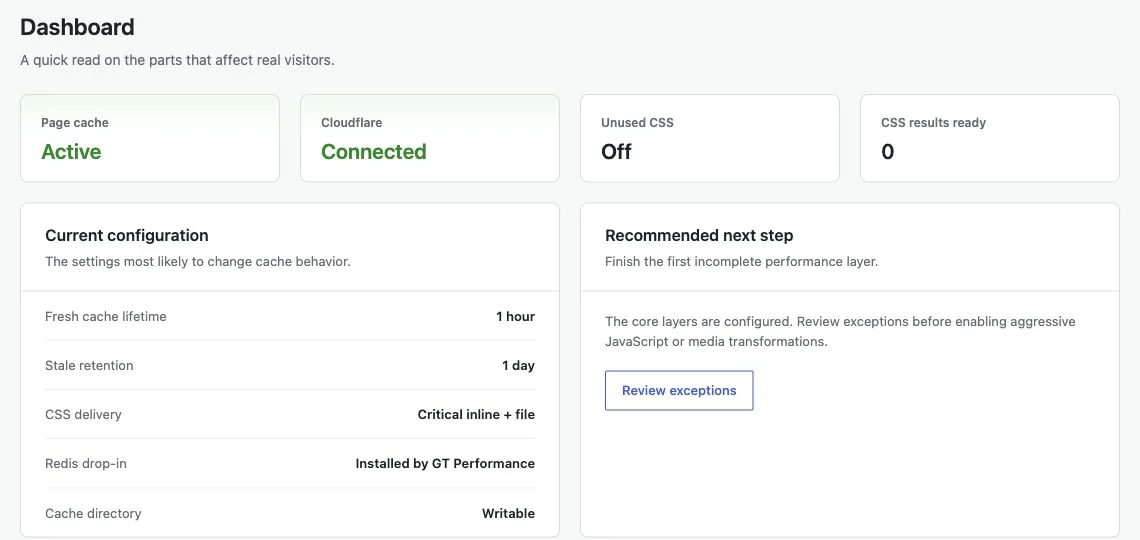
A cached public page saves WordPress from rebuilding the same response for every visitor. Store sessions need a different path.
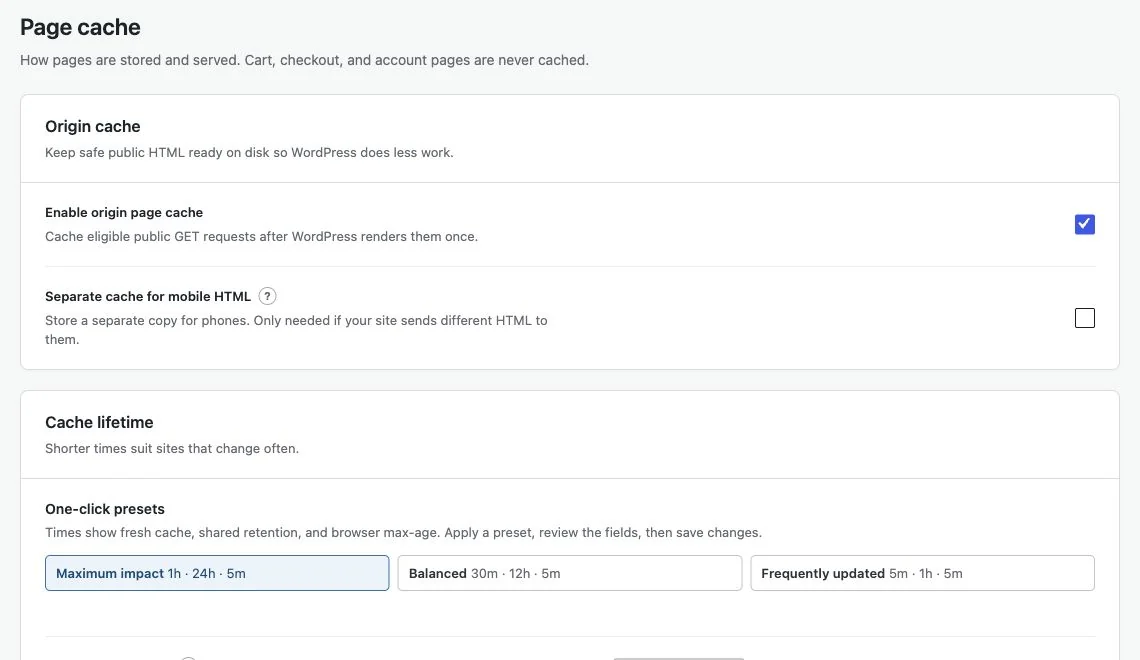
Generate reduced stylesheets on your own server, then decide how much of your site receives them. Keep the original CSS available while you check the result.
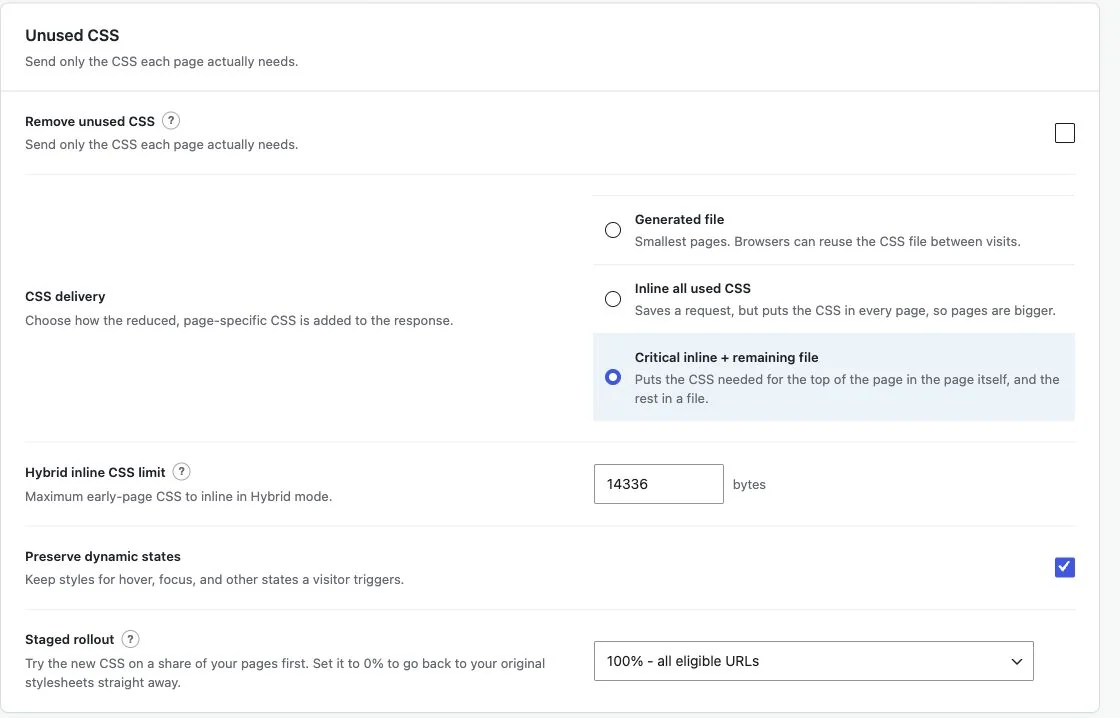
Start with caching. Add the tools that solve the next bottleneck.
Included in the free plugin.
Configured by you.
Coordinate eligible HTML caching at the edge with the origin cache.
Make eligible scripts smaller and control when they run.
Reduce avoidable media work while keeping early images available.
Choose where your static assets come from.
Keep reusable WordPress data in Redis when your host supports it.
Inspect the reason behind a cache decision.
Reduce unwanted requests without treating every switch as a recommendation.
Give overlapping optimizations a clear owner.
Keep customer-specific requests out of public cache.
Undo a bad save without guessing what changed.
See and steer the work that runs after you click.
Off by default. Evidence first, changes only with your approval.
One layer at a time. A clear path from installation to rollout.
Add it from Plugins > Add New Plugin on a staging copy of your site.
Review existing cache ownership, then install the page-cache drop-in.
Check logged-out pages, forms, login, cart, checkout, and customer accounts.
Connect Cloudflare or enable frontend optimization once the baseline works.
FreeOpen source. GPL-2.0-or-later.
Page caching, cache warming, optimization controls, Cloudflare integration, and diagnostics. All included.
Downloads the latest release from WordPress.org.
Here’s what happens after you click download.
The button downloads the latest version straight from WordPress.org. No checkout, no email.
Upload the ZIP under Plugins > Add New Plugin, or search for GT Performance there. Activate it and open GT Performance in the admin menu.
Updates arrive in your dashboard like any other WordPress.org plugin. Turn on auto-updates if you want them hands-off.
Everything here is quick to set up, light on your pages and built to do one real job well. I only charge for the tools that can make you money. The rest are free.

I design, build and support every product on this site myself. When you email me, the person reading it is the one who wrote the code.
I’d rather ship one tool you’d miss if it vanished than ten that sit in your plugin list doing nothing.
18+years building websites, plugins and stores, since 2008
Switch a feature off and it loads nothing. What does load stays small. A tool that replaces a plugin shouldn’t make your pages slower.
Clear screens, sensible defaults and settings written in plain English. If you need a tutorial for the basics, that’s my design mistake, not yours.
Full keyboard support, visible focus, proper labels and text you can actually read. When more people can use your store, more people can buy from it.
My paid tools help you sell, renew, license or convert. If one just sits in your stack, I haven’t done my job.
I won’t charge for anything that can’t make you money. The free tools get the same care as the paid ones, down to the last setting.
Clear answers to the setup and compatibility questions.
No. The managed Cache Rule and targeted purge integration work with Cloudflare Free. APO and Workers are not required.
No. Stylesheet collection, selector analysis, and generation run on your WordPress server. Background jobs and exclusions determine which pages are processed.
Do not let two plugins own the same page-cache or object-cache drop-in. GT Performance reports ownership conflicts rather than silently replacing another plugin’s file. Assign overlapping optimizations to one plugin.
The supported commerce adapters add exclusions for their known routes and sessions. Still check your actual payment methods, account flow, and custom endpoints before enabling caching in production.
Updates come from WordPress.org and appear in your dashboard like any other plugin. Every release is listed in the changelog, and planned work is on the roadmap.
Yes. GT Performance is GPL software with no license keys or activation limits, so you can install it on every site you manage.
Only when you ask it to. AI features are off by default and require an administrator. The optional adviser shows exactly what it will send before anything leaves your site, and nothing is sent automatically or from visitor requests.
Yes. Settings history keeps your last 20 saves for up to 90 days and restores earlier values without touching saved credentials. You can also export and import settings as a JSON file.
Installation, fine-tuning, and finding out why.
25 guides
No matching guide. Try a different feature name.
Browse the full wiki for setup and reference material, or report an issue on GitHub.
Read the full changelog for release-specific fixes and upgrade details.
See the public roadmap for planned work. Planned features are not included until they ship.
Start with public-page caching. Add the optimizations you can verify.
Keep every layer under your control.
WordPress 6.6+ and PHP 8.1+. Start on staging before rollout.
Notes on WordPress, publishing, search, and independent products, sent when something real comes off my bench.