
Branded URLs
Create reusable short links, customize the prefix, and change the destination from one place.
One clean link. A destination you control.
Manage redirects, country rules, and click reports from WordPress.
Update a saved destination without replacing every branded link in your content. Keep your link library organized as your site grows.
Free and open source. No premium tier or required license key for the WordPress.org plugin.
your-site.example/go/offerstore.example/globalExplore a country rule
Example destinations. Select a country to follow its route.
GT Link Manager resolves redirects early in WordPress. It doesn’t need to build a full page to send a visitor to the next URL.
Create a short path on your own domain. Use the default /go/ prefix, choose another prefix, or configure a prefix-free link.
The normal branded-link path uses an indexed slug lookup in a dedicated database table.
A match sends the chosen redirect response and exits before theme templates render. Country rules can select a different destination.
Missing, inactive, and trashed branded short links return a real 404. WordPress still boots; this is an early redirect path, not a bypass of WordPress itself.
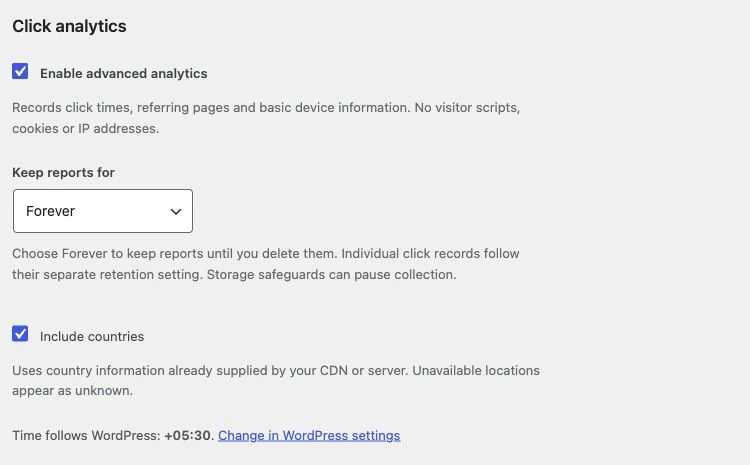
Advanced Analytics adds dated reports alongside the basic lifetime counter. Enable it when you want more context, then choose what to retain.
Reports count eligible redirect requests, not unique visitors or conversions. A browser may send a full referring path, only an origin, or no referrer.
Redirects, organization, migration, and analytics are part of the free plugin.
Create reusable short links, customize the prefix, and change the destination from one place.
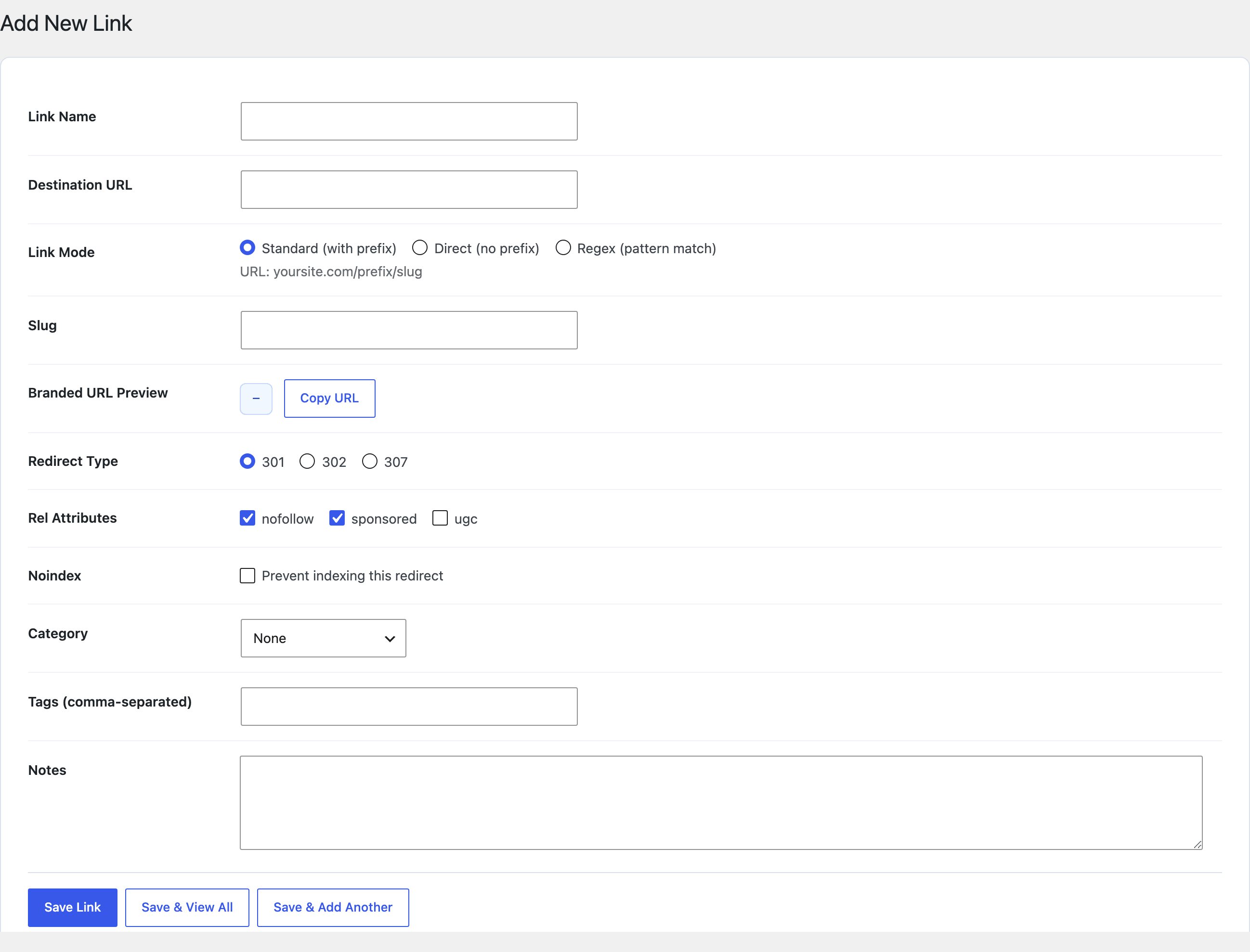
Choose 301, 302, or 307. Use prefix-free paths and regex rules with capture groups for more involved routing.
Select per-country destinations using a trusted CDN or server header, with no external geolocation lookup.
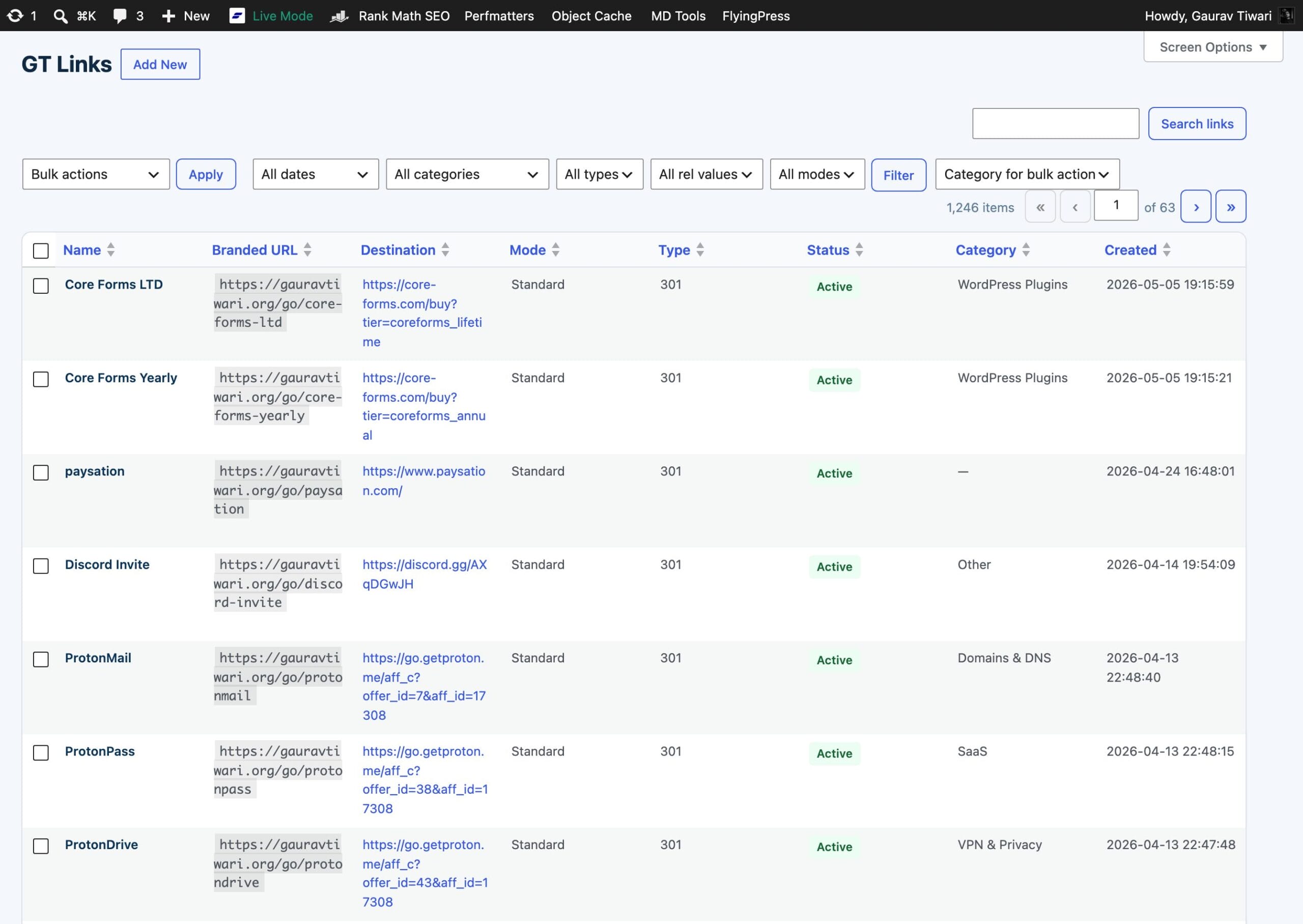
Use nested categories, tags, notes, search, filtering, Quick Edit, and bulk actions.
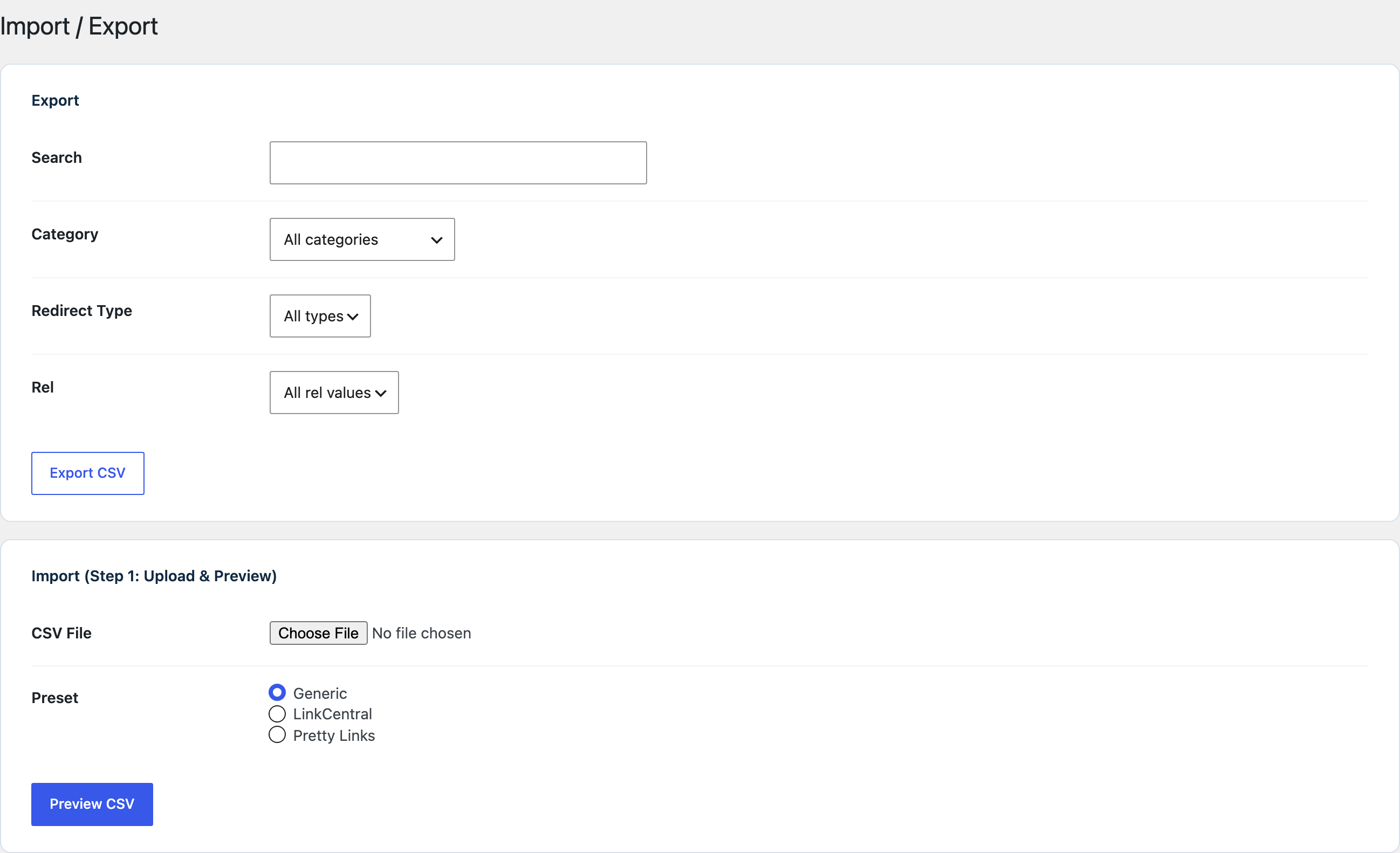
Start with Pretty Links or LinkCentral presets, or map compatible CSV columns yourself. Review the preview before import.
Find and insert managed links while writing, including rich text and the core Button block.
Create and manage links through authenticated endpoints. Extend redirect behavior and connect your own workflows.
Set rel attributes and noindex behavior. Deactivate, trash, restore, and export links when your setup changes.
Manage the library, edit a destination, or bring your existing links across.
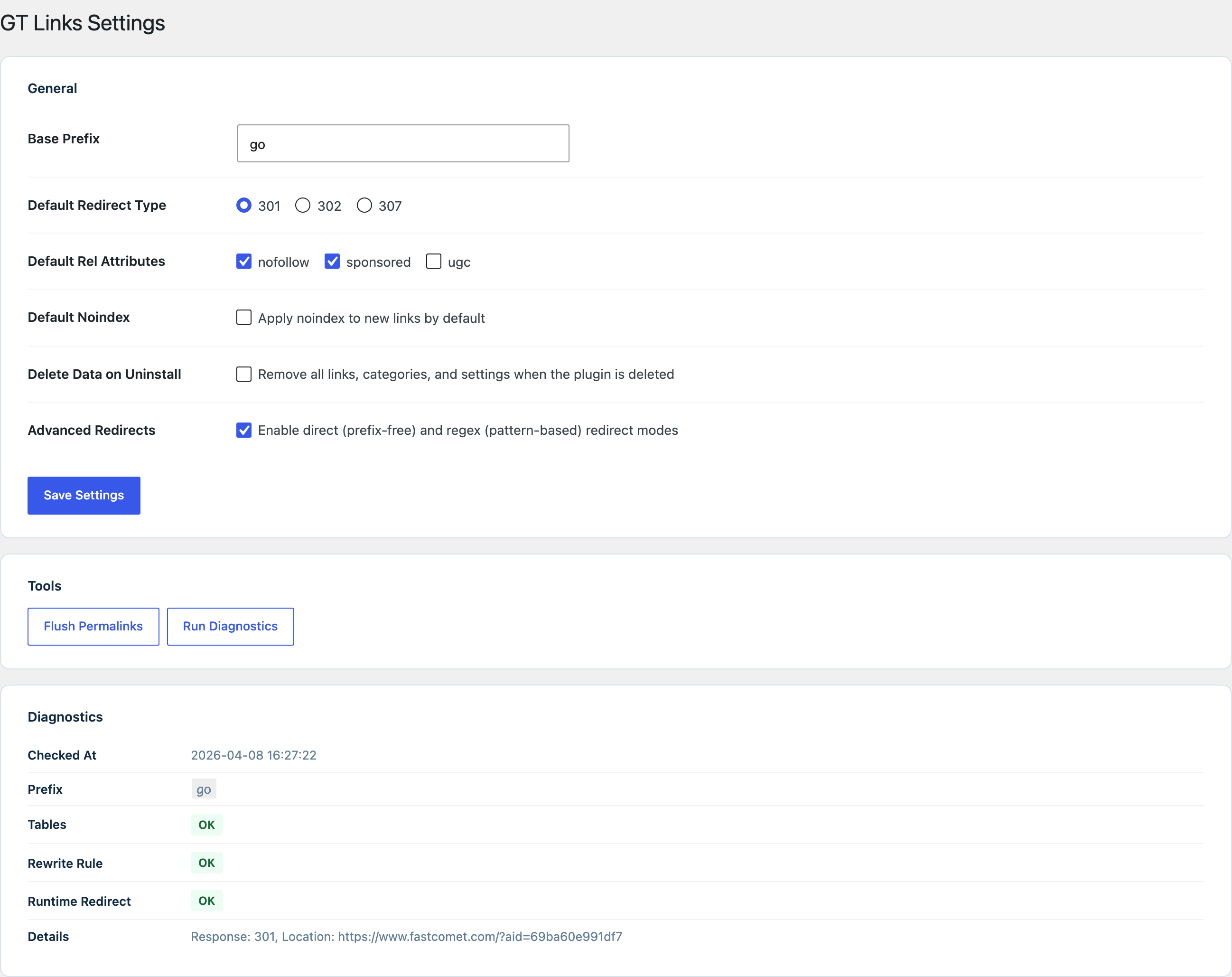
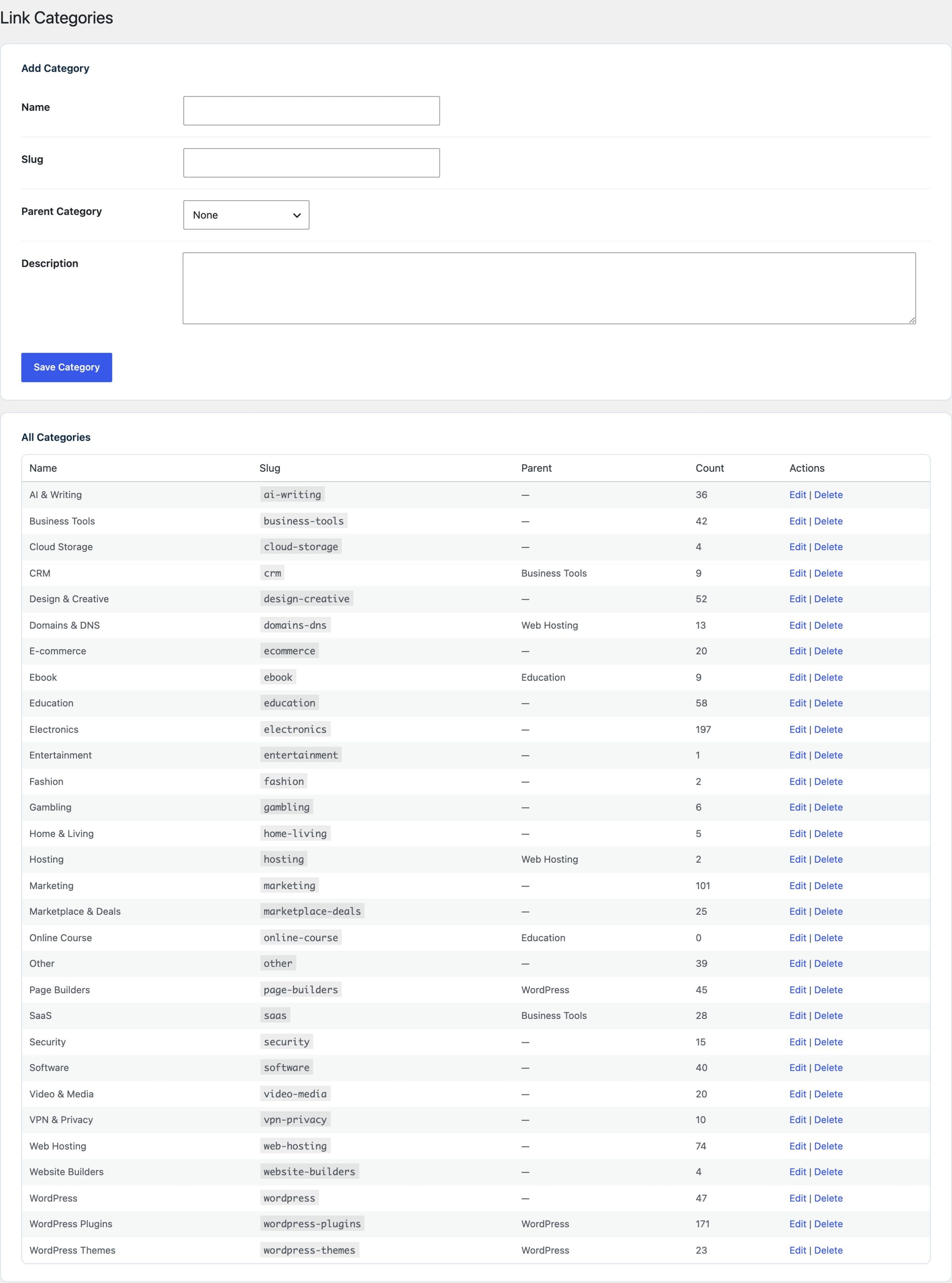
Basic counts and Advanced Analytics have independent settings. Both are optional.
A running lifetime total for each link. It doesn’t keep a dated history or visitor details.
Eligible clicks, trends, referring pages, and breakdowns, with separate retention for individual records and reports.
FreeGPL-2.0-or-later
The full WordPress.org plugin. No premium tier, required account, or license key.
Requires WordPress 6.4+ and PHP 8.0+.
Start small. Check your link structure before migrating a large library.
Find GT Link Manager in Plugins → Add New, or download it from WordPress.org.
Choose your prefix. Add a link, or preview and map an existing CSV export.
Insert the branded link in your content and confirm it reaches the intended destination.
Deactivating keeps the stored records, but redirects need an active handler to work. Uninstall removes data only when you enable that option.
Open the guide for the job you’re doing.
Everything here is quick to set up, light on your pages and built to do one real job well. I only charge for the tools that can make you money. The rest are free.

I design, build and support every product on this site myself. When you email me, the person reading it is the one who wrote the code.
I’d rather ship one tool you’d miss if it vanished than ten that sit in your plugin list doing nothing.
18+years building websites, plugins and stores, since 2008
Switch a feature off and it loads nothing. What does load stays small. A tool that replaces a plugin shouldn’t make your pages slower.
Clear screens, sensible defaults and settings written in plain English. If you need a tutorial for the basics, that’s my design mistake, not yours.
Full keyboard support, visible focus, proper labels and text you can actually read. When more people can use your store, more people can buy from it.
My paid tools help you sell, renew, license or convert. If one just sits in your stack, I haven’t done my job.
I won’t charge for anything that can’t make you money. The free tools get the same care as the paid ones, down to the last setting.
Migration, analytics, and data ownership explained.
Yes. The WordPress.org plugin includes its redirect modes, country rules, CSV tools, editor integration, REST API, and optional analytics. There is no premium tier or required license key.
Yes. Advanced Analytics provides dated reports, click trends, referring-page drilldowns, breakdowns, and CSV export. Collection stays off until you explicitly enable it; the basic lifetime counter is separate.
Yes. Pretty Links and LinkCentral have CSV presets. Other compatible exports can use manual column mapping. Review the preview, destination fields, and duplicate handling before importing.
No external geolocation lookup is required. It uses a country header supplied by a trusted CDN or server. Configure a fallback for unknown countries and make sure visitors cannot forge that header at your origin.
No. Reports count eligible redirect requests, not unique people or confirmed conversions. Browsers may omit referrers, and filtering or paused collection can leave gaps.
Deactivation keeps the link records but stops this plugin from handling redirects. Uninstall deletes plugin data only when the Delete Data on Uninstall setting is enabled. Export a CSV before moving to another tool.
Create a branded link, choose its destination, and keep the library in WordPress.
Free, open source, and ready for your first managed link.