
Product Content
Give readers the image, features, price, and tradeoffs they need to make a decision.
Product Box, Product Review, Pros & Cons
Build product pages, reviews, and useful articles with 33 ready-to-use WordPress blocks. Give every piece of content a layout that fits.
Structured fields and reusable layouts, right inside Gutenberg. The field groups are included, so you can get straight to your content.
Choose the layout that helps your reader understand, compare, or take the next step.
Give readers the image, features, price, and tradeoffs they need to make a decision.
Product Box, Product Review, Pros & Cons
Make longer articles easier to navigate, follow, and put into practice.
Table of Contents, Checklist, Accordion
Build structured introductions, feature sections, pricing, and calls to action.
Hero, Feature Grid, Pricing, Call to Action
GT ACF Blocks works with any WordPress theme. Build product summaries, publishing tools, and landing sections with the same block library.
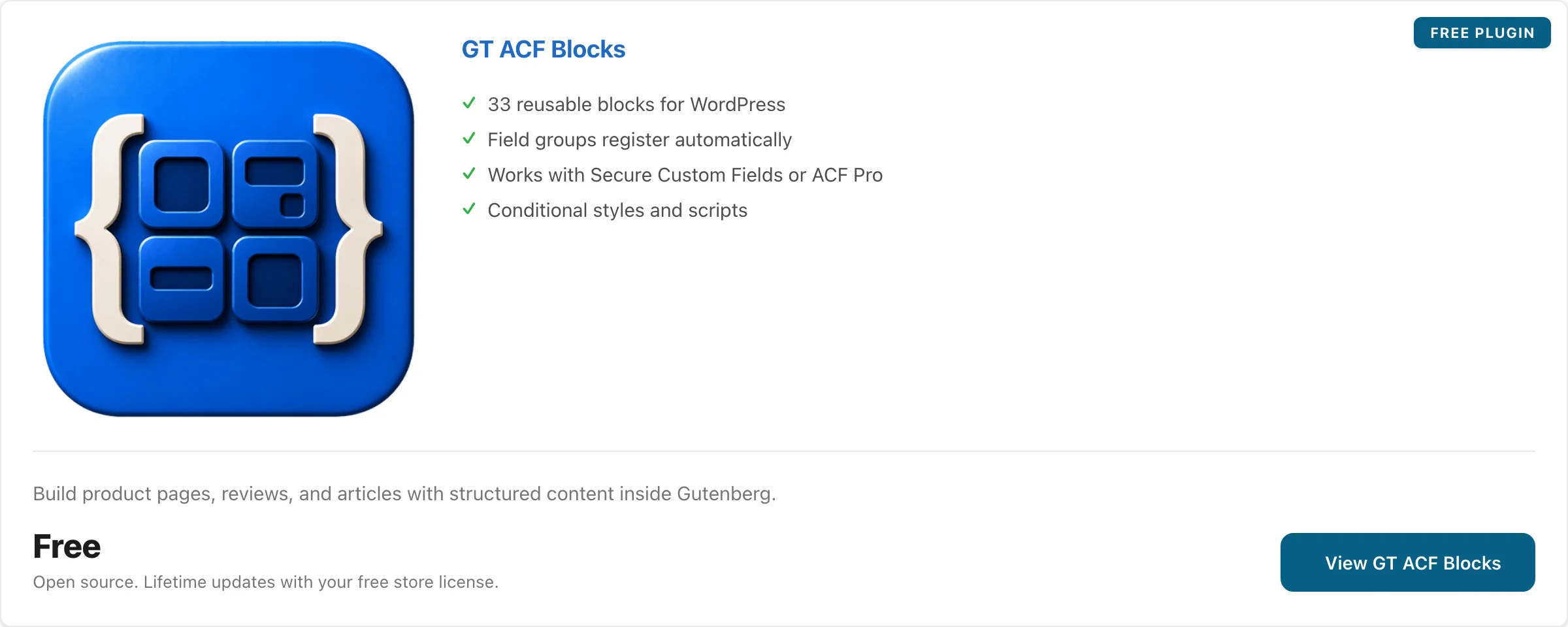
An image, feature bullets, price, and action link in a single content block.
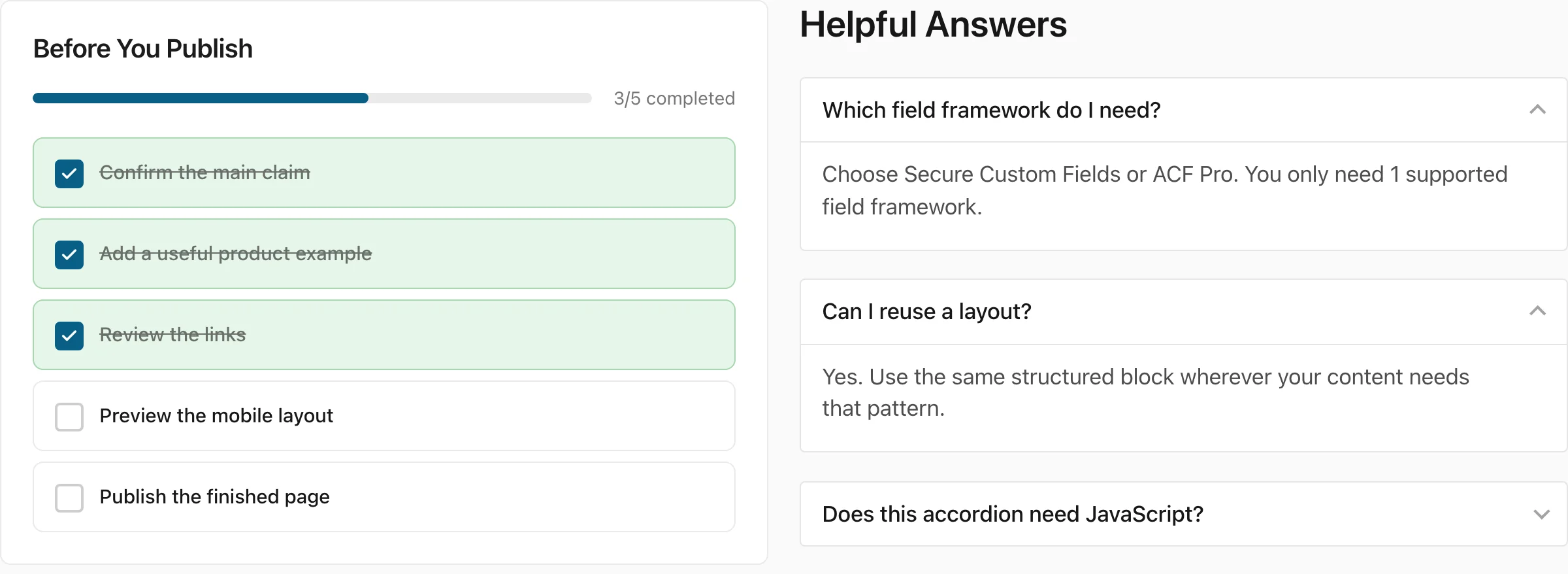
Track publishing tasks and keep detailed answers in expandable sections.
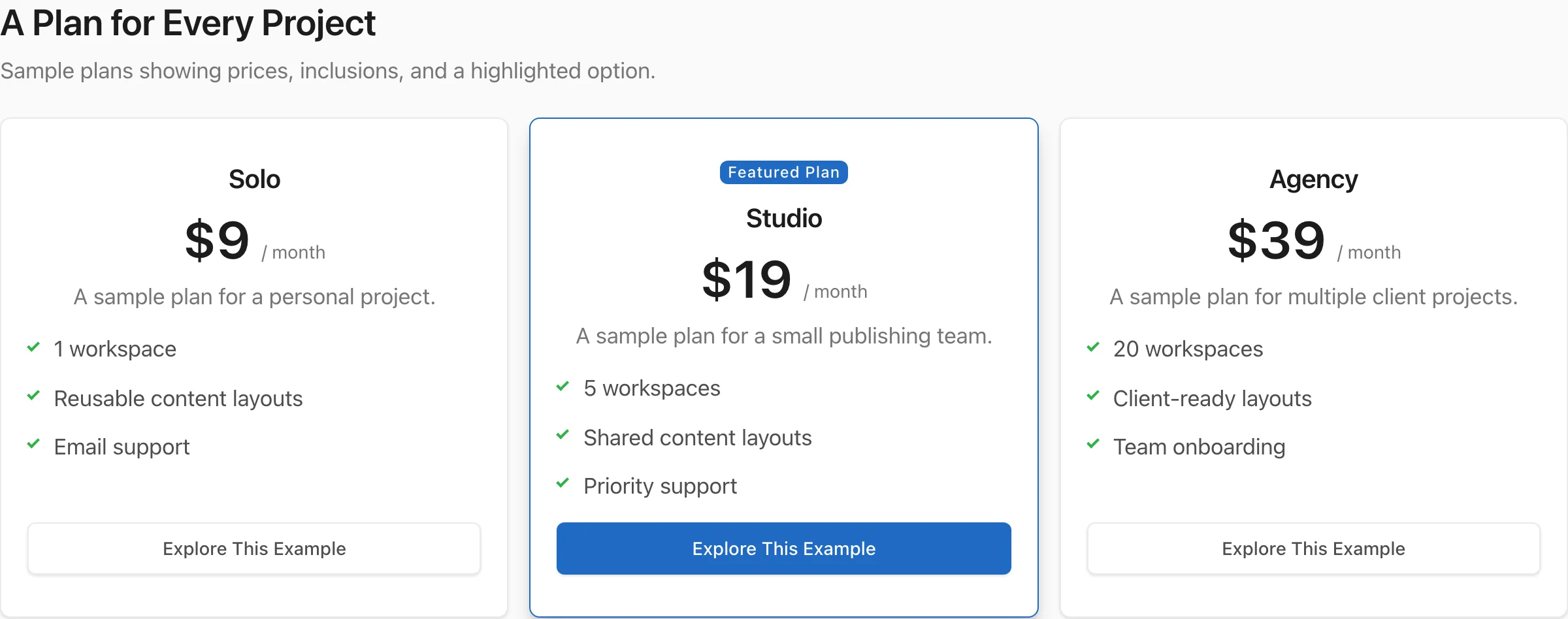
Compare sample plans, list inclusions, and highlight a featured option.
Group feature descriptions and action links into reusable columns.

Switch between related sections with keyboard-accessible tabs.

Show an ordered process with a title and description for each step.
A product summary, a working checklist, and expandable answers. Start with the pattern your content needs.
Each block supplies the structure. You choose the content and review the result with your site’s fonts, colors, and spacing.
Interactive layout examples. Appearance depends on your theme and block settings.
A reusable block collection for WordPress publishers.
Check off each task as you finish.
Yes. Structured fields give you places for your own headings, descriptions, images, and links.
The Accordion block uses native details and summary elements, so its disclosure works without JavaScript.
Use Secure Custom Fields or ACF Pro. You only need 1 of them.
product-box-block/
  block.json
  block-data.json
  block-template.php
style.cssEach block keeps its own fields, template, and assets. The structure is predictable when you need to inspect or extend it.
GT ACF Blocks works with Secure Custom Fields or ACF Pro. Choose 1 for your site; you don’t need both.
A free field framework for running GT ACF Blocks without a separate paid field-framework license.
View Secure Custom FieldsUse ACF Pro 6.0 or later if your site already relies on it. ACF Pro is a separate paid product.
View ACF ProGT ACF Blocks requires WordPress 6.0+ and PHP 7.4+. Also meet your chosen framework’s requirements. The regular free edition of Advanced Custom Fields doesn’t provide the required block framework.
If neither supported framework is present, activation attempts to install Secure Custom Fields. If your host blocks automatic installation, install your chosen framework manually. This is a Gutenberg content library; your theme still owns the site layout.
All 33 blocks are included. Find the pattern for the page you have in mind.
33 of 33 blocks
No matching blocks. Try another word or choose All Blocks.
Free
33 blocks. Open source. Lifetime updates.
Free checkout creates your download access. ACF Pro, if you choose it, is sold separately.
Keep your publishing workflow in Gutenberg.
Complete the free checkout to receive the ZIP download and your store license.
Install Secure Custom Fields or ACF Pro. Confirm it is active, then activate GT ACF Blocks.
Insert a block, fill in its fields, and preview it with your theme. Add your store license in the plugin settings for protected updates.
The framework, styling, and update details to know before your first block.
Need help with a specific block? Get product support.
Yes. The plugin and all 33 blocks are free, with GPL source code on GitHub. Free checkout provides the download and a store license for protected lifetime updates.
Either is supported. Secure Custom Fields is free. ACF Pro is a separate paid product. Choose the framework that fits your site; you don’t need both. The regular free edition of ACF doesn’t provide the required block framework.
When neither supported framework is installed, activation attempts to install and activate Secure Custom Fields. If your host blocks automatic installation, install your chosen framework manually.
The blocks combine your theme with their own styling. Optional compatibility styles provide basic defaults. Preview the spacing, colors, and typography on your site before publishing.
Yes. The block manager lets you disable blocks and inspect their usage. Check existing placements first so you keep any blocks your content still needs.
It’s a collection of structured content blocks for Gutenberg. Your theme still provides the site layout. Use GT ACF Blocks for repeatable content patterns, rather than a freeform site builder.
Bring the content. Choose the layout. I’ll keep the blocks maintained.
Works with Secure Custom Fields or ACF Pro.