
Reviews in the Right Order
Use named reviewers or a role-based inbox. Add parallel reviews when several people need a say, and set how many approvals are required.
 Core Approvals
 Approval workflows for purchases, leave, expenses and content. Core Approvals keeps the request, the review and the decision history on your WordPress site.
Free for Core Forms users with a requested coupon code. Everyone else gets lifetime access for $99.
Beta. Test your workflows on staging before relying on them for live work.
Interactive illustration · Sample data only
Enable JavaScript to try the illustrated review. No request or email is created.
One workflow.
Every kind of request.
Your Core Forms access qualifies you for a coupon that covers Core Approvals. You get lifetime access on unlimited sites.
Coupon codes are supplied on request. The free-access offer is available to all Core Forms users.
Choose a purchase, leave, expense or content template. Adjust the fields, choose who can submit and publish the review workflow.
Core Approvals runs independently. If you already use Core Forms, map authenticated submissions into an approval request.
Explore the Osmium Demo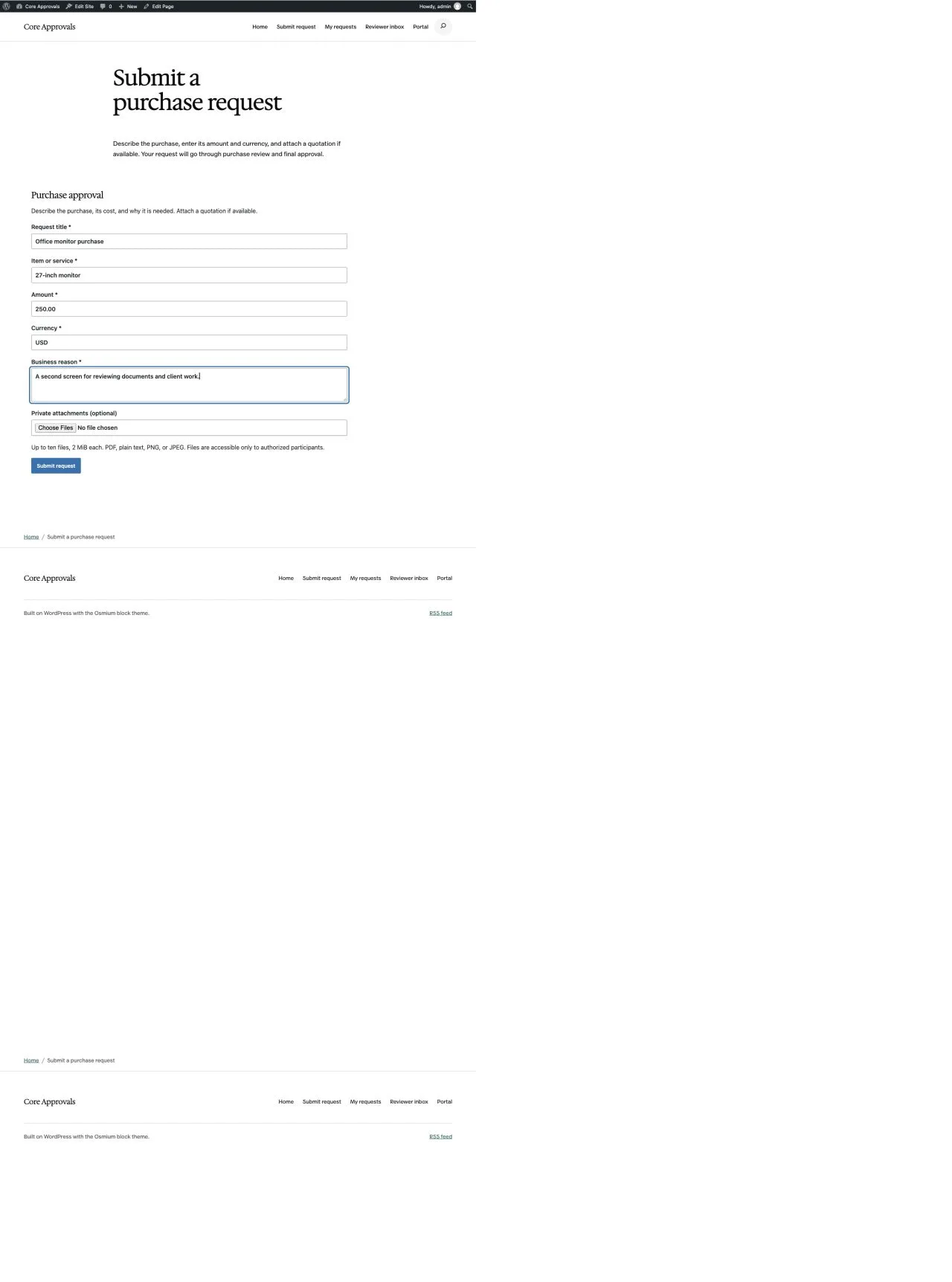
Give each request a clear next step, including when the answer is “please revise”.
Use named reviewers or a role-based inbox. Add parallel reviews when several people need a say, and set how many approvals are required.
Send a request to the right reviewer using field conditions. Add extra review for a higher amount, or keep unmatched requests visible for assignment.
See changed fields and added or removed files. Resubmission starts a fresh review so an earlier approval never silently covers different details.
Arrange a substitute for a reviewer who is away. Escalate overdue work to a supervisor or another reviewer, with a recorded reason.
Keep attachments with their request. Invite an external reviewer using an expiring link scoped to the submitted revision.
Use email reminders, signed webhooks, or Microsoft Teams Workflows cards. Delivery jobs can be inspected and retried from WordPress.
Filter the inbox, save your usual views and see which stages are waiting or overdue. Supervisors can reassign a review with a reason rather than rewriting the original workflow.
Deadlines use elapsed hours. Being overdue never approves or rejects a request automatically.
Use Core Approvals for your own business and your client sites. The lifetime deal has no recurring license fee.
Core Forms users can request a coupon for the same unlimited-site access at no cost.
Get the Core Forms Coupon Details$99
One-time payment. Lifetime access.
Prices shown in USD. Core Forms users: request your coupon before checkout.
The details that affect setup, access and review.
No. Core Approvals has its own request-type editor, forms, requester portal and reviewer inbox. Core Forms is an optional submission source.
Request a Core Approvals coupon through Product Support and include the email you use for Core Forms. Apply the supplied coupon at checkout to get the lifetime deal at no cost. There is no shared public coupon code.
Unlimited WordPress sites, including client sites. The same unlimited-site allowance applies to access redeemed with a Core Forms coupon. The $99 deal is a one-time payment with no recurring license fee.
The requester submits a new revision. Core Approvals keeps the previous snapshot and decisions, shows what changed, and restarts review from the first applicable stage.
Yes. Enable guest reviews and invite an external email address with an expiring link. The invitation exposes only its submitted revision and selected attachments. Existing WordPress members review through their accounts.
This is a beta for staging sites and controlled pilots. Start on staging, test your own reviewer rules and check WordPress mail and scheduled jobs. It requires WordPress 6.9+, PHP 8.3+, InnoDB and the PHP fileinfo extension. Multisite uses per-site activation; network activation is disabled. Install the beta once from your purchase account, then activate your license under Core Approvals > License. Later releases arrive as ordinary WordPress updates. Requests, reviews and records never depend on the license.
Start with one request type and the people who need to review it.
Everything here is quick to set up, light on your pages and built to do one real job well. I only charge for the tools that can make you money. The rest are free.

I design, build and support every product on this site myself. When you email me, the person reading it is the one who wrote the code.
I’d rather ship one tool you’d miss if it vanished than ten that sit in your plugin list doing nothing.
18+years building websites, plugins and stores, since 2008
Switch a feature off and it loads nothing. What does load stays small. A tool that replaces a plugin shouldn’t make your pages slower.
Clear screens, sensible defaults and settings written in plain English. If you need a tutorial for the basics, that’s my design mistake, not yours.
Full keyboard support, visible focus, proper labels and text you can actually read. When more people can use your store, more people can buy from it.
My paid tools help you sell, renew, license or convert. If one just sits in your stack, I haven’t done my job.
I won’t charge for anything that can’t make you money. The free tools get the same care as the paid ones, down to the last setting.