
Add Polar, Paddle and Dodo Payments to FluentCart
Stripe and PayPal take the money, but the tax is still yours. Sell a $19 ebook to buyers in 40 countries and you owe VAT, GST or sales tax in many of them, with a filing for each. A merchant of record takes that job off your hands: it sells to the buyer for you, and handles the tax.
The Payment Gateways module adds three merchants of record to FluentCart: Polar, Paddle and Dodo Payments. Each one sits in FluentCart → Settings → Payments next to Stripe and PayPal, with the same activation switch, checkout label, logo and drag-to-order list, and uses FluentCart’s own order, refund and subscription screens. Nothing gets its own settings page.
Pick a Gateway
| Polar | Paddle | Dodo Payments | |
|---|---|---|---|
| Checkout | Polar’s hosted page | Overlay on your own site | Dodo’s hosted page |
| Buyers pay with | Card, Apple Pay, Google Pay | Card, PayPal, Apple Pay, Google Pay | Card, UPI, Apple Pay, Google Pay, local methods |
| Signup fees on subscriptions | No | Yes | No |
| Free trials | Yes | Yes | Yes |
| Test environment | Polar sandbox | Paddle sandbox | Dodo test mode |
| Setup guide | Below | Paddle gateway | Dodo Payments gateway |
My recommendation: pick Dodo Payments if a good share of your buyers are in India, because UPI is how they pay. Pick Paddle if your subscriptions have signup fees or you want the checkout to stay on your site. Pick Polar for straightforward digital products and memberships with a simple setup.
Turn On the Module
- Go to FluentCart → GT Extensions, enable Payment Gateways and save.
- Under Configure, tick the gateways you want. Clearing a gateway takes it off checkout and leaves its settings saved.
- Open FluentCart → Settings → Payments, choose the gateway and connect it.
Test orders use each gateway’s sandbox or test mode when FluentCart is in Test order mode. Turn off FluentCart tax for orders paid through these gateways, so buyers aren’t taxed twice.
The GTFC Label
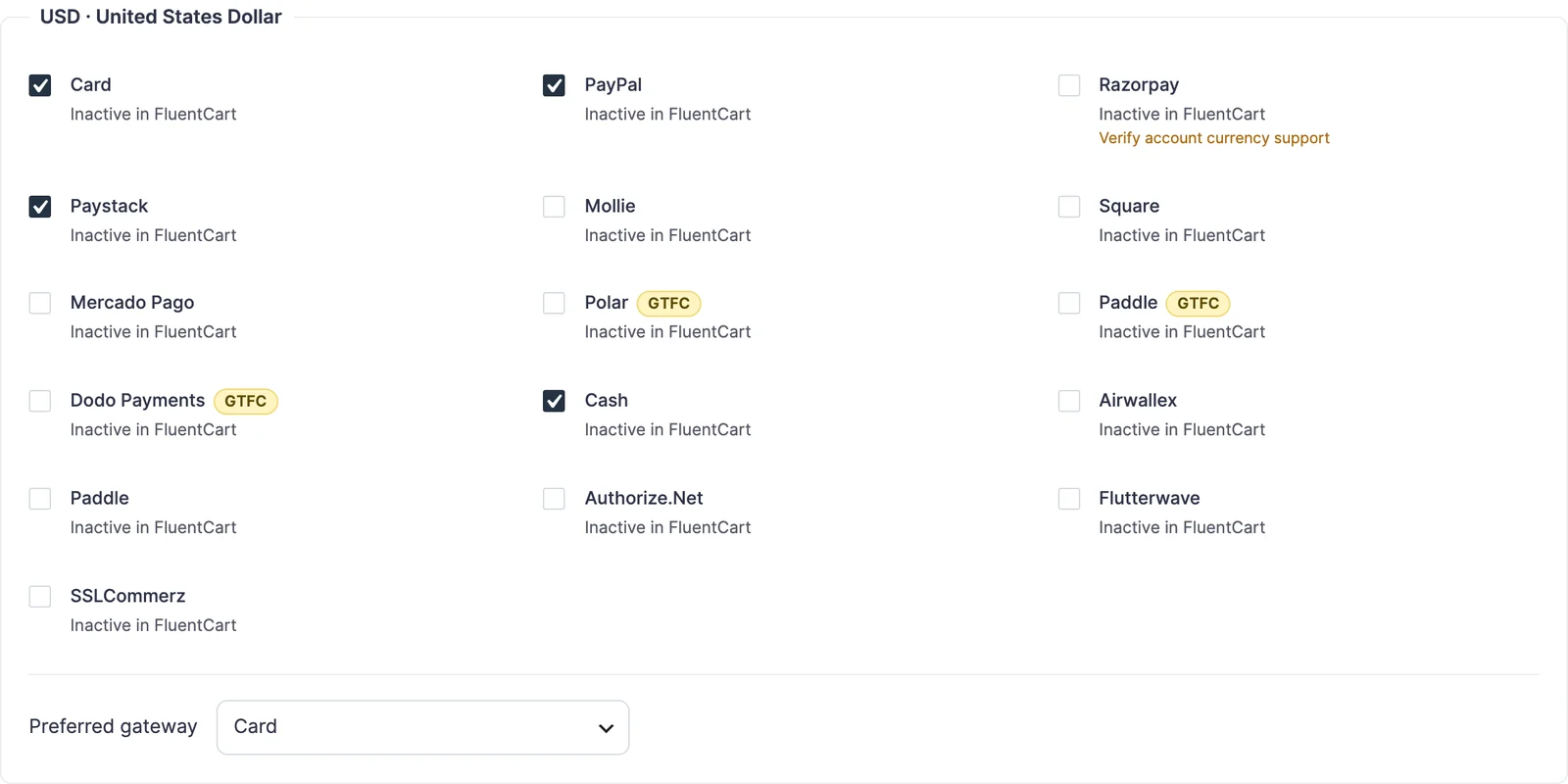
Every gateway GT Extensions adds, and every copy of one, carries a yellow GTFC label wherever the admin lists payment methods: FluentCart’s Payments list and settings header, Multi-Currency gateway routing, Modal Checkout’s payment method classes, the payment failure email settings and the Checkout options card in FluentCart’s product editor. FluentCart Pro has its own Paddle gateway, and the label is how you tell the two apart.
Connect Polar
Polar has two separate environments: FluentCart’s Live order mode uses polar.sh, and Test mode uses the sandbox at sandbox.polar.sh. Each needs its own token and webhook secret, entered in the matching tab:
- In Polar, open Settings → General → Developers and create an organization access token with these scopes:
products:readproducts:writecheckouts:writeorders:readrefunds:readrefunds:writesubscriptions:readsubscriptions:writeorganizations:read
- Open Settings → Webhooks → Add Endpoint, paste the webhook URL shown in the Polar settings in FluentCart (
/?fluent-cart=fct_payment_listener_ipn&method=polar), choose the Raw format, and select these events:order.paidorder.updatedorder.refundedrefund.createdrefund.updatedsubscription.createdsubscription.updatedsubscription.activesubscription.canceledsubscription.uncanceledsubscription.revokedsubscription.past_due
- Paste the token and the endpoint secret into the matching tab, turn on Payment Activation and save. FluentCart checks the token with Polar and shows the connected organization.
To keep the credentials out of the database, define them in wp-config.php:
define('GTFC_POLAR_LIVE_ACCESS_TOKEN', 'polar_oat_...');
define('GTFC_POLAR_LIVE_WEBHOOK_SECRET', 'whsec_...');
define('GTFC_POLAR_TEST_ACCESS_TOKEN', 'polar_oat_...');
define('GTFC_POLAR_TEST_WEBHOOK_SECRET', 'whsec_...');
How Polar Works
- The buyer is sent to Polar’s hosted checkout. The order total is the checkout price, so FluentCart coupons apply before the buyer reaches Polar; Polar discount codes are off.
- Matching Polar products are created as private products on first use, then reused. Multi-item carts show as “Store name order”.
- Prices and tax follows the buyer’s country (Polar’s default), adds tax on top, or treats your prices as tax-inclusive.
- The payment is confirmed on the buyer’s return and again by webhook. Polar’s tax and total are kept on the transaction.
- Subscriptions, free trials, renewals, Cancel, Cancel immediately, Sync and Verify all work. Polar bills the same amount every cycle, so a subscription with a signup fee or a different first payment is refused at checkout.
- Full and partial refunds go to Polar, and refunds made in Polar are recorded on the order once.
- Polar needs every checkout to carry a price in your organization’s default currency. When the buyer pays in another one, that price is added automatically, converted at the order’s exchange rate.
Works With the Rest of GT Extensions
- Gateway copies: duplicate Polar, Paddle or Dodo Payments for a second account, each copy with its own credentials and records.
- Multi-Currency Checkout: route each currency to the gateways that accept it.
- Modal Checkout:
pay-via-polar,pay-via-gtfc_paddleorpay-via-dodoon a button offers just that gateway. - Extra Enhancements: payment failure emails watch Polar and Dodo, and the Payment section is hidden when Polar or Dodo is the only way to pay.
- Pay What You Like: buyers’ chosen amounts are charged as the order total on every gateway.