
Run Invoices, Quotes and Your Store with AI Agents
Typing out an invoice, checking last month’s sales or looking up one customer’s order takes a few minutes each time, and those minutes add up. An AI agent connected to your store can do these jobs from a plain request such as “invoice Jordan for October’s retainer” or “how did we do this month?”
GT Extensions gives agents three skills for this: invoices, quotes and the store. They run through Site Agent, a free WordPress plugin that lets an agent work on your site as your WordPress user, with the same permission checks as wp-admin.
What the Skills Do
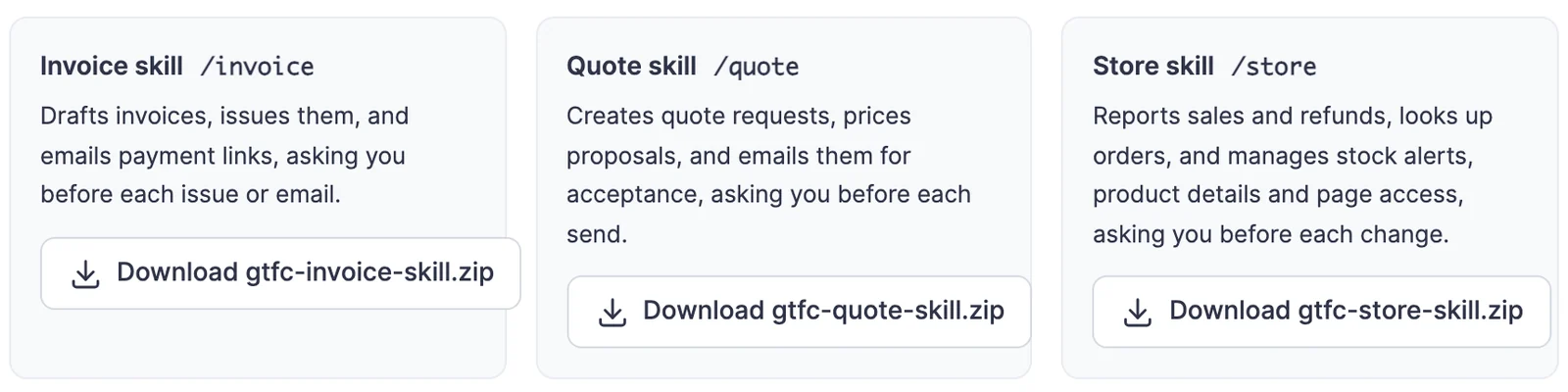
- Invoice skill (/invoice): drafts invoices, sets deposits and reminders, issues invoices, emails payment links and sets up recurring schedules.
- Quote skill (/quote): creates quote requests, prices proposals and emails them for acceptance.
- Store skill (/store): reports sales and refunds per currency, looks up orders, shows back-in-stock demand, updates product details and manages which pages a product unlocks.
The agent saves drafts freely. It asks you before anything a customer would see or that changes your store, such as issuing an invoice, emailing a customer, starting a schedule or changing a page’s access.
Set It Up
- Install Site Agent on your site. In Tools → Site Agent, turn on access and PHP execution.
- Connect your agent to Site Agent as an MCP server. Claude, ChatGPT, Cursor and other MCP clients work. Use OAuth if your agent supports it, or a dedicated Application Password.
- Ask the agent for an invoice, a quote or a sales summary.
Site Agent lists the skills to connected agents on its own, as gtfc-invoice, gtfc-quote and gtfc-store, when their modules are on. Nothing else needs installing.
Add the Skills for Everyday Use
Adding the skills to your agent is still worth it. An added skill loads as soon as you ask for an invoice or a sales report, and terminal agents such as Claude Code get a small script they can run.
Download the ZIPs from FluentCart → Invoices → Automation. For Claude Code, unzip them into ~/.claude/skills/. For Claude Desktop, claude.ai and other agents that read skill folders, upload the ZIP. Each ZIP holds your site’s address and an INSTALL.md, and never a password or key.
Ask in Plain Words
A few requests that work well:
- “Draft an invoice for Jordan Blake for website maintenance, 400 dollars, due in two weeks.”
- “Ask for a 30% deposit on that invoice, then issue it.”
- “Repeat the care plan invoice every month from November 1.”
- “How much did we collect last month, per currency?”
- “Who is waiting for the A5 notebook to come back in stock?”
- “Update the file size on the Planning Templates product to 24 MB.”
The agent looks things up first and shows you what it’s about to do. For changes, it runs a dry run, which checks everything and saves nothing, and then makes the change after you say yes.
What Stays With You
- Issuing, emailing and scheduling each need your yes. A yes to issuing is not a yes to emailing.
- Commands follow the WordPress user the agent connects as. A user who can’t manage invoices or view orders gets a refusal naming what’s missing.
- Store commands need their modules on. Stock alerts need Back in Stock Alerts, product details need Product Enhancements and page access needs Page Access.
- Revoking the agent’s access in your profile, or turning Site Agent off, cuts the connection.
For Developers
The skills call gtfc_agent(), a PHP function you can use in your own trusted code. It takes a command and an input array and returns an array with ok. It never throws. The full command list, with inputs and outputs, is in the plugin’s AGENT-SKILLS.md.