
Share Buy Links That Open Checkout
Sending a buyer a product link and telling them to “add these two and use code LAUNCH20” loses people at every step. A buy link does all of it: one click puts the products and coupons you chose in a cart and opens checkout.
Buy Links builds those links for you. Each link makes a fresh cart, so the shopper’s own cart is left alone, and it is signed, so nobody can change the products, quantities or coupons in it. The module needs FluentCart 1.6.4 or newer and stays off until you turn it on.
Create a Buy Link
- Go to FluentCart → GT Extensions, enable Buy Links and save.
- Open FluentCart → Buy Links.
- Pick up to six products under Product 1 to Product 6, each with a quantity.
- Optionally add Coupons, separated by commas, and a Works until date.
- Click Create link, then Copy.
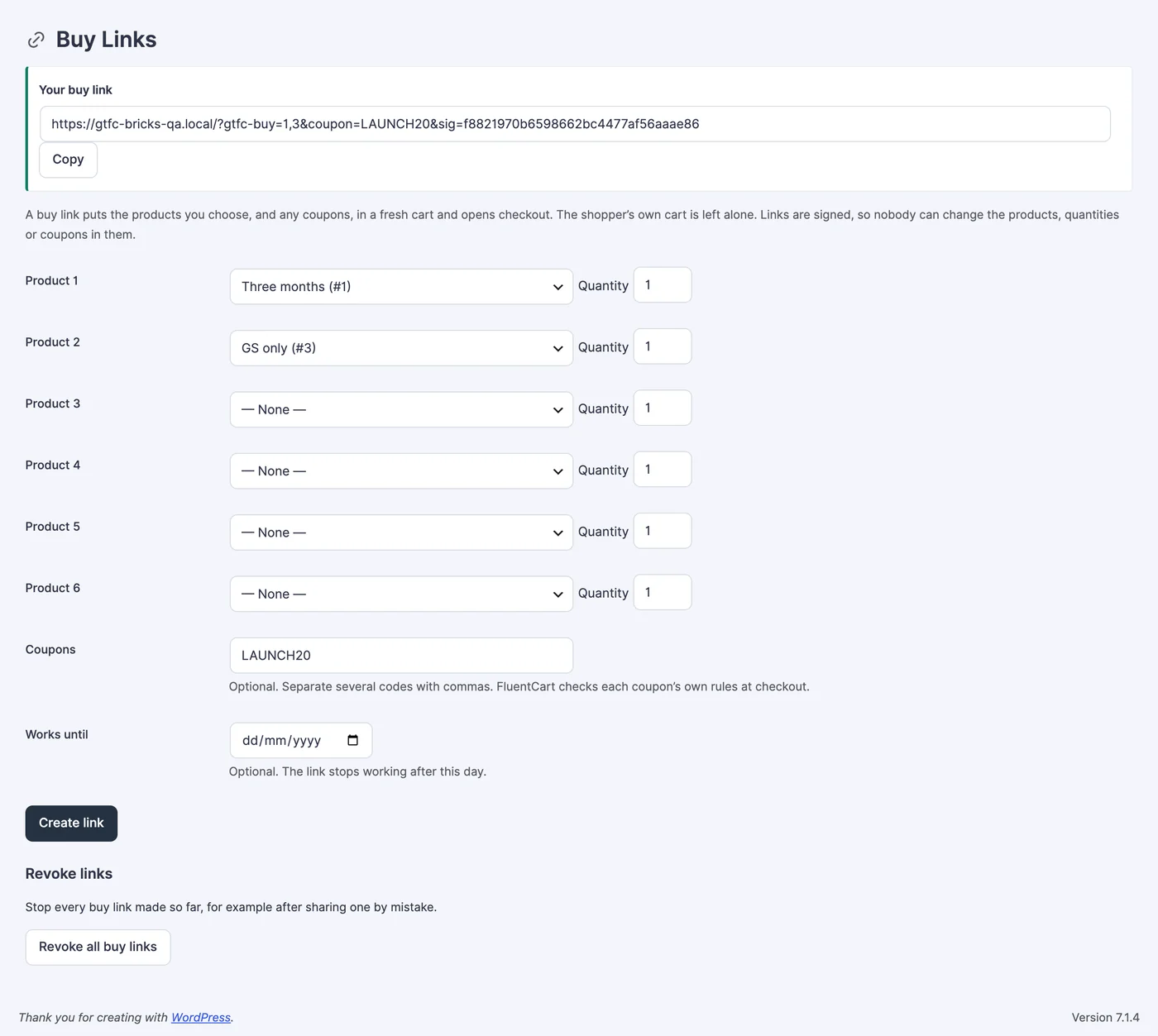
Share the link anywhere: an email, a DM, a button on a landing page. It works from any page on your site.
What the Buyer Gets
- A new cart with exactly those products and quantities, and checkout opens with it.
- Their own cart stays as it was, so items they added earlier are still there afterward.
- Coupons are checked against their own rules at checkout. A coupon that doesn’t apply shows FluentCart’s message, and the link still works.
- A product that is unavailable or out of stock is skipped, with a “Not added” note at checkout. If nothing can be added, the buyer sees a page saying so, with a link to your store.
- A subscription is bought on its own. A link that mixes one with other products is refused.
Expiry and Revoking
A link with a Works until date stops working at the end of that day, in your site’s time zone. Shared one by mistake? Click Revoke all buy links: every signed link made so far stops working, and new links work as normal.
Expired, revoked and edited links show a short “ask the store for a new one” page. One connection can open at most 30 buy links an hour.
Write Links by Hand
In the module settings, Links people can open decides whether only signed links from the builder work (the default and recommended), or hand-written ones too. A hand-written link looks like this, where 12 and 15 are product option IDs and :2 is a quantity:
https://your-site.com/?gtfc-buy=12:2,15&coupon=LAUNCHA link can carry up to 20 products and 5 coupons. Links from the builder are always signed, so Revoke all buy links stops every one of them. A hand-written link without a signature keeps working while hand-written links are allowed.
For Developers
The gtfc/buy_link/cart_created action runs after a buy link builds its cart, with ($cart, $items, $coupons). Use it to tag the cart or record the campaign.