
Speed Up EDD With the Optimizer
Most stores have pages that sell nothing: blog posts, an About page, a contact form. EDD’s stylesheet and AJAX script still load on them, and every extra file is one more request before the page settles.
Free in Lite: this module is also in Stackless Lite for EDD, the free edition, and works the same way there.
EDD Optimizer trims that. Its defaults are safe on any store, and the stronger options are opt-in because each one has a tradeoff.
Turn It On
Enable EDD Optimizer on the Stackless Dashboard, then go to Stackless → Settings → EDD Optimizer. It works with any theme, with the [download_checkout] shortcode and with the Checkout block. Clear your page cache after every change here, or cached pages keep the old scripts.
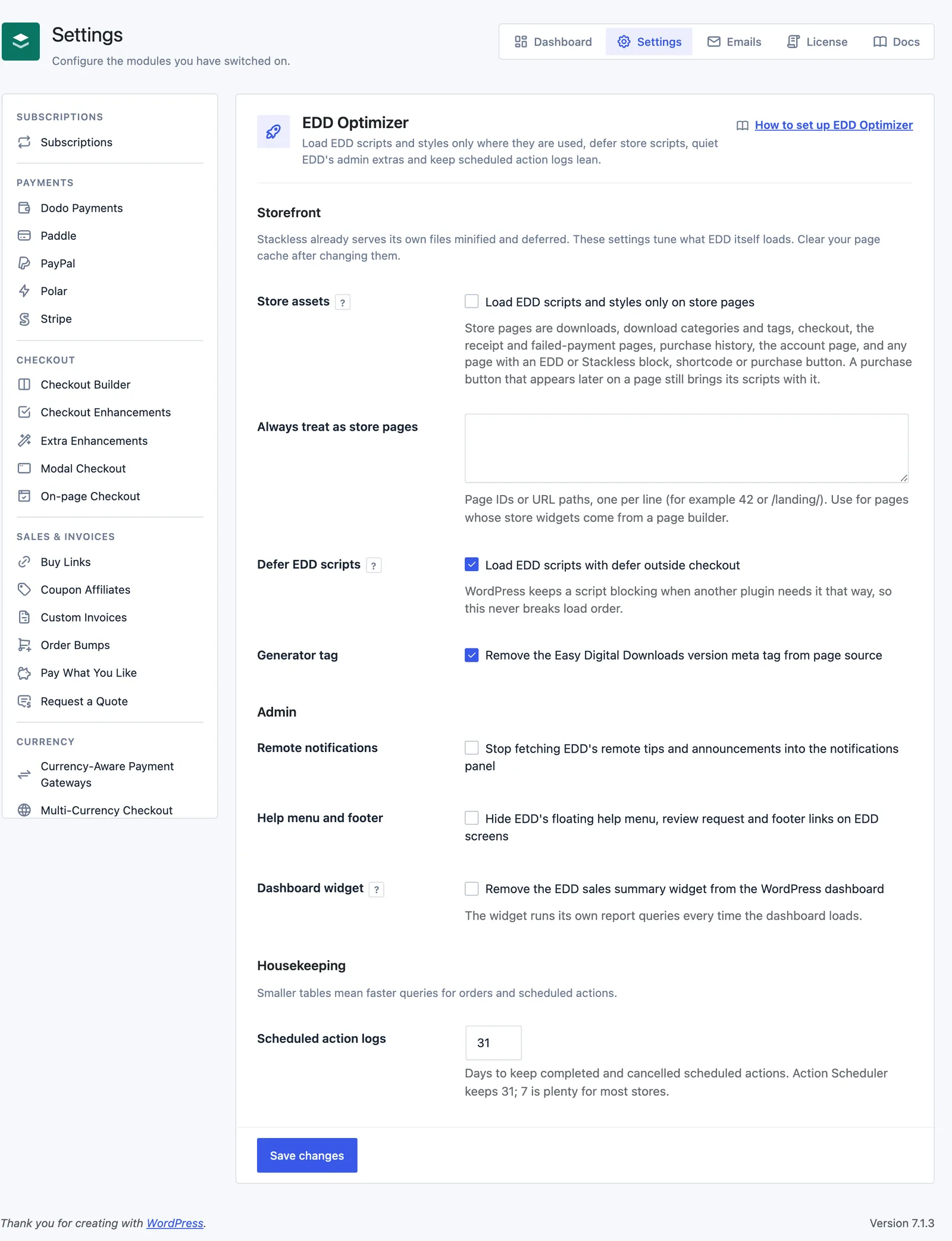
Storefront Settings
These two are on by default:
- Defer EDD scripts: loads EDD’s AJAX script (add to cart, the cart widget, discount codes) with
deferon every page except checkout. WordPress keeps a script blocking when another plugin needs it that way, so load order never breaks. - Generator tag: removes the Easy Digital Downloads version meta tag from your page source.
These are off or empty by default:
- Store assets: loads EDD’s stylesheet and AJAX script only on store pages. Everywhere else, such as your blog posts and About page, they’re skipped.
- Always treat as store pages: page IDs or URL paths, one per line, such as
42or/landing/. Use it for pages whose store widgets come from a page builder (see the next section).
What Counts as a Store Page
Store assets needs to know which pages sell something. A page counts as a store page when it’s any of these:
- A download, the download archive or a download category or tag.
- Checkout, the receipt page, the failed-payment page, purchase history or the Stackless account page.
- A page with an EDD or Stackless block, including one inside a synced pattern.
- A page with an EDD shortcode, such as
[downloads],[purchase_link]or[download_cart], or any[stackless_edd_...]shortcode. - Any page while EDD’s cart widget is active in a sidebar.
- A page listed under Always treat as store pages.
A purchase button or EDD block that renders later in the page, for example from a theme template, still brings its scripts and stylesheet with it. They print in the footer instead of the head.
Page builders are the one blind spot. Elementor, Bricks and similar builders store layouts outside the post content, so store widgets built with them aren’t seen until they render. If a page loses its styling or add to cart behavior after you turn on Store assets, add that page to Always treat as store pages.
Admin Settings
All three are off by default and only affect wp-admin:
- Remote notifications: stops EDD fetching its remote tips and announcements into the notifications panel.
- Help menu and footer: hides EDD’s floating help menu, the review request and the footer links on EDD screens.
- Dashboard widget: removes the EDD sales summary widget from the WordPress dashboard. The widget runs its own report queries every time the dashboard loads.
Housekeeping
- Scheduled action logs: days to keep completed and cancelled scheduled actions, between 1 and 365. Action Scheduler keeps 31, and 31 leaves its default alone. Seven is plenty for most stores and keeps the actions table small.
Stackless’s Own Files
Separately from this module, Stackless always serves minified copies of its own CSS and JavaScript, and loads its storefront scripts with defer. Payment gateway scripts and block editor scripts keep their normal timing so card fields and wallets mount as before.
To debug with the readable files, add define( 'SCRIPT_DEBUG', true ); to wp-config.php.
Check That It Worked
- Open a download page in a private window and view the page source.
- Search for
edd-ajax-js. With Defer EDD scripts on, that script tag carriesdefer. - With Store assets on, open a blog post and search for
edd-styles-cssandedd-ajax-js. Neither is there. - Open checkout and confirm the purchase form, discount field and gateways still work.
For Developers
stackless_edd_edd_optimizer_is_store_page(bool): override whether the current request is a store page.stackless_edd_edd_optimizer_defer_handles(string[]): the EDD script handles the module defers. Defaults toedd-ajax.stackless_edd_defer_script(bool, handle): return false to keep one Stackless script blocking.
Good to Know
- Settings take effect on the next page load, but page caches and CDNs serve the old HTML until you purge them.
- Store assets doesn’t touch EDD’s checkout scripts. EDD already loads those on checkout only.
- If you turned off EDD’s AJAX in its own settings, a purchase button on a trimmed page brings back the stylesheet but not the AJAX script.
- Caching plugins that combine or delay scripts work alongside this module. If you use their “delay JavaScript” feature, exclude checkout and payment scripts there as you normally would.
- Turning the module off restores EDD’s default behavior right away. Nothing is deleted.