
Show a Sold Count Badge
Buyers trust a download more when they can see other people bought it. Easy Digital Downloads already counts every sale, but it doesn’t show that number anywhere on your storefront.
Free in Lite: this module is also in Stackless Lite for EDD, the free edition, and works the same way there.
Sold Count turns that number into a small “X sold” badge on download pages and in download grids. It only shows once a download has sold enough to be worth mentioning.
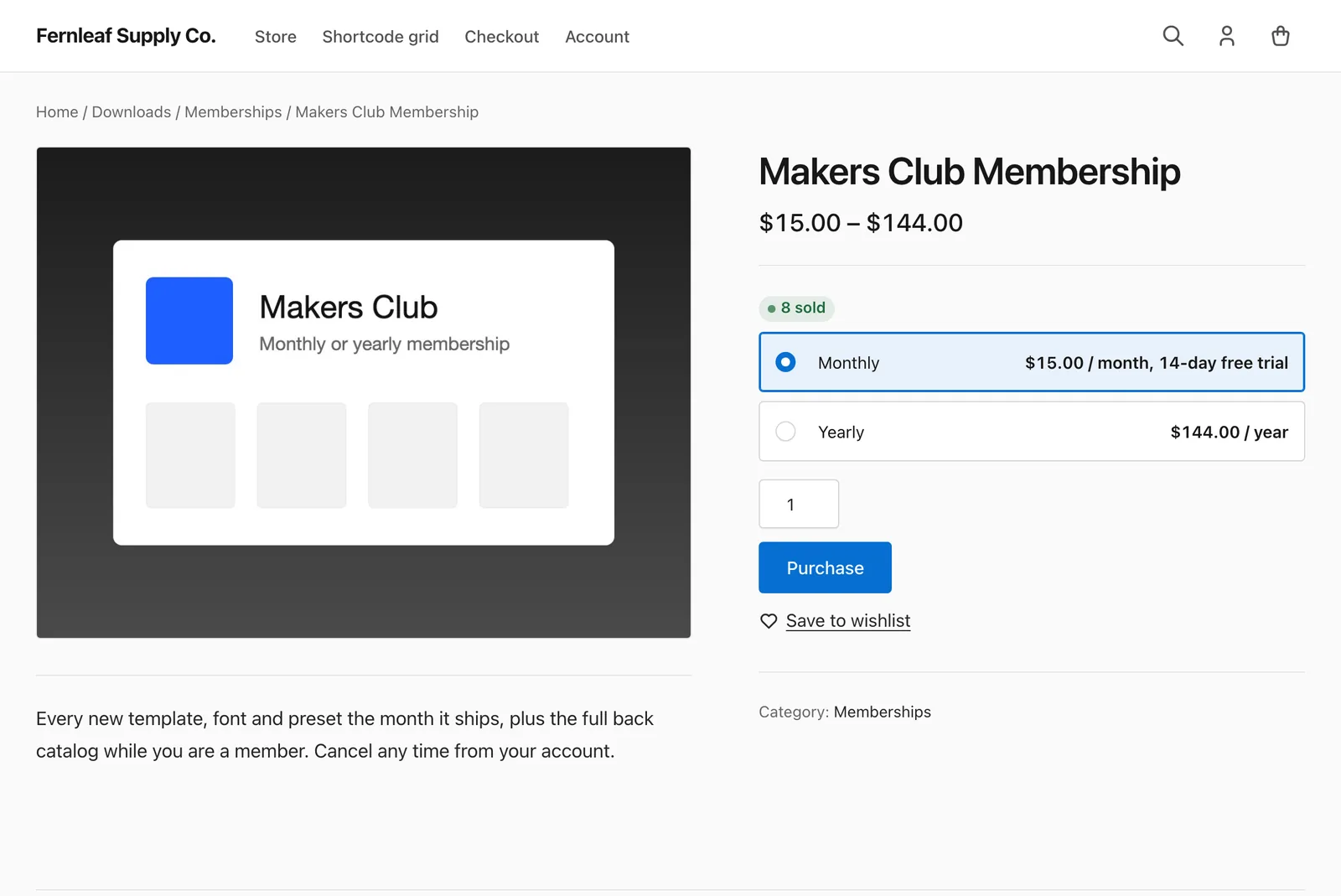
Configure the Badge
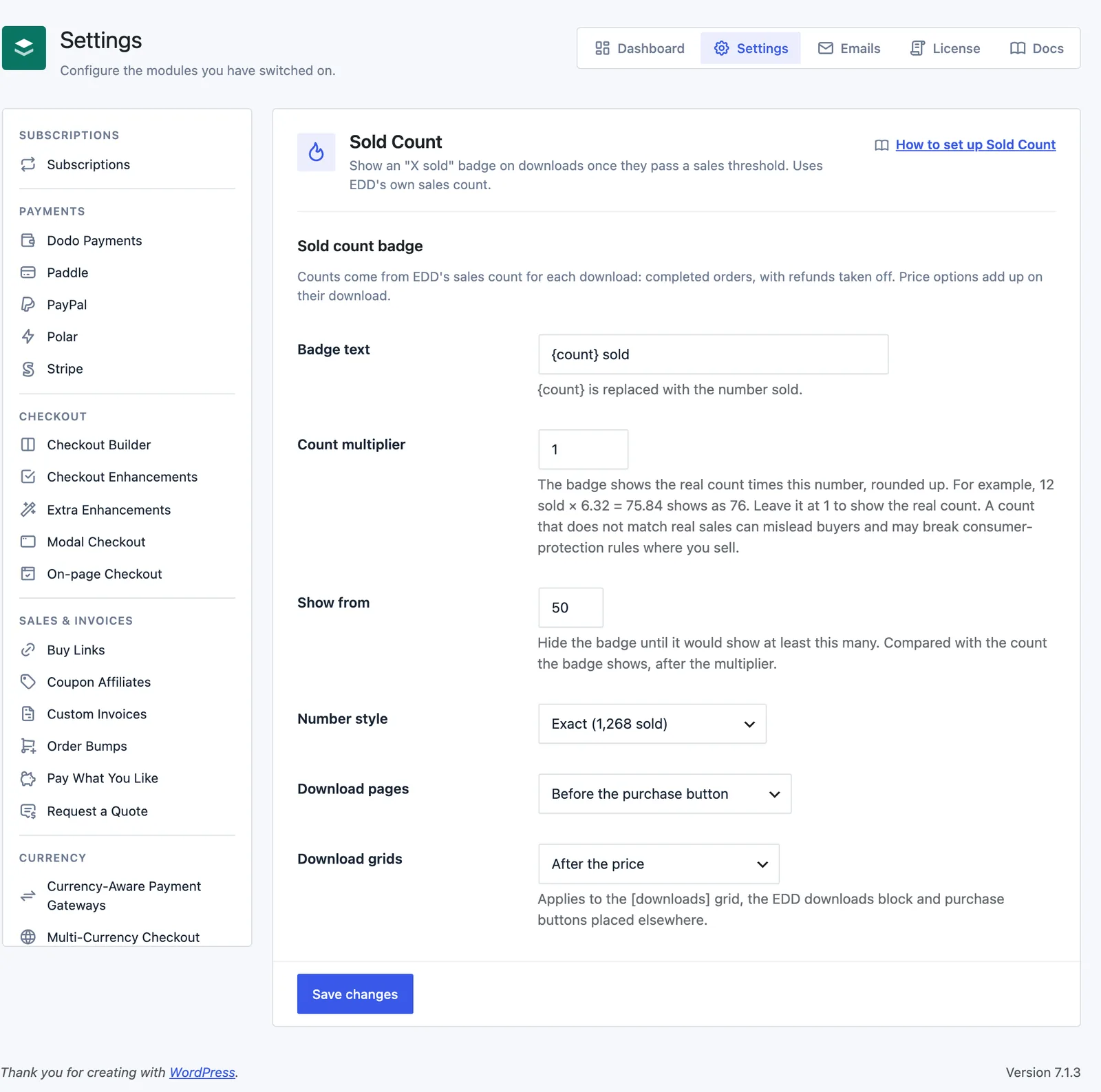
Go to Stackless → Settings → Sold Count:
- Badge text: defaults to
{count} sold.{count}is replaced with the number sold. If you leave the placeholder out, the number goes in front of your text. - Count multiplier: defaults to 1, which shows the real count. Any other number multiplies the count and rounds up, so 12 sold × 6.32 = 75.84 shows as 76. It accepts 0.01 to 100.
- Show from: hide the badge until it would show at least this many. Defaults to 5, minimum 1. It’s compared with the count after the multiplier.
- Number style: Exact (1,268 sold), the default, or Rounded down (1,200+ sold).
- Download pages: Above the description, Before the purchase button (default), After the purchase button, or Do not show on download pages.
- Download grids: After the title, After the price (default), Before the purchase button, or Do not show in download grids. This covers the
[downloads]grid, the EDD downloads block and purchase buttons placed elsewhere.
Rounded down only changes counts of 100 and above. It rounds down to the nearest 10 below 1,000, the nearest 100 below 10,000 and the nearest 1,000 above that, then adds “+”. A count that’s already a round number shows without the “+”.
Where the Badge Appears
- Download page: Above the description prints before the download content. Before and After the purchase button sit next to the purchase form of the download being viewed. That also covers themes that print the form with
edd_get_purchase_link(). - [downloads] grid: After the title or After the price use the grid’s own item positions.
- EDD downloads block: After the title sits under each title. After the price puts the badge at the top of the purchase form, because the block’s price sits right above it.
- Other purchase buttons: Before the purchase button covers any button that isn’t the viewed download’s own, such as
[purchase_link]on another page.
On a download page the badge prints once, even if the theme renders the purchase form twice.
Hide the Badge on One Download
Edit the download, open the Settings section under Download Details and tick Hide sold count. That download never shows the badge, whatever its sales.
Where the Number Comes From
The count is EDD’s own sales count for the download: completed orders, with refunds taken off. Price options add up on their download, so a download with variable pricing shows one total.
With a Count multiplier other than 1, the badge no longer matches real sales. That can mislead buyers and may break consumer-protection rules where you sell.
Good to Know
- A download with no sales never shows the badge, even with Show from set to 1.
- The badge sits after External Downloads and Hide Price Until Login replace the purchase form, so it still shows next to their buttons.
- Developers can change the real count with the
stackless_edd_sold_count_countfilter. It receives the count and the download ID, and runs before the multiplier.