
Change the Purchase Button Text
Easy Digital Downloads gives every download the same “Purchase” button. That fits a theme license. It doesn’t fit a free icon pack or a monthly plan, and EDD’s own setting changes the label for the whole store at once.
Free in Lite: this module is also in Stackless Lite for EDD, the free edition, and works the same way there.
Custom Add to Cart Text renames the button per download type, for free and subscription downloads, and per download or price option. Download grids and download pages get separate labels.
Set Store-Wide Labels
Go to Stackless → Settings → Custom Add to Cart Text. Under Button text, each row has two boxes: one for Download grids and blocks, and one for Download page. The rows are:
- Single-price downloads
- Variable-price downloads
- Bundles
- Subscription downloads
- Free downloads
Leave a box blank to keep EDD’s text from Downloads → Settings → Misc → Purchase Buttons. The placeholder in each box shows that text.
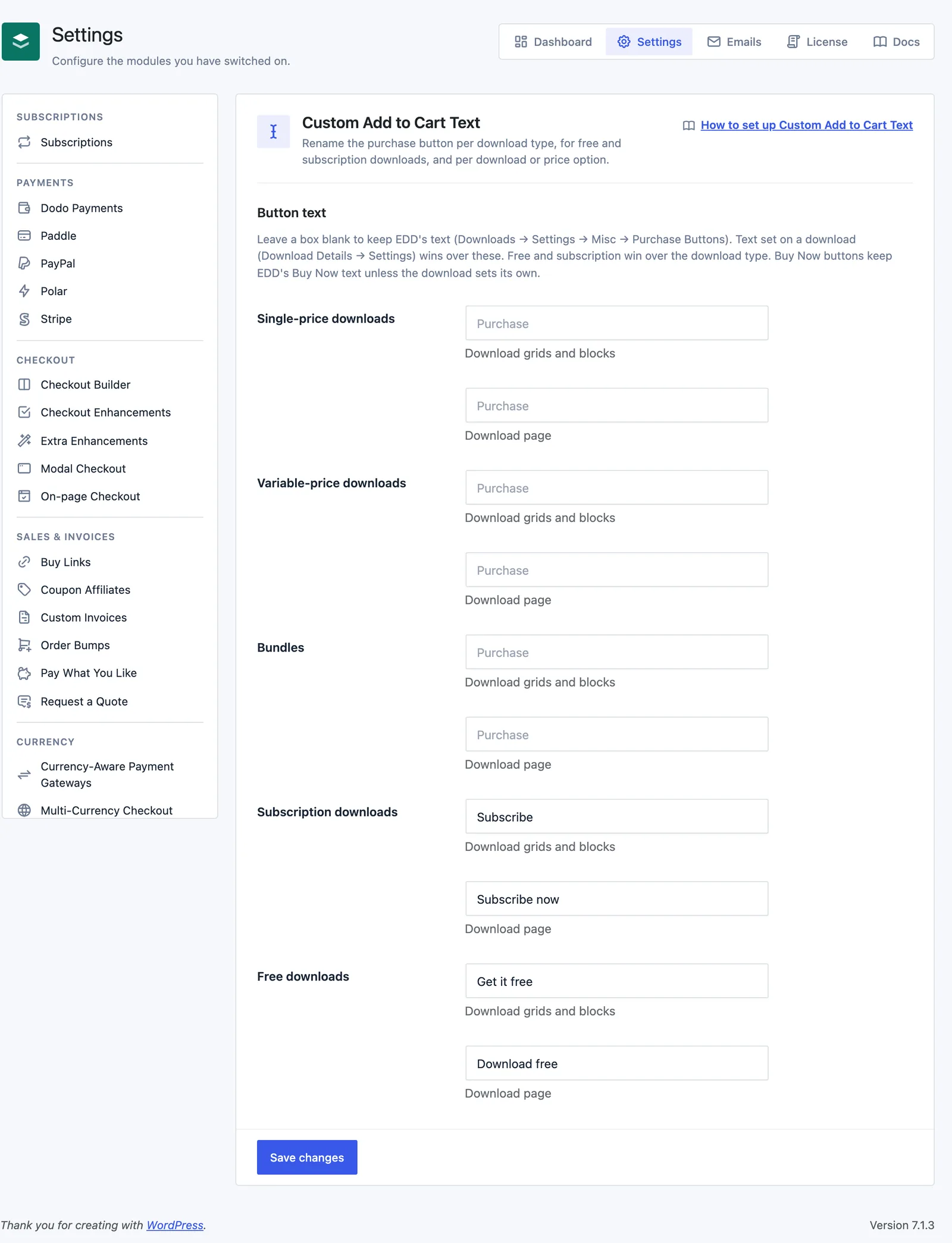
Download page means the purchase button of the download being viewed. Every other button counts as a grid button: the [downloads] grid, the EDD downloads block, [purchase_link] and buttons for other downloads.
Which Label Wins
When more than one label applies, the most specific one wins:
- The price option’s text (download page only)
- The download’s own text
- Free downloads
- Subscription downloads
- The download’s type: Bundles, Variable-price downloads or Single-price downloads
If a label is blank, the next one down is used. If they’re all blank, EDD’s own text stays.
On a download with variable pricing, the Free downloads row only applies to a button for one free price option.
Override One Download
Edit the download and open the Settings section under Download Details:
- Button text in grids: the label in download grids and blocks.
- Button text on download page: the label on this download’s own page.
Both take up to 60 characters and win over every store-wide row. Leave them blank to use the store settings.
Override One Price Option
With variable pricing, each price option row has a Button text field, up to 60 characters. It’s shown on the download page when that option is selected, and the button changes as the shopper picks options. Leave it blank to use the download’s setting.
With multi-option purchases on, shoppers can tick several options at once, so the button keeps the download’s text.
The Price Part Stays
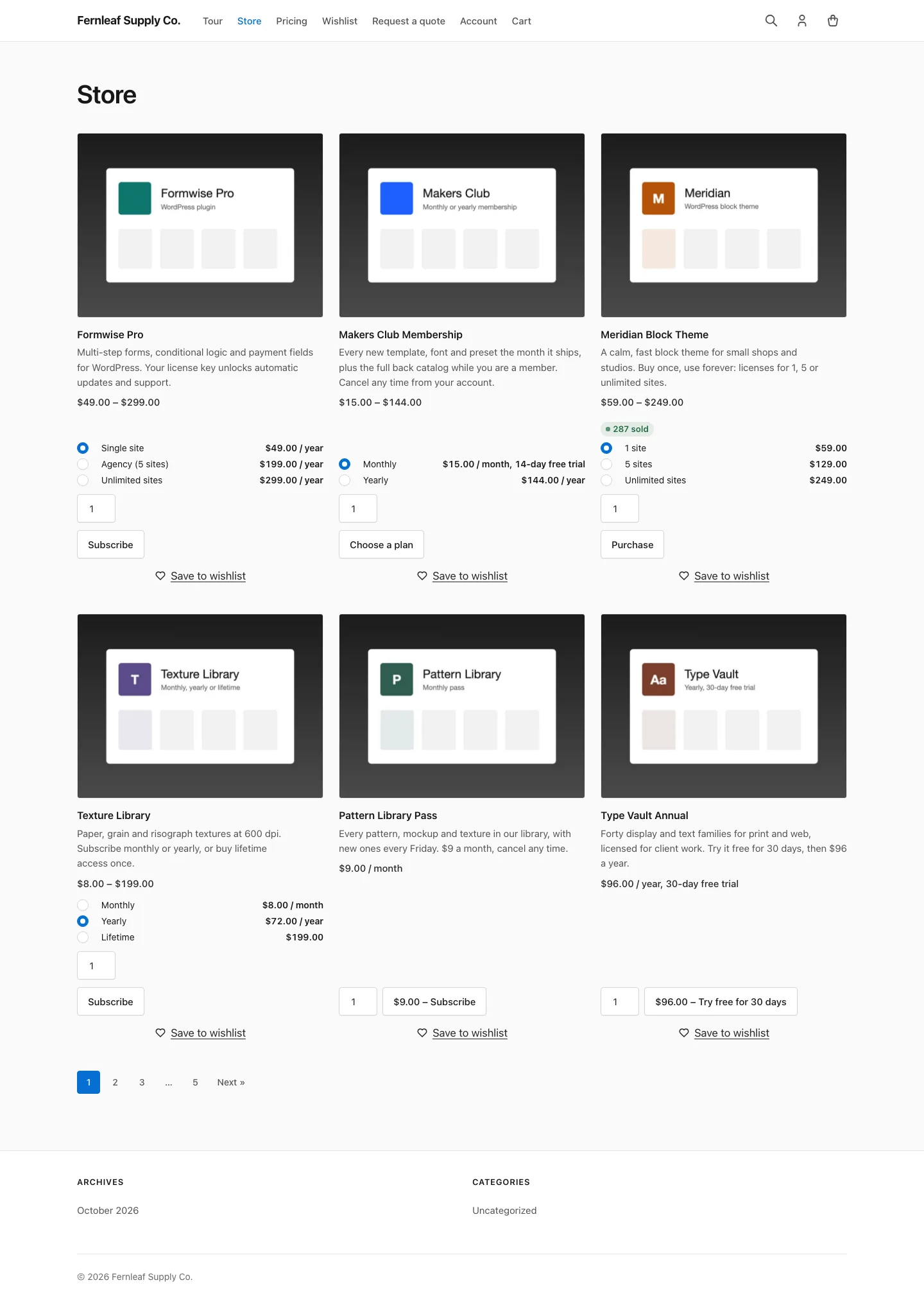
EDD can show the price on the button, such as “$9.00 – Subscribe”. The module only swaps the label and keeps the price in front of it.
Good to Know
- Buy Now buttons keep EDD’s Buy Now text unless the download or price option sets its own. The store-wide rows don’t apply to them.
- Free Price Text changes the price part of a free download’s button. This module changes the label after it.
- External Downloads and Hide Price Until Login replace the purchase button with their own, so these labels don’t show there.
- Developers can change the final text with the
stackless_edd_custom_cart_text_textfilter. It receives the download ID, the context (looporsingle) and the price ID.