
Hide Prices Until Login
Trade and wholesale stores often can’t show prices to the public. Maybe the prices are negotiated, or the catalog is for approved buyers only. Hiding the price with CSS isn’t enough, because the purchase button, the downloads block, EDD’s product API and the page’s structured data still give it away.
Free in Lite: this module is also in Stackless Lite for EDD, the free edition, and works the same way there.
Hide Price Until Login replaces the price with “Log in to see prices” for guests and stops them buying. It works store-wide, by category or download by download, and EDD’s own purchase check refuses the download on the server.
Choose Which Downloads Are Hidden
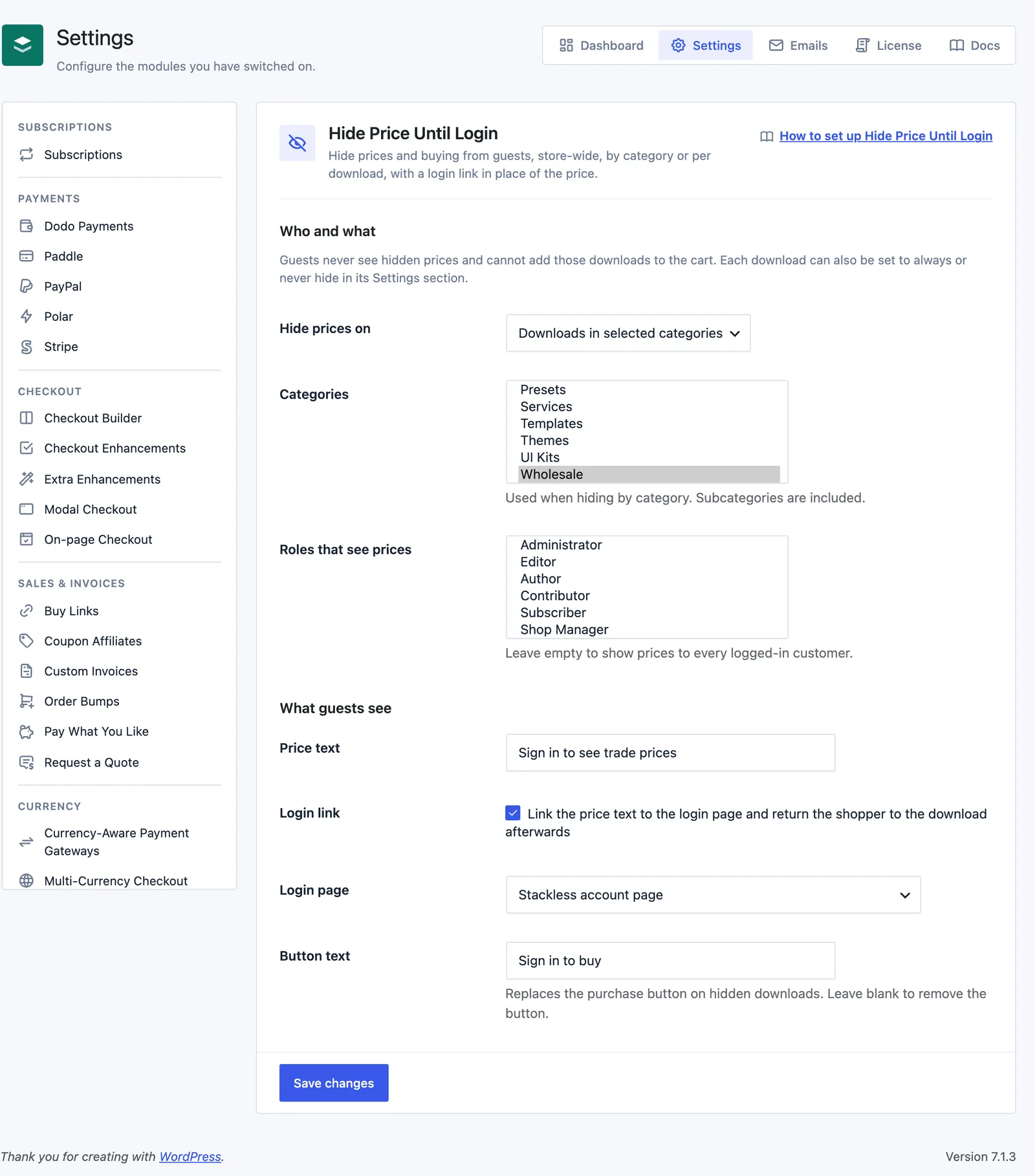
Go to Stackless → Settings → Hide Price Until Login. Under Who and what:
- Hide prices on: All downloads (default), Downloads in selected categories, or Only downloads set to hide.
- Categories: the download categories to hide when hiding by category. Subcategories are included.
- Roles that see prices: leave empty to show prices to every logged-in customer. Pick roles, such as a trade role, and only signed-in users with one of those roles see prices.
Each download can override the store rule. Edit the download, open the Settings section under Download Details and set Hide price until login to Follow the store setting, Always hide from guests or Never hide.
Set What Guests See
Under What guests see:
- Price text: defaults to “Log in to see prices”.
- Login link: link the price text to the login page and return the shopper to the download afterwards. On by default.
- Login page: Stackless account page (default) or WordPress login screen (or EDD’s login page when one is set). Without an account page, the WordPress login screen is used.
- Button text: defaults to “Log in to buy”. It replaces the whole purchase form on hidden downloads, including price options, quantity and Buy Now, and links to the login page. Leave it blank to remove the button.
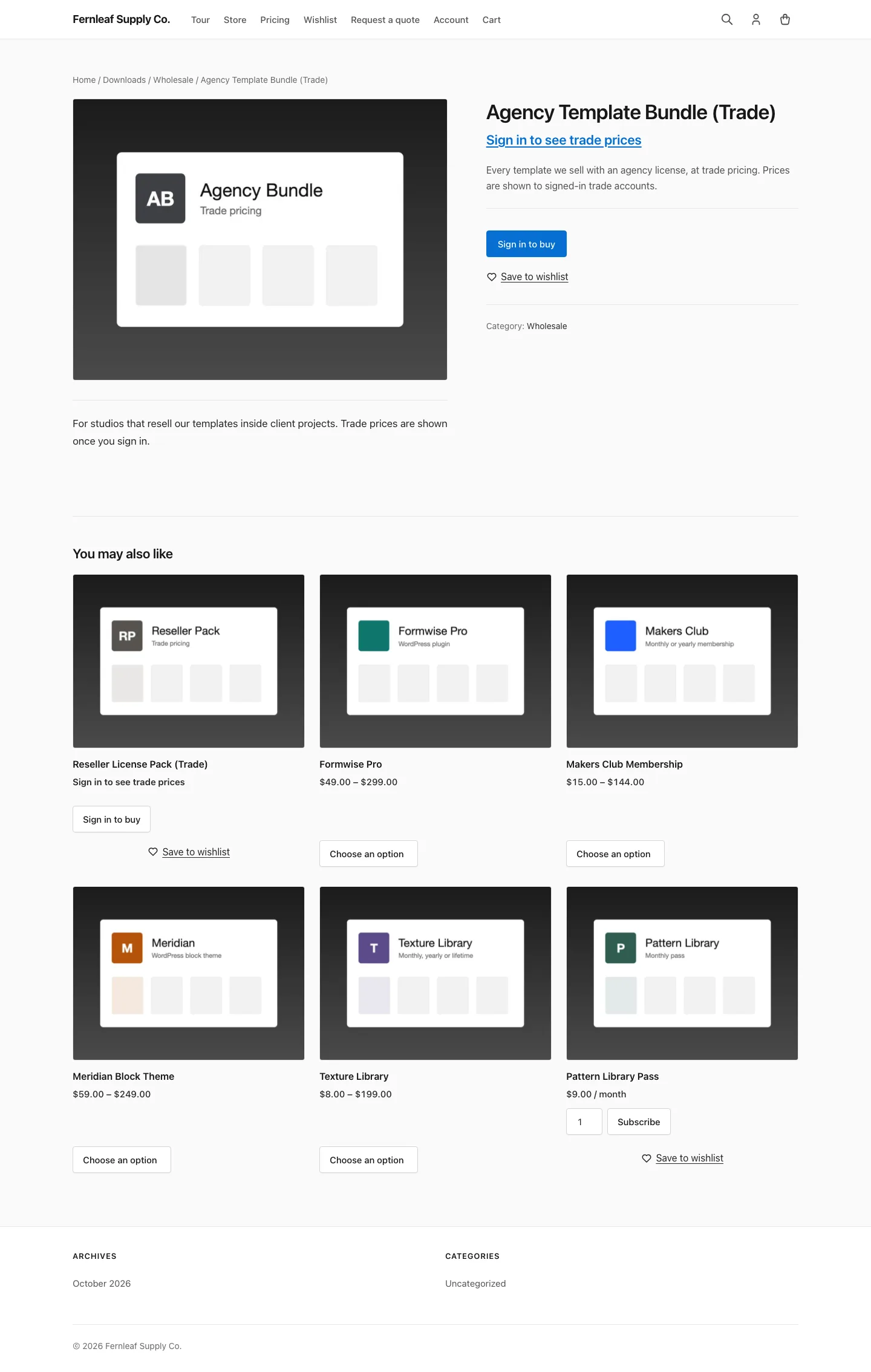
The price text only becomes a link on the download’s own page. Download cards in grids already link to the download, so their price stays plain text and their button carries the login link.
After signing in through the customer account login form, the shopper lands back on the download they were looking at.
What Gets Hidden
For a viewer who can’t see prices, a hidden download:
- shows the price text in place of the price on download pages,
[downloads]grids and the EDD downloads block, including price ranges - keeps its price option names but loses their amounts
- loses its offers in the structured data EDD prints, and its pricing in EDD’s public product API at
/edd-api/products - can’t be bought, so purchase forms, AJAX add to cart,
/edd-add/links, EDD’s cart REST routes and checkout all refuse it, with the message “Please log in to buy this download.”
Product API requests signed with an API key and token still get prices. Admin order editing isn’t affected either, so you can still add hidden downloads to orders by hand.
Add a Login Link Anywhere
The [stackless_edd_login_to_see_price] shortcode prints a login link for viewers who can’t see prices and nothing for everyone else. It uses your Price text, and the text attribute changes it:
[stackless_edd_login_to_see_price text="Log in for trade prices"]Good to Know
- With Roles that see prices set, signed-in customers outside those roles are treated like guests.
- On a download that’s also an external download, guests see the login button in place of the external link.
- Developers can override who sees prices with the
stackless_edd_hide_price_until_login_viewer_sees_pricesfilter.