
 by
Consider this scenario. You launched your online store 18 months ago. Orders came in steadily, the site ran fine and you never had a reason to think about what was happening on the server. Last month, you ran a paid ad campaign. Traffic tripled over a weekend. The checkout page timed out for six hours on Saturday afternoon and you have no idea how many orders that cost you.
Growth exposed a problem that was already there. The site had been running close to its shared hosting limits for months, and an upgrade to VPS hosting was overdue. The ad campaign didn’t cause the failure. It only made the failure impossible to ignore.
I’d rather you catch that moment early. The warning signs show up in your data well before your customers notice, and the move is far easier when you make it on your own schedule.
Reading the Warning Signs
Slow pages are obvious. Server-related performance issues show up in less visible ways before the site becomes noticeably sluggish.
My first check is server response time in Google Search Console. It sits in the Crawl Stats report under Settings, as average response time. If that line has been trending upward over the past few months, your hosting is under growing strain, even if load times still feel acceptable when you browse the site yourself. Your experience on a fast office connection at 7 AM is not what your customer gets on their phone at noon.
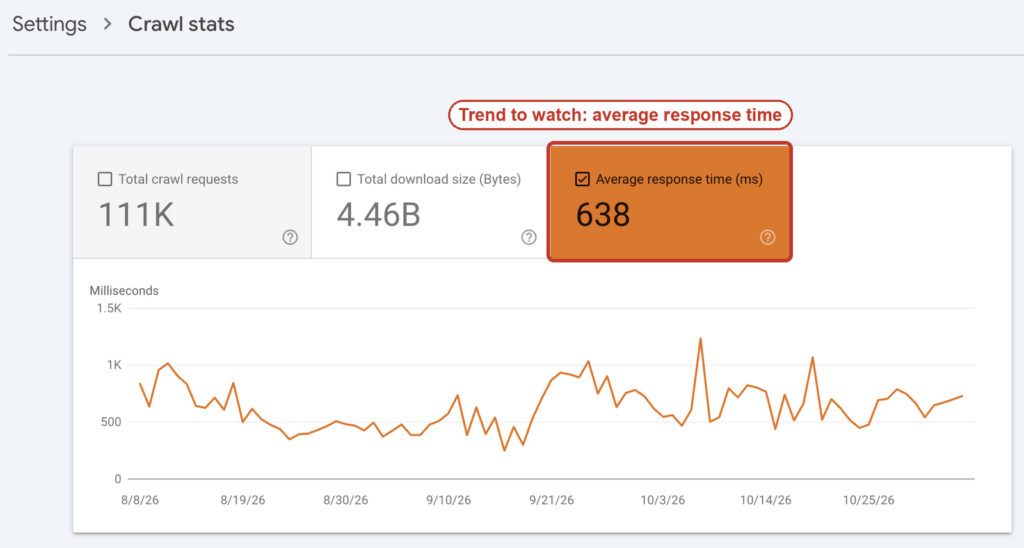
Error logs are the next place I look. A spike in 500 errors during peak traffic hours means the server ran out of resources and couldn’t fulfill those requests. Each one of those errors is a visitor who saw a broken page and left. If this happens during your busiest sales periods, the cost adds up quickly, even when the errors last only a few minutes at a time.
Why Shared Plans Run Out of Room
Most online businesses start on shared hosting because it is cheap and simple. That makes sense early on. A new store with a small catalog and a few hundred visitors per month doesn’t need dedicated resources.
The ceiling on a shared plan isn’t something you choose. It’s set by how many other sites share the same server and how much of the available resources they consume at any given moment. Your site might run well for a few months and then slow down one afternoon because a neighboring account started receiving heavy traffic. You did nothing different. Your hosting environment changed around you.
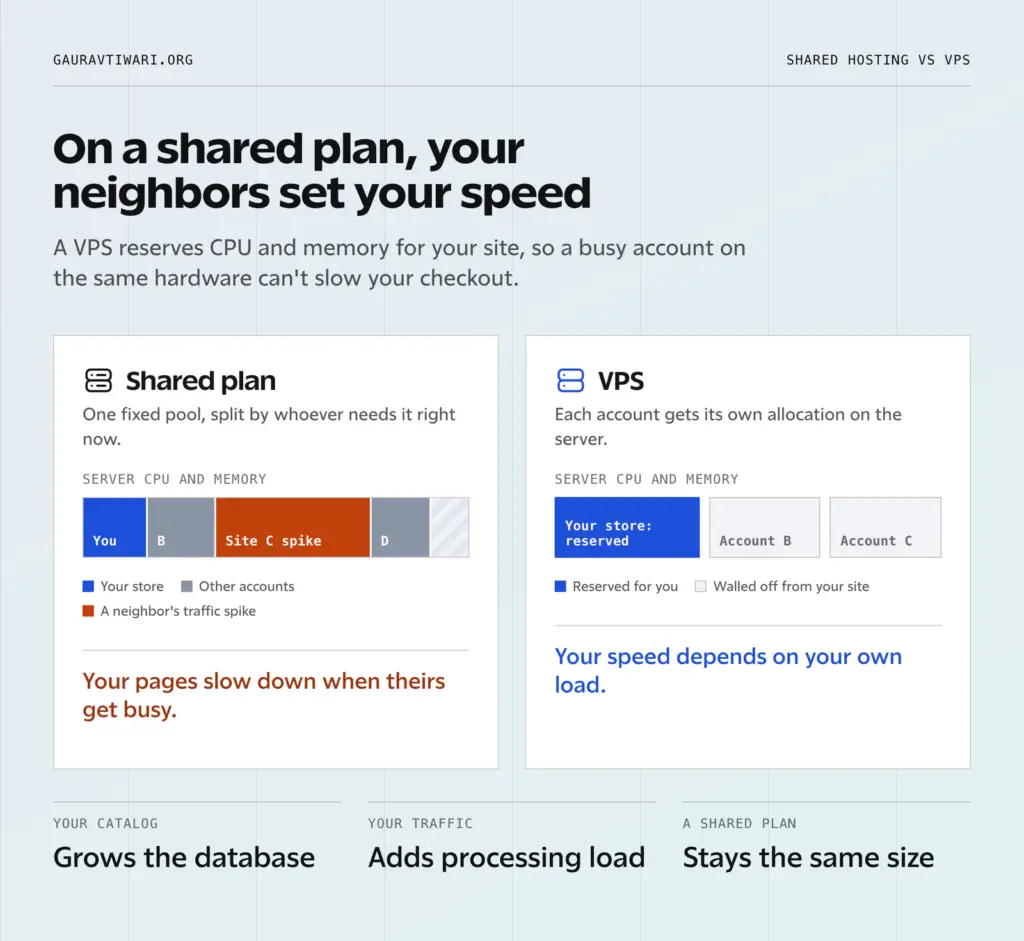
As your catalog grows, your database becomes larger. As traffic increases, every extra page request adds to the processing load. Both of those trends move in one direction and shared hosting has a fixed total capacity that doesn’t grow with you.
Outgrowing the Plan Without Realizing It
The tricky part is that shared hosting doesn’t fail all at once. It slips a little at a time:
- Response times worsen a little each month.
- Error rates tick up slightly during sales events.
- Conversion rates drift downward, and the cause looks like it could be anything from pricing to product selection to ad targeting.
Site owners often spend months optimizing everything except the server. The usual list looks like this:
- Compressing images
- Reducing the plugin count
- Adding caching
- Cleaning up the code
All of that helps, but if the server itself can’t keep up with demand, frontend optimizations can only do so much. There is a floor below which no amount of code cleanup will push load times when the underlying hardware is the constraint.
Making the Move
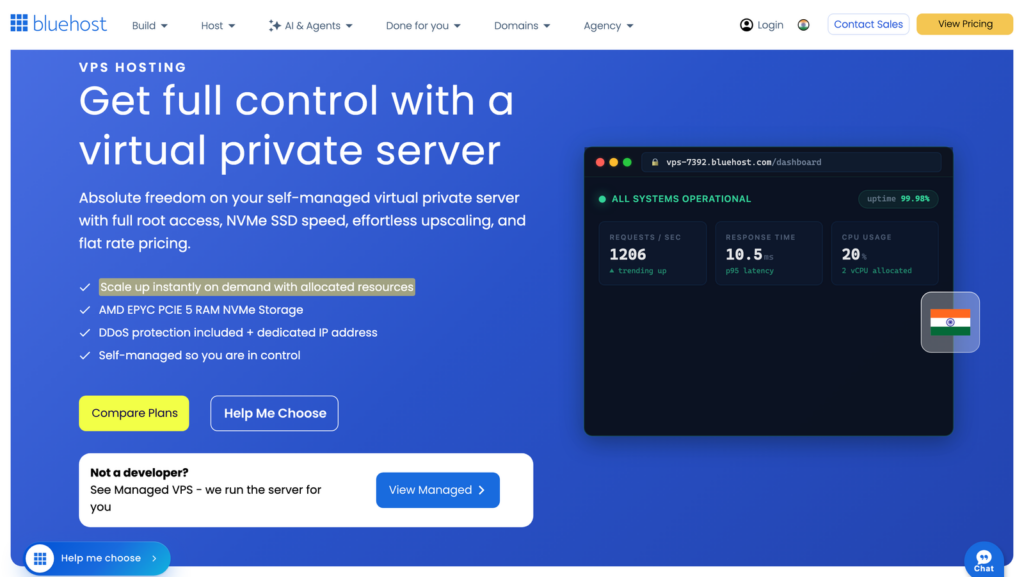
When the data points toward a server problem, the next question is what to move to. A VPS hosting provider gives your site a reserved allocation of CPU and memory on a server where no other account can access your resources. Your site’s performance becomes independent of what other accounts on the same hardware are doing. For an online store where a slow checkout page directly turns into abandoned orders, that separation matters.
Moving a site to a new host does need some planning. This is the order I’d follow:
- A full backup of everything before the migration.
- The move scheduled during your lowest traffic window.
- The old hosting account kept active for at least two weeks after the switch, so you have a fallback if something goes wrong during DNS propagation.
- A test of every page, every form and every payment flow on the new server before you call the migration complete.
Timing It Right
The best time to upgrade is before you need it urgently. An emergency migration under pressure, mid-campaign or during a holiday sales rush, carries more risk than a planned move during a quiet week.
My suggestion is to put your traffic trends next to your upcoming marketing calendar. If you have a product launch or a major promotion planned for next quarter and your server metrics already show strain, I’d move now, while you have time to test thoroughly and fix any issues before the traffic arrives.
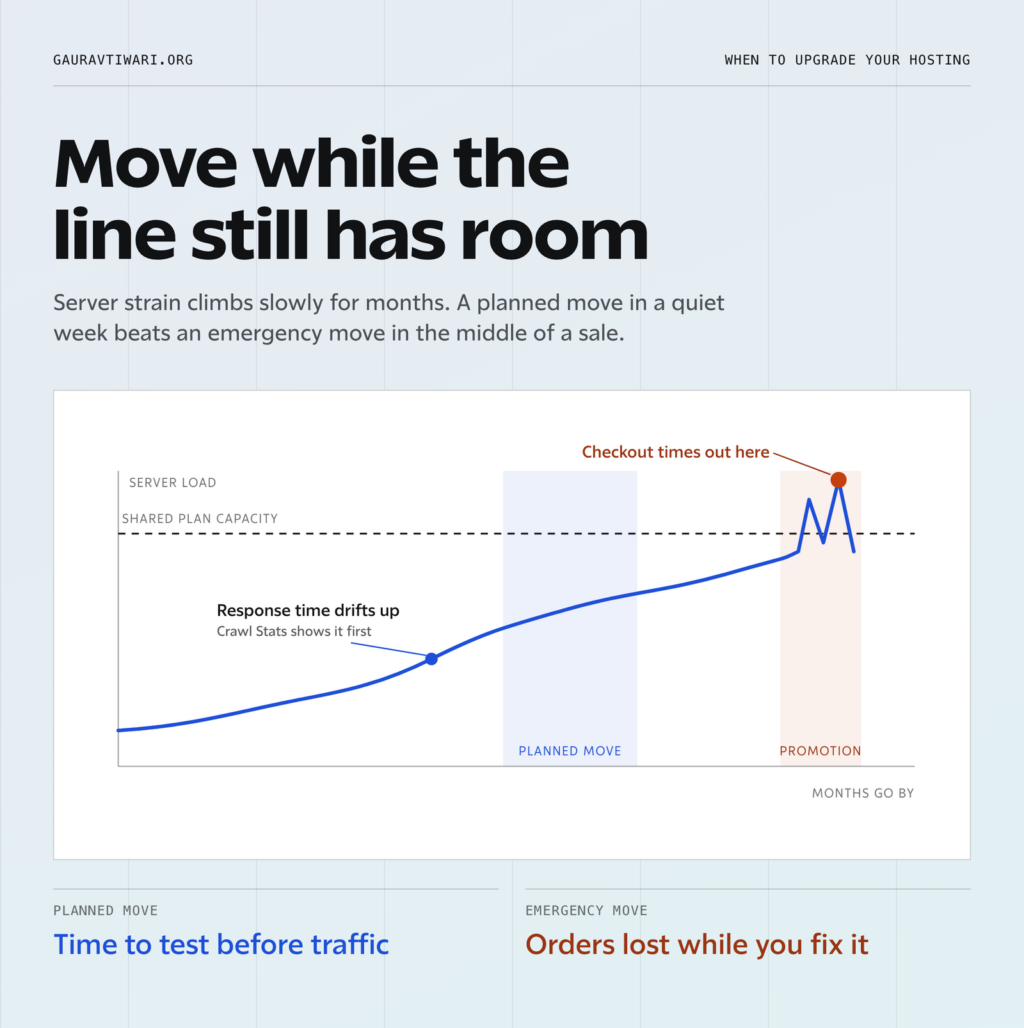
Waiting until the site fails during your biggest sales day of the year is the most expensive possible timing for a hosting upgrade. If your response time line is already climbing, I’d plan the move this month, not after the next campaign.
Tell Google you want more of this.
Add Gaurav Tiwari as a preferred sourceOne tap, and this site shows up more often in your own Top Stories, AI Overviews and AI Mode. Remove it any time.