
Product Box for EmDash A Buying Box With Live Amazon Prices
An affiliate post needs one place that shows the product, its price and the buy buttons together. On WordPress that was the Product Box in my GT ACF Blocks plugin, and this is its EmDash port.
The box holds the image, rating, features, price and regional buy buttons in one block. Prices can come live from Amazon US and Amazon India through the Creators API.
pnpm add @gatilab/emdash-product-box- Free on npm
- MIT licensed, with no paid tier and no license key.
- 1 permission
network:request, limited to 2 Amazon API hosts.- EmDash 1.4 or later
- Tested on EmDash 1.4.0.
- ACF fields carry over
- The same field names, markup and CSS classes.
What Product Box Does The Product, the Price and the Buttons in One Block
The box works with manual prices alone. Live Amazon data is optional.
A Full Buying Unit
Image, rating, features, spec chips, pricing, badges, a rank and a verdict. The box has 3 layouts: image left, top image and no image.
Live Amazon Prices
Prices, ratings and availability for Amazon US and India come from the Creators API. The renderer reads a cache and never calls Amazon while a page renders.
A 24-Hour Limit
Amazon’s terms expect displayed prices to be no older than 24 hours. Older cached data isn’t shown, and the box falls back to its manual fields.
Regional Buttons
Buy on Amazon US and Buy on Amazon India can sit side by side, each with its own label. Filled-in Amazon links are always marked sponsored.
Product JSON-LD
Each box outputs Product schema with an Offer. A rating is included only when the box has a rating count, because Google rejects one without it.
Tracked ASINs
A cron task runs every 15 minutes and refreshes the prices that are due, up to 50 ASINs per run. An admin page lists every tracked ASIN with its status and last error.
What Product Box Looks Like in the admin and on the page
I took these on a test copy of an EmDash site with the plugin installed.
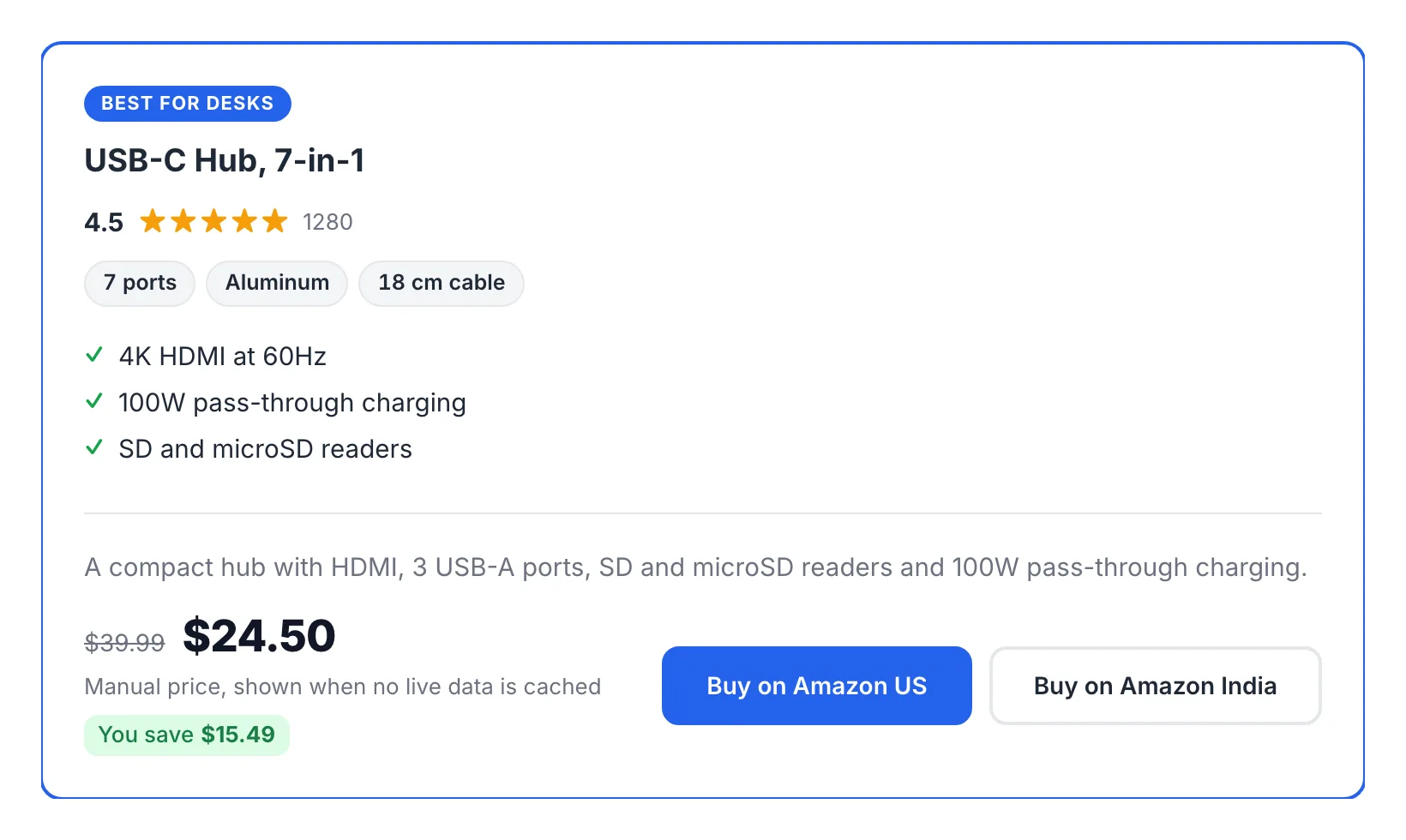
A product box on the page
A badge, a rating, spec chips, a feature list, the price with the saving and 2 buy buttons. The product and price are test data.
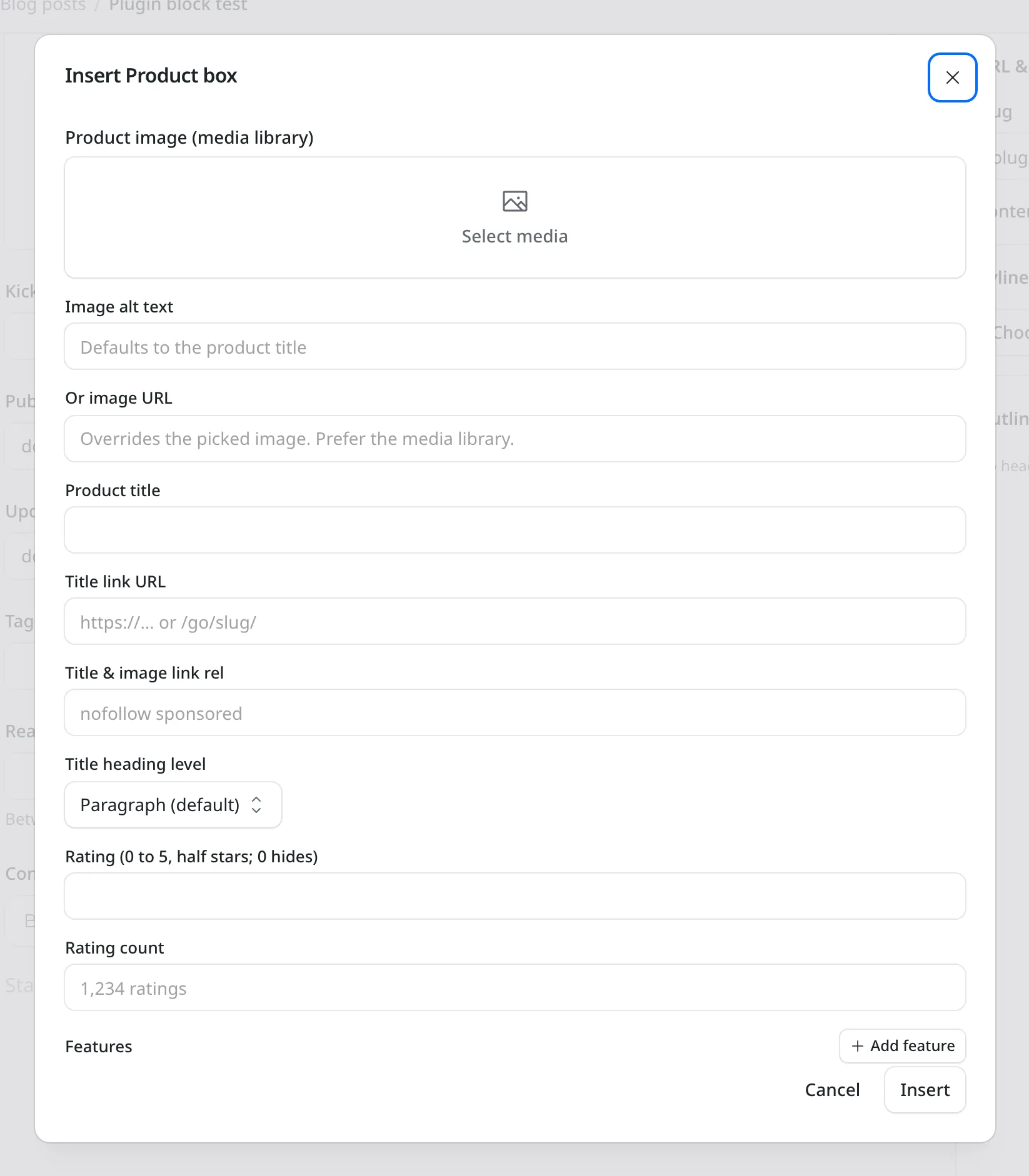
The Product Box block
You pick the image from the media library, then fill in the title, link, rel, rating and features.
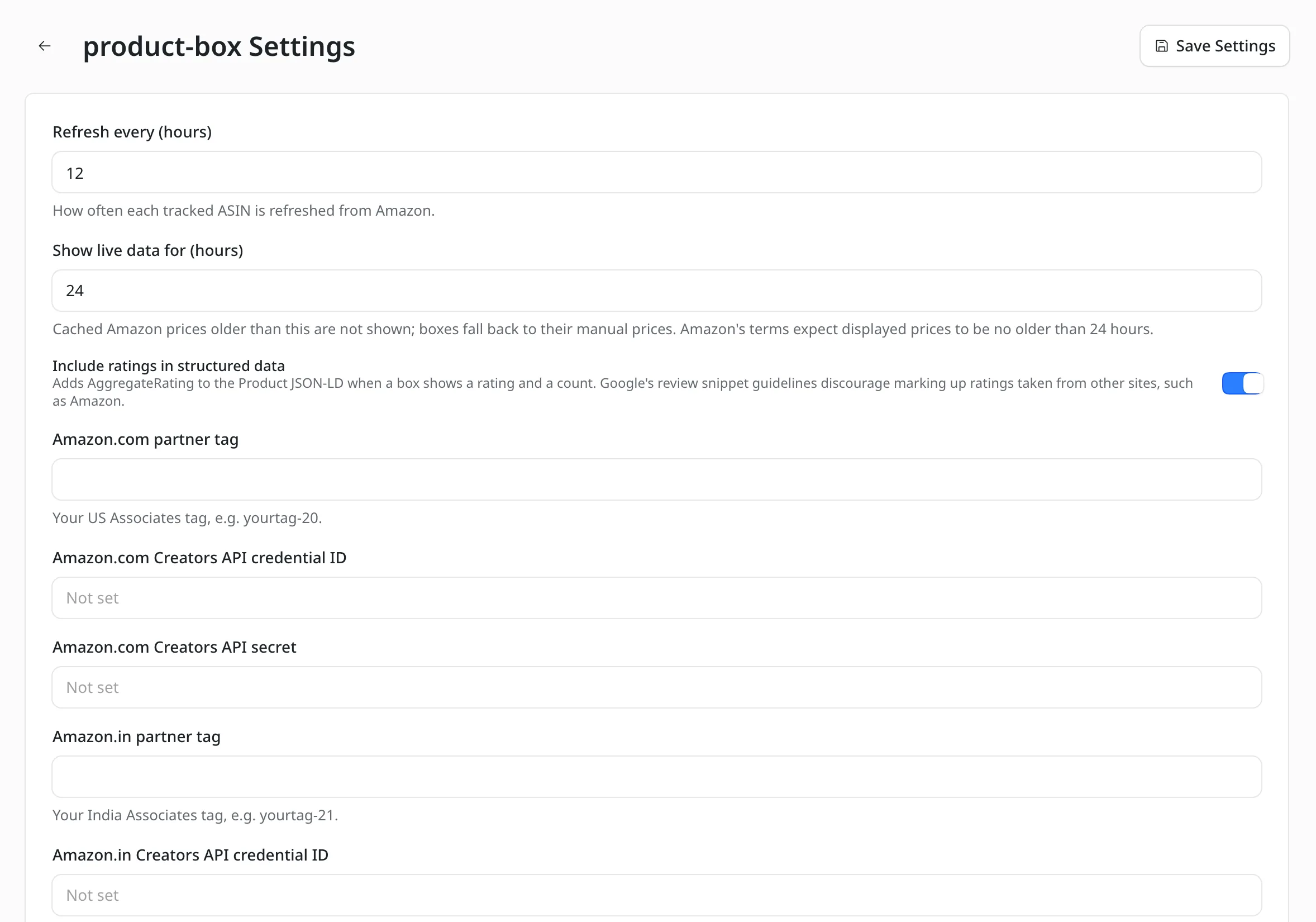
Amazon settings
The refresh interval, how long live data is shown, and separate partner tags and credentials for Amazon.com and Amazon.in.
How to Install Product Box for EmDash
The box needs no Amazon account. Credentials are only for live prices.
Add the Package
Run this in your EmDash project.
pnpm add @gatilab/emdash-product-boxRegister the Plugin
EmDash picks up the editor block, the renderer and the admin page from the descriptor. The plugin also needs
EMDASH_ENCRYPTION_KEYon the site.// astro.config.mjs import { defineConfig } from "astro/config"; import emdash from "emdash/astro"; import { productBox } from "@gatilab/emdash-product-box"; export default defineConfig({ integrations: [emdash({ plugins: [productBox()] })], });Insert a Box
The block is called Product box and sits in the Affiliate category of the slash menu. Outside Portable Text, I’d use the component.
---
import { ProductBox } from "@gatilab/emdash-product-box/astro";
---
<ProductBox node={{ _type: "productBox", pb_title: "USB-C Hub", pb_current_price: "$24.50" }} />
Add Amazon Credentials (Optional)
Creators API credentials come one set per marketplace and go in Plugins → Product box → Settings. After that, an ASIN on a box is enough to start tracking it.
Which Value Wins Live Amazon Data or Your Manual Fields
With a fresh cache, Amazon supplies the numbers and your fields supply the words.
| Field | Fresh Cache | No or Stale Cache |
|---|---|---|
| Current price, original price, discount and savings | Amazon | Manual |
| Rating, rating count and availability | Amazon | Manual |
| Price checked | The fetch time | Your pb_price_checked field |
| Title, image and brand | Manual. Amazon only if empty | Manual |
| Features, specs, description and verdict | Manual | Manual |
Amazon serves the API only to accounts with at least 10 qualifying sales in the trailing 30 days, counted per marketplace. Below that, boxes keep their manual prices.
Moving Product Boxes From WordPress
Field names, markup and CSS classes carry over. Imported blocks open with their values in place, and theme styles written for the WordPress block keep working.
fromAcfBlock() converts a box as WordPress stores it, including ACF’s flattened repeaters.
Product Box in GT ACF Blocks
Product Box for EmDash
Carries Over
- Every ACF field under its original name
- The same markup and CSS classes
className,anchorandalign- Boxes that used
pb_image_url
Doesn’t Carry Over
- Images picked from the WordPress media library. Those are stored as attachment IDs, so the image moves to the EmDash media library and
pb_imagetakes its URL - Block style variations as a setting. Layouts are the
pb_layoutfield here, andis-style-top-imagestill works
The converter takes the block’s attrs, or only its data.
import { fromAcfBlock } from "@gatilab/emdash-product-box";

const node = fromAcfBlock(wordpressBlock.attrs);
Permissions It Asks For
One, and only for live Amazon data.
network:request- Limited to
api.amazon.comandcreatorsapi.amazon: the Login with Amazon token endpoint and the Creators API. Nothing else.
What It Needs
These come from the package’s peer dependencies and its settings.
- EmDash
- 1.4 or later.
- Astro
- 7.
- React
- 19 or later, for the admin screens.
- Encryption key
EMDASH_ENCRYPTION_KEY, for the Amazon credentials.- Live prices
- Creators API credentials, one set per marketplace.
- License
- MIT. Free to use, change and ship.
Product Box for EmDash Questions
Cost, Amazon access, marketplaces and structured data.
Have a question that isn’t here? Ask me directly.
Is Product Box for EmDash Free?
Yes. It’s free and MIT licensed, with no paid tier and no license key.
Do I Need an Amazon Account to Use It?
No. Every price, rating and button can be filled in by hand. Amazon credentials are only for live data.
Why Do My Boxes Show Manual Prices?
There are 3 usual reasons: the cached data is older than 24 hours, the marketplace has no credentials, or Amazon returned 403 AssociateNotEligible. Amazon returns that error to accounts below 10 qualifying sales in the trailing 30 days, and for up to 48 hours after a credential is created. The admin page shows the error.
Which Amazon Marketplaces Does It Support?
Amazon US and Amazon India. India needs its own credentials, because US credentials can’t read Amazon.in.
Does It Add Ratings to Structured Data?
Only when the box shows both a rating and a rating count. Ratings copied from Amazon are third-party ratings, and Google’s review snippet guidelines discourage marking those up. If that’s a concern for your site, I’d switch Include ratings in structured data off.
How Is It Different From the Product Review Block?
Product Box is a buying unit for an affiliate page, roundup or deal post. The product review block in Content Blocks for EmDash is your editorial verdict, with a byline.
More EmDash Plugins For the Rest of Your Site
Product Box covers the buying unit. These 8 cover the other jobs a WordPress site usually leaves to plugins.
- Core FormsHTML forms with a submissions inbox
- Lead CaptureLead magnets with gated downloads
- Content Blocks10 editorial blocks with schema
- Dynamic DatesDate shortcodes that stay current
- EmailitEmail delivery through Emailit
- Link ManagerBranded /go/ short links
- FootnotesNumbered footnotes from a shortcode
- Scripts ManagerPer-page CSS, JavaScript and HTML