
 by
Is EmDash a WordPress replacement, or just a new CMS with a strong launch? And in the EmDash vs WordPress choice, is it time to move a working site now that Cloudflare calls EmDash the “spiritual successor to WordPress”?
If you move too early, you trade a working site for a rebuild. If you ignore EmDash completely, you miss the most serious answer to WordPress’s plugin security problem I have seen in years.
My position is simple.
EmDash fixes the right problem at the core. For most sites today, though, it is a developer CMS. Its plugin ecosystem is young, and plugins still can’t reach several parts of the editor that WordPress plugins take for granted.
I’m saying this after porting 8 of my WordPress plugins to EmDash and building 1 new one. All 9 are free and MIT licensed on npm under @gatilab, and that work showed me exactly where the platform stops today.
EmDash is an open-source CMS that Cloudflare announced on April 1, 2026. EmDash is written in TypeScript, installs into an Astro site as an integration and ships under the MIT license. The stable 1.0 line arrived in September 2026, and the current release on npm is 1.4.0.
WordPress is my pick if your site sells, teaches or runs on plugins. That covers stores, membership and course sites, page-builder sites and any site a non-technical owner manages alone.
EmDash is my pick if you’re a developer starting a new content site in Astro, especially on Cloudflare. It also fits a site where plugin security has already hurt you and you want every plugin to declare what it can touch.
I’d wait if you run an established WordPress site with custom blocks, shortcodes or commerce. The importer can move your content, but the features around it still have to be rebuilt.
EmDash vs WordPress at a Glance
The EmDash CMS and WordPress are both free and open source. The real differences are the stack, where each one runs and how much power a plugin gets.
| EmDash | WordPress | |
|---|---|---|
| Built with | TypeScript, as an Astro integration | PHP with MySQL or MariaDB |
| License | MIT | GPLv2 or later |
| Current version | 1.4.0 | 7.1.4 |
| Runs on | Cloudflare Workers, or a Node.js server | Almost any PHP host |
| Database | D1, SQLite, PostgreSQL or libSQL | MySQL or MariaDB |
| Content format | Portable Text (structured JSON) | HTML with block comments |
| Plugin catalog | 207 packages in the official registry, plus npm | More than 70,000 free plugins |
| Plugin isolation | Registry plugins run sandboxed with declared permissions | Every plugin runs with full access |
| Login | Passkeys by default | Username and password |
| AI agents | Built-in MCP server | Abilities API in core, MCP Adapter plugin |
| Ecommerce | No mature store plugin yet | WooCommerce and many others |
| Market share | Too new to measure | 39.4% of all websites |
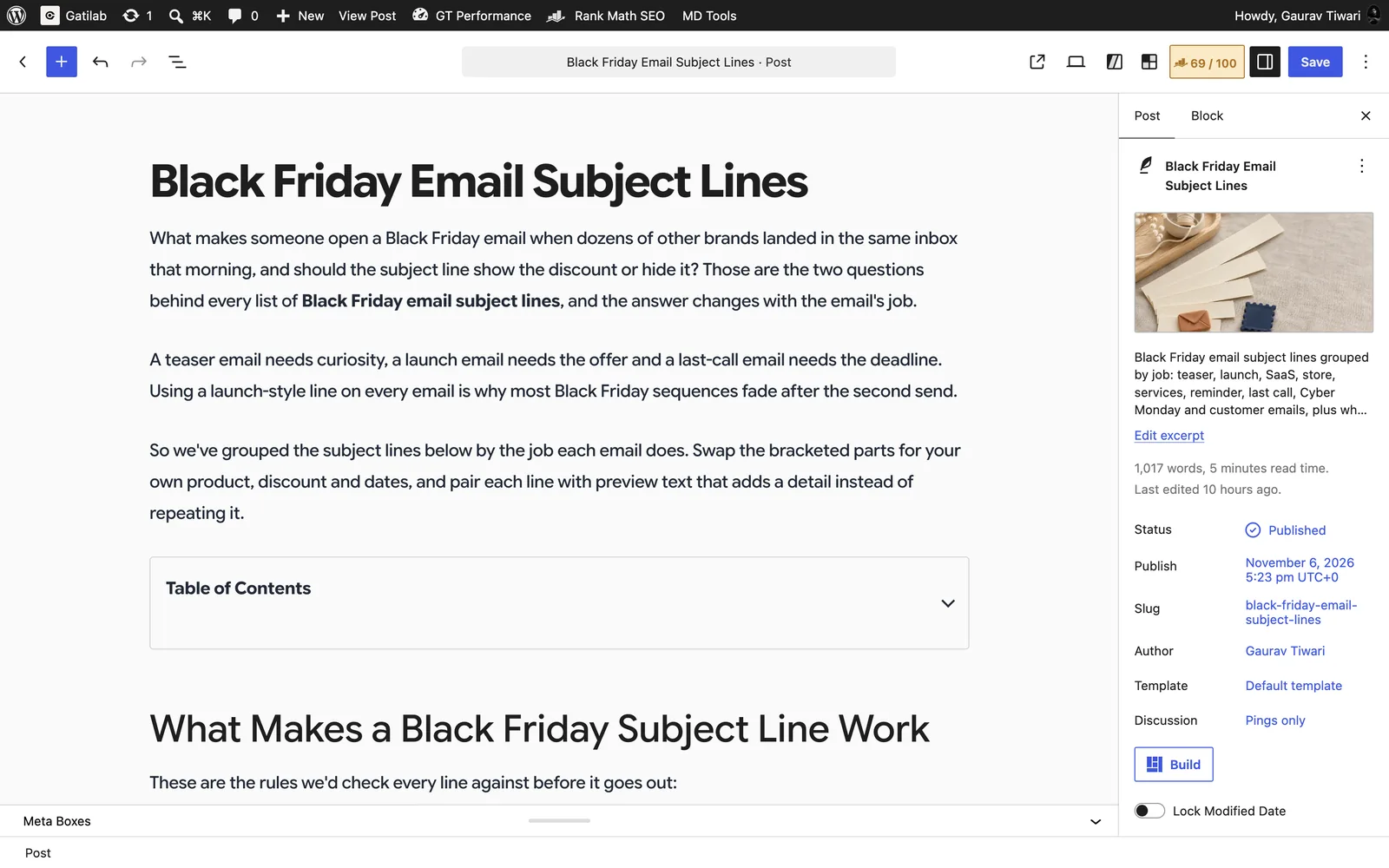
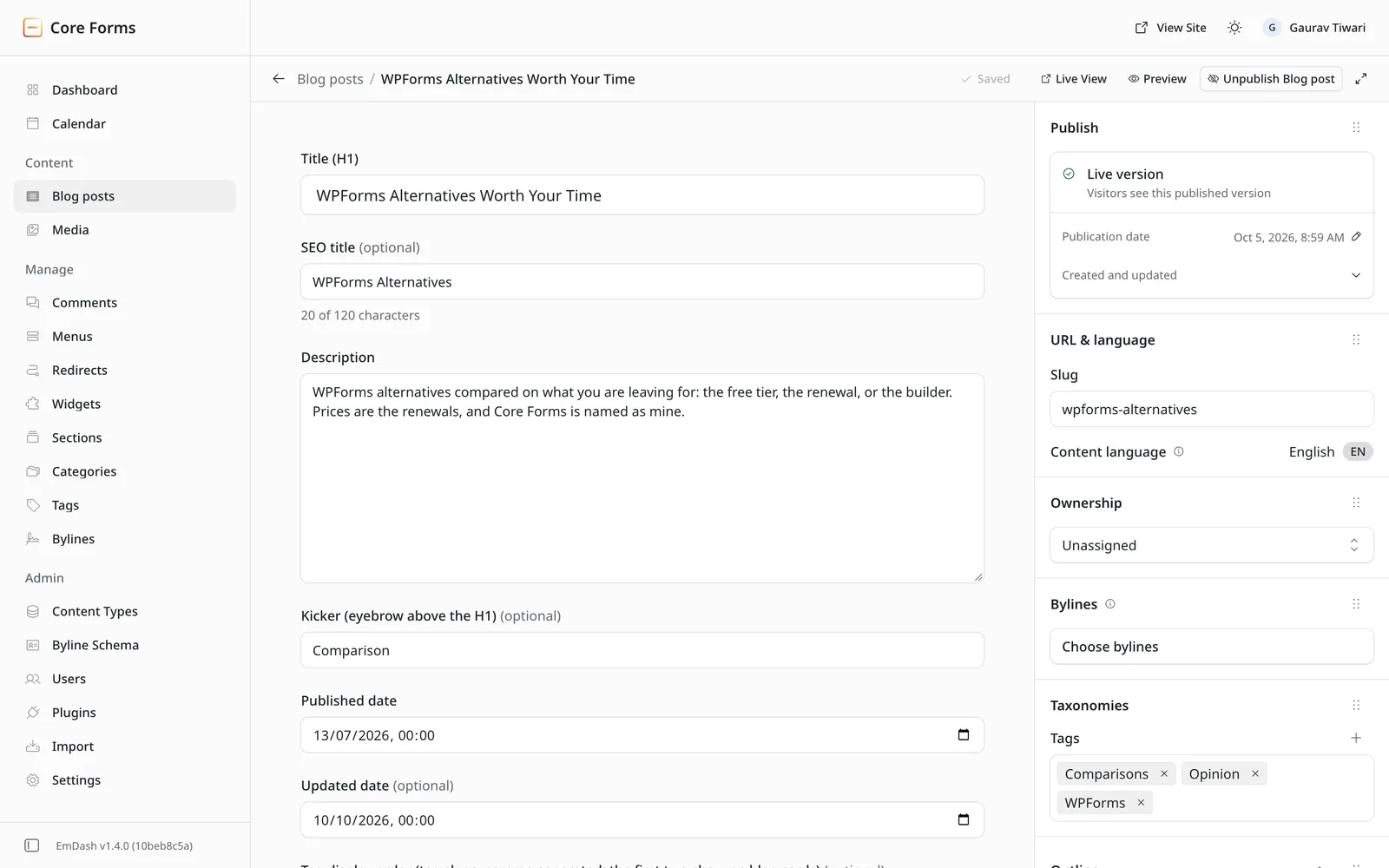
Both admins below are live sites of mine. The WordPress one is gatilab.com, and the EmDash one is the core-forms.com blog.
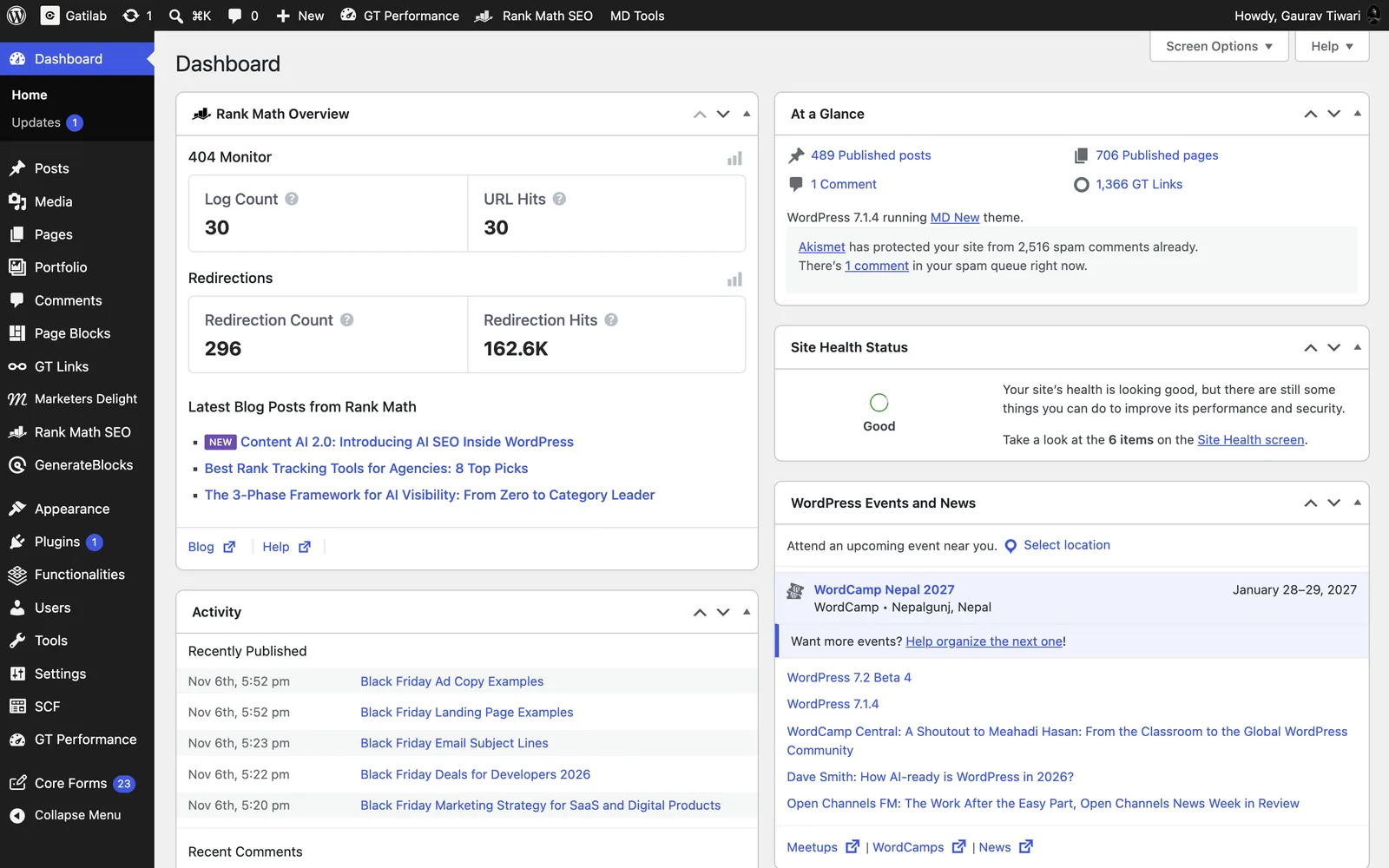
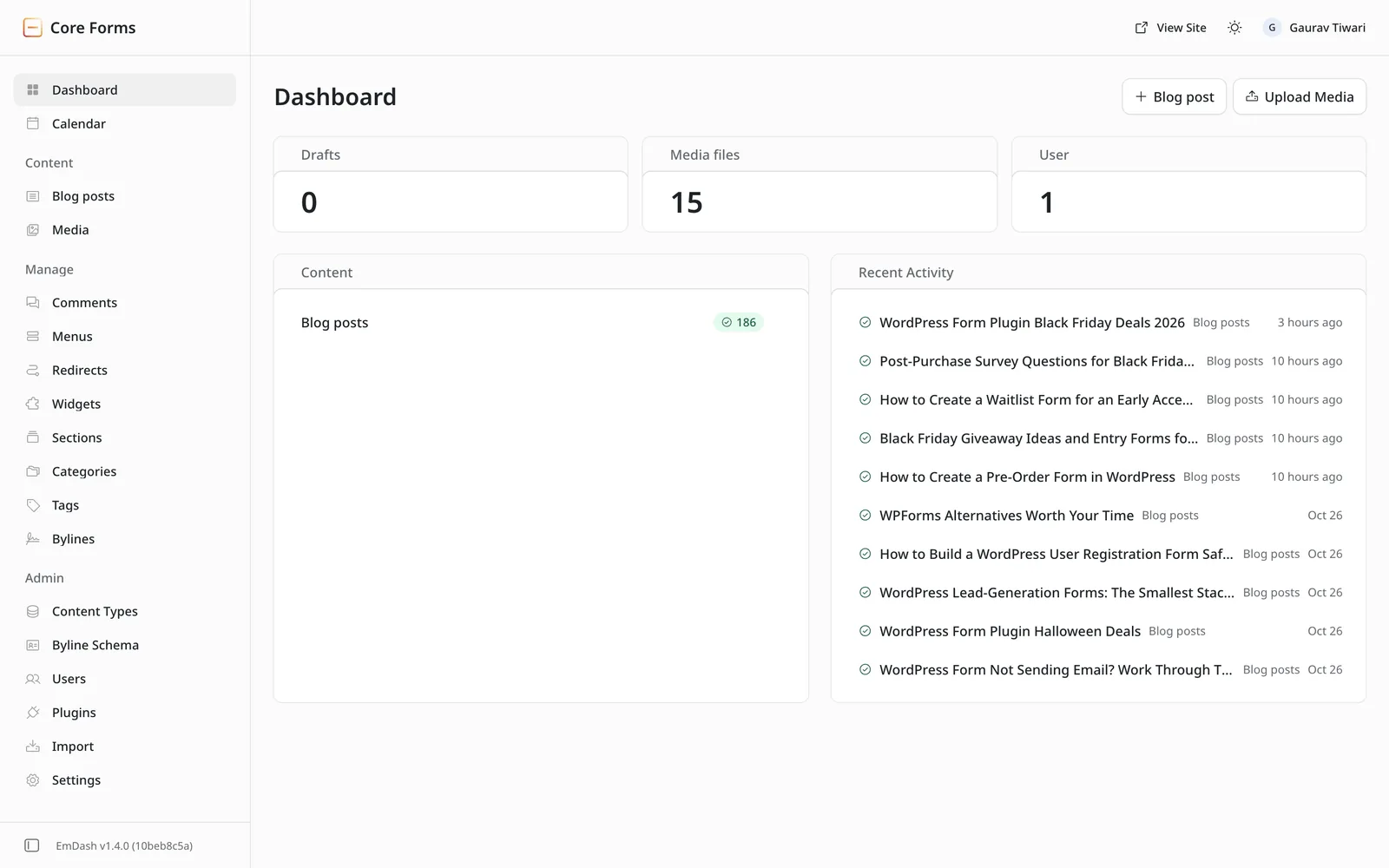
Updating EmDash isn’t a button in that admin. When I moved core-forms.com from 1.1.0 to 1.4.0, the upgrade meant bumping the npm package, checking the database migrations, building and redeploying the Worker.
In the WordPress vs EmDash choice, the plugin catalog row decides most cases. A WordPress site owner can find a plugin for nearly any job, while an EmDash site owner will often have to build it or hire someone who can.
Why EmDash’s Plugin Model Matters
WordPress has a plugin problem, and the numbers are hard to argue with. Patchstack’s State of WordPress Security in 2026 report counted 11,334 new vulnerabilities in the WordPress ecosystem in 2025:
- 91% of them were in plugins and 9% in themes.
- WordPress core had just 6, all low priority.
- 46% didn’t get a fix from the developer in time for public disclosure.
So, the risk sits in what you install, far more than in WordPress itself.
The cause is structural. Every WordPress plugin runs in the same PHP process as core, with full access to the database and the file system.
A contact form plugin can read your users table, and a slider plugin can write files to your server. Nobody asks it to declare that first.
EmDash changes that at the core. A sandboxed EmDash plugin lists its capabilities in a manifest, such as content:read or network:request, and the site admin sees and approves them before installing. The capability docs describe it plainly: a plugin that didn’t declare content:read doesn’t even get the content API.
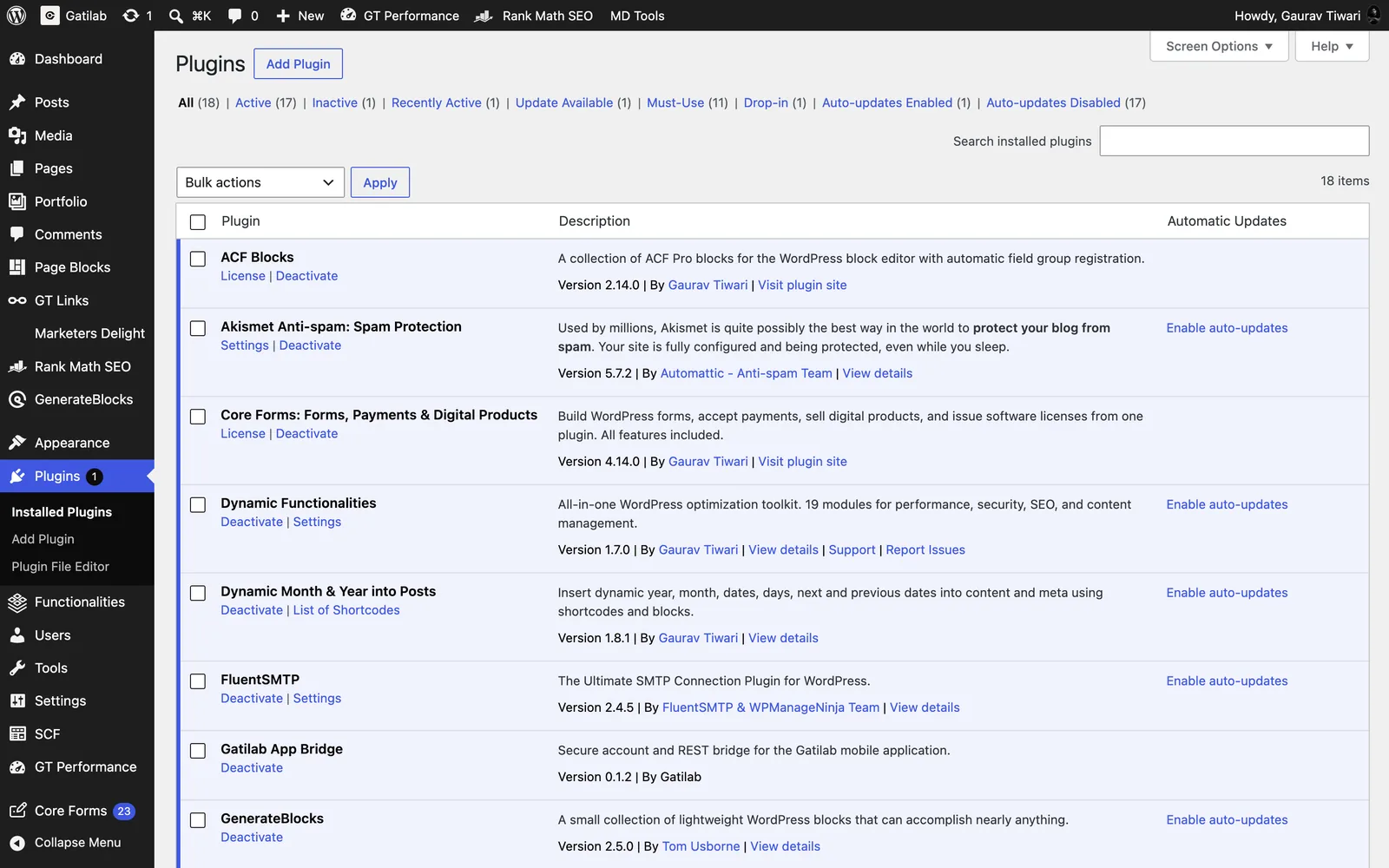
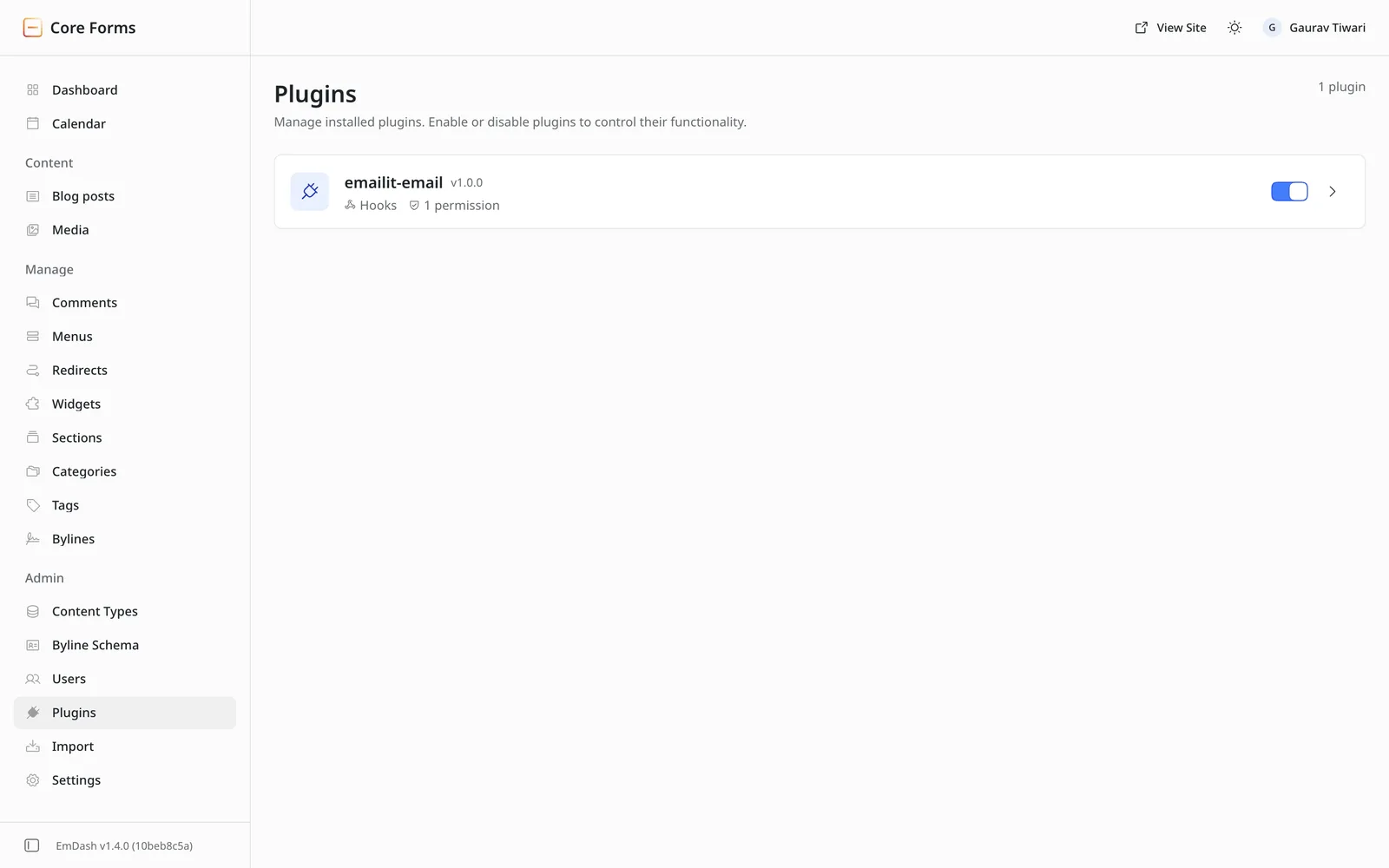
You can see the difference on the plugin screens. On gatilab.com, WordPress lists each plugin with a version and an author, and nothing about what it can touch. On core-forms.com, EmDash lists the Emailit plugin with its hooks and “1 permission”.
The plugin registry adds a second layer. It runs on the AT Protocol, and each release is a record signed by its publisher. EmDash checks the bundle’s checksum and permissions against that record before the consent dialog appears, and an update that asks for new permissions waits for approval again.
That is what sets the design apart for me. Scanners, firewall rules and hardening checklists all sit on top of WordPress, while Cloudflare EmDash puts the permission check right where the plugin meets the site.
How EmDash Plugins Work in Practice
EmDash has two kinds of plugins, and the difference decides how much the sandbox actually protects you.
- Sandboxed plugins run in an isolated runtime. On Cloudflare, each one runs as its own Dynamic Worker, limited to 50 ms of CPU time, 10 subrequests and 30 seconds per call. On Node.js, EmDash runs them inside
workerd, Cloudflare’s open-source Workers runtime, which enforces only the 30-second wall time. Registry installs are always sandboxed. - Native plugins run in the same process as your site, just like WordPress plugins. They install from npm, need a redeploy and get full access to the runtime. The EmDash docs say their capability checks are “not a security boundary.”
The catch is that the features editors and visitors notice are native-only. A sandboxed plugin can’t ship Astro rendering components for its own content blocks, can’t use a full React admin and can’t inject scripts or HTML into public pages.
That is why all 9 of my EmDash plugins are native. Content blocks, footnotes and product boxes need rendering components, and a sandboxed plugin can’t provide them.
So on a site running plugins like mine, the trust model is the one WordPress users already know: you trust the people whose code you install. The sandbox protects you only for the plugins that fit inside it.
Matt Mullenweg, the cofounder of WordPress, wrote in his EmDash feedback that “the plugin security only works on Cloudflare.” That’s half right today. The Node runner does isolate plugins now, but only Cloudflare enforces the CPU and subrequest limits, and Dynamic Workers need the Workers Paid plan.
What Porting My WordPress Plugins Showed Me
Porting is where a platform’s limits stop being theory. The WordPress versions of these plugins are ones I maintain, including Core Forms, GT Link Manager, Dynamic Month & Year into Posts, my Marketers Delight drop-ins and GT ACF Blocks.
I checked every limit below against the EmDash 1.4.0 source while building the ports.
| What a WordPress plugin can do | What an EmDash 1.4 plugin can do | What it meant for my plugins |
|---|---|---|
Filter all post content through the_content | No global content filter | Dynamic Dates and Footnotes render shortcodes only where the theme uses each plugin’s own <PortableText> wrapper. A plain <PortableText> prints [fn] as text |
| Add an inline button to the editor toolbar | Add Portable Text blocks and field widgets, but no inline marks or annotations | No footnote button and no inline affiliate-link picker. Authors type [fn] or paste /go/slug |
| Answer any URL on the site | Answer routes only under /_emdash/api/plugins/... | /go/ redirects and download links need a small site middleware outside the plugin |
| Show editor panels from a React admin | Panels from a plugin with its own React admin entry are hidden; only Block Kit admin shows them | Scripts Manager had to drop React for Block Kit |
The editors show the same split. WordPress gives authors a block canvas that plugins can extend inline. EmDash gives them structured fields and a Portable Text body.
A few smaller limits shaped the work too:
- No per-role panel visibility. A plugin can’t show an editor panel to editors and hide it from authors.
- AND-only storage queries. Plugin storage filters combine with AND, and every filtered field needs a declared index.
- Plugin storage sits outside drafts and revisions. Plugin data tied to an entry doesn’t roll back with the entry.
- The first plugin to set a meta tag wins. Two plugins that both touch SEO tags can quietly overrule each other.
These limits come from the platform, and each one is a reasonable choice for a young plugin API. Together, though, they add up to a CMS where an editor feature you’d expect from a WordPress plugin often needs theme code as well.
The upside was real, and I want to be fair to it. Capabilities are declared and approved up front. Each plugin is a plain npm package with typed APIs and Vitest tests. A breaking change in EmDash shows up in my test run before it reaches a site.
The porting also kept the WordPress data shapes: form IDs, shortcodes and block attributes. So content imported from WordPress renders unchanged.
Where WordPress Still Wins
WordPress wins on everything around the core. It still runs 39.4% of all websites, according to W3Techs. So, plugin and theme developers follow that audience first.
The WordPress.org plugin directory lists more than 70,000 free plugins, and the EmDash registry listed 207 packages in early November 2026. That gap covers whole categories of business:
- Ecommerce: WooCommerce and its alternatives handle stores, subscriptions, licenses and taxes. Cloudflare’s EmDash 1.0 post points to an early EmDash store plugin called Urumi, but I haven’t tried it, and nothing on EmDash comes close to WooCommerce’s depth today.
- Memberships and courses: WordPress has several mature membership and LMS plugins. I haven’t seen a mature equivalent on EmDash yet.
- Page building: WordPress editors can arrange their own layouts with the block editor or a page builder. In EmDash, the developer owns the layout in Astro code.
- Editor extensions: A WordPress plugin can add a toolbar button that wraps selected text. On EmDash 1.4, that’s the inline-marks limit from the table above.
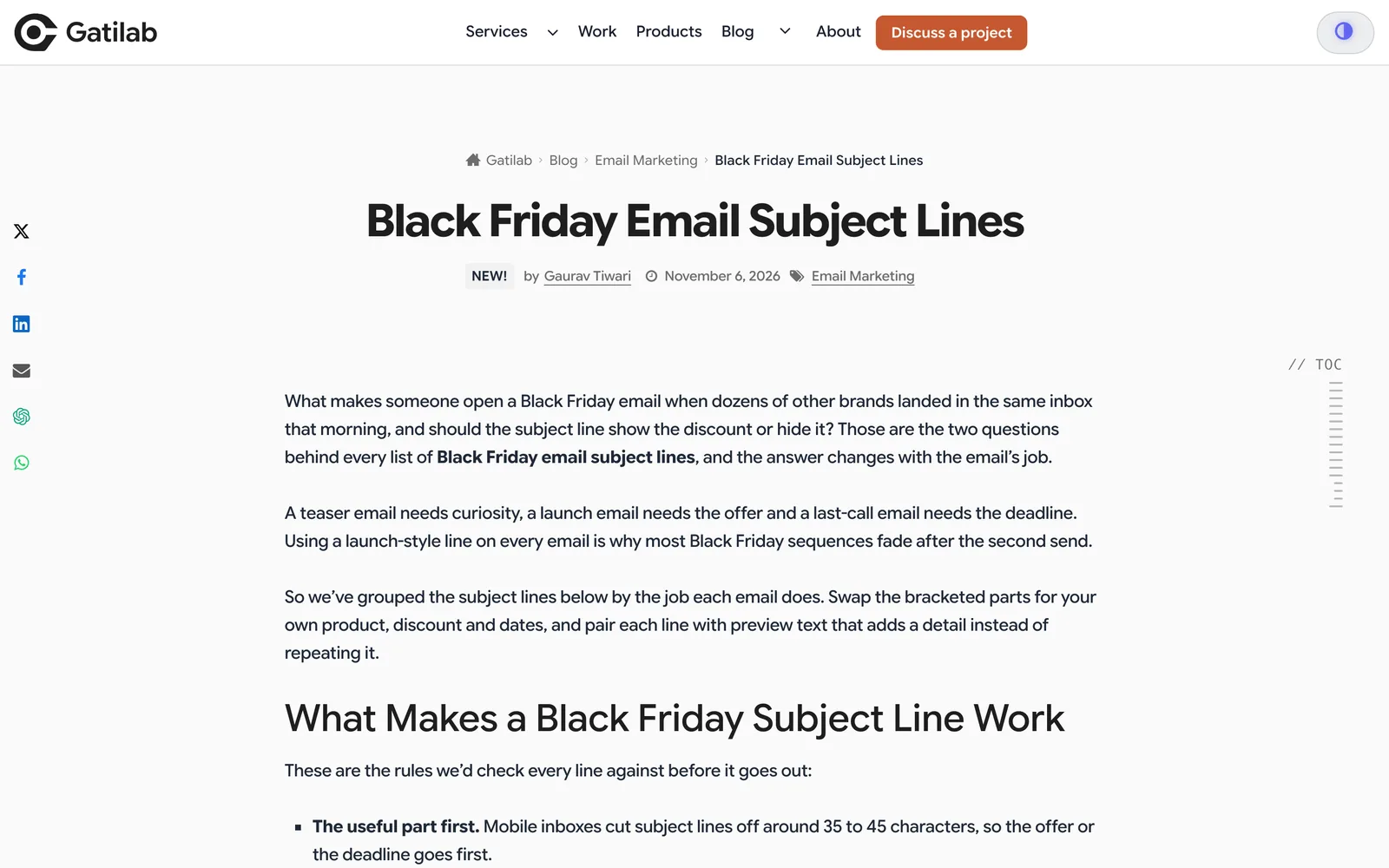
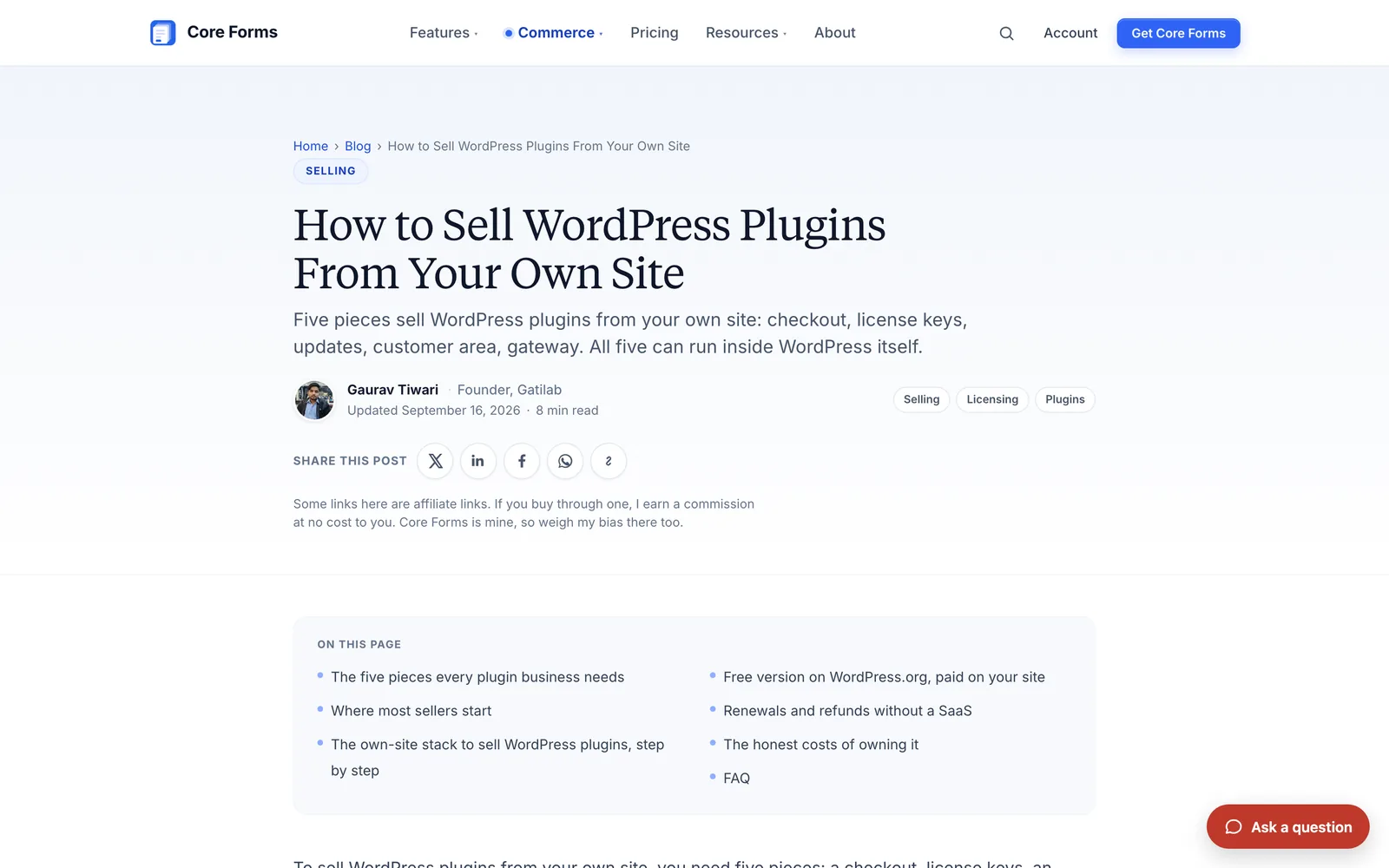
On the front end, readers won’t care which CMS sits behind a page. A post on gatilab.com and a post on the core-forms.com EmDash blog are both just pages with a design I control.
WordPress also wins on who can run it. A non-technical owner can buy hosting, install WordPress and add plugins from the dashboard without touching code. EmDash expects someone who can edit astro.config.mjs and redeploy, because every native plugin is installed that way.
Still, WordPress pays for that freedom. Every plugin gets the keys to the whole site, plugin updates never stop and a slow site usually means layering caches on top of PHP. Those costs are why EmDash’s design deserves the attention it gets.
Hosting and Cost
WordPress runs on almost any PHP host, from cheap shared plans to managed cloud servers, so the cost depends on the host you pick.
EmDash has two homes, and the free tier is generous for a plain content site:
| Setup | Monthly floor | What you get | What you give up |
|---|---|---|---|
| Cloudflare Workers Free | $0 | 100,000 requests a day, 10 ms CPU per request, 5 GB in D1, 10 GB in R2 | Sandboxed plugins and registry installs |
| Cloudflare Workers Paid | $5 minimum | 10 million requests and 30 million CPU milliseconds a month, plus Dynamic Workers for sandboxed plugins | Usage above the included amounts is billed |
| Node.js server | Your server’s cost | SQLite, PostgreSQL or libSQL, with plugin sandboxing through workerd | CPU and subrequest limits for plugins, and you handle backups and updates |
These figures come from Cloudflare’s Workers pricing page. EmDash’s Cloudflare templates deploy on the free plan unless you switch on sandboxed plugins.
The lock-in worry is fair but smaller than it sounds. The full plugin limits only exist on Cloudflare, and D1 is the default database there. But the core runs on Node.js with SQLite or PostgreSQL, and EmDash can export a whole site, so leaving Cloudflare doesn’t mean leaving EmDash.
Cloudflare’s incentive is still worth seeing clearly. The strongest version of EmDash’s security story, sandboxed plugins with CPU and subrequest limits, runs on a paid Cloudflare plan.
Moving From WordPress to EmDash
The EmDash WordPress importer lives in the admin, and the migration docs list two routes into it:
- A WXR upload from WordPress’s Tools > Export screen, which brings posts, pages, custom post types, terms, authors and attachment URLs.
- The EmDash Exporter plugin, which you install on the WordPress site and connect with a migration key or an application password. It also brings SEO fields, menus and site settings.
Entering a site URL alone only probes the public REST API. It can’t do a direct import.
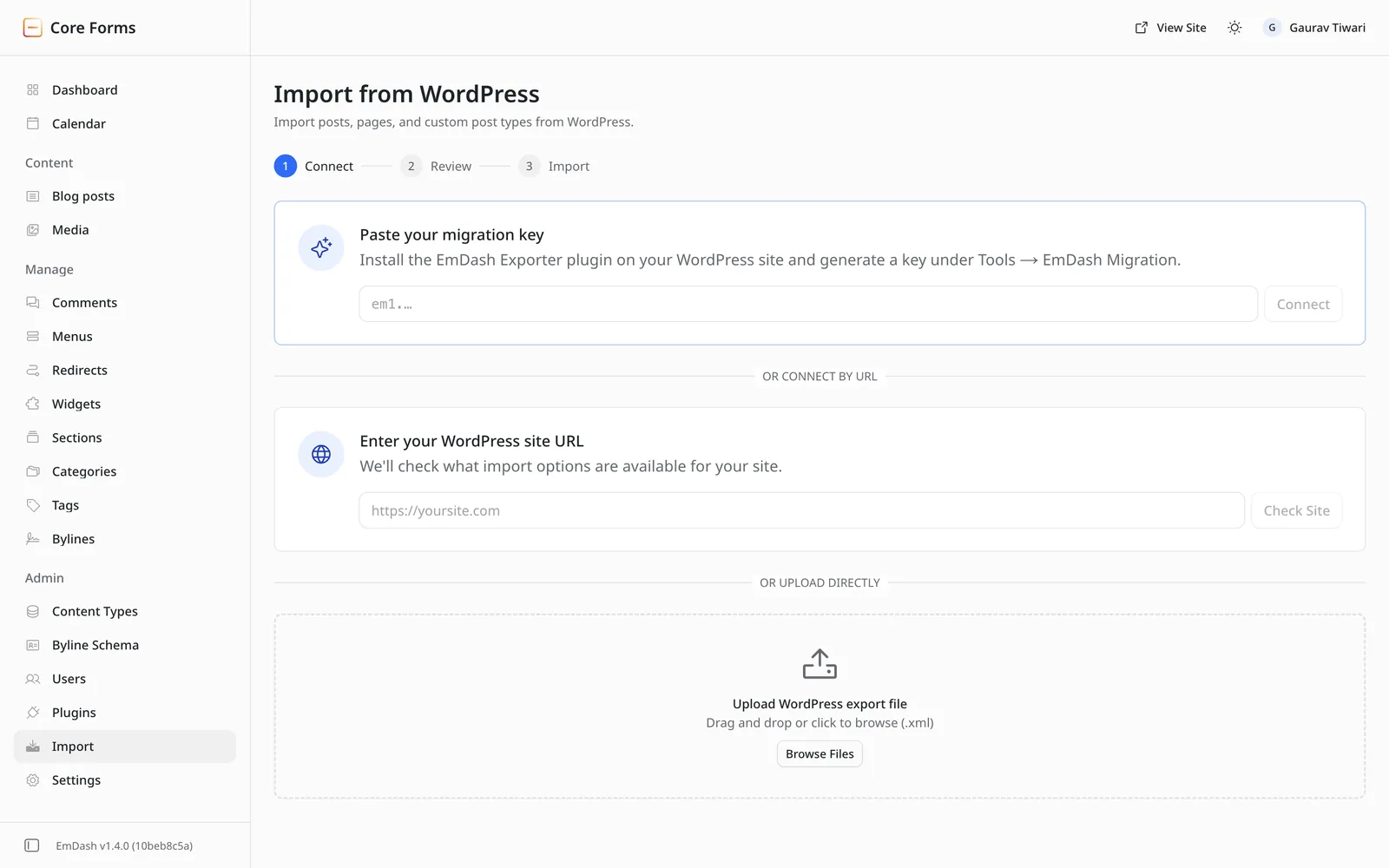
Gutenberg content converts to Portable Text through EmDash’s own converter. Blocks that WordPress renders on the server, such as Latest Posts or most plugin blocks, arrive as inert HTML blocks that show nothing on the page. Shortcodes come across as text until an EmDash plugin handles them.
That’s where my ports earned their keep. Because they kept the WordPress shortcodes, form IDs and block attributes, a site using them gets that content rendering again without hand edits.
If you want WordPress’s editor with an Astro front end instead, there’s a middle path. I covered it in my guide to headless WordPress with Astro, and it keeps the WordPress plugins that expose their data through the API.
Is EmDash a WordPress Replacement?
Not for most sites yet. As a Cloudflare WordPress alternative, EmDash is a strong replacement for the WordPress core and a weak replacement for the WordPress ecosystem. Most site owners depend on the ecosystem.
These are the people I’d tell to switch now:
- Developers already on Astro or Cloudflare. EmDash adds an admin, a database layer and plugins to the stack you already deploy, with no PHP server to patch.
- Sites that have been burned by plugin security. If a vulnerable plugin has cost you a cleanup, a sandboxed plugin with declared permissions is worth the smaller catalog.
- Teams that want a typed content stack. Typed collections, Portable Text and a built-in MCP server suit sites where content also feeds an app or an AI agent.
These are the people I’d tell to wait:
- Store owners. If your business runs on WooCommerce, nothing on EmDash replaces it today.
- Membership, course and page-builder sites. The plugins those sites depend on don’t exist on EmDash yet.
- Non-technical owners. If you can’t edit an Astro config and redeploy, you can’t install native plugins, and those carry the editor blocks and page features today.
- Bloggers chasing speed. A slow blog usually has a caching problem, and I explain the cheaper fixes in headless WordPress for bloggers.
Three changes would move my verdict:
- a mature store plugin I’d trust with payments and license keys
- inline marks and annotations open to plugins, so editor buttons stop needing theme code
- a registry with a few thousand plugins, where the useful ones fit inside the sandbox
FAQs on EmDash vs WordPress
Yes. Cloudflare announced EmDash on April 1, 2026, and the Cloudflare blog now runs on it. The code is MIT licensed on GitHub, and the project publishes its maintainers and governance rules there.
Yes. EmDash is free and open source under the MIT license. Hosting can also be free on the Cloudflare Workers Free plan, but sandboxed plugins need Workers Paid, which starts at $5 a month.
No. EmDash doesn’t run PHP, so WordPress plugins and themes can’t run on it. Your content can be imported, but the design has to be rebuilt in Astro and each plugin needs an EmDash version.
No. EmDash runs on a Node.js server with SQLite, PostgreSQL or libSQL. Sandboxed plugins work on Node through workerd, but only Cloudflare enforces their CPU and subrequest limits.
Its design is safer for sandboxed plugins, because each one declares its permissions and runs isolated. Native plugins run with full access, the same as WordPress plugins, and most plugins with visible features are native today.
For a developer-run content site, yes. The 1.x line has been stable since September 2026, and the core-forms.com blog has 186 published posts on EmDash. For a store or a site that depends on many plugins, I’d check that every feature exists before committing.
Final Remarks
If you’re still unsure, I’d let your plugin list decide. My first step would be writing down every plugin your WordPress site depends on. If any of them handles payments, memberships or page layouts, my advice is to stay on WordPress for now.
If the list is short and you already build in Astro, my suggestion is a small EmDash site on the free Workers plan. A few weeks of real publishing will tell you more than any comparison. My free EmDash plugins cover forms, editorial blocks, footnotes and affiliate links if you need them along the way.
Tell Google you want more of this.
Add Gaurav Tiwari as a preferred sourceOne tap, and this site shows up more often in your own Top Stories, AI Overviews and AI Mode. Remove it any time.