
 by
Which one should you build a new client site on: Gutenberg, Elementor or Bricks? And does a blog get the same answer as a store or a booking site?
I think Gutenberg vs Elementor vs Bricks only gets a useful answer once you know what the site has to do. Each of the 3 can build almost any site. The trouble comes later, when the client wants to leave the builder and nobody budgeted for the rebuild.
So let me give you my answer first. For a new client site in 2026, I build on the block editor by default, which most of us still call Gutenberg. I move to Bricks when the site needs a full visual builder, such as a marketing site that changes every week or a store with a custom design.
And I have stopped starting new sites on Elementor. That call is partly my taste. I don’t like the way Elementor is going forward, and I’ll give you the facts behind it so you can disagree with me.
If you are new to any of these, this is what each one is:
- Gutenberg is the block editor built into WordPress. On client sites I pair it with GenerateBlocks, a small set of layout blocks for containers, grids and buttons.
- Elementor is the most used page builder plugin in WordPress. It brings its own editor, its own widgets and a theme builder.
- Bricks is a visual site builder that installs as a theme. It is built around classes, components and dynamic data.
This is how my own sites run too. This site is on the block editor, and another site of mine runs on Bricks. I have built many sites with Elementor and I have moved many sites away from it, so I want to ensure you get a fair picture of all 3.
Before the details, this is the whole comparison in one table.
Gutenberg vs Elementor vs Bricks at a Glance

| Decision factor | Block editor + GenerateBlocks | Elementor | Bricks |
|---|---|---|---|
| What it is | The editor built into WordPress, plus 1 layout plugin | A page builder plugin with its own editor | A visual site builder that replaces the theme |
| Where the design lives | Block markup in the post content | JSON in post meta | Builder data in post meta |
| Page weight by default | The lightest of the 3 | The heaviest of the 3 | Light |
| Design freedom without code | Lower, and some CSS knowledge helps | High, with a control for almost everything | High, once you think in classes |
| Popups, forms and templates | Separate plugins or custom work | In Elementor Pro, above the cheapest plan | Built in on every plan |
| Client editing | Locked patterns where only text and images change | Free drag and drop, with a content-only role in Pro | A content-only mode you set per role |
| If you remove it | Text, images and HTML stay | Plain content stays and the layout goes | The design and the theme both go |
If you ask me, the last 2 rows decide most projects: who edits the site after launch, and what is left if the builder ever has to go.
What I Use for New Client Sites
The block editor is my default because WordPress saves the page as standard content in the post. That keeps the site light, and it keeps the client free to leave me or any vendor.
My stack has 4 parts, and it is boring on purpose:
- A lightweight theme. GeneratePress or a clean block theme is enough, because the theme only handles the header, footer and typography.
- Core blocks plus GenerateBlocks. Core handles text, images and lists. GenerateBlocks adds containers and grids, and its Global Styles work like CSS classes that I change in one place.
- A few custom blocks. Anything structured, such as a pricing table or a team card, becomes its own block with fixed fields.
- Locked patterns for the client. The client picks a ready section and changes the text and images. The layout stays the way I built it.
The full version with the code is in my WordPress block editor setup.
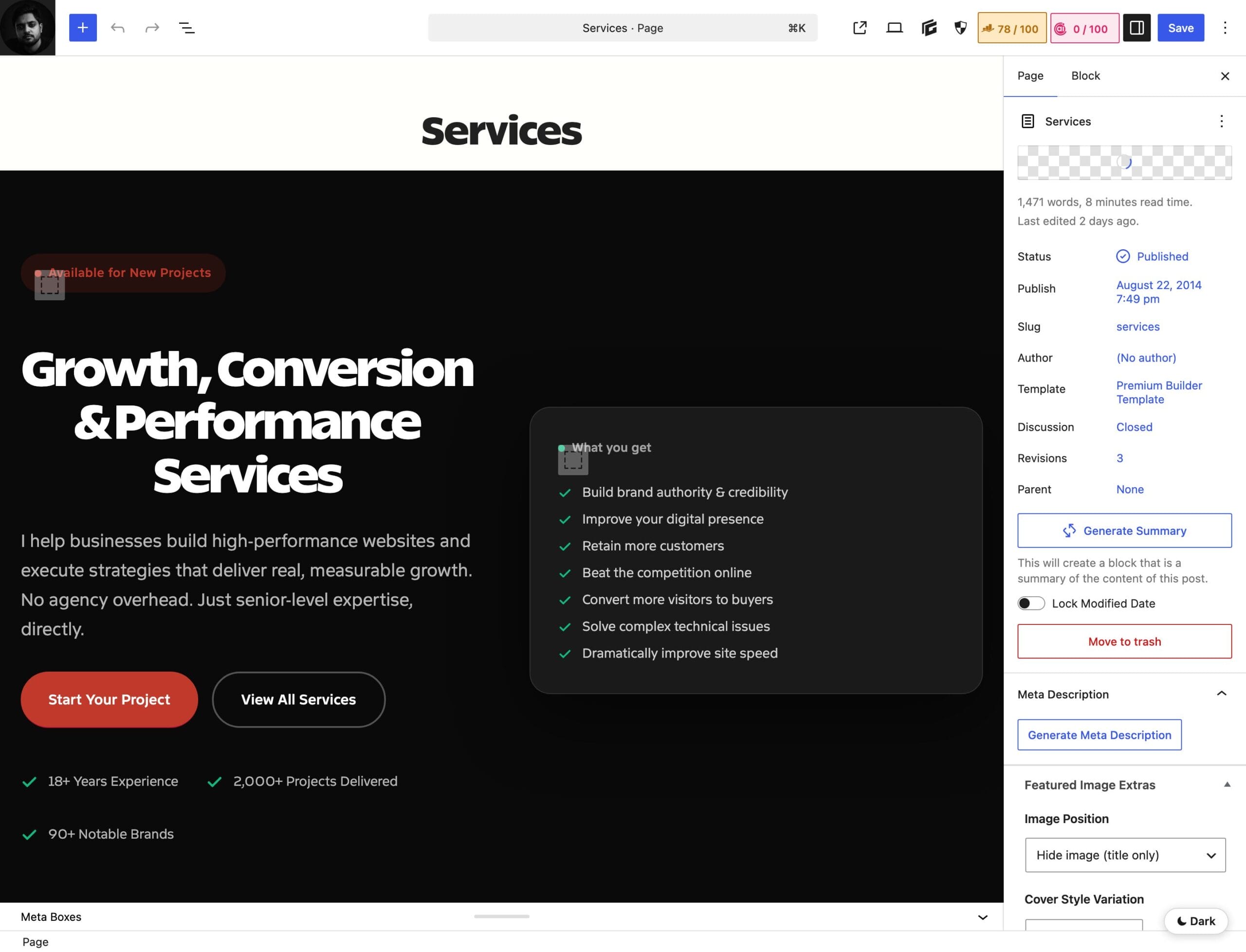
A lot of the complaints you hear about Gutenberg are about an older version of it. WordPress 7.0 and 7.1 closed several of the gaps that used to push people toward page builders:
- a setting to show or hide any block per device
- content-only editing as the default for patterns, so a client changes the text and images while the layout stays locked
- responsive styles per block and in Global Styles, with no CSS to write
- hover, focus and active styles, for the Button and Navigation Link blocks so far
- custom CSS on a single block
Some gaps are still open, and you should know about these before you promise a client anything:
- Popups, forms and sliders. Core has no block for any of them, so each one needs a plugin or custom code.
- Hover styles on most blocks. Only 2 blocks have them.
- A calm Site Editor. A client still has to work out whether they are editing a page, a template or a template part.
- The learning curve. GenerateBlocks gives you no ready testimonial widget. You build one from a container, a text block and an image, and that feels slow in the first month.
So the block editor alone is okay for posts and simple pages. It turns into a proper client-site tool once you add 1 layout plugin and locked patterns.
What if the client is going to build pages alone, with no developer on call? Then I’d use the free Kadence Blocks plugin, because its ready blocks for testimonials and tabs need no training.
I’d stay on the free version, because the paid Kadence plans are now sold only as a Liquid Web bundle of 4 products. I compared the 2 plugins in Kadence Blocks vs GenerateBlocks.
Where Elementor Is Heading
Elementor is still the builder a client is most likely to ask for by name. W3Techs finds it on about 31% of all WordPress sites, which is almost 1 in 3.
So you will keep inheriting Elementor sites whichever tool you pick, and knowing it well is part of the job. My problem is with where the product is going, and these are the things that bother me:
- Two editors inside one plugin. New installs get Editor V4, which styles with classes and variables. Older sites stay on the old widgets, where classes and variables don’t apply. Elementor’s V4 FAQ says the 2 kinds can share a page. A converter between them is planned, and Elementor has given no date for it.
- A builder that keeps growing into a bundle. Elementor now sells more than a dozen separately billed products around the editor. Hosting, AI, image optimization, accessibility, email and cookie consent are all on that list. Its new flagship plan, Elementor One, puts the editor and 6 of those apps on a monthly pool of credits. An optimized image costs credits, an email costs credits, and unused credits don’t roll over.
- AI first, basics later. The plugin is now listed on WordPress.org as an “Agent Ready Website Builder”. In the same year, creating components became a Pro feature when V4 launched, after being open to everyone during the beta.
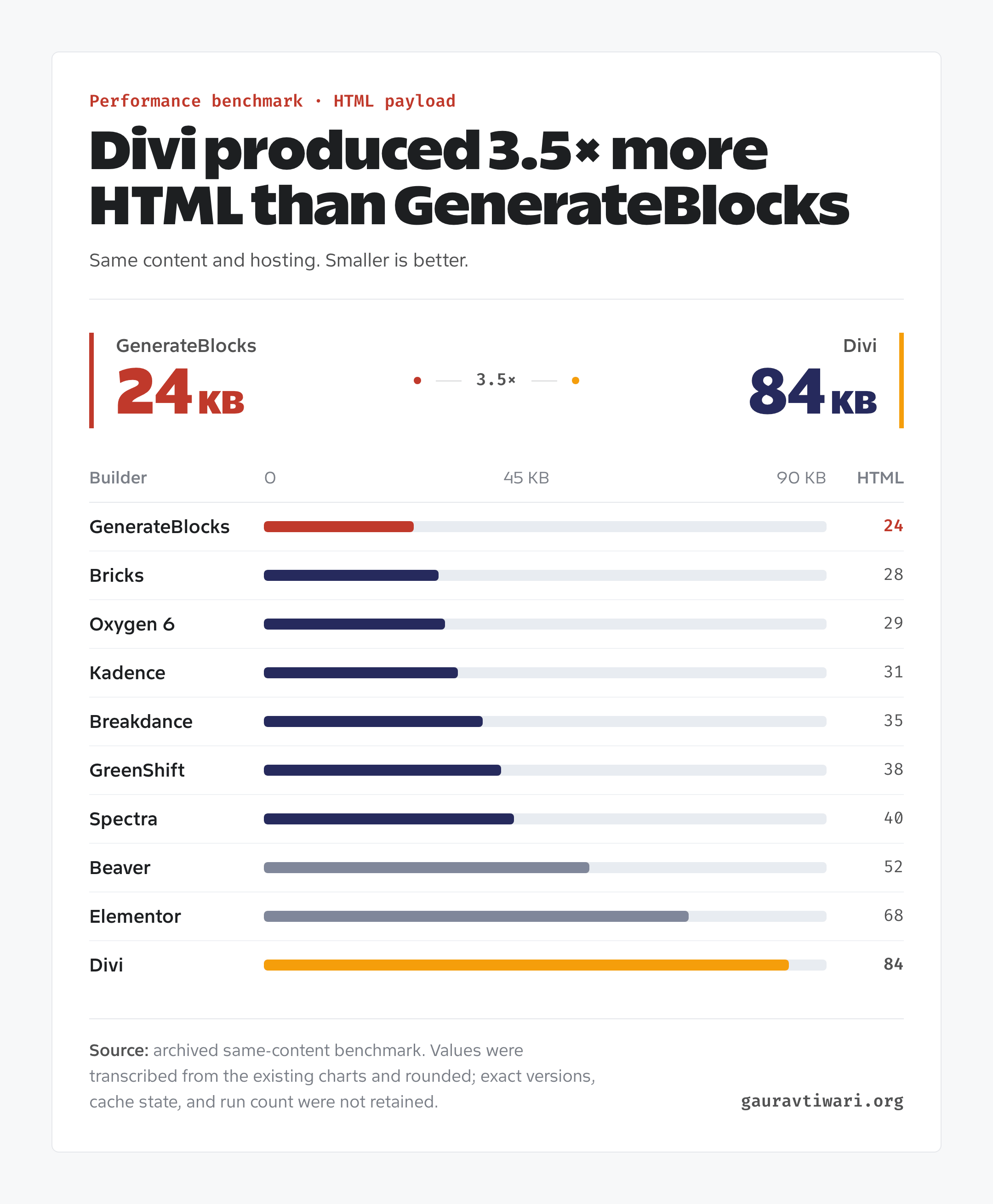
- Heavier pages from the start. In the HTTP Archive data, a little over a third of Elementor sites pass Core Web Vitals on mobile. About half of all WordPress sites pass, and so do more than half of Bricks and GenerateBlocks sites. Ambitious Elementor builds also carry add-on packs, and each pack loads its own CSS and JavaScript.
- A big target. In August 2026, Elementor Pro patched a critical flaw that let a visitor upload files to sites whose forms accept uploads. Attackers used it against sites that hadn’t updated.
I’d read the speed numbers with care, because the Bricks and GenerateBlocks samples are small and mostly built by developers. These show where each kind of site starts.
The business around the editor is changing too. Elementor cut about 100 jobs in June 2026, close to 30% of its staff, and pointed to AI as the reason. Users have also left reviews on WordPress.org asking for a way to turn the promotional messages in the dashboard off.
I think the credit pool explains most of this. A plan that runs on credits earns more from a site that uses more services, so I expect the dashboard to keep pointing clients toward those.
So, a new Elementor site today is a bet on 3 changes at once: a new editor, a new pricing model and a smaller team. An older Elementor site is waiting for a rebuild that you will have to quote.
To be fair, V4 is the right idea. Classes and variables are how Bricks and GenerateBlocks already work, and Elementor is admitting that styling each widget by hand doesn’t scale. But I don’t want a client’s site to be the place where that change gets tested.
I’d still say yes to Elementor in 2 cases:
- The client’s team already builds in it. A marketer who creates landing pages in Elementor every week will be faster in the tool they know. I’d start them on V4.
- The site is already on Elementor. New pages belong in the same system, because 2 design systems on 1 site double the upkeep.
Where Bricks Fits
Bricks is the builder I’d pick when a site needs a full visual builder. It is my top visual builder in my ranking of WordPress page builders, where Elementor sits ninth out of 10.
In my own benchmark of the same page, Elementor needed more than twice the HTML that Bricks did. That test predates Editor V4, so a new V4 build may do better.
This is what Bricks gives you in one license:
- Classes, variables and components. You change a button style once and it updates across the site. Components take properties and slots, so a card built once works on every template.
- Templates and dynamic data. Query loops, conditions and fields from ACF, Meta Box and similar plugins are built in.
- Popups, forms and filters. These are part of the builder, so a marketing site needs fewer plugins.
- A WooCommerce builder. It covers the product, archive, cart, checkout and account templates.
- A content-only role for clients. You can give a client access that edits text and images while the layout, styling and structure controls stay off.
Bricks has real limits too, and I’d put these in front of a client before the quote:
- It is a theme. You can’t switch themes and keep Bricks. Leaving it later means rebuilding the design and the theme layer together.
- It expects you to learn it. There’s no library of thousands of templates. If you don’t want to think in classes, Bricks will feel slow.
- Serious setups add paid add-ons. Tools such as Advanced Themer, BricksExtras and Bricksforge each bring another yearly license.
- It gets security patches like everyone else. Bricks fixed several issues in 2026, and a 2024 flaw let attackers run code on unpatched sites. A Bricks site needs its updates within days, the same as an Elementor site.
On price, I don’t let the license decide, because a single site costs about the same per year on all 3. Bricks is $79, GeneratePress One with GenerateBlocks Pro is $99, and Elementor Pro runs from $60 to $84.
What you get for it differs. Elementor’s $60 plan leaves out the popup builder, custom code and the store features, while every Bricks plan has the full feature set. Bricks and GeneratePress also still sell a lifetime license, and Elementor is subscription only.
Which One to Pick by Site Type
The site type decides more than the builder’s feature list does. These are 7 common kinds of client sites and what I’d build each one on.
| Site type | What I’d use | When I’d switch |
|---|---|---|
| Blog or content site | Block editor | Almost never |
| Business site | Block editor + GenerateBlocks | Bricks, for many dynamic templates |
| Booking site | Block editor | Bricks, if the design is heavily custom |
| Marketing site | Bricks | Elementor, if the team already works in it |
| Store with physical products | Block editor + a store theme | Bricks, for a custom store design |
| Store with digital products | Block editor | Bricks, for custom product templates |
| Membership site | Block editor | Bricks, for the sales pages only |
Blogs and Content Sites
For a blog, I’d use the block editor and nothing else. Posts are blocks already, and even on an Elementor or Bricks site the post body stays in the block editor.
So a builder adds very little to a blog. It adds a template layer around content it doesn’t own, and the reader pays for that layer in page weight on every post.
A blog also has to stay readable for 10 years across theme changes. Block markup in the post survives a redesign. This site is a blog first, and it runs on blocks for the same reason.
Business Sites
A business site is usually 5 to 15 pages, and the client edits text and photos after launch. I’d build it on the block editor with GenerateBlocks and hand over locked patterns.
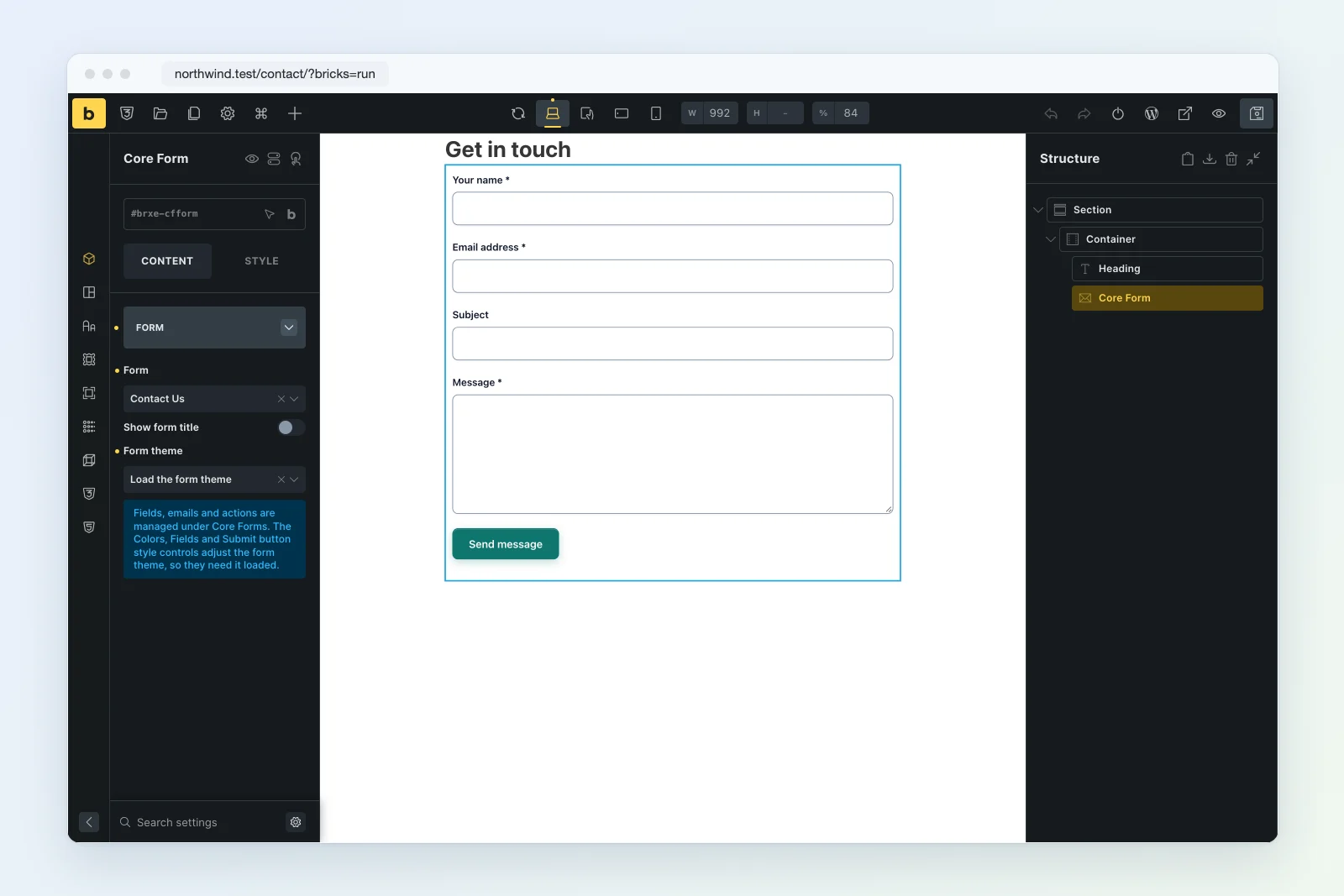
Core has no form block, so the contact form needs a plugin. I use Core Forms here, a lightweight form plugin I built for this kind of site. It ships its own Bricks element too, so the same form works if the site moves to Bricks.
I’d move to Bricks when the site has many dynamic templates. Say a firm has 40 locations, a team directory and case studies pulled from custom fields. That site is easier to build and maintain with query loops and components.
Booking Sites
On a clinic, salon or consultant’s site, the booking plugin does the real work. The pages around it are simple, so I’d keep this one on the block editor.
Booking forms load their own scripts and styles. That’s fine, but it means the rest of the page should be as light as possible, and blocks give you that.
There’s one practical difference between the builders here. Booking plugins often ship an Elementor widget and rarely a Bricks element. On Bricks and on blocks you place the booking form with a shortcode or a block, and it works the same.
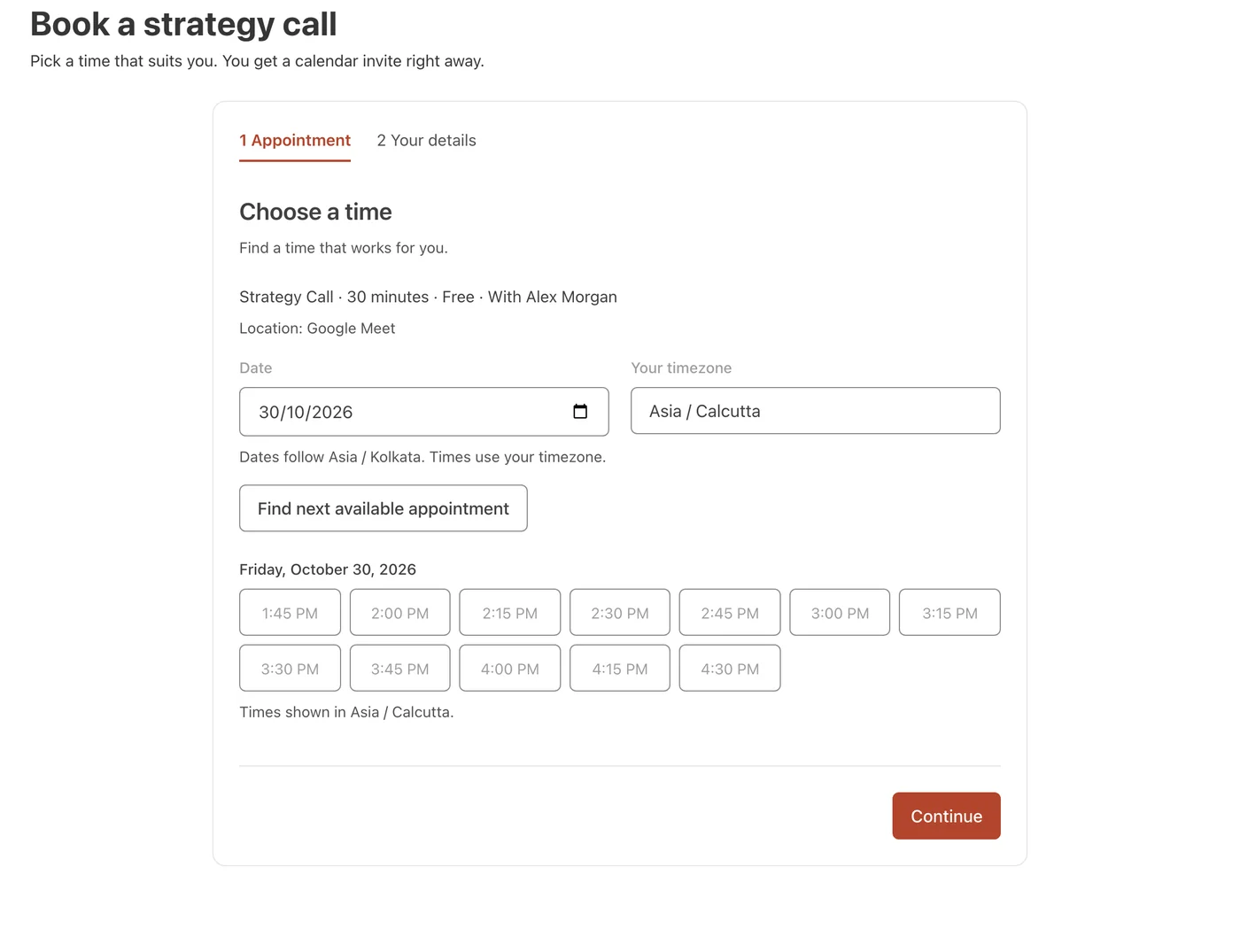
If you haven’t picked the plugin yet, I compared 7 of them in WordPress booking plugins. One of them is Core Bookings, my own plugin for appointments and group sessions with service pages and staff availability. It has a Bricks element of its own, and this is its booking form on a live Bricks page.
Marketing Sites
This is where a visual builder earns its place, and I’d pick Bricks. A SaaS or product site changes its landing pages every week, and it needs popups, forms, animations and reusable sections in one tool.
Components matter the most here. A pricing section built once as a component updates on every landing page that uses it. Components also take properties, so each page can carry its own text while the design stays in one place.
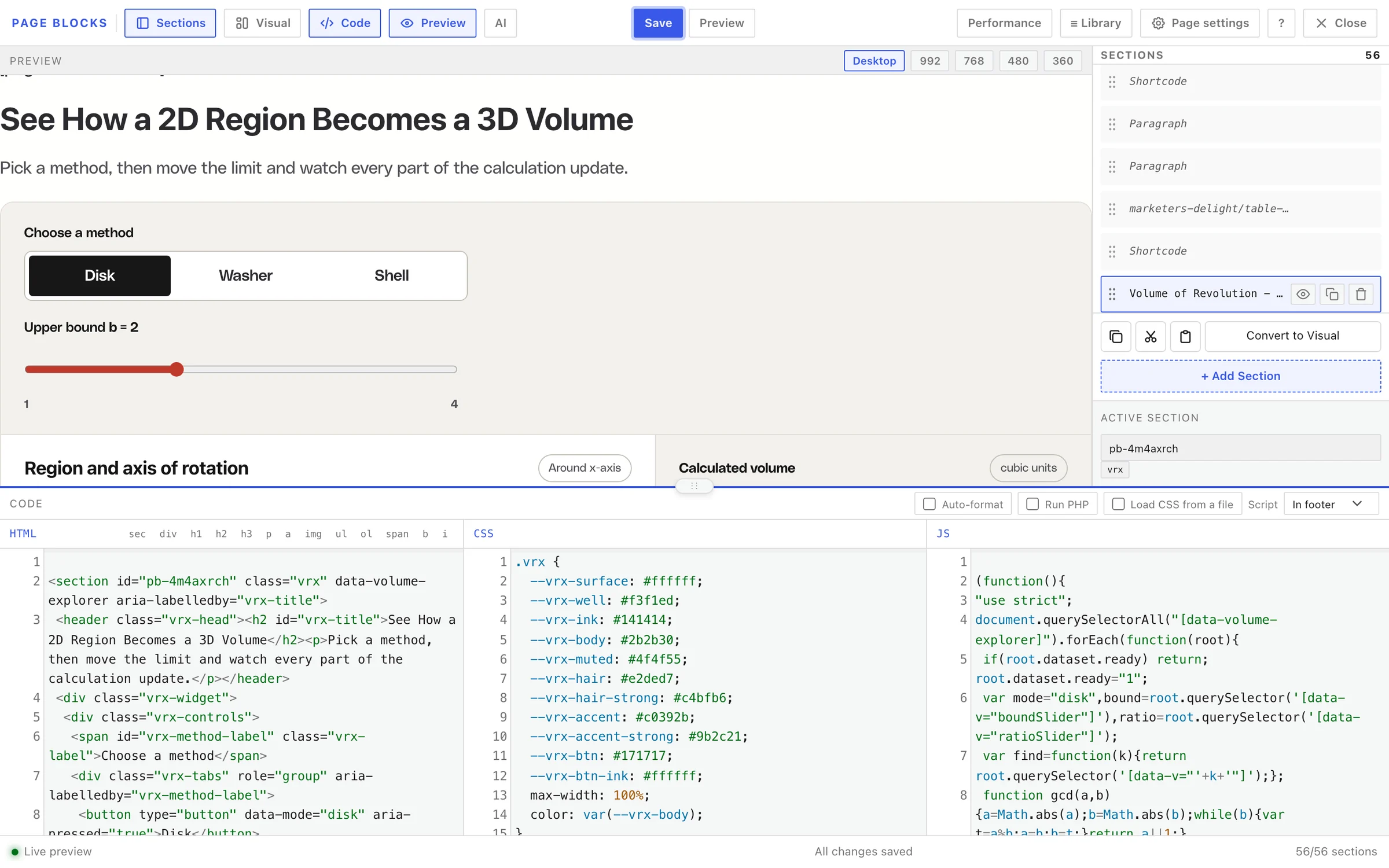
If the client doesn’t want a builder at all, the block editor can still carry a marketing site. For the odd section that needs custom code, I use Page Blocks Builder, a free plugin of mine. It puts a section of plain HTML, CSS and JavaScript inside the block editor.
And if an in-house marketing team already builds in Elementor every week, I’d keep them on it. This is the one site type where I’d still start a new Elementor build.
Stores With Physical Products
A physical store on WordPress means WooCommerce, and for a standard catalog I’d stay on the block editor with a store theme. New WooCommerce stores get a block-based cart and checkout by default, and I’d leave those as WooCommerce ships them.
I have one reason for this. Payment and shipping extensions target WooCommerce’s own checkout first, so a builder that replaces the checkout template adds one more thing to test on every update.
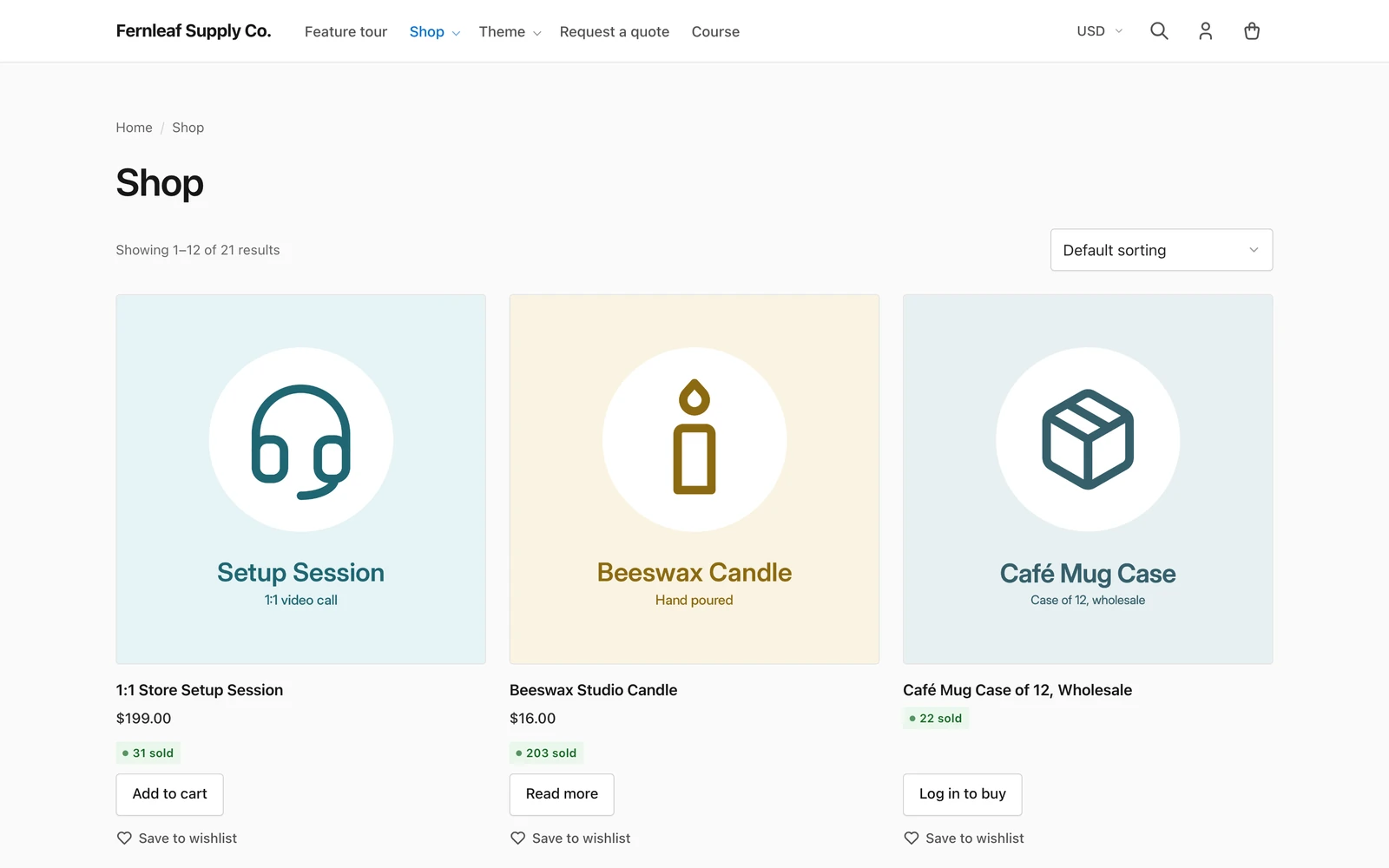
For the theme, I built Stackless Theme for this job. It is free, and it styles the shop, product, cart, checkout and account pages.
I’d move to Bricks when the store needs an art-directed design, with custom product pages, filters and a branded cart. Its WooCommerce builder covers the product, archive, cart, checkout and account templates, and its output stays light.
Page weight is why I wouldn’t put a new store on Elementor. A store page carries WooCommerce’s scripts plus the builder’s, and Elementor’s are the heaviest of the 3.
Stores With Digital Products
For downloads, software, courses and templates, the catalog is small and the product page is the sales page. I’d build it on the block editor.
My pick for the store plugin is FluentCart, and I explained why in FluentCart vs WooCommerce. I run my own stores on it with Stackless for FluentCart, the add-on I built for local pricing, invoices and checkout designs.
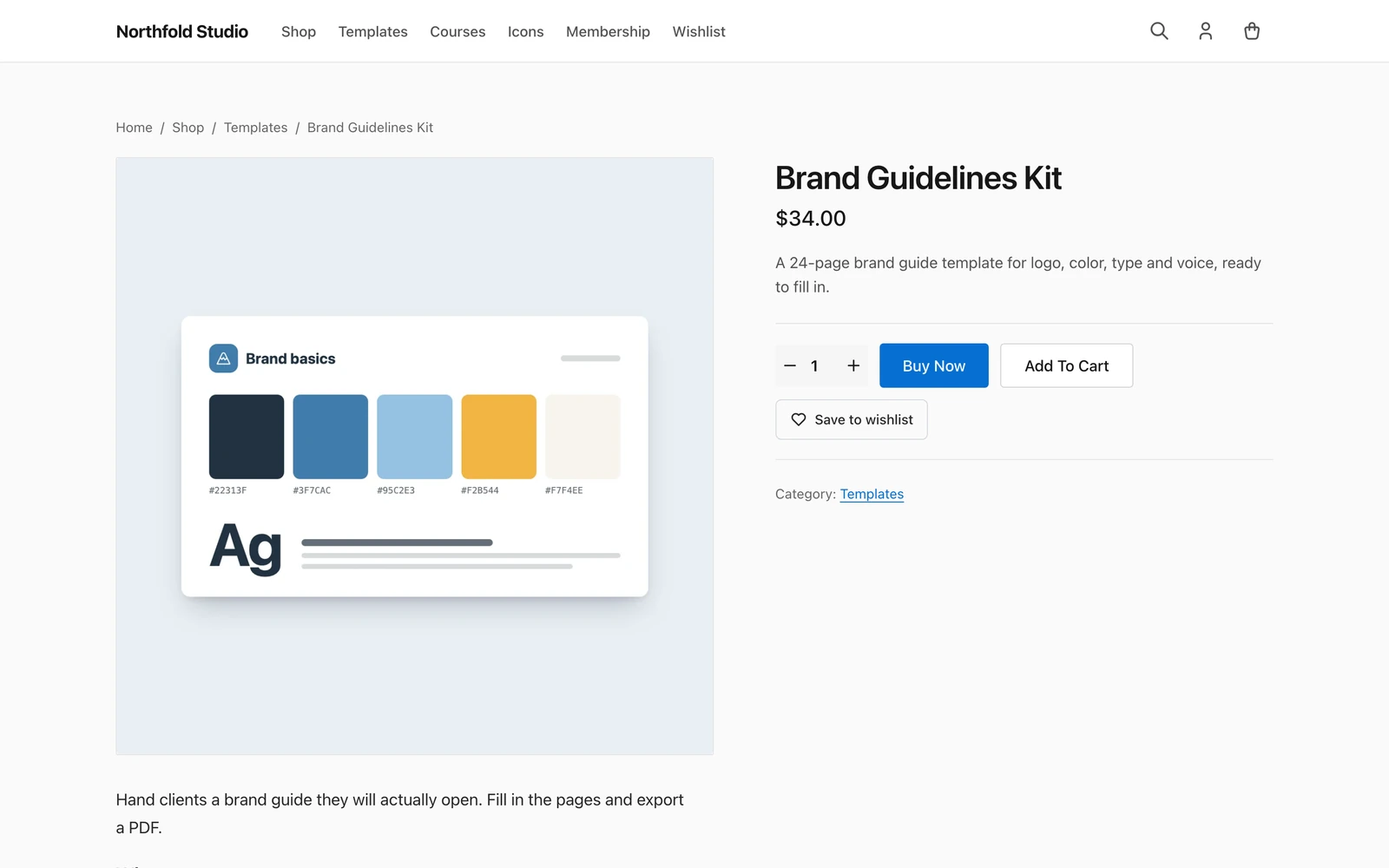
Bricks is a fair second choice. FluentCart ships its own Bricks elements for product pages, so custom product templates are possible without hacks.
A digital store has few pages and each one sells, so I want those pages as light as I can get them. That rules out Elementor for me here as well.
Membership Sites
A membership site is mostly protected content: lessons, posts and downloads behind a login. That content belongs in the block editor, because block content lives in the post, and the post is what membership plugins are built to protect.
Bricks and Elementor store the page in post meta. So showing one section to members and hiding it from everyone else depends on an integration between the builder and the membership plugin.
Some plugins have it. Paid Memberships Pro, for example, ships member conditions for Bricks elements. I’d check your plugin’s documentation for the same before sending a quote.
The sales pages are a separate matter. I’d happily build those in Bricks and keep the member area on blocks. If you are still choosing the plugin, my guide to WordPress membership plugins sorts them by business model.
What Is Left If You Remove It
Lock-in is the cost nobody quotes at the start of a project. You only meet it on the day the client wants to leave the builder, so I’d look at it before the build starts.
| Setup | Where the layout is stored | What is left after you remove it |
|---|---|---|
| Block editor + GenerateBlocks | Block markup in the post content | Text, images and HTML, while the plugin’s styling goes |
| Elementor | JSON in post meta | Plain content, and the layout goes |
| Bricks | Builder data in post meta, with Bricks as the theme | Whatever is in the post content, and the design and templates go |
Blocks are not free of lock-in. A block plugin still owns its styling, so if you remove it, you restyle. What you keep is the content and its structure, readable in the post.
Elementor leaves no shortcode mess behind, and that’s better than the older builders. But the design doesn’t survive without the plugin, and Elementor has no official converter to blocks.
Bricks has the hardest exit of the 3, because the builder and the theme leave together.
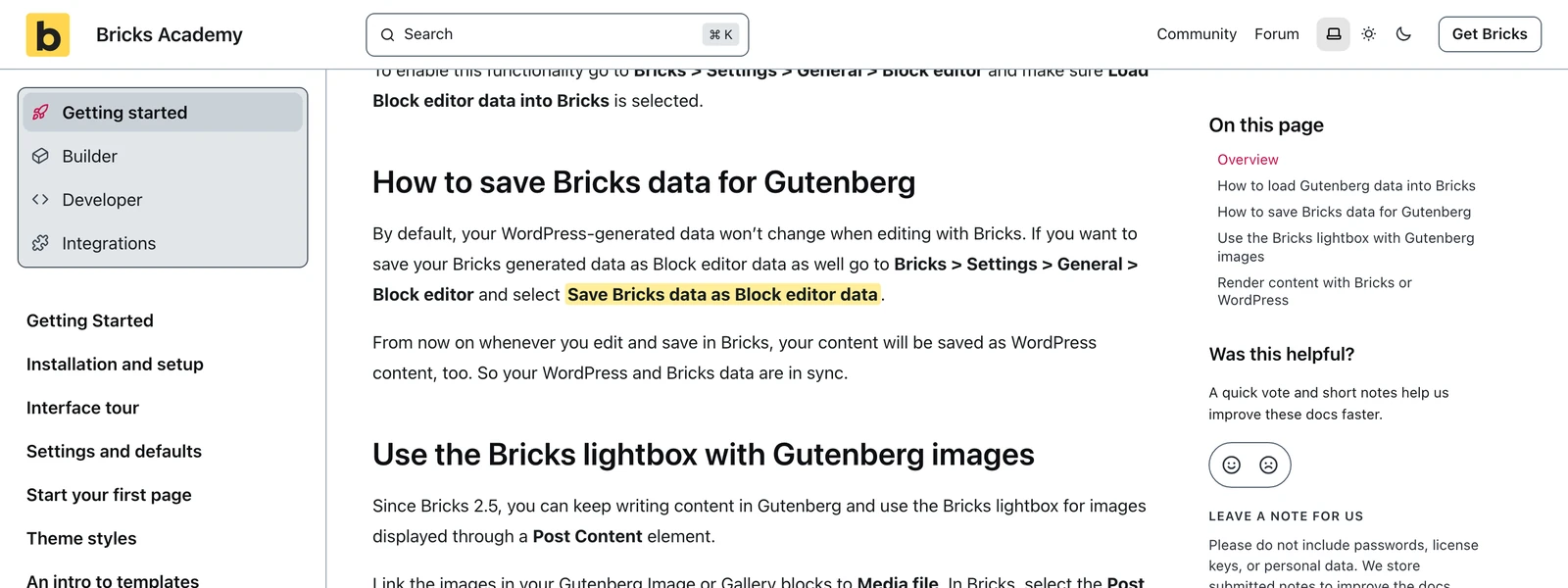
Bricks has one setting I’d switch on from day one. It can save a copy of each page as block editor content every time you save. With that on, the text and images stay in the post if the site ever moves away.
Before committing a client to any builder, I’d rebuild 1 existing page with it on a staging site, remove the builder and look at what is left. I explained why export features don’t solve this in my piece on the WordPress page builder flood.
No vendor demos the uninstall.
Client Editing
Who edits the site after launch? I think this question should come before the builder is picked, and there are three kinds of clients.
The first client changes text, swaps a photo and adds a blog post, so this client needs guardrails.
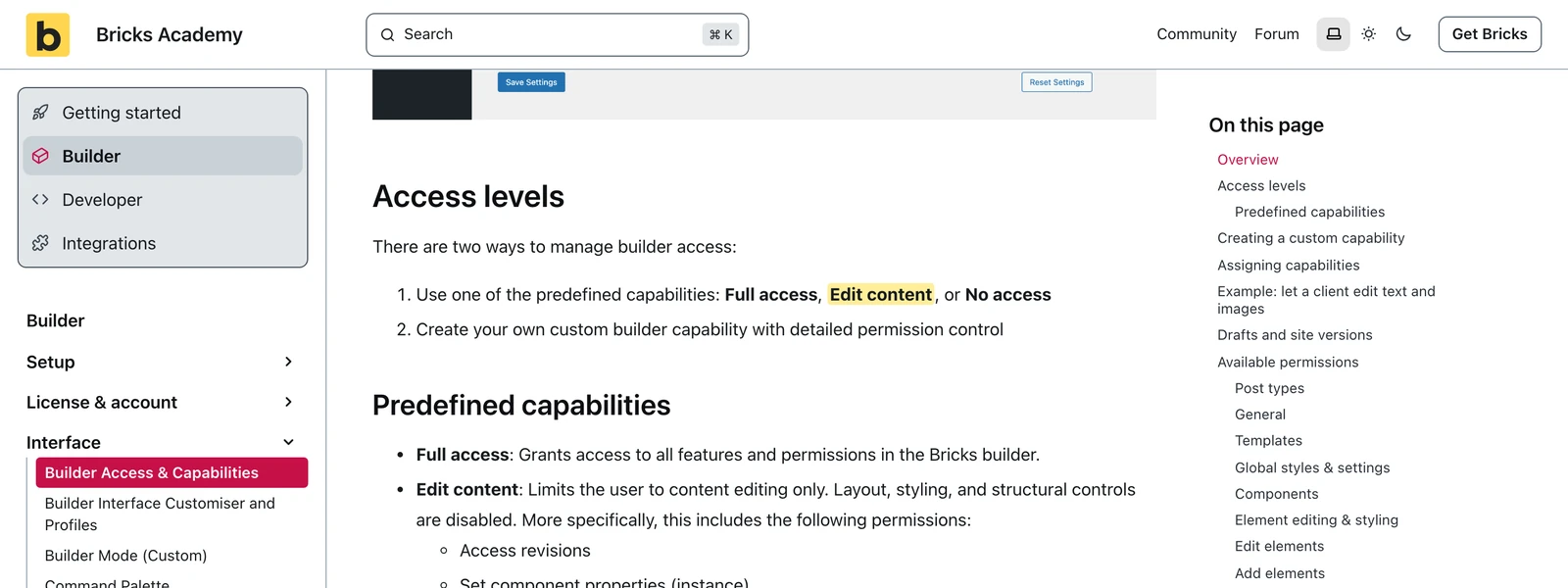
On blocks, that means locked patterns, and my snippet for locking block patterns so clients can’t break them has the code. On Bricks, it means the content-only access role.
The second client builds new pages from ready sections, with no developer on call. I’d give this client a pattern library on blocks, or a set of Bricks components with the styling controls switched off.
The third client has a marketer who designs landing pages from scratch every week. This client needs a full builder, and Bricks or Elementor will both do the job.
The trouble starts when the first kind of client gets the third kind of tool. A client who can change every font size will eventually change every font size.
FAQs on Gutenberg vs Elementor vs Bricks
Is Bricks better than Elementor?
For a new build, I think it is. Bricks gives you classes, components and lighter pages in one license, with fewer add-ons. Elementor is easier to hire for and has far more templates and tutorials, so it still suits a team that already works in it.
Can I use Gutenberg with Bricks or Elementor on the same site?
Yes, and most builder sites already do. The builder handles the header, footer and page templates, and blog posts stay in the block editor. I’d keep that split clear, because 2 design systems on the same pages mean 2 sets of styles to maintain.
Should I move an existing Elementor site to Bricks or blocks?
I wouldn’t move a working site for its own sake. Elementor has no official converter to blocks or to Bricks, and the third-party ones cover a limited set of widgets, so I’d quote the move as a rebuild. The right time is the next redesign, when the pages are being rebuilt anyway.
Is core Gutenberg enough without a block plugin?
Core is enough for posts and simple pages. For a client site, I’d add 1 layout plugin for containers, grids and global styles. I wouldn’t add a second one.
Which is the best page builder for agencies?
I’d standardize an agency on 2 tools: the block editor for content-led sites and Bricks for design-led ones. Running 2 systems well is easier than running 5, and both keep page weight low without extra work.
Final Remarks
Still not sure? Then I’d let the site decide before the builder’s feature list does.
If the site is mostly content, bookings or a standard store, I’d build it on the block editor. If it is a marketing site or a store with a custom design, I’d build it on Bricks. And I’d keep Elementor for the teams and sites that already live in it.
For anything in between, I’d spend one afternoon on a staging site. I’d build 1 real page of the project in my top 2 options, remove each builder and compare what is left.
If you’d rather hand over the build or the move, this is part of my custom Gutenberg block development work.
Want the notes that don't make it into posts?
From the Workbench is my email for people who run a site or a small product business. Each issue is one of three things:
- Releases: what I shipped, and whether it matters for your site.
- Field notes: what moved in WordPress and search, and what I'd do about it.
- Essays: building, pricing and writing, worked out the slow way.
Free, and it goes out only when there's something worth sending. No fixed schedule, no padding.
Disclaimer: This site is reader-supported. If you buy through some links, I may earn a small commission at no extra cost to you. I only recommend tools I trust and would use myself. Your support helps keep gauravtiwari.org free and focused on real-world advice. Thanks. - Gaurav Tiwari