
 by
by
The best WordPress membership plugins depend on who owns billing and access. For a new content membership, SureMembers paired with SureCart is a clean starting stack. LearnDash is the course-first choice. MemberPress is the broader all-in-one option when you need memberships, courses, and billing in one product and accept its pricing and Launch-plan transaction fee.
Do not rank a course LMS, a profile directory, a WooCommerce access add-on, and a paywall as if they solve the same problem. Decide whether the source of truth is the membership plugin, the LMS, WooCommerce, a CRM, or the payment gateway before you build access rules.
The expensive failures happen after launch: a failed renewal does not remove access, a refund leaves a course unlocked, a cache exposes protected content, or subscription records cannot be exported. This guide compares the products by business model, billing path, access ownership, and portability.
Best WordPress Membership Plugins in [Year], by Business Model
Use these as category winners, not a universal ranking:
- SureMembers: Content protection with SureCart or WooCommerce selling access
- MemberPress: Membership, billing, and courses in one system
- LearnDash: Structured courses, quizzes, certificates, and cohorts
- LifterLMS: Free course core with modular paid gateways and add-ons
- Ultimate Member: Profiles, directories, and community-style accounts
- ProfilePress: Profiles and directories with paid plans
- Paid Member Subscriptions: WooCommerce-connected access and discounts
- WP-Members: Free registration-based gating without billing
- WP User Frontend: Frontend content submission with subscription tiers
- Restrict User Access: Free access-level rules without payment processing
- Ultimate Membership Pro: Marketplace-priced all-in-one option
- Paid Memberships Pro: Free core and an established add-on ecosystem
What Changed in WordPress Membership Plugins in 2026
The biggest change is product ownership. Restrict Content Pro is no longer sold as a standalone product to new customers; its membership features are now packaged as Kadence Memberships. Existing Restrict Content Pro customers keep their plans and features. MemberDash has likewise been folded into LearnDash.
MemberPress now includes core course creation in its Launch plan, but Launch also applies a 4.9% MemberPress transaction fee on successful payments in addition to processor fees. Growth and Scale remove that MemberPress fee and add more course, community, automation, and payment features. Compare the renewal price and transaction model, not only the first-year promotion.
Paid Memberships Pro remains a serious free-core option and now gets a full entry below. Memberium is intentionally treated as a specialist CRM-driven architecture rather than a general membership plugin because the source of truth lives in systems such as Keap, ActiveCampaign, or HubSpot.
Paid Memberships Pro
Best for: Sites that want a capable free core and are comfortable assembling paid add-ons or support around it.
Paid Memberships Pro belongs in this comparison because its free core can create membership levels, restrict content, manage members, and connect common payment gateways. The tradeoff is architectural: advanced reporting, automation, tax, checkout, and integration needs may move you into paid plans or separate add-ons. Price the full billing scenario before choosing it on the strength of the free download alone.
Use it when you want an established ecosystem and do not mind configuring the pieces. Avoid it when you want one vendor plan with a tightly bounded feature set and cost.
Restrict Content Pro (Existing Customers)
Best for: Existing Restrict Content Pro sites that need continuity while planning around the Kadence Memberships transition.
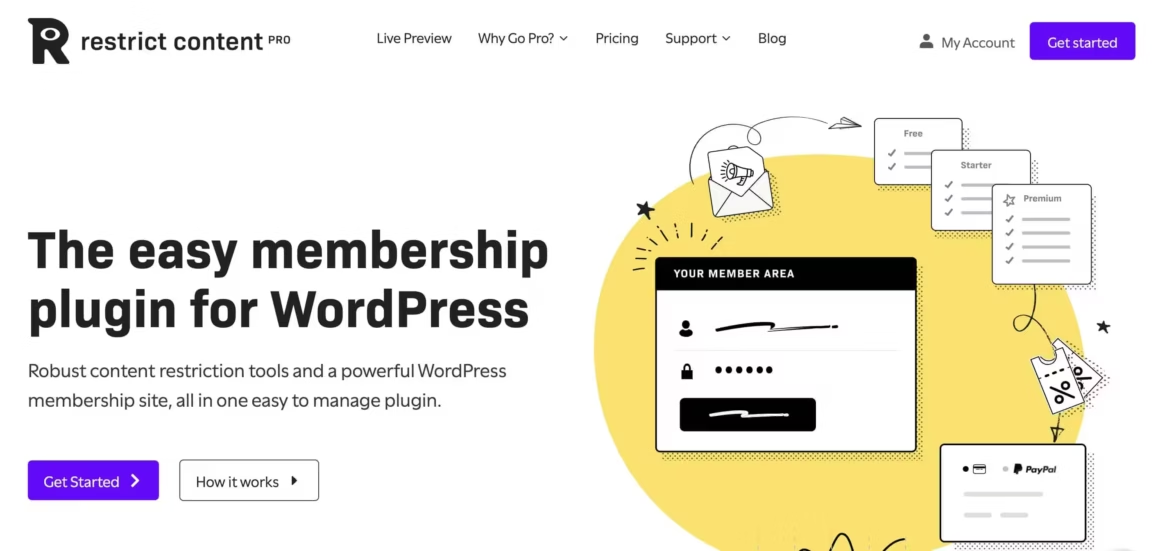
Restrict Content Pro remains usable for existing customers, but it is no longer the product I would send a new buyer to. Liquid Web now packages its membership and restriction features inside Kadence Memberships. Existing customers keep their plans, features, and pricing.
RCP supports unlimited membership levels, content dripping, and integrates natively with Stripe, PayPal, and Braintree for payment processing. It also plays nicely with WooCommerce and Easy Digital Downloads if you’re selling digital products alongside memberships. The customer dashboard lets members manage their own subscriptions, upgrade, or downgrade without needing admin intervention.
If you already run RCP, audit renewal access, add-ons, payment webhooks, exports, and the product roadmap before migrating. Do not switch a working billing system merely because the sales packaging changed. For a fresh build, compare Kadence Memberships, SureMembers, MemberPress, and Paid Memberships Pro instead.
Pros:
- Focused content restriction and recurring-membership rules for existing installations
- Unlimited membership levels with content dripping
- Native Stripe, PayPal, and Braintree integration
- Existing customers retain current features and pricing during the Kadence transition
Cons:
- No built-in course builder or quiz engine
- No free version available
- Limited community/social features compared to Ultimate Member
Pricing: Existing-customer terms continue; new sales have moved to Kadence Memberships.
Content creators and publishers who need straightforward paywall functionality without the bloat of an all-in-one platform. Pairs especially well with Easy Digital Downloads for selling digital products.
Ultimate Membership Pro
Best for: Buyers who understand CodeCanyon licensing and want an all-in-one marketplace option.

Ultimate Membership Pro is sold through CodeCanyon under a one-time regular license. That is not the same as a promise of lifetime support: confirm the site-use rights, included support window, future-update access, and renewal terms on the marketplace listing before buying. The plugin includes social login, content dripping, several payment gateways, and deep registration/profile customization.
The trade-off? CodeCanyon plugins don’t get the same update velocity as independently maintained ones. Support quality varies, and you’re relying on a single developer. But for the price point, it’s hard to beat if you need a full-featured membership system and don’t mind a steeper learning curve. It integrates with Mailchimp for email, Elementor for form building, and most major payment processors.
Pros:
- $59 one-time purchase (no annual fees)
- Social login from 7+ networks built in
- Supports PayPal, Stripe, 2Checkout, and Authorize.net
- Deep form and profile customization
Cons:
- Single developer on CodeCanyon (slower updates)
- Steeper learning curve than most alternatives
- Support quality can be inconsistent
Pricing: One-time CodeCanyon regular license; price and support extension terms can change.
ProfilePress
Best for: Sites that need user profiles, member directories, and registration forms alongside membership

ProfilePress started as a user registration and profile plugin but has evolved into a full membership solution. It handles user registration forms, login pages, member directories, content restriction, and subscription payments all from one plugin. The drag-and-drop form builder works well for creating custom registration flows without touching code.
ProfilePress works best for selling non-physical goods: online courses, premium content, paid newsletters, and digital downloads. It supports Stripe and PayPal with both one-time and recurring payment options. You can also set up installment plans, which is a feature most competitors charge extra for.
ProfilePress is strongest at user profile management. If you’re building a community site where members need visible profiles with custom fields (think member directories, professional networks, or alumni portals), this plugin handles that better than most alternatives. Also check out my guide on the best WordPress page builders to pair with it.
Pros:
- Strongest user profile and member directory features in this category
- Drag-and-drop form builder for registration flows
- Installment payment plans included (most plugins charge extra)
- Free version available on WordPress.org
Cons:
- No content dripping in the free version
- Less mature as a membership plugin compared to RCP or MemberPress
- Advanced features locked behind $99/year paywall
Pricing: $99/year (Standard plan, single site)
MemberPress
Best for: All-in-one membership with courses, access rules, and built-in payments ($199.50/year+)
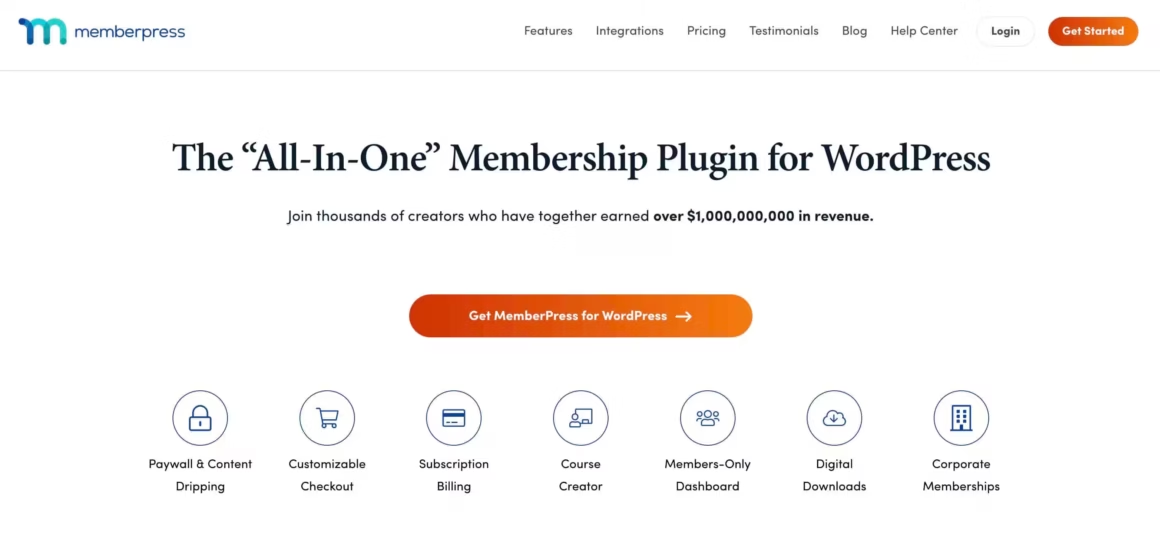
MemberPress is the most popular premium WordPress membership plugin, and for good reason. It combines membership management, content protection, and a built-in course builder (MemberPress Courses) in one package. You can create subscription plans, set up access rules, drip content on a schedule, and sell digital products without installing a single add-on.
The access rule system is MemberPress’s strongest feature. You can restrict content by post, page, category, tag, custom post type, or even partial content within a page. Stripe and PayPal are built in, and it integrates with email services like GetResponse, AWeber, and Mailchimp for automated member onboarding sequences.
The Launch plan is advertised at an introductory $199.50 for the first year and renews at the regular $399 price. It includes core course creation, but MemberPress also charges a 4.9% transaction fee on successful Launch-plan payments. Growth removes that MemberPress fee and adds more gateways, quizzes, assignments, certificates, dripping, and integrations. Processor fees still apply on every plan.
Pros:
- Most complete all-in-one membership plugin available
- Core course builder in Launch; quizzes, assignments, and certificates in Growth
- Granular access rules (by post, page, category, tag, CPT, or partial content)
- Strong ecosystem of integrations (email, CRM, payment)
Cons:
- Launch renews at $399 and adds a 4.9% MemberPress transaction fee
- No free version or free trial
- Quizzes, assignments, certificates, and advanced course tools require Growth or higher
Pricing: Launch $199.50 introductory / $399 renewal; Growth $314.55 introductory / $699 renewal; Scale $399.60 introductory / $999 renewal. Prices checked July 24, 2026; tax and promotions can change checkout totals.
Paid Member Subscriptions
Best for: WooCommerce stores adding membership tiers and per-product discounts (free/$69/year)

Paid Member Subscriptions is a freemium plugin that punches above its weight. The free version handles basic content restriction and member management. The Pro version ($69/year for a single site) adds content dripping, WooCommerce integration with member-only discounts, and advanced payment options through PayPal Pro, PayPal Express Checkout, and Stripe.
What makes this plugin interesting is the WooCommerce integration depth. You can restrict product purchasing and viewing based on membership level, offer per-product and per-subscription discounts, and even lock down the entire WooCommerce store for non-members. If you’re running a membership site that also sells physical or digital products, this combination works well without needing a separate ecommerce plugin.
Pros:
- Generous free version with real functionality
- Deep WooCommerce integration (per-product discounts, store lockdown)
- Affordable Pro plan at $69/year
- Smooth upgrade path from free to Pro without data migration
Cons:
- Content dripping only in Pro
- No built-in course builder or quiz features
- Fewer payment gateway options than MemberPress or Ultimate Membership Pro
Pricing: Free. Pro starts at $69/year (single site)
If you’re bootstrapping a membership site and want to validate the idea before investing in premium plugins, Paid Member Subscriptions’ free tier is the best starting point. You can always upgrade to Pro later without migrating data.
If your members already buy through WooCommerce and the job is simply that buyers see certain pages, a full membership plugin may be more than the store needs. Stackless for WooCommerce, a plugin I built, has a Page Access module that unlocks chosen pages for customers who buy a product. Published pages show an access notice, private pages stay hidden from everyone except buyers, and with its Subscriptions module the access lasts as long as the subscription is active. For content dripping, member directories or member-only discounts, pair it with one of the plugins here or choose Paid Member Subscriptions instead.
WP-Members Membership Plugin
Best for: Free registration-based content gating without payment processing (free)

WP-Members is one of the oldest WordPress membership plugins still in active development. It takes a fundamentally different approach: instead of locking content behind paywalls, it hides or restricts posts and pages from non-registered users and lets you customize what logged-in members see.
The plugin integrates user login, registration, and profiles directly into your theme. You can customize registration fields, add custom profile fields, and control which menu items appear for different user roles. The admin interface looks dated, but don’t let that fool you. The underlying functionality is solid and well-tested across thousands of installations.
WP-Members is best for sites that need free registration with content access control rather than paid subscriptions. Think professional associations, alumni networks, or corporate intranets where membership is free but content needs to be gated behind a login. If you need payment processing, look at the other options on this list.
Pros:
- Completely free with no premium upsell pressure
- Battle-tested across thousands of sites over many years
- Integrates login, registration, and profiles directly into your theme
- Custom registration and profile fields
Cons:
- No payment processing whatsoever
- Admin interface looks and feels outdated
- No content dripping or subscription management
Pricing: Free
Ultimate Member
Best for: Community-driven sites with user profiles, directories, and social features (free/$249/year)

Ultimate Member is a community-focused membership plugin built around user profiles, member directories, and frontend account management. If you’re building something that feels more like a social network than a content paywall (think BuddyPress but lighter), Ultimate Member is worth considering.
The free version gives you user registration, login, profiles with custom fields, member directories, content restriction, and conditional navigation menus. The drag-and-drop form builder handles custom registration flows. Premium extensions ($249/year for the basic plan) add features like social login, private messaging, user reviews, and WooCommerce integration.
The plugin is lightweight and extensible, which is its biggest selling point. But the premium extensions add up quickly. If you need private messaging, groups, AND WooCommerce access, you’re looking at the Pro plan or higher. Compare that to MemberPress, which bundles more features at a similar price point.
Pros:
- Best community and social networking features in any membership plugin
- Lightweight core with modular extensions
- Drag-and-drop form builder included free
- Member directories with custom fields
Cons:
- Premium extensions get expensive fast ($249/year for basic plan)
- No built-in payment processing in free version
- No content dripping or course features
Pricing: Free. Premium starts at $249/year
WP User Frontend
Best for: User-generated content sites, classified directories, and guest posting platforms ($49/year)

WP User Frontend by weDevs is different from most plugins on this list. Its core strength isn’t just membership management. It’s frontend content submission. With 30,000+ active installations, it lets users submit posts, pages, and custom post types from the frontend without ever seeing the WordPress admin.
This makes it ideal for user-generated content sites: classified directories, guest posting platforms, news aggregators, or community blogs where members contribute content. The form builder supports up to 38 custom fields, and you can set up subscription plans with one-time, quarterly, or annual billing through PayPal and Stripe.
WP User Frontend also handles content restriction and partial visibility, exposing certain content sections only to specific membership tiers. The free version covers basic use cases, and the Pro plan starts at $49/year, making it one of the most affordable options here.
Pros:
- Best option for user-generated content and frontend submissions
- 38 custom form fields supported
- Very affordable Pro plan at $49/year
- Partial content visibility per membership tier
Cons:
- Frontend submission focus means it’s not ideal for pure content-gating sites
- No content dripping in free or Pro versions
- UI could use modernization
Pricing: Free. Pro starts at $49/year
Restrict User Access
Best for: Progressive access models with automatic level-up triggers (free)

Restrict User Access by DEV Institute is a focused content protection plugin with a clever access level system. You can create unlimited access levels (Platinum, Gold, Free, whatever makes sense for your site), control membership durations, redirect unauthorized users, and even give non-members sneak peeks of restricted content to entice signups.
The access level hierarchy is its main difference from the rest. Members can automatically level up or down based on triggers you define. This is useful for sites with progressive access models, like educational platforms where completing one module unlocks the next, or community sites where engagement earns higher-tier access.
The documentation is thorough, which matters more than you’d think with membership plugins. When something breaks at 11 PM and you need to fix it before morning, good docs save hours. The plugin is completely free, which makes it an easy recommendation for anyone testing the waters with content restriction. If you’re looking to pair it with security plugins, they work well together.
Pros:
- Unique access level hierarchy with automatic level-up triggers
- Completely free with no hidden premium tiers
- Content sneak peeks for non-members (great for conversions)
- Excellent documentation
Cons:
- No payment processing or subscription billing
- No content dripping features
- Smaller user base means fewer community resources and tutorials
Pricing: Free
LearnDash
Best for: Structured online courses with quizzes, certificates, and drip-feed scheduling ($199/year)

LearnDash is a WordPress LMS (Learning Management System) that doubles as a powerful membership plugin for course-based businesses. Used by Fortune 500 companies, universities, and independent course creators, it lets you build, sell, and manage online courses entirely within WordPress.
LearnDash supports quizzes, certificates, assignments, groups, and scheduled lesson release. It can sell courses through direct payment integrations including Stripe and PayPal, so WooCommerce is not required for every sale. Add WooCommerce when you need its checkout, tax, coupons, subscriptions, gateway ecosystem, or order workflows. For hosted alternatives, see my comparison of Kajabi alternatives.
LearnDash isn’t cheap at $199/year for a single site, and it’s overkill if you just need simple content restriction. But if your membership model revolves around structured courses with quizzes, certificates, and progressive learning paths, nothing in the WordPress ecosystem comes close.
Pros:
- Most powerful course builder available for WordPress
- 8 quiz question types with certificates and badges
- Drip-feed content scheduling built in
- Used by Fortune 500 companies and universities
Cons:
- Expensive at $199/year for a single site
- Overkill for simple content gating without courses
- WooCommerce is optional, but complex tax, subscription, or order workflows may still require it or another billing layer
Pricing: $199/year (single site), $399/year (10 sites)
LifterLMS
Best for: Course creators who want modular pricing and a free core plugin (free/$120/year per add-on)

LifterLMS is the main alternative to LearnDash for building course-based membership sites on WordPress. It takes a freemium approach: the core plugin is free on WordPress.org, and you add premium features through individual add-ons or bundles.
The free version does more than you’d expect. You get course creation, lesson and section management, quizzes, certificates, and even basic content restriction. Payment processing requires a premium gateway add-on ($120/year each for Stripe or PayPal), or you can grab the Universe Bundle ($299/year) that includes all gateways, advanced quizzing, assignments, social learning, and more.
Where LifterLMS shines over LearnDash is flexibility. The modular add-on approach means you only pay for what you need. If you just need courses with Stripe payments, that’s $120/year instead of LearnDash’s $199/year. But if you need the full suite, the Universe Bundle gets expensive. LifterLMS also includes built-in membership features like access plans, content restriction, and engagement tracking without needing a separate membership plugin. For more options, check out my list of Thinkific alternatives.
Pros:
- Free core plugin with real course-building functionality
- Modular add-ons (pay only for what you need)
- Built-in membership and access plan management
- Engagement tracking, social learning, and assignments available
Cons:
- Payment gateways cost $120/year each (not included free)
- Full bundle ($299/year) is more expensive than LearnDash
- Smaller ecosystem and fewer third-party integrations than LearnDash
Pricing: Free. Individual add-ons from $120/year. Universe Bundle $299/year.
SureMembers
Best for: New membership sites that want the leanest possible setup without WooCommerce ($69/year)

SureMembers focuses on access groups, content protection, dripping, and block-level rules. It pairs with SureCart or WooCommerce to sell access. That separation is useful when you want the commerce system to own payments and SureMembers to own access.
You can protect pages, posts, custom post types, and even specific sections of content based on access groups. It works natively with the Block Editor (no shortcodes required), and pairs directly with SureCart for payments. This combination gives you a complete membership and payment stack without WooCommerce overhead.
If you’re starting fresh and want the leanest possible membership setup on WordPress, SureMembers + SureCart is the stack I’d recommend. At $69/year, it’s competitively priced against heavier alternatives. Check out my guide on WordPress caching plugins to make sure your membership site loads fast regardless of which plugin you choose.
Pros:
- Focused access-control scope instead of a built-in LMS or community suite
- Native Block Editor support (no shortcodes)
- SureCart integration avoids WooCommerce dependency entirely
- Content dripping included at $69/year
Cons:
- Newest plugin on the list (smaller community, fewer tutorials)
- No built-in course builder or quiz features
- Requires SureCart for payment processing (separate plugin)
Pricing: $69/year (single site)
For a new content membership, start by comparing SureMembers with SureCart against Paid Memberships Pro. Choose LearnDash when courses are the product. Choose MemberPress when one system owning access, billing, and courses is worth the higher renewal cost and plan constraints.
Not on WordPress? Hosted Alternatives Worth Considering
If you don’t want to manage WordPress infrastructure at all, hosted platforms handle everything from course delivery to payments to member management. You trade flexibility for simplicity.
- Teachable is the most popular hosted course platform. It handles video hosting, quizzes, certificates, and payment processing with zero WordPress involvement. Plans start at $39/month. Best for course creators who want to launch fast without managing plugins or hosting.
- Thinkific offers a free plan that lets you create up to 5 courses with unlimited students. Paid plans start at $49/month and add features like assignments, certificates, and communities. It’s the best free starting point for course creators testing the waters. See my Thinkific alternatives comparison for more options.
- Podia bundles courses, digital downloads, coaching, and community features into one platform starting at $39/month. No transaction fees on any plan. It’s the simplest all-in-one option if you want to sell memberships, courses, and downloads without juggling multiple tools.
The trade-off with all hosted platforms: you don’t own the infrastructure. If the platform changes pricing, drops features, or shuts down, you’re migrating everything. WordPress membership plugins give you more control at the cost of more management work.
WordPress Membership Plugins: Business Model Comparison
Prices are only signals. For a like-for-like estimate, price one site with recurring Stripe billing, content dripping, coupons, failed-payment email, refunds, member export, tax handling, and the support term you need.
| Product | Primary job | Billing owner | Course tools | Portability question | Main caveat |
|---|---|---|---|---|---|
| SureMembers | Access groups and content rules | SureCart or WooCommerce | No | Export access groups and map commerce customers | Two-system setup |
| MemberPress | All-in-one memberships | MemberPress plus gateway | Yes | Export members, subscriptions, rules, and course data | Launch transaction fee and renewal price |
| LearnDash | Courses and cohorts | LearnDash gateway or commerce plugin | Yes | Map enrollments, progress, orders, and groups | Not a general community platform |
| LifterLMS | Modular LMS | Paid gateway add-on | Yes | Export enrollments, progress, and access plans | Add-on cost |
| Paid Memberships Pro | Membership levels and add-ons | PMPro plus gateway | Via integrations | Export levels, orders, subscriptions, and user meta | Full scenario may need paid add-ons |
| Ultimate Member | Profiles and directories | Extensions or separate commerce | No | Export profiles, roles, and extension data | Premium extension cost |
| Paid Member Subscriptions | WooCommerce-connected access | Plugin or WooCommerce path | No | Map subscriptions, discounts, and product rules | Advanced features are paid |
| WP-Members | Registration gating | None in core | No | WordPress users persist; restriction rules still need mapping | No native billing |
| Restrict Content Pro | Legacy content membership | RCP plus gateway | No | Existing customers should audit the Kadence transition | No longer sold standalone to new customers |
How to Choose the Right Membership Plugin
Don’t pick a membership plugin based on feature count. Pick it based on what you’re actually building. I’ve migrated enough sites between plugins to know that the “most features” option is rarely the right one.
Selling courses with quizzes and certificates? LearnDash starts at $199 per year for one site and is my course-first choice. LifterLMS lets you start with a free course core and add paid gateways. MemberPress Growth combines advanced course tools with general membership billing, but budget for the $699 renewal price. A hosted platform such as Teachable or Thinkific removes more infrastructure work but reduces control.
Gating articles, tutorials, or downloads behind a paywall? Compare SureMembers with SureCart against Paid Memberships Pro. Existing Restrict Content Pro customers can keep a working stack, but new buyers are now directed to Kadence Memberships.
Building a community with profiles and directories? Ultimate Member (free core) or ProfilePress ($99/year). Both handle user profiles and member directories better than anything else on this list.
Need to validate the idea before spending? Paid Memberships Pro, Paid Member Subscriptions, and WP-Members all offer free starting paths for different use cases. Ultimate Membership Pro uses a one-time CodeCanyon regular license, but support, updates, and license rights follow the marketplace terms. Prove the billing and access model before adding premium extensions.
One thing I’d avoid: installing a plugin “just in case” you need its features later. Every membership plugin adds database tables, user meta fields, and custom post types. Switching later means rebuilding access rules, re-mapping payment data, and testing every checkout flow again. Pick the plugin that fits your first 6 months, not your 5-year roadmap.
Membership Billing and Access Checklist
Before launch, decide which system owns subscription state. Then test the failure paths on staging with the same cache, gateway mode, email provider, and access rules used in production.
- Successful payment, renewal, upgrade, downgrade, proration, coupon, cancellation, refund, dispute, and failed-payment retry.
- Webhook delay, duplicate webhook, gateway outage, expired card, grace period, dunning email, tax, invoice, and cancellation synchronization.
- Protected post, page, taxonomy, custom post type, feed, REST response, direct file URL, dripped content, and cached page.
- Member, subscription, order, access-rule, and course-progress exports. Confirm what remains after deactivation.
- Transactional email delivery, SPF, DKIM, DMARC, privacy notices, refund policy, and a support path for locked-out members.
Avoid two plugins competing to own the same access and subscription state. Complementary tools can coexist when one system is clearly the source of truth and the integration defines how access changes after renewals, refunds, and cancellations.
Frequently Asked Questions
What is the best free WordPress membership plugin?
Paid Memberships Pro has the broadest free-core path for a paid membership build, but the final cost depends on gateways, support, tax, automation, and add-ons. WP-Members is simpler for free registration gating. LifterLMS is the stronger free course core.
Can I use WooCommerce for memberships instead of a dedicated plugin?
Yes. WooCommerce Memberships can control access, while WooCommerce Subscriptions handles recurring orders when needed. That stack makes sense when WooCommerce already owns products, tax, coupons, and orders. Compare the complete scenario cost and refund/cancellation behavior against a dedicated membership platform.
Which membership plugin works best with the WordPress Block Editor?
SureMembers provides direct block-level access controls. MemberPress, Paid Memberships Pro, and other mature products also work with the Block Editor, but the rule may live in a sidebar, membership level, shortcode, or global restriction screen. Test the exact blocks and templates you use.
Do I need a membership plugin to sell digital downloads?
No. WooCommerce or Easy Digital Downloads is usually simpler for one-time files or software sales. Add membership software when buyers need recurring access, levels, dripping, community, courses, or protected libraries.
Can I switch membership plugins without losing members?
WordPress user accounts usually persist, but levels, recurring subscriptions, gateway customer IDs, access rules, orders, course progress, and protected-file rules may be product-specific. Export everything available, map the fields, and rehearse the move on staging.
How many membership plugins should I install?
Use one source of truth for access and subscription state. An LMS, CRM, community plugin, and commerce system can coexist when their integration defines ownership. Avoid two membership engines independently changing the same roles, access rules, or renewals.
Should I use a WordPress plugin or a hosted platform like Teachable?
WordPress gives you more control over hosting, code, data, and integrations, but you own maintenance and failure recovery. A hosted platform removes more infrastructure work but limits customization and makes future exports and pricing changes more important. Choose based on operational capacity, not launch speed alone.
Tell Google you want more of this.
Add Gaurav Tiwari as a preferred sourceOne tap, and this site shows up more often in your own Top Stories, AI Overviews and AI Mode. Remove it any time.
Disclaimer: This site is reader-supported. If you buy through some links, I may earn a small commission at no extra cost to you. I only recommend tools I trust and would use myself. Your support helps keep gauravtiwari.org free and focused on real-world advice. Thanks. - Gaurav Tiwari
