
 by
by
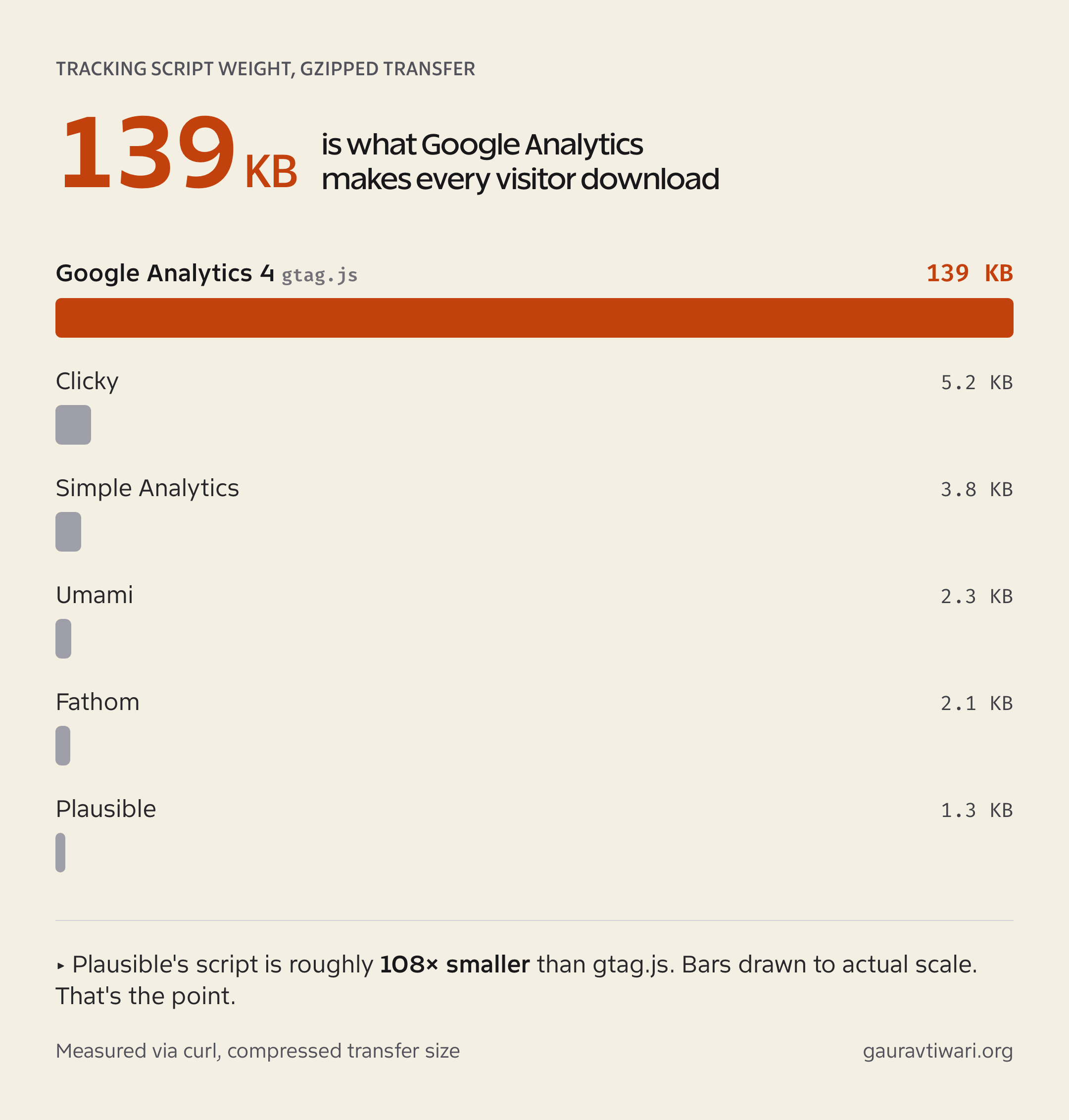
Google Analytics 4 is the most powerful free analytics tool ever made, and almost nobody I know enjoys opening it. Simple questions hide behind custom Explorations. The tracking script weighs 139 KB. And if you have European visitors, you need a consent banner just to run it legally. So it’s no surprise that Google Analytics alternatives have quietly become some of the best software in the WordPress world.
I reduced using GA4 on sites were it was not necessarily needed. Not as a protest, just… I found tools that answered my questions faster. Since then I’ve run privacy-friendly analytics on every WordPress site I own and on most client projects.
This guide compares 11 Google Analytics alternatives that work with WordPress, either as a native plugin that stores data in your own database or as a lightweight, GDPR-friendly SaaS dashboard. Every price below was verified on the official pricing pages in October 2026.
My Quick Picks
If you just want the answer, here it is. These five cover almost every situation:
- Independent Analytics: the plugin I run on every site I own. GA-grade reports inside wp-admin from $49/year, with data stored in your own database.
- Plausible: the best SaaS option. EU-owned, EU-hosted, 1.3 KB script, from $9/month.
- Fathom: flat pricing with 50 sites and forever data retention on every plan, from $15/month.
- Burst Statistics: the best free-plugin upgrade path, built by the team behind Complianz and Really Simple Security.
- Matomo: the only true GA4 feature match, free forever if you self-host.
Why Switch to a Google Analytics Alternative?
Three reasons: your data is incomplete, your visitors pay a speed tax, and EU compliance is a moving target. Google Analytics still runs on 44.7% of all websites, an 80% market share among sites with known analytics, according to W3Techs as of June 2026. Dominance isn’t the same as quality, though.
Start with the data problem. About 29.5% of internet users run an ad blocker at least sometimes (GWI, Q2 2025), and most ad blockers kill Google Analytics by default. Plausible’s research puts GA blocking at around 58% for tech-savvy audiences and 25%+ on typical tech sites. Site owners who switch to a privacy-friendly analytics tool routinely discover 15-35% more visitors than GA4 ever reported. Your traffic was never down. Your measurement was.
Then there’s weight. I measured the scripts myself this week: GA4’s gtag.js transfers 139 KB compressed (396 KB uncompressed). Plausible’s script is 1.3 KB. That’s roughly 108 times smaller for the same core job, counting visitors. If you’ve spent hours shaving kilobytes with a WordPress CDN and a caching plugin, keeping a 139 KB tracker is like dieting all week and ordering dessert twice.
And compliance never settled down. Data protection authorities in Austria, France, and Italy all ruled GA transfers illegal back in 2022. The EU-US Data Privacy Framework patched that in July 2023, but GA4 still requires a consent banner for EU visitors. The latest wrinkle: from June 15, 2026, Google Signals stops governing advertising data collection and Consent Mode’s ad_storage flag becomes the sole authority for linked Ads accounts. Even a former Google Analytics product manager publicly criticized that change. Every consent banner click you lose is data you never get back.
Cookieless Google Analytics alternatives skip the consent banner entirely (for analytics), dodge most ad blockers, and load 25-100x lighter. The trade-off is fewer advertising integrations. For most WordPress sites, that’s no trade-off at all.
How I Picked and Tested These Tools
This isn’t a list assembled from other lists. I run Independent Analytics Pro on roughly a dozen WordPress properties daily. I’ve deployed Plausible, Fathom, and Matomo on client projects. And when I built server-side click tracking integrations for my GT Link Manager plugin, I had to read and implement the event APIs for Fathom, Plausible, Matomo, and Simple Analytics. You learn a lot about an analytics tool by sending it raw events at 2 a.m.
Four things mattered in the ranking:
- Data ownership. Does your traffic data live in your WordPress database, an EU cloud, or a US ad company’s infrastructure?
- Cookieless tracking. Can it run GDPR-compliant without a consent banner?
- Real cost. What do you actually pay at typical blog traffic (10k-100k pageviews a month)?
- WordPress fit. Native plugin, maintained integration plugin, or copy-paste snippet?
Pricing and Features Compared
Here’s the full comparison before the detailed reviews. Prices are the cheapest paid entry point; several of these are excellent at $0.
| Tool | Type | Free plan | Paid from | Data lives in | Cookieless |
|---|---|---|---|---|---|
| Independent Analytics | WP plugin | Yes, generous | $49/yr | Your WP database | Yes |
| Burst Statistics | WP plugin | Yes | $49/yr | Your WP database | Yes (toggle) |
| Plausible | SaaS | Trial only (self-host free) | $9/mo | EU cloud (or your server) | Yes |
| Fathom | SaaS | No, 7-day trial | $15/mo | Fathom cloud (EU isolation) | Yes |
| Matomo | WP plugin / SaaS | Yes (self-hosted) | €22/mo cloud | Your server or German cloud | Configurable |
| Koko Analytics | WP plugin | Yes | $59/yr | Your WP database | Yes |
| WP Statistics | WP plugin | Yes, unlimited | $119/yr | Your WP database | Yes |
| Umami | SaaS / self-hosted | Yes, 100k events/mo | $20/mo | Umami cloud or your server | Yes |
| Simple Analytics | SaaS | Yes, 30-day history | $20/mo | Netherlands only | Yes |
| Jetpack Stats | WP plugin (hosted) | Non-commercial only | $8.33/mo | WordPress.com (US) | No banner, but US-hosted |
| Clicky | SaaS | Yes, 3k views/day | $9.99/mo | Clicky cloud (US) | No |
Google Analytics Alternatives That Live Inside WordPress
These plugins store analytics in your own WordPress database. No external accounts, no data transfers, no monthly SaaS bill. If “100% data ownership” is the reason you’re leaving Google, start here.
1. Independent Analytics
Best for: WordPress site owners who want GA-quality reports inside wp-admin without touching Google.
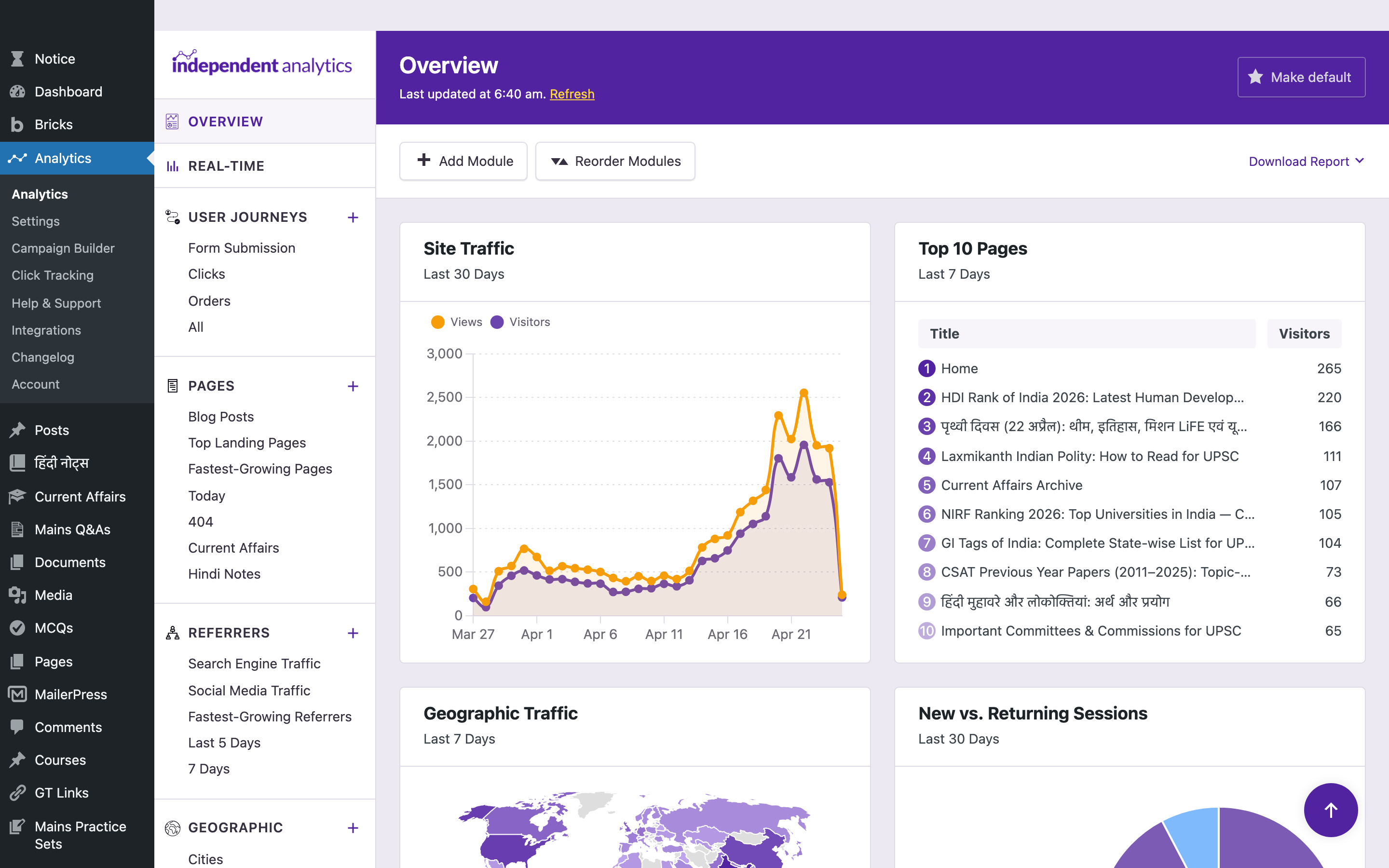
Independent Analytics is the tool that finally got me to stop opening GA4. It’s a 100% native WordPress analytics plugin: every pageview is logged to your own database, IPs are anonymized, no cookies are set, and the dashboard lives inside wp-admin where you already are. It crossed 100,000 active installs and holds a 96/100 rating on WordPress.org.
The free version covers more than most paid tools: pages, referrers, geographic data, real-time visitors, device breakdowns. Pro adds WooCommerce revenue tracking, campaign and UTM links, click tracking, and email reports.
Pricing: Free for unlimited sites. Pro is $49/year for one site, $79/year for three, or $199/year for unlimited sites. The lifetime licenses ($147 to $597 one-time) are the sleeper deal here. I bought the Agency lifetime and wrote a full Independent Analytics review after eight months of daily use.
The honest downside: analytics data lives in your database, so a very high-traffic site (millions of pageviews) will grow tables fast and you’ll want to tune data retention. And because tracking is first-party, there’s no cross-site roll-up dashboard like a SaaS gives you.
2. Burst Statistics
Best for: privacy-first sites that already trust the Really Simple Plugins team (Complianz, Really Simple Security).
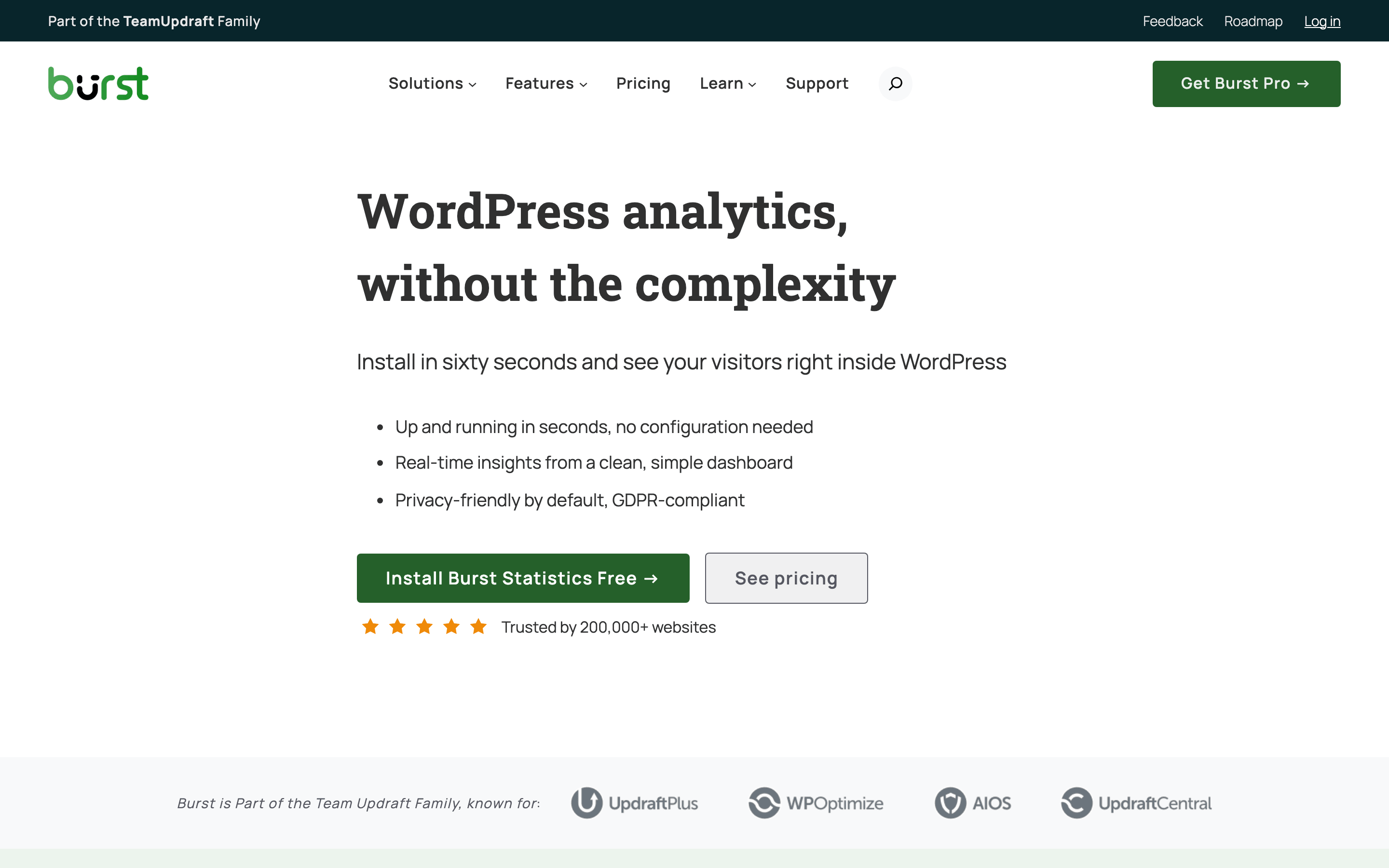
Burst Statistics calls itself “WordPress analytics without the complexity,” and that tracks with my testing. Everything runs on your own server, there’s a cookieless toggle, and the team claims compliance with GDPR, CCPA, PECR, and Switzerland’s NFADP with no banner needed in cookieless mode. It recently passed 200,000 active installs with a 98/100 rating.
I used it in 2024 when it first launched and I found it exceptionally well but the features were not as comprehensive as independent analytics. I am not sure if it has caught up with more features but if you are looking for a high quality WordPress based analytics tool this is also a great choice.
The free plugin handles visitors, sessions, pageviews, bounce rate, real-time counts, and basic goals. Pro adds the things marketers actually miss: country/city geo reports, referral analysis, UTM campaign tracking, and WooCommerce funnel and revenue analytics.
Pricing: Creator is $49/year for one site or $79/year for five. Business is $99/year (one site) with revenue attribution. Agency covers unlimited sites at $199/year. There’s a 14-day trial plus a 30-day money-back guarantee.
The honest downside: the free tier keeps geo and referral insights behind Pro, which Independent Analytics gives away. If you won’t pay, IA’s free version is stronger.
3. Koko Analytics
Best for: minimalists who want pageview counts and nothing else slowing the site down.
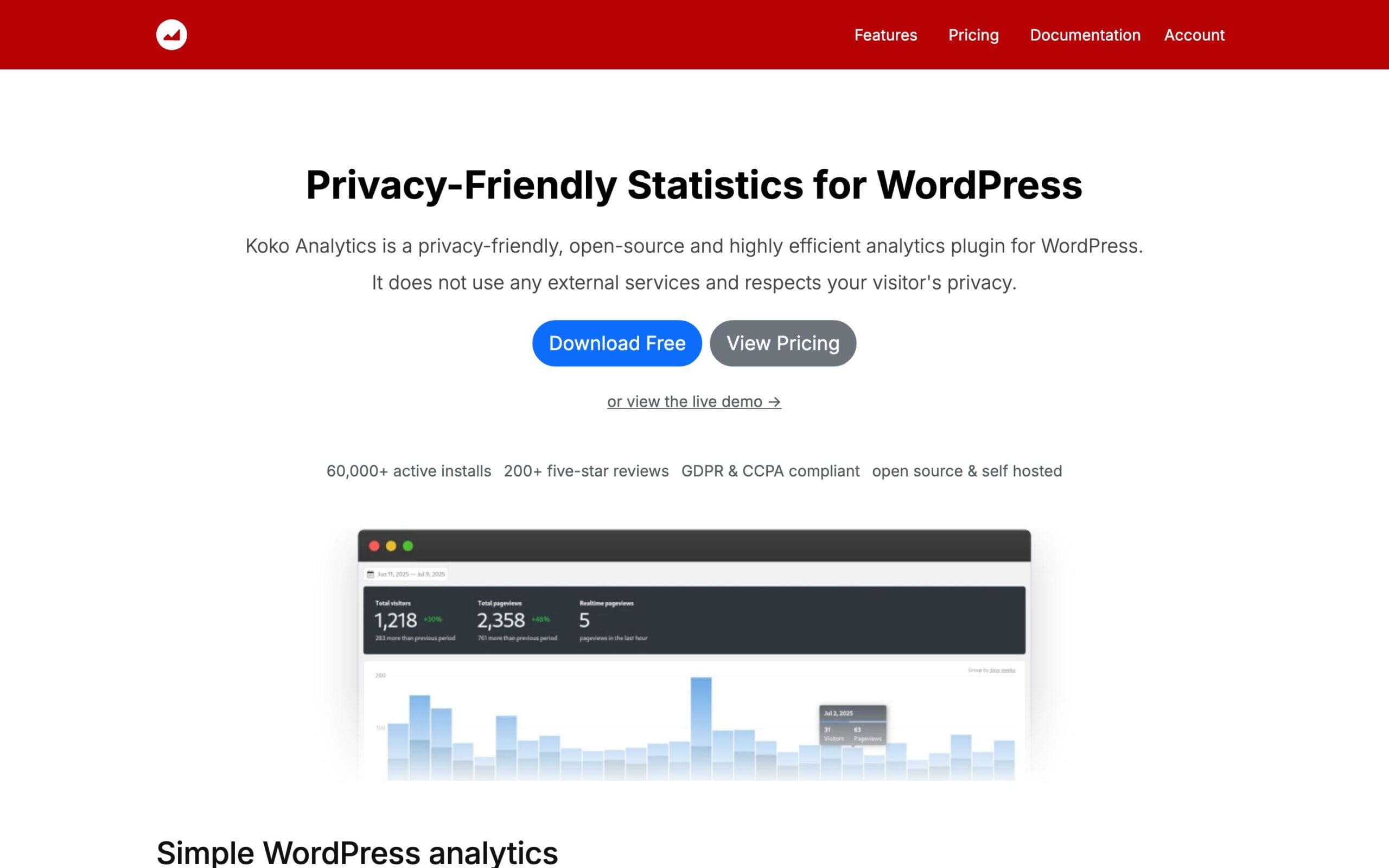
Koko Analytics is built by Danny van Kooten of ibericode (the Mailchimp for WordPress developer), and it shows in the engineering discipline. No external services at all, cookieless by default, aggregated data only, works correctly behind every caching plugin I’ve thrown at it. Its WordPress.org rating is a perfect 100/100 across 237 reviews, which almost no plugin achieves.
I have been a fan of Koko Analytics due to its performance performance first ideology and a sleek dashboard. But the problem was that it required code-based setup for several things and the free version had locked important things like UTM tracking and import-export.
Pricing: the core plugin is free forever with no pageview limits. Koko Analytics Pro adds geo-location, UTM tracking, device stats, custom events, email reports, and CSV export at $59/year for one site, $99/year for five, or $249/year for 25.
The honest downside: there’s no real-time visitor log, by design. Koko aggregates counts and that’s it. If you want to see individual user journeys or sessions, this is the wrong tool, and the author will cheerfully tell you so himself.
4. WP Statistics
Best for: site owners who want the most battle-tested self-hosted analytics plugin in the directory.
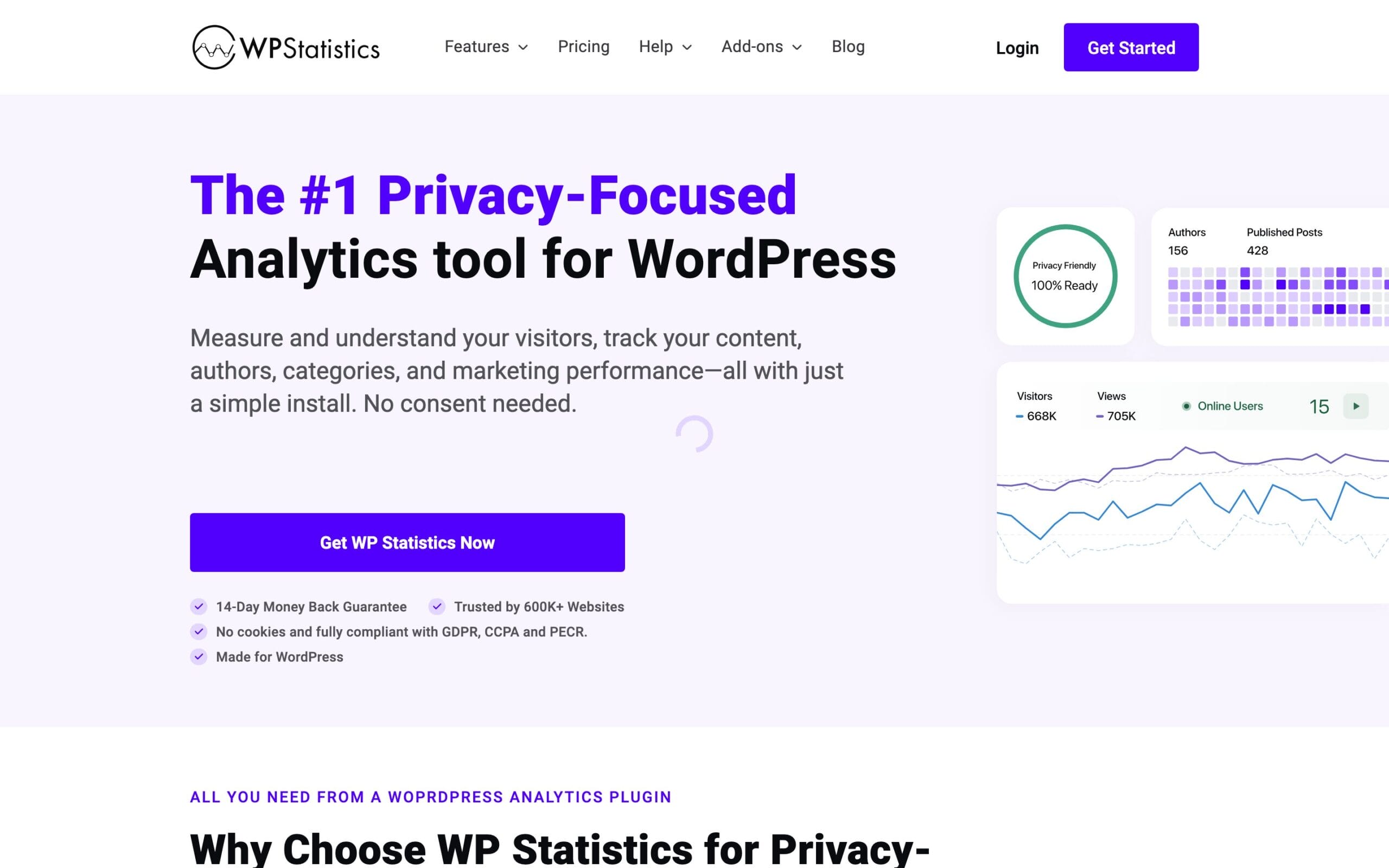
WP Statistics is the biggest plugin on this list at 600,000+ active installs. That’s more than Independent Analytics, Burst, and Koko combined. Data stays 100% in your WordPress database, tracking is cookieless and resistant to ad blockers, and the team claims GDPR compliance out of the box with no consent banner.
Pricing: the free version is genuinely unlimited, with no pageview or site caps. Premium runs $119/year for one site, $249/year for five, or $449/year for unlimited, and adds a real-time visitor feed, author analytics, Google Search Console integration, custom events, and white-label reports.
The honest downside: its 82/100 rating is noticeably lower than every peer on this list. The interface feels cluttered next to Independent Analytics, and $119/year for one site is the most expensive Pro entry among the native plugins. Big install base, average polish.
5. Matomo
Best for: teams that need actual GA4-class features (funnels, heatmaps, A/B tests) with full data ownership.
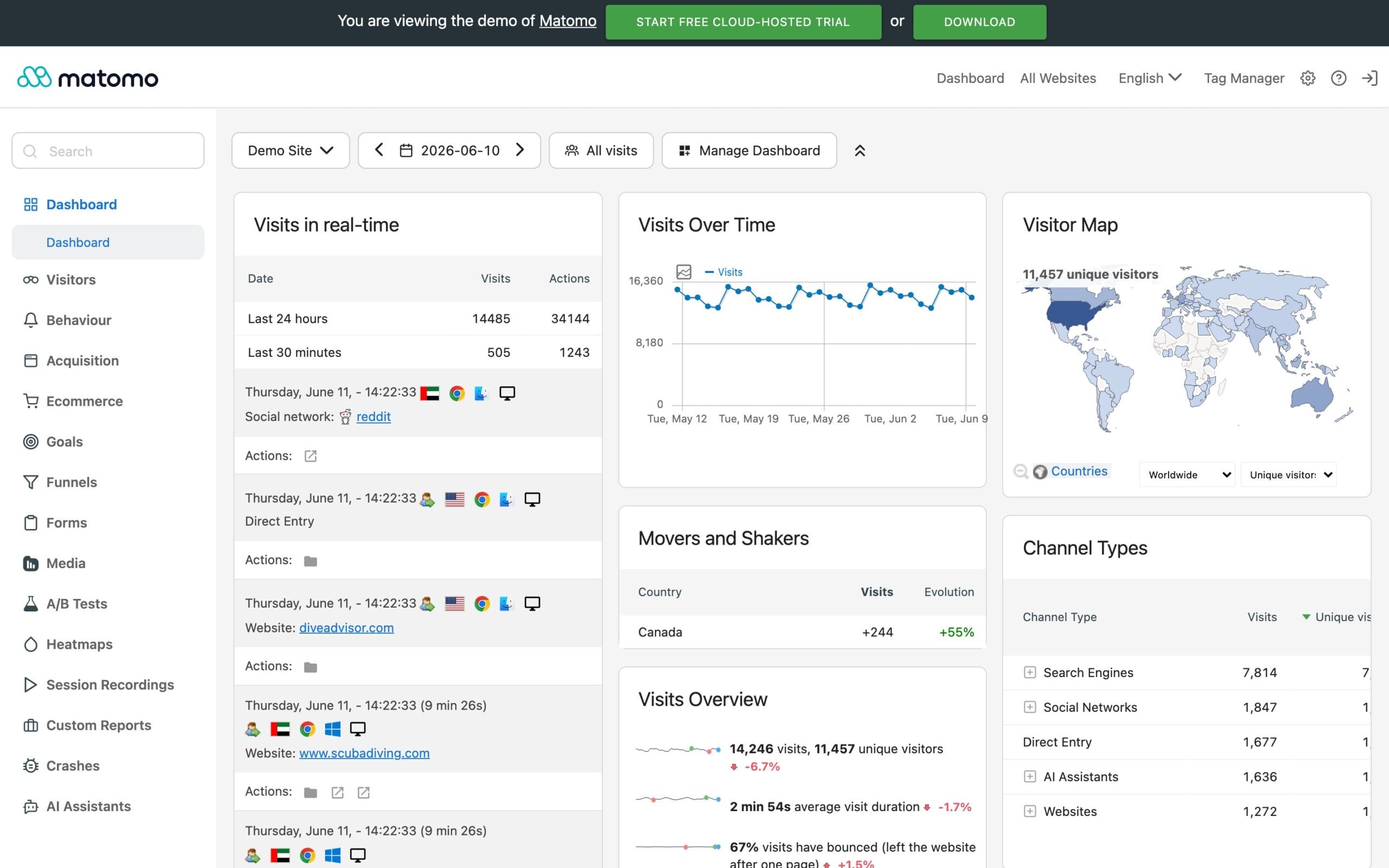
Matomo is the only Google Analytics alternative here that competes with GA4 feature-for-feature: ecommerce, goals, segmentation, heatmaps, session recordings, form analytics, even A/B testing. It’s open source, 22 years of development old in spirit (it started as Piwik), and the “Matomo Analytics” WordPress plugin (100,000+ installs, updated this month) runs the entire platform inside your WordPress install, so data never leaves your server.
Pricing: self-hosted Matomo is free forever with unlimited everything. Matomo Cloud starts at €22/month (about $26) for 50,000 hits, hosted in Frankfurt with ISO 27001 certification. Watch the billing unit, though: Matomo charges per “hit” (pageviews plus events plus downloads), not per pageview, so a like-for-like comparison with Plausible or Fathom understates Matomo’s effective price.
The honest downside: the full Matomo-in-WordPress plugin is heavy for cheap shared hosting, and the cloud gets expensive fast (100,000 hits costs $42/month, nearly triple Fathom at the same traffic). The interface also looks a decade older than Plausible because, well, it is. Only if it was less complex and more user-oriented, I would have switched to it.
6. Jetpack Stats
Best for: hobby and personal sites already running Jetpack.
Jetpack Stats is the analytics tab millions of WordPress users grew up with, and for a personal blog it’s still the lowest-friction option alive. Real-time stats, geo maps, UTM tracking on paid tiers, and zero setup beyond connecting Jetpack (3,000,000+ installs for the parent plugin).
Pricing: free for personal, non-commercial sites, with a pay-what-you-can tier above that. Here’s the catch: any site with ads, affiliate links, or sales counts as commercial and requires the paid plan at $8.33/month billed yearly (about $100/year) for just 10,000 monthly views. Higher tiers exist for 100k, 250k, 500k, and 1M views, but Automattic only shows those prices at checkout.
The honest downside: your stats live on WordPress.com servers in the US, not in your database, and the commercial licensing change remains the loudest complaint thread in Jetpack’s support forum. If you monetize your blog at all, $100/year for 10k views is poor value next to everything above.
Privacy-Friendly SaaS Alternatives to Google Analytics
These tools host the dashboard for you. You add a tiny script (or a connector plugin) to WordPress and get a cross-site dashboard, zero database weight, and someone else handling backups. The good ones are EU-hosted and cookieless by design.
7. Plausible Analytics
Best for: anyone who wants the cleanest possible dashboard and verifiable EU data residency.
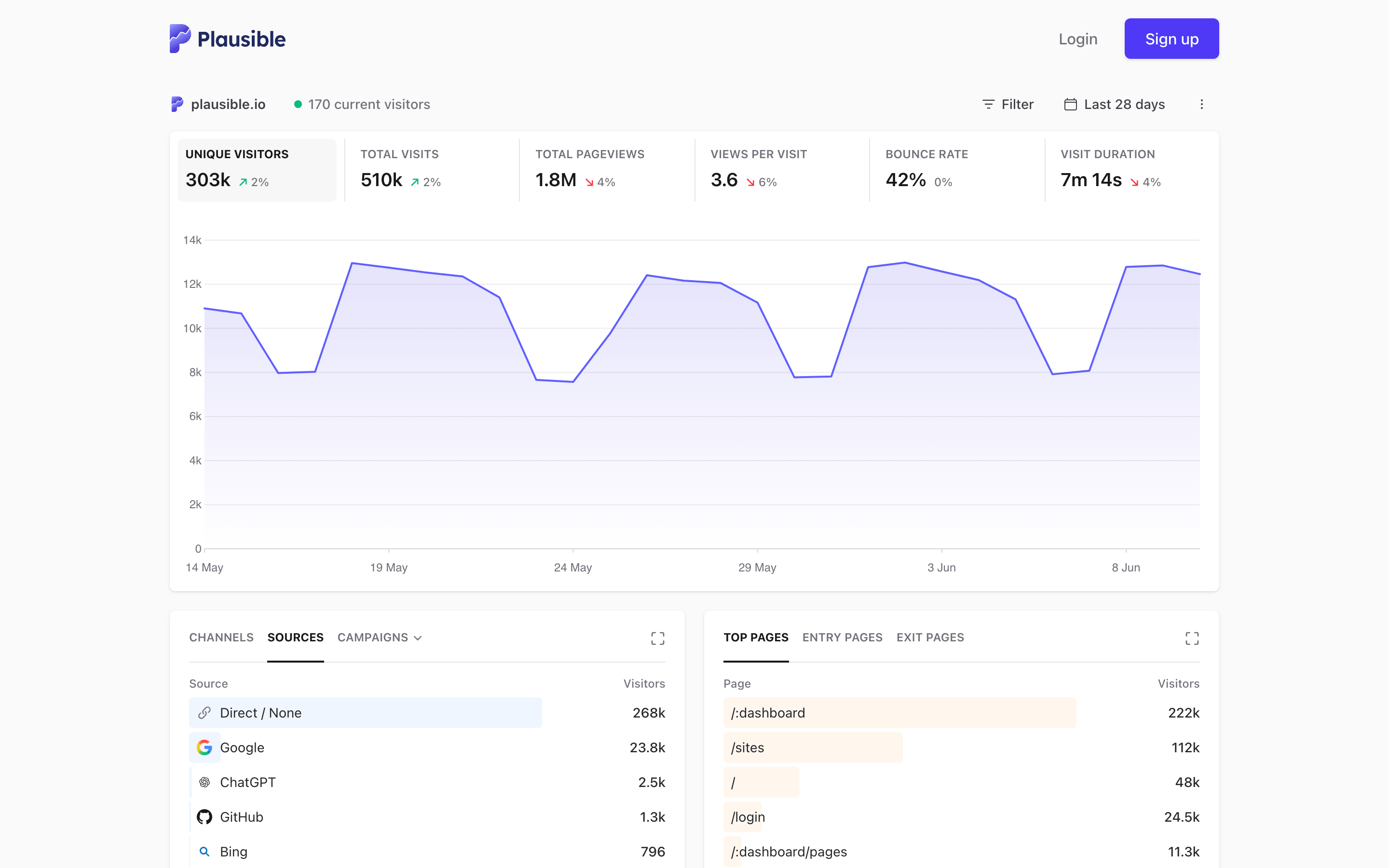
Plausible is what most people picture when they say “privacy-friendly analytics.” One screen, every answer: visitors, sources, pages, devices, goals. It’s EU-owned, hosted entirely on EU infrastructure, cookieless, and open source. The 1.3 KB script is the lightest of any tool I measured. The official WordPress plugin (10,000+ installs) handles setup and can even proxy the script through your own domain.
Pricing: Starter begins at $9/month for 10,000 pageviews on one site ($19/month at 100k). Growth adds 3 sites, team members, and shared links from $14/month. Business gets you funnels, ecommerce revenue attribution, and 5-year retention from $19/month. Annual billing gives you 2 months free, and there’s a full-featured 30-day trial with no card. Self-hosters can run Plausible Community Edition for free.
The honest downside: no free cloud tier, and the 2025 pricing restructure moved funnels and ecommerce up into Business. A blog doing 100k pageviews that wants revenue attribution now pays $39/month, which stings next to a $49/year plugin. For blogs and businesses from third world countries, the pricing for Plausible seems too much if you are opting for the SaaS version.
8. Fathom Analytics
Best for: people running many sites who want one flat bill and data kept forever.
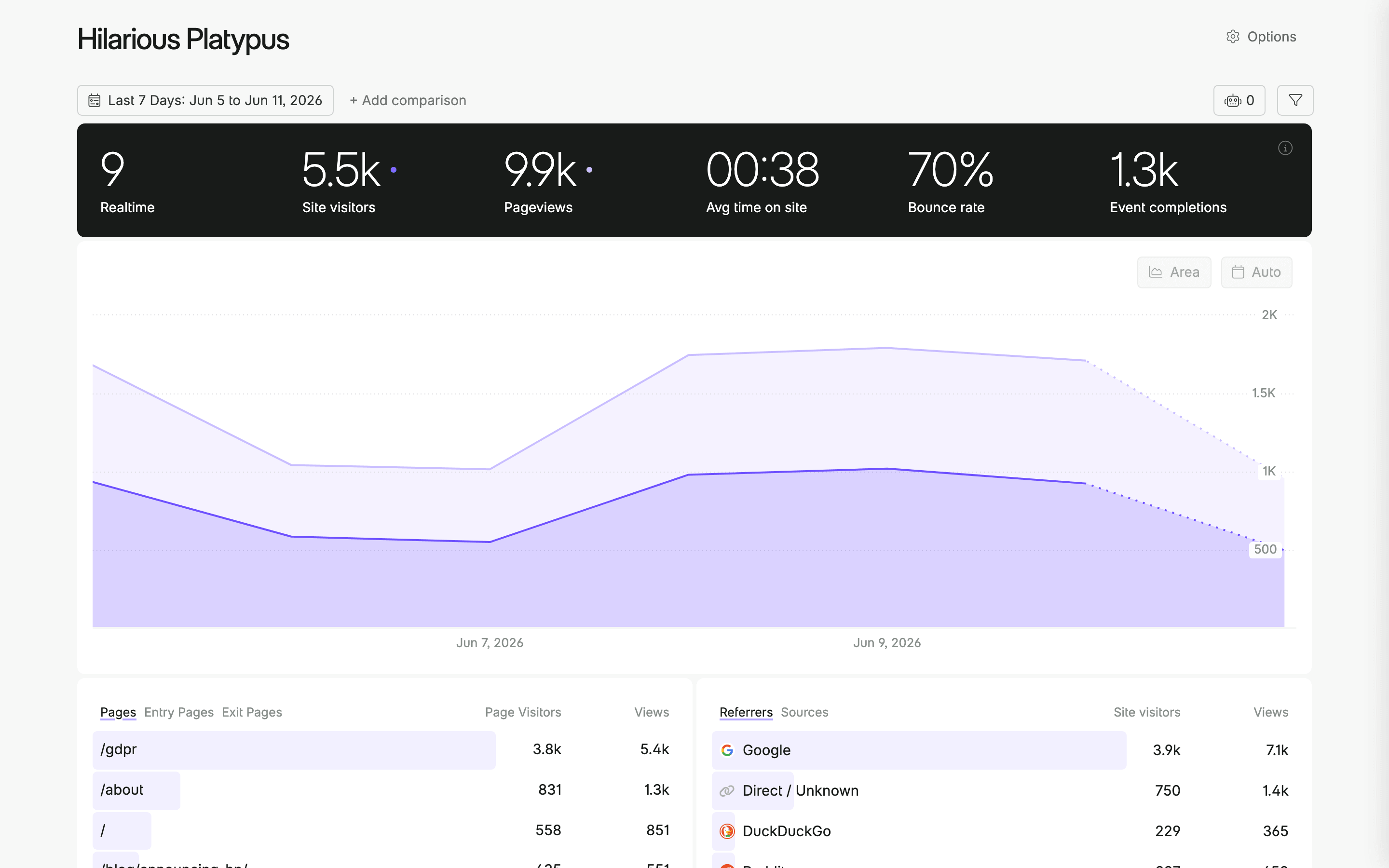
Fathom Analytics pioneered this category back in 2018, and its pricing model is still the most honest in the business. Every plan includes up to 50 sites and forever data retention. Not 14 months like GA4, not 3 years like Plausible Starter. Forever. The dashboard loads fast, events and ecommerce tracking are built in, and EU traffic is processed through isolated EU infrastructure. When I built Fathom event tracking into GT Link Manager, theirs was the simplest API of the lot.
Pricing: $15/month for 100,000 pageviews, $25/month for 200k, $45/month for 500k, scaling to $200/month at 10M. Annual billing knocks off 2 months. There’s a 7-day trial but no free tier, and they famously never run discounts. Not even Black Friday.
The honest downside: custom events count toward your pageview quota, so a click-heavy site burns through tiers faster than the raw traffic suggests. The official WordPress plugin (10,000+ installs) was last updated in November 2025, maintained but not exactly busy. I have used this extensively in the past, but again the pricing is not made for third world countries and starters.
9. Simple Analytics
Best for: strict-compliance projects that want data physically kept in one EU country.
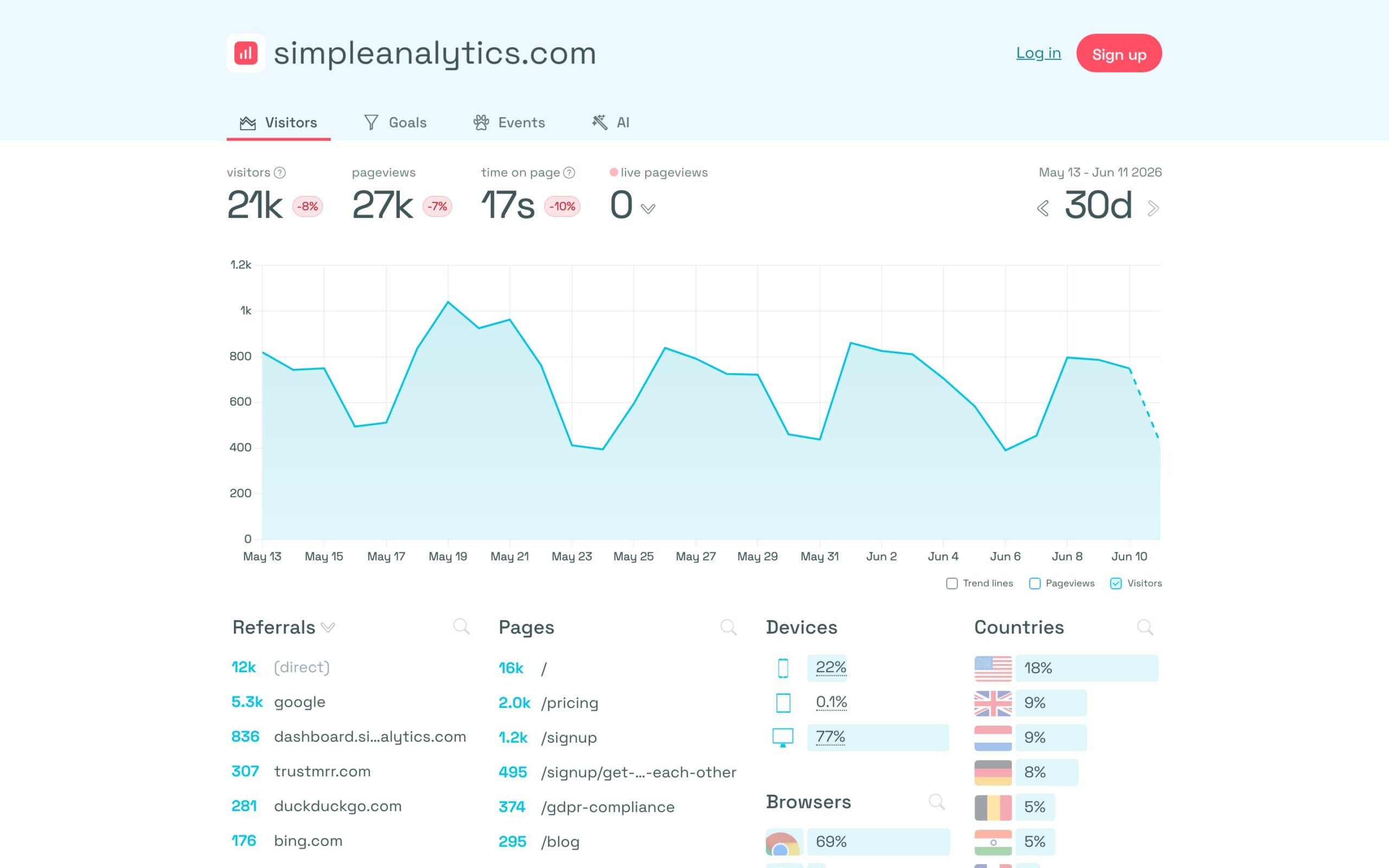
Simple Analytics is a Dutch company with an unusual promise: your analytics data never leaves the Netherlands. No cookies, no personal data collected at all, and a newer “Ask AI” feature that answers questions about your traffic in plain language. For agencies with paranoid-by-policy clients (lawyers, healthcare, government), that single-country data residency is an easy sell.
Pricing: there’s now a genuinely free plan: one user, up to five websites, unlimited pageviews under fair use, but only 30 days of history. Paid starts at $20/month (annual gets 2 months free) with unlimited sites and 100% data retention. Enterprise adds raw data access, SSO, and SOC 2.
The honest downside: the WordPress connector plugin has barely 1,000 installs, so you’re mostly pasting the script yourself. And 30-day history on the free plan makes it a demo, not a tool. You can’t see year-over-year anything.
10. Umami
Best for: developers and self-hosters who want a modern, free analytics stack they control.
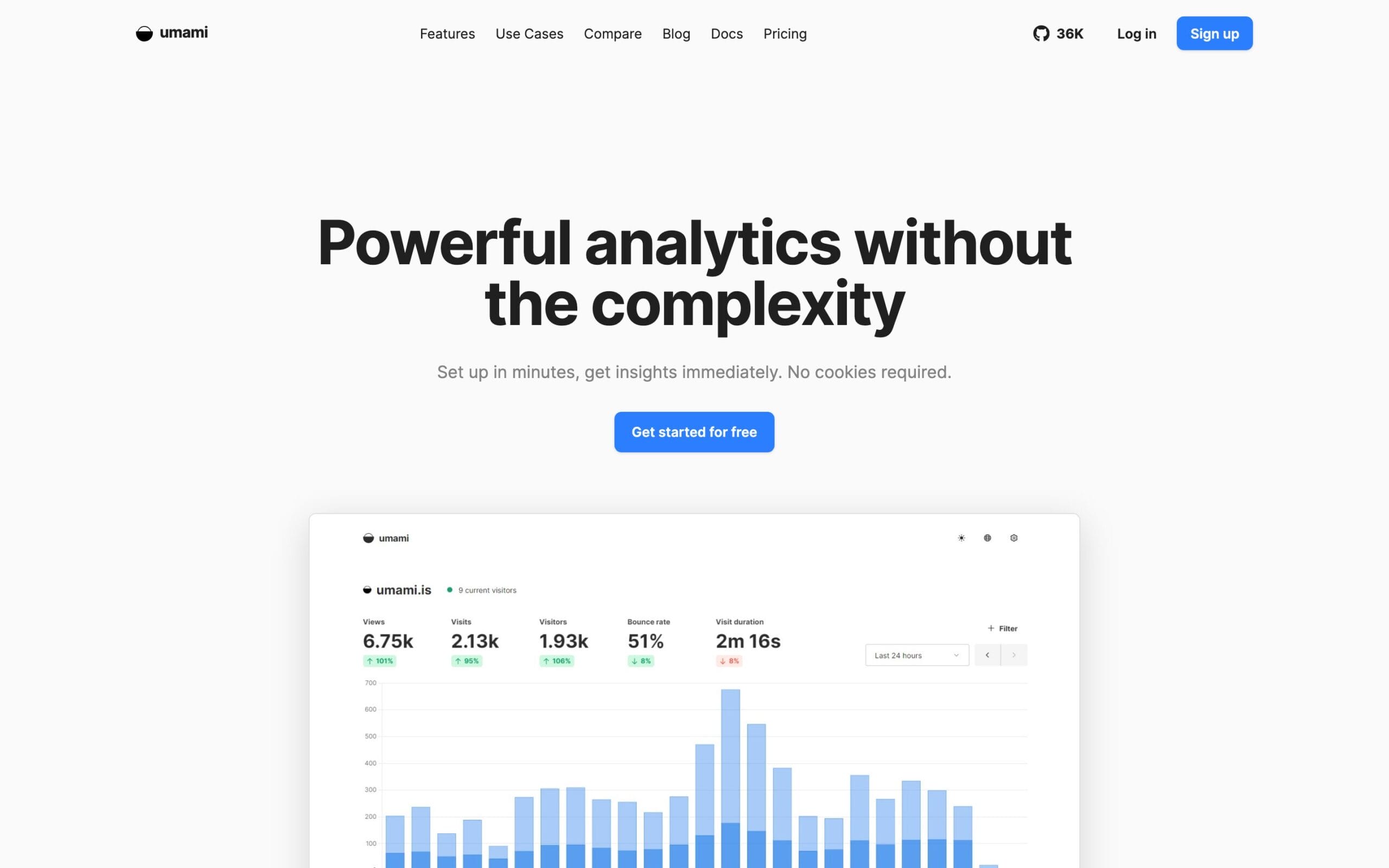
Umami is the open source darling of this category (36,000+ GitHub stars). MIT-licensed, cookieless, GDPR and CCPA compliant, and self-hostable on a $5 VPS with Node.js and PostgreSQL. The product moved fast through 2025 and 2026: funnels, user journeys, revenue attribution, and even session replays and heatmaps landed recently, features Plausible and Fathom still don’t offer at this price.
I installed it on my Racknerd hosting for a year, but the reporting was not as accurate as I expected. Also installing it on a custom server using Docker Containers other than the server which has my WordPress websites was a kind of diversion and a distraction.
Pricing: Umami Cloud’s Hobby plan is free for up to 3 websites and 100,000 events/month with 6-month retention. Pro is $20/month for 1 million events, 20 sites, 2-year retention, and 5,000 included session replays. Business jumps to $200/month for 10M events. Self-hosting is free forever.
The honest downside: there’s no first-party WordPress plugin. The best third-party connector, Integrate Umami, sits at 2,000 installs. Fine for developers, a hurdle for everyone else. Watch the billing unit too: every pageview and every stored event property counts as an “event.”
11. Clicky
Best for: real-time obsessives who want to watch individual visitors live.
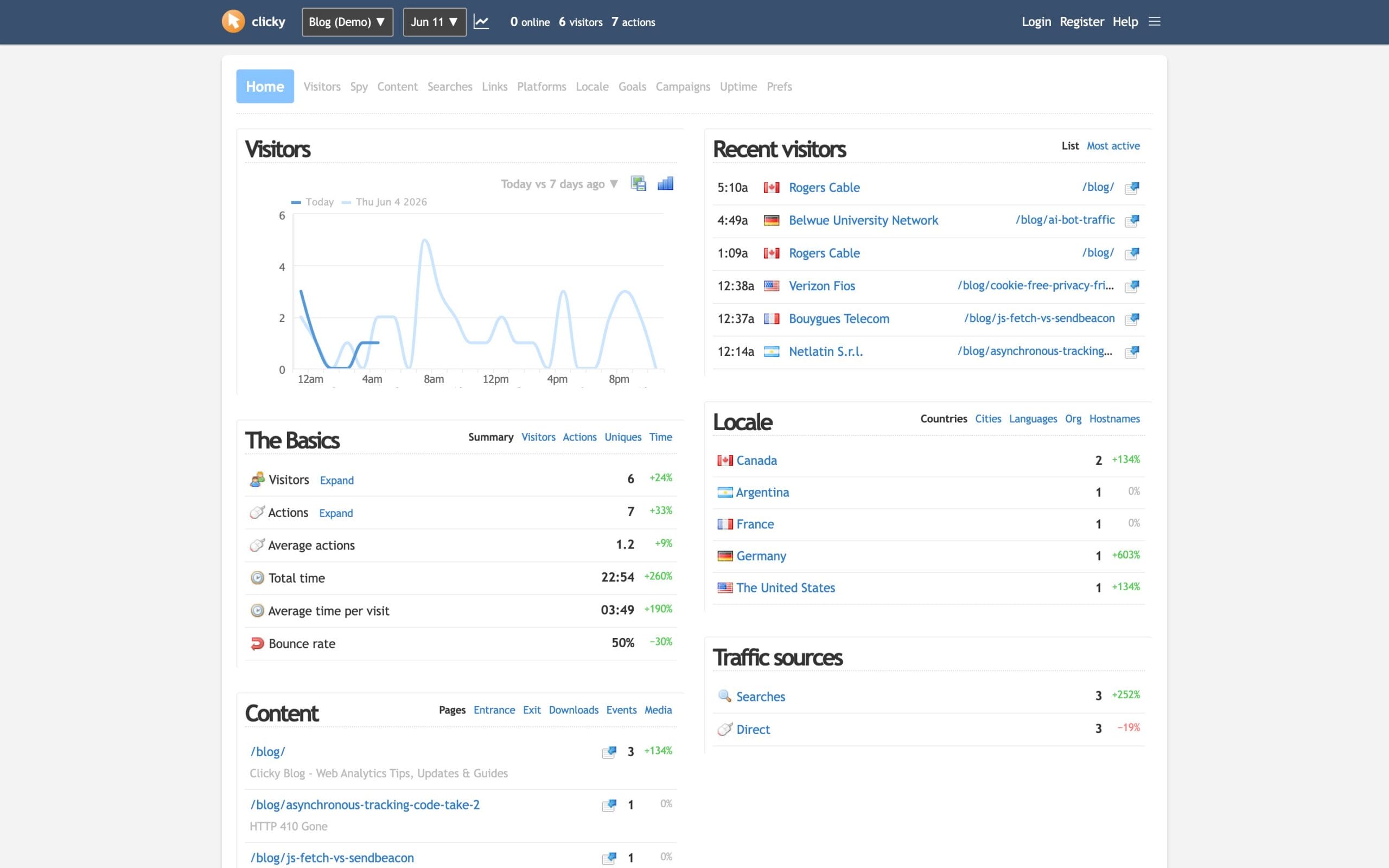
Clicky has been running since 2006, and its Spy view (a live feed of individual visitors moving through your site) still has no real equal among the privacy crowd. Goals, campaigns, heatmaps on higher tiers, and uptime monitoring round it out.
Pricing: free for one site up to 3,000 pageviews/day. Pro is $9.99/month or $79.99/year for 10 sites and 30,000 daily pageviews. Pro Plus ($14.99/month) adds heatmaps and uptime monitoring; Pro Platinum is $19.99/month for 30 sites and 100k daily views.
The honest downside: Clicky is the one tool here I’d call a legacy product. It sets cookies and tracks individuals, so it doesn’t get you out of consent banners. The interface looks like 2012. And the “Clicky by Yoast” WordPress plugin was last updated in April 2023, which means manual snippet installation in practice. I included it because the real-time view is genuinely unique, not because it’s modern. I have used this in past but not for a long time and I haven’t touched it in recent years.
Which Google Analytics Alternative Should You Pick?
Match the tool to your situation, not to a feature list:
- You run one or a few WordPress sites and want to own your data: Independent Analytics. Free to start, $49/year when you outgrow it.
- You manage client sites and sell privacy as a feature: Burst Statistics Agency ($199/year, unlimited sites) or Independent Analytics Agency lifetime.
- You want a SaaS dashboard across many properties: Fathom if you value flat pricing and forever retention, Plausible if EU residency and the cleanest UI win.
- You need GA4-level depth (funnels, heatmaps, recordings): Matomo self-hosted, or Umami Cloud Pro at $20/month.
- You publish a personal, non-commercial blog: Jetpack Stats free tier or Koko Analytics and call it done.
- Your budget is exactly zero on a commercial site: Independent Analytics, WP Statistics, or Koko, all free, all in your database.
One thing I tell every client: run the new tool alongside Google Analytics for a month before deleting anything. You’ll see the visitor-count gap with your own eyes (expect the new tool to report 15-35% more), and you’ll know exactly what you’re giving up. Usually it’s nothing you ever used. The same goes for the rest of your stack: most of the content marketing tools I recommend pair with any of these via simple event APIs.
And if you’d rather have someone set up conversion tracking, dashboards, and clean attribution for you, that’s literally what my analytics and tracking services exist for.
My Recommendation
After several years of running these tools in production, my answer is boring and confident: Independent Analytics for the WordPress sites you own, Fathom or Plausible when you need one dashboard across many domains – if you have the budget. That combination costs less per year than two months of a mid-tier GA4 consultant, shows you more of your real traffic, and never asks a visitor to click “Accept.”
Google Analytics isn’t evil. I still use it on some of my websites, and I like it. But it is not meant for everyone. It’s just built for advertisers, and you’re probably not one. The sites winning right now treat analytics like plumbing: small, reliable, owned. Pick one tool from this list, run it for 30 days next to GA4, and see which tab you stop opening. I already know how that experiment ends, because I ran it.
FAQs on Google Analytics Alternatives
Quick answers to the questions I get most often about switching away from GA4 on WordPress.
What is the best Google Analytics alternative for WordPress?
Independent Analytics is the best choice for most WordPress sites. It stores data in your own database, needs no consent banner, and the free version covers pages, referrers, devices, and real-time visitors. I run the Pro version ($49/year) on every site I own. For a SaaS dashboard across many sites, pick Plausible or Fathom.
Are Google Analytics alternatives GDPR compliant without a cookie banner?
Most are. Independent Analytics, Burst Statistics, Koko Analytics, WP Statistics, Plausible, Fathom, Umami, and Simple Analytics all track without cookies and anonymize IPs, so analytics alone doesn’t require a consent banner. Clicky is the exception: it sets cookies and tracks individual visitors, so consent rules still apply there.
Can I run a Google Analytics alternative alongside GA4?
Yes, and I recommend it for the first month. Both scripts can load on the same WordPress site without conflicts. Compare the visitor counts, confirm the new tool answers your actual questions, then remove GA4 along with its consent banner.
Why do privacy-friendly analytics tools show more visitors than Google Analytics?
Ad blockers. About 29.5% of internet users run one, and most block Google Analytics by default while leaving privacy-focused or first-party scripts alone. Plausible’s research found 58% of tech-savvy audiences block GA. Expect 15-35% more recorded visitors after switching.
What is the cheapest Google Analytics alternative for WordPress?
Free and genuinely good: Independent Analytics, WP Statistics, and Koko Analytics (plugins that store data in your database), Umami Cloud’s Hobby plan (100,000 events/month), and self-hosted Matomo or Umami. Cheapest paid plans: Plausible at $9/month or Independent Analytics Pro at $49/year.
Do analytics plugins slow down WordPress?
The tracking itself is light. Independent Analytics showed no measurable Core Web Vitals change on my sites, and Koko Analytics works behind every caching plugin. The real consideration is database growth on very high-traffic sites, so tune data retention. SaaS tools like Plausible (1.3 KB script) move all weight off your server.
Can I import my old Google Analytics data into these tools?
Plausible has a built-in Google Analytics import tool, and Matomo can import GA data as well. Plugin-based tools like Independent Analytics, Burst Statistics, and Koko Analytics start counting from the day you install them, so keep your GA4 property around as a read-only archive.
Tell Google you want more of this.
Add Gaurav Tiwari as a preferred sourceOne tap, and this site shows up more often in your own Top Stories, AI Overviews and AI Mode. Remove it any time.
Disclaimer: This site is reader-supported. If you buy through some links, I may earn a small commission at no extra cost to you. I only recommend tools I trust and would use myself. Your support helps keep gauravtiwari.org free and focused on real-world advice. Thanks. - Gaurav Tiwari
