
 by
by
Jetpack Stats pricing used to be a non-issue. You installed Jetpack, opened wp-admin, and saw traffic without touching Google Analytics. That changed when Automattic split Stats into personal/free access and commercial/paid access. A site with ads, affiliate links, donations, live chat, WooCommerce, or even a business-facing domain can now be treated as commercial.
The confusing part is that WordPress.com-hosted sites and self-hosted Jetpack sites follow different rules. WordPress.com Business and Commerce sites get Stats through their hosting plan, while self-hosted commercial sites hit Jetpack’s traffic tiers. I pulled the current docs, checkout reports, and support-thread confirmations into one place so you can see what is free, what is paywalled, and when switching makes more sense than paying.
Jetpack Stats Pricing: The Short Answer
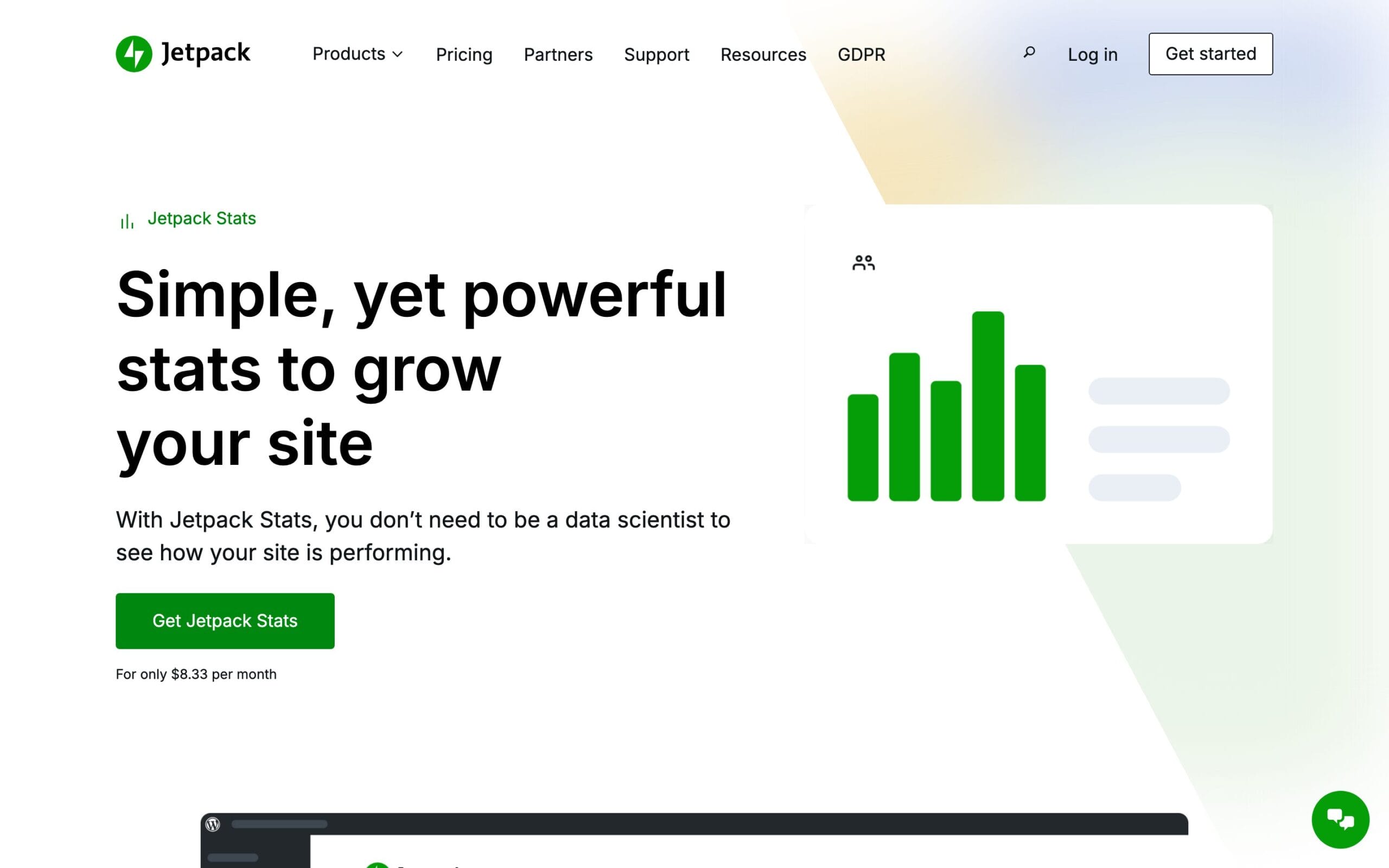
Jetpack Stats is free for personal, non-commercial sites at any traffic level. Commercial sites under 5,000 monthly views also get the dashboard free, minus a few advanced modules. Above that, commercial sites pay from $8.33/month billed yearly (about $100/year) for up to 10,000 monthly views, with higher tiers sold only at checkout. Reported checkout prices run from roughly $200/year at 100k views to $700/year at 1 million.
That paragraph took me a day to verify, because Jetpack publishes exactly one price ($8.33/month) and hides the rest behind a login. So here’s each piece, with receipts.
What Counts as a “Commercial Site”?
Almost everything. Jetpack’s official definition sounds reasonable: “A commercial site is one that you try to make or raise money from. This most commonly includes selling a product or service, soliciting donations or sponsorships, or showing ads or affiliate links.” Note that “soliciting donations” was added to that sentence after the original 2023 announcement, which only mentioned selling, ads, and affiliate links.
The support documentation goes further. Your site is commercial if it does any of these:
- Loads ad code (Google AdSense, Taboola, Infolinks, ExoClick)
- Contains affiliate links, even one
- Uses a live chat plugin or service
- Promotes a business or service
- Uses “a domain recognized as commercial”
- Accepts donations or runs a donation plugin
- Runs any ecommerce plugin or platform
Read that middle one again. A live chat widget makes your site commercial. A donation button on a non-profit makes it commercial, and yes, non-profits got caught by exactly this: a wordpress.org support thread documents a charity being flagged, with staff pointing them to the self-certification checkout flow. The category is wide enough that if you’re reading a blog post about analytics pricing, your site almost certainly qualifies.
The Jetpack Stats Pricing Tiers (Official and Reported)
Here’s the full ladder. Only the first paid tier has an officially published price; the rest were reported by users at checkout, and one was confirmed by Jetpack staff in a support thread. Treat them as accurate-this-week, verify at purchase.
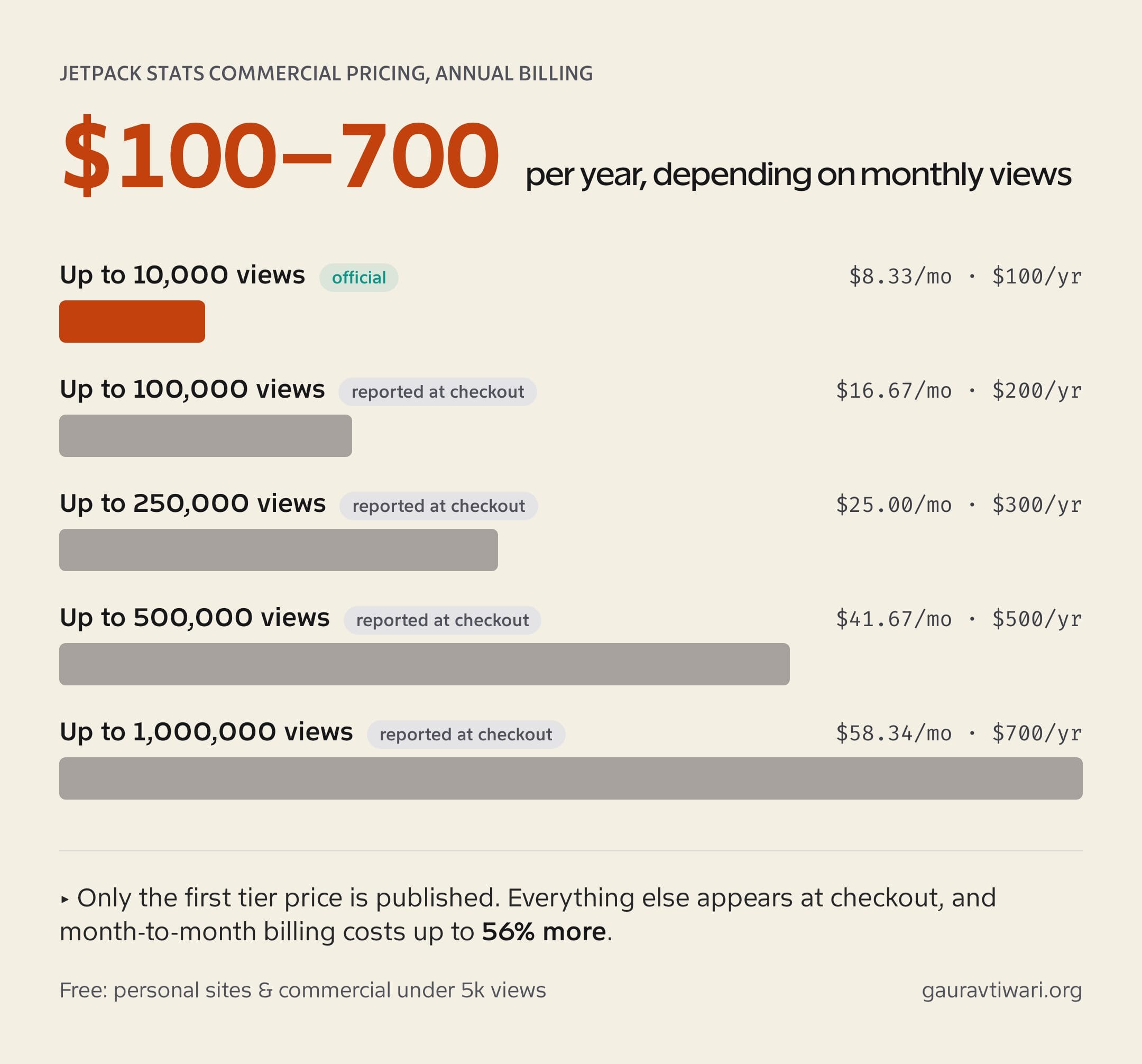
| Monthly views | Price (annual billing) | Per year | Status |
|---|---|---|---|
| Personal (non-commercial) | Pay what you can, $0 allowed | $0+ | Official |
| Commercial, under 5,000 | Free (limited modules) | $0 | Official |
| Up to 10,000 | $8.33/mo | ~$100 | Official |
| Up to 100,000 | $16.67/mo | ~$200 | Staff-confirmed in forum |
| Up to 250,000 | $25.00/mo | ~$300 | Reported at checkout |
| Up to 500,000 | $41.67/mo | ~$500 | Reported at checkout |
| Up to 1,000,000 | $58.34/mo | ~$700 | Reported at checkout |
| Beyond 1M | Surcharge per million views | varies | Tier official, price not |
Two traps hide in the billing. First, those are annual-billing rates: pay month-to-month and the 100k tier jumps from $16.67 to $25.95/month, a 56% premium that one user only discovered because the checkout page never showed the lower price next to it. A Jetpack staffer confirmed the discrepancy was monthly-vs-annual pricing. Second, the historical numbers wobble: in 2024 the 1M tier was reported at $950/year, while June 2026 reports say $700/year. Prices at checkout are the only prices that count.
One genuinely fair detail: Jetpack excludes your two highest-traffic days each month from the count. A single viral post won’t push you into the next tier by itself.
The 5,000-View Exemption Nobody Talks About
Buried in the current docs is the most useful sentence for small sites: commercial sites under 5,000 monthly views keep full dashboard access without paying. Only the advanced modules (UTM tracking, Regions & Cities, Devices) stay hidden, and you live with a permanent upgrade banner.
That exemption didn’t exist when the change rolled out, and it quietly defuses the worst horror stories. A new blog with affiliate links and 800 monthly visitors doesn’t owe Automattic $100/year. It owes them a banner impression.
How the Self-Certification Flow Actually Works
Jetpack doesn’t audit your site with a human. When you visit the Stats purchase screen at wordpress.com, you get a checkbox flow where you certify two things: that the site doesn’t have ads or sell products or services, and that it doesn’t promote a business. Tick both honestly and the pay-what-you-can slider appears, and yes, it goes to zero. A Jetpack staffer confirmed the contribution is optional: “You will be given the opportunity to make a contribution toward the service if you would like.”
Two warnings from someone who’s read the threads so you don’t have to. First, the free pay-what-you-can plan doesn’t include the commercial features (UTM tracking, Devices, Regions & Cities), even if you pay something. Second, certifying non-commercial while running affiliate links is the kind of lie that surfaces at the worst time, because the disqualifier list is automated-detection-friendly: ad scripts, ecommerce plugins, and known affiliate URL patterns are all machine-visible. Certify honestly or pay. There’s no clever third option.
What Happens If You Don’t Pay?
Nothing is deleted, and that surprises people. The official policy: exceed your tier (or stay unpaid as a commercial site over 5,000 views) and your dashboard gets restricted to 7-day highlights and 7-day traffic charts. The doc is explicit that “views will continue to be recorded fully and accurately; nothing is lost.” Pay later and the full history reappears.
For paid users who outgrow their tier, there’s a three-strikes rule: exceed the limit for three consecutive months and an upgrade becomes mandatory to keep the full service. Upgrades are prorated. Also worth knowing: logged-in admin visits, registered users, and search engine bots don’t count toward your view total at all.
WordPress.com Business Sites Are Different
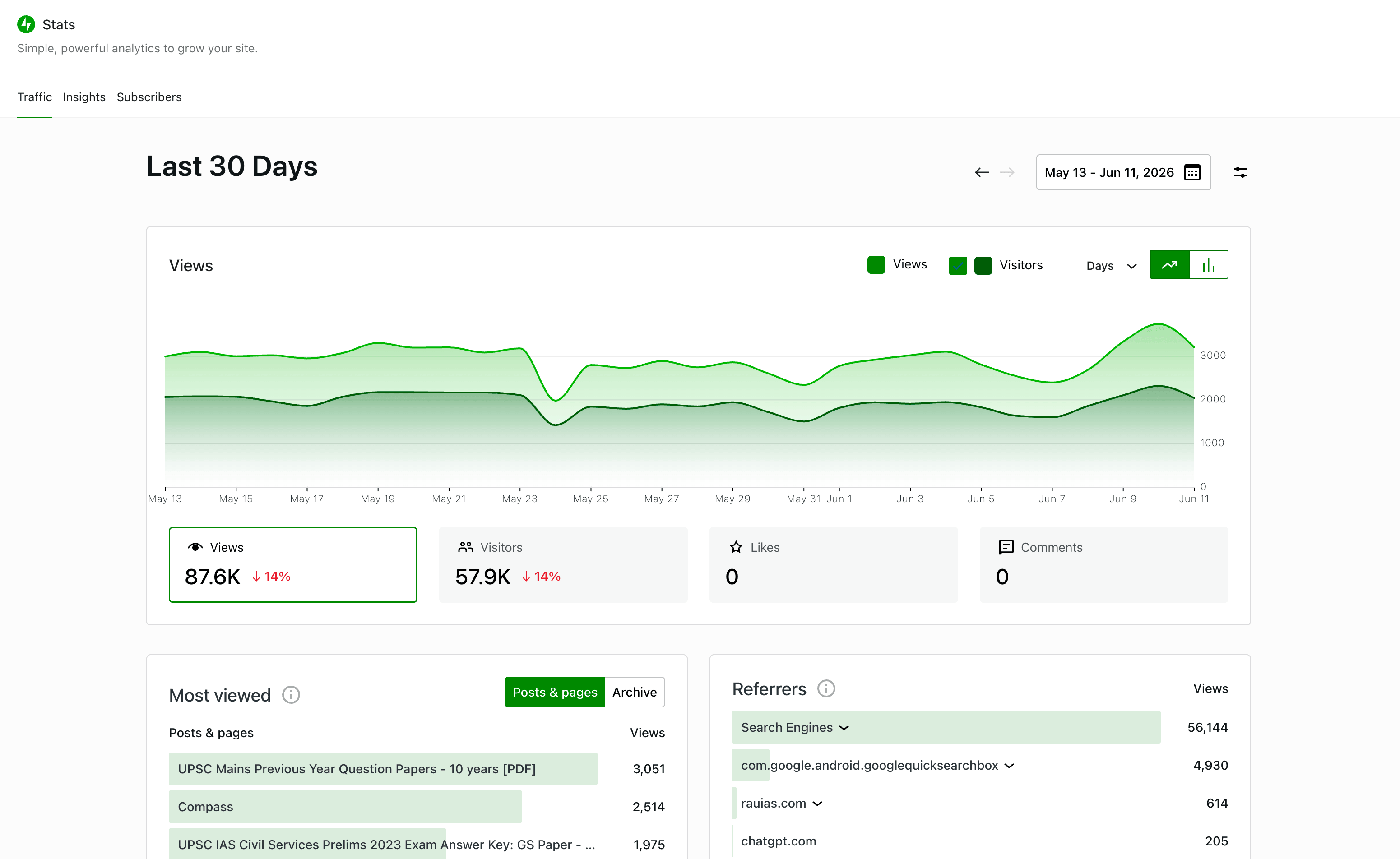
If your site is hosted on WordPress.com, do not read the self-hosted Jetpack pricing table too literally. WordPress.com uses WordPress.com plan rules, not Jetpack plugin plan rules. The current WordPress.com support docs say all WordPress.com sites include built-in analytics through Jetpack Stats. The separate commercial Jetpack Stats license is for self-hosted WordPress sites connected to Jetpack, not for a WordPress.com Business or Commerce site that is already paying for hosted WordPress.com infrastructure.
Here is the useful version: Free WordPress.com sites get the last 7 days of views, visitors, likes, and comment stats. Personal sites unlock all-time traffic, date-range filtering, and deeper insights. Premium and higher unlock the full suite, including UTM tracking and device stats. The Business plan includes everything in Premium, and Commerce includes everything in Business, so hosted Business and Commerce sites get those Stats features without buying a separate Jetpack Stats Commercial subscription.
What is still paywalled? On WordPress.com, the paywall is mostly the plan ladder itself. Free sites lose older history and date filtering. Personal unlocks the long-term view. Premium and higher unlock extras like UTM tracking, search terms, author traffic, device usage, and Google Analytics integration. Business and Commerce inherit that Premium Stats access. The remaining limits are product limits, not a second Stats subscription: site owners still cannot see individual visitors, raw logs are retained by Automattic for 28 days, and the “Most viewed” list plus CSV exports are capped at the top 500 posts and pages.
One practical difference: WordPress.com says Stats are enabled by default for all hosted sites. Plugin-enabled Business plan and higher sites can disable the Jetpack Stats module from Jetpack settings. The same doc says the module toggle is limited to Business plan upgrades, so lower WordPress.com plans do not get the same off switch.
Jetpack Stats Pricing vs the Alternatives
Pricing only means something next to the alternatives at the same traffic. So here’s the comparison Jetpack hopes you don’t run, using verified June 2026 prices for the most popular privacy-friendly analytics tools.
| Monthly traffic | Jetpack Stats | Independent Analytics | Plausible | Fathom | Koko / WP Statistics free |
|---|---|---|---|---|---|
| 10,000 views | ~$100/yr | $0 (free) or $49/yr Pro | $108/yr ($9/mo) | $150/yr ($15/mo, covers 100k) | $0 |
| 100,000 views | ~$200/yr | $0 or $49/yr Pro | $228/yr ($19/mo) | $150/yr | $0 |
| 1,000,000 views | ~$700/yr | $0 or $49/yr Pro | $828/yr ($69/mo) | $720/yr ($60/mo) | $0 |
Read the second column twice. Independent Analytics has no view limits at any tier because the data sits in your own WordPress database; the $49/year Pro price buys features (WooCommerce tracking, campaigns, click tracking), not permission to count your own visitors. At a million views, Jetpack charges roughly fourteen times more per year than IA Pro, and the free plugins charge nothing at all.
The SaaS tools tell a subtler story. Plausible and Fathom cost about the same as Jetpack at low traffic and stay competitive at scale, but both come with EU-friendly, cookieless tracking and zero “is my site commercial?” anxiety. Jetpack’s pricing isn’t outrageous against SaaS rivals. It’s outrageous against the plugin sitting in the same wp-admin, doing the same job, from your own database.
One more cost multiplier agencies should know: Jetpack Stats plans are per-site. There’s no agency tier and no unlimited-sites license. Ten client sites at the 10k tier is ten subscriptions, roughly $1,000/year, which is the exact use case where Independent Analytics’ $199/year unlimited-sites Agency plan or Burst’s $199/year Agency license exists. Tiers do stack on a single site though: Jetpack Complete includes the 100k tier, and an add-on extends it (100k included plus a 250k add-on equals 350k allowed views).
How We Got Here: A Short Timeline
The rollout took eighteen months and burned a lot of goodwill along the way.
- May 2023: “Introducing the all-new Jetpack Stats!” A redesign, still free for everyone.
- August 2023: “Changes to Jetpack Stats for Commercial Sites.” Commercial sites must pay, with an introductory flat $10/month. “Personal sites are staying free.”
- April 2024: tiered-pricing enforcement emails hit existing users with days of notice. The backlash wave starts.
- January 2025: “We are now rolling this change out to all existing users.” Grandfathered free commercial sites lose access; UTM tracking and devices reports ship as paid features.
- 2025-2026: the under-5,000-view exemption and the two-highest-days exclusion appear in the docs, softening the edges.
The community reaction wrote itself. One reviewer earning about $20 CAD a month from ads calculated that the license “would have to pay MORE annually than I MAKE,” and Jetpack staff replied that “there isn’t an exception for cases like yours.” Another called paying $300 AUD a year “to access basic stats, my stats” outrageous. A long-time user summarized the whole episode in one line: “now that Automattic wants us to pay for Jetpack Stats, it is readily obvious that the service is not worth paying for.”
Is Jetpack Stats Worth Paying For?
As a standalone purchase at $100/year for 10,000 views? No. That’s the honest answer, and the math isn’t close. Independent Analytics Pro costs $49/year, stores data in your own database, and has no view limits. The free versions of Independent Analytics, Koko Analytics, and WP Statistics cost nothing at any traffic level. I compared the whole field in my guide to Google Analytics alternatives for WordPress, and Jetpack Stats finished as the option for people who already had it, not people choosing fresh.
The one scenario where paying makes sense is the bundle. Jetpack Growth runs $9.95/month for the first year and includes the 10k Stats tier plus Social, newsletter features, and WordAds eligibility. If you were buying two of those anyway, Stats rides along nearly free, and tiers stack on bundles (Complete includes the 100k tier; add-ons extend it). Buy Stats because you want Jetpack. Never the other way around.
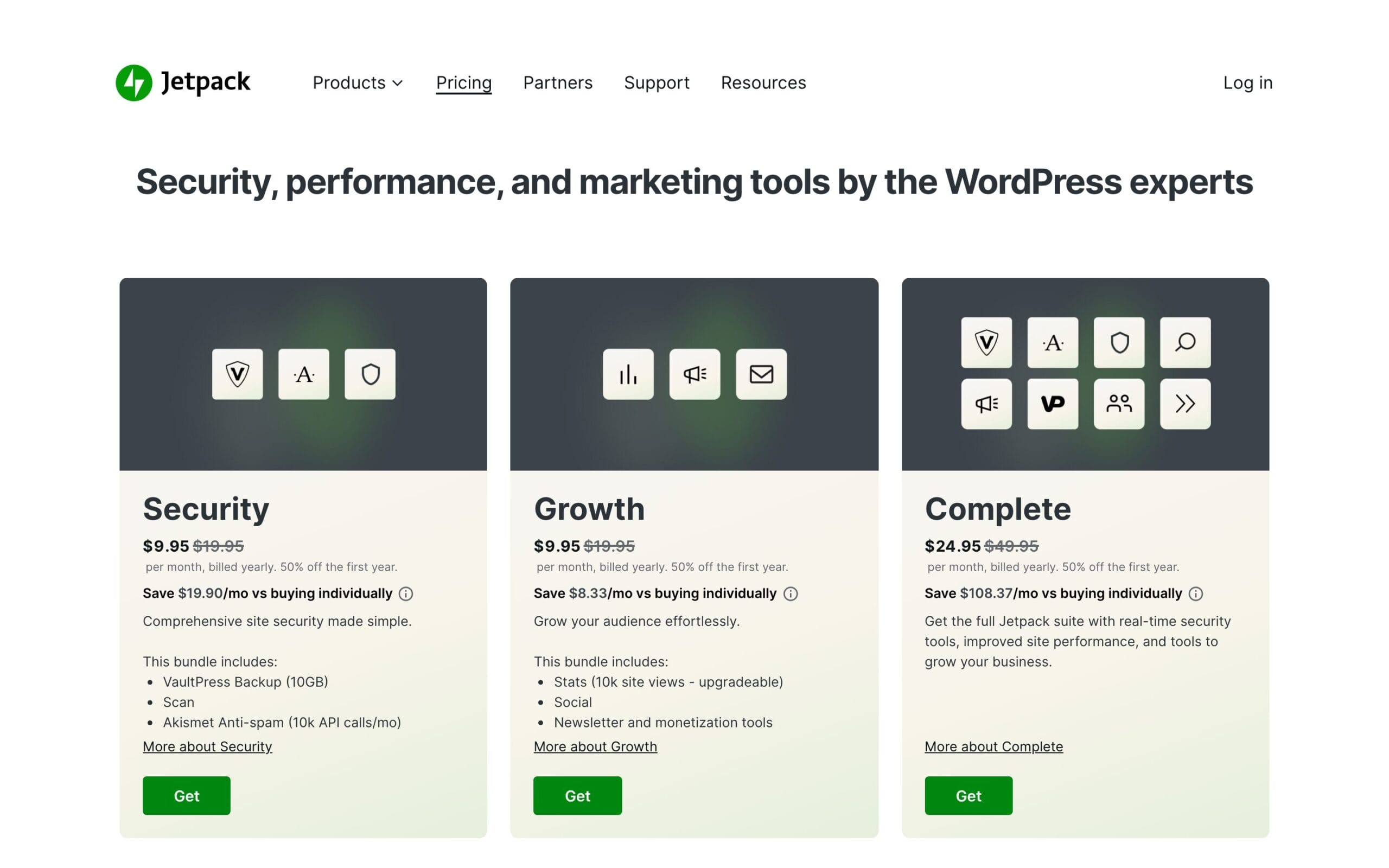
And to be fair to the product itself: the dashboard is genuinely pleasant, real-time works well, and the mobile app got hourly stats in late 2025. The complaint was never quality. It was being charged rent on numbers about your own site.
Privacy: Where Your Stats Actually Live
Jetpack Stats data is processed and stored on Automattic’s servers worldwide, with EU transfers covered by Standard Contractual Clauses (they never relied on Privacy Shield). Visitor tracking on the front end is cookie-free; the single Stats cookie, stnojs, lives in the admin area for two days. Raw logs with visitor IPs are kept by Automattic for 28 days, and identifying data is hidden from you as the site owner.
That’s a defensible setup, but it isn’t data ownership. Your numbers live in someone else’s building, and this whole pricing saga is what it looks like when the landlord renegotiates. If that bothers you, a plugin that writes to your own database (or a tool like Independent Analytics) ends the conversation permanently. For anything more involved, my analytics and tracking services handle migrations like this regularly.
The Policy Questions Jetpack Should Answer
I would not call this a proven legal violation from the outside. Jetpack is a SaaS service, the self-hosted plugin asks you to connect to WordPress.com, and Automattic publishes privacy documentation. But there are real policy tensions here, especially now that Stats is both a tracking service and a paywalled reporting product.
First, the WordPress.org plugin guidelines say plugins should not contact external servers or track users without explicit and authorized consent, usually through an opt-in, registration, or plugin setting. Jetpack’s self-hosted connection flow likely covers that for WordPress.org installs. WordPress.com-hosted sites are murkier from a user-choice angle because Stats are enabled by default, and lower plans do not get the module toggle. Platform terms may cover it, but “default on and not disableable” is not the same thing as clean, user-level choice.
Second, the WordPress.com Stats documentation makes clear this is not just cookie-free page counting. Automattic processes data such as IP address, WordPress.com user ID and username when logged in, user agent, visiting URL, referrer, event timestamp, browser language, and country code. Site owners only see aggregates, but the visitor data still moves through Automattic’s servers. That deserves a plain-language privacy-policy disclosure on any serious site.
Third, Jetpack separates data collection from data visibility. Its own free-or-paid policy says unpaid commercial sites over the threshold keep having views recorded fully and accurately, while the dashboard is limited to 7-day highlights and charts. That is not automatically illegal, but it does create a transparency problem: the service keeps processing the data, then charges the site owner to inspect most of it. Pair that with a commercial definition triggered by ads, one affiliate link, live chat, donations, ecommerce plugins, or a domain Jetpack recognizes as commercial, and the policy starts to feel less like pricing and more like leverage.
My practical recommendation is simple: if you keep Jetpack Stats, disclose it in your privacy policy, check whether your cookie or consent setup needs to mention server-side analytics in your jurisdiction, and verify whether your site is self-hosted or WordPress.com-hosted before paying. If you want maximum control, use Independent Analytics, Koko Analytics, Burst, or WP Statistics, because those keep the basic traffic record inside your WordPress database.
How to Switch Away Without Losing Your History
The trap that keeps people paying isn’t features. It’s fifteen years of traffic history they can’t bear to abandon. Here’s the migration play I use on client sites, and none of it requires drama:
- Export what matters now. Jetpack Stats offers CSV download of charts from the dashboard while you still have access. Grab yearly traffic, top posts, and top referrers. An hour of exporting preserves a decade of context.
- Install the replacement alongside, not instead. Independent Analytics or Koko runs happily next to Jetpack Stats. Nothing conflicts; you’re just double-counting for a while.
- Run both for one full month. Compare the numbers, learn the new dashboard, confirm nothing you actually use is missing.
- Then disable the Stats module in Jetpack’s settings (you can keep the rest of Jetpack: Backup, Akismet, and CDN all work without Stats).
What you lose is the old dashboard’s continuity, not your future data. And remember the 7-day-highlights rule works in your favor here: even an unpaid commercial site keeps recording views accurately, so if you ever come back, the history is intact. Automattic, to its credit, never holds your numbers hostage. It just charges admission to look at them.
The Bottom Line
Jetpack Stats pricing in 2026 is a free product for hobbyists, a $100-700/year subscription for everyone else, and a price list you mostly can’t read without logging in. The under-5,000-view exemption rescues small sites, the bundle math rescues Jetpack loyalists, and everyone else has better options for less.
The deeper lesson outlasts this product: any analytics tool that holds your data can re-price it. The 2023-2025 Jetpack rollout was a masterclass in how that feels from the paying side. Choose accordingly once, and you never have to read an article like this again.
FAQs on Jetpack Stats Pricing
The questions that fill Jetpack’s support forum, answered straight.
Is Jetpack Stats free?
For personal, non-commercial sites, yes, at any traffic level, via a pay-what-you-can plan that accepts $0. Commercial sites under 5,000 monthly views also get the dashboard free minus advanced modules. Above that, commercial sites pay from $8.33/month billed yearly.
How much does Jetpack Stats cost for a commercial site?
The official price is $8.33/month billed yearly (about $100/year) for up to 10,000 monthly views. Reported checkout prices: about $200/year for 100k views, $300 for 250k, $500 for 500k, and $700 for 1 million. Only the first tier is published; verify the rest at checkout.
What makes a site commercial in Jetpack’s eyes?
Any of: ads (AdSense, Taboola), affiliate links, selling products or services, accepting donations, promoting a business, running ecommerce plugins, using live chat, or even a domain recognized as commercial. The list is much broader than just running a store.
What happens if I don’t pay for Jetpack Stats?
Your dashboard gets limited to 7-day highlights and 7-day charts, but nothing is deleted. Jetpack’s docs confirm views continue to be recorded fully and accurately, so your history is intact if you ever upgrade.
Does Jetpack Stats use cookies or need a consent banner?
Front-end visitor tracking is cookie-free; the only Stats cookie (stnojs) is admin-area only. Data is processed on Automattic’s servers worldwide under Standard Contractual Clauses, and raw logs with IPs are kept for 28 days.
What is the best free alternative to Jetpack Stats?
Independent Analytics, Koko Analytics, or WP Statistics. All three are free WordPress plugins with no view limits that store data in your own database, so there’s no commercial-site licensing to worry about at all.
Do WordPress.com Business sites need to pay separately for Jetpack Stats?
No. If the site is hosted on WordPress.com Business, Commerce, or a higher WordPress.com plan, Jetpack Stats access is bundled into the hosted plan. Premium and higher include advanced Stats features, and Business includes Premium. A self-hosted WordPress site connected to Jetpack still follows Jetpack’s separate commercial Stats pricing.
Is Jetpack violating WordPress.org policy with Stats?
I would not make that claim without a code and policy audit. The concern is narrower: WordPress.org plugin rules require explicit consent for tracking and external-server contact. Self-hosted Jetpack likely relies on the WordPress.com connection flow for consent, while WordPress.com-hosted sites have Stats enabled by default and lower plans cannot disable the module. That is a transparency and consent concern, at minimum.
Tell Google you want more of this.
Add Gaurav Tiwari as a preferred sourceOne tap, and this site shows up more often in your own Top Stories, AI Overviews and AI Mode. Remove it any time.
Disclaimer: This site is reader-supported. If you buy through some links, I may earn a small commission at no extra cost to you. I only recommend tools I trust and would use myself. Your support helps keep gauravtiwari.org free and focused on real-world advice. Thanks. - Gaurav Tiwari
