
Best WP Rocket Alternatives to Switch To in 2026
WP Rocket has been my go-to caching plugin for years, but it's not the only option worth considering. Whether you need a free alternative, better compatibility with your hosting, or different optimization features, solid alternatives exist. I've tested the major WordPress caching plugins across client sites. Here are the best WP Rocket alternatives worth switching to in 2026.
 by
by
The best WP Rocket alternative for most WordPress sites is FlyingPress. GT Performance is my #2 pick, especially for a site portfolio where free coverage of every site and explicit cache safeguards matter more than a familiar dashboard.
That ranking is not an argument that WP Rocket has stopped working. WP Rocket remains one of the easiest paid performance plugins to configure, with broad hosting compatibility, mature documentation, and responsive support. My objection is narrower: a good default can still be the wrong tool when annual renewals, server fit, or control over Cloudflare and cache policy matter.
I moved my own sites to FlyingPress in October 2024 because its optimization model fit my stack better. I built GT Performance later for a different problem: safer ownership of the cache layers across a portfolio. It is free now. This roundup separates those use cases instead of pretending one plugin wins everywhere.
- Choose FlyingPress for the best all-around WP Rocket replacement.
- Choose GT Performance for site portfolios of any size, at no cost, with explicit commerce safeguards.
- Choose LiteSpeed Cache when your host runs LiteSpeed or OpenLiteSpeed and you want a capable free route.
WP Rocket Pricing in 2026: Fair for One Site, Less Obvious at Scale
WP Rocket pricing in 2026 starts at $59 per year for 1 website. That is a reasonable price if you want quick setup, compatibility, and support in one package. The decision changes when you already have server-level caching, manage many sites, or need a different edge-caching workflow.
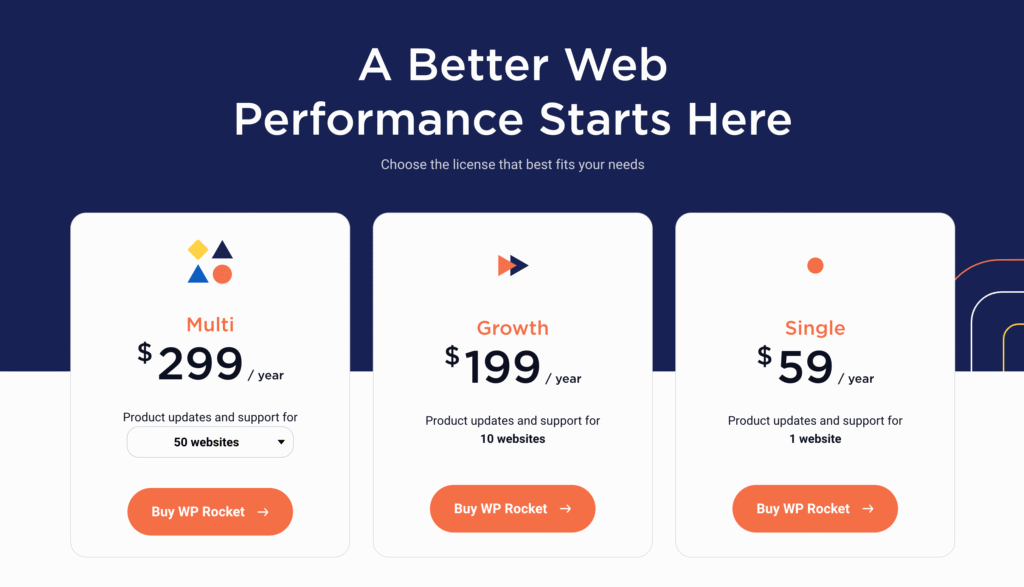
| Plan | Annual price | Sites | Budget in India | Best fit |
|---|---|---|---|---|
| Single | $59 | 1 | About ₹5,900 | One main site |
| Plus | $119 | 3 | About ₹11,900 | A small portfolio |
| Multi | $299 | 50 | About ₹29,900 | Agencies and freelancers |
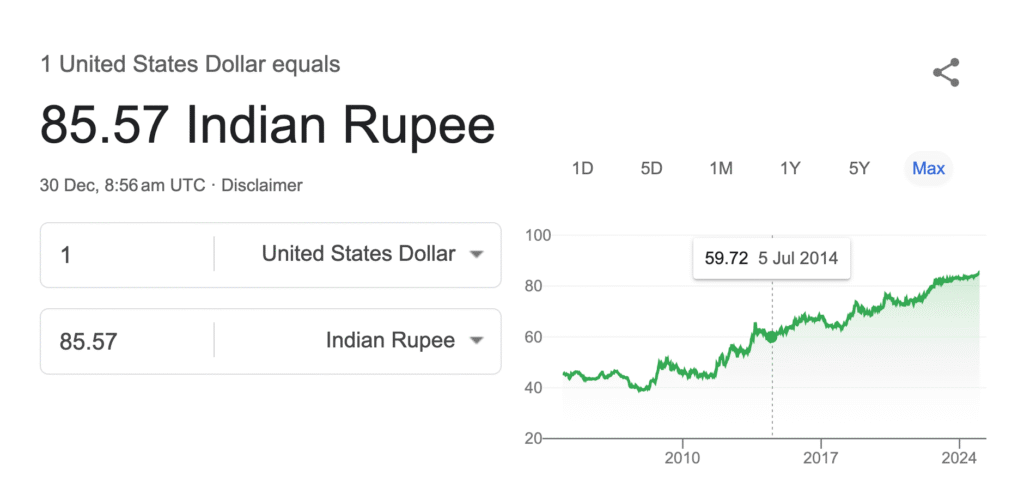
For Indian buyers, $1 is close to ₹100 once common card costs are considered. The market rate can sit in the mid-₹90s, but a typical 3.5% foreign-currency markup plus GST on that fee can push the effective card cost near ₹100 per dollar. Some cards charge less, so treat ₹100 as an honest budgeting shortcut, not a universal exchange rate.
- 14-day refund window: WP Rocket lets you benchmark the plugin and request a refund within 14 days.
- Automatic renewal: the license renews annually unless you disable auto-renewal.
- No monthly license: the plugin plans are annual.
- RocketCDN: the free tier covers 3 key pages. RocketCDN Pro costs $7.99 per month per domain or $79 per year and serves static files, not HTML.
Is WP Rocket Pricing Worth It in 2026?
Yes, for the right buyer. A single-site owner who values a polished setup and established support can reasonably pay $59 per year. WP Rocket is a safer recommendation than a pile of free plugins configured without a rollback plan.
I would switch only when the alternative solves a specific mismatch: FlyingPress for its optimization workflow and optional edge caching, GT Performance for cache-policy ownership across many sites at no cost, or LiteSpeed Cache because the host already provides the server layer it needs.
Best WP Rocket Alternatives

The best alternative is the one that matches your hosting layer, site count, and tolerance for configuration. My ranking rewards fit and recovery paths, not the longest feature list.
FlyingPress is the strongest replacement for most sites. GT Performance is #2 because it is free for every site and its explicit cache controls make more sense for a portfolio, although that recommendation comes with a clear founder disclosure.
FlyingPress
FlyingPress
Pros
- Broad server compatibility and a focused setup for Core Web Vitals work.
- FlyingCDN adds edge page caching and image optimization for $10 per domain per month.
- Used CSS is stored as a CSS file instead of being added to each page inline.
- A 14-day free trial lets you benchmark before the first charge.
- The Business plan covers 25 sites for $229 per year.
- The Unlimited plan costs $279 per year for agencies with larger portfolios.
Cons
- Its documentation library is smaller than WP Rocket's.
- The $59 single-site price is the same as WP Rocket's Single plan.
- FlyingCDN is a separate $10 monthly subscription per domain.
- Annual auto-renewal still applies unless you cancel.
Summary
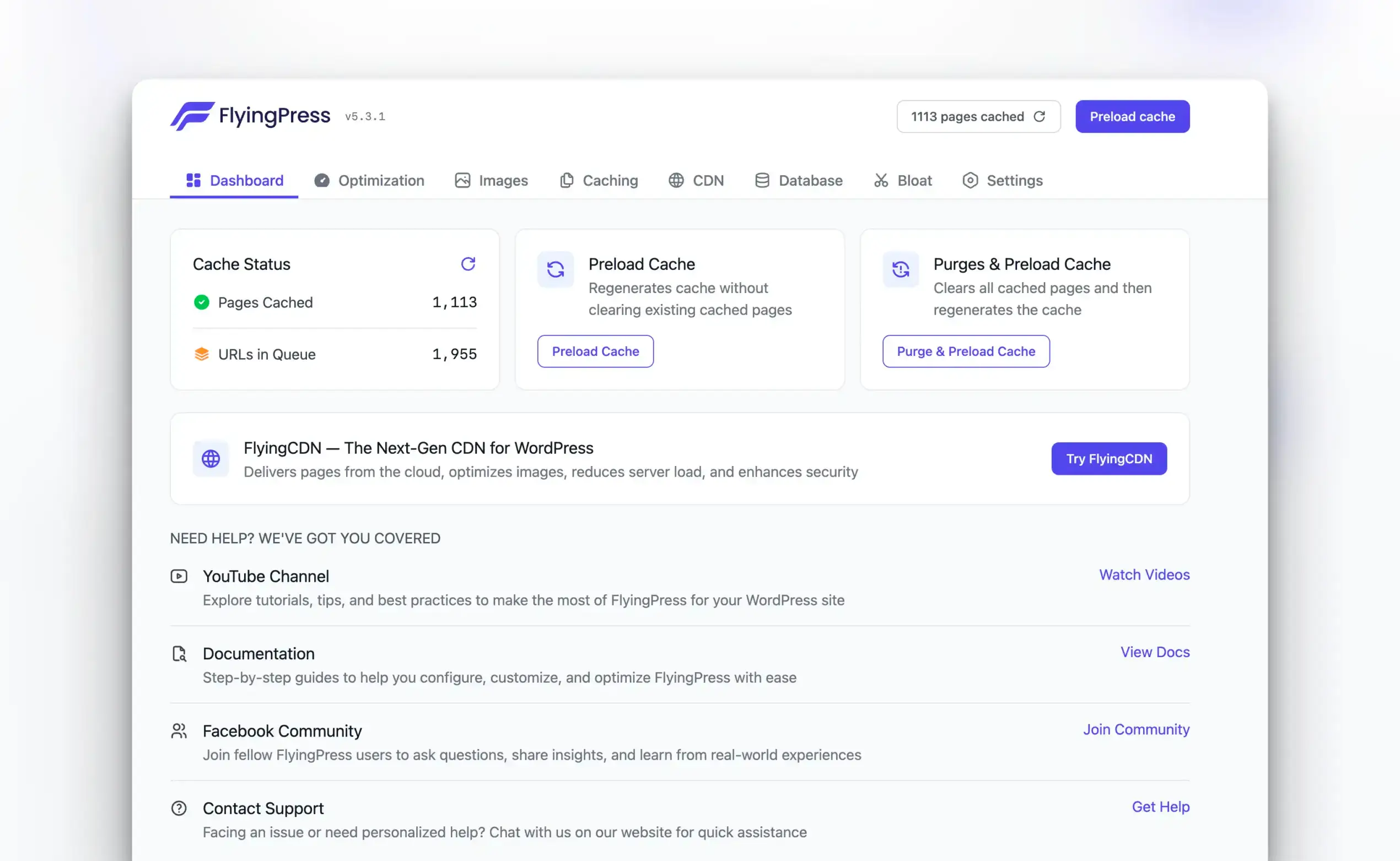
FlyingPress is my #1 WP Rocket alternative for most WordPress sites. Its $59 Starter plan combines page caching with modern front-end optimization and broad server compatibility. FlyingCDN is optional at $10 per domain per month. The main tradeoff is a smaller documentation and community ecosystem than WP Rocket.
Price: USD 59 /year
Get FlyingPressPrice: $59 per year for 1 site, with a 14-day free trial before the first charge.
FlyingPress is my #1 WP Rocket alternative because it changes the optimization workflow without making you rebuild the entire stack. You get page caching, JavaScript deferral, lazy rendering, font optimization, and visibility into cache generation in one interface.
Why FlyingPress ranks first
- Fewer moving parts: the core plugin handles the front-end optimizations most site owners otherwise assemble from several tools.
- Useful CSS behavior: generated used CSS is cacheable as a file instead of being repeated inline on every page.
- Optional edge layer: FlyingCDN costs $10 per domain per month and adds edge page caching, image optimization, and 100GB of bandwidth.
- Honest limitation: its ecosystem is smaller than WP Rocket’s, so unusual compatibility cases may require more direct support.
Do not switch for a prettier dashboard or a synthetic score. Use the 14-day trial, compare uncached and cached behavior, and keep the plugin only if the real site improves without breaking personalized flows.
GT Performance
GT Performance is my #2 WP Rocket alternative for site portfolios. I built it, so treat this as a founder’s recommendation and judge the fit from the cache policy and recovery controls below.
GT Performance is free for every WordPress site you run, with updates through WordPress.org. It combines WordPress-aware page caching, targeted Cloudflare Free purges, server-side unused CSS, optional Redis object caching, and diagnostics that explain why a request was cached or bypassed.
- Choose it over WP Rocket when you manage several sites and want to replace annual per-site renewals with a free plugin.
- Choose it for commerce when cart, checkout, account, session, and logged-in bypass policy must be explicit.
- Skip it for now when you cannot stage the change, keep a backup, or test personalized flows before production.
No cache plugin can infer every private flow correctly. Stage the change and verify checkout, account, LMS, membership, and personalized pages before production.
Get GT Performance free if recurring portfolio costs are the reason you are leaving WP Rocket.
LiteSpeed Cache
LiteSpeed Cache

Pros
- Completely free with all features
- Server-level caching for best performance
- QUIC.cloud CDN and image optimization
- Object caching and database optimization
Cons
- Best performance only on LiteSpeed servers
- Complex settings for beginners
- QUIC.cloud CDN has usage limits
- The exclusive page-cache features require a LiteSpeed server or QUIC.cloud.
Summary
The best free WP Rocket alternative when the site runs on LiteSpeed or OpenLiteSpeed. Its general optimization features work on other servers, but the exclusive page-cache layer needs a matching server or QUIC.cloud.
Price: Free. QUIC.cloud services use separate quotas or paid usage.
LiteSpeed Cache is my #3 pick and the best free option when the server matches it. The plugin can optimize assets on Apache or Nginx, but the exclusive full-page cache advantage belongs to LiteSpeed, OpenLiteSpeed, or QUIC.cloud.
- Choose it: when your host already runs LiteSpeed or OpenLiteSpeed.
- Main benefit: server-aware page caching plus object-cache and front-end controls in one free plugin.
- Main cost: the settings surface is dense, and QUIC.cloud services have quotas.
Confirm the web server before installing it. A LiteSpeed-branded plugin on an Apache or Nginx host is not the same caching proposition.
Perfmatters
Perfmatters
Pros
- Excellent script manager to disable bloat
- Works alongside any caching plugin
- Extremely lightweight: no performance overhead
- Local Google Analytics and font hosting
Cons
- Not a standalone caching solution
- No page caching built in
- Per-site pricing
- Some features overlap with caching plugins
Summary
Perfmatters ranks fourth as a companion, not a direct WP Rocket replacement. Its value is granular script control, WordPress bloat removal, local font tools, and lazy loading beside a page cache you already trust.
Price: USD 29.95 /year
Try PerfmattersPrice: $29.95 per year for 1 site.
Perfmatters is #4 because it solves a different problem well. Use it to stop scripts, features, fonts, and database clutter from loading where they are not needed, then let another tool own page caching.
- Choose it: when script-level control is the missing layer in your stack.
- Pair it carefully: with FlyingPress, LiteSpeed Cache, or another cache only after disabling overlapping features.
- Skip it: when you need one plugin to provide the full page cache by itself.
Two optimization plugins can undo each other’s work. Assign one owner for page cache, minification, delay, lazy loading, and unused CSS.
Hummingbird
Hummingbird

Pros
- Good free version available
- Performance scanning and recommendations
- Asset optimization and minification
- Integrates with Smush for images
Cons
- Best features need WPMU DEV membership
- Not as effective as FlyingPress
- Can conflict with other optimization plugins
- CDN requires paid membership
Summary
Hummingbird ranks fifth for buyers who want a guided freemium toolkit with page caching, asset optimization, reports, and a safe mode. The free plan covers the basics; delayed JavaScript, critical CSS, and the CDN sit in paid plans.
Price: Free; Pro Basic lists at $60 per year and may be discounted.
Hummingbird is #5 for buyers who prefer a guided dashboard and WPMU DEV’s wider ecosystem. Its free plan covers page caching and several baseline optimizations; the Pro value is delayed JavaScript, critical CSS, and CDN delivery.
- Choose it: when reports, a setup wizard, and safe-mode controls matter more than maximum granularity.
- Free-plan fit: basic caching, asset work, database cleanup, and monitoring.
- Paid-plan catch: the most consequential rendering and CDN features require a subscription.
Do not pay for a suite feature you already receive from your host, CDN, or image plugin. Map the overlap first.
WP Super Cache
WP Super Cache

Pros
- Completely free from Automattic
- Simple setup with minimal configuration
- Reliable and well-maintained
- Good for basic caching needs
Cons
- No CSS/JS optimization
- No image optimization
- Basic compared to modern alternatives
- No unused CSS removal or critical CSS
Summary
WP Super Cache ranks sixth as the simplest free page-cache choice in this list. It generates static HTML and offers a recommended Simple mode, but it does not replace a modern CSS, JavaScript, or image optimization layer.
Price: Free.
WP Super Cache is #6 and still useful when the job is simply to serve static HTML instead of rebuilding the same WordPress page for every anonymous visitor. Its recommended Simple mode keeps setup understandable.
- Choose it: for a blog or mostly static site that needs dependable page caching.
- Main benefit: a small scope that is easier to reason about and recover.
- Main limitation: you need separate tools for CSS, JavaScript, fonts, and images.
Use Simple mode unless you understand the server rules changed by Expert mode. Faster is not safer when the recovery path is unclear.
W3 Total Cache
W3 Total Cache

Pros
- Most configuration options available
- Supports multiple CDN providers
- Object and database caching included
- Free with most features available
Cons
- Very complex configuration
- Can break sites if misconfigured
- Interface is overwhelming
- Better modern alternatives available
Summary
W3 Total Cache ranks seventh for advanced users who want page, object, database, browser, and CDN controls in one plugin. That depth is the benefit and the risk: a careless configuration can add complexity without improving the real site.
Price: Free; Pro is available.
W3 Total Cache is #7 for users who want to tune several caching layers from WordPress. It can be precise, but the interface exposes enough controls to make a weak configuration look sophisticated.
- Choose it: when you understand page, browser, object, database, and CDN caching as separate layers.
- Main benefit: granular control over a complex hosting stack.
- Main limitation: more switches create more interactions to document and debug.
Enable one layer at a time. A checkbox is not proof that the server, application, and CDN agree on cache ownership.
Jetpack Boost
Jetpack Boost
Pros
- Extremely simple one-click optimization
- Critical CSS generation
- Image CDN included free
- No configuration needed
Cons
- Limited optimization options
- Not a full caching solution
- Advanced features need paid plan
- Less control than dedicated plugins
Summary
Jetpack Boost ranks eighth for site owners who want simple front-end improvements with little setup. It is useful for critical CSS, image delivery, and JavaScript optimization, but it offers less cache-policy control than a dedicated caching suite.
Price: Free; paid upgrades are available.
Jetpack Boost is #8 for readers who want low-friction front-end optimization. It is closer to a guided Core Web Vitals helper than a full WP Rocket replacement with deep page-cache controls.
- Choose it: when critical CSS, image delivery, and JavaScript optimization are the visible bottlenecks.
- Main benefit: a short setup path for non-technical site owners.
- Main limitation: less ownership of cache rules, exclusions, and server behavior.
A good PageSpeed score does not prove that logged-in, cart, search, or personalized pages are cached correctly.
Swift Performance AI
Swift Performance AI

Pros
- AI-powered automatic configuration
- Combined caching and optimization
- Image optimization included
- Database cleanup tools
Cons
- The public Lite changelog has moved more slowly than the leading alternatives.
- Performance below top alternatives
- AI features are basic
- Community support is limited
Summary
A broad caching and optimization plugin with page cache, preloading, asset controls, database cleanup, and an automatic setup path. It ranks lower here because the public Lite changelog has moved more slowly than the leading alternatives.
Price: Free Lite plugin; paid version available.
Swift Performance AI is #9 because the feature set remains broad, but the public Lite changelog has moved more slowly than the leaders in this roundup. That makes update cadence part of the buying decision, not a footnote.
- Choose it: only if its plugin organizer and combined optimization workflow match a specific need.
- Main benefit: page caching, preloading, asset controls, and database cleanup in one interface.
- Main limitation: a slower public Lite release cadence and a smaller current support footprint.
Treat automatic configuration as a starting point. Keep a rollback path for JavaScript, CSS, and plugin-organizer rules.
Cache Enabler
Cache Enabler

Pros
- Extremely simple and lightweight
- WebP image serving support
- Minimal configuration needed
- Free and open source
Cons
- Very basic feature set
- No CSS/JS optimization
- No image optimization
- It offers fewer all-in-one optimization features than broader suites.
Summary
Cache Enabler ranks tenth as a focused disk-cache plugin. It creates static HTML, clears cache intelligently, and can pre-compress pages, but it deliberately leaves broader CSS, JavaScript, and image work to other tools.
Price: Free.
Cache Enabler is #10 because it stays narrow: create static HTML on disk, clear it predictably, and avoid turning a cache plugin into a control panel for every performance concern.
- Choose it: when you want a lightweight disk cache and already own the asset layer elsewhere.
- Main benefit: minimal configuration, smart cache clearing, and pre-compression support.
- Main limitation: no full CSS, JavaScript, font, or image optimization suite.
Pair narrow tools only when each has a named job. Otherwise simplicity turns into a stack of overlapping plugins.
WP Rocket Alternatives Compared
This comparison is built for a decision, not a feature-count contest. Start with your hosting layer and site count, then accept the tradeoff that comes with the price.
| Rank | Alternative | Best for | Starting price | Main tradeoff |
|---|---|---|---|---|
| Top pick #1 | FlyingPress | Most WordPress sites | $59/year | Same single-site price as WP Rocket; FlyingCDN is $10/month |
| #2 | GT Performance | Portfolios and commerce-aware caching | Free (GPL), unlimited sites | Founder-owned pick; stage and verify private flows |
| #3 | LiteSpeed Cache | LiteSpeed or OpenLiteSpeed hosting | Free | Its exclusive page-cache layer needs a matching server or QUIC.cloud |
| #4 | Perfmatters | Script control beside an existing cache | $29.95/year | Not a standalone page-cache replacement |
| #5 | Hummingbird | A guided freemium toolkit | Free; Pro available | Critical CSS, delayed JavaScript, and CDN features are paid |
| #6 | WP Super Cache | Simple static page caching | Free | Needs separate tools for CSS, JavaScript, and images |
| #7 | W3 Total Cache | Advanced cache configuration | Free; Pro available | More settings mean more ways to misconfigure the stack |
| #8 | Jetpack Boost | Simple front-end improvements | Free; paid upgrades | Less cache-policy control than a dedicated caching suite |
| #9 | Swift Performance AI | A broad free optimization toolkit | Free; paid version | The public Lite changelog has had a slower update cadence |
| #10 | Cache Enabler | Lightweight disk caching | Free | Pair it with a separate asset optimizer when needed |
FAQs About WP Rocket Alternatives
What is the best WP Rocket alternative in 2026?
FlyingPress is the best WP Rocket alternative for most WordPress sites because it combines page caching, front-end optimization, broad server compatibility, and a 14-day free trial. GT Performance is my #2 pick for site portfolios because it is free for every site. I built GT Performance, so compare that founder recommendation against your own hosting and cache-policy needs.
Is there a free alternative to WP Rocket?
Yes. LiteSpeed Cache is the strongest free alternative when the site runs on LiteSpeed or OpenLiteSpeed because its exclusive page-cache features can use the server layer. Its general optimization features work on other servers, but the full caching advantage does not. WP Super Cache is the simpler free option when you only need reliable static page caching.
Should I switch from WP Rocket?
Switch only if another plugin solves a specific mismatch. Keep WP Rocket if its $59 annual price, setup, compatibility, and support suit one main site. Consider FlyingPress for a different optimization and edge-caching workflow, GT Performance for explicit cache controls at no cost, or LiteSpeed Cache when your host already provides the matching server layer.
Can I use Perfmatters instead of WP Rocket?
Not as a direct replacement. Perfmatters is an optimization plugin, not a full page-caching replacement. Its script manager, WordPress bloat controls, local font tools, and lazy loading can complement a cache plugin. Pair it only when the features do not overlap or fight each other.
What is the difference between FlyingPress and WP Rocket?
Both start at $59 per year for 1 site and both target page caching and front-end optimization. FlyingPress offers a 14-day free trial and an optional FlyingCDN plan at $10 per domain per month for edge page caching and image optimization. WP Rocket offers a 14-day refund window, a larger documentation ecosystem, and a free RocketCDN tier for 3 key pages.
Is LiteSpeed Cache better than WP Rocket?
LiteSpeed Cache can be the better value on LiteSpeed or OpenLiteSpeed hosting because the plugin is free and can use the server’s native cache. On Apache or Nginx, its general optimization features still work, but the exclusive server-cache advantage is unavailable. Server fit decides this comparison.
Why should Indian buyers budget ₹100 for $1?
The quoted USD/INR market rate is not always the amount that reaches a card statement. With the dollar in the mid-₹90s, a common 3.5% foreign-currency markup plus GST on that fee can bring the effective cost close to ₹100 per dollar. Low-forex cards may cost less, so check your card’s schedule of charges.
Which plugin is best for Core Web Vitals?
No performance plugin can guarantee a Core Web Vitals pass. Hosting response time, theme output, fonts, images, third-party scripts, layout stability, traffic, and cache hit rate all affect field data. FlyingPress is my first paid choice for most sites, while LiteSpeed Cache is the first free choice on LiteSpeed hosting. Measure your own templates and real-user data before committing.
Tell Google you want more of this.
Add Gaurav Tiwari as a preferred sourceOne tap, and this site shows up more often in your own Top Stories, AI Overviews and AI Mode. Remove it any time.
Disclaimer: This site is reader-supported. If you buy through some links, I may earn a small commission at no extra cost to you. I only recommend tools I trust and would use myself. Your support helps keep gauravtiwari.org free and focused on real-world advice. Thanks. - Gaurav Tiwari
