
 by
by
The best WooCommerce plugins solve one expensive store problem each. For most builds, I start with Stripe for payments, PDF Invoices & Packing Slips for documents, and MailPoet only when the store wants email inside WordPress. Everything else has to earn its place.
That is the opposite of installing a 30-plugin bundle because a checklist said every store needs wishlists, funnels, loyalty points, bookings, subscriptions, and three shipping calculators. Overlap creates more checkout risk than value.
This shortlist comes from work across 100+ WooCommerce store builds, followed by a fresh check of product documentation, WordPress.org maintenance, current prices, and WooCommerce compatibility. I have separated products with production experience from newer additions reviewed editorially, so you can see the difference.
Prices are starting prices and can change. Confirm the renewal price, site limit, refund policy, and the exact feature tier before buying.
Disclosure: Some links are affiliate links. I may earn a commission at no extra cost to you. Rankings are not based on commission rates.
The Short Answer: Build a Small Core Stack
My default starting stack: WooCommerce Stripe for payments, PDF Invoices & Packing Slips for documents, and MailPoet when the store needs WooCommerce email marketing. Add CartFlows only for a checkout or funnel problem. Add Subscriptions only for recurring billing.
- Every store: one payment gateway, one invoicing workflow, backups, security, and performance monitoring.
- Conversion-led store: add CartFlows after measuring a checkout problem.
- Recurring revenue: add WooCommerce Subscriptions and test renewal failures.
- Physical fulfillment: choose one shipping-rule plugin and one delivery-slot plugin only if required.
- Large catalog: add search, inventory, bulk management, or analytics according to the bottleneck.
Pair the plugin stack with solid hosting and a lean storefront. My guides to WooCommerce hosting, WooCommerce themes, and WordPress speed optimization cover those layers.
One plugin breaks the one-plugin-per-job rule on purpose, and I should say up front that I built it. Stackless for WooCommerce looks like the 30-plugin bundle I warned about above, but it works the other way round: every module has its own switch, and a module that’s switched off loads no code. You turn on subscriptions or a wishlist when the store needs one and the rest stays out of the checkout. It costs $39 a year or $99 once at the early adopter price, on unlimited sites, and I’ve noted below which picks it can replace. My breakdown of WooCommerce extension costs prices the same jobs bought one extension at a time.
How I Selected These WooCommerce Plugins
A popular plugin is not automatically the right plugin. The best WooCommerce extensions earn their place by solving a defined store problem without duplicating the stack. I weighted the decision around that fit and the cost of owning the extension after installation.
- Problem fit, 30%: Does it solve a specific store requirement without duplicating another plugin?
- Maintenance and compatibility, 25%: Is it actively maintained, and does the vendor document current WooCommerce behavior?
- Performance and failure risk, 20%: What happens to the cart, checkout, cron jobs, database, and front end?
- Support and documentation, 15%: Can a store operator diagnose and recover when the configuration goes wrong?
- Value, 10%: Does the ongoing license or SaaS cost match the operational or commercial value?
Production experience means the product was already part of my published client-store shortlist. Editorial review means I added or reassessed it through official documentation, current maintenance data, feature tiers, and fit, without pretending that desk research is hands-on use. My broader scoring rules are on the review methodology page.
The compatibility baseline for this review is WordPress 7.0.2 and WooCommerce 10.9.4. WooCommerce treats core version support, Cart and Checkout Blocks, High-Performance Order Storage (HPOS), the Product Editor, and the Site Editor as separate compatibility surfaces. A vendor badge is useful evidence, but it does not replace an end-to-end staging test with your gateway, taxes, shipping, coupons, emails, and order states.
Compatibility Checks That Change the Recommendation
Do not treat “WooCommerce compatible” as “works with my checkout.” HPOS and Checkout Blocks are separate decisions, and checkout-sensitive plugins can support one without supporting the other.
- WooCommerce Subscriptions: The official marketplace currently declares compatibility with HPOS and Cart and Checkout Blocks.
- Advanced Coupons: The vendor documents HPOS adoption and Cart and Checkout Blocks support, including auto-apply behavior.
- Order Delivery Date Pro: Tyche documents its delivery-date field for Checkout Blocks, but delivery schedules still need testing against the store’s shipping and payment setup.
- PluginHive Bookings: The vendor says recurring bookings and require-confirmation flows are not compatible with Checkout Blocks. Use classic checkout for those workflows or choose a different booking architecture.
- Every checkout-sensitive extension: Confirm the declaration in WooCommerce system status, then test a successful order, failed payment, refund, cancellation, renewal, and relevant customer emails on staging.
20 Best WooCommerce Plugins Compared
These 20 best WooCommerce plugins cover the most common gaps without pretending every store needs every feature. Use the table to narrow the list before reading the detailed picks. The cost column shows the current starting model, not a lifetime ownership estimate.
| Plugin | Best for | Starting cost | Main drawback |
|---|---|---|---|
| 1. WooCommerce Stripe Payment Gateway | Most stores that want cards and digital wallets without a gateway license fee. | The plugin is free. Stripe still charges payment-processing fees. | Available methods, settlement, disputes, and fees depend on the Stripe account and country. |
| 2. CartFlows | Stores that need custom checkout flows, order bumps, upsells, or funnel testing. | A free version is available. Paid plans start at $99 per year. | Upsells and extra funnel steps create more places for caching, gateway, and tracking conflicts. |
| 3. WooCommerce Subscriptions | Memberships, subscription boxes, replenishment products, and recurring services. | $279 per year for the one-year plan. | Automatic renewals depend on gateway support, and failed-payment recovery needs deliberate setup. |
| 4. Advanced Coupons for WooCommerce | Stores whose promotion rules have outgrown WooCommerce's basic coupons. | Free core; Premium starts at $99.50 for the first year and renews at $199. | Overlapping coupon rules can conflict, and a technically correct promotion can still destroy margin. |
| 5. PDF Invoices & Packing Slips for WooCommerce | Stores that need reliable order documents without building a custom PDF workflow. | The core plugin is free; paid extensions and bundles add advanced workflows. | An invoice plugin does not decide the legal invoice fields or tax rules required in your country. |
| 6. MailPoet | Small and mid-sized stores that want WooCommerce email marketing inside WordPress. | Starter is free for up to 500 subscribers and 5,000 emails per month; paid plans scale with subscribers. | Pricing rises with list size, and complex CRM or sales-pipeline logic may need a different platform. |
| 7. FiboSearch | Stores where customers search by product name, SKU, attribute, or brand. | Free core; FiboSearch Pro starts at $59 for the first year. | Pro tiers are limited by site count and catalog size, so a very large catalog costs more. |
| 8. Customer Reviews for WooCommerce | Product stores that need a structured post-purchase review request. | Basic is free; Professional is $59.99 per year plus applicable VAT for one domain. | The verified-review workflow and CusRev branding should be reviewed before sending it to customers. |
| 9. WPLoyalty | Stores with enough repeat-purchase behavior to justify points or referrals. | A free version is available; the one-site Pro plan is $105 per year. | Points are a financial liability. Poor expiry or redemption rules can create support problems and margin leakage. |
| 10. YITH WooCommerce Wishlist | Fashion, gifting, furniture, and considered-purchase catalogs. | A free version and a paid Premium version are available. | Do not assume the marketing and automation features shown on the sales page are included in the free plugin. |
| 11. WooCommerce Product Addons by Acowebs | Personalized, made-to-order, measured, engraved, or configurable products. | Free core; one-site Pro starts at $49 per year. | Complex fields can affect price, tax, stock, cart display, email, invoice, and refund behavior. |
| 12. ATUM Inventory Management for WooCommerce | Catalogs that need serious stock control before moving to a separate ERP. | The core plugin is free; specialist add-ons are sold separately. | A full operational setup can become several connected add-ons rather than one simple plugin. |
| 13. Smart Manager for WooCommerce | Store managers who make frequent bulk changes across products, orders, or customers. | A free version is available; Smart Manager Pro is $199 per year for one site. | A wrong filter or bulk rule can alter thousands of records. Backups and a reversible workflow are mandatory. |
| 14. Metorik | Growing stores that need clearer reporting, cohorts, profit, and subscription analytics. | There is a 30-day trial; the Starter plan begins at $25 per month and pricing scales with average monthly orders. | It is a recurring SaaS cost, and multiple stores are billed on combined order volume. |
| 15. WooCommerce Table Rate Shipping | Stores whose rates depend on destination, weight, class, price, or item count. | $119 per year from the WooCommerce Marketplace. | Overlapping tables can produce duplicate, missing, or unexpectedly cheap rates. |
| 16. Order Delivery Date Pro for WooCommerce | Local delivery, food, flowers, gifts, pickup, and capacity-limited fulfillment. | A free core is available; the one-store Pro plan is $119 per year. | The free and Pro versions are not interchangeable. Advanced schedules and Checkout Block support belong in the Pro evaluation. |
| 17. Bookings and Appointments for WooCommerce by PluginHive | Appointments, classes, rentals, venues, equipment, and bookable services. | $149 per year for a single-site license. | Recurring bookings and require-confirmation flows currently require classic checkout; unusual scheduling rules may need add-ons or custom work. |
| 18. WPML Multilingual & Multicurrency for WooCommerce | Stores that need translated products, checkout, emails, currencies, and payment logic. | The connector is free. WPML Multilingual CMS, which includes e-commerce support, costs €99 per year. | Automatic translation credits, theme compatibility, extension compatibility, and ongoing translation QA add cost. |
| 19. WooCommerce EU VAT Compliance | Stores that need VAT evidence, rate tools, reports, or B2B VAT-number handling. | A free version and a paid Premium version are available. | Taxability, registration, thresholds, invoice language, and record retention remain legal and accounting questions. |
| 20. Google for WooCommerce | Physical-product stores that need a Merchant Center feed and free Google listings. | The extension is free. Advertising spend is separate. | Missing GTINs, poor images, policy violations, shipping data, and tax data can still cause product disapprovals. |
Payments, Checkout, Subscriptions, and Promotions
These plugins change money movement or the checkout path. Treat them as high-risk changes: stage them, use sandbox accounts, and test real order states before launch.
1. WooCommerce Stripe Payment Gateway
Best for: Most stores that want cards and digital wallets without a gateway license fee. Review basis: Production experience.

WooCommerce Stripe Payment Gateway
- Cards, Apple Pay, and Google Pay
- Official WooCommerce integration
- No plugin license fee
Stripe is my default payment starting point because it keeps card and wallet payments inside a familiar WooCommerce workflow without adding a paid plugin license.
- What it does: Accepts cards, Apple Pay, Google Pay, and supported local payment methods.
- Cost: The plugin is free. Stripe still charges payment-processing fees.
- Watch for: Available methods, settlement, disputes, and fees depend on the Stripe account and country.
My take: Enable only the payment methods your customers will recognize. More logos do not automatically make checkout better, and every method still needs a real test order.
2. CartFlows
Best for: Stores that need custom checkout flows, order bumps, upsells, or funnel testing. Review basis: Production experience.

- Custom checkout layouts
- Order bumps and one-click upsells
- A/B testing on higher plans
CartFlows is one of the best WooCommerce checkout plugins when the default cart-to-checkout path is the actual bottleneck. It is not a required plugin for every store.
- What it does: Builds checkout funnels, custom fields, order bumps, upsells, downsells, and thank-you steps.
- Cost: A free version is available. Paid plans start at $99 per year.
- Watch for: Upsells and extra funnel steps create more places for caching, gateway, and tracking conflicts.
- One-plugin option: Stackless covers order bumps with cart rules and 5 ready-made checkout layouts. Keep CartFlows when you need upsell pages and full funnels.
My take: Use it after you can point to a checkout problem or a clear average-order-value test. A simple store with a clean native checkout may not need it.
3. WooCommerce Subscriptions
Best for: Memberships, subscription boxes, replenishment products, and recurring services. Review basis: Production experience.

- Flexible billing schedules
- Automatic and manual renewals
- Cart and Checkout Blocks compatible
WooCommerce Subscriptions is still the safest default when recurring billing must live inside WooCommerce and work with its broader extension ecosystem.
- What it does: Supports weekly, monthly, annual, and custom billing schedules with renewal management.
- Cost: $279 per year for the one-year plan.
- Watch for: Automatic renewals depend on gateway support, and failed-payment recovery needs deliberate setup.
- One-plugin option: the Stackless Subscriptions module renews automatically through its own Stripe, PayPal, Polar and Paddle gateways, with retries on a schedule you set. It pauses itself while WooCommerce Subscriptions is active, so a store with live subscribers there should stay put for now.
My take: The current extension supports Cart and Checkout Blocks. Still test sign-up, renewal, upgrade, downgrade, cancellation, refund, and failed-payment paths before launch.
4. Advanced Coupons for WooCommerce
Best for: Stores whose promotion rules have outgrown WooCommerce’s basic coupons. Review basis: Production experience.

Advanced Coupons for WooCommerce
- BOGO and cart conditions
- URL and auto-apply coupons
- Cart and Checkout Block support
Advanced Coupons is useful when discounts need cart conditions, scheduling, URLs, BOGO logic, store credit, or automatic application instead of another coupon-code field.
- What it does: Adds BOGO offers, cart conditions, URL coupons, store credit, scheduling, and auto-apply in Premium.
- Cost: Free core; Premium starts at $99.50 for the first year and renews at $199.
- Watch for: Overlapping coupon rules can conflict, and a technically correct promotion can still destroy margin.
My take: Build promotions from margin and eligibility rules first. Then configure the plugin. Premium supports WooCommerce Cart and Checkout Blocks.
Documents, Email, Search, Reviews, and Retention
This group improves what happens before and after checkout: discovery, product configuration, email, documents, reviews, wishlists, and repeat purchases.
5. PDF Invoices & Packing Slips for WooCommerce
Best for: Stores that need reliable order documents without building a custom PDF workflow. Review basis: Production experience.
PDF Invoices & Packing Slips for WooCommerce
- Automatic PDF invoices
- Bulk invoice and packing slip output
- 300,000+ active installs
PDF Invoices & Packing Slips covers a boring but important operational gap: creating consistent invoice and fulfillment documents from WooCommerce orders.
- What it does: Creates PDF invoices, packing slips, numbering, templates, and bulk document output.
- Cost: The core plugin is free; paid extensions and bundles add advanced workflows.
- Watch for: An invoice plugin does not decide the legal invoice fields or tax rules required in your country.
- One-plugin option: Stackless Custom Invoices handles the invoices you send before payment, numbered and with a pay link, including deposits and recurring invoices. Packing slips still need this plugin.
My take: The plugin has more than 300,000 active installs. Have an accountant validate the final document format before relying on it.
6. MailPoet
Best for: Small and mid-sized stores that want WooCommerce email marketing inside WordPress. Review basis: Editorial review.
MailPoet earns a place because a store needs more than transactional receipts. It handles customer lists, abandoned carts, follow-ups, newsletters, and email delivery without forcing a separate marketing dashboard.
- What it does: Adds WooCommerce customer lists, abandoned-cart emails, first-purchase flows, segmentation, and email customization.
- Cost: Starter is free for up to 500 subscribers and 5,000 emails per month; paid plans scale with subscribers.
- Watch for: Pricing rises with list size, and complex CRM or sales-pipeline logic may need a different platform.
My take: MailPoet is the cleaner choice when the team lives in WordPress. Compare it with the best WordPress email marketing plugins before moving a large or highly segmented list.
7. FiboSearch
Best for: Stores where customers search by product name, SKU, attribute, or brand. Review basis: Editorial review.
FiboSearch is a practical upgrade over basic catalog search, especially when product discovery is failing before shoppers ever reach a product page.
- What it does: Adds autocomplete, product images, prices, SKU search, and an indexed search engine in Pro.
- Cost: Free core; FiboSearch Pro starts at $59 for the first year.
- Watch for: Pro tiers are limited by site count and catalog size, so a very large catalog costs more.
My take: Search quality is measurable. Track zero-result queries, common misspellings, and search-to-purchase behavior before and after deployment.
8. Customer Reviews for WooCommerce
Best for: Product stores that need a structured post-purchase review request. Review basis: Editorial review.
Customer Reviews for WooCommerce, also called CusRev, turns review collection into a repeatable order workflow instead of waiting for customers to remember.
- What it does: Sends review invitations, accepts photo and video reviews, and can issue coupons after reviews.
- Cost: Basic is free; Professional is $59.99 per year plus applicable VAT for one domain.
- Watch for: The verified-review workflow and CusRev branding should be reviewed before sending it to customers.
My take: Start without aggressive incentives. If you add a coupon, disclose the incentive and accept negative feedback just as readily as positive feedback.
9. WPLoyalty
Best for: Stores with enough repeat-purchase behavior to justify points or referrals. Review basis: Production experience.

- Points and rewards
- Referral and birthday campaigns
- Customer reward pages
WPLoyalty is a focused rewards system for points, referrals, tiers, birthdays, and redemption inside WooCommerce.
- What it does: Runs points, rewards, referrals, VIP levels, birthday rewards, expiry, and customer reward pages.
- Cost: A free version is available; the one-site Pro plan is $105 per year.
- Watch for: Points are a financial liability. Poor expiry or redemption rules can create support problems and margin leakage.
My take: Do not add loyalty because it sounds good. Add it when repeat purchase data shows a reward can change behavior without discounting every order.
10. YITH WooCommerce Wishlist
Best for: Fashion, gifting, furniture, and considered-purchase catalogs. Review basis: Production experience.
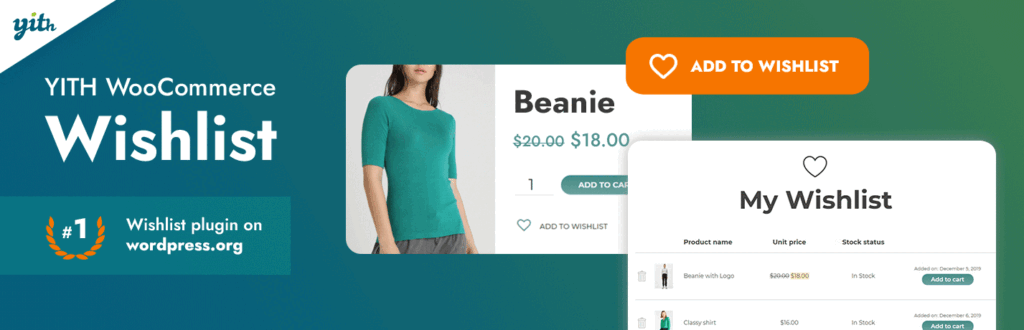
- Free basic wishlist
- Shareable saved products
- Premium marketing automation
YITH WooCommerce Wishlist handles the basic save-for-later job well and has a clear upgrade path for stores that want wishlist-driven marketing.
- What it does: The free tier adds a basic wishlist; Premium adds multiple lists, price tracking, analytics, and promotional emails.
- Cost: A free version and a paid Premium version are available.
- Watch for: Do not assume the marketing and automation features shown on the sales page are included in the free plugin.
- One-plugin option: the Stackless Wishlist module gives guests and customers a wishlist that merges on sign-in, with share links and one-click move to cart.
My take: A wishlist is useful only when it shortens the return path. Make the saved list easy to find on mobile and test variable products carefully.
11. WooCommerce Product Addons by Acowebs
Best for: Personalized, made-to-order, measured, engraved, or configurable products. Review basis: Production experience.

WooCommerce Product Addons by Acowebs
- 22+ field types in Pro
- Conditional product options
- Custom price formulas
WooCommerce Product Addons by Acowebs is the exact plugin name to look for. It adds customer input and price logic where normal variations become unwieldy.
- What it does: Pro includes 22+ field types, conditional logic, uploads, selectors, and custom price formulas.
- Cost: Free core; one-site Pro starts at $49 per year.
- Watch for: Complex fields can affect price, tax, stock, cart display, email, invoice, and refund behavior.
- One-plugin option: Stackless Fields & Paid Add-ons covers checkbox, dropdown, text and number fields with per-item or one-off prices. Keep Acowebs for uploads and price formulas.
My take: Build one complete product flow on staging before rolling it across the catalog. Verify the final option data everywhere an order appears.
Inventory, Management, and Analytics
Operational plugins should reduce manual work without hiding data quality problems. Set permissions, backups, and ownership before giving a team bulk-editing power.
12. ATUM Inventory Management for WooCommerce
Best for: Catalogs that need serious stock control before moving to a separate ERP. Review basis: Editorial review.
ATUM gives WooCommerce a more capable inventory workspace and lets a store add multi-inventory, purchase orders, manufacturing, logs, or barcodes as operations mature.
- What it does: The free core improves stock control; paid add-ons cover multi-inventory, purchase orders, BOM, exports, logs, and barcodes.
- Cost: The core plugin is free; specialist add-ons are sold separately.
- Watch for: A full operational setup can become several connected add-ons rather than one simple plugin.
My take: ATUM is a good middle step when spreadsheets are failing but a full ERP would be premature. Map warehouses, suppliers, stock states, and ownership before configuring it.
13. Smart Manager for WooCommerce
Best for: Store managers who make frequent bulk changes across products, orders, or customers. Review basis: Production experience.
- Spreadsheet-style editing
- Bulk product and order changes
- Undo tools in Pro
Smart Manager replaces repetitive edit screens with a spreadsheet-style admin. That is a major time saver on large catalogs, but it also makes large mistakes easier.
- What it does: Bulk edits products, variations, orders, coupons, users, custom fields, and other post types.
- Cost: A free version is available; Smart Manager Pro is $199 per year for one site.
- Watch for: A wrong filter or bulk rule can alter thousands of records. Backups and a reversible workflow are mandatory.
My take: Use saved filters, small batches, and exports before risky operations. Pro’s undo tools help, but they are not a substitute for a database backup.
14. Metorik
Best for: Growing stores that need clearer reporting, cohorts, profit, and subscription analytics. Review basis: Editorial review.
Metorik is the reporting upgrade I would evaluate before stacking several dashboard plugins inside WordPress. It moves analysis to a dedicated SaaS interface.
- What it does: Adds real-time reports, segments, cohorts, profit tracking, subscription reports, forecasts, exports, and email automation.
- Cost: There is a 30-day trial; the Starter plan begins at $25 per month and pricing scales with average monthly orders.
- Watch for: It is a recurring SaaS cost, and multiple stores are billed on combined order volume.
My take: Use it when a decision depends on customer, product, cohort, or profit data that the native WooCommerce reports do not make easy to answer.
Shipping, Delivery, and Bookings
The best WooCommerce shipping plugins model a real fulfillment rule. Start with the rule, write test cases, and then choose the extension that expresses it.
15. WooCommerce Table Rate Shipping
Best for: Stores whose rates depend on destination, weight, class, price, or item count. Review basis: Production experience.
WooCommerce Table Rate Shipping
- Multiple rate tables per zone
- Weight, class, price, and item rules
- Per-order and per-item calculations
WooCommerce Table Rate Shipping is the right upgrade when flat rate cannot express the real fulfillment rule.
- What it does: Creates multiple rate tables per zone with per-order, per-item, per-line, and per-class calculations.
- Cost: $119 per year from the WooCommerce Marketplace.
- Watch for: Overlapping tables can produce duplicate, missing, or unexpectedly cheap rates.
My take: Write the shipping rules in plain English first. Then test a matrix of zones, weights, classes, quantities, coupons, free-shipping thresholds, and mixed carts.
16. Order Delivery Date Pro for WooCommerce
Best for: Local delivery, food, flowers, gifts, pickup, and capacity-limited fulfillment. Review basis: Production experience.
Order Delivery Date Pro for WooCommerce
- Delivery and pickup schedules
- Cutoffs, capacity, and charges
- Checkout Block compatible
Order Delivery Date Pro solves scheduling at checkout: which dates and time slots a customer may choose, how many orders fit, and what urgent delivery should cost.
- What it does: Adds delivery and pickup schedules, cutoffs, holidays, capacity, charges, reminders, and calendar views.
- Cost: A free core is available; the one-store Pro plan is $119 per year.
- Watch for: The free and Pro versions are not interchangeable. Advanced schedules and Checkout Block support belong in the Pro evaluation.
- One-plugin option: Stackless Delivery & Pickup Slots adds weekly time windows with capacity per slot, lead time, closed dates and per-shipping-method rules, on both checkouts.
My take: Do not pair it with a second plugin that solves the same delivery-date problem. One source of truth for capacity and cutoffs is easier to operate.
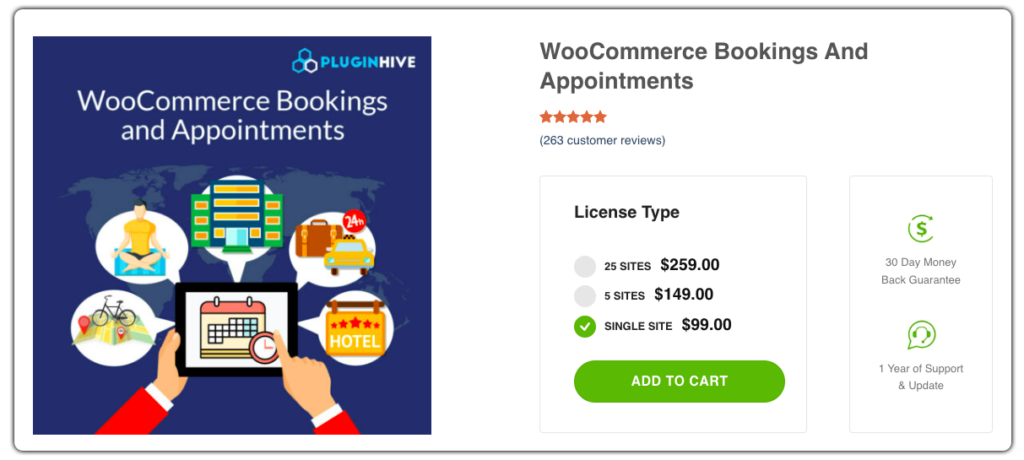
17. Bookings and Appointments for WooCommerce by PluginHive
Best for: Appointments, classes, rentals, venues, equipment, and bookable services. Review basis: Production experience.
Bookings and Appointments for WooCommerce by PluginHive
- Appointments, rentals, and services
- Resources and participant pricing
- Calendar synchronization
Bookings and Appointments for WooCommerce by PluginHive is the exact product and vendor name. It turns a WooCommerce product into a booking system without replacing the store.
- What it does: Handles slots, participants, resources, seasonal pricing, availability, and calendar synchronization.
- Cost: $149 per year for a single-site license.
- Watch for: PluginHive says recurring bookings and require-confirmation flows are not compatible with Checkout Blocks. Use classic checkout for those workflows, and budget for add-ons or custom work when the scheduling model is unusual.
My take: Model the booking unit first: time, participant, room, resource, or rental period. The wrong unit makes every later price and availability rule harder. If the store already uses Checkout Blocks, resolve the classic-checkout requirement before buying.
International Selling and Product Discovery
Translation, tax, and marketplace feeds cross organizational boundaries. These tools help, but they do not replace translation review, tax advice, or Merchant Center policy work.
18. WPML Multilingual & Multicurrency for WooCommerce
Best for: Stores that need translated products, checkout, emails, currencies, and payment logic. Review basis: Production experience.

WPML Multilingual & Multicurrency for WooCommerce
- Product and checkout translation
- Multiple currencies
- Requires paid WPML for full translation
WPML Multilingual & Multicurrency for WooCommerce is a connector, not a complete free translation stack. The store translation features require a paid WPML plan.
- What it does: Translates products, variations, cart, checkout, emails, and reviews, and supports multiple currencies and localized gateways.
- Cost: The connector is free. WPML Multilingual CMS, which includes e-commerce support, costs €99 per year.
- Watch for: Automatic translation credits, theme compatibility, extension compatibility, and ongoing translation QA add cost.
- One-plugin option: for currency without translation, Stackless Multi-Currency sets exact prices per currency and routes each currency to the gateways that support it. Translation stays with WPML or another multilingual plugin.
My take: Translate the complete purchase path, not just product descriptions. A mixed-language cart, validation error, renewal email, or refund notice breaks trust quickly.
19. WooCommerce EU VAT Compliance
Best for: Stores that need VAT evidence, rate tools, reports, or B2B VAT-number handling. Review basis: Production experience.

- VAT evidence and reports
- EU and UK VAT regions
- Premium VAT number handling
WooCommerce EU VAT Compliance helps collect and report the data behind VAT decisions. It does not decide the merchant’s tax obligations.
- What it does: Adds VAT evidence, reports, rate tools, EU and UK VAT regions, and premium VAT-number validation workflows.
- Cost: A free version and a paid Premium version are available.
- Watch for: Taxability, registration, thresholds, invoice language, and record retention remain legal and accounting questions.
My take: Use the plugin to implement advice from a qualified tax professional. Do not treat a green validation result as a complete compliance program.
20. Google for WooCommerce
Best for: Physical-product stores that need a Merchant Center feed and free Google listings. Review basis: Editorial review.
Google for WooCommerce closes a major discovery gap by synchronizing the store catalog with Google Merchant Center.
- What it does: Syncs products to Merchant Center for free listings and supports Performance Max and YouTube Shopping campaigns.
- Cost: The extension is free. Advertising spend is separate.
- Watch for: Missing GTINs, poor images, policy violations, shipping data, and tax data can still cause product disapprovals.
My take: A feed plugin cannot repair weak product data. Fix titles, descriptions, identifiers, images, price, stock, shipping, and return-policy information before paying for ads.
How to Add WooCommerce Plugins Without Breaking the Store
Plugin count alone does not determine speed. One poorly scoped extension can do more damage than ten small, well-written plugins. What matters is code quality, database work, external requests, page scope, and overlap.
- Write the requirement first. Name the customer or operational problem, the owner, and the success measure.
- Check the current store stack. Do not buy a feature that the theme, gateway, host, or another plugin already provides.
- Use staging. Clone current products, taxes, coupons, shipping zones, user roles, and order states before testing.
- Test both checkout architectures. If the store uses Cart and Checkout Blocks, confirm explicit support instead of assuming shortcode behavior carries over.
- Exercise the full order lifecycle. Test guest and account checkout, coupons, tax, shipping, payment failure, refund, email, renewal, and cancellation paths that apply.
- Measure before and after. Check query time, page weight, JavaScript errors, scheduled actions, logs, and checkout completion.
- Keep a removal plan. Know which data remains if the plugin is disabled and how the store will operate during rollback.
If a new plugin adds front-end weight, use the safe fixes in this WordPress performance guide before reaching for another optimization plugin.
When WooCommerce Is the Wrong Base
SureCart and FluentCart are WordPress ecommerce platforms, not WooCommerce plugins. That is why they are outside the 20-plugin count.
- SureCart: Consider it for a lighter digital-product, payment, or subscription setup that does not need WooCommerce’s deep physical-commerce ecosystem. Read my SureCart vs WooCommerce comparison.
- FluentCart: Consider it when you want a modern WordPress-native commerce stack and are comfortable with a younger extension ecosystem. See FluentCart.
Do not migrate because a new dashboard looks cleaner. Inventory, taxes, shipping, subscriptions, payment tokens, customer accounts, order history, reports, and integrations make platform switching a data project.
Start With the Smallest Stack That Can Run the Store
Install the core three, then add one plugin for each proven requirement. That keeps ownership clear and makes checkout problems diagnosable.
If checkout is slow, fragile, or hard to update, I can audit the plugin stack for duplicated features, HPOS and Checkout Block gaps, scheduled-action failures, recurring costs, and rollback risk. My WooCommerce development services cover the audit, staging plan, implementation, and end-to-end order testing.
Frequently Asked Questions
Which free WooCommerce plugins should I install first?
Start with the free WooCommerce Stripe gateway if Stripe fits your market, PDF Invoices & Packing Slips if you need order documents, and MailPoet only if you want email marketing inside WordPress. Add other free plugins when a specific requirement appears.
How many WooCommerce plugins are too many?
There is no safe universal number. Ten heavy or overlapping plugins can be worse than twenty focused ones. Audit database queries, scheduled actions, external requests, scripts, and checkout behavior after every addition.
What is the best WooCommerce checkout plugin?
CartFlows is my pick when a store needs custom checkout layouts, funnels, order bumps, upsells, or A/B testing. A store with a simple native checkout should fix its actual friction before adding a funnel builder.
What is the best WooCommerce shipping plugin?
WooCommerce Table Rate Shipping is a strong choice for rates based on destination, price, weight, shipping class, or item count. Carrier labels and live rates are a different requirement, so choose a carrier-specific extension when that is the real problem.
What is the best plugin for WooCommerce subscriptions?
WooCommerce Subscriptions is the safest ecosystem choice for recurring billing inside WooCommerce. It costs $279 per year, and you still need to confirm that the selected payment gateway supports the renewal behavior you need.
Do all WooCommerce plugins work with Cart and Checkout Blocks?
No. Compatibility is product- and version-specific. WooCommerce Subscriptions, Advanced Coupons Premium, and Order Delivery Date Pro document current block support. PluginHive currently requires classic checkout for recurring bookings and require-confirmation flows. Verify every checkout-sensitive extension against the exact store stack.
Is SureCart better than WooCommerce?
SureCart can be a better fit for a simpler digital-product or subscription business. WooCommerce remains stronger when the store depends on complex physical inventory, shipping, tax, or a mature extension ecosystem.
Do I need a developer to configure WooCommerce plugins?
A straightforward payment or invoice plugin is often manageable without a developer. Complex shipping matrices, subscriptions, tax, multilingual stores, product add-ons, and platform migrations should be staged and tested by someone who understands the full order lifecycle.
Tell Google you want more of this.
Add Gaurav Tiwari as a preferred sourceOne tap, and this site shows up more often in your own Top Stories, AI Overviews and AI Mode. Remove it any time.
Disclaimer: This site is reader-supported. If you buy through some links, I may earn a small commission at no extra cost to you. I only recommend tools I trust and would use myself. Your support helps keep gauravtiwari.org free and focused on real-world advice. Thanks. - Gaurav Tiwari