
 by
by
Free eBooks are abundant in 2026, but the internet is also full of sketchy “free download” sites that exist mainly to install malware, harvest your email, or scam you into a $30/month subscription you didn’t realize you signed up for. The 17 sites in this article are the ones I use and trust, and every one of them distributes books it has the right to distribute. Where a lending program has legal complications, the entry says so plainly.
I’ve sorted them by what each site is actually best for: classic literature, modern fiction, academic textbooks, technical books, children’s content, and audiobooks. Most of the sites overlap on basic public-domain titles (Project Gutenberg, ManyBooks and Authorama carry roughly the same Charles Dickens and Mark Twain catalog), so I’ve called out where each one earns its unique place. If you only have time for two, start with Project Gutenberg for classics and Open Library for everything else.
Best websites to download eBooks for free
Below are 17 sites for downloading free eBooks, ranked by what each one is genuinely best at rather than alphabetically. Each entry tells you the size of the catalog, the formats available (epub, mobi, PDF, HTML), whether you need an account, and what kind of reader gets the most value out of it.
Start with Project Gutenberg or Open Library. Both are completely free, require no account for browsing, and have the largest collections of legal free eBooks. If you need academic textbooks, check Wikibooks and OpenStax first before paying for expensive print editions.
Quick Summary
- Project Gutenberg, Standard Ebooks, ManyBooks, Open Library for classic literature in the public domain
- Internet Archive for massive collections and out-of-print books (with the lending caveats noted in its entry)
- Google Books, Scribd for modern titles and subscription-based unlimited reading
- Wikibooks for academic and technical content (free legal alternatives to $200 college textbooks)
- Overdrive (now Libby) for library-connected free borrowing of new releases and bestsellers
- LibriVox for free public-domain audiobooks read by volunteers
- International Children’s Digital Library for kids’ books across multiple languages
Project Gutenberg
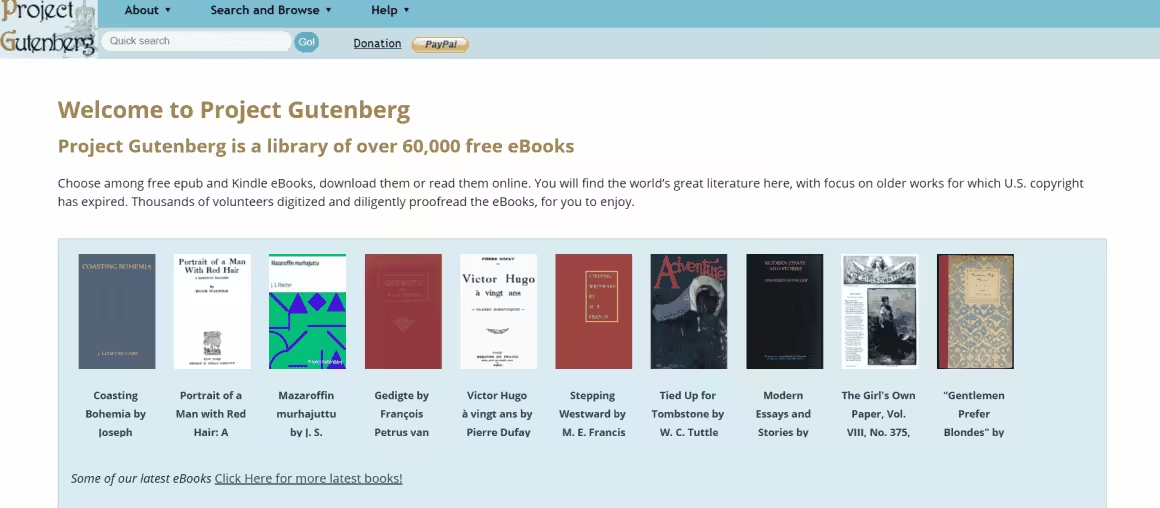
Project Gutenberg is the oldest free eBook library on the internet. It launched in 1971 (when “ebook” wasn’t even a word yet) and is still the gold standard for legal free downloads of public domain literature. As of 2026, the catalog has crossed 79,000 titles, all genuinely in the public domain, all free, all available in multiple formats: EPUB, Kindle (mobi), plain text, and HTML for in-browser reading. No account, no email capture, no popup ads, no upsells. Just books.
The interface looks like it was designed in 2003 because it largely was, and Project Gutenberg has resisted modernizing the site for the same reason it resisted accepting venture capital: the volunteers who run it want to spend their time digitizing books, not redesigning landing pages. Browse by author, title, language, or recently added. The “random book” feature is genuinely useful for stumbling onto something you’d never search for. If a book was published in the US in 1930 or earlier, chances are it’s here. The catalog refreshes every January 1 (US “Public Domain Day”) with newly expired copyrights, and 2026 admitted the works of 1930, including Faulkner’s As I Lay Dying and Agatha Christie’s The Murder at the Vicarage.
Best for: Anyone who reads classic literature. Catch: Nothing past the US public-domain line (currently 1930) is here, by definition.
- Free: 100% free, public domain
- Content type: Classic literature, fiction, non-fiction
- Best for: Readers who love literary classics
- Key feature: 79,000+ free eBooks in EPUB and Kindle formats
One of the oldest and largest free eBook libraries with 79,000+ public domain titles in multiple formats.
Standard Ebooks
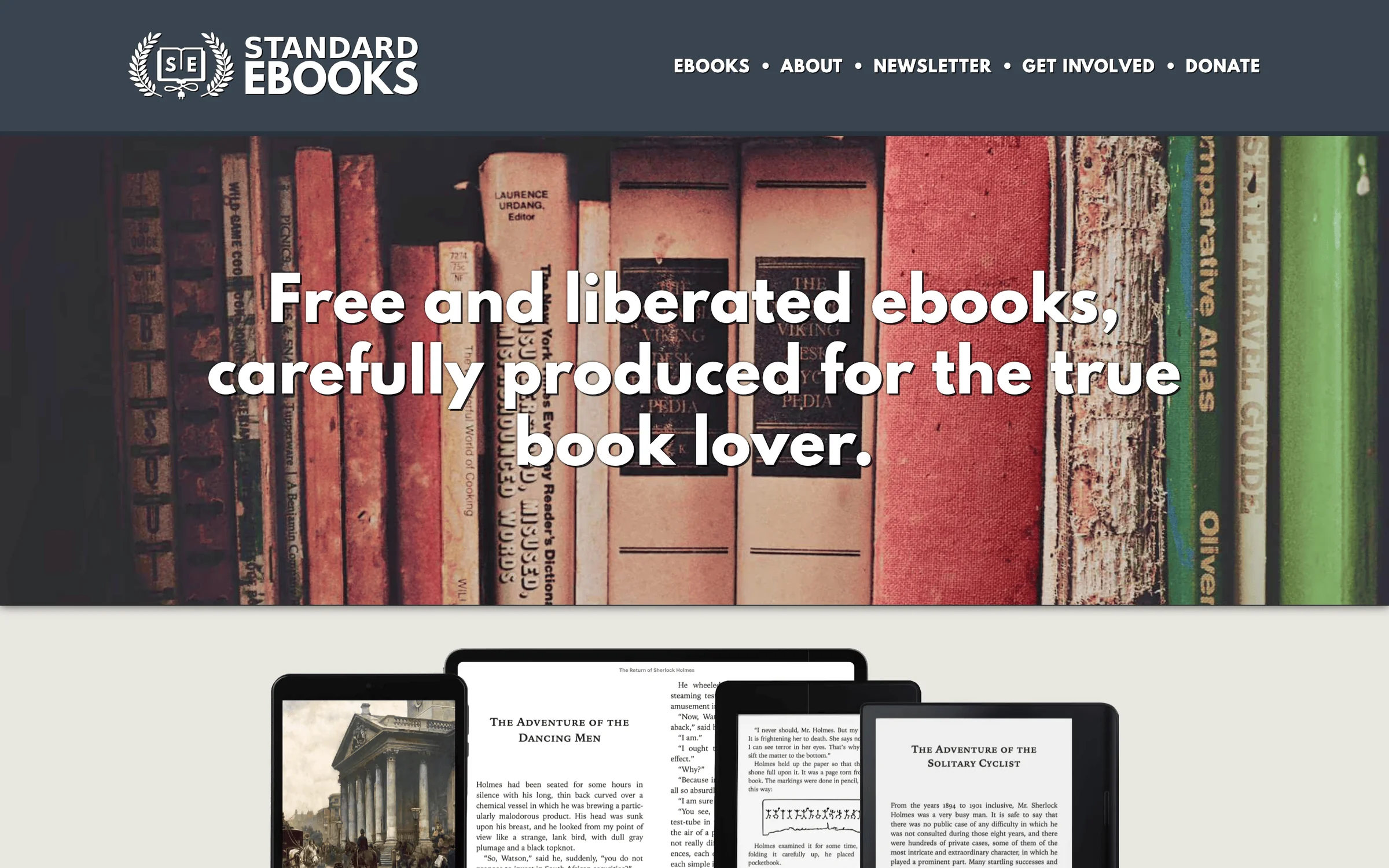
Standard Ebooks exists because Gutenberg’s files read like transcriptions. Volunteers take the same public-domain texts, apply a rigorous typography style manual, hand-correct errors and build covers from public-domain fine art, then ship EPUB and Kindle files that look like paid editions. The catalog is about 1,500 titles, every one of them downloadable without an account, an email or a donation prompt.
The workflow I’d suggest: search Standard Ebooks first for any classic you want on an e-reader, and fall back to Gutenberg’s much bigger catalog when the title isn’t there yet. Same books, better clothes, zero cost either way.
Best for: Classics you’ll read cover to cover on a Kindle or Kobo. Catch: Around 1,500 titles against Gutenberg’s 79,000.
ManyBooks
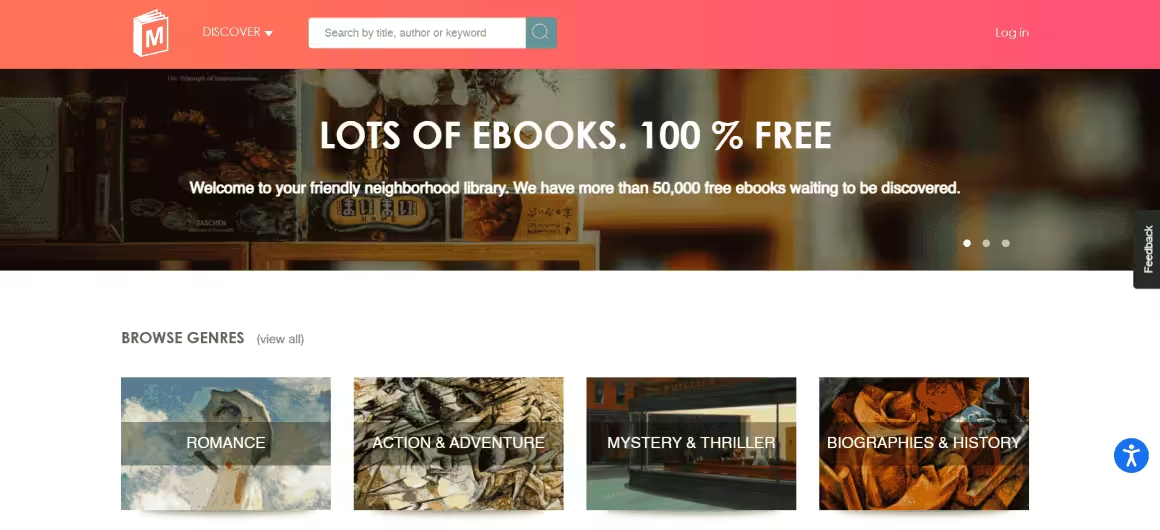
ManyBooks started in the mid-2000s as a Project Gutenberg mirror with a friendlier interface, and it has since carved out its own identity by adding self-published works that don’t appear in the Gutenberg catalog. The current collection sits at around 50,000 titles, of which roughly 30,000 are free, with the remainder offered as discounted modern fiction from indie authors. You can browse by genre, language, author, popularity, ratings, and editor’s picks, which makes it easier to discover something new than Gutenberg’s barebones author lists.
Files are available in EPUB, Kindle MOBI, and PDF, all device-friendly for iPads, Kindles, Kobos, and Nooks. Each book has a star rating and short reader reviews, which is the closest thing to Goodreads inside a free-eBook portal. ManyBooks does collect emails for downloads (free account required) and runs a newsletter with weekly recommendations, which is mildly annoying but not aggressive. The newer self-published titles are hit or miss; the old public-domain catalog is reliable.
Best for: Readers who want public-domain classics with a better browsing experience than Gutenberg. Catch: Free account required for downloads.
Open Library
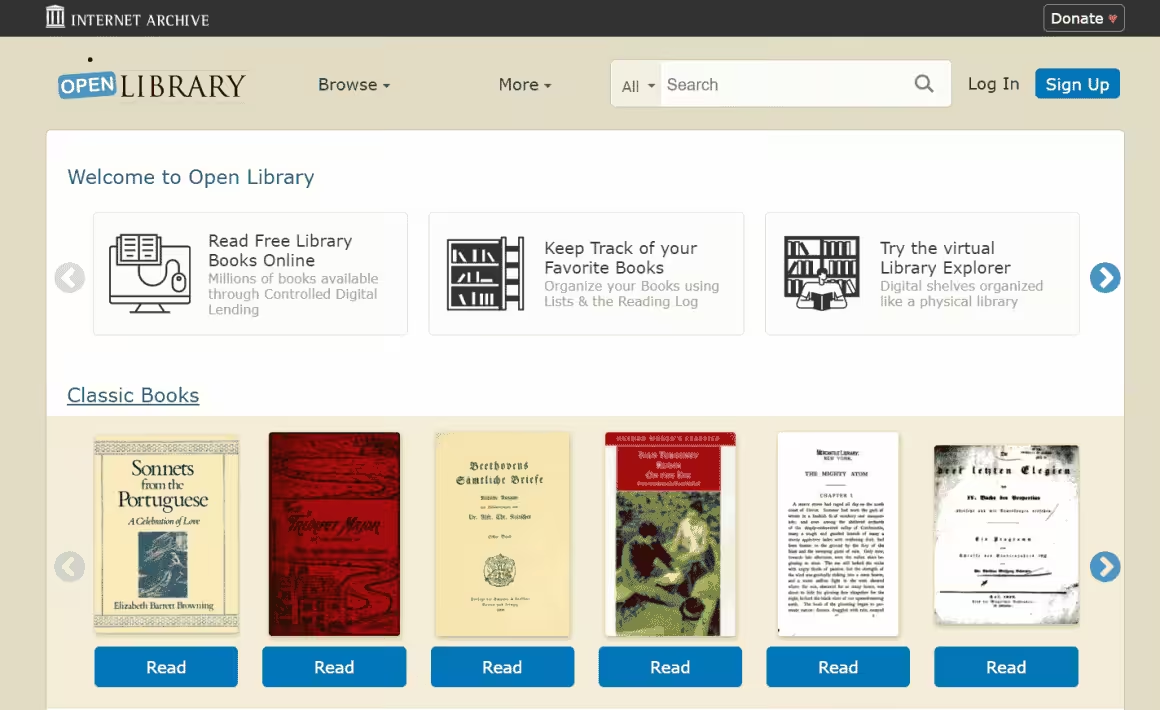
Open Library is a project of the Internet Archive and aims to do something genuinely radical: build a single web page for every book ever published, with a free borrowable digital copy whenever the law allows it. The catalog has crossed 3 million records; how many are borrowable at any moment varies by edition and shrinks as publishers request removals. Public-domain titles are downloadable directly. Modern in-copyright books are available through Open Library’s Controlled Digital Lending (CDL) program, where you borrow a digital copy for two weeks much like a physical library loan.
The CDL system is the reason Open Library is more useful than Project Gutenberg for modern reading, but it’s also the reason it’s been at the center of a major lawsuit. In 2023, a federal court ruled against Internet Archive in Hachette v. Internet Archive, finding that the National Emergency Library expansion of CDL during the pandemic was not fair use. Open Library has since pulled hundreds of thousands of titles from in-copyright lending. The remaining catalog is still huge, but if a specific modern book you used to be able to borrow has disappeared, this is why.
Best for: Readers who want a real digital library with modern books, not just classics. Catch: Free account required for borrowing modern in-copyright books, and the available catalog is smaller now than it was in 2022.
- Free: 100% free to browse, borrow with account
- Content type: Fiction, non-fiction, textbooks
- Best for: Students and general readers
- Key feature: 3M+ cataloged books, borrowable editions vary
Internet Archive-backed digital library cataloging 3M+ books, with borrowable editions across all categories.
Authorama
Authorama is a stripped-down public-domain library that takes the opposite approach to ManyBooks. Where ManyBooks tries to be slick, Authorama is austere: a single alphabetical author list, books in plain HTML/XHTML, and no search beyond your browser’s built-in find. The catalog is small (a few hundred authors) but every title is properly formatted, legally free, and readable directly in the browser without any download.
That stripped-down design has one real advantage: it loads fast on slow connections, works fine on old phones, and reads well in any browser without an e-reader app. There’s no account, no popup, no email capture. If you want to read Shakespeare or Jane Austen on a Chromebook with a flaky wi-fi connection, Authorama is the most reliable option on this list. If you want a modern library experience with covers, ratings, and discovery tools, look elsewhere.
Best for: Reading classics in-browser on slow connections or old devices. Catch: Tiny catalog and no search.
Internet Archive
The Internet Archive is one of the most ambitious non-profits on the web. The book collection alone has over 20 million freely downloadable titles, plus another 2.3 million modern books available for borrowing through Controlled Digital Lending. Beyond books, the Internet Archive holds 80 billion archived web pages (the Wayback Machine), 14 million audio recordings, 8 million videos, and the largest collection of digitized academic papers outside of paywalled journals. It’s the digital equivalent of the Library of Congress, run by volunteers and donations.
Books download in EPUB, MOBI, PDF, and DAISY (the format for visually impaired readers). The Archive has been digitizing physical books non-destructively from 1,100+ partner libraries since 2005, including the Library of Congress, the Boston Public Library, and university collections worldwide. The 2023 Hachette v. Internet Archive ruling has limited the modern-book lending program (see Open Library above), but the public-domain catalog remains untouched. The appeals court upheld that ruling in 2024 and the Archive chose not to take it further, so the reduced lending catalog is the settled state now.
Best for: Researchers, historians, and anyone looking for obscure or rare titles. Catch: The lending program for modern in-copyright books has been significantly reduced post-2023 ruling.
- Free: 100% free, account needed for borrowing
- Content type: Books, audio, video, web pages
- Best for: Researchers and avid readers
- Key feature: 20 million+ free downloadable books
Non-profit digital library offering free universal access to 20 million+ books, films, music, and archived web pages.
Smashwords
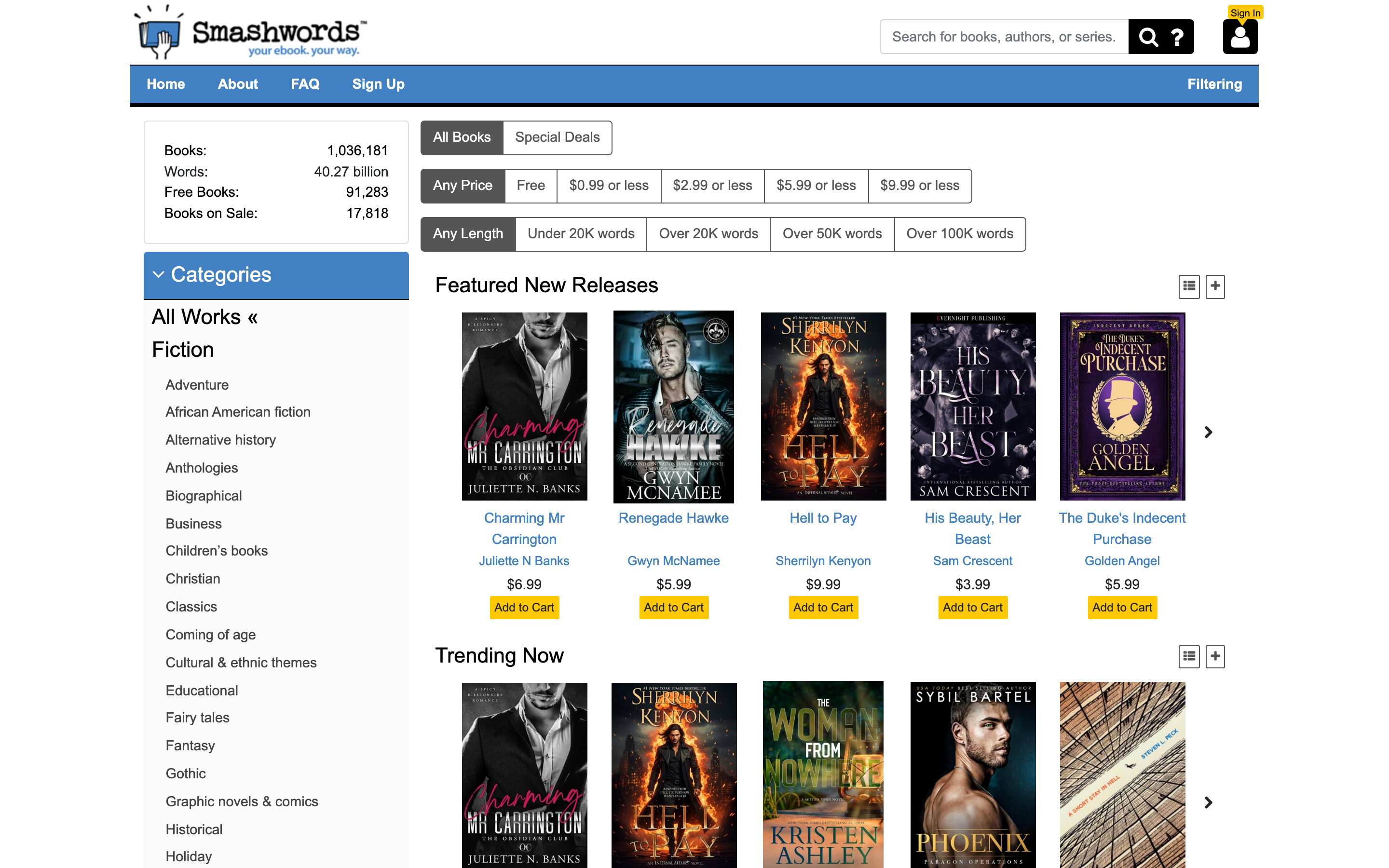
Smashwords is an indie ebook store, not a library, and that’s exactly why it belongs on this list. Founded in 2008 and merged into Draft2Digital in 2022, it distributes close to a million self-published titles, and the free slice of that catalog is where the value sits: filter any category by “Free” and you get thousands of complete novels, mostly first books in a series that indie authors give away to hook readers. Romance, sci-fi, fantasy and thrillers dominate.
Downloads are DRM-free EPUB, and a free account is needed to check out even at a price of zero. Quality runs the full indie spectrum, so read the sample pages before committing an evening. The free-series-starter model works both ways: authors get discovered, and you get to test-drive a writer for nothing before spending on book 2.
Best for: Free indie fiction and series starters you can’t find in public-domain libraries. Catch: It’s a bookstore with a free filter, and most of the catalog is paid.
Google Books
Google Books is the underrated giant of the free eBook space. The catalog is enormous (millions of titles), and the free section includes every book whose copyright has lapsed plus a sizable portion of preview-enabled modern books where you can read significant chunks before deciding whether to buy. The “Read free book” filter on the search page surfaces only fully-free titles, and the EPUB and PDF downloads work directly in any e-reader.
The killer feature of Google Books isn’t the catalog. It’s the search. You can search inside the full text of every indexed book, which makes Google Books the best research tool on this entire list when you need to find a specific quote, fact, or passage from a book you can’t quite remember. Even if you’re not allowed to download the full book, Google will show you the page the quote appears on. For students writing research papers and journalists fact-checking sources, that full-text search is irreplaceable.
Best for: Searching inside book text, plus solid free public-domain downloads. Catch: Many “previews” are limited to 20-30% of the book.
Don’t confuse Google Books and Google Play Books. They’re different products. Google Books is for searching and reading public-domain titles in the browser. Google Play Books, the Kindle eBook Store, and Apple Books are commercial stores for buying modern eBooks; their free sections are tiny.
Also see: Why you should get a Kindle?
Scribd (now Everand)
Scribd rebranded its consumer subscription product to Everand in late 2023, though most users still call it Scribd. It’s a paid subscription service ($11.99/month as of 2026, up from $8.99 a few years ago) that gives unlimited access to a library of eBooks, audiobooks, magazines, sheet music, and podcasts. The free trial is 30 days, which is long enough to read 4-6 books at a typical reading pace, and the cancellation flow is mercifully simple if it’s not for you.
The catalog is genuinely huge: most New York Times bestsellers, full audiobook libraries from major publishers, and a deep magazine selection that includes The Atlantic, Wired, and The Economist. The “Netflix for books” comparison still mostly fits, though Scribd has been throttling power users since 2023 by silently rate-limiting how many books an unusually heavy user can borrow per month. If you read more than 6-8 books a month, you may hit the throttle. Casual readers won’t notice.
Best for: Subscription-style unlimited reading of modern eBooks and audiobooks. Catch: Not actually free past the 30-day trial, and heavy readers face hidden borrowing limits.
- Free/Paid: $11.99/month subscription
- Content type: eBooks, audiobooks, magazines
- Best for: Unlimited readers and listeners
- Key feature: Millions of titles, Netflix for Books model
Subscription-based digital library with unlimited access to millions of eBooks, audiobooks, and magazines for $11.99/month.
LibriVox
LibriVox is the audiobook equivalent of Project Gutenberg. Founded in 2005 by Hugh McGuire, it’s a worldwide volunteer project that records public-domain books as free audio files. The catalog passed 20,000 titles in 2024, all completely free, all in MP3 and OGG formats, all downloadable without an account. Anyone can volunteer to read books, which means quality varies. Some recordings are professional-grade narration; others sound like someone’s grandfather reading into a phone in his kitchen. The community-driven model is the charm and the catch.
The strongest part of the LibriVox catalog is the classics: Dickens, Twain, Conan Doyle, HG Wells, Louisa May Alcott, Jane Austen, Sherlock Holmes. If a book is in Project Gutenberg, there’s a decent chance LibriVox has an audio version. The mobile app on iOS and Android is decent (4.5 stars on both stores) and supports downloading for offline listening, which is perfect for commutes and flights without paying Audible’s $14.95/month.
Best for: Free audiobook versions of public-domain classics. Catch: Recording quality is inconsistent because all narrators are volunteers.
The Online Books Page
The Online Books Page is hosted by the University of Pennsylvania and serves as a master index, not a hosting site. It links to over 3 million free eBooks across the entire web, organized by author, title, subject, and language. Think of it as a search engine for free eBooks rather than a library: when you click a title, it sends you to whichever site actually hosts the file.
The interface is undeniably old-school (the design hasn’t materially changed since the early 2000s) but the data behind it is meticulously maintained by the Penn library staff. For finding obscure 19th and 20th century books that aren’t in Project Gutenberg, the Online Books Page is unmatched. It’s the resource librarians and academic researchers reach for when they need a specific edition of a specific historical text and don’t know where to start.
Best for: Finding obscure historical books that aren’t in the major libraries. Catch: Dated interface; you’ll spend time clicking through to other sites.
Wikibooks
Wikibooks is Wikipedia’s sister project for collaborative open-content textbooks. Roughly 3,000 books are currently published across 11 categories, written and edited by volunteers using the same wiki editing model that built Wikipedia. The quality varies by subject: math and computer science are well-developed and used by actual college courses, while less popular subjects can feel half-finished. Browse the categories before committing to a book to gauge completion status (Wikibooks marks each title as stub, developing, or complete).
- Computing
- Engineering
- Humanities
- Languages
- Mathematics
- Miscellaneous
- Recreational activities
- Science
- Social sciences
- Standard curricula
- Kids’ books
The selling point isn’t the size of the catalog. It’s that Wikibooks is the only resource on this list where you can legally and freely access college-level textbooks in subjects like calculus, organic chemistry, and Python programming. For students priced out of $200 textbooks, this is the actual answer to “where do I get my textbook for free?”
Best for: Students looking for free legal alternatives to expensive college textbooks. Catch: Quality varies; less popular subjects may be incomplete.
- Free: 100% free, open content
- Content type: Textbooks, manuals, instructional guides
- Best for: Students needing academic textbooks
- Key feature: Wikipedia-style collaborative textbooks
Wikipedia’s sister project offering free open-content textbooks, manuals, and instructional guides across 11 categories.
International Children’s Digital Library
The International Children’s Digital Library (ICDL) is a non-profit project run out of the University of Maryland that catalogs free children’s books from around the world. The collection isn’t huge by adult-library standards (around 4,500 books) but the curation is what matters: every book is hand-selected for age appropriateness, cultural diversity, and reading level. You can search by reader age, by book length, by language, and even by the color of the cover (which is genuinely useful for kids who can’t read yet).
The standout feature is the multilingual catalog. Books are available in over 50 languages, including ones that are otherwise hard to find in free children’s content: Persian, Mongolian, Arabic, Tagalog, Yiddish, Hindi. For multilingual families and immigrant parents who want their kids to read in their heritage language, ICDL is the only resource that comes close to a full library. The site itself looks like 2008 in a way that’s almost charming, but the books load in a clean reader and the experience on a tablet is fine.
Best for: Parents looking for free children’s books in non-English languages. Catch: Small collection compared to general-purpose libraries.
PDFBooksWorld
PDFBooksWorld is the answer to one specific question: “where do I get a high-quality PDF version of a public-domain book that’s actually formatted properly for printing?” The collection is small (a few thousand titles) but every PDF is professionally typeset, with proper margins, page numbers, and chapter breaks. Most free PDF eBooks elsewhere are just text files saved as PDFs and they look terrible when printed. PDFBooksWorld’s PDFs look like real books.
Genres span fiction, non-fiction, children’s books, and academic works, with a strong focus on literary classics. Crime and Punishment, A Tale of Two Cities, The Great Gatsby, and most of the canonical 19th-century British and Russian novels are here in well-formatted PDF. The site is free with no account required, and the responsive web design works fine on phones and tablets.
Best for: Properly formatted PDF copies of classics, especially if you want to print them. Catch: Small catalog limited to public-domain titles.
Overdrive (now Libby)
Overdrive rebranded its consumer app to Libby in 2017, and Libby is now the recommended way for individuals to use the service. The way it works: Overdrive partners with public libraries (over 30,000 of them in 40+ countries) to provide their digital collections to library cardholders. You connect Libby to your local library card, and you can borrow ebooks and audiobooks for free, exactly like physical library loans, with the same hold queues and 14-21 day return periods.
This is the single best legal way to read modern in-copyright books for free. Most public libraries in the US, UK, Canada, Australia, and parts of Europe stock current bestsellers, recent releases, and even just-published books. The catch is the hold queue: a popular new release might have a 6-week wait if your library only owns a few digital copies. The workaround is to register library cards from multiple library systems (some, like the Brooklyn Public Library, offer e-cards to anyone in the US for a small fee), which multiplies your effective catalog.
Best for: Reading current bestsellers and new releases legally and free, with a library card. Catch: Long hold queues for popular books and you need an active library card.
- Free: Free with library card
- Content type: eBooks, audiobooks, magazines
- Best for: Library members wanting digital access
- Key feature: 30,000+ partner libraries in 40+ countries
Digital library service connecting with 30,000+ public libraries worldwide for free eBook and audiobook borrowing.
Free-Ebooks.net
Free-Ebooks.net functions as a freemium library: you get 5 free eBook downloads per month with a free account, with options to upgrade to a paid VIP plan for unlimited downloads. The catalog advertises 47,000+ titles divided across six categories: Business, Fiction, Non-fiction, Romance, Sci-fi, and Self-help. Most of the content is self-published, which means the quality varies wildly but you’ll find titles that don’t exist anywhere else.
The 5-per-month limit is the catch. If you read more than 5 books a month, you’ll hit it fast and either need to wait, upgrade, or move to one of the unlimited free options on this list. The site does collect emails aggressively for newsletter signups, which is the trade-off for the free downloads. For occasional self-help and indie business book reading, it’s worth a free account; for heavy reading, look elsewhere.
Best for: Discovering self-published business and self-help titles. Catch: 5 downloads per month free, with paid upgrade to remove the cap.
GetFreeEBooks
GetFreeEbooks is an aggregator that links to free eBooks across the web rather than hosting them itself. The site has been running since 2007 and the curation has held up: every linked book is verified to be legally free at the source. The 100+ categories cover most genres you’d want, and the daily-updated front page is a decent place to find current free promotions from indie authors.
Like the Online Books Page, GetFreeEbooks is best understood as a directory rather than a library. You’ll spend time clicking through to other sites to actually download the file, but the manual curation means you won’t waste clicks on dead links or sketchy hosts. For finding limited-time free promotions of normally paid books on Amazon and Kobo, this is one of the better aggregators.
Best for: Finding limited-time free promotions of normally paid eBooks. Catch: Aggregator, not a library; you click through to other sites to download.
This page stays with sites that hand you a file. For institutional collections, the borrowing systems, research scans, open textbooks like OpenStax and DOAB, and the India-focused platforms NDLI and Rashtriya e-Pustakalaya, see my guide to free online libraries.
How to pick the right free eBook site
Match what you’re trying to read to one of these:
- Classic literature (1930 and earlier) → Standard Ebooks first, Project Gutenberg for depth, PDFBooksWorld for properly formatted PDFs.
- Modern bestsellers and new releases → Libby/Overdrive with a public library card. The only legal free way to read recent bestsellers.
- Academic textbooks → Wikibooks for general subjects, OpenStax for standard college courses.
- Research papers and obscure academic content → Internet Archive’s open-access collections, with HathiTrust and DOAB covered in the online libraries guide.
- Audiobooks → LibriVox for free public-domain audio. Libby for free borrowed audiobooks of modern titles.
- Children’s books → International Children’s Digital Library for multilingual content. Open Library for English children’s titles.
- Indie self-published fiction → Smashwords’ free filter and ManyBooks have the largest selections.
- Searching inside book text for a specific quote → Google Books. The full-text search is unmatched.
- One specific book you can’t find anywhere → The Online Books Page or GetFreeEbooks aggregators usually have a link.
- Unlimited modern reading on a subscription → Scribd/Everand at $11.99/month if you read more than 4 books a month.
Conclusion
What is the best website to download free eBooks?
Project Gutenberg is the best free eBook site for classic literature, with 79,000+ public-domain titles in EPUB, Kindle and HTML formats, no account required. Standard Ebooks carries the same classics with far better typography. Open Library is the best route to modern reading through its lending catalog, and Libby is the best for current bestsellers if you hold a public library card. Most heavy readers end up using all of them.
Are free eBook download sites legal?
Every site on this list distributes books it has the right to distribute: public-domain works, openly licensed titles or books the rights holder gives away. Internet Archive’s controlled digital lending lost its court fight with publishers, so its modern lending catalog has shrunk, but borrowing what it still offers is the platform’s legal risk, not yours. What crosses the line for you as a reader is grabbing in-copyright books from shadow libraries that never licensed them.
Where can I download modern eBooks for free legally?
The Libby app is the main legal way to read modern in-copyright bestsellers free, through your public library card. Beyond that, your legal options are indie freebies on Smashwords and ManyBooks, author promotions listed on GetFreeEbooks, and whatever remains borrowable on Open Library. A site offering permanent free downloads of current bestsellers without a library card is a piracy site.
What format should I download eBooks in?
EPUB. It works on every current reader, including Kindle via Send to Kindle, plus Kobo, Apple Books and Google Play Books. PDF is for books whose layout matters: illustrations, equations, tables, or anything you plan to print. MOBI is Amazon’s legacy format and no longer worth choosing when an EPUB exists.
Can I find free college textbooks legally?
Yes. Wikibooks publishes open-content textbooks with a strong computing and mathematics section, and OpenStax publishes free, peer-reviewed, openly licensed textbooks for standard school and college courses. For peer-reviewed academic monographs, DOAB indexes more than 108,500 open-access books. All three are covered in more depth in the free online libraries guide on this site.
What happened to Internet Archive’s lending program?
During the 2020 lockdowns the Archive removed waitlists from its lending program, four major publishers sued, and the courts ruled against the Archive in 2023. The appeal was lost in 2024 and the Archive did not take it further. As a result, hundreds of thousands of in-copyright books left Open Library’s lending catalog. The public-domain collections are unaffected.
Is Scribd really unlimited?
Mostly, with caveats. Scribd’s consumer product, rebranded Everand, advertises unlimited access for $11.99/month, and for casual readers that’s accurate. Heavy users report silent rate-limiting, where new and popular titles temporarily vanish from your available catalog after several borrows in quick succession. If you read 10+ books a month, expect the throttle.
Can I download free eBooks for Kindle?
Yes. Download the EPUB from Project Gutenberg, Standard Ebooks, Smashwords or ManyBooks, then deliver it with Amazon’s free Send to Kindle tool, which accepts EPUB directly and no longer accepts MOBI. Project Gutenberg also offers Kindle-format files for direct copying. Libby integrates with Kindle in the US, so borrowed library books can be read in the Kindle app.
What is the difference between public domain and free eBooks?
Public-domain books are works whose copyright has expired; in the US that currently means works published in 1930 or earlier, and the line advances every January. Free eBooks is the broader category: it adds in-copyright books the rights holder chooses to give away, like indie series starters and openly licensed textbooks. All public-domain books are free, but not every free book is public domain, and a free license still has terms.
Free eBook downloads in 2026 are dominated by a handful of long-running, trustworthy sites and a much larger pile of sketchy alternatives, and even once-solid sites in this niche die or change hands quietly, so a list like this earns its keep by staying pruned. Stick to the 17 above and you’ll never need to risk malware, hidden subscriptions or copyright trouble to read what you want. Project Gutenberg and Standard Ebooks cover the classics, Open Library and Libby handle modern books through lending, Wikibooks saves students on textbooks, Smashwords feeds the fiction habit and LibriVox fills the commute. Pick the one that matches what you’re reading and bookmark it.
Best of luck.
Tell Google you want more of this.
Add Gaurav Tiwari as a preferred sourceOne tap, and this site shows up more often in your own Top Stories, AI Overviews and AI Mode. Remove it any time.