
 by
by
The best digital notebook is the reMarkable Paper Pro: a big color E Ink canvas, a front light, and software that refuses to distract you, at a price that clears $700 once the Marker and folio join the cart. The Supernote Manta is the better long-term writing tool if you value replaceable parts and structured notes over color. The BOOX Note Air4 C is the pick when Android apps matter more than calm.
“Digital notebook” is a label three different machines wear. An E Ink tablet stores everything on-device and lets you mark up PDFs. A Kindle with a pen is a reading device that learned to write. And a Rocketbook is real paper that a phone camera digitizes. They solve different problems, and most bad purchases in this category come from confusing them.
I handwrite more than most people who work on the web. Derivations, lesson plans from my NDA-coaching days, article outlines: mathematics does not type well, and half my thinking still starts with a pen. That is the lens for this list. I compared writing surface, PDF tools, handwriting search, export formats, cloud dependence, battery, accessories, and repair path across the current lineup, and I flag below which claims come from documentation rather than my own desk.
Four terms carry most of the weight in this category, in plain words:
- E Ink: the paper-like, battery-sipping display technology. Easy on the eyes, slow to refresh, muted in color.
- Front light: LEDs that wash the screen surface with light so you can write in a dim room. Not a backlight, and not universal (the Supernote below has none).
- OCR / handwriting-to-text: software that turns your scrawl into searchable, exportable text. Quality varies wildly with your handwriting.
- Export path: how a note leaves the device (PDF, text, image, cloud folder). The spec nobody checks and everybody eventually regrets.
Quick answer: which one should you buy?
Buy the reMarkable Paper Pro for focused handwriting and serious PDF review. Buy the Supernote Manta if you want a notebook designed to be repaired, not replaced. Buy the BOOX Note Air4 C for Android flexibility. The Kindle Scribe Colorsoft bundle is for Kindle-first readers, and the Rocketbook Core is the $35 pen-and-paper answer.
| Product | Best for | Deciding detail | Check availability |
|---|---|---|---|
| reMarkable Paper Pro | Focused handwriting and PDF review | Large color E Ink-style canvas with front light | Amazon.com Official site |
| Supernote Manta | Structured notes and long-term use | Replaceable battery and organization tools | Official site |
| BOOX Note Air4 C | Flexible reading and app workflows | Color E Ink with Android app support | Official site |
How these five made the cut: device class first (focused E Ink, Android E Ink, Kindle-first, reusable paper), then display and front light, pen and folio cost, handwriting-to-text quality, PDF markup, OCR, export routes, cloud dependency, and subscription exposure. I have not lived with all five; where a claim rests on manufacturer documentation instead of use, the wording says so.
One listing trap: the Amazon listing in pick 4 is the Kindle Scribe Colorsoft 64GB Essentials Bundle, with Premium Pen, leather folio, and charger included. It is not the cheaper monochrome Scribe, and the price gap between those two listings is large. Check which Scribe you are actually holding in the cart.
Best picks by use case
Pick the device class before comparing specs. A spec table that puts real paper next to an Android tablet hides the only decision that matters: how your notes get out.
| Product | Device class | Display and light | Export or ownership catch | Choose something else if |
|---|---|---|---|---|
| reMarkable Paper Pro | Focused E Ink tablet | Large color display with reading light | Best inside the reMarkable workflow | You need third-party apps |
| Supernote Manta | Focused monochrome E Ink tablet | Large writing display; no front light | Strong note structure; check app integrations | You need a front light or color |
| BOOX Note Air4 C | Android color E Ink tablet | 10.3-inch color display with front light | Flexible apps add complexity | You want a simple distraction-free notebook |
| Kindle Scribe Colorsoft (Essentials Bundle) | Kindle-first color notebook | 11-inch Colorsoft display | Exact bundle and Kindle ecosystem matter | You wanted the cheaper monochrome Scribe or no bundled folio |
| Rocketbook Core | Reusable paper notebook | Real paper; phone scanning | No E Ink display or local digital library | You want searchable notes without manual scans |
How this shortlist was built
I started by splitting the category into its four real classes, because ranking a Rocketbook against a Paper Pro on “features” is meaningless. Within each class I weighted the things that decide daily use: how the pen feels against the delay you perceive, whether search works on your actual handwriting, what a marked-up PDF looks like after export, and what the device costs once the pen, folio, and replacement nibs are on the invoice.
The through-line: the right notebook fixes the exact place your current notes fail. For some people that is paper clutter. For me it is searchability (a decade of paper notebooks taught me that a note you cannot find is a note you never took). For PDF-heavy readers it is margin space. Name your failure first and the shortlist collapses to one or two devices.
If your notes problem is really a note-taking-system problem, start with the five note-taking methods I teach students before spending $700 on hardware. The rest of my desk, for context, is in my home office setup.
The picks
Five awards, five very different machines. Each entry names who it is for, the real cost, the tradeoff against its neighbors on this page, and where to go if it is not your device.
Best digital notebook overall: reMarkable Paper Pro
The Paper Pro is the device I would point most buyers at, because it does the core job (handwriting and PDF review, without distraction) better than anything else made. The 11.8-inch color E Ink display makes markup and diagram-heavy notes genuinely better than monochrome rivals, the front light handles dim rooms, and the software stays deliberately narrow: notes, documents, nothing else. It is a notebook first, not a slow tablet pretending otherwise.
Now the bill. The bundle starts at $629 with the Marker after reMarkable’s US price rise, a folio pushes a real-world configuration past $700, and reMarkable would like a Connect subscription for unlimited cloud sync on top. The closed system that makes it calm also makes it a poor citizen of anyone else’s workflow: no third-party apps, and export means PDF, PNG, or SVG out of reMarkable’s pipeline. Inside its walls it is excellent. Just know you are buying the walls too.
Buy it if: distraction-free handwriting and PDF review are the whole job. Skip it if: you need apps, or the total price makes you flinch. Check the exact bundle on Amazon.com or the reMarkable store. If $700 is the flinch, the next pick keeps the focus and returns about $130.
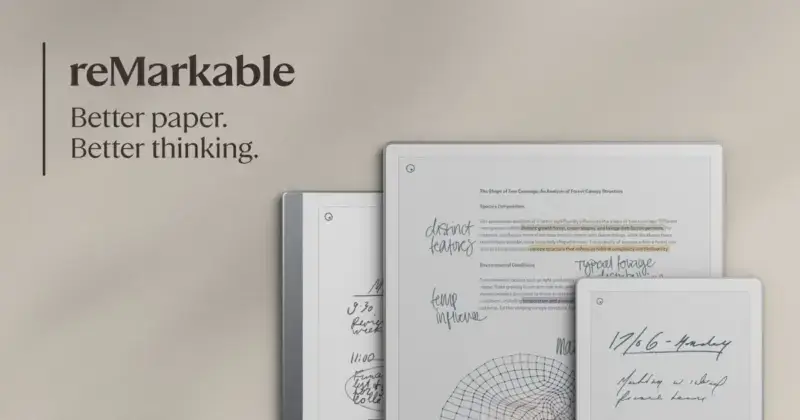
- Large color paper-like display
- Front light for dim rooms
- Low-distraction notebook system
- PDF reading and annotation
- Optional keyboard and folio accessories
What is good
- Excellent focused writing experience
- Color helps with document markup
- Large screen and front light improve daily use
What is not
- High total cost with accessories
- No open third-party app store
Best for long-term writers: Supernote Manta
The Manta is the thoughtful writer’s choice, and the only device here designed on the assumption you will still own it in five years. The battery is user-replaceable, the ceramic pen nibs effectively never wear out, and Supernote’s software does what the Paper Pro above will not: headings, internal links, and a table of contents inside your handwritten notes, so a two-year-old notebook stays navigable. At $505 before the pen, after Supernote’s own US price rise, it still undercuts the Paper Pro, though the margin has thinned.
The step down from the Paper Pro is light, in both senses. There is no front light, so evening writing needs a lamp, and there is no color, which rules out the marker-on-PDF review workflow the Paper Pro handles well. That is what the $130 saving costs. Visual thinkers should stay up the list; text-first writers should stop here.
Buy it if: you write structured, text-heavy notes and want hardware built for repair. Skip it if: you need a front light or color. Specs and stock live on the Supernote store. Need apps on the same E Ink screen? That is the next award.
- Large monochrome E Ink writing screen
- Replaceable battery design
- Headings, links, and structured note tools
- Ceramic-nib pen options
- Distraction-light software
What is good
- Excellent long-form note organization
- Replaceable battery supports longevity
- Durable pen-nib options reduce consumables
What is not
- No front light
- Monochrome display only
Best for Android apps and reading: BOOX Note Air4 C
The Note Air4 C is the pick when the notebook must join an existing workflow instead of replacing it. Unlike the closed reMarkable and Supernote above, it runs Android: Kindle, Kobo, Drive, OneNote, and your PDF app of choice all work on a 10.3-inch color E Ink screen with a front light, for $499.99 with the pen in the box. For reading breadth alone it embarrasses the focused devices, and the note-taking apps students already use run here too, which no other pick can claim.
Flexibility has a personality cost. BOOX ships more settings than most people want to see, background apps can nibble the battery, and color E Ink remains muted next to any LCD (buyers expecting iPad color are always disappointed). It is the least calm device on this list. That is either the point or the dealbreaker.
Buy it if: Android apps and reading flexibility outrank distraction-free calm. Skip it if: you want a notebook that is only a notebook. Current pricing is on the BOOX store. If the only app you actually need is Kindle, the next pick does that one job better.
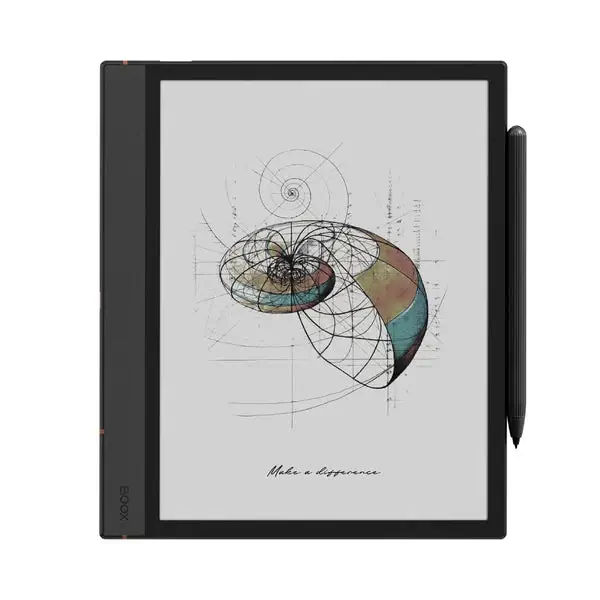
- 10.3-inch color E Ink display
- Android application support
- Front light
- PDF and note tools
- Flexible file and cloud integrations
What is good
- Android apps expand the workflow
- Color and front light improve versatility
- Strong PDF and file options
What is not
- More complex interface
- Color is muted and battery life varies by use
Best for Kindle readers: Kindle Scribe Colorsoft (Essentials Bundle)
This pick is for the reader who already lives in Kindle and wants one device for books and notes. The bundle gets you the 11-inch Colorsoft Scribe with 64GB, the Premium Pen, a leather folio, and a charger in one box, and the writing experience sits directly on top of the world’s biggest ebook library. Margin notes and notebooks sync through Amazon without thought.
Against the three tablets above, the tradeoff is direction: this is a Kindle that writes, not a document workstation. PDF handling and export flexibility trail the Paper Pro and BOOX, and the bundle price buys accessories you may not want. If you mostly annotate documents rather than read books, scroll back up. If your library is Kindle, nothing else on this page comes close.
Buy it if: you read in Kindle daily and want color margin notes on the same device. Skip it if: PDF markup is the main job, or the monochrome Scribe covers you for less. The exact bundle is on Amazon.com. And if every price so far has felt absurd for taking notes, the last pick is for you.
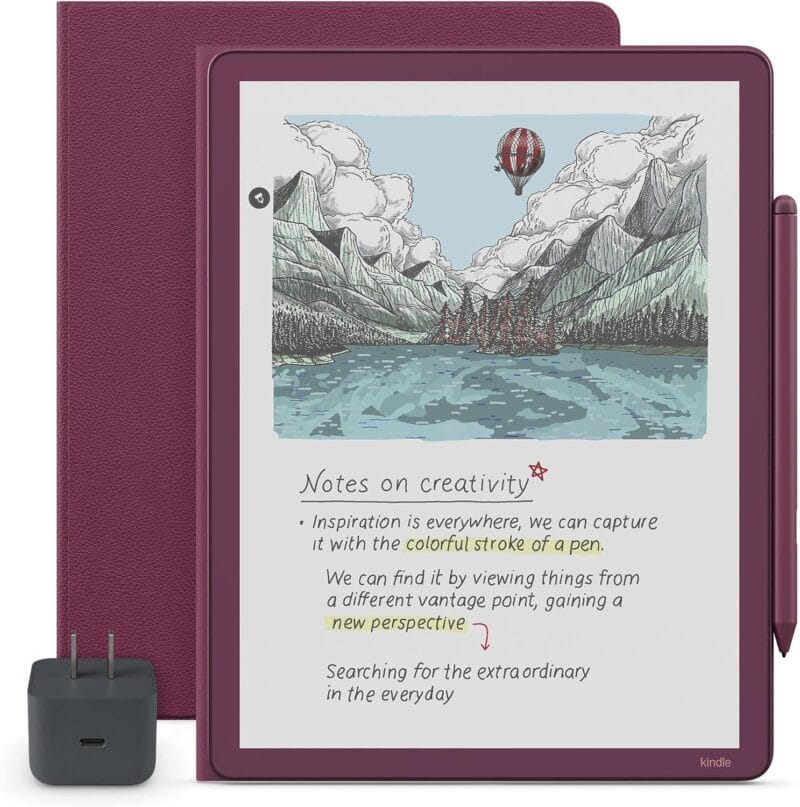
Kindle Scribe Colorsoft (64GB Essentials Bundle)
- 11-inch Colorsoft color display
- 64GB storage in this bundle
- Premium Pen included
- Leather folio and 20W adapter in the box
- Kindle library and note sync
What is good
- Kindle library and note workflow in one device
- Colorsoft display supports color annotation
- Premium Pen, folio, and adapter are included
What is not
- Bundle price includes accessories you may not need
- Kindle-first workflow is less open than Android E Ink
Best budget pick: Rocketbook Core
The Rocketbook Core is the $35 answer, and for a lot of people it is the correct one. It keeps everything true about paper: zero latency, zero battery anxiety, a pen that costs a dollar to replace. The app scans pages to Drive, Notion, email, or wherever, OCR included, and a damp cloth wipes the page for reuse. No screen to crack. Nothing to charge. Nothing to update.
The step down from every device above is that digitization becomes a chore you do, not a thing that happens. Skip the scan and the note exists only in your bag. There is no on-device search, no PDF markup, and the FriXion pens it requires are erasable-ink pens with their own quirks (leave one in a hot car and learn about thermochromic ink the hard way). It is a workflow, not a gadget.
Buy it if: you want real pen feel and occasional digitization at pocket-money prices. Skip it if: searchable, always-synced notes are the point. Check Amazon.com, Amazon.in, or Rocketbook’s store (the US listing is lined, the India listing is dot-grid; sizes match at 6 x 8.8 inches). Not sure which class fits your life? The three questions below sort it out.
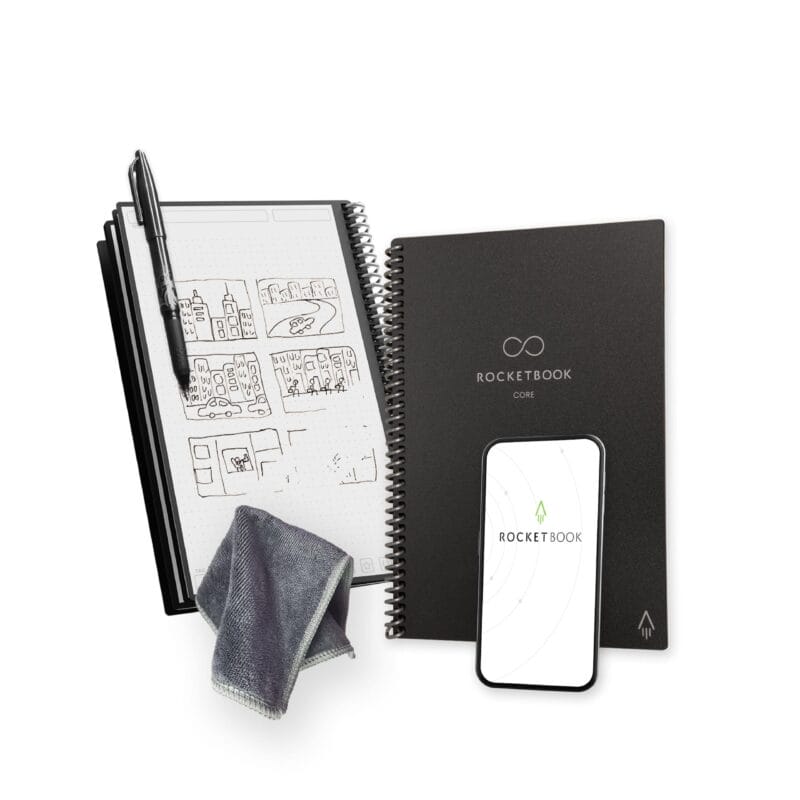
- Reusable synthetic paper pages
- Works with erasable FriXion pens
- App scans to Drive, Notion, and email
- No battery, no charging
- Executive 6 x 8.8 inch size
What is good
- Low purchase price
- Real pen-and-paper feel
- No battery or delicate display
What is not
- Manual scanning adds work
- Pages need cleaning and compatible pens
How to choose a digital notebook
Three questions do most of the work: which workflow, what total cost, and can your notes leave. Answer those and the brand argument mostly evaporates.
Which workflow fits how you actually take notes?
Focused E Ink if you want calm and can live closed. Android E Ink if you need apps and can tolerate complexity. Reusable paper if you want a real pen and will genuinely do the scanning. Each class has one built-in failure; pick the one you can live with, because no device escapes its class.
What does the full kit really cost?
Always more than the headline. A Paper Pro quote without the Marker is fiction; a Manta needs its pen; even the Rocketbook demands specific FriXion pens. Add nibs, folio, and any cloud subscription, then compare. The gap between a $629 tablet and a $499 tablet can invert once the accessories land.
Can your notes leave the device?
Test it before you trust it, because a notebook your notes cannot leave is a trap with a nice screen. Export a handwritten page as PDF, run handwriting-to-text on your worst scrawl, and confirm the result lands somewhere you control (Drive, a folder, or one of the PDF apps I recommend for annotation). Do this inside the return window. Every vendor demos export beautifully with tidy print handwriting; yours is the only sample that matters.
E Ink tablet or reusable paper?
An E Ink tablet stores and displays your notes on the device: search, PDF markup, and sync happen where you wrote. A Rocketbook is real paper plus a scanning habit. The honest question is whether you will actually maintain the habit. If you already photograph whiteboards and receipts without being reminded, Rocketbook works. If those photos die unsorted in your camera roll, buy the tablet.
- Choose E Ink for PDF markup, on-device search, and notes that sync themselves.
- Choose reusable paper for real pen feel, a $35 entry price, and zero charging.
- Either way, confirm the export format before committing years of notes to one vendor.
Check the exact listing before you buy
E Ink devices ship in generations and bundles that look identical in search results. Thirty seconds of checking prevents the two most common bad buys: last year’s hardware and a bundle you did not want.
- Match the generation, display type, storage, and bundle contents to the product page.
- Add the pen, folio, replacement nibs, and any subscription to the real total.
- Export a sample note and a marked-up PDF during the return window.
- Check front light, OCR language support, and offline access if cloud sync ever stops.
- Read the return terms for opened pen-and-folio bundles before unboxing everything.
Alternatives considered
Two credible options lost on a single requirement each.
- Apple iPad with Apple Pencil: faster, more capable, and the better buy if notes are one job among many. It lost on the one thing this list optimizes for: an iPad is the most distracting writing surface money can buy. If that is your direction anyway, start with which iPad actually fits your work.
- A plain paper notebook: still the cheapest durable option, and the right one when search, sync, and PDF markup genuinely do not matter to you. No shame in it.
Which one should you choose?
A calibration note first: none of these devices will make you a better note-taker, and the writing-feel differences that dominate Reddit threads shrink to nothing after a week of ownership. Every pick here clears the bar. What separates them is workflow fit, and that you already know from your own habits.
So: most buyers reading this want the reMarkable Paper Pro and should budget the honest $700+, not the sticker price. Writers who value longevity over color should take the Supernote Manta and keep the difference. Go BOOX for apps, Kindle Scribe Colorsoft only if your library already lives with Amazon, and Rocketbook if $35 and a scanning habit describe your actual commitment level. The wrong answer is buying the class you admire instead of the class you will use.
Frequently asked questions
What is the best digital notebook?
reMarkable Paper Pro is the best focused digital notebook for handwriting and PDF review. Supernote Manta is better for structured long-term notes, while BOOX Note Air4 C is better for Android app flexibility.
Is a digital notebook better than an iPad?
A digital notebook usually offers a paper-like screen, longer battery life, and fewer distractions. An iPad is faster, brighter, and better for color apps, video, and general computing.
Do digital notebooks require a subscription?
Some features such as extended cloud storage, device protection, or advanced sync may require a subscription. Core handwriting often works without one. Check the current plan before buying.
Can E Ink notebooks convert handwriting to text?
Many current E Ink notebooks can convert handwriting to text, but accuracy depends on writing style, language, and software. Test export and search with your own handwriting during the return period.
What is the cheapest digital notebook option?
Rocketbook Core is the cheapest useful option because it uses real erasable paper and a phone app instead of an E Ink display. It requires manual scanning and cleaning.
Tell Google you want more of this.
Add Gaurav Tiwari as a preferred sourceOne tap, and this site shows up more often in your own Top Stories, AI Overviews and AI Mode. Remove it any time.
Disclaimer: This site is reader-supported. If you buy through some links, I may earn a small commission at no extra cost to you. I only recommend tools I trust and would use myself. Your support helps keep gauravtiwari.org free and focused on real-world advice. Thanks. - Gaurav Tiwari