
 by
by
The best mechanical keyboard for Mac is the Keychron Q1 Max: proper Mac keycaps, QMK/VIA remapping, hot-swappable switches, and three connection modes for about $220. The Logitech MX Mechanical Mini for Mac is the quieter, simpler office pick at $159.99. And if your fingers are calibrated to a MacBook, the NuPhy Air75 V2 keeps that low-profile feel for about $120.
Most mechanical keyboards are Windows boards wearing a Mac sticker. The switches work fine. What breaks is everything around them: Option and Command printed in the wrong order, a function row that ignores brightness and Mission Control, Bluetooth that drops after sleep, and remapping software that treats macOS as an afterthought.
I type on a Keychron K3 every working day, a low-profile 75 percent board with Gateron Blues. It settled two debates for me. First, 75 percent is the right layout when a mouse shares the desk. Second, the switch decides more than the board does (Blues are glorious alone and rude on client calls). Both lessons shaped this list.
Four terms gatekeep every keyboard argument, so here they are in plain words:
- Profile: low-profile boards sit flat like a laptop keyboard; standard-profile boards are taller, with deeper key travel.
- Switch type: linear is smooth, tactile has a bump you feel, clicky has a bump you hear. Everyone near you also hears it.
- Hot-swap: switches pull out without soldering, so you can change the feel of the board later.
- QMK/VIA: open remapping firmware. Any key can do anything, with the changes stored on the keyboard itself.
Quick answer: which one should you buy?
Buy the Keychron Q1 Max if you want one keyboard that does everything: hot-swap, VIA remapping, Bluetooth, 2.4GHz, and wired. Buy the MX Mechanical Mini for Mac if you want quiet keys and three-device switching with zero setup. Buy the NuPhy Air75 V2 if low-profile travel matters more than a premium case.
| Product | Best for | Deciding detail | Check availability |
|---|---|---|---|
| Keychron Q1 Max | Premium customizable Mac desks | QMK/VIA, hot-swap, and wireless modes | Amazon.in Official site |
| Logitech MX Mechanical Mini for Mac | Quiet multi-device Mac work | Mac layout with Logitech device switching | Amazon.com Amazon.in |
| NuPhy Air75 V2 | Laptop-like feel with more personality | Low-profile hot-swap with QMK/VIA | Amazon.com Amazon.in |
How these five made the cut: explicit macOS support and Mac legends first, then switch options, hot-swap, QMK/VIA or vendor remapping, connection modes, battery behavior after sleep, weight, and how loud each board gets in a shared room. Switch feel is personal, so pair any pick with a return window or a switch tester.
One checkout trap: the same keyboard with a different switch is a different keyboard. A Q1 Max with Gateron Jupiter Banana switches types nothing like one with Reds. Match the exact switch code in the listing to the feel you want before paying.
Best picks by use case
Decide between standard and low-profile switches first. That one choice changes travel distance, sound, wrist angle, and which keycaps and switches you can buy later. Everything else is detail.
| Product | Profile and layout | Customization | Office-noise risk | Choose something else if |
|---|---|---|---|---|
| Keychron Q1 Max | Standard-profile 75% | Hot-swap and QMK/VIA | Depends heavily on switch | You want a light travel keyboard |
| Logitech MX Mechanical Mini for Mac | Low-profile compact | Fixed switch; software remapping | Lower with quiet switch option | You want hot-swap or custom firmware |
| NuPhy Air75 V2 | Low-profile 75% | Hot-swap on supported variants; QMK/VIA | Depends on low-profile switch | You need local warranty support everywhere |
| Lofree Flow84 | Low-profile 75% class | More limited than QMK boards | Generally office-oriented; verify switch | You need deep remapping |
| Das Keyboard MacTigr | Wired full-size Mac board | Fixed layout and switches | Mechanical switch noise remains | You need wireless or switch choice |
The desk this advice comes from
My daily driver is a Keychron K3: 75 percent layout, low profile, Gateron Blue switches, paired to a Mac with Logi Options+ running for the mouse. The K3 is the budget ancestor of two boards on this list, and living with it is why the Q1 Max and Air75 V2 rank where they do. The Q1 Max is what the K3 grows up into when you want weight and remapping. The Air75 V2 is what it becomes when you want the same thin profile done better.
That desk setup, monitor and mouse included, is documented in my home office setup and the MacBook Pro accessories I work with. Most of what I type into it is prose, so the writing apps on the other side of these keys are documented too. I have not typed on the MacTigr or Flow84 long-term. Those two rankings come from spec sheets, documented limitations, and owner reports, not my fingers, so treat them as researched picks rather than lived-in ones.
The picks
Five awards, five boards. Each entry names who it is for, what it costs, the tradeoff against its neighbors on this page, and where to go if it is not your board.
Best mechanical keyboard for a Mac desk: Keychron Q1 Max
The Q1 Max is the board I would point most Mac users at, because it closes the reasons to keep shopping. For about $220 you get a gasket-mounted aluminum case, Mac and Windows keycaps in the box, hot-swappable switches, and QMK/VIA remapping that works on macOS without a companion app running. Bluetooth, 2.4GHz, and wired modes cover every desk situation, though the 2.4GHz receiver claims a USB-A port on a Mac that probably has none free.
The honest tradeoff is mass. The aluminum body weighs around 1.6kg and sits tall enough that most people need a wrist rest. This is a keyboard that lives on one desk. It never travels, and it is overkill if all you want is quiet typing for email.
Buy it if: you want hot-swap, deep remapping, and a board that outlasts three MacBooks. Skip it if: you carry your keyboard anywhere, ever. Price it on Amazon.in or Keychron’s store (the US buying route), and check the exact switch in the listing. If that buys more keyboard than your desk needs, the quiet pick next keeps the polish and drops the tinkering.
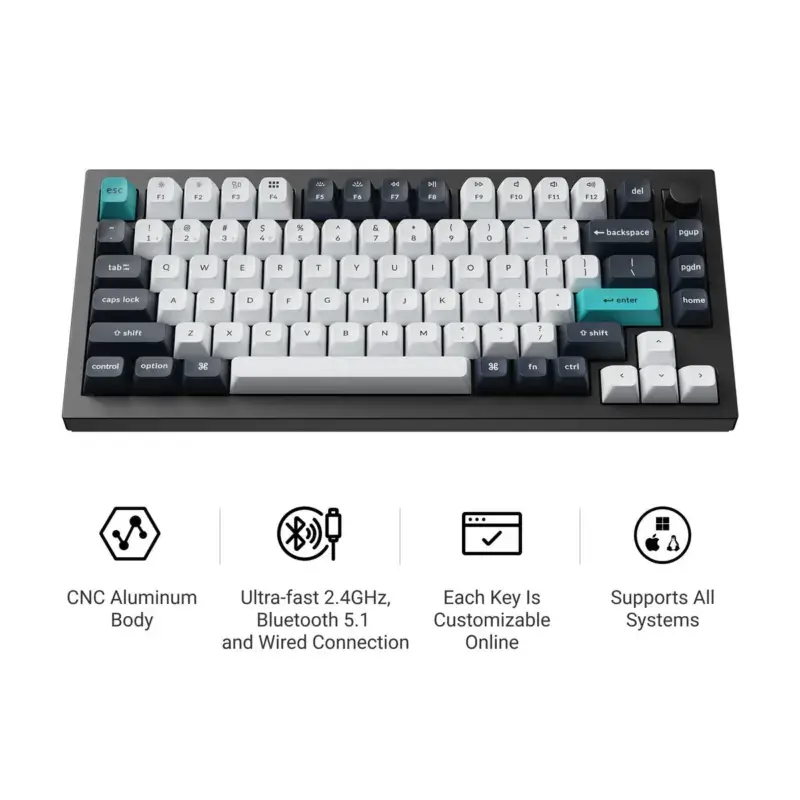
- 75 percent aluminum layout
- Mac and Windows keycaps
- Bluetooth, 2.4GHz, and wired modes
- QMK/VIA remapping
- Hot-swappable switch options
What is good
- Excellent build and typing flexibility
- Mac legends and switch included
- VIA remapping avoids vendor lock-in
What is not
- Heavy and expensive
- Tall profile may need a wrist rest
Best quiet keyboard for Mac offices: Logitech MX Mechanical Mini for Mac
The MX Mechanical Mini for Mac is the least risky upgrade from an Apple Magic Keyboard. At $159.99, up $10 from launch, it keeps a familiar compact layout, printed Mac legends, backlighting that responds to your hands, and Easy-Switch keys that hop between a Mac, an iPad, and anything else over Bluetooth. The tactile quiet switches are the ones to get. They are the only mainstream mechanical option I would sit next to an open microphone.
The step down from the Q1 Max above is everything a tinkerer loves: switches are soldered in, remapping lives inside Logi Options+ instead of open firmware, and there is no wired mode, so a dead battery means Bluetooth or nothing. That is the trade: you give up the workshop and get silence, simplicity, and $60 back. Office typists will never notice what is missing. Enthusiasts will notice in a week.
Buy it if: you want quiet, multi-device Mac typing that works out of the box. Skip it if: hot-swap or QMK matters to you. Check Amazon.com or Amazon.in, and confirm the quiet tactile variant. If the sealed switches bother you, the next pick reopens them without giving up the low profile.
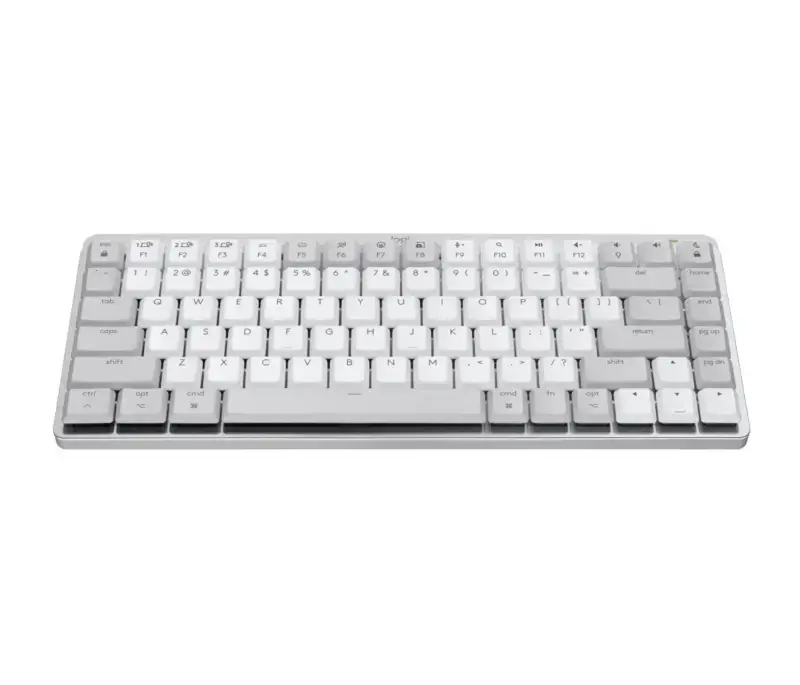
Logitech MX Mechanical Mini for Mac
- Compact Mac-specific layout
- Low-profile mechanical switches
- Multi-device wireless switching
- Backlighting
- Logitech Options+ support
What is good
- Native-looking Mac layout
- Reliable multi-device workflow
- Low-profile shape is easy to learn
What is not
- Limited hardware customization
- Costs more than many plastic low-profile boards
Best low-profile keyboard for MacBook typists: NuPhy Air75 V2
The Air75 V2 is the board for hands calibrated to a MacBook. It bridges laptop familiarity and custom-keyboard control better than anything else near $120: low and flat like the MX Mini above, but with the hot-swappable switches and QMK/VIA support that Logitech seals away. It also travels well, which the Q1 Max never will.
Two catches. Low-profile switch and keycap choices are a fraction of what the Q1 Max enjoys, so the upgrade path is narrower than it looks. And NuPhy sells primarily direct, so a warranty claim from India can mean international shipping (factor that into the price gap with Logitech).
Buy it if: you type on a MacBook by day and want the same geometry with better feedback. Skip it if: local warranty support decides your purchases. Check Amazon.com, Amazon.in, or NuPhy’s store for switch options. Care more about how each keypress sounds than what it can be remapped to? That is the next award.
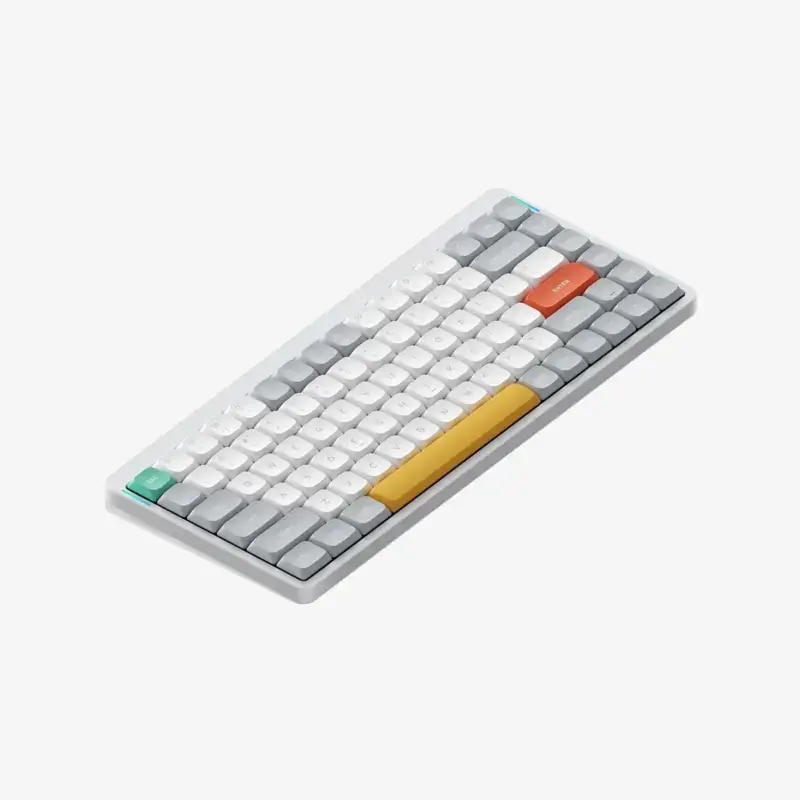
- 75 percent low-profile layout
- Mac keycaps and mode support
- QMK/VIA compatibility
- Hot-swappable low-profile switches
- Wired and wireless connections
What is good
- Thin profile suits MacBook users
- VIA and hot-swap add customization
- Compact 75 percent layout travels well
What is not
- Regional support varies
- Low-profile parts have fewer choices
Best typing feel in a low-profile board: Lofree Flow84
The Flow84 exists for one reason: it is the best-sounding, best-feeling low-profile board most people will ever try. Gasket mounting in a low-profile case, an aluminum shell, and pre-lubed full-POM switches produce a soft, thocky keypress that makes the MX Mechanical above sound hollow. Reviewers who own drawers full of keyboards keep this one on the desk.
The step down is brains for beauty. Remapping is far more limited than the Air75 V2 you just read about, the function layer is fixed in ways that occasionally annoy Mac users, and battery life trails the competition. Buy it for your fingers, not your workflow.
Buy it if: typing feel outranks customization on your list. Skip it if: you remap heavily or live in the function layer (go back up to the NuPhy or the Q1 Max). Check Amazon.com or Lofree’s store for current switch stock.
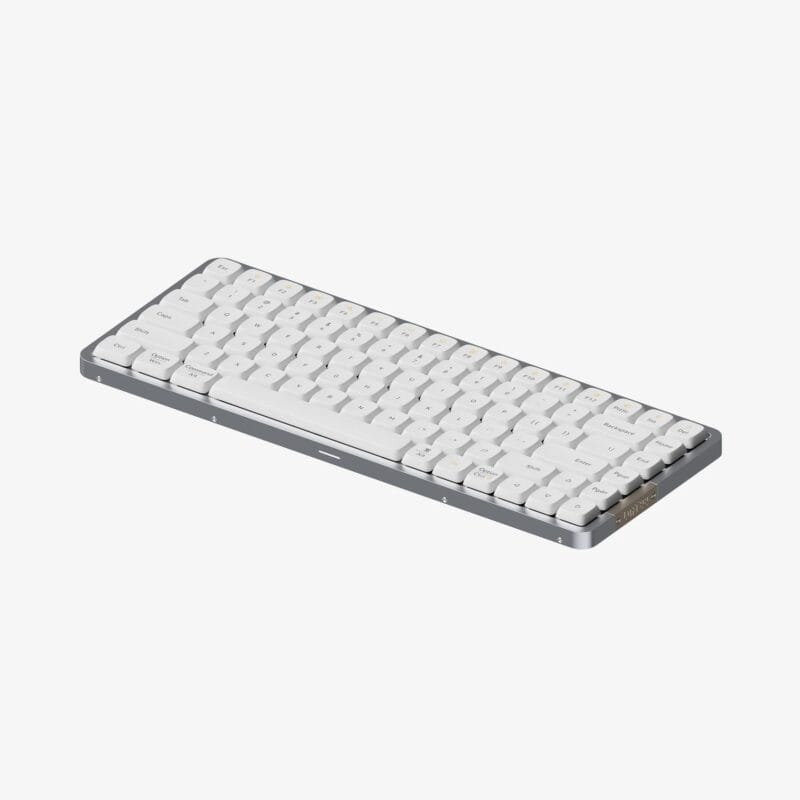
- Gasket-mounted low-profile design
- Aluminum case
- Pre-lubed full-POM switches
- Quiet switch options
- Compact 84-key layout
What is good
- Excellent low-profile sound and feel
- Premium metal construction
- Compact layout keeps useful keys
What is not
- Limited remapping
- Fewer switch and keycap options
Best full-size wired keyboard for Mac: Das Keyboard MacTigr
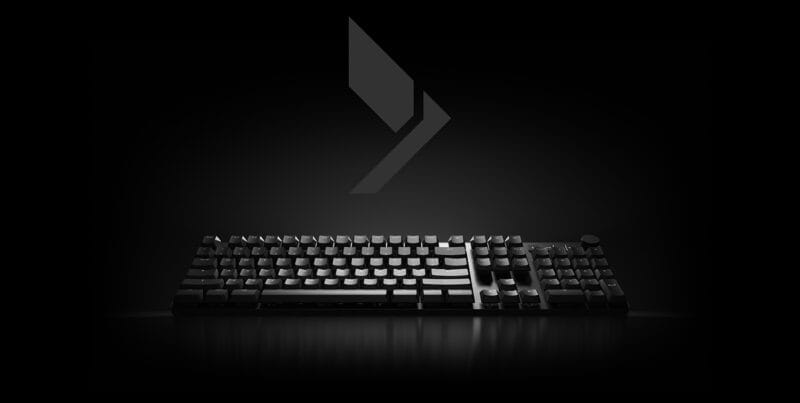
The MacTigr is for the person who read the last four entries and thought: I just want a number pad and a cable. It is a $219 full-size board with real Mac legends, a solid steel top plate, low-profile Cherry MX switches, a volume knob, and a USB-C connection that never pairs, never sleeps wrong, and never needs charging. There is a two-port USB-C hub built in.
The inflexibility is the product. No wireless, no switch choice, no hot-swap, and a footprint that dominates a small desk. For an accountant or anyone living in spreadsheets on a Mac, that is a fair trade. For everyone else, the Q1 Max at the same money is simply more keyboard.
Buy it if: you want a dedicated wired full-size Mac board with a numpad. Skip it if: you need wireless or want to tune the feel. It sells through Das Keyboard’s site. Still torn between awards? The four questions below settle it.
- Full-size Mac layout with numpad
- Wired USB-C, never needs pairing
- Solid steel top plate
- Low-profile Cherry MX switches
- Built-in two-port USB-C hub
What is good
- True full-size Mac layout
- Wired connection is predictable
- Solid metal construction
What is not
- No wireless mode
- Limited switch customization
How to choose a mechanical keyboard for your Mac
Work through four questions in order: profile, noise, legends, connection. Answer the first two and the board almost picks itself.
Standard or low profile?
Low profile, if you type on a MacBook most of the day; standard, if you want switch variety and do not mind a wrist rest. Low-profile boards (MX Mini, Air75 V2, Flow84) keep wrists flat and feel familiar immediately. Full-height boards like the Q1 Max offer far more switch and keycap choice but raise your hands enough that the wrist rest stops being optional. Switching profiles costs you a week of typos either way.
How loud can your keyboard be?
As loud as the most microphone-heavy hour of your week allows, which for most working people means tactile or quiet linear, not clicky. My Gateron Blues are genuinely fun and genuinely rude on a shared call. Every board on this list offers a switch a microphone tolerates. Treat quiet as the requirement and clicky as a hobby for later.
Do printed Mac legends matter?
More than remappers admit. Any board can be remapped to a Mac layout, but printed Command and Option keys in the right order, plus a function row with actual brightness and media glyphs, remove a small daily tax that software never quite fixes. Only the MX Mini for Mac and MacTigr get this completely right out of the box; Keychron and NuPhy ship both keycap sets and a toggle.
Bluetooth, dongle, or cable?
Dongle or cable, if the two-second Bluetooth wake delay after sleep would annoy you daily (it is the most common Mac-keyboard complaint, ahead of feel). A 2.4GHz dongle (Q1 Max, Air75 V2) or a wire eliminates it. If your Mac has only USB-C ports, confirm whether the dongle needs an adapter before you rely on that mode.
Before you order: a 60-second checklist
Keyboard listings bury variant differences that change the product completely. Run through this list against the exact listing in your cart.
- Match the exact switch code, not just the color name, to a feel you have tried or can return.
- Confirm standard or low profile matches your current typing posture.
- Check Mac legends, Command and Option placement, and the function-row default.
- Verify QMK/VIA or vendor-software support on macOS, not just Windows.
- Count your free ports: 2.4GHz receivers are USB-A on every board here.
- Compare weight and footprint against your actual desk, and read the return terms.
Alternatives considered
Two boards nearly made the list and lost on a single requirement each.
- Apple Magic Keyboard: still the right answer for silent rooms and Touch ID, but there is no mechanical travel and no switch choice, which is the whole point of this list.
- Keychron K-series (K2, K3, K8): my own K3 is the value route into everything above. The plastic case, shallower remapping, and mushier stabilizers are exactly what the Q1 Max’s extra $120 buys away. They are also the budget route in my under-$500 home office build.
Which one should you buy?
First, permission to relax: all five of these are good keyboards. Nobody types 20 percent faster on any of them, and the differences that fill forum threads (mounting styles, keycap profiles, switch lubing) show up at the margins, weeks after purchase, if at all. Buy for your use case and your room, not for the longest spec sheet.
With that said: if you are buying one keyboard to keep for years, get the Keychron Q1 Max and pick a tactile switch. The MX Mechanical Mini for Mac wins only when quiet and simple outrank everything, and the Air75 V2 wins only when low profile is non-negotiable. The specialist picks stay specialists: Flow84 for feel, MacTigr for a wired numpad. A year from now the board you notice least is the one that fit, and for most Mac desks that is the Q1 Max.
Frequently asked questions
What is the best mechanical keyboard for Mac?
Keychron Q1 Max is the best mechanical keyboard for Mac users who want premium build, Mac keycaps, wireless connectivity, and VIA remapping. Logitech MX Mechanical Mini is easier for offices.
Do Windows mechanical keyboards work on Mac?
Most USB and Bluetooth keyboards work, but modifier order, printed legends, function keys, and configuration software may not match macOS. Remapping can fix many issues.
Is a low-profile mechanical keyboard better for Mac users?
Low-profile keyboards feel closer to a MacBook keyboard and usually need less wrist lift. Full-height keyboards offer more switch and keycap choices.
What switch is best for office work?
Quiet tactile or linear switches are the safest office choices. Clicky switches are audible on calls and can bother people nearby.
Do I need QMK or VIA on a Mac keyboard?
No, but VIA makes it easier to remap keys, create layers, and fix unusual shortcuts without relying on vendor software. It is valuable for custom workflows.
Tell Google you want more of this.
Add Gaurav Tiwari as a preferred sourceOne tap, and this site shows up more often in your own Top Stories, AI Overviews and AI Mode. Remove it any time.
Disclaimer: This site is reader-supported. If you buy through some links, I may earn a small commission at no extra cost to you. I only recommend tools I trust and would use myself. Your support helps keep gauravtiwari.org free and focused on real-world advice. Thanks. - Gaurav Tiwari