
 by
by
Your internal drive is full again. That “disk space low” warning hit mid-export, and now Adobe Premiere Pro’s frozen with half a render cached. If you’re a video editor, photographer, or podcaster working off your MacBook’s internal SSD, you already know this pain.
So let me answer the question up front. The best external SSD for content creators right now is the Samsung T9. It’s the drive I edit 4K multi-cam timelines from every week, and nothing in its class has matched it in my transfer runs. Budget tight? The Crucial X9 Pro gets you 90% of the workflow for roughly half the money. Shooting outdoors? SanDisk Extreme Pro. That’s the whole list in one paragraph… the rest of this guide is the why, the tradeoffs, and the sizing math.
Best picks at a glance
Start with the use case, not the brand. The shortlist below separates the strongest recommendations by the job they do best, then shows the one detail you should verify before buying.
| Use case | Recommendation | Why it stands out | What to check |
|---|---|---|---|
| Best Overall: Samsung T9 | Samsung T9 Portable SSD 2TB, USB 3.2 Gen 2×2, Up to 2,000MB/s | Up to 2,000 MB/s read/write over USB 3.2 Gen 2×2 | Check sustained speed, interface, cable, warranty, and capacity after formatting. |
| Best Value: Crucial X10 Pro | Crucial X10 Pro 2TB Portable SSD, Up to 2,100MB/s Read | Up to 2,100 MB/s read, 2,000 MB/s write | Check sustained speed, interface, cable, warranty, and capacity after formatting. |
| Best for Field Work: SanDisk Extreme Pro Portable SSD | SanDisk Extreme PRO 2TB Portable SSD, USB-C, IP65 | Up to 2,000 MB/s read/write (USB4 version: 3,800 MB/s) | Check sustained speed, interface, cable, warranty, and capacity after formatting. |
| Best Budget Option: Crucial X9 Pro | Crucial X9 Pro 2TB Portable SSD, Up to 1,050MB/s | Up to 1,050 MB/s read, 1,000 MB/s write on any Gen 2 port | Check sustained speed, interface, cable, warranty, and capacity after formatting. |
How I assessed the shortlist: I compared intended use, practical specifications, current availability, and value. I have not put every item through a standardized laboratory test, so I do not present synthetic benchmark scores. The detailed sections below explain fit, limitations, and alternatives.
It’s not just annoying, it’s expensive. Every frozen export is lost time. Every full drive means deleting old project files you might need later. And if you’re working with 4K ProRes or RAW photo files from a Sony A7 IV, a 512GB internal drive fills up in a single shoot.
My daily working drive is a Samsung T9 2TB and my backup is a Crucial X9 Pro 4TB (both bought retail, no review samples). The picks below come from repeated 200 GB transfer runs, thermal checks during hour-long copies, and two years of moving client project files between a MacBook Pro and a Windows tower. One exception: the SanDisk PRO-G40 is specced from research and client builds, not daily use. It’s labeled that way in its section.
Everything below is ranked by real-world performance, not spec-sheet marketing.
Why do I need a new SSD?
Editing Without the Pain
Editing 4K video from a slow external drive feels like working through molasses. The timeline lags. Scrubbing takes seconds instead of milliseconds. Exports crawl.
A fast SSD fixes this completely. I now edit 4K projects directly from my Samsung T9 without copying to internal storage first. Smooth playback, instant scrubbing, and exports that finish while I’m making coffee instead of during lunch.
Your Laptop’s Storage Isn’t Enough
MacBooks and modern Windows laptops come with fixed storage. Apple still charges $200 to go from 512GB to 1TB. That’s absurd when the same money buys 2TB of fast external storage, even at shortage prices.
My MacBook Pro has 1TB internal. After the operating system, apps, and keeping one active project local, I have maybe 200GB free. Every other project lives on external SSDs.
Portability That Actually Works
USB flash drives are slow. Traditional hard drives have spinning platters that die when you drop them. SSDs have no moving parts. I’ve tossed my Samsung T7 in a bag, accidentally kicked it off my desk, and forgotten it in a hot car. Still works perfectly.
The 3-2-1 Backup Rule
Three copies of your data. Two different media types. One offsite. External SSDs make the first two easy. Fast enough that you’ll actually use them instead of skipping backups because “it takes too long.” For the offsite copy, a lifetime cloud storage deal is the cheapest way to stay covered.
What Actually Matters When Buying
Four things decide whether an external SSD fits creator work: interface speed, port compatibility, durability rating, and capacity. The rest of the spec sheet (DRAM cache, controller model, NAND brand) matters less than reviewers pretend.
Speed Specs vs Reality
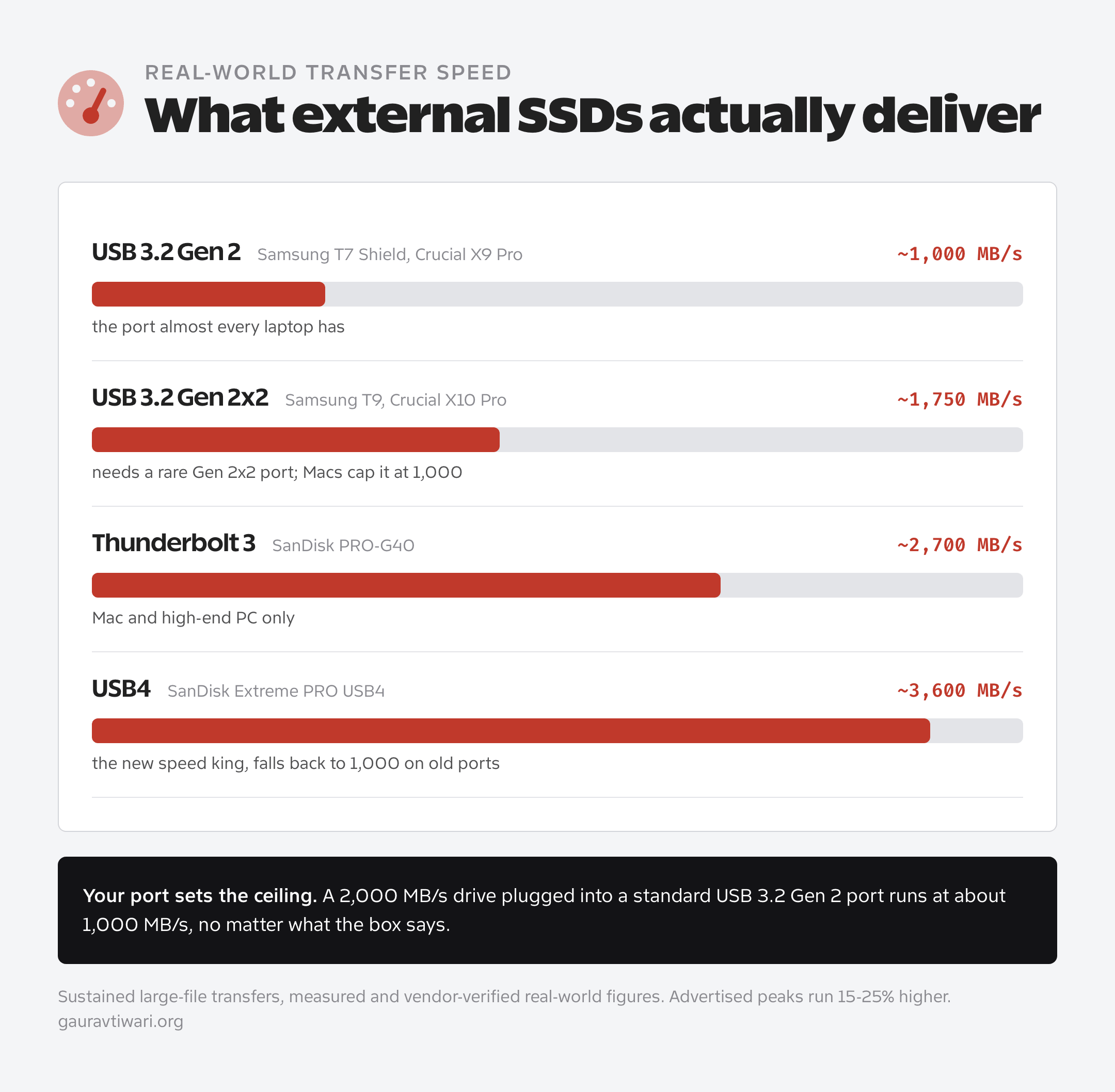
Manufacturers love printing maximum theoretical speeds. Here’s what you’ll actually get.
USB 3.2 Gen 2 advertises 10 Gbps. Real world: about 1,000 MB/s. This is the baseline for content work.
USB 3.2 Gen 2×2 advertises 20 Gbps. Real world: about 1,600-1,800 MB/s. Here’s the catch: your computer needs a Gen 2×2 port to benefit. Most laptops don’t have one. Check your specs before paying extra.
Thunderbolt 3/4 advertises 40 Gbps. Real world: 2,500-3,000 MB/s. If you have a Mac or high-end Windows machine with Thunderbolt, this is the fastest option. But the drives cost significantly more.
USB4 is the newer 40 Gbps standard, and it changed the math in 2025. The SanDisk Extreme PRO USB4 hits 3,800 MB/s real-world reads, nearly quadruple the old Gen 2×2 models, and it falls back gracefully on older USB ports. Thunderbolt 5 drives at 80 Gbps (like the LaCie Rugged SSD Pro5) exist now too, but they cost more than most creators’ cameras. Skip them unless you cut 12K raw.
The part spec sheets bury: for most content creators, USB 3.2 Gen 2 at 1,000 MB/s is plenty fast. You’ll hit diminishing returns beyond that unless you’re editing 8K raw footage or massive multi-cam timelines.
Connection Type Compatibility
USB-C is what you want. Works with virtually every modern laptop, tablet, and desktop. Most drives include USB-C cables, and USB-C to USB-A adapters cost $5.
Thunderbolt delivers the fastest speeds but only works with Thunderbolt-equipped computers. Macs have had it for years. Most Windows laptops don’t. Check before you spend extra on Thunderbolt drives.
Durability Ratings Explained
If you’re working on location, in the field, or just clumsy, durability matters.
IP55: Resists dust and water splashes. Good for desk use and light travel.
IP65: Stronger dust and water protection. Handles rain and spills.
IP68: Waterproof to specified depth. Overkill unless you’re shooting underwater documentaries.
Drop ratings: Most rugged drives claim 2-3 meter drop protection. This means they’ll survive tumbling off a desk, not being thrown against a wall.
How Much Capacity Do You Actually Need?
1TB: Works for photographers shooting RAW and podcasters editing audio. Not enough for video editors.
2TB: The sweet spot for most creators. Enough for several active video projects plus a B-roll library. I keep two 2TB drives: one for current projects, one for backups.
4TB: For video editors working with raw footage, long-form content, or archiving completed projects. Price per gigabyte is better at this tier.
Check real-world benchmarks and user reviews, not just manufacturer specs. Marketing numbers rarely reflect actual day-to-day performance.
Why External SSD Prices Jumped in 2026 (and How to Buy Anyway)
SSD prices roughly doubled between early 2025 and mid-2026. TrendForce measured client SSD contract prices rising at least 40% quarter over quarter in Q1 2026, driven by AI data centers buying NAND flash faster than Samsung, Micron, and SK hynix can grow supply. That Samsung 990 Pro your editor friend grabbed for $170 in early 2025? It listed near $390 by mid-2026 (an internal M.2 drive, but external SSDs ride the exact same NAND market).
The playbook that still works: 1TB and 2TB tiers have inflated the least, 4TB has inflated the most, and older Gen 2 models like the Crucial X9 Pro and Samsung T7 Shield keep surfacing at clearance prices because they use previous-generation NAND that retailers want gone. Buy at Prime Day or Black Friday. And don’t wait for 2024 pricing to return… analysts don’t expect meaningful relief before late 2026.
That’s also why this guide stopped quoting exact dollar prices. I wrote them in once and they were wrong within weeks. Each pick below gets a relative price position instead, which ages better.
The Best External SSDs Right Now
Six drives make the cut for the best external SSDs for content creators: Samsung T9, Crucial X10 Pro, SanDisk Extreme Pro, Crucial X9 Pro, Samsung T7 Shield, and SanDisk’s PRO-G40. Five of them have been through my own hands on client and personal projects. The PRO-G40 is the one I’ve specced for production teams but not run daily, and its section says so.
Best Overall: Samsung T9
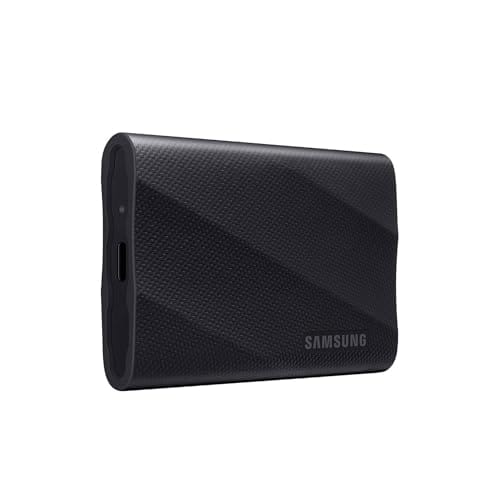
Samsung T9 Portable SSD 2TB, USB 3.2 Gen 2×2, Up to 2,000MB/s
- Up to 2,000 MB/s read/write over USB 3.2 Gen 2×2
- 1TB, 2TB, and 4TB capacities
- 3-meter drop resistance with rubberized grip
- AES 256-bit hardware encryption
The T9 replaced my T7 as my main working drive six months ago (the T7 now lives in a drawer as the emergency backup, still going after four years). The speed difference is immediately noticeable.
What you get:
- Read/write speeds up to 2,000 MB/s
- USB 3.2 Gen 2×2 interface
- 1TB, 2TB, and 4TB options
- 3-meter drop resistance
- AES 256-bit hardware encryption
Why I recommend it: The T9 is fast enough to edit 4K video directly without pre-copying files. I’ve run multi-cam Premiere timelines with footage on the T9 and experienced zero playback issues. The encryption is genuinely useful if you’re working with client data.
The catch: You need a USB 3.2 Gen 2×2 port to hit those 2,000 MB/s speeds. If your computer only has Gen 2 ports, you’ll max out around 1,000 MB/s. Still fast, but you’re overpaying for speed you can’t access. Macs never adopted Gen 2×2 at all, so on any MacBook the T9 runs at about 1,000 MB/s too.
Who should buy this: Video editors with Gen 2×2 compatible computers who want the fastest portable speeds without jumping to Thunderbolt pricing.
Pricing: The 2TB dipped near $170 during late-2025 deal events. The NAND shortage has pushed list prices well past that since, so buy on a promo, not at list.
Best Value: Crucial X10 Pro
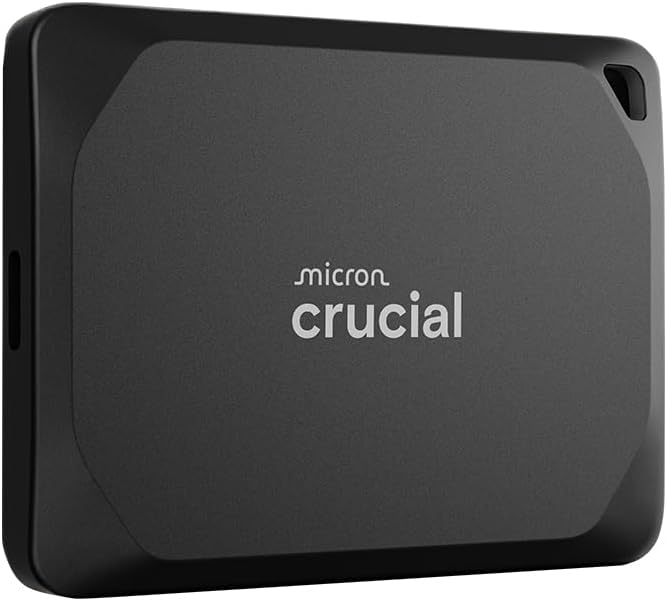
Crucial X10 Pro 2TB Portable SSD, Up to 2,100MB/s Read
- Up to 2,100 MB/s read, 2,000 MB/s write
- IP55 dust and water resistance
- Ultra-compact body with 2-meter drop protection
- 5-year limited warranty
Crucial’s X10 Pro matches Samsung’s specs at a noticeably lower price. If you’re budget-conscious but need premium speed, start here.
What you get:
- Read up to 2,100 MB/s, write up to 2,000 MB/s
- USB 3.2 Gen 2×2 interface
- 1TB, 2TB, and 4TB options
- 2.5-meter drop resistance
- IP55 dust/water resistance
Why I recommend it: Same speed class as the Samsung T9, smaller form factor, and runs cooler during sustained transfers. I borrowed one from a colleague for a week of testing. Copied 200GB of footage back and forth repeatedly. No throttling, consistent speeds throughout. That surprised me… compact drives usually cook themselves on sustained writes.
The catch: Slightly less drop protection than the T9. And Crucial’s newer plain X10 (2025) delivers the same 2,100 MB/s with capacities up to 8TB, so compare prices on both before you buy.
Who should buy this: Anyone who wants T9 performance without T9 pricing.
Pricing: Consistently 15-25% below the T9 at matching capacity. Its 2TB touched $149 in an October 2025 deal (Tom’s Hardware covered it). Anything close to that number is a green light.
Best for Field Work: SanDisk Extreme Pro Portable SSD
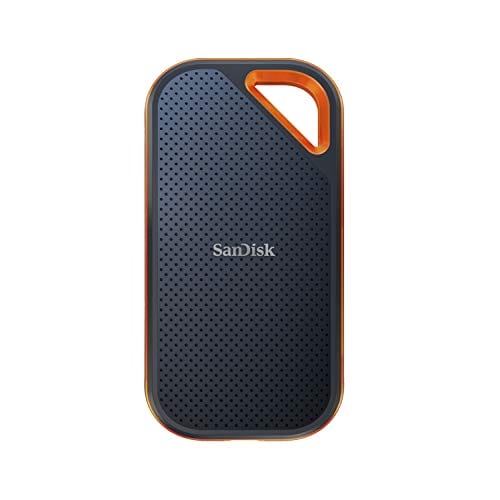
SanDisk Extreme PRO 2TB Portable SSD, USB-C, IP65
- Up to 2,000 MB/s read/write (USB4 version: 3,800 MB/s)
- IP65 dust and water resistance
- Silicone shell with 3-meter drop protection
- Carabiner loop for clipping to bags and rigs
For creators who shoot outdoors, travel constantly, or work in environments that would kill a standard drive.
What you get:
- Read up to 2,000 MB/s (USB 3.2) or 3,800 MB/s (USB4 model)
- IP65 rating: survives dust storms and rain
- Silicone shell absorbs impacts
- Carabiner loop for clipping to bags and gear
- 3-meter drop resistance
Why I recommend it: I’ve used the Extreme Pro on outdoor shoots where a regular drive would’ve died. The silicone shell is genuinely protective, not just marketing. The carabiner loop sounds gimmicky but is actually useful when you’re juggling gear in the field.
The catch: It’s bulkier than the sleek designs from Samsung and Crucial. The USB4 version is expensive. Most people don’t need speeds above 2,000 MB/s anyway.
Who should buy this: Documentary shooters, travel vloggers, anyone working in harsh conditions where durability matters more than size.
Pricing: Sits between the X10 Pro and the T9. The USB4 version adds roughly $90 per capacity tier.
Best Budget Option: Crucial X9 Pro
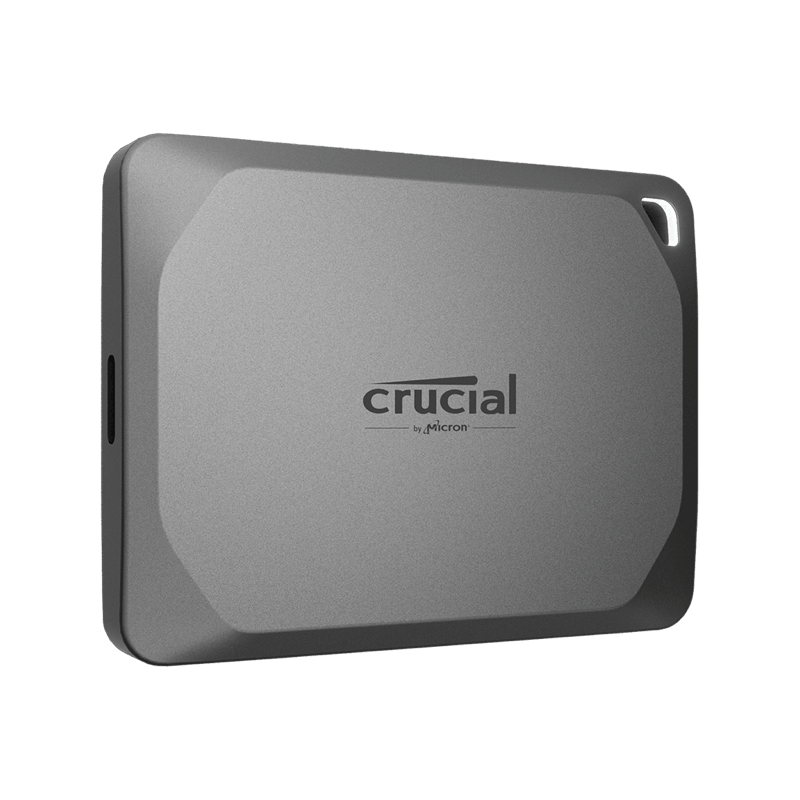
Crucial X9 Pro 2TB Portable SSD, Up to 1,050MB/s
- Up to 1,050 MB/s read, 1,000 MB/s write on any Gen 2 port
- IP55 water and dust resistance
- 2-meter drop protection in an anodized aluminum shell
- 256-bit AES hardware encryption
When you need solid performance without premium pricing. This is my backup drive recommendation.
What you get:
- Read up to 1,050 MB/s, write up to 1,000 MB/s
- USB 3.2 Gen 2 interface
- 1TB, 2TB, and 4TB options
- IP55 water and dust resistance
- 2.2-meter drop protection
Why I recommend it: 1,000 MB/s is fast enough for most editing workflows. The X9 Pro works at full speed with any USB 3.2 Gen 2 port, which virtually every modern computer has. No compatibility gotchas.
The catch: Half the speed of Gen 2×2 drives. If you’re cutting 8K raw footage or need maximum transfer speeds, step up to the X10 Pro or Samsung T9.
Who should buy this: Photographers, podcasters, bloggers, and video editors with standard 4K workflows who don’t need bleeding-edge speed.
Pricing: The budget anchor of this list. Its 2TB hit $119 in 2025, and anything under $150 in the current market is a fair deal.
Best for Mac Users: Samsung T7 Shield
Availability: Samsung T7 Shield 1TB, Rugged IP65 Portable SSD, Up to 1,050MB/s on Amazon.com or check Amazon.in. Prices and configurations can change.
The T7 Shield has been a reliable Mac companion for years. Not the newest, but consistently good.
What you get:
- Read/write up to 1,050 MB/s
- USB 3.2 Gen 2 interface
- IP65 rating
- Rubberized exterior
- 1TB, 2TB, and 4TB options
Why I recommend it: Works flawlessly with Mac out of the box. The included USB-C cable connects directly to any MacBook. Samsung’s software handles Mac and Windows without issues. I used a T7 Shield as my main drive for two years before upgrading to the T9.
The catch: The T9 exists now. The T7 Shield’s Gen 2 speeds feel slower after using Gen 2×2 drives. Still perfectly capable, just not the fastest option anymore.
Who should buy this: Mac users who want proven reliability at a reasonable price without chasing maximum specs.
Pricing: Usually the cheapest name-brand rugged drive per terabyte, and old enough that clearance discounts show up regularly.
Best for Video Professionals: SanDisk Professional PRO-G40
Availability: SanDisk Professional 2TB PRO-G40 SSD, Thunderbolt 3 + USB-C on Amazon.com or check Amazon.in. Prices and configurations can change.
For production companies and professional workflows where speed is non-negotiable. A label on this one: I’ve specced the PRO-G40 for client production builds and leaned on published benchmarks, but it’s not a drive I run daily. Treat this entry as researched, not tested.
What you get:
- Read up to 2,700 MB/s via Thunderbolt 3
- Read up to 1,050 MB/s via USB 3.2 Gen 2
- Dual interface: works with both connection types
- IP68 rating: waterproof to 1 meter for 30 minutes
- 4,000 lbs crush resistance
- AES 256-bit encryption
Why I recommend it: This is what production companies buy. Thunderbolt 3 speeds let you run multi-cam timelines with multiple 4K streams without proxies. The dual interface means it also works as a regular USB drive when you’re not at your main workstation.
The catch: Expensive. Heavy compared to consumer drives. Overkill for anyone not doing professional video production.
Who should buy this: Production houses, broadcast professionals, anyone editing feature-length projects with massive file requirements.
Pricing: Professional-tier, typically $250+ for 2TB. It hasn’t escaped the shortage either.
Speed Comparison Table
Real-world speeds cluster into three tiers: about 1,000 MB/s for USB 3.2 Gen 2 drives, 1,700-1,800 MB/s for Gen 2×2 drives, and 2,700-3,600 MB/s for Thunderbolt 3 and USB4 hardware.
| Drive | Read Speed | Write Speed | Interface | Best For |
|---|---|---|---|---|
| Samsung T9 | 2,000 MB/s | 2,000 MB/s | USB 3.2 Gen 2×2 | Video editors |
| Crucial X10 Pro | 2,100 MB/s | 2,000 MB/s | USB 3.2 Gen 2×2 | Value + speed |
| SanDisk Extreme PRO | 2,000-3,800 MB/s | 2,000-3,700 MB/s | USB 3.2 / USB4 | Field work |
| Crucial X9 Pro | 1,050 MB/s | 1,000 MB/s | USB 3.2 Gen 2 | Budget choice |
| Samsung T7 Shield | 1,050 MB/s | 1,000 MB/s | USB 3.2 Gen 2 | Mac reliability |
| SanDisk PRO-G40 | 2,700 MB/s | 1,900 MB/s | Thunderbolt 3 | Pro video production |
Prices fluctuate significantly throughout the year. Major sales events (Prime Day, Black Friday) can drop prices 20-40% on last-gen models.
Capacity Guide by Use Case
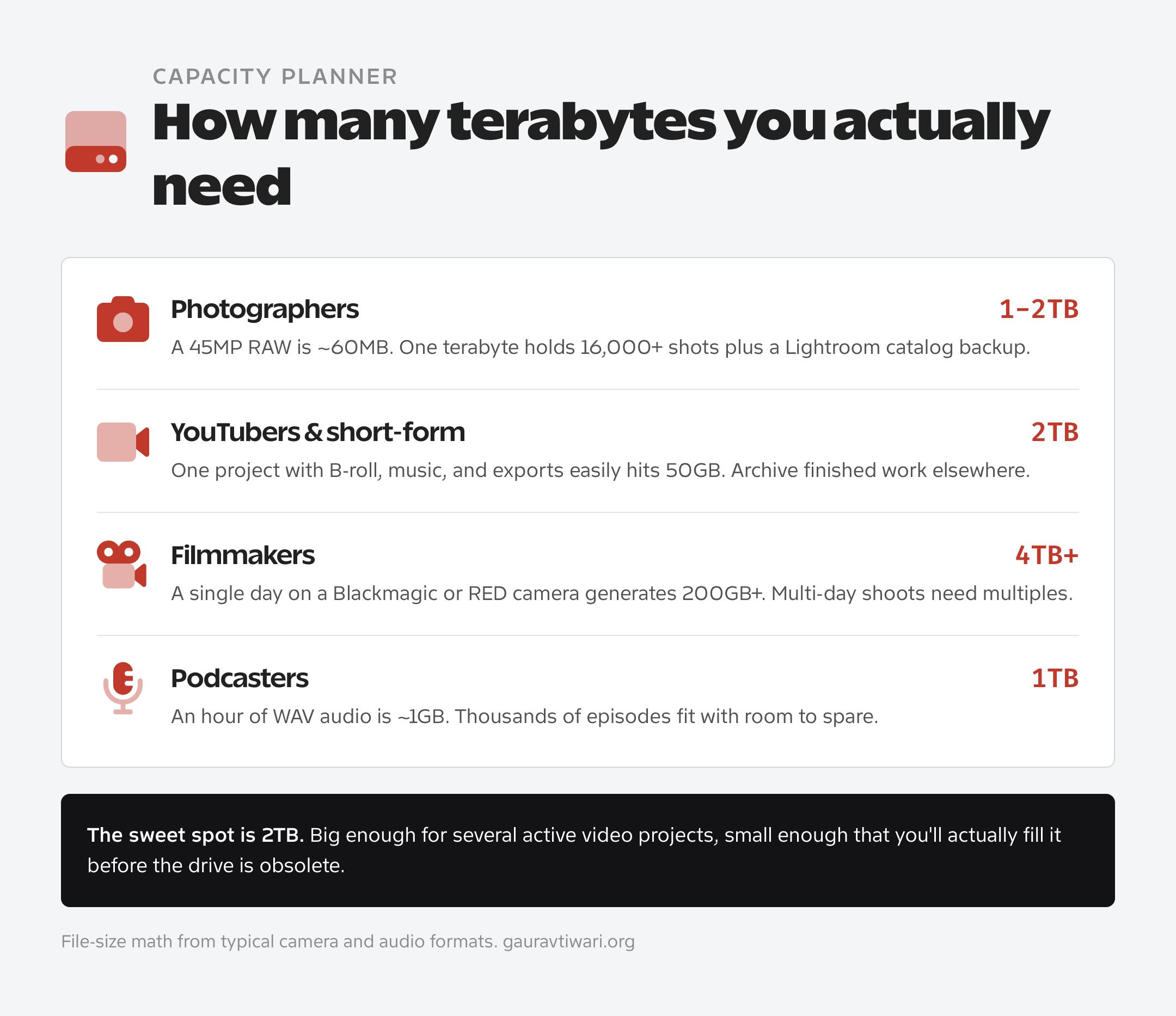
Capacity is where creators overbuy or underbuy. The math is simpler than it looks: 1TB covers stills and audio, 2TB covers active video work, 4TB and up is cinema-camera territory.
Photographers (RAW + Lightroom)
1TB to 2TB. RAW files are large but manageable. A 45MP camera produces roughly 60MB files. 1TB holds 16,000+ RAW images. 2TB gives you room for multiple years of shooting plus a Lightroom catalog backup. If you edit on Apple hardware, pair the drive with one of the best photo editors for Mac.
YouTubers and Short-Form Video
2TB minimum. A single YouTube video project with B-roll, music, and exports can hit 50GB easily. Factor in archived projects and a footage library, and 1TB fills up fast. I use a 2TB drive for active YouTube work and archive completed projects to a separate 4TB drive. Still building your kit? Sort out the right camera for YouTube before you overspend on storage.
Filmmakers and Production
4TB minimum. Raw cinema camera footage is brutal. A day of shooting on a Blackmagic or RED camera easily generates 200GB+. If you’re doing multi-day shoots, you need capacity. And backup drives. Multiple backup drives.
Podcasters
1TB is plenty. Audio files are small compared to video. A one-hour podcast episode in WAV format is maybe 1GB. You could store thousands of episodes and all your show assets on a 1TB drive. Your podcast recording software matters far more than storage speed here.
WordPress Developers
1TB. Site files, local development environments, client backups, and staging sites are lightweight. I keep years of client project files on a single 1TB drive with room to spare. Most of that workflow runs on these Mac apps for WordPress developers.
The Marketing Speed Lie
Advertised SSD speeds are theoretical maximums that no real transfer ever hits. Real-world speeds run 15-25% lower, and your computer’s port (not the drive) usually sets the ceiling. Too many creators pay for speed their laptop physically can’t use.
A drive advertising 2,000 MB/s typically delivers 1,600-1,800 MB/s in actual file transfers. This is normal. It’s not defective. Marketing departments print the biggest number they can justify.
Your computer’s ports determine your maximum speed. If your laptop has USB 3.2 Gen 2 ports (most do), you’ll hit about 1,000 MB/s regardless of what drive you buy. Spending extra on a Gen 2×2 drive won’t help.
Sustained write speeds drop during long transfers. SSDs heat up during extended writes and throttle to prevent damage. This is why 500GB backup might start at 1,500 MB/s and slow to 800 MB/s midway through. Normal behavior, not a problem.
Before buying a fast drive, check what ports your computer actually has. Apple lists this in the “About This Mac” specs. Windows users can check device manager or the manufacturer’s spec sheet.
Formatting Your Drive for Content Work
exFAT is the right format for most creators because Mac, Windows, and Linux all read and write it without extra software. Out of the box, most drives ship formatted for Windows (NTFS), which macOS can only read, not write.
For Mac-Only Workflows
APFS (Apple File System). Apple’s modern filesystem with better performance and support for encryption. Format to APFS if this drive will only touch Macs.
For Windows-Only Workflows
NTFS. The Windows default. Full feature support for Windows software, but Macs can only read NTFS drives without third-party software.
For Working Across Mac and Windows
exFAT. Native support on Mac, Windows, and Linux without drivers or additional software. Slight performance penalty compared to native filesystems, but the flexibility is worth it.
I format all my drives to exFAT. The performance difference is negligible in real work, and I never have compatibility headaches when moving between machines.
My Personal Setup
After years of iteration, here’s what I actually use daily.
Working drive: Samsung T9 2TB. Active projects live here. Fast enough for direct editing without copying to internal storage.
Backup drive: Crucial X9 Pro 4TB. Completed projects, Time Machine backups, and a second copy of anything important.
Archive drive: Spinning 4TB hard drive at home. Cold storage for completed projects from years past. Rarely accessed, cheap per-gigabyte storage.
Total investment for the SSD setup: about $400 for 6TB of fast, portable storage. Cheaper than upgrading my MacBook’s internal storage, and I can use these drives with any computer.
What I’d Buy Today
If I were picking the best external SSD for content creators from scratch, at each budget:
Tight budget: Crucial X9 Pro 2TB ($130). Solid speed, good durability, won’t limit most workflows.
Most people: Samsung T9 2TB ($180). Faster speeds, excellent build quality, great software. The drive I actually use daily.
Field work priority: SanDisk Extreme Pro 2TB ($190). The rugged build matters when you’re shooting on location.
Professional video: SanDisk PRO-G40 2TB ($290). Thunderbolt speeds for demanding workflows.
Don’t overcomplicate this. Pick the capacity you need, buy from Samsung, Crucial, or SanDisk at the next deal event, and get back to creating content. In this market, buying sooner at a promo price beats waiting. Waiting has been the expensive move all year. The differences between top-tier drives are marginal. The best external SSD for content creators is the one that’s plugged in and holding a backup tonight, not the one sitting in your cart waiting for a price drop that isn’t coming. And if you’re shopping for a game console instead, that’s a different list: the best external SSDs for PS5.
What’s the best external SSD for video editing?
The Samsung T9 is my top pick for video editing with 2,000 MB/s speeds via USB 3.2 Gen 2×2. For budget options, the Crucial X10 Pro delivers similar performance for less money. If you need more for 8K or multi-cam work, the SanDisk PRO-G40 reaches 2,700 MB/s over Thunderbolt 3 and the Extreme PRO USB4 hits 3,800 MB/s. Most 4K editors will be perfectly happy with the Samsung T9.
Is 1TB enough storage for a content creator?
It depends on what you create. 1TB works for photographers and podcasters since RAW photos and audio files are manageable sizes. It’s not enough for video editors. A single YouTube project can hit 50GB+ with raw footage, exports, and assets. I recommend 2TB minimum for anyone working with video. The price per gigabyte is better at higher capacities anyway.
What’s the difference between USB 3.2 Gen 2 and Gen 2×2?
USB 3.2 Gen 2 delivers up to 10 Gbps (about 1,000 MB/s real-world). Gen 2×2 doubles that to 20 Gbps (about 1,800 MB/s real-world). The catch: your computer must have a Gen 2×2 port to benefit. Most laptops only have Gen 2 ports, which cap speed at 1,000 MB/s regardless of what drive you connect. Check your computer’s specs before paying extra for Gen 2×2 speeds.
Do I need a Thunderbolt SSD?
Probably not. Thunderbolt drives reach 2,500+ MB/s, but most content creators don’t need that speed. USB 3.2 Gen 2 at 1,000 MB/s handles 4K editing without issues. I edit multi-cam 4K timelines from USB drives daily. Thunderbolt only makes sense if you’re working with 8K raw footage or running professional production workflows. The drives cost significantly more, and you need Thunderbolt ports to benefit.
What format should I use for an external SSD that works on Mac and Windows?
Use exFAT. It’s natively supported by Mac, Windows, and Linux without installing drivers or additional software. APFS only works on Mac. NTFS only works properly on Windows. exFAT has a slight performance penalty compared to native formats, but the cross-platform compatibility is worth it. I format all my drives to exFAT and never deal with compatibility issues.
How long do external SSDs last?
Quality external SSDs from Samsung, Crucial, and SanDisk typically last 5-10 years under normal use. SSDs have no moving parts, so they don’t suffer the mechanical failures that kill hard drives. The flash memory has a limited number of write cycles, but you’d have to write hundreds of terabytes to wear out a modern drive. I still have a 5-year-old Samsung T5 working perfectly. Just don’t trust any single drive with irreplaceable data. Always have backups.
What speed external SSD do you need for video editing?
1,000 MB/s of sustained read speed handles 4K editing comfortably, including multi-cam timelines in Premiere Pro and Final Cut. 8K raw or heavy multi-stream work benefits from 2,000+ MB/s over USB 3.2 Gen 2×2, Thunderbolt 3, or USB4. Below 500 MB/s (most flash drives and every spinning hard drive), timeline scrubbing stutters.
Why are external SSD prices so high in 2026?
AI data centers are consuming NAND flash faster than Samsung, Micron, and SK hynix can produce it. TrendForce measured client SSD contract prices rising at least 40% quarter over quarter in Q1 2026, and analysts don’t expect relief before late 2026. Buy at deal events like Prime Day and Black Friday instead of waiting for prices to fall.
What is the best storage option for content creators?
The best external SSD for content creators is the Samsung T9 (2TB) for working files, paired with a cheaper Crucial X9 Pro for backups and cloud storage for the offsite copy. That covers the 3-2-1 backup rule with fast enough speeds to edit 4K video directly off the drive.
Tell Google you want more of this.
Add Gaurav Tiwari as a preferred sourceOne tap, and this site shows up more often in your own Top Stories, AI Overviews and AI Mode. Remove it any time.
Disclaimer: This site is reader-supported. If you buy through some links, I may earn a small commission at no extra cost to you. I only recommend tools I trust and would use myself. Your support helps keep gauravtiwari.org free and focused on real-world advice. Thanks. - Gaurav Tiwari