
 by
by
Picking the best iPad for students looks simple until you add up the receipt. Apple sells 4 iPads, 3 Apple Pencils and 3 keyboards, and only some of them work together. A student who buys by the chip name can end up paying laptop money for a note-taking tablet, or with a Pencil that won’t pair with the iPad it was bought for.
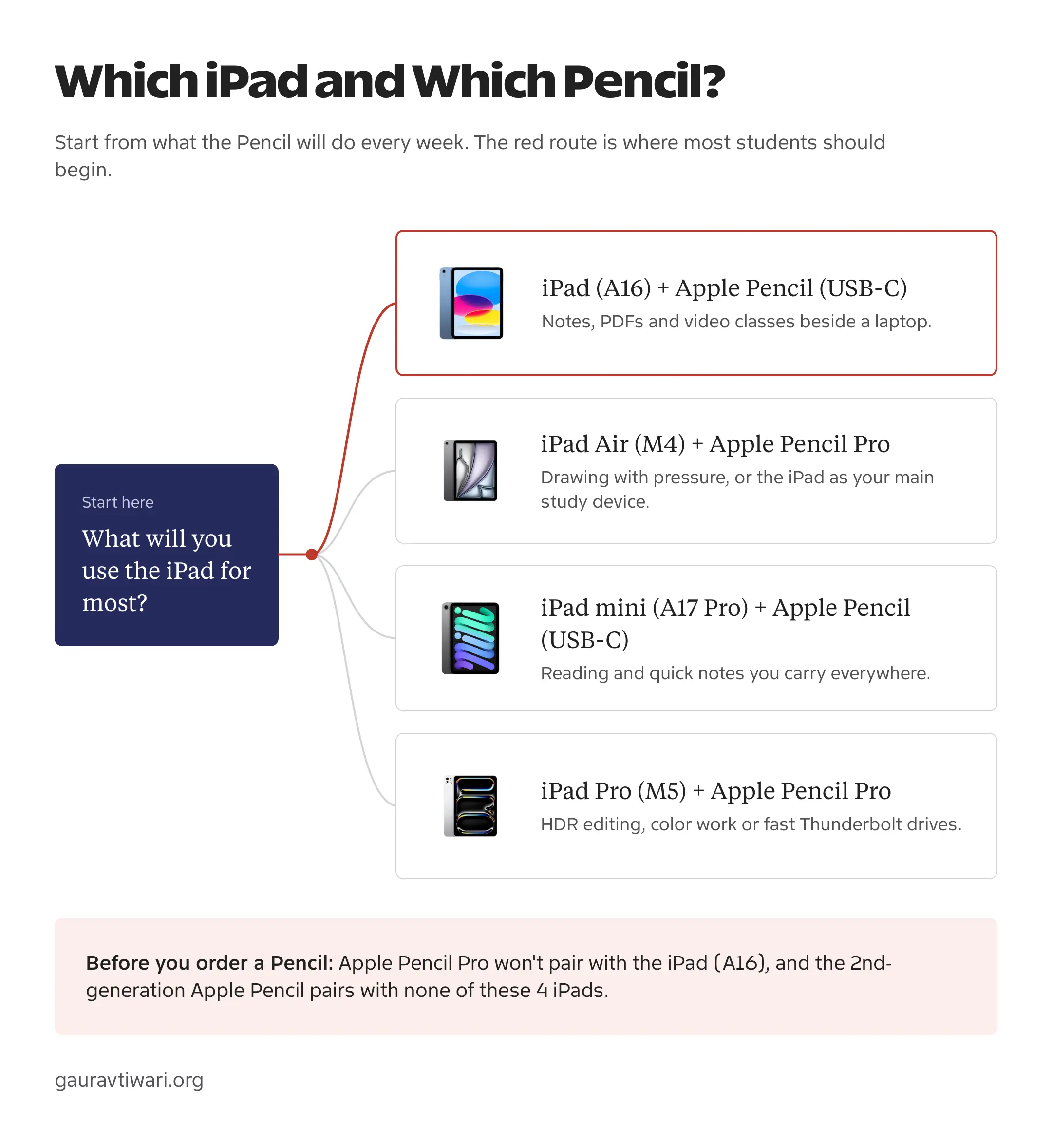
For most students, the right answer is the iPad (A16) with the Apple Pencil (USB-C). It starts with 128GB of storage, handles notes, PDFs, research and video classes, and the pair costs $528 at Apple’s US price. I’d move up to the iPad Air (M4) only when the iPad has to be your main study device or you draw with pressure-sensitive brushes, because those reasons arrive with the Apple Pencil Pro and that pair starts at $878.
The 4 current models split cleanly by the job each one does:
- The iPad (A16) is the laptop companion for handwritten notes, marked-up readings and online classes.
- The iPad Air (M4) suits a main study device, drawing and a desk setup with an external monitor.
- The iPad Pro (M5) is for OLED color work, ProMotion and fast Thunderbolt drives.
- The iPad mini (A17 Pro) is a portable reader and notebook that sits beside a laptop.
Which iPad Should Students Buy?
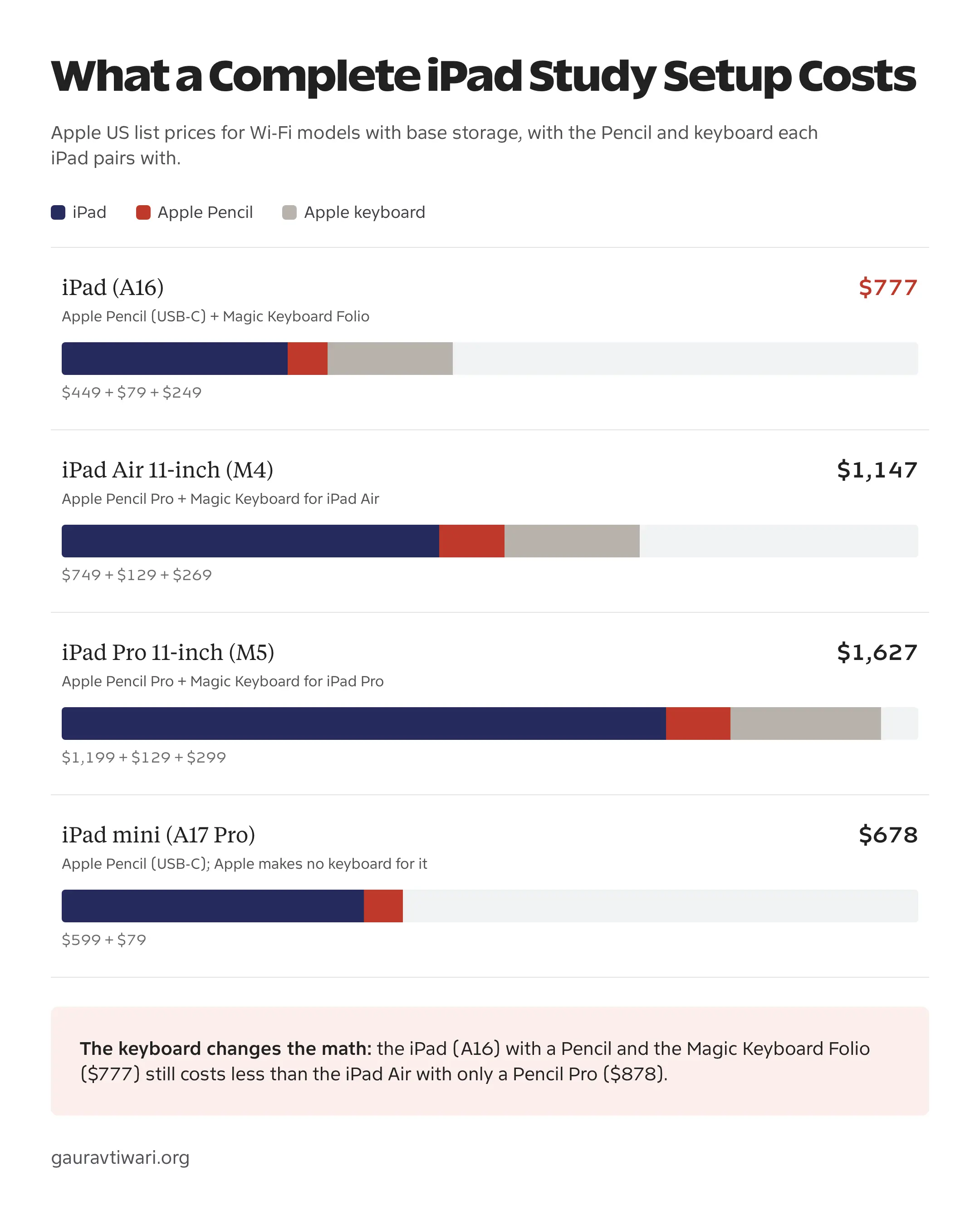
Start from the complete setup instead of the tablet. The Pencil decides more about a study iPad than the chip does, and Apple’s keyboard adds $249 to $299 to whichever iPad it fits. Each row below pairs an iPad with the Pencil I’d buy for it, then adds Apple’s own keyboard where one exists.
| Setup | Best For | iPad + Pencil | With Apple Keyboard |
|---|---|---|---|
| iPad (A16) 128GB + Apple Pencil (USB-C) | Notes, PDFs and classes beside a laptop | $528 | $777 with the Magic Keyboard Folio |
| iPad Air 11-inch (M4) 128GB + Apple Pencil Pro | A main study device, drawing, an external monitor | $878 | $1,147 with the Magic Keyboard for iPad Air |
| iPad Pro 11-inch (M5) 256GB + Apple Pencil Pro | OLED color work, ProMotion, Thunderbolt drives | $1,328 | $1,627 with the Magic Keyboard for iPad Pro |
| iPad mini (A17 Pro) 128GB + Apple Pencil (USB-C) | Reading and quick notes on the move | $678 | No Apple keyboard; any Bluetooth keyboard works |
Amazon US sells most of these below Apple’s list price. At the time of writing, the iPad (A16) is $399.99 and the 11-inch Air is $649 there, with the Pencil (USB-C) at $69 and the Pencil Pro at $99, which brings the 2 main setups to $468.99 and $748.
My pick for the best iPad for students on most budgets is the first row. Moving to the Air setup costs $350 more at Apple’s price, and that money should buy something you’ll use every week: the laminated screen under the Pencil, pressure-sensitive drawing, Apple Intelligence or a proper external-monitor desk.
iPad Comparison
All 4 iPads Apple sells in 2026 take handwritten notes, open PDFs, run Google Docs and join a video class without strain. The differences that matter to a student sit in the screen under the Pencil, the port and the accessories each model accepts.
| Model | Display | Chip | Starting Storage | Port | Apple Pencil | Apple Intelligence |
|---|---|---|---|---|---|---|
| iPad (A16) | 11-inch, not laminated, sRGB | A16 | 128GB | USB-C at USB 2 speed; 4K external display | USB-C; 1st generation with adapter | No |
| iPad Air (M4) | 11 or 13-inch, laminated, P3, anti-reflective | M4, 12GB memory | 128GB | USB 3 up to 10Gb/s; 6K external display | Pro or USB-C | Yes |
| iPad Pro (M5) | 11 or 13-inch tandem OLED, ProMotion up to 120Hz | M5 | 256GB | Thunderbolt / USB 4 up to 40Gb/s; 6K external display | Pro or USB-C | Yes |
| iPad mini (A17 Pro) | 8.3-inch, laminated, P3, anti-reflective | A17 Pro | 128GB | USB 3 up to 10Gb/s; 4K external display | Pro or USB-C | Yes |
The base iPad has 2 gaps a student will notice. Its display isn’t laminated, so there is a thin layer of air between the glass and the pixels that you feel most with a Pencil tip. And its USB-C port runs at USB 2 speed, which makes copying a long lecture recording off a drive slow. The rest of an ordinary study day runs on it comfortably.
Best iPads for Students
I’ve ordered these by how many students each one fits, using Apple’s current specifications and US prices. Every box shows the base Wi-Fi configuration.
iPad (A16)
The iPad (A16) is the one I’d buy for most students, especially when a laptop already handles long essays and coding. It has an 11-inch display, 128GB of storage, a landscape front camera for video classes and Touch ID, and it starts at $449 at Apple.
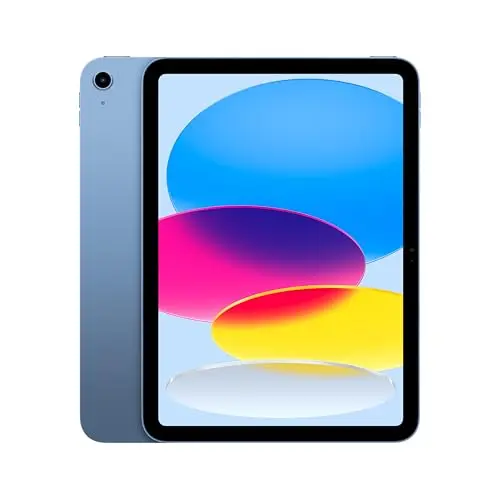
Apple iPad (A16) 11-inch, 128GB, Wi-Fi
- 11-inch Liquid Retina display, 128GB starting storage
- Works with Apple Pencil (USB-C), and Apple Pencil (1st generation) with an adapter
- Supports the Magic Keyboard Folio
- USB-C port with one external display up to 4K
- Landscape 12MP front camera and Touch ID
Its gaps don’t stop ordinary study work. Handwritten notes, readings marked up in one of the best PDF apps for students and a browser open beside a document all run comfortably on the A16. What you give up is the drawing feel, Apple Intelligence and a faster port.
Why it fits:
- The lowest-cost complete study setup in the lineup.
- 128GB from the start, enough for a laptop companion.
- The Magic Keyboard Folio turns it into a typing setup without a separate case.
Watch out for:
- No Apple Pencil Pro support.
- Non-laminated display without an anti-reflective coating.
- No Apple Intelligence, and the port runs at USB 2 speed.
iPad Air (M4)
The iPad Air (M4) is my pick when the iPad will be your main study device rather than a companion. It comes in 11-inch and 13-inch sizes, starts at $749 for the 11-inch model and adds a laminated, anti-reflective P3 display, Apple Pencil Pro support and Apple Intelligence.
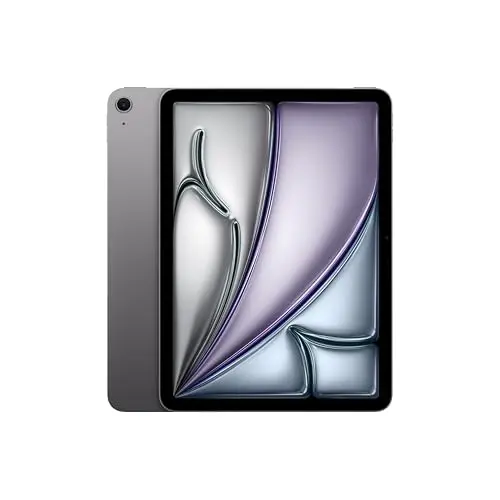
Apple iPad Air 11-inch (M4), 128GB, Wi-Fi
- 11-inch or 13-inch fully laminated display with anti-reflective coating
- M4 chip with 12GB of memory and Apple Intelligence
- Works with Apple Pencil Pro and Apple Pencil (USB-C)
- USB 3 port up to 10Gb/s, one external display up to 6K
- Supports the Magic Keyboard for iPad Air
The Air’s advantage shows up around the Pencil and the desk. Illustration and design students get pressure sensitivity, squeeze and barrel roll through the Pencil Pro. A student who docks the iPad to a monitor gets a 6K external display and a USB 3 port rated about 20 times faster than the A16’s USB 2 port.
The 13-inch Air ($949) suits a desk-first workflow with 2 documents side by side. For a backpack, the 11-inch is the better size.
Why it fits:
- A laminated, anti-reflective screen that puts the Pencil tip closer to the pixels.
- Apple Pencil Pro and Apple Intelligence support.
- A 13-inch option for split-screen reading.
Watch out for:
- The setup with a Pencil Pro costs $350 more than the A16 setup.
- 128GB base storage fills faster with video and art files.
- A 60Hz display, without the Pro’s ProMotion.
iPad Pro (M5)
The iPad Pro (M5) is for a student who can name the feature they need. Its Ultra Retina XDR display uses tandem OLED with ProMotion up to 120Hz, its port is Thunderbolt / USB 4, and storage starts at 256GB. The 11-inch model starts at $1,199.
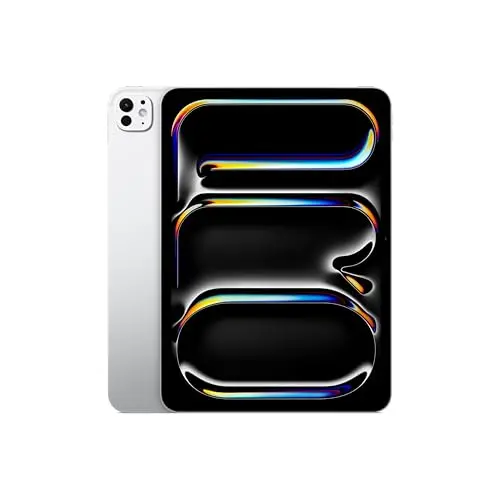
Apple iPad Pro 11-inch (M5), 256GB, Wi-Fi
- Tandem OLED Ultra Retina XDR display with ProMotion up to 120Hz
- M5 chip with 256GB starting storage
- Thunderbolt / USB 4 port up to 40Gb/s
- Face ID, works with Apple Pencil Pro and Apple Pencil (USB-C)
- Supports the Magic Keyboard for iPad Pro
Film, photography and design students who grade color or edit HDR footage will see the display difference every day, and students who move large camera files to fast external drives will use the Thunderbolt port. For notes, readings, essays and presentations, the extra $450 over the 11-inch Air buys capacity the coursework never touches. A race car in campus traffic still waits at the same light.
Why it fits:
- The best display Apple puts in an iPad.
- Thunderbolt for fast drives and docks.
- 256GB base storage, and at 0.98 pound the 11-inch Pro weighs less than the 11-inch Air.
Watch out for:
- $1,328 with a Pencil Pro before any keyboard.
- Most study apps don’t use what the premium buys.
- The Pro keyboard alone costs $299.
iPad mini (A17 Pro)
The iPad mini (A17 Pro) is the portable one: an 8.3-inch laminated display, 128GB of storage, Apple Pencil Pro support and Apple Intelligence in a 0.65-pound body. It starts at $599.
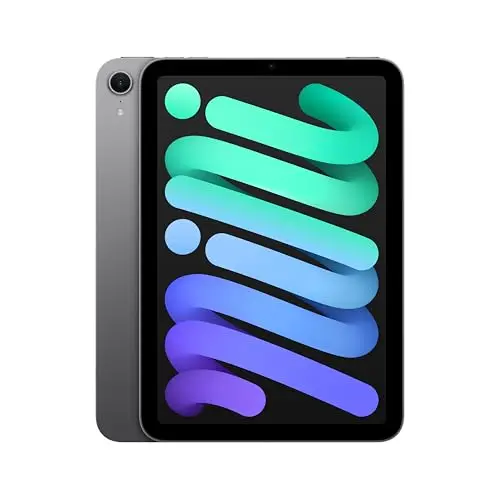
Apple iPad mini (A17 Pro), 128GB, Wi-Fi
- 8.3-inch fully laminated display with anti-reflective coating
- A17 Pro chip with Apple Intelligence
- Works with Apple Pencil Pro and Apple Pencil (USB-C)
- USB 3 port up to 10Gb/s
- 0.65 pound (293 g) for the Wi-Fi model
It makes a lovely reading and reference device beside a laptop and a tight one as your only study device. Split-screen reading feels cramped, the on-screen keyboard covers a big share of the page, and Apple makes no keyboard for it. Buy it because 0.65 pound and one-handed reading change how often you’ll carry it, and skip it if the A17 Pro name is the main attraction.
Why it fits:
- The lightest iPad, easy to hold in one hand.
- Apple Pencil Pro and Apple Intelligence support.
- A laminated P3 display for reading and annotation.
Watch out for:
- Cramped for split-screen work and long typing sessions.
- No Apple keyboard, so typing needs a Bluetooth one.
- Costs $150 more than the A16 for a smaller screen.
If an iPad is more tablet than your course needs, my list of the best tablets for students covers Android and Windows options at lower prices.
iPad vs iPad Air for Students
For most students, the iPad (A16) is the better buy and the iPad Air is the better iPad. The Air earns its extra cost when one of these is part of your week:
- Drawing with pressure-sensitive brushes, which needs the Apple Pencil Pro.
- Writing on the screen for hours, where the laminated, anti-reflective display feels closer to the page.
- A desk setup with an external monitor up to 6K and fast USB 3 storage.
- Apple Intelligence features such as Writing Tools inside your notes and documents.
- A 13-inch screen for reading 2 documents side by side.
Compare like with like. The 11-inch iPad (A16) and the 11-inch Air both start at 128GB, and Apple’s price gap between them is $300. Pair each with the Pencil that suits it and the gap becomes $350. Add Apple’s keyboard to both and it reaches $370.
If none of those bullets describes your course, the A16 setup leaves that $350 for a case, a keyboard or textbooks. The sensible middle is the iPad your coursework needs today, with the upgrade money kept for things you will use every week.
Apple Pencil and Keyboard Costs
The Pencil is the accessory students use most, and also the easiest one to buy wrong. Apple Pencil compatibility is strict across the current lineup:
- The Apple Pencil (USB-C) ($79) works with all 4 current iPads. It has tilt sensitivity but no pressure sensitivity, which is fine for handwriting and PDF markup.
- The Apple Pencil Pro ($129) adds pressure sensitivity, squeeze, barrel roll, haptic feedback and Find My. It works with the Air (M4), Pro (M5) and mini (A17 Pro), and it doesn’t pair with the iPad (A16).
- The Apple Pencil (1st generation) works with the iPad (A16) only through Apple’s USB-C to Apple Pencil Adapter.
- The Apple Pencil (2nd generation) works with none of the 4 current iPads.
So if you already own a Pencil, check its generation before you build a new setup around it. A first-generation Pencil carries over to the A16 with the adapter, and a second-generation one doesn’t carry over at all.
Keyboards are where a tablet setup drifts into laptop money:
- The Magic Keyboard Folio ($249) fits the iPad (A16) and splits into a keyboard and a back cover, with a trackpad and a function row.
- The Magic Keyboard for iPad Air costs $269 for the 11-inch model and $319 for the 13-inch model.
- The Magic Keyboard for iPad Pro costs $299 for the 11-inch model and $349 for the 13-inch model.
- The iPad mini has no Apple keyboard, so any Bluetooth keyboard has to do the job.
If you write long papers, compare that keyboard line against a laptop before you buy it. A student who already carries a laptop for typing can skip the keyboard and keep the iPad for the Pencil work it does best. For cases, stands and cheaper keyboards, my guide to the best iPad accessories for students compares the options.
Storage and Cellular
Storage and cellular are the 2 upgrades Apple’s configurator makes easiest to over-buy. These are the points where each one starts to pay for itself:
- 128GB is enough for apps, notes, PDFs and ordinary files when your notes sync to the cloud.
- 256GB costs $100 more on the A16, Air and mini, and it makes sense for video projects, large art files or offline course libraries.
- Cellular adds $150 on the A16 and Air and $200 on the Pro, plus a monthly data plan. Campus Wi-Fi and a phone hotspot cover most students.
- The 11-inch size is the balanced one for a backpack, and 13 inches suits a desk-first workflow.
Can an iPad Replace Your Laptop?
It can for some courses, and the answer depends on software rather than the chip. Before an iPad becomes your only computer, check these:
- Course software: every required desktop app, coding environment, spreadsheet add-in and lab tool needs a workable iPad version.
- Exam rules: some proctoring and locked-down assessment tools require Windows or macOS, and no iPad chip changes that policy.
- Typing volume: long research papers, citations and file-heavy projects are still easier on a conventional laptop, even with a keyboard case.
- Ports and peripherals: check monitors, lab equipment, printers and classroom presentation systems before you build around USB-C.
If one required tool fails, buy the laptop first and let the iPad be the companion. My comparison of the MacBook Neo vs MacBook Air covers that choice for students, and the best note-taking apps for students cover what runs well on the iPad side.
Education Pricing
Apple’s US education store takes a small amount off each iPad for current and newly accepted college students, parents buying for them, faculty, staff and homeschool teachers of all grade levels:
- iPad (A16): $429, which is $20 off.
- iPad Air 11-inch (M4): $699, which is $50 off.
- iPad mini (A17 Pro): $549, which is $50 off.
- iPad Pro 11-inch (M5): $1,099, which is $100 off.
- Apple Pencil (USB-C) $69 and Apple Pencil Pro $119.
On the 2 models most students buy, those discounts are smaller than the current gap between Apple and Amazon, so compare both before checkout. Apple verifies eligibility, and a high school student doesn’t qualify only by being in high school.
In India, Apple’s prices start at ₹49,900 for the iPad (A16), ₹69,900 for the mini, ₹89,900 for the 11-inch Air and ₹1,39,900 for the 11-inch Pro. With the Apple Pencil (USB-C) at ₹7,900 and the Pencil Pro at ₹11,900, the 2 main setups come to ₹57,800 and ₹1,01,800. Buy the iPad Pro and the Magic Keyboard Folio from Apple’s India store or an authorized Apple reseller.
FAQs on iPads for Students
What is the best iPad for students?
The iPad (A16) with 128GB and the Apple Pencil (USB-C) is the best value for most students, at $528 for the pair at Apple’s US price. Choose the iPad Air (M4) with the Apple Pencil Pro when the iPad is your main study device or you draw with pressure-sensitive brushes.
Can I use an Apple Pencil I already own?
Check its generation against the iPad. The iPad (A16) supports the Apple Pencil (USB-C) and the first-generation Pencil with Apple’s USB-C adapter, and it does not support the Pencil Pro. The second-generation Pencil works with none of the current iPads. Don’t replace a compatible Pencil just because the tablet is newer.
Should I buy a refurbished iPad Air instead of a new iPad (A16)?
It can be the better deal when the Air’s laminated display or Pencil Pro support solves a real need at a similar complete-setup cost. Compare the exact chip, storage, battery condition, warranty and return policy, and confirm which Pencil the refurbished model supports before you buy one.
Does the iPad (A16) support Apple Intelligence?
No. Apple Intelligence runs on the iPad Air (M4), iPad Pro (M5) and iPad mini (A17 Pro). Upgrade for it only if a feature such as Writing Tools would change how you study.
Does Apple’s education pricing apply to high school students?
Not by default. Apple’s US education pricing covers current and newly accepted college students, parents buying for them, faculty, staff and homeschool teachers. A high school student qualifies only through one of those categories, and Apple verifies eligibility.
Final Remarks
Buy the iPad (A16) and the Apple Pencil (USB-C) if your course apps run on iPadOS and a laptop already handles long typing. Step up to the Air and the Pencil Pro only for drawing, a desk monitor or a main-device workload. Then check the Amazon price against Apple’s before you pay, because on these 2 models Amazon can undercut even the education discount.
Tell Google you want more of this.
Add Gaurav Tiwari as a preferred sourceOne tap, and this site shows up more often in your own Top Stories, AI Overviews and AI Mode. Remove it any time.
Disclaimer: This site is reader-supported. If you buy through some links, I may earn a small commission at no extra cost to you. I only recommend tools I trust and would use myself. Your support helps keep gauravtiwari.org free and focused on real-world advice. Thanks. - Gaurav Tiwari