
Best Note-Taking Apps for Students (2026 Edition)
Note-taking apps determine how effectively you capture, organize, and retrieve information. The best ones go beyond basic text input, offering features like audio recording, handwriting recognition, cross-device sync, and powerful search. After testing dozens of note-taking apps for different academic use cases, I've identified the best options for students in 2026. From Notion and Obsidian to Apple Notes and GoodNotes, here's what works for each learning style.
 by
by
The best note-taking apps for students solve different problems. Notion is the strongest all-round organizer, Obsidian is better for connected research, OneNote wins when a freeform canvas matters, and Goodnotes is the cleanest pick for iPad-first handwriting.
Choose for your actual bottleneck. If you lose notes, prioritize search and sync. If concepts stay isolated, choose backlinks. If lectures move faster than you can type, choose handwriting or synchronized audio. A beautiful dashboard cannot rescue the wrong workflow.
Which Note-Taking App Fits the Way You Study?
Start with one job. Notion fits students who want courses, tasks, and notes together. Obsidian fits research that grows through links. OneNote and Goodnotes fit pen-first work. Google Keep is a capture inbox, not a semester-long notebook.
Jump to an app:
Quick Comparison: Best Note-Taking Apps for Students
Use this as a shortlist, not a scoreboard. Start with the row that matches your study bottleneck, then read that app’s limitation before you install it.
| App | Best For | Platforms | Stylus | Offline | Price |
|---|---|---|---|---|---|
| Notion | All-in-one workspace | All + Web | No | Downloaded pages | Free |
| Craft | Structured documents | All + Web | iPad | Yes | Free; $8/mo |
| Obsidian | Linked notes & research | All platforms | No | Yes | Free |
| RemNote | Flashcards & exam review | All + Web | Yes | Yes | Free; $8/mo Pro |
| OneNote | Freeform canvas | All + Web | Yes | Yes | Free |
| Apple Notes | Quick capture (Apple) | Apple only | Yes | Yes | Free |
| Google Keep | Quick sticky notes | Android, iOS, Web | Yes | Limited | Free |
| Zoho Notebook | Visual notebooks | All + Web | Yes | Yes | Free |
| Evernote | Web clipping & search | All + Web | Yes | Paid only | $14.99/mo |
| GoodNotes 6 | Handwritten notes | Apple, Android, Windows, Web | Yes | Varies | Free; $11.99/yr |
| Notability | Lecture recording | Apple, Android, Web | Yes | Yes | $14.99/yr |
| CollaNote | Free handwriting | Apple only | Yes | Yes | Free |
| Typora | Markdown writing | Win, Mac, Linux | No | Yes | $14.99 |
| Bear | Markdown + tags | Apple only | No | Yes | $2.99/mo |
| Drafts | Quick text capture | Apple only | No | Yes | $4.99/mo |
| iA Writer | Distraction-free writing | All platforms | No | Yes | $49.99 |
Best Free Note-Taking Apps for Students
You do not need to spend money on a note-taking app. These free options cover every major use case, from typed notes to handwritten lecture capture.
- Notion: Best overall free option. Notes, databases, wikis, and project boards in one app. The free plan is generous enough for most students. Works on every platform.
- Obsidian: Best for research and connected notes. Local-first (your notes stay on your device), backlinks between notes, and a graph view for mapping ideas. Completely free for personal use.
- RemNote: Best free option for building flashcards from your notes. Unlimited notes, flashcards, spaced repetition, and device sync are included. PDF annotation, handwriting, exam scheduling, and AI usage have free-plan limits.
- OneNote: Best free option with stylus support. Freeform canvas, audio recording, and works on every platform. If your school provides Microsoft 365, you already have it.
- Apple Notes: Best for Apple ecosystem users who want zero friction. Scan documents, draw, and organize with folders and tags. No subscription, no signup.
- Google Keep: Best for quick capture and reminders. Sticky-note style. Syncs across all devices via Google account. Not for long-form notes, but perfect for to-do lists and quick ideas.
- Zoho Notebook: Best free Evernote alternative. Visual card-based notebooks with no ads and no feature limits. Surprisingly powerful for a completely free app.
- CollaNote: Best free handwriting app for iPad. Apple Pencil support, collaboration features, and PDF annotation. The best GoodNotes alternative if you don’t want to pay.
Best Paid Note-Taking Apps Worth the Money
These apps cost money but deliver features free apps cannot match. Worth it if you take notes seriously or have specific workflow needs.
- Craft (free plan; $8/month Plus): Best for beautiful, structured documents. If you submit assignments or share notes with classmates, Craft’s output looks professional. Native apps now cover Apple, Windows, and Android.
- RemNote (free plan; Pro $8/month billed yearly): Best paid upgrade for exam preparation and long-term retention. Pro unlocks unlimited PDF annotation, handwritten documents, and exam schedules, and raises the monthly AI allowance to 1,000 credits.
- GoodNotes 6 (free plan; Essential from $11.99/year): Best for handwritten notes on iPad. Strong handwriting recognition, organization, and PDF annotation. The broadest cross-platform access now uses annual plans.
- Notability ($14.99/yr): Best for lecture recording. Records audio and syncs it to your handwritten notes so you can tap any word to hear what was being said at that moment. A killer feature for lectures.
- Typora ($14.99 one-time): Best Markdown editor. If you write in Markdown (or want to start), Typora’s live preview is unmatched. One-time purchase, works offline.
- Bear ($2.99/mo): Best for Apple users who want Markdown with a beautiful UI. Tags instead of folders, excellent search, and smooth sync across Apple devices.
- iA Writer ($49.99 one-time): Best for distraction-free long-form writing. Minimal interface, focus mode, and syntax highlighting for Markdown. One-time purchase across all platforms.
Related guides: Best Apps for Virtual Study Groups · Best PDF Apps for Students · Study Techniques for Visual Learners · Most Useful Websites for Students
How Each App Handles Student Work
Each pick is judged on retrieval, sync, platform fit, handwriting support, and cost. The limitation under every recommendation matters as much as its feature list.
Notion
Notion combines documents, databases, wikis, templates, and AI-assisted drafting in one workspace. Pages you download can be edited offline, so it can hold class notes, assignment trackers, and shared projects for an entire semester.
Platforms: iOS, Android, macOS, Windows, Web
For lecture recording specifically, Plaud AI takes a hardware approach. The Plaud NotePin is a wearable device that records and transcribes lectures using AI, then syncs to your phone with summaries and mind maps. The Plaud Note card sticks to the back of your phone for the same functionality in a thinner form factor.
Apple Pencil / Stylus Support: ❌ None
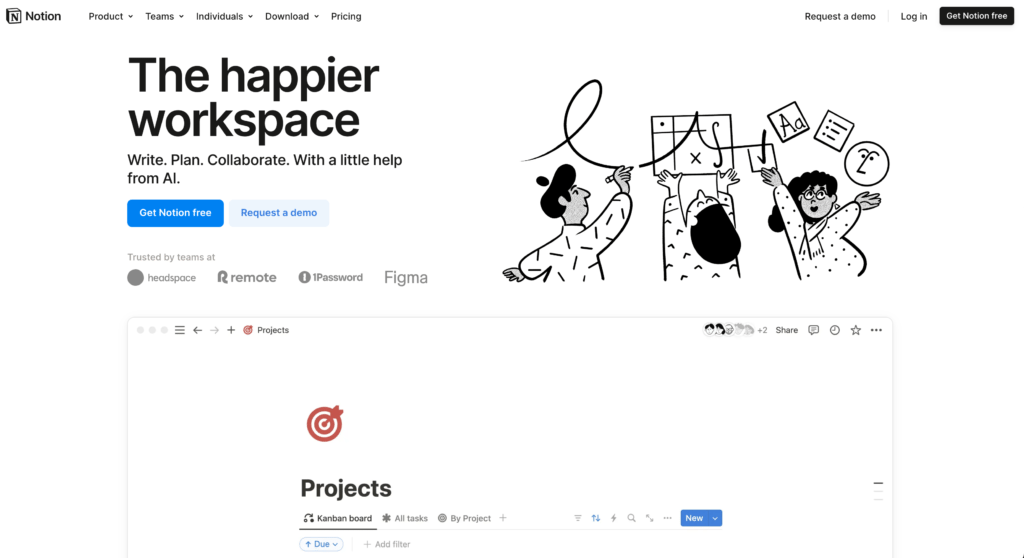
Notion is one of the most flexible and powerful tools out there. Think of it as a digital whiteboard where you can build your own system from scratch: notes, task lists, calendars, bookmarks, flashcards, even full-fledged wikis.
Why it works: Notion’s biggest strength is its modularity. You can create templates for class notes, use kanban boards to manage assignments, embed flashcards for revision, and link everything together. For multi-subject management, it’s almost unbeatable. It syncs across all platforms, and the web version works just as well as the desktop app.
Notion also has powerful collaboration tools, if you’re part of a group project, you can share pages, leave comments, and track changes. It’s ideal for research papers, syllabus planning, and building a central hub for your semester.
Drawbacks: Notion is not built for handwriting, and offline pages must be downloaded before you lose your connection. Database downloads include only the first 50 rows of the first view, so it still needs more preparation than a local-first app.
Notion
Pros
- All-in-one workspace for notes and projects
- Powerful database and template system
- Excellent free plan for students
- Beautiful and customizable
Cons
- Learning curve for full features
- Offline pages must be downloaded in advance
- Can feel slow with large databases
- No native handwriting support
Summary
The most versatile note-taking and productivity platform. Notion combines notes, databases, wikis, and project management in one workspace. Excellent for students who need organized, interconnected notes.
Craft
Craft pairs native apps for Apple devices, Windows, and Android with a full web editor. Daily notes, backlinks, and clean shared pages make it a better fit than Notion when document quality matters more than database depth.
Platforms: iOS, iPadOS, macOS, Windows, Android, Web
Offline: Yes. Windows, Android, and web require a one-time setup.
Apple Pencil / Stylus Support: ✅ Works for basic sketching and annotation
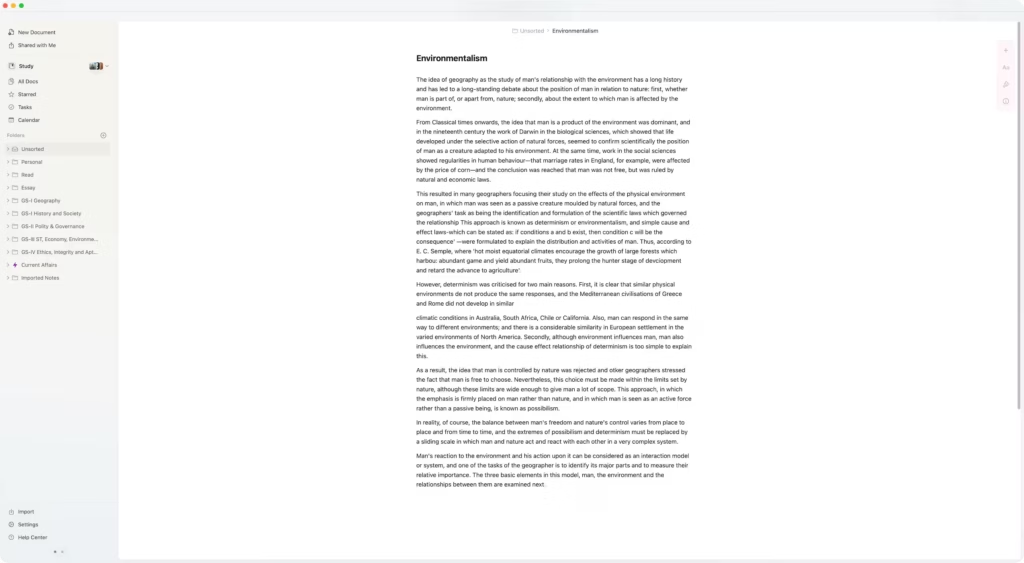
Craft is a polished document editor with native apps for macOS, iOS, Windows, and Android, plus a full web app. Its advantage is not raw power. It is the low-friction path from rough class notes to a document you can share without rebuilding the layout.
Why it works: Craft shines when you want beautiful, well-structured notes without fiddling too much. You can nest pages, link notes together, and export your work as Markdown, PDF, or Word. It’s incredibly fast and handles both short and long notes gracefully. If you’re creating lecture summaries, reading notes, or reflective journals, it’s a joy to use.
You can also embed rich media such as YouTube videos, images, links, and code blocks while keeping your notes clean. And yes, it supports stylus input for sketches and quick diagrams (though limited).
Drawbacks: The free plan caps content at 1,500 blocks. Handwriting is useful for sketches, not a replacement for a pen-first notebook, and offline use on Windows, Android, or the web needs a one-time setup.
Craft
Pros
- Most beautiful note-taking app
- Native apps on Apple, Windows, and Android
- Excellent document sharing
- Good free tier
Cons
- Free plan is capped at 1,500 content blocks
- Less powerful than Notion for databases
- Limited third-party integrations
- Pro features need subscription
Summary
A polished cross-platform document editor with rich formatting, backlinks, sharing, and clean exports. Craft now has native apps for macOS, iOS, Windows, and Android, plus a full web app.
Price: USD 8 /month
Try CraftObsidian
Obsidian keeps notes as local Markdown files and connects them with backlinks and graph view. It works fully offline, supports more than 1,000 community plugins, and doesn’t trap your work in a proprietary file format.
Platforms: Windows, macOS, Linux, iOS, Android
Apple Pencil / Stylus Support: ❌ No stylus or handwriting support
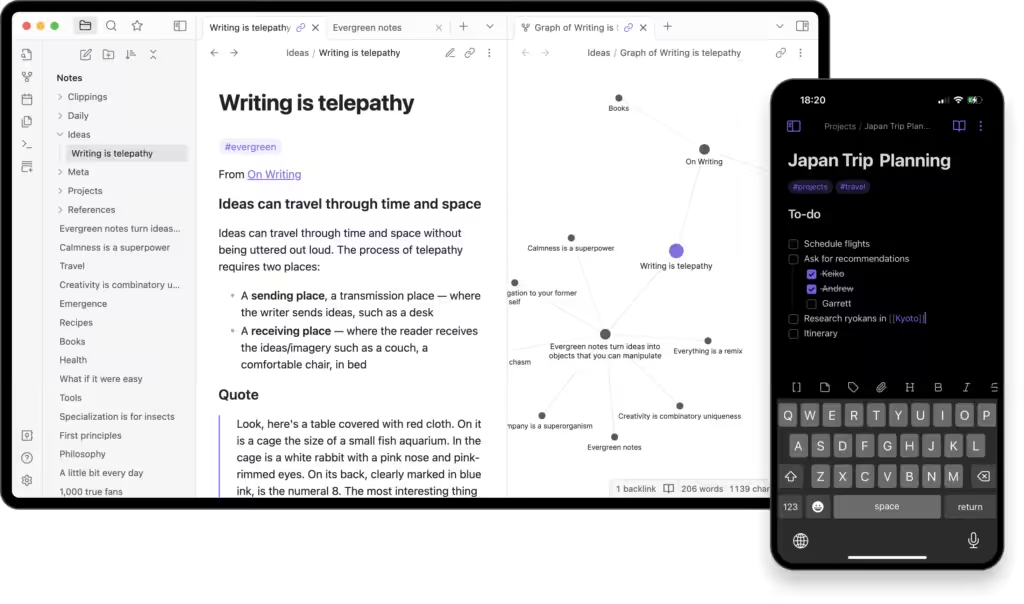
Obsidian is built for serious note-takers. It’s a Markdown-based app that saves everything locally, with powerful backlinking to connect your thoughts. If your brain jumps between topics a lot, like in UPSC prep or thesis writing, this is for you.
Why it works: The graph view helps you visualize connections between notes. You can tag, link, and embed one note into another. For students handling multiple sources, like lecture notes, reference materials, and summaries, Obsidian is a beast. It supports plugins for spaced repetition, LaTeX, and even PDF annotation (with some setup).
It’s lightweight, fast, and doesn’t need the internet. The mobile apps are surprisingly good, and there’s full Markdown support across all platforms. Students in engineering, philosophy, law, or any analytical stream will love how well it scales.
Drawbacks: No support for handwriting or stylus input, and the learning curve is steep if you’re new to Markdown. The interface is barebones unless you configure it with community plugins.
Obsidian
Pros
- Local Markdown files: you own your data
- Powerful bidirectional linking
- Massive plugin ecosystem
- Graph view of knowledge connections
Cons
- Learning curve for beginners
- Sync requires paid plan or setup
- Mobile app less polished
- No native collaboration
Summary
A powerful knowledge management app using local Markdown files with bidirectional linking. Obsidian offers a graph view of connected notes, extensive plugins, and complete data ownership. Best for serious note-takers.
RemNote
Platforms: iOS, Android, Windows, macOS, Linux, Web
Apple Pencil / Stylus Support: ✅ Handwriting and PDF annotation

RemNote turns class notes into flashcards without making you rebuild them in a second app. Its outlining editor, linked notes, and spaced-repetition queue keep capture and review in the same workspace.
Why it works:
RemNote is strongest when remembering the material is the job, not merely storing it. Create flashcards inside your notes, annotate PDFs, then let the exam scheduler turn a deadline into a daily review target. Its AI tools can create flashcards, quizzes, and study guides or explain a concept when your source material leaves a gap.
The useful difference is continuity. A lecture note can become a flashcard where it already lives, and its review schedule stays connected to the same knowledge base. You do not have to copy notes into Anki or Quizlet before revision begins.
Drawbacks:
RemNote’s study-first model brings a learning curve and more controls than basic note-taking needs. The free plan limits PDF annotation, handwriting, exam scheduling, and AI credits. Pro starts at $8 per month when billed yearly, so OneNote, Apple Notes, or Notion is easier to justify if you only need to write, organize, and search notes.
RemNote

Pros
- Notes and flashcards stay in the same workspace
- Built-in spaced repetition and exam scheduling
- Flashcards can be created directly inside notes
- AI can create quizzes, study guides, flashcards, and explanations
- PDF reader supports highlights, annotations, and flashcards
- Apps for Windows, macOS, Linux, iOS, Android, and the web
Cons
- The study-first workflow takes time to learn
- It can feel feature-heavy for basic note-taking
- The free plan limits PDFs, handwriting, exam scheduling, and AI credits
Summary
RemNote is the strongest pick for students who want notes, flashcards, spaced repetition, and exam scheduling in one study system. It asks more setup than a traditional notes app, but it removes the copy-and-rebuild step between taking notes and revising them.
OneNote
Platforms: iOS, Android, Windows, macOS, Web
Apple Pencil / Stylus Support: ✅ Full handwriting and sketching
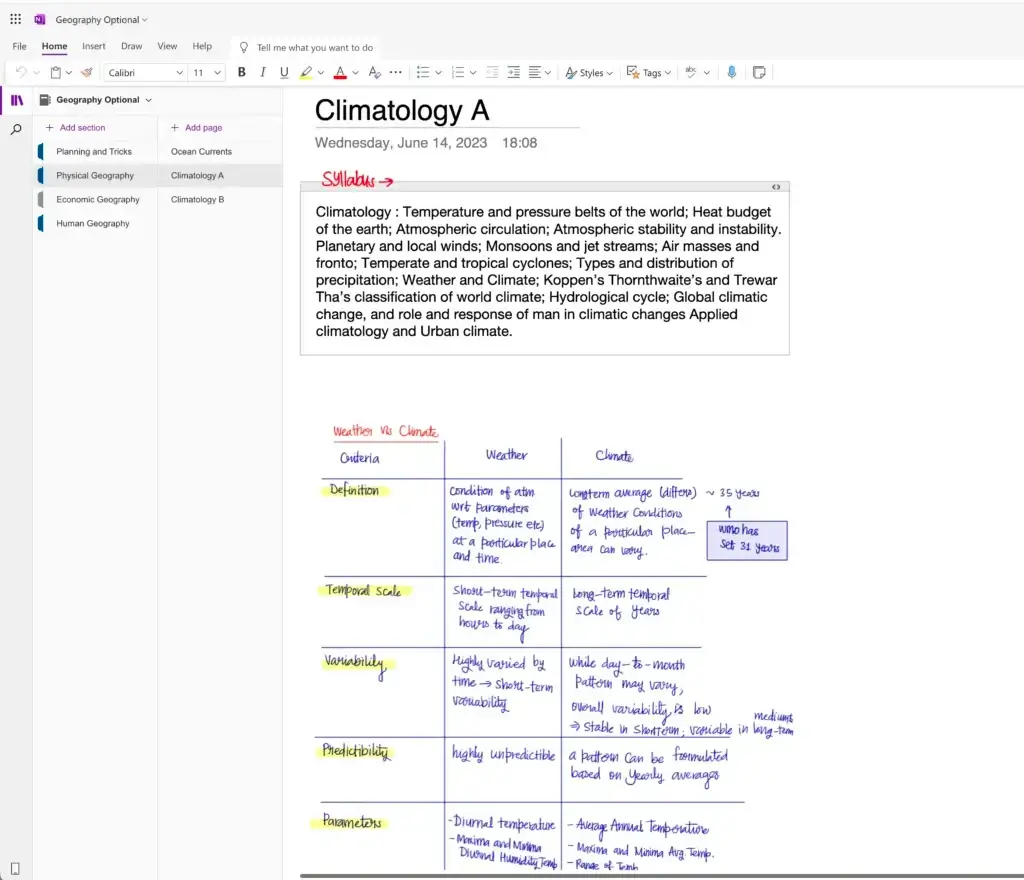
OneNote is Microsoft’s answer to the digital notebook, and it actually feels like one. You get digital binders, tabs, and pages, just like a school notebook. For students who need structured yet free-form notes, it’s a classic choice.
Why it works: You can draw, type, clip webpages, insert audio notes, and even record lectures. Stylus support is fantastic. You can sketch diagrams, solve equations, and write comments next to typed notes. It supports math recognition, which is huge for science and math majors.
Syncing works well across platforms, and it integrates with Microsoft 365, making it a strong pick for Windows users. OneNote’s “ink to text” and “ink to math” features are game-changers if you’re working on a tablet or Surface device.
Drawbacks: The interface can feel cluttered and inconsistent between platforms. Formatting is unpredictable at times. And if you’re not careful, you’ll end up with 50 half-filled sections and no structure. Additionally, the free storage limit for the entire Microsoft account is only 5GB shared between Outlook®, Office Documents, and OneNote, leaving insufficient space for creating multiple notes.
OneNote
Pros
- Completely free with full features
- Infinite canvas for flexible notes
- Good handwriting and drawing support
- Deep Microsoft 365 integration
Cons
- Can feel disorganized
- Syncing occasionally unreliable
- Interface feels dated
- Limited formatting compared to Notion
Summary
Microsoft’s free-form note-taking app with infinite canvas and Office integration. OneNote offers handwriting support, audio recording, and syncs via OneDrive. Great for students with Microsoft 365.
Apple Notes
Platforms: iOS, iPadOS, macOS, Web (via iCloud)
Apple Pencil / Stylus Support: ✅ Full handwriting, sketching, and annotation support
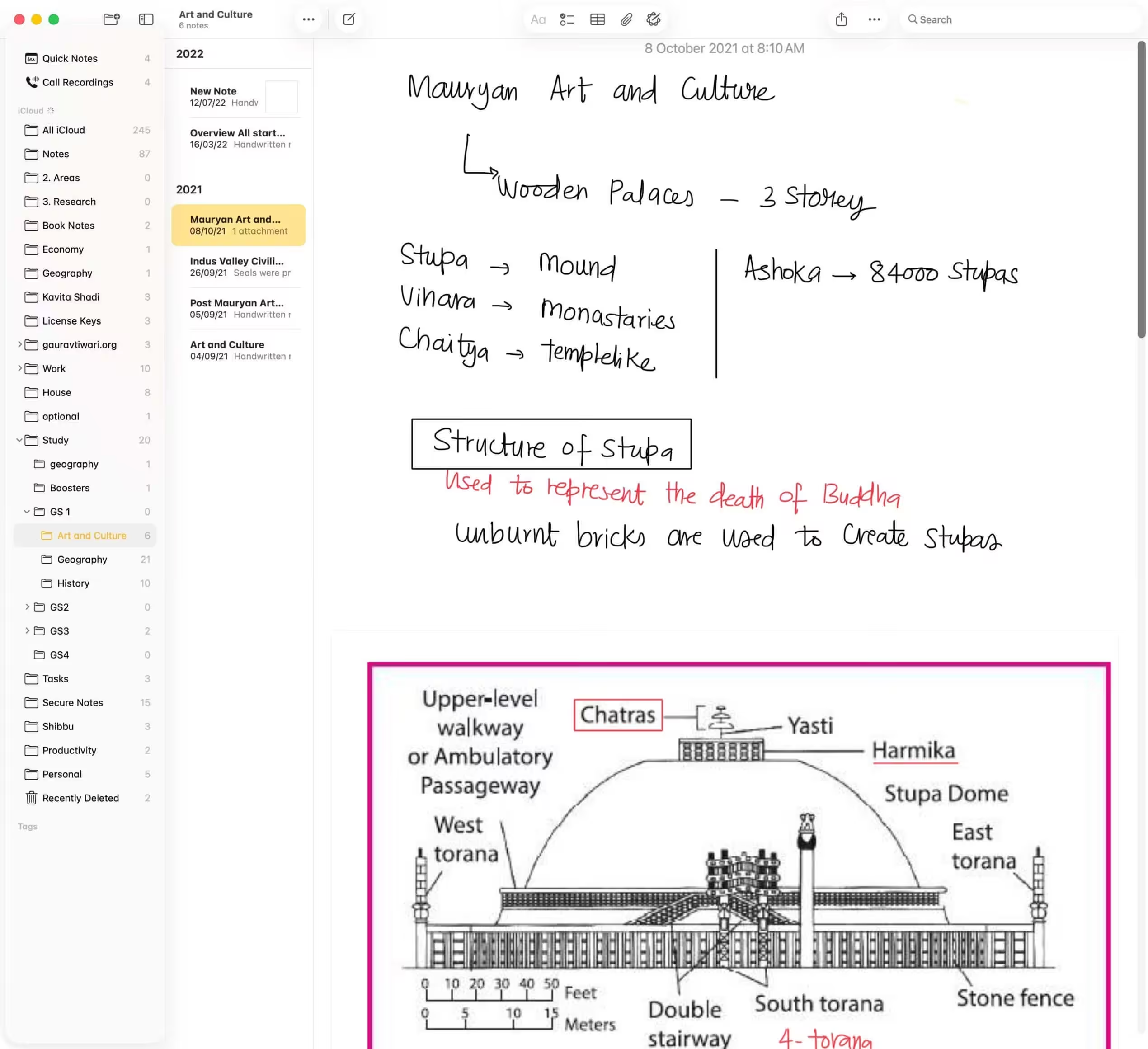
Apple Notes is the default note-taking app on Apple devices, and over the years, it’s gone from basic to surprisingly powerful. It’s built right into iOS, iPadOS, and macOS, meaning zero setup and instant syncing via iCloud.
Why it works: The integration is unbeatable, whether you’re dictating notes on your iPhone, sketching with Apple Pencil on iPad, or typing a study plan on your Mac, everything stays in sync instantly. You can create folders, lock sensitive notes, scan documents directly into a note, and even collaborate in real-time with others via shared notes.
Apple Pencil support is fluid and accurate, making it perfect for quick diagrams, math problems, or annotating PDFs. The new Quick Note feature lets you jot something down without even opening the app, which is gold during lectures or when referencing textbooks.
Drawbacks: No advanced linking or tagging system like Notion or Obsidian. Formatting tools are basic, and exporting options are limited. Works best inside the Apple ecosystem. Windows and Android users can only access it through the web.
Apple Notes

Pros
- Free and built into every Apple device
- Seamless iCloud sync
- Quick Notes from anywhere on Mac/iPad
- Tags and smart folders
Cons
- Apple ecosystem only
- Limited formatting options
- No advanced organization
- No third-party integrations
Summary
Apple’s built-in note-taking app with iCloud sync across all Apple devices. Apple Notes has improved significantly with tagging, smart folders, and Quick Notes. Simple and reliable for Apple users.
Google Keep
Platforms: iOS, Android, Web (no desktop app)
Apple Pencil / Stylus Support: ❌ Very limited, no handwriting input on iOS
Google Keep is what happens when sticky notes meet the cloud. It’s fast, super simple, and integrated with your Google account. While not ideal for long lectures or heavy academic work, it’s great for jotting ideas or making checklists on the go.
Why it works:
It’s fast. Really fast. Open, type, done. Notes can be color-coded, labeled, and pinned. You can set reminders, attach images, and even dictate notes using voice input. If you use Google Docs, Calendar, or Gmail, Keep fits in perfectly.
It’s also available on any device with a browser, and the Android app supports stylus drawing for handwritten notes or sketches.
Drawbacks: No rich formatting, no folders, and limited note length. On iOS, Apple Pencil doesn’t work at all. Definitely not for full-blown class notes.
Google Keep

Pros
- Extremely simple and fast
- Excellent Google Workspace integration
- Color coding and labels
- Location-based reminders
Cons
- Very basic for serious note-taking
- Limited formatting
- No folder organization
- Not suited for long-form notes
Summary
Google’s simple note-taking app designed for quick capture. Google Keep offers color-coded notes, labels, reminders, and Google Workspace integration. Best for quick notes and to-do lists.
Zoho Notebook
Platforms: iOS, Android, Windows, macOS, Web
Apple Pencil / Stylus Support: ✅ Basic support, works for drawing/sketching
Zoho Notebook is one of the most beautiful and surprisingly capable free note-taking apps out there. Think of it as your digital notebook shelf, each “notebook” looks and behaves like a real one, complete with cover art and visual tabs.
Why it works:
If you love visual organization, you’ll enjoy Zoho’s approach. You can add different types of note cards: text, checklists, audio recordings, images, and even files. It syncs across all devices and supports free cloud backup to Zoho’s servers, with no premium trap.
The app also allows basic drawing and handwriting input, especially on Android tablets and iPads. Apple Pencil works for doodles and annotations, though it’s not as fluid as GoodNotes or OneNote.
Drawbacks:
No advanced features like backlinks, nested tagging, or deep search. PDF annotation is limited. And while it’s polished, power users may find it too simple.
Zoho Notebook

Pros
- Completely free: no premium tier
- No ads or data selling
- Beautiful card-based design
- Good cross-platform sync
Cons
- Fewer features than Notion/Obsidian
- Smaller community
- Limited integrations
- Organization options basic
Summary
A beautifully designed note-taking app from Zoho with no ads and no premium tier. Zoho Notebook is completely free with unlimited notes, notebooks, and sync. A solid Evernote alternative.
Evernote
Platforms: iOS, Android, macOS, Windows, Web
Apple Pencil / Stylus Support: ✅ Handwriting via attachments and sketch notes
Evernote was the king of digital notes a decade ago, and while it’s no longer top dog, it still holds its ground for multi-device syncing, document scanning, and long-form notes.
Why it works:
Great for organizing lecture notes, research, web clippings, PDFs, and scanned pages. The search is powerful, you can find words inside images and handwritten notes (if you’re using stylus or uploading scans). Apple Pencil works well enough through its sketch note feature.
The desktop and mobile apps are stable, and you can clip entire web articles to read or summarize later. The calendar integration is nice for keeping track of deadlines and assignments.
Drawbacks:
The free plan is restrictive (syncs only two devices). UI updates are infrequent. Feels slower and heavier compared to modern apps. Not ideal if you prefer a minimalist or Markdown-friendly system.
Evernote

Pros
- Best web clipper in the market
- OCR searches text in images
- Powerful tagging system
- Long history and large user base
Cons
- Free plan severely limited
- Pricing increased significantly
- Better alternatives now exist
- Recent ownership changes concerning
Summary
The original note-taking app that pioneered the category. Evernote offers web clipping, OCR search, and cross-platform sync. Once dominant but now struggling with reduced free tier and better alternatives.
Price: USD 14.99 /month
Visit EvernoteGoodNotes 6
Goodnotes combines handwriting search, math conversion, and PDF annotation with apps for Apple devices, Android tablets, Windows, Chromebook, and the web. The Apple Pencil experience remains its strongest version, but it’s no longer an Apple-only notebook.
Platforms: iOS, iPadOS, macOS, Android, Windows, Chromebook, Web
Apple Pencil / Stylus Support: ✅ Excellent, one of the best handwriting experiences
Goodnotes remains strongest on iPad with an Apple Pencil. Its Android app is built for tablets rather than phones, while Windows, Chromebook, and web versions broaden access for students who work across devices.
Why it works:
The handwriting engine is fast, precise, and pressure-sensitive. You can choose lined paper, graph paper, or Cornell note templates, and you can import your own PDFs to annotate directly. It also supports OCR (search through handwriting!), layers, and customizable folders.
The ability to mix typed notes with handwritten diagrams is a lifesaver, and now you can collaborate in shared notebooks as well.
Drawbacks:
It is still a handwriting-first tool, so text-heavy research systems feel limited. The most complete pen features remain on iPad. Android and Windows prioritize recent documents offline, and cross-platform sync depends on Goodnotes Cloud and your plan.
GoodNotes 6

Pros
- Best handwriting experience on iPad
- Handwriting recognition and search
- Excellent PDF annotation
- Beautiful paper templates
Cons
- Best handwriting features remain strongest on iPad
- Full access uses annual plans
- Limited typed note features
- Cross-platform sync depends on Goodnotes Cloud and the selected plan
Summary
A handwriting-first note app with PDF annotation, shape recognition, and handwriting search. The most complete pen experience remains on iPad, while Android, Windows, and web access cover broader device setups.
Price: USD 11.99 /year
Get GoodNotesNotability
Platforms: iOS, iPadOS, macOS, Android, Web
Apple Pencil / Stylus Support: ✅ Full handwriting support on compatible Apple and Android devices
Notability records audio while you write, then lets you tap a note to return to the matching moment in the lecture. The Android app now brings that handwriting, PDF, audio, and search workflow to phones and tablets instead of keeping it inside the Apple ecosystem.
Why it works:
Synchronized audio solves a specific lecture problem: you can write the idea instead of transcribing every sentence. On iPad, Apple Pencil tools remain polished. Android students now get native handwriting, PDF annotation, audio recording, and searchable notes on compatible phones and tablets.
It’s now free with optional subscription features, meaning you can try the core app without paying.
Drawbacks:
Feature availability and paid plans vary by platform, and the Android app is newer than the Apple version. Organization is still narrower than OneNote or Notion.
Notability

Pros
- Audio synced to handwritten notes
- Best for recording lectures
- Simple and focused interface
- Good PDF markup tools
Cons
- Feature availability varies by platform
- Advanced study features require a paid plan
- Fewer features than GoodNotes for annotation
- Limited organization options
Summary
A handwriting and audio note app for Apple devices, Android, and the web. Notability synchronizes lecture audio with handwritten notes, so tapping a note returns you to the matching moment in the recording.
Price: USD 14.99 /year
Get NotabilityCollaNote
Platforms: iPhone, iPad, Mac
Apple Pencil / Stylus Support: ✅ Excellent, especially for a free app
CollaNote combines handwriting, PDF annotation, audio recording, and collaboration in an Apple-focused app with a strong free tier. It runs on iPhone and iPad, with Mac support on compatible hardware, but the iPad and Apple Pencil pairing remains the reason to choose it.
Why it works:
Its varied pen tools, pressure sensitivity, notebook organization, PDF import, and audio-linked notes cover the work most students buy Goodnotes or Notability to do. The interface is less restrained, but the free tier makes that tradeoff easier to accept.
Drawbacks:
There’s no Android, Windows, or web version. The interface is busier than Goodnotes, and export and cross-device options are narrower than the larger paid alternatives.
CollaNote

Pros
- Strong free tier
- Real-time collaboration
- Good handwriting support
- PDF annotation included
Cons
- Less polished than GoodNotes
- Fewer features overall
- Apple devices only
- Smaller development team
Summary
An Apple-focused handwriting app for iPhone and iPad with PDF markup, audio, and collaboration. Its strongest experience remains on iPad, while the free tier keeps the entry cost low.
Typora
Platforms: Windows, macOS, Linux
Apple Pencil / Stylus Support: ❌ None, keyboard-only
Typora isn’t for scribblers. It’s for serious writers who prefer Markdown over WYSIWYG. If you’re working on long essays, code documentation, or research papers, it’s an excellent tool to stay distraction-free.
Why it works:
What you write and what you see are the same, no preview split screens. You get automatic formatting for headings, lists, tables, and footnotes. Typora also exports beautifully to HTML, PDF, and Word, which is great for submitting papers.
Drawbacks:
No mobile app. No handwriting or stylus support. Doesn’t support collaboration or multimedia embeds.
Typora

Pros
- Best live Markdown preview
- Distraction-free writing
- Excellent export to PDF/HTML/Word
- Clean and beautiful interface
Cons
- One-time purchase required
- No cloud sync built in
- No collaboration features
- Limited note organization
Summary
A distraction-free Markdown editor with live preview. Typora renders Markdown as you type for a seamless writing experience. Best for students who write in Markdown and want a clean, focused editor.
Price: USD 14.99 (one-time)
Get TyporaBear
Platforms: iOS, macOS
Apple Pencil / Stylus Support: ❌ Not handwriting focused
Bear is a minimalist’s dream. Designed for short, beautiful Markdown notes, it’s a great choice for journal entries, reading logs, or quick captures. It’s surprisingly fast and polished.
Why it works:
Everything in Bear is tag-based, meaning you don’t have to build folders. Just tag and go. The interface is elegant, and you can add images, sketches, and links without cluttering your space. Syncing via iCloud is quick and reliable.
Drawbacks:
No handwriting. No Android or Windows version. It’s best for smaller notes and ideas, not full-on coursework.
Bear
Pros
- Beautiful and focused writing experience
- Excellent nested tag organization
- Great Markdown support
- Good Apple ecosystem integration
Cons
- Apple only: no Windows/Android
- Subscription for sync
- Less powerful than Obsidian
- No collaboration features
Summary
A beautiful Markdown note-taking app for Apple devices with nested tags and focus mode. Bear offers a clean writing experience with excellent organization through tags. Popular with writers and developers.
Price: USD 2.99 /month
Get BearDrafts
Platforms: iOS, macOS
Apple Pencil / Stylus Support: ❌ Text only
Drafts is the perfect “idea inbox.” Whenever a thought hits you, open Drafts and write. It doesn’t matter where the text goes yet. Once saved, you can tag, edit, export, or send it to other apps.
Why it works:
Speed and automation. You can write a quick idea, dictate voice notes, or set up actions to publish directly to WordPress, Notion, or email. It’s a writing-first tool that shines for journaling, brain-dumps, and quick notes during class or while commuting.
Drawbacks:
No stylus support. No Windows or Android version. Not ideal for long-form structured notes.
Drafts

Pros
- Opens instantly to blank page
- Powerful action system for automation
- Sends text to any app
- Apple Watch support
Cons
- Apple ecosystem only
- Pro needed for best features
- Learning curve for actions
- Not designed for long-term storage
Summary
A text capture app that opens instantly to a blank page. Drafts is designed as the starting point for text: capture first, organize later. Powerful automation sends text to other apps via actions.
Price: USD 4.99 /month
Get DraftsiA Writer
Platforms: iOS, Android, macOS, Windows
Apple Pencil / Stylus Support: ❌ No stylus or drawing features
iA Writer is for students who write seriously and want to focus. If Markdown is your language and essays are your game, this one keeps distractions away.
Why it works:
It has a clean interface, syntax highlighting for better structure, and full Markdown support. There’s also file-based storage (no forced cloud), seamless folder browsing, and fast publishing options.
Drawbacks:
No drawing or stylus use. Limited note organization. Not made for multi-subject systems or school notebooks, this is for deep writing and calm thinking.
iA Writer
Pros
- Best typography in any writing app
- Focus mode highlights current sentence
- Available on Mac, Windows, iOS, Android
- Clean Markdown with content blocks
Cons
- One-time purchase per platform
- No cloud sync built in
- Limited note organization
- No collaboration features
Summary
A focused writing app with beautiful typography and distraction-free design. iA Writer uses a custom monospace font and focus mode to help you concentrate on writing. Available on all major platforms.
Price: USD 49.99 one-time
Get iA WriterChoose the App That Removes Your Bottleneck
The right app should make retrieval easier and studying calmer. It does not need to manage every part of your life.
- If handwriting is the work, start with Goodnotes, Notability, or CollaNote. Compare them on one of the best iPads for students using your own lecture notes.
- If notes, assignments, and schedules are scattered, start with Notion. Choose Craft when document quality and low-friction sharing matter more than databases.
- If concepts stay isolated, use Obsidian. Its backlinks turn notes into idea mapping without locking the files inside a cloud service.
- If lectures move faster than you can type, compare OneNote with Notability. The decision is freeform canvas versus audio synchronized with handwritten notes.
- If writing itself is the work, choose Typora, iA Writer, or Bear. Their restraint is the feature.
Use one app for two weeks. Move one live subject into it, retrieve old notes under time pressure, and export a backup. If any of those steps feels fragile, switch before the semester depends on it.
If PDFs carry most of your course material, pair the winner with one of the best PDF apps for students. The note app should remain the place where you process and retrieve ideas, not another inbox.
Best Note-Taking Apps for Android
On Android, choose by input method first. Notewise and Notability now give students credible pen-first choices, while OneNote and Obsidian make more sense when device flexibility or local files matter more.
- Notewise: Best pen-first alternative for Android tablets, with offline work and optional iOS, Android, and web sync through Notewise Cloud.
- Notability: Best for handwritten lecture notes with synchronized audio, PDF markup, and search on Android phones and tablets.
- Goodnotes: Best for structured digital notebooks on Android tablets. It doesn’t install on Android phones.
- OneNote: Best free all-rounder for typed notes, ink, voice capture, and Microsoft 365 notebooks.
- Samsung Notes: Best for a Galaxy phone or tablet with an S Pen. Its hardware integration is the advantage, but it’s not a general Android pick.
- Obsidian: Best for local-first research notes and backlinks. Choose it for typing and knowledge management, not handwriting.
Best Note-Taking Apps for iOS
On iPhone and iPad, Apple Notes covers basic capture better than many paid apps. Spend money only when handwriting, lecture audio, or structured document sharing changes the workflow.
- Goodnotes: Best handwriting notebook for iPad, especially for PDFs, searchable ink, and organized subjects.
- Notability: Best for recording lectures while you write. Android and web apps now make the library less dependent on Apple hardware.
- Apple Notes: Best free default for quick capture, scans, checklists, and notes that stay inside the Apple ecosystem.
- Notewise: Best newer cross-platform handwriting alternative, with iOS and Android apps plus web access through Notewise Cloud.
- Craft: Best for clean typed notes, backlinks, and documents you need to share or publish.
- CollaNote: Best low-cost Apple Pencil alternative for handwriting, PDF markup, audio, and collaboration.
FAQs
Which is the best note-taking app for handwriting with Apple Pencil?
GoodNotes 6, Notability, and CollaNote are the best for handwriting with Apple Pencil. They offer smooth inking, pressure sensitivity, and features like PDF annotation and audio syncing.
Which note-taking apps support Android and Windows?
Notion, Craft, OneNote, Obsidian, Google Keep, Zoho Notebook, Evernote, and Goodnotes support both Android and Windows. Handwriting and offline behavior still vary by app and device.
What’s the difference between GoodNotes and Notability?
Goodnotes is stronger for structured handwritten notebooks, handwriting search, and PDF organization. Notability is better when synchronized lecture audio matters. Both now run on Apple and Android devices, although features and offline behavior still vary by platform.
Which app is best for organizing class notes across multiple subjects?
Notion is ideal for organizing notes across multiple subjects with linked pages, databases, and templates. OneNote is a great alternative with its notebook-tab-page hierarchy.
Can I use Obsidian for UPSC or research preparation?
Yes. Obsidian is excellent for building a personal knowledge base with backlinks, tags, and graph view. It’s perfect for students managing interconnected topics like UPSC, law, or thesis work.
Do note-taking apps work offline?
Obsidian, OneNote, Apple Notes, and the Apple versions of Goodnotes work well offline. Notion also supports offline use after you download the pages you need. Goodnotes on Android, Windows, and the web is more online-first, so check your connection requirements before relying on it in class.
Is there a free alternative to GoodNotes or Notability?
CollaNote has a strong free tier for Apple Pencil users. On Android, Notewise, OneNote, and the free tiers of Notability or Goodnotes are the closer alternatives. Compare export and offline limits before moving a full semester into any of them.
What’s the best minimalist note-taking app for writers?
Typora, iA Writer, and Bear are excellent minimalist apps for focused writing. They support Markdown and provide clean, distraction-free writing environments.
Which apps support stylus input on Android?
Notewise, Notability, OneNote, Goodnotes, Google Keep, Zoho Notebook, and Samsung Notes support stylus input on compatible Android devices. Goodnotes requires an Android tablet rather than a phone, while Samsung Notes is best suited to Galaxy hardware with an S Pen.
How should students choose the right note-taking app?
Move one live subject into two shortlisted apps and use each for a week. Handwriting students should compare Goodnotes, Notability, Notewise, or CollaNote. Students who need databases or linked research should compare Notion, Craft, and Obsidian.
What is the best free note-taking app for students?
Notion is the best free note-taking app for most students. It combines notes, databases, task management, and wikis in one platform, and the free plan has no meaningful limits for personal use. For handwritten notes on iPad, CollaNote is the best free option with Apple Pencil support. For research-heavy work like thesis writing or exam prep, Obsidian is free, works offline, and lets you build a connected knowledge base with backlinks between notes. If you are in the Google ecosystem, Google Keep handles quick capture well, and OneNote is completely free with stylus support on every platform.
Is Notion or Obsidian better for students?
Notion is better when you want class schedules, assignment trackers, note databases, and shared workspaces in one system. Obsidian is better for deep learning through backlinks, local Markdown files, and a graph of connected ideas. Obsidian works fully offline. Notion works offline after you download the pages you need, but it still rewards advance setup.
What note-taking app do most college students use?
Notion and OneNote are the most widely used note-taking apps among college students globally. Notion dominates among tech-savvy students and those in business, design, and CS programs. OneNote is popular at universities that provide Microsoft 365 licenses (which includes most US and European institutions). Among iPad users, GoodNotes and Notability are the most common choices for handwritten notes. In India, OneNote and Google Keep lead due to free access and Android dominance. Apple Notes is used heavily but often underestimated since it comes pre-installed.
Can I use GoodNotes on Android?
Yes. Goodnotes runs on Android tablets, Windows, Chromebook, and the web, as well as iPad, iPhone, and Mac. Android phones can’t install the app. Offline access on Android and Windows covers recent documents, and cross-platform sync depends on Goodnotes Cloud and your plan.
Tell Google you want more of this.
Add Gaurav Tiwari as a preferred sourceOne tap, and this site shows up more often in your own Top Stories, AI Overviews and AI Mode. Remove it any time.
Disclaimer: This site is reader-supported. If you buy through some links, I may earn a small commission at no extra cost to you. I only recommend tools I trust and would use myself. Your support helps keep gauravtiwari.org free and focused on real-world advice. Thanks. - Gaurav Tiwari