
Cybersecurity 101 for Small Businesses: The 2026 Defense Stack
Small businesses are the #1 cyber attack target because they have data and weak defenses. Here's the realistic 5-layer stack, monthly costs, and the policies that actually prevent breaches at SMB scale.
 by
by
Small businesses are the most-attacked cohort in cybersecurity, and not by accident. They have customer data, payment infrastructure, and intellectual property — the same things enterprises have — with a fraction of the security investment. Verizon’s 2025 Data Breach Investigations Report puts roughly 43% of all breaches at organizations with fewer than 1,000 employees, with the median cost of a SMB breach in the $120K–$300K range. Most of those breaches were preventable with $100–$500/month of basic defenses.
This guide is the realistic cybersecurity 101 for small businesses. The 5-layer defense stack, vendor recommendations with current pricing, the policies that prevent the highest-likelihood breaches at SMB scale, and the incident response plan that buys you 24 hours when something goes wrong. No FUD — just the math and the playbook.
The 5-layer SMB defense stack
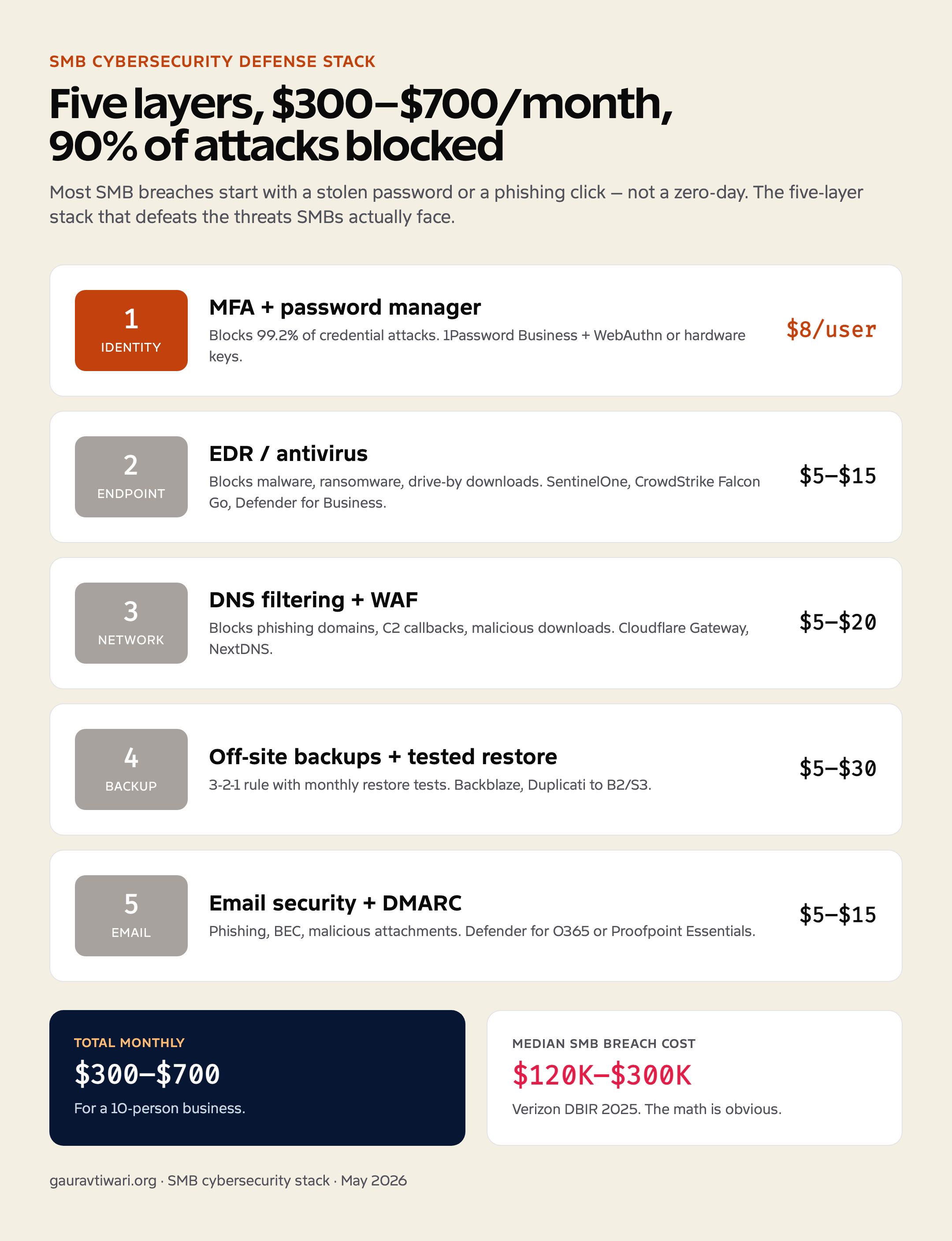
| Layer | What it stops | 2026 tool I’d use | Monthly cost |
|---|---|---|---|
| 1. Identity (MFA + password manager) | Credential stuffing, phishing, account takeover | 1Password Business + WebAuthn / hardware keys | $8/user |
| 2. Endpoint protection | Malware, ransomware, drive-by downloads | SentinelOne, CrowdStrike Falcon Go, Microsoft Defender for Business | $5–$15/endpoint |
| 3. Network edge / DNS filtering | Phishing domains, C2 callbacks, malicious downloads | Cloudflare Gateway, NextDNS, Cisco Umbrella | $5–$20/user |
| 4. Backup + recovery | Ransomware, accidental deletion, hosting failure | Backblaze, Duplicati to B2/S3, native cloud backups | $5–$30/mo |
| 5. Email security | Phishing, business-email compromise, malicious attachments | Microsoft 365 + Defender for O365, or Proofpoint Essentials | $5–$15/user |
Total monthly cost for a 10-person business: $300–$700. Compare to the $200K+ median cost of a breach and the math is obvious. Yet most SMBs spend less than $50/month on security and discover the gap only after a compromise.
MFA: the single highest-ROI security investment
Multi-factor authentication blocks 99.2% of account compromise attacks, according to Microsoft’s identity threat reports. The 0.8% that get through are sophisticated SIM-swap or session-hijack attacks that 99% of attackers don’t bother with for SMB targets.
Systems where MFA matters most, in order of breach blast radius:
- Email accounts — the master key. Compromised email = every other system’s password reset flows through the attacker.
- Domain registrar — control of the domain hijacks email + SSL + traffic redirection.
- Cloud admin (AWS, GCP, Azure, Cloudflare) — full infrastructure compromise.
- Payment processor (Stripe, PayPal, Razorpay, Square) — direct financial loss + customer data exposure.
- CRM with customer data — data exfiltration + GDPR/CCPA disclosure obligations.
- Code repositories (GitHub, GitLab) — supply chain attack vector.
- Social media accounts — reputation damage + customer scam vector.
Use a password manager so MFA isn’t a usability disaster. The combination of unique long passwords + MFA + password manager makes credential-stuffing attacks economically unviable for the attacker. That’s how you defeat 90% of opportunistic threats with $8 per user per month.
Phishing defenses (the most common breach vector)
The vast majority of SMB breaches start with phishing. Defense layers:
- DMARC, DKIM, SPF on your domain. Prevents attackers from spoofing your domain in phishing campaigns aimed at your customers and partners. Free to configure; missing on most SMB domains.
- Email-based phishing protection. Microsoft Defender for O365, Google Workspace’s advanced filtering, or third-party tools (Proofpoint Essentials, Mimecast).
- DNS filtering on endpoints. Blocks access to known phishing domains even if the user clicks. Cloudflare Gateway, NextDNS, or Cisco Umbrella.
- Browser-based phishing protection. Modern browsers (Chrome, Edge, Safari) include built-in protection; ensure it’s not disabled.
- User training. Quarterly 15-minute training + simulated phishing campaigns. Tools: KnowBe4, Hoxhunt, Curricula. Reduces click-through on real phishing by 70–80% over 12 months.
- Reporting workflow. One-click “Report Phishing” button in email client. Encourage reporting; never punish for clicking.
Data and backup strategy
- 3-2-1 backup rule: 3 copies of data, 2 different media, 1 off-site. Modern variant: 3-2-1-1-0 (one off-site, one offline, zero errors verified by test restore).
- Daily incremental + weekly full backups. 30 daily versions and 12 weekly versions covers most scenarios.
- Encryption at rest and in transit. Backups stored in plain text become the breach when the backup repository gets compromised.
- Monthly restore test. Spin up the latest backup on a clone server and verify it boots. The number of “we have backups” companies whose backups don’t actually restore is shocking.
- Documented Recovery Time Objective (RTO) and Recovery Point Objective (RPO). How long can the business survive without the system, and how much data loss is acceptable. Drives backup frequency and storage architecture.
Incident response plan (write before you need it)
- Contact tree. Owner/CEO, IT lead, hosting support, legal counsel, cyber insurance broker, payment processor fraud line. Phone numbers, not just emails.
- Containment first. Take affected systems offline. Stop the active damage before investigating.
- Snapshot everything for forensics. Server state, logs, file system. You’ll need this for insurance, legal disclosure, and root-cause analysis.
- Restore from a known-clean backup. Not the most recent — the most recent might already be infected.
- Rotate every credential. Email, hosting, admin, API keys, database passwords. Assume the attacker has them all.
- Notify regulators if required. GDPR: 72 hours for personal data breaches. State laws vary 30–90 days. Get this wrong and the fines exceed the breach cost.
- Post-incident review. Within 14 days. Document the root cause and update the runbook so the same incident doesn’t repeat.
Remote work security (VPN and beyond)
For remote teams, the perimeter is no longer the office network. Defense baselines for remote workers:
- Company-managed devices. BYOD security is fundamentally weaker; if remote work is the norm, provision laptops with managed configuration (MDM via Jamf for Mac, Intune for Windows).
- Always-on VPN or zero-trust network access (ZTNA). Cloudflare Access, Tailscale, Twingate. Replaces traditional VPN with identity-aware access controls.
- Personal VPN for travel and public wifi. Worth providing as a benefit. Tools like VeePN for Windows PC add a layer of protection on hotel and cafe wifi where company traffic might otherwise be vulnerable.
- Disk encryption mandatory. FileVault on Mac, BitLocker on Windows. Protects data if a laptop is lost or stolen.
- Screen lock policies. 5-minute auto-lock with strong password / biometric required.
Cyber insurance: when it’s worth the premium
- Cost: $500–$5,000/year for SMB policies, depending on revenue, industry, and existing security posture.
- Covers: incident response costs, ransom payments (where legal), notification obligations, regulatory fines, business interruption, third-party liability.
- Excludes: intentional acts, prior known incidents, social engineering above policy limits, war/terrorism exclusions (recently expanded).
- Insurers increasingly require: MFA on all admin accounts, EDR on endpoints, regular backups, security training. Failing to meet these can void claims.
- Worth the premium for: any business handling significant customer data, payment infrastructure, or PII at scale.
For broader business security context, see my integrated web security plan and VPN anonymity guide.
Frequently asked questions
How much should a small business spend on cybersecurity?
Most small businesses should allocate 5-10% of their IT budget to cybersecurity. For a typical small business, this translates to $50-$300 per month covering WAF, antivirus, VPN, password manager, and backup services. This is a fraction of the average breach cost, which ranges from $120,000 to $1.2 million for small businesses.
What is the biggest cybersecurity threat to small businesses?
Phishing remains the number one threat, accounting for over 36% of all attacks on small businesses. Business email compromise (BEC) is the most financially damaging, often tricking employees into making fraudulent wire transfers. Combined, these social engineering attacks cause more damage than technical exploits because they target human judgment rather than software.
Do I need a dedicated IT person for cybersecurity?
Not necessarily. Many small businesses use managed security service providers (MSSPs) that handle monitoring, updates, and incident response for a monthly fee. This is often more cost-effective than hiring a full-time IT security person. Combined with good employee training and automated tools, an MSSP can cover most small business security needs.
How often should I test my backups?
Test a full restore at least once per quarter. This means actually restoring your backup to a test environment and verifying that everything works: files are intact, databases load correctly, and applications function normally. Many businesses discover their backups are corrupted or incomplete only when they desperately need them. Don’t be one of them.
Is cyber insurance worth it for small businesses?
Yes. Cyber insurance policies for small businesses typically cost $500-$2,000 per year and can cover breach response costs, legal fees, customer notification expenses, and business interruption losses. Given that even a minor breach can cost $120,000+, the insurance premium is a reasonable investment. Look for policies that also include access to incident response teams.
Tell Google you want more of this.
Add Gaurav Tiwari as a preferred sourceOne tap, and this site shows up more often in your own Top Stories, AI Overviews and AI Mode. Remove it any time.