
12 Best Mind Mapping Apps for 2026, Chosen by Use Case
 by
byThe best mind mapping apps help you move an idea before it hardens into a linear outline. XMind is the strongest all-around choice for polished solo maps. MindMeister is better when several people need to edit the same map. Miro wins when the map is only one part of a larger workshop.
Those differences matter. A dedicated mind mapper understands branches, parents, siblings, collapsing, outlining, and clean export. An infinite whiteboard gives you more freedom, but it also makes you arrange more things by hand. If you’ve been looking for one app that does everything, that’s the trap: the right tool changes with the job.
The short answer
- XMind: best overall for polished, structured mind maps and exports.
- MindMeister: best dedicated mind mapper for live collaboration.
- MindNode: best native choice for Mac, iPhone, and iPad.
- Miro: best when mind maps belong inside team workshops.
- Coggle: best for creating a simple browser-based map quickly.
- Mindomo: best for teachers, students, assignments, and concept maps.
- SimpleMind: best for offline and mobile-first mind mapping.
- Freeplane: best free, open-source option for power users.
- Obsidian Canvas: best for connecting notes, sources, and research material.
- Excalidraw: best for rough, hand-drawn thinking.
- Ayoa: best for organic maps and visual task planning.
- Whimsical: best for clean maps inside product and design work.
Mind mapping apps compared
The prices below are public rates shown in August 2026. Annual billing, taxes, currencies, education offers, and regional pricing can change what you pay.
| Tool | Best use | Free option | Paid plan or main tradeoff |
|---|---|---|---|
| XMind | Polished solo maps | 10 online maps | Pro from $4.92/month; live collaboration needs Premium |
| MindMeister | Dedicated team maps | 3 maps | Personal from $6.50/user/month |
| MindNode | Apple devices | Core mapping is free | Plus is $2.99/month or $24.99/year; Apple only |
| Miro | Workshops and whiteboards | 3 editable boards | Starter from $8/member/month when billed yearly |
| Coggle | Quick browser maps | 3 private maps; unlimited public maps | Awesome is $5/month |
| Mindomo | Education and concept maps | 3 diagrams | Education plans from EUR 4/user/month when billed yearly |
| SimpleMind | Offline and mobile use | Limited mobile app | Desktop Pro is $29.99 per platform, one time |
| Freeplane | Open-source control | Fully free | Powerful, but the interface takes time to learn |
| Obsidian Canvas | Research linked to notes | Fully free | Flexible canvas, not a traditional automatic mind mapper |
| Excalidraw | Fast visual sketches | Free open-source editor | Manual layout; cloud workspace is a separate Plus product |
| Ayoa | Organic maps and visual tasks | Up to 10 mind maps | Free plan is for personal use; paid pricing varies by term |
| Whimsical | Product and design teams | 3 team boards | Pro is $10/editor/month when billed yearly |
A mind mapper and a whiteboard aren't the same thing
This is the distinction most comparison pages blur. A traditional mind map is a hierarchy: one central idea, main branches, and child branches. Moving a parent should move its children. Collapsing a branch should hide the detail beneath it. Outline view and structured export should preserve that hierarchy.
A whiteboard is an open surface. It can contain a mind map, sticky notes, images, flowcharts, wireframes, and almost anything else. That freedom is useful during workshops, but it adds friction when all you want is a clean tree of ideas.
Choose a dedicated mind mapper when you need:
- fast keyboard-based branch creation;
- automatic layout and branch reflow;
- collapsing, filtering, or focus modes;
- outline, PDF, image, Markdown, or Office export;
- a map that stays structured as it grows.
Choose a whiteboard or canvas when you need:
- sticky notes, drawings, documents, and maps on one surface;
- voting, timers, presentations, and workshop activities;
- freeform relationships that aren’t strictly parent and child;
- a visual workspace shared by a larger team.
The best mind mapping apps by use case
XMind: Best overall for polished mind maps
XMind is the safest recommendation when you want a real mind mapper without committing to one operating system. It supports classic mind maps alongside logic charts, timelines, matrices, tree tables, fishbone diagrams, and organization charts. That range matters when a brainstorm eventually needs to become a plan or presentation.
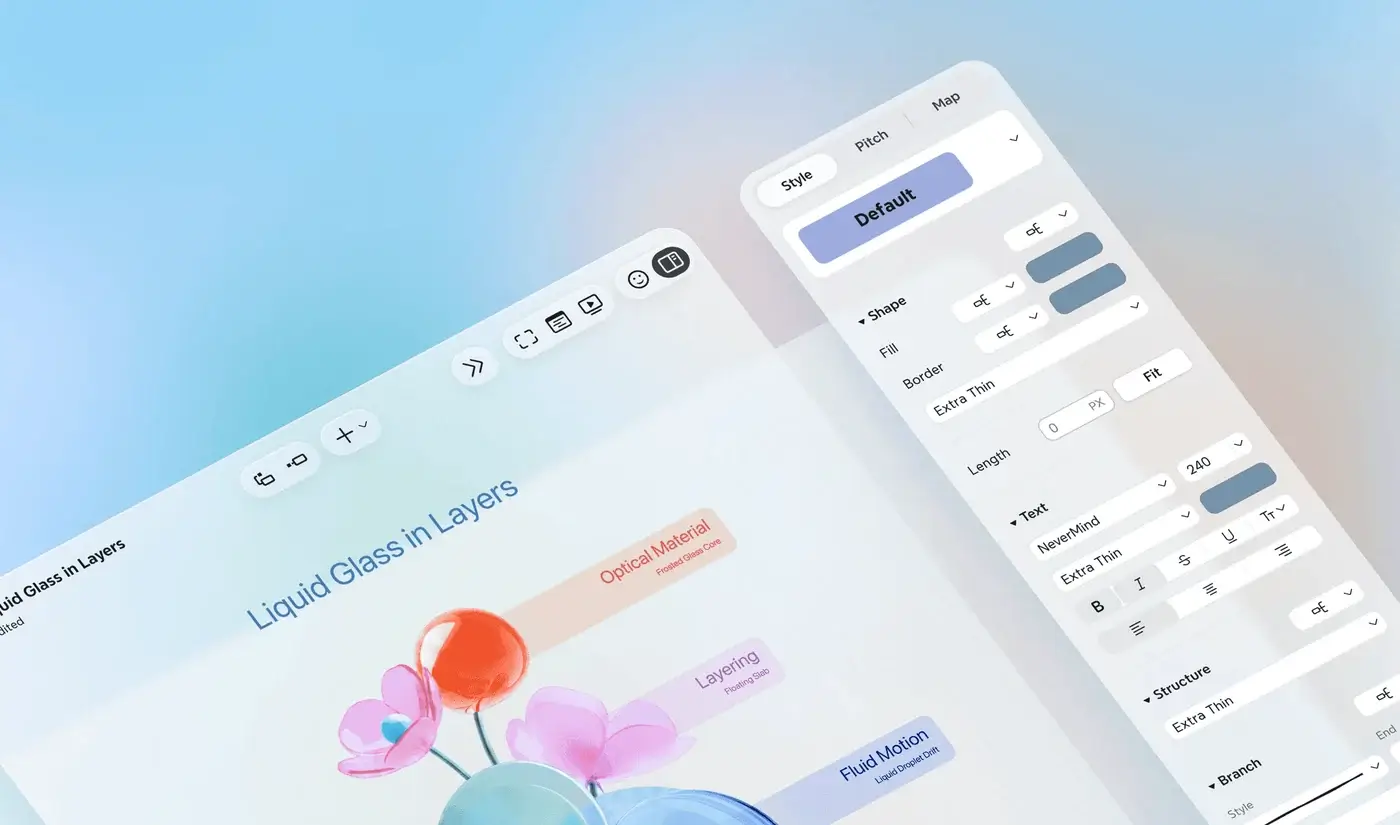
Its strongest advantage is the path from rough structure to presentable output. Pro adds custom themes, attachments, and export to PNG, SVG, PDF, Markdown, and Office formats. Premium adds unlimited collaborative maps, longer version history, Gantt charts, tasks, and substantially more AI credits.
- Best for: solo planning, study notes, article outlines, presentations, and reusable templates.
- Free plan: up to 10 manually created online maps, basic themes, 3-day history, and 10 AI credits.
- Paid plans: Pro starts at $4.92/month and Premium at $8.25/month on the current annual view.
- Main limitation: the free and Pro plans cap online maps, while the collaboration features that teams want sit in Premium.
MindMeister: Best dedicated mind mapper for teams
MindMeister stays closer to traditional mind mapping than Miro while still making live collaboration the center of the product. Teammates can edit together, comment, present, and use version history without turning the map into a general-purpose board.

That focus makes it a better fit for recurring planning meetings, class projects, and distributed brainstorming. The free plan is enough to judge the editor, but its three-map limit arrives quickly. Paid pricing is per user, so the cost grows with the team.
- Best for: teams that want real-time collaboration without adopting a full whiteboard platform.
- Free plan: 3 mind maps, unlimited collaborators, templates, presentation mode, and mobile apps.
- Paid plans: Personal starts at $6.50/user/month; Pro starts at $10.50/user/month on the current pricing page.
- Main limitation: it is web-first and subscription-based. XMind or SimpleMind is a better fit when offline ownership matters more than collaboration.
MindNode: Best for Mac, iPhone, and iPad
MindNode feels like an Apple app because it is one. The interface, shortcuts, iCloud workflow, Apple Pencil support, widgets, and device handoff fit naturally across macOS, iOS, iPadOS, watchOS, and visionOS.
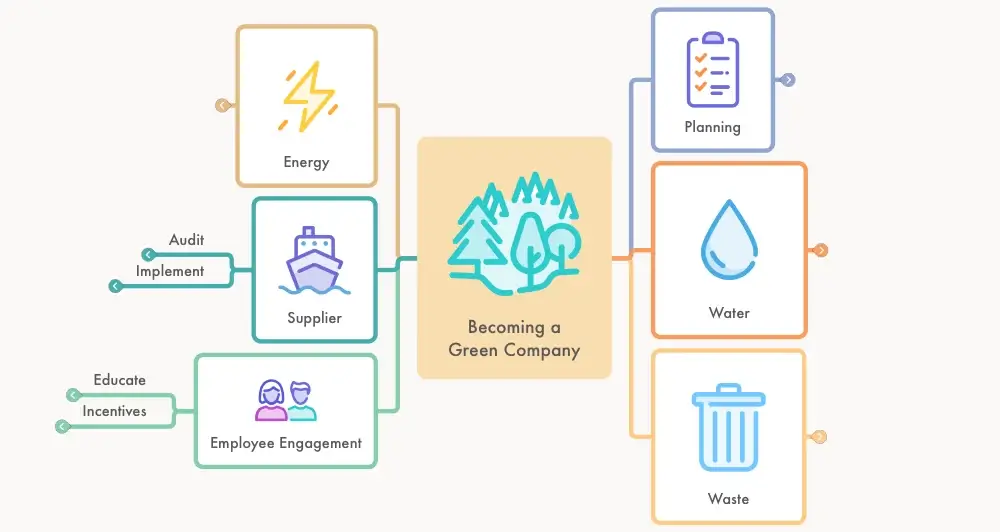
The free version includes the core editor plus import and export, which makes it more than a token trial. MindNode Plus adds visual tags, focus mode, themes, outlining, collaboration, and Apple Intelligence features. The maps are clean without demanding much styling work.
- Best for: people who work almost entirely inside the Apple ecosystem.
- Free plan: core mind mapping, editing, import, and export.
- Paid plan: MindNode Plus costs $2.99/month or $24.99/year.
- Main limitation: there is no Windows or Android version. Cross-platform households should choose XMind, Mindomo, or SimpleMind instead.
Miro: Best for workshops that include mind maps
Miro is a collaborative whiteboard first and a mind mapping app second. That isn’t a criticism. It is exactly why Miro works well for workshops that move from brainstorming to affinity grouping, voting, process diagrams, and action items on the same board.
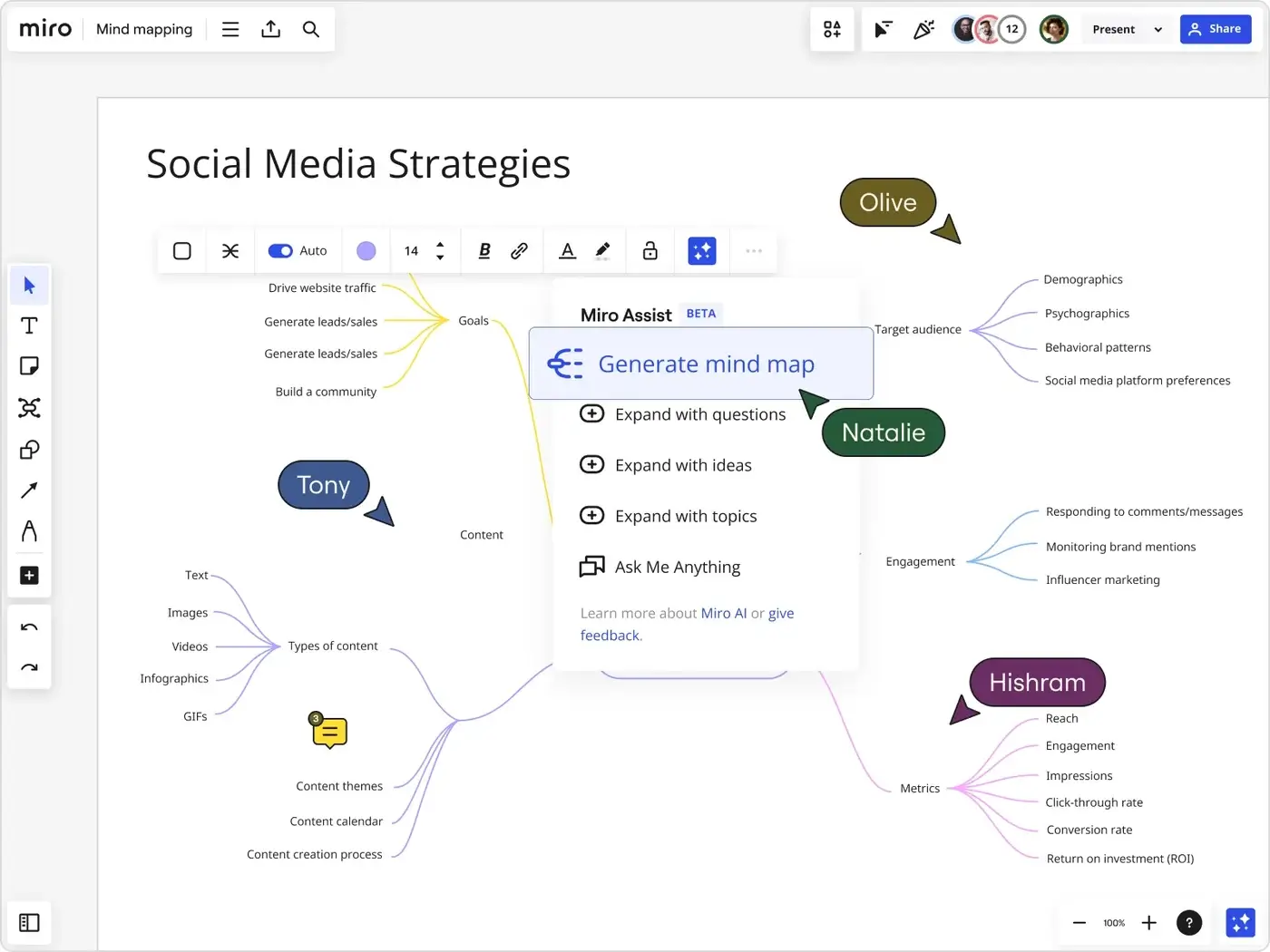
Its mind map object handles automatic branches, and Miro AI can generate or expand a map. The surrounding platform adds templates, integrations, presentations, timers, and a much larger visual toolkit. The cost is density: opening Miro for a five-minute personal outline can feel like opening a workshop room for one person.
- Best for: product discovery, retrospectives, remote workshops, and mixed-format team planning.
- Free plan: 3 editable boards, templates, integrations, and limited AI use.
- Paid plan: Starter begins at $8/member/month when billed yearly; Business is $20/member/month.
- Main limitation: it is heavier and less focused than a dedicated mapper. Choose MindMeister when the map itself is the main artifact.
Coggle: Best for a quick browser-based map
Coggle removes setup from the process. Open the browser, create a central topic, and add branches. The default maps look pleasant, collaboration is simple, and the free plan allows unlimited public diagrams.
That last word matters. Public diagrams aren’t appropriate for private research, client material, or internal planning. The free account includes only three private diagrams. The $5 Awesome plan removes that limit and adds stronger styling, presentation, chat, and sharing controls.
- Best for: quick personal maps, classroom exercises, and low-friction collaboration.
- Free plan: 3 private diagrams, unlimited public diagrams, real-time collaboration, and PDF/image export.
- Paid plan: Awesome costs $5/month; Organization costs $8/member/month.
- Main limitation: Coggle is deliberately simpler than XMind or Mindomo. That simplicity helps at first and constrains complex maps later.
Mindomo: Best for education and concept maps
Mindomo earns its place through education features, not just drawing tools. Teachers can create map-based assignments, distribute templates, monitor submissions, grade work, and connect the platform with Google Classroom and learning systems through LTI.
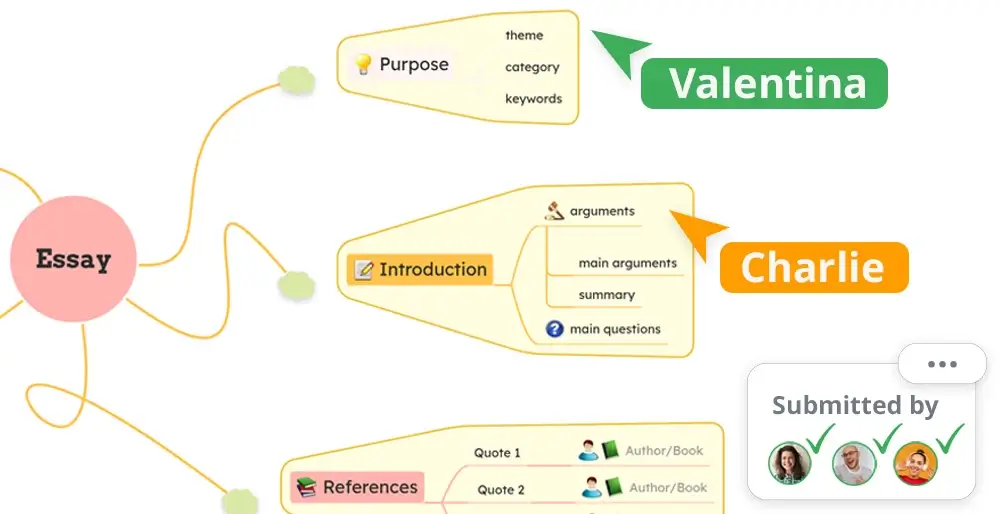
Mindomo also switches between mind maps, concept maps, outlines, organization charts, fishbone diagrams, and Gantt views. Equations, audio notes, multimedia, more than 20 export formats, and offline desktop editing make it unusually capable for academic work.
- Best for: teachers, students, concept mapping, assignments, and structured research.
- Free plan: 3 diagrams with unlimited collaborators.
- Education pricing: Student starts at EUR 4/user/month, Teacher at EUR 5, and School at EUR 10 on yearly billing.
- Main limitation: the interface exposes a lot of controls. Coggle or MindNode feels easier when you only need a basic map.
SimpleMind: Best for offline and mobile-first mapping
SimpleMind is a good counterpoint to subscription-heavy web apps. It has native apps for macOS, Windows, iPhone, iPad, and Android, and the Pro editions work without an account or ads. Maps can include images, icons, cross-links, notes, multiple layouts, and several export formats.
The pricing model is also unusual: you buy Pro once for each platform. That can be cheaper over several years, but a desktop purchase does not automatically unlock the mobile apps or the other desktop operating system.
- Best for: private offline maps, phones and tablets, and people who dislike recurring subscriptions.
- Free plan: a limited version is available on iOS and Android.
- Paid plan: desktop Pro is $29.99 for one platform; Mac and Windows together cost $54.99. Mobile pricing starts at $10.99.
- Main limitation: separate platform licenses make cross-device ownership less simple than a single subscription.
Freeplane: Best free and open-source mind mapper
Freeplane is the power-user choice. It is free, open source, and available on Windows, macOS, and Linux through Java. Maps can hold long notes, links, images, formulas, conditional styles, filters, scripts, and custom add-ons.
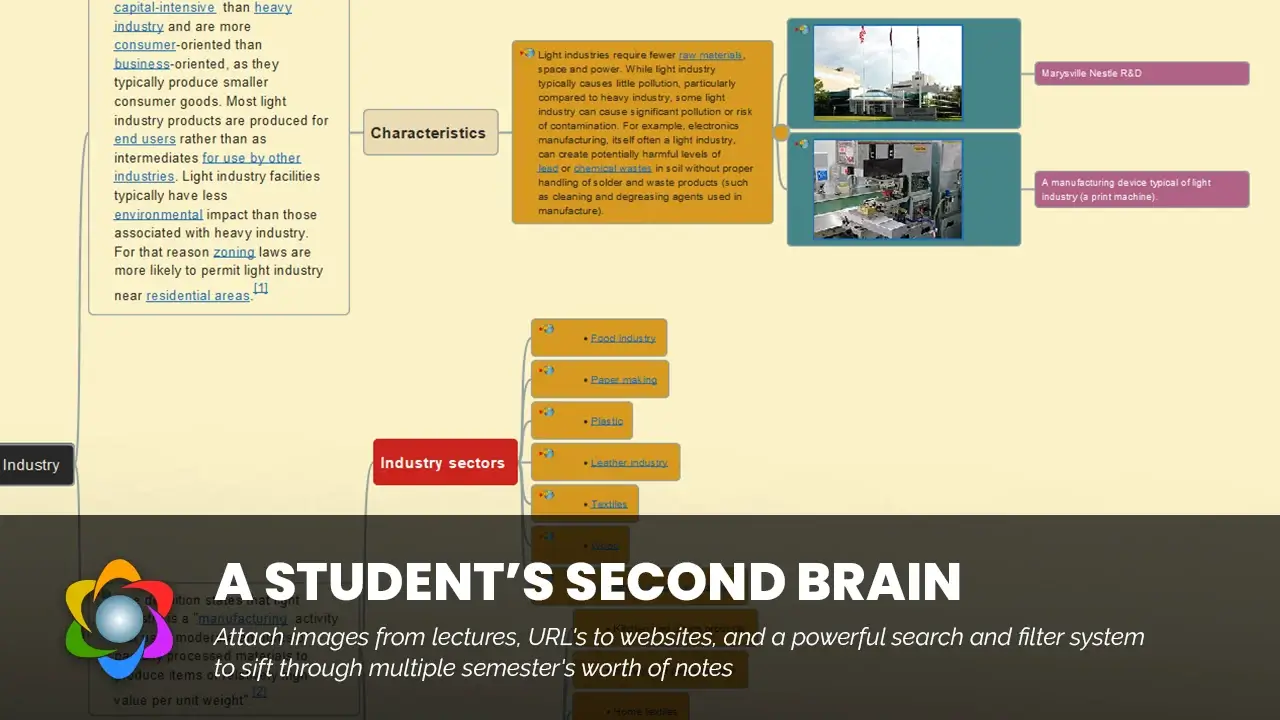
That depth makes Freeplane useful for large knowledge structures and local files. It also explains why the interface looks more like a technical desktop application than a modern consumer app. This is not the tool to choose because you want pretty defaults in five minutes.
- Best for: complex local maps, customization, scripting, and long-term file control.
- Price: free and open source.
- Platforms: Windows, macOS, and Linux.
- Main limitation: the learning curve and visual design are both harder than XMind, Coggle, or MindNode.
Obsidian Canvas: Best for research connected to notes
Obsidian Canvas is not a conventional radial mind mapper. It is more useful when the nodes already exist as Markdown notes, PDFs, images, webpages, or cards inside an Obsidian vault. You place those items on a canvas and draw relationships between them without giving up local storage.
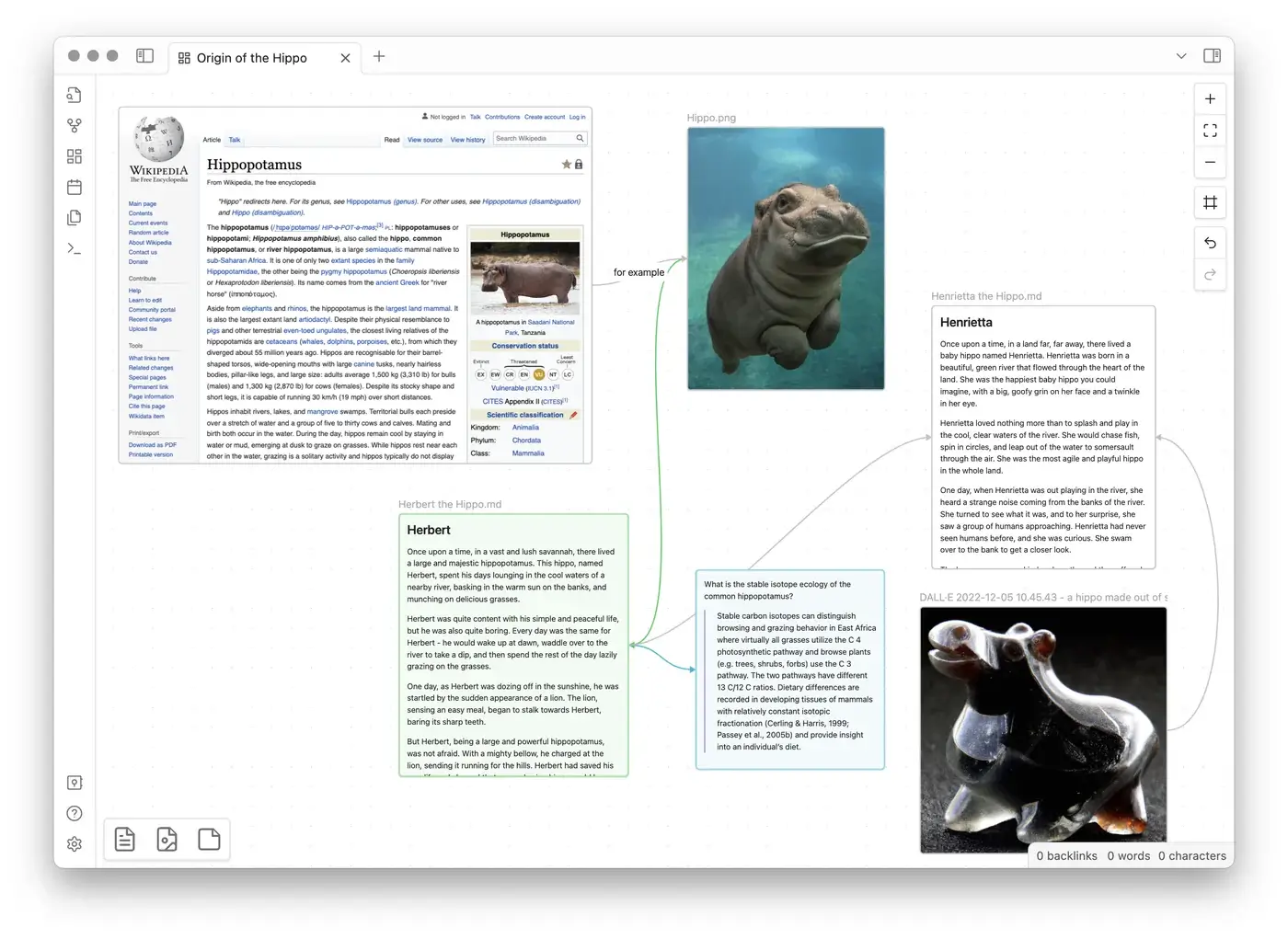
That makes Canvas excellent for literature reviews, article research, course planning, and any project where the visual surface needs to point back to source material. Obsidian stores Canvas data in an open JSON-based format, and the core app remains free.
- Best for: researchers, writers, and Obsidian users connecting sources with permanent notes.
- Price: the core app and Canvas are free; optional Obsidian Sync starts at $4/user/month when billed yearly.
- Storage: local by default, with optional paid synchronization.
- Main limitation: Canvas does not automatically behave like a strict mind map. Branch layout and hierarchy require more manual work.
If your main problem is capturing information rather than arranging branches, compare the best note-taking apps for students before adding another visual tool.
Excalidraw: Best for rough visual thinking
Excalidraw is closer to a digital sketchbook than a structured mapper. Its hand-drawn shapes, arrows, text, libraries, and keyboard shortcuts make it fast for exploring an idea without making the result look falsely finished.
The free editor is open source, needs no account, and saves work in browser storage unless you export it. Live collaboration is available, while Excalidraw+ adds a managed cloud workspace, presentations, and stronger sharing controls.
- Best for: rough diagrams, technical sketches, interviews, wireframes, and informal brainstorms.
- Free plan: the open-source editor, local browser storage, export, libraries, and live collaboration.
- Paid option: Excalidraw+ offers a 14-day trial and adds cloud workspace features.
- Main limitation: it does not maintain a parent-child hierarchy. Large maps need manual alignment and rearrangement.
Ayoa: Best for organic maps and visual task planning
Ayoa carries forward the colorful, curved-branch style associated with iMindMap. It supports organic maps, speed maps, radial maps, capture maps, presentations, images, comments, and branch-to-task conversion. Whiteboards, task boards, Gantt views, and AI features sit in the same workspace.
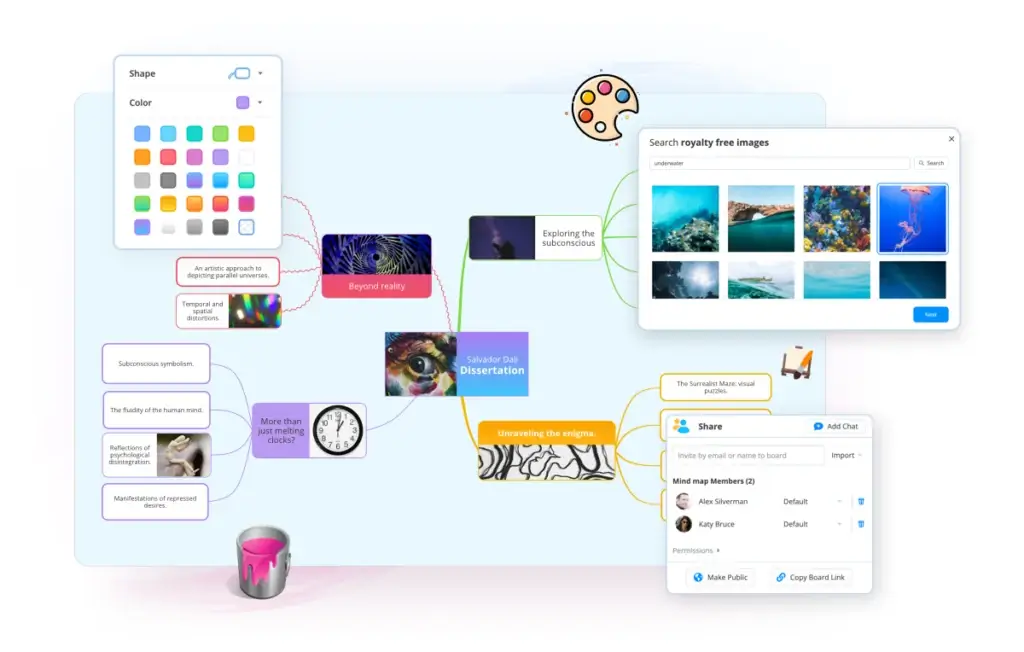
The organic layouts suit people who find rigid boxes and straight connectors uninspiring. Ayoa also makes a point of supporting neurodivergent users, with options and guidance for dyslexia, ADHD, and autism. The tradeoff is that the product can feel busy if all you wanted was a lightweight map.
- Best for: visual learners, organic mind maps, neuroinclusive workflows, and turning ideas into tasks.
- Free plan: up to 10 mind maps; whiteboards and task boards become view-only after the trial.
- Paid plan: Ultimate adds unlimited maps, editable whiteboards and task boards, AI, exports, and collaboration. Current prices vary by billing term.
- Main limitation: the free version is for personal use, and the all-in-one workspace adds more interface than a dedicated mapper.
Whimsical: Best for clean maps inside product work
Whimsical combines mind maps with flowcharts, wireframes, documents, and collaborative boards. The visual style is cleaner and more restrained than Miro, which helps product and design teams move between early thinking and clearer documentation.
Whimsical AI can generate and revise mind maps, and the editor supports real-time collaboration, comments, version history, embeds, and public sharing. The free plan is generous for private work but limits team boards.
- Best for: product managers, designers, software teams, and clean visual documentation.
- Free plan: unlimited private files, 3 team boards, 10 guests, and limited AI credits.
- Paid plan: Pro costs $10/editor/month when billed yearly or $12 monthly.
- Main limitation: paid pricing is per editor, and serious mind mappers may still prefer the deeper branch controls in XMind or MindMeister.
Four popular tools that aren't true mind mappers
Not every app that can arrange cards visually belongs in the main list.
- Notion: nested pages and database boards create hierarchy, but they do not behave like radial mind maps. Embed a dedicated map if Notion is your home base.
- ClickUp: its maps make sense when every branch needs to become a task. It is less convincing for study, writing, and open-ended ideation.
- Milanote: excellent for mood boards, references, images, and creative direction. It is a visual notebook, not a structured branch editor.
- Lucidchart: stronger for flowcharts, systems diagrams, and concept maps with labeled relationships. Choose it when the connections matter more than radial hierarchy.
The difference is not academic. A tool that doesn’t understand hierarchy forces you to maintain that hierarchy manually.
How to choose without wasting a week
Start with the map you need to make, not the feature table.
Decide whether the map is private or collaborative
For private thinking, fast keyboard control, offline access, and export matter more than cursors and comments. XMind, MindNode, SimpleMind, and Freeplane fit that work. For live group editing, start with MindMeister, Miro, Whimsical, or Coggle.
Test the map after it becomes large
Almost every app feels good with seven nodes. The real test begins at 70. Check whether you can:
- collapse branches;
- focus on one branch;
- search or filter nodes;
- move a parent without breaking its children;
- switch to an outline;
- export without losing structure.
Check the exit route before committing
Pretty maps become a problem when the only usable copy lives inside one subscription. If the work matters, look for export to PDF or image for presentation and Markdown, OPML, text, or a documented native format for future editing.
Pay for the bottleneck you actually have
Don’t buy a team plan for solo brainstorming. Don’t choose a cheap solo app when six people need to edit together every Monday. Don’t pay monthly for cloud sync if your maps should remain local.
Which mind mapping app should you pick?
Choose XMind if you want the best balance of structure, appearance, platforms, and export. Choose MindMeister when the map itself is a shared team artifact. Choose Miro when the map will lead into a workshop, voting session, or larger board.
Choose MindNode if every important device you own is made by Apple. Choose Mindomo for classrooms and concept maps. Choose SimpleMind for offline mobile work. Choose Freeplane when open source and control matter more than polish.
For research, Obsidian Canvas connects ideas to the notes and sources behind them. For rough visual thinking, Excalidraw gets out of the way. For organic, image-rich maps, Ayoa has the most distinctive style. For product teams that want maps beside wireframes and flowcharts, Whimsical is the cleaner whiteboard choice.
Try the free version with one real project. Build enough branches to make the canvas uncomfortable, move a section, export it, and reopen it the next day. Fifteen minutes with your own material will tell you more than another hour of feature comparisons.
Frequently asked questions
What is the best free mind mapping app?
Freeplane is the strongest fully free, open-source mind mapper for desktop power users. Coggle is easier for quick browser maps but limits free accounts to three private diagrams. Obsidian Canvas is the better free choice when the map needs to connect with local notes and research files.
What is the best mind mapping app for Mac?
MindNode is the best native Mac option and also works across iPhone, iPad, Apple Watch, and Apple Vision Pro. XMind is the better choice if the same maps must also work on Windows, Linux, or Android.
Is Miro a mind mapping app?
Miro includes a capable mind map object, but the product is a collaborative whiteboard. It is better for workshops that mix maps, sticky notes, diagrams, and voting. MindMeister or XMind is more focused when the final artifact is a traditional mind map.
What is the difference between a mind map and a concept map?
A mind map starts with one central topic and expands through a parent-child hierarchy. A concept map can connect many concepts in multiple directions, often with labels that explain each relationship. Mind maps are usually faster for brainstorming and outlining; concept maps are better for explaining systems and dependencies.
Are AI mind mapping features worth paying for?
AI is useful for producing a first branch structure from a document, prompt, or webpage. It is less reliable at deciding which relationships matter. Pay for it only if you repeatedly turn existing material into maps. For occasional brainstorming, manual branches are faster to inspect and easier to trust.
Can Notion create a real mind map?
Notion does not provide a native radial mind map editor. Nested pages and database boards can represent hierarchy, but branches do not behave like a dedicated map. The practical option is to embed a map from Whimsical, Miro, or another supported tool.
Tell Google you want more of this.
Add Gaurav Tiwari as a preferred sourceOne tap, and this site shows up more often in your own Top Stories, AI Overviews and AI Mode. Remove it any time.