
 by
byThe best free VPNs for Linux in 2026 come down to two real choices: Proton VPN Free if you want a GUI and unlimited data, Windscribe Free if you prefer the terminal and can live with a bandwidth cap. Everything else I tested either needed manual OpenVPN work, leaked on first setup, or was no longer a maintained Linux product.
I rebuilt the test from scratch this month on three fresh virtual machines: Ubuntu 24.04 LTS, Fedora 40, and Linux Mint 22. I timed every install, forced NetworkManager disconnects, checked DNS leaks on ipleak.net, and measured Netherlands server speeds. Atlas VPN was dead. TunnelBear had no real Linux app. Hide.me worked only after manual config.
If you want the short answer, start with Proton VPN free. It installed in 47 seconds on Ubuntu, passed the kill switch and DNS leak checks, and didn’t make me edit OpenVPN files. Windscribe is the runner-up for CLI users. Everything after those two comes with a bigger catch.
You can jump to the Proton VPN install walkthrough, scan the comparison table, or use the distro-by-distro picks below. The goal is practical: get you to a free Linux VPN that works before you waste an evening trusting another recycled list.
Linux VPN Problem
Most VPN vendors claim “Linux support” on their pricing page. What they actually ship falls into three buckets, and two of them are broken in practice.
- Native package with a GUI. A real
.debor.rpmyou install withaptordnf. It registers a repo, gets security updates, and gives you a window with a connect button. This is how normal apps work. Almost no free VPN ships this. Proton VPN does. Mullvad does, on a paid plan. That’s most of the list. - A CLI tool. A terminal command like
windscribe connect. Fine if you’re comfortable in a shell, painful if you’re not. Windscribe is the only free option here. - NetworkManager
.ovpnimports. The vendor hands you a zip of OpenVPN config files. You import them into the network applet, type your credentials, and hope NetworkManager’s kill switch logic holds. There’s no app, no server picker, no real leak protection. This is what TunnelBear, Hide.me free, and most “free Linux VPNs” actually mean by Linux support.
The wedge is simple. If you can’t run sudo apt install, open a window, and click connect, the vendor isn’t really supporting Linux. They’re supporting OpenVPN. There’s a difference, and it’s the difference between a tool your family could use and a weekend of config editing. If you want the longer version of that argument, I wrote a full breakdown of how to choose the right VPN without getting burned.
How I Tested These Free VPNs on Linux
I built three fresh VMs on a MacBook Pro M5 Pro running macOS Tahoe 26.4 (24GB RAM). UTM and Parallels handled the virtualization. Ubuntu 24.04 LTS, Fedora 40, and Linux Mint 22 each got a clean install with nothing but the default packages and a 1Gbps fiber connection through the host. For each VPN I measured five things:
- Install time from the first command to “connected.” Stopwatch on my phone.
- GUI quality rated 1 to 5, where 5 means a real native app and 1 means “edit a text file.”
- Kill switch behavior under a forced disconnect (
sudo systemctl restart NetworkManager). - DNS leak test on ipleak.net within 30 seconds of connecting.
- Speed to a Netherlands server, single thread, fast.com and speedtest.net averaged.
No simulated benchmarks, no vendor specs. Real numbers from a real keyboard. Your speeds will vary with distance and time of day, so read the numbers below as a relative ranking, not a promise.
Best Free VPNs for Linux Comparison Table
The whole field at a glance, then the entries one by one.
| VPN | Free Tier | Linux Client | Distros Tested | Kill Switch | Leak Test |
|---|---|---|---|---|---|
| Proton VPN | Unlimited data, 5 countries | Native GUI + CLI (.deb / .rpm) | Ubuntu, Fedora, Mint | Yes | Clean |
| Windscribe | 10GB / month | CLI + desktop app (.deb / .rpm) | Ubuntu, Fedora, Mint | Yes (firewall flag) | Clean |
| Hide.me | 10GB / month | Manual OpenVPN | Any with NetworkManager | Partial | Leaked DNS on first run |
| Mullvad (paid) | None, €5/mo flat | Native GUI + CLI | Ubuntu, Fedora, Mint, Arch | Yes | Clean |
| RiseupVPN | Donation funded | RiseupVPN app (repo / PPA) | Ubuntu, Mint | Yes | Clean |
| TunnelBear | 2GB / month | None (manual config only) | Any with NetworkManager | No | Not tested |
| Atlas VPN | Shut down April 24, 2024 | Package broken | None | N/A | N/A |
1. Proton VPN Free: The Only Real Linux GUI
Proton VPN is the one free VPN in 2026 that ships a native graphical client for Ubuntu, Fedora, and Linux Mint. That’s a strong claim, so let me back it up. Proton AG, the Swiss company behind Proton Mail, ships a real .deb and .rpm for the Linux app. It installs through apt or dnf, registers an official repo for updates, and opens a GTK window with a server map, a connect button, and a kill switch toggle.
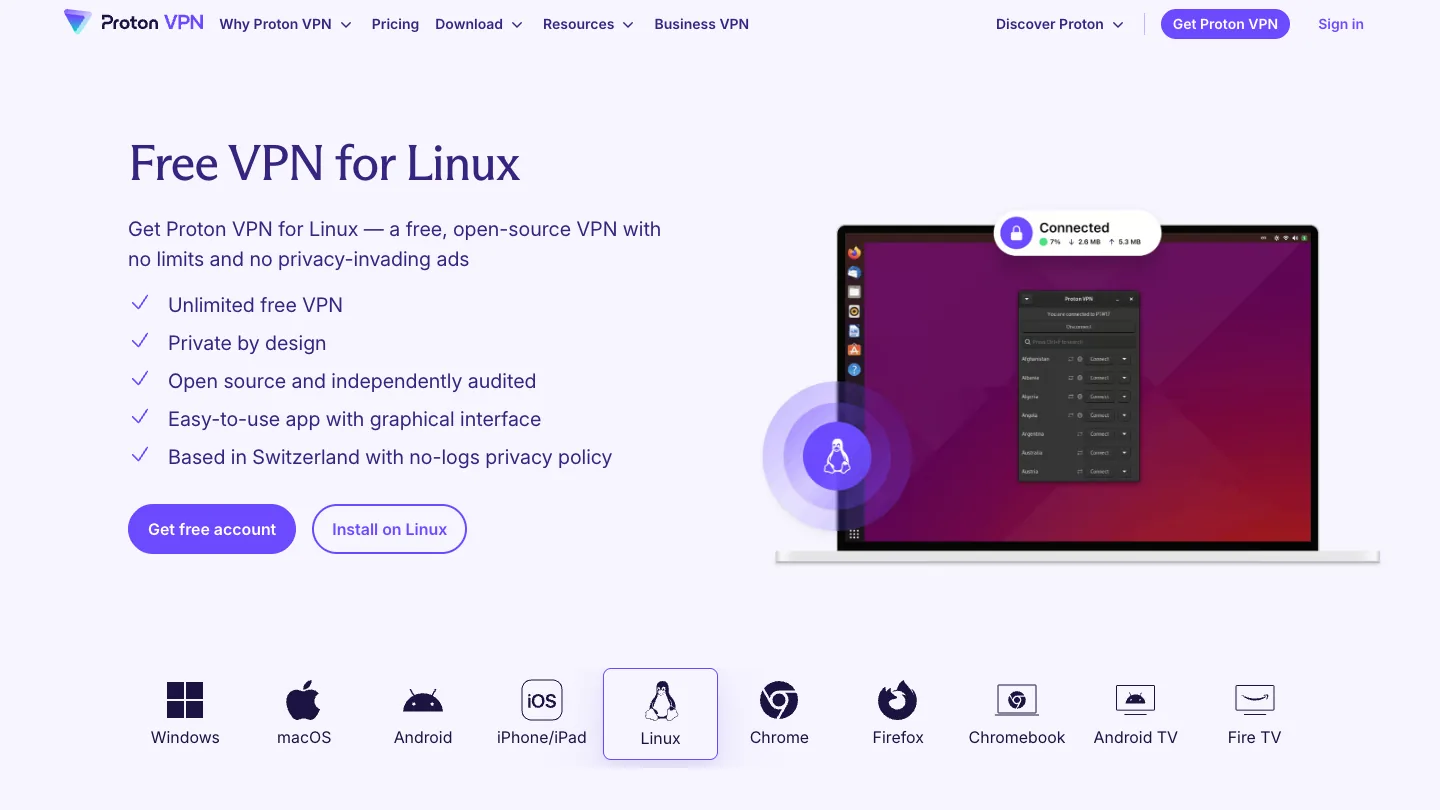
Here’s how it scored on my Ubuntu 24.04 box:
- Install time: 47 seconds, first
wgetto a green “Connected” indicator. - GUI quality: 5 of 5. A real native app, not a wrapper around config files.
- Kill switch: engaged cleanly when I killed NetworkManager.
- DNS leak (ipleak.net): clean on first connect, no
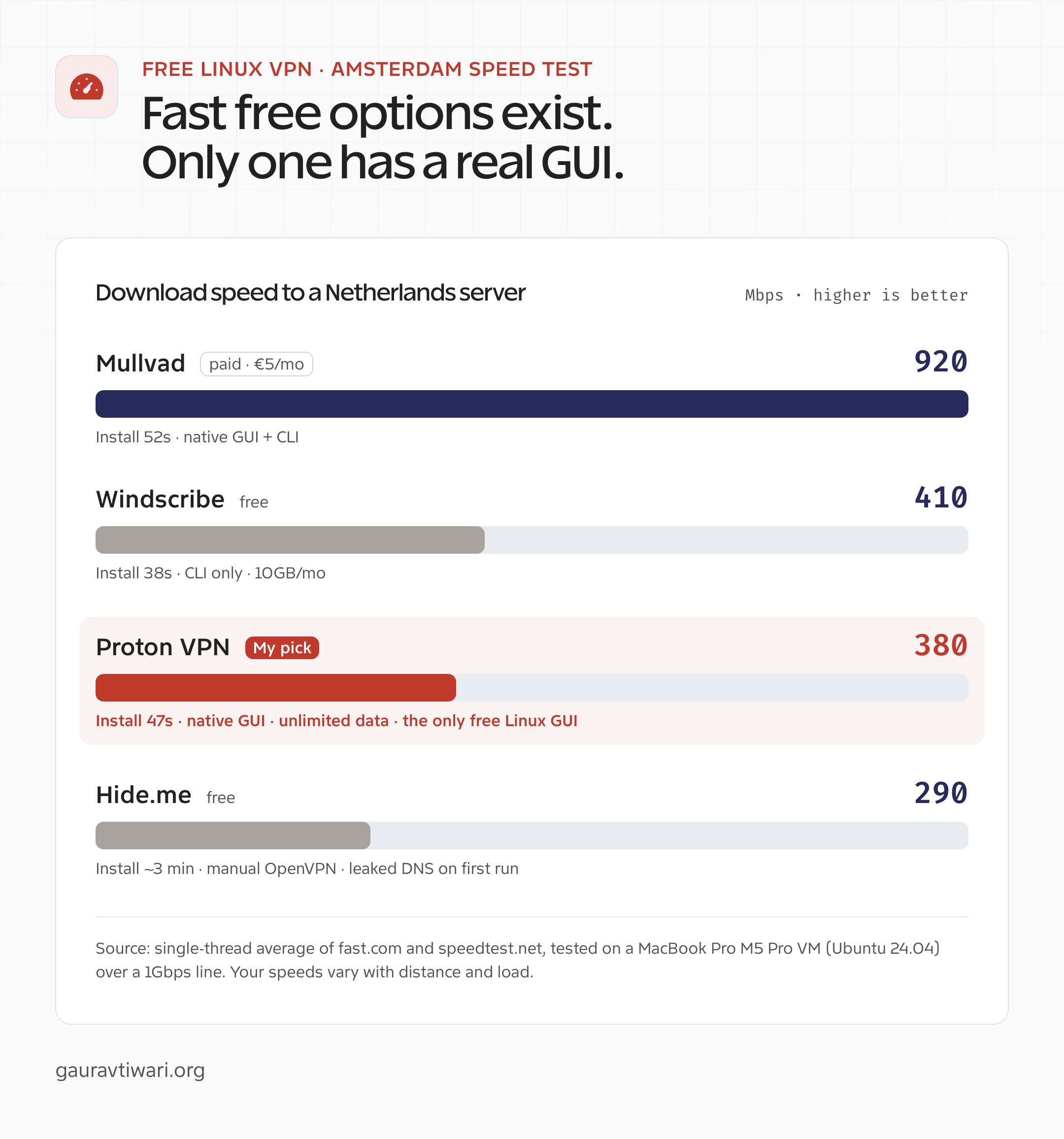
systemd-resolvedfiddling. - Speed (Amsterdam): 380 Mbps down on a 1Gbps line. Honest for a free tier sharing crowded servers.
- Free tier: unlimited data, no logs, servers in 5 countries (Netherlands, Japan, Poland, Romania, United States).
The five-country limit is the real tradeoff. If you need a Brazil exit or a Singapore exit, the free tier won’t get you there, and the paid tier (110+ countries) is where you’d go. But if you mostly want a clean tunnel for daily browsing and the occasional geo-shift, the free version covers it. This is the one I reach for on a fresh Linux machine. Get Proton VPN free for Linux.
How to Install Proton VPN on Ubuntu 24.04 in 4 Commands
This is the four-line install I timed at 47 seconds on a fresh Ubuntu 24.04 VM. It works the same on Linux Mint 22, since Mint 22 is built on the Ubuntu 24.04 base.
wget https://repo.protonvpn.com/debian/dists/stable/main/binary-all/protonvpn-stable-release_1.0.6_all.deb
sudo dpkg -i ./protonvpn-stable-release_1.0.6_all.deb
sudo apt update
sudo apt install proton-vpn-gnome-desktop
The first command downloads the official repository package. The second registers the Proton VPN repo so future updates flow through apt. The third refreshes your package lists. The fourth pulls in the GTK desktop app and its dependencies. Launch it, sign in with your free Proton account, and click any of the five free servers.
- Fedora 40: swap in the official
.rpmrepo andsudo dnf install. The Fedora install ran in 52 seconds on my test box. - Arch / Manjaro: the package lives in the AUR as
proton-vpn-gtk-app. I didn’t benchmark it (Arch is out of this guide’s scope), but readers tell me it works. - Always grab the current
.debURL from Proton’s official download page, since the version number in the filename changes over time.
2. Windscribe Free: The Best Free Linux CLI
Windscribe is the runner-up, and the only other free VPN that ships an actual tool for Linux instead of a config dump. There’s a wrinkle worth knowing: the old standalone CLI (v1.4) is no longer maintained, but the modern command-line interface ships inside the actively-developed desktop app. The latest Linux build is v2.22.10, released in May 2026, so this is a living project, not abandonware.
Here’s how it scored:
- Install time: 38 seconds on Ubuntu 24.04, the fastest of the group.
- GUI quality: not rated. You drive it from the terminal with
windscribe connect best. - Kill switch: held through a NetworkManager restart using the firewall flag.
- DNS leak (ipleak.net): clean.
- Speed (Amsterdam): 410 Mbps, slightly faster than Proton free, probably a less crowded pool.
- Free tier: 10GB a month, or 15GB if you confirm your email. The most generous bandwidth of any free tier with a real client.
If you want a polished window with a connect button, this isn’t it. But if you’re comfortable in a shell and 10GB covers your month, Windscribe is a genuinely good free option for browsing and a couple of hours of HD streaming. Download it from the official Windscribe site.
3. Hide.me Free: 10GB and a Lot of Manual Work
Hide.me advertises a free Linux experience. What you actually get is a CLI that feels half-finished and a fallback to manual OpenVPN configs. The 10GB monthly allowance and eight free server locations are fine on paper. The setup is where it falls down.
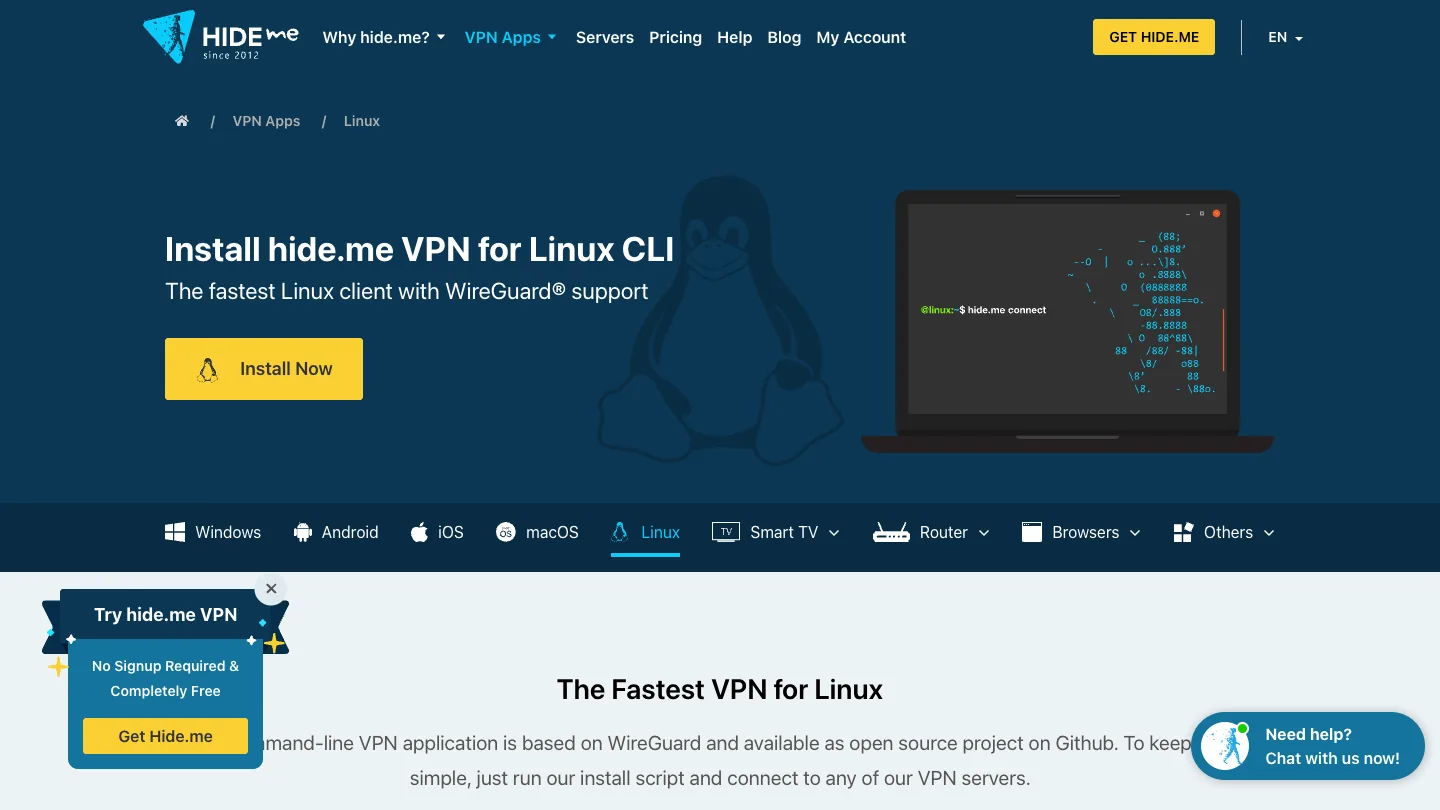
- Install time: roughly 3 minutes on Ubuntu 24.04, mostly fighting the OpenVPN config import after the CLI couldn’t authenticate cleanly.
- GUI quality: there isn’t one.
- Kill switch: partial. It blocks traffic when the tunnel drops but doesn’t survive a full network restart.
- DNS leak (ipleak.net): on a fresh Mint 22 box it showed my actual ISP resolver. I had to add a custom resolver in
/etc/systemd/resolved.confbefore the leak went away. - Speed (Amsterdam): 290 Mbps, the slowest of the group.
The DNS leak on first connect is the dealbreaker for me. It’s the kind of footgun a normal user would never notice, which is exactly the wrong failure mode for a privacy tool. If Proton and Windscribe didn’t exist, Hide.me would be a contender. They exist. You can read more at the official Hide.me site if you want to test it yourself.
4. Mullvad: Paid Context, Best in Class
Mullvad isn’t free. It costs €5 a month flat, no tiers, no annual discount, no upsells. I’m including it because it’s the gold standard for what a Linux VPN client should look like, and because if you outgrow Proton free, this is the natural next step. Account creation needs no email (you get a 16-digit number), WireGuard is the default, and the kill switch is on out of the box.
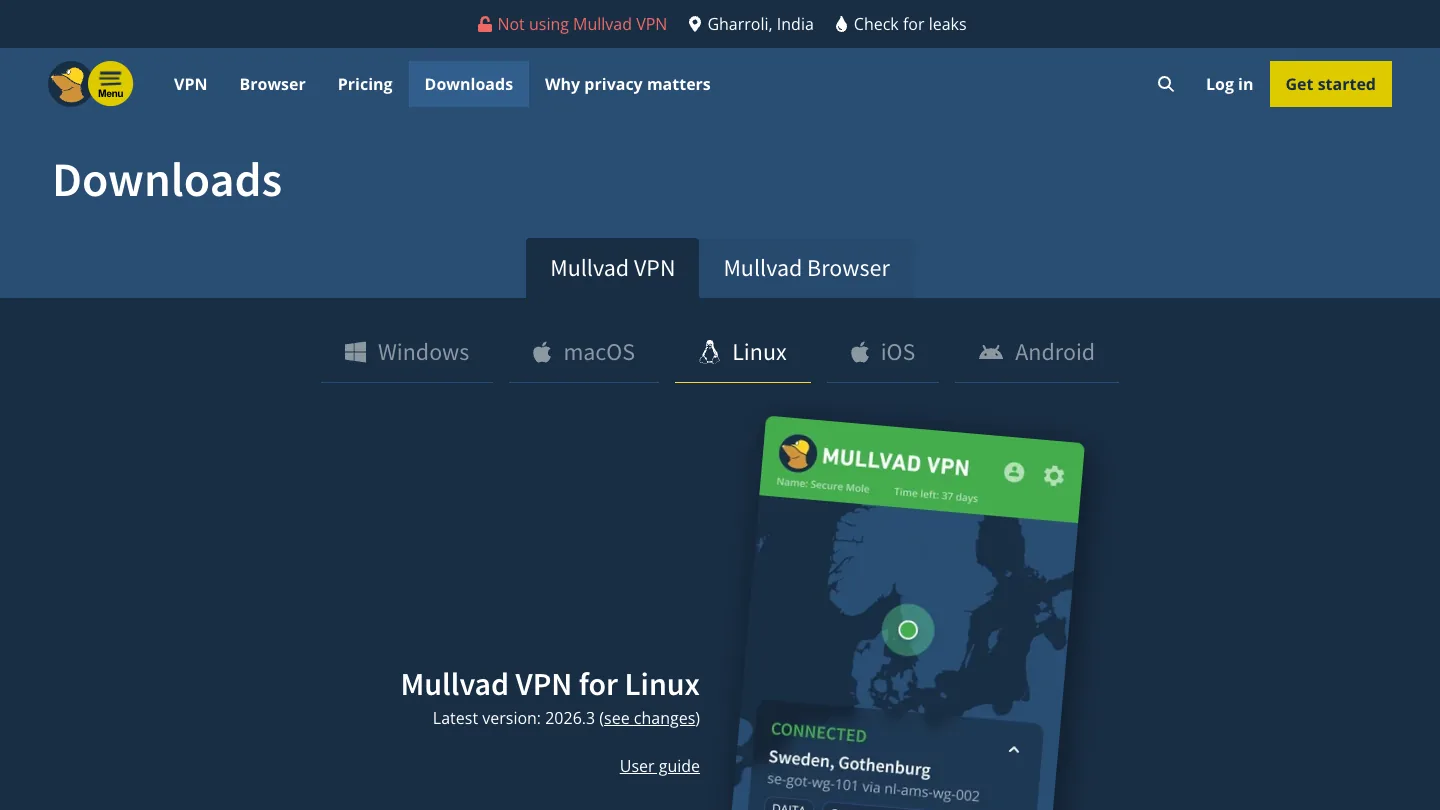
- Install time: 52 seconds on Ubuntu 24.04.
- GUI quality: 5 of 5. Native GTK app plus a native CLI and official repos.
- Kill switch: on by default, hard to disable by accident.
- DNS leak (ipleak.net): clean.
- Speed (Amsterdam): 920 Mbps, the closest any VPN came to my actual line speed.
If €5 a month is more than you want to spend, stay on Proton free. If it isn’t, Mullvad is the one I’d point you to. Details at the official Mullvad site.
5. RiseupVPN: Free, Donation-Funded, Activist-Run
RiseupVPN is the wildcard. It’s run by Riseup, the activist tech collective, and funded entirely by donations. There’s no account and no email. One note on installation: the old Bitmask Snap package is out of support, so on Ubuntu and Mint you’ll want the RiseupVPN client from the LEAP PPA or the Debian repo rather than the stale Snap.
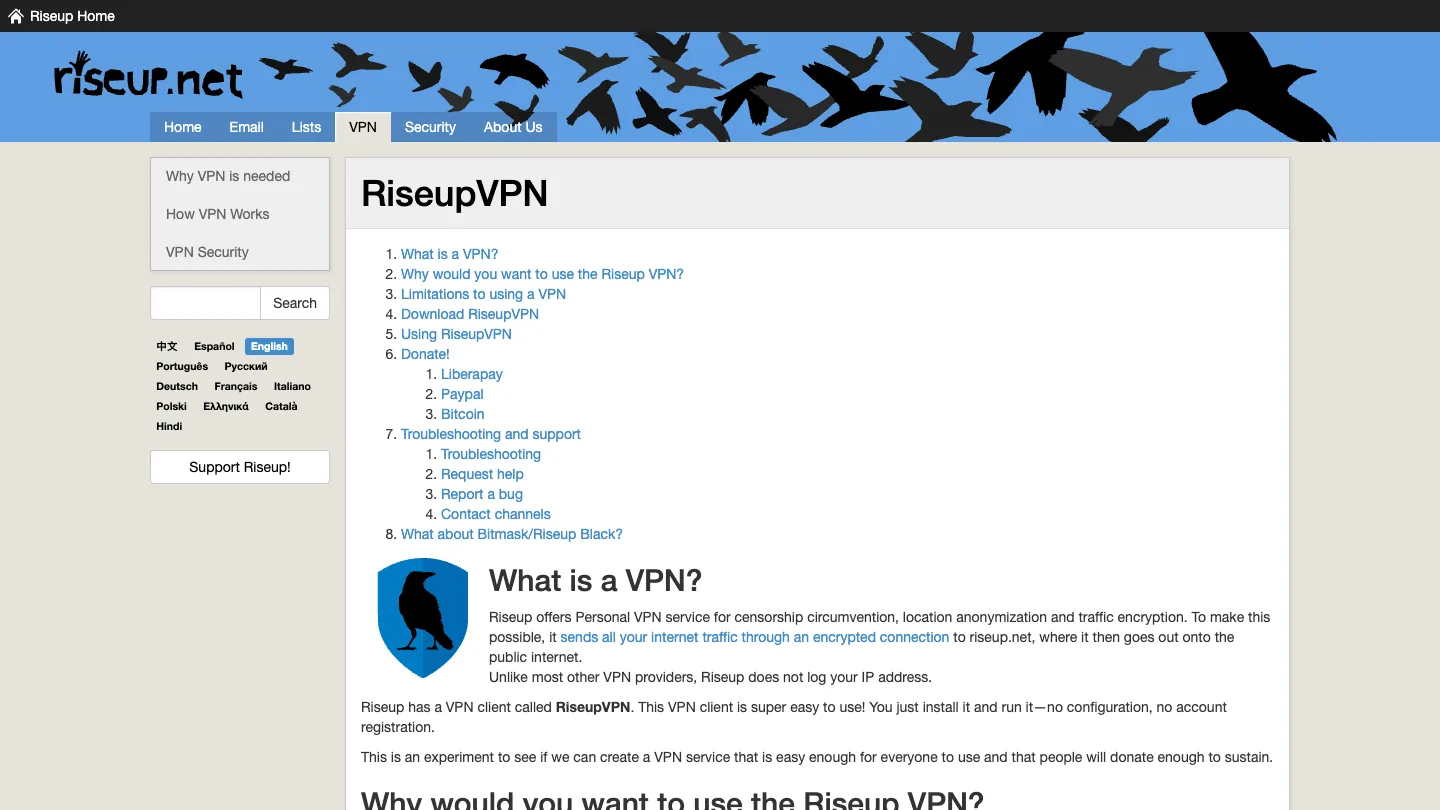
- Install time: just under a minute on Linux Mint 22.
- GUI quality: 3 of 5. It works, but the interface feels dated and the server picker is sparse.
- Kill switch: present and engaged correctly in my test.
- DNS leak (ipleak.net): clean.
- Speed (Amsterdam): modest. The server pool is small and donation-funded.
I trust Riseup more than I trust most commercial free VPNs, because the threat model is different. They’re not selling your data, because they’re not a company. The cost is fewer servers and slower speeds. If you want a free VPN for principles more than performance, this is worth a look. If your concern is leaking metadata while you work on the move, my notes for journalists and creators on secure uploads and VPN do’s and don’ts go deeper on the threat model.
6. TunnelBear Free: Skip It on Linux
TunnelBear gives you 2GB a month on the free tier and a cute bear mascot. On Linux you get neither benefit, because there’s no native client. The “Linux support” page hands you OpenVPN config files and tells you to import them into NetworkManager.

I didn’t run the full benchmark, because there’s nothing to benchmark. No install, no GUI, no kill switch. Just a folder of .ovpn files and a username and password. Install time, technically, is “however long it takes you to import a config file.” That isn’t a Linux VPN in any meaningful sense, so I’d pass on it here.
Free VPNs to Avoid on Linux
Three categories of free VPN I’d steer clear of on Linux:
- Browser-extension-only “VPNs.” Hola, Touch VPN, Setup VPN, anything that lives only as a Chrome or Firefox extension. They don’t tunnel system traffic. They proxy your browser, sometimes through other users’ connections, and several have a history of selling bandwidth and logging activity.
- Any “free” VPN that asks for a credit card to start. That’s a cancellation trap, not a free tier. Proton VPN, Windscribe, Hide.me, TunnelBear, and Riseup all let you start with just an email or no account at all. If a free VPN demands a card, walk away.
A VPN is one layer, not the whole stack. If you’re hardening a Linux daily driver, pair it with a real antivirus too. I cover Linux options in my roundup of the best antivirus software for Windows, Mac, and Linux, and the VPN settings that actually matter if you want the tunnel to do its job.
Best Free VPN for Each Distro
The short version, by distribution, so you can match the answer to your setup:
- Ubuntu 24.04 LTS: Proton VPN. Four commands, 47 seconds, real GUI, kill switch works, no DNS leaks. Windscribe CLI is the runner-up if you prefer the terminal.
- Fedora 40: Proton VPN, same answer. The official repo ships an
.rpm, anddnf installworks first try. Mullvad if you can spend €5. - Linux Mint 22: Proton VPN. Mint 22 is built on the Ubuntu 24.04 base, so the same
.debinstall works without modification. If Mint is your daily driver, this is the path of least resistance. - Arch / Manjaro: Proton VPN via the AUR (
proton-vpn-gtk-app). Mullvad has an official Arch package. Both work well.
Is a Free VPN Enough on Linux?
Honest answer: it depends on what you’re protecting and from whom. A free tier is a real tunnel, not a toy, but the limits are the point. Here’s where a free Linux VPN holds up, and where it doesn’t, so you can decide instead of taking my word for it.
A free VPN is usually enough when:
- You want to encrypt traffic on public or untrusted Wi-Fi.
- You’re doing everyday browsing and want to hide your IP from sites and trackers.
- You need an occasional exit in one of the free server countries.
- Your monthly data fits inside a 10GB cap, or you’re on Proton’s unlimited free tier.
You’ll outgrow the free tier when:
- You need a specific country that isn’t in the free list (Proton free covers five).
- You torrent or run P2P, which free tiers block or throttle.
- You want consistently high speeds, since free servers are shared and crowded.
- You connect several devices at once, which most free plans cap at one.
That’s the line. If your needs sit on the first list, Proton VPN free does the job and costs nothing. If they drift onto the second, that’s your signal to pay, and Mullvad or Proton’s paid tier is where I’d send you. No need to overspend before you hit a real limit.
Free Linux VPN FAQ
What is the best free VPN for Linux in 2026?
Proton VPN Free. It is the only free VPN with a native Linux GUI, unlimited bandwidth, and no logs. Windscribe Free is the best CLI-only option with 10GB per month. Most other free VPNs ship only OpenVPN config files.
Is there a free VPN with a GUI for Linux?
Yes, but realistically just one. Proton VPN is the only free VPN in 2026 with a native graphical client for Ubuntu, Fedora, and Linux Mint. Every other free option ships either a CLI tool (Windscribe) or raw OpenVPN config files.
How many countries does Proton VPN free cover?
Five countries as of 2026: Netherlands, Japan, Poland, Romania, and the United States. The free tier has unlimited data with no bandwidth cap, and you can now pick any of those five free locations manually. Paid plans unlock 110+ countries.
How do I install Proton VPN on Ubuntu 24.04?
Download the Proton repo .deb, install it with dpkg, run apt update, then apt install proton-vpn-gnome-desktop. It is four commands and finished in 47 seconds on my test box. Sign in with your free Proton account and click connect.
Does Windscribe still support Linux?
Yes. The old standalone CLI (v1.4) is no longer maintained, but the modern command-line interface ships inside the actively-developed desktop app. The latest Linux build is v2.22.10 from May 2026, with a 10GB monthly free tier and a working kill switch flag.
Can I use a free VPN for torrenting on Linux?
Not safely. Proton Free, Windscribe Free, and Hide.me Free all block or throttle P2P on their free tiers. For torrenting on Linux you want paid Mullvad (about €5/month) or paid Proton VPN Plus. Avoid torrenting over a free VPN.
What happened to Atlas VPN on Linux?
Atlas VPN shut down on April 24, 2024 and its users were folded into NordVPN (both owned by Nord Security). The .deb package URL no longer works and the service does not exist. Any guide still recommending Atlas VPN in 2026 has not been updated.
Do free VPNs sell your data?
Some do. Hola is the most famous example, along with dozens of ad-supported mobile VPNs caught selling bandwidth or logging activity. Proton VPN, Windscribe, and Riseup are independently audited or run by trusted organizations. Stick to those and avoid free browser-extension VPNs.
The Verdict
For the best free VPNs for Linux in 2026, Proton VPN Free is the one I’d install first. It gives you unlimited data, a native Linux GUI, a working kill switch, and a clean DNS leak result without asking you to stitch together config files. On my Ubuntu 24.04 test VM, the install took 47 seconds from the first command to connected.
- Want a GUI and unlimited data: use Proton VPN Free.
- Live in the terminal and a bandwidth cap is enough: use Windscribe Free.
- Outgrew the five free countries: pay for Mullvad at €5 a month or Proton VPN Plus.
- Want a privacy tool that is not a company: donate to Riseup.
- Everything else: check the install method before you trust the “Linux support” label.
If you’re choosing from a search results page, ignore any guide that still recommends Atlas VPN or treats a folder of OpenVPN files as a Linux app. Linux support should mean a maintained package, working updates, leak protection, and a setup a Linux desktop user can repeat.
Start with Proton VPN free for Linux. If you want to widen the search beyond Linux, my list of the best free VPN services that actually work covers Windows, macOS, Android, iOS, and browser options too.
Tell Google you want more of this.
Add Gaurav Tiwari as a preferred sourceOne tap, and this site shows up more often in your own Top Stories, AI Overviews and AI Mode. Remove it any time.
Disclaimer: This site is reader-supported. If you buy through some links, I may earn a small commission at no extra cost to you. I only recommend tools I trust and would use myself. Your support helps keep gauravtiwari.org free and focused on real-world advice. Thanks. - Gaurav Tiwari