
 by
by
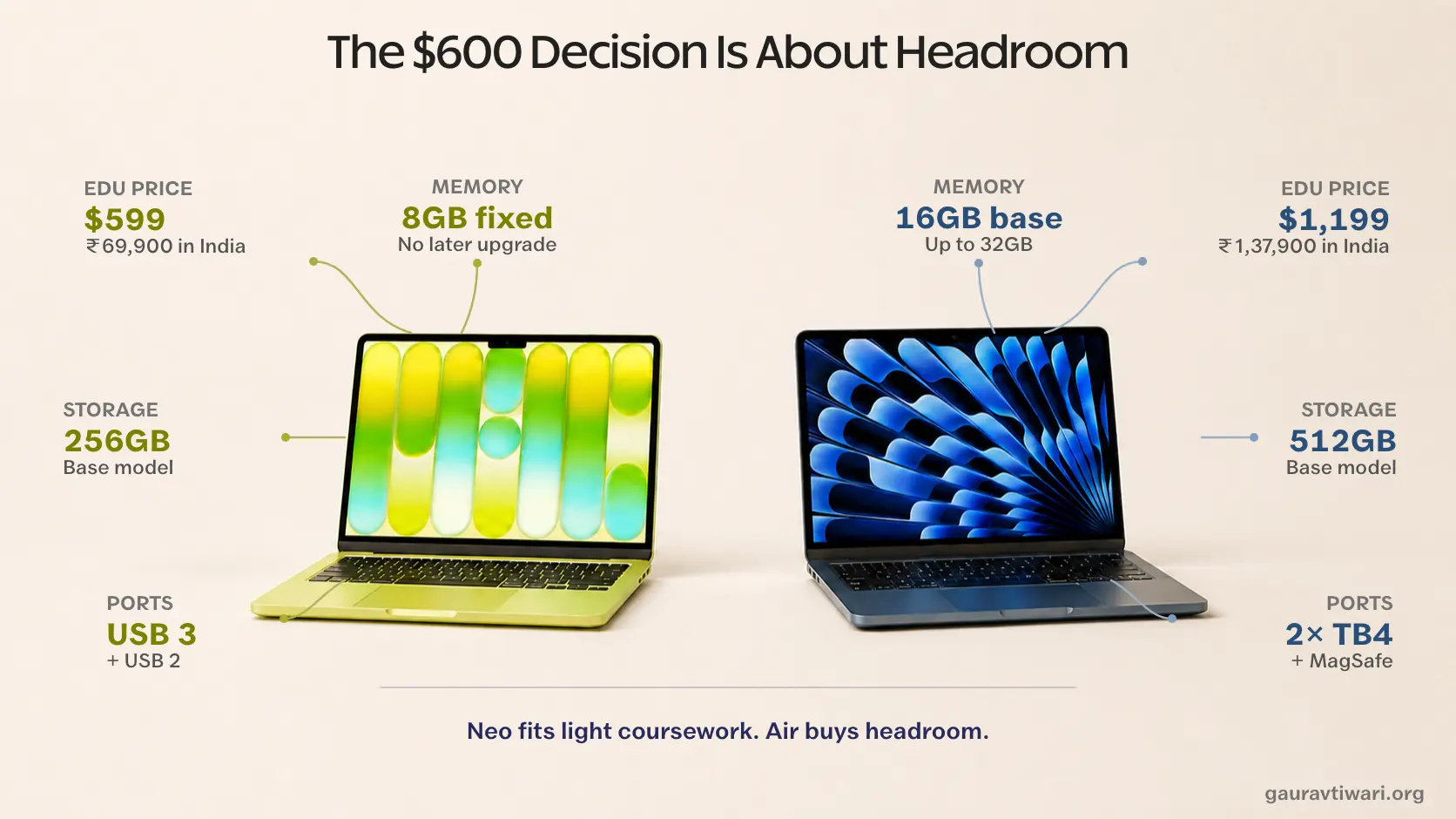
For a US student buying new from Apple, the MacBook Neo vs MacBook Air decision starts with a $600 gap. The Neo costs $599 with education pricing, while the 13-inch MacBook Air (M5) costs $1,199. Both were introduced in 2026, weigh 2.7 pounds and run macOS, but the Neo fixes you at 8GB of memory while the Air starts with 16GB.
For an Indian student, the same choice starts at ₹69,900 for the MacBook Neo and ₹1,37,900 for the MacBook Air with education pricing, a ₹68,000 gap.
The advice usually breaks in 2 directions. Buying the Neo only because your classes use a browser ignores its fixed memory, smaller storage and slower ports. Stretching to the Air for every student ignores that documents, research tabs and video calls do not need an M5 chip running at full speed.
The right question isn’t which laptop is better. It’s how much of your degree the cheaper one can carry.
I would start with the syllabus, not the chip name. Find the heaviest app your course requires, then ask whether 8GB of memory and 256GB of storage still look comfortable around it.
My Recommendation
My default recommendation is the MacBook Air 13-inch (M5) for a 4-year degree when your required software runs on macOS and the budget can reach $1,199. Its base 16GB of memory, 512GB SSD, faster ports and wider-gamut display leave more room for a changing workload. Apple also includes a $100 Gift Card through September 24, but that credit is for a future purchase, not a lower checkout price.
The MacBook Neo is the right buy when $599 is the hard limit and the weekly workload is browser research, documents, presentations, video calls and streaming. It runs macOS and Apple Intelligence, but its 8GB memory cannot be upgraded. You also give up the backlit keyboard, Touch ID on the base model and fast ports.
The 512GB Neo is the awkward middle. At $699 with education pricing, it adds Touch ID and storage but keeps the fixed 8GB memory, unlit keyboard and USB 2 port. I would recommend it only when you need the storage and cannot reach the Air.
Specs That Matter
Apple’s published specifications for the MacBook Neo and 13-inch M5 MacBook Air show the same 2.7-pound weight. The important differences are capacity, ports and the parts you touch every day.
| Factor | MacBook Neo | MacBook Air 13″ (M5) |
|---|---|---|
| Chip | A18 Pro (6-core CPU, 5-core GPU) | M5 (10-core CPU, 8-core GPU) |
| Geekbench 6 (same lab) | 3,535 single / 8,920 multi | 4,168 single / 17,067 multi |
| Memory | 8GB, fixed forever | 16GB base, up to 32GB |
| Storage | 256GB or 512GB | 512GB base, up to 4TB |
| Display | 13.0″, 500 nits, sRGB only | 13.6″, 500 nits, P3 + True Tone |
| Camera | 1080p FaceTime HD | 12MP Center Stage |
| Ports | 1x USB 3, 1x USB 2 | 2x Thunderbolt 4 + MagSafe 3 |
| Keyboard | No backlight; Touch ID only on 512GB | Backlit, Touch ID |
| Wi-Fi | Wi-Fi 6E | Wi-Fi 7 |
| Battery test (same lab) | 13 hrs 28 min | 15 hrs 28 min |
| External displays | 1 (4K at 60Hz) | 2 (6K at 60Hz) |
| Weight | 2.7 lb | 2.7 lb |
If I had to reduce this table to 2 rows, I would keep memory and keyboard. The chip gap gets the attention, but fixed capacity and daily usability are more likely to change a student’s decision.
What Students Pay
The Apple Education Store lists the Neo from $599 and the Air from $1,199. Apple’s 2026 offer terms cover eligible US higher-education students, accepted students, faculty, staff and parents buying for an eligible student. Only the Air qualifies for the $100 Gift Card.
- MacBook Neo 256GB: $699 retail, $599 education. No gift card; Apple excluded the Neo from the promo.
- MacBook Neo 512GB (adds Touch ID): $799 retail, $699 education.
- MacBook Air 13-inch M5: $1,299 retail, $1,199 education plus a $100 Apple Gift Card through September 24. The card is redeemable on a future purchase.
- Amazon runs both slightly under retail: the Neo at $689 and the Air at $1,259.99, no student verification needed.
The up-front gap is still $600. I would count the gift card only if I already knew where that $100 was going; otherwise, it has $0 value in this comparison. The 512GB Neo sits $500 below the Air at checkout, or $400 below it when the gift card has full value to you. I track the wider seasonal offers in my back to school deals roundup.
India has different prices and a different college offer:
- Apple India retail: the MacBook Neo starts at ₹79,900 and the MacBook Air starts at ₹1,49,900.
- Apple India education: the education store lists the Neo from ₹69,900 and the Air from ₹1,37,900, a ₹68,000 gap.
- India college offer: through September 24, the Air qualifies for ₹12,900 in promotion savings with selected AirPods or an AirTag 4 pack. The Neo is not eligible.
- Amazon.in: the exact Neo 256GB listing is ₹73,990. The Air button below points to the 13-inch 1TB model at ₹1,72,490, not the 512GB base Air.

Apple MacBook Neo 13-inch – A18 Pro Chip, 8GB Unified Memory, 256GB SSD, Liquid Retina
- A18 Pro chip with Apple Intelligence in a durable aluminum design
- 13-inch Liquid Retina display with a 1080p FaceTime HD camera
- Up to 16 hours of battery life, in Silver, Blush, Citrus, or Indigo
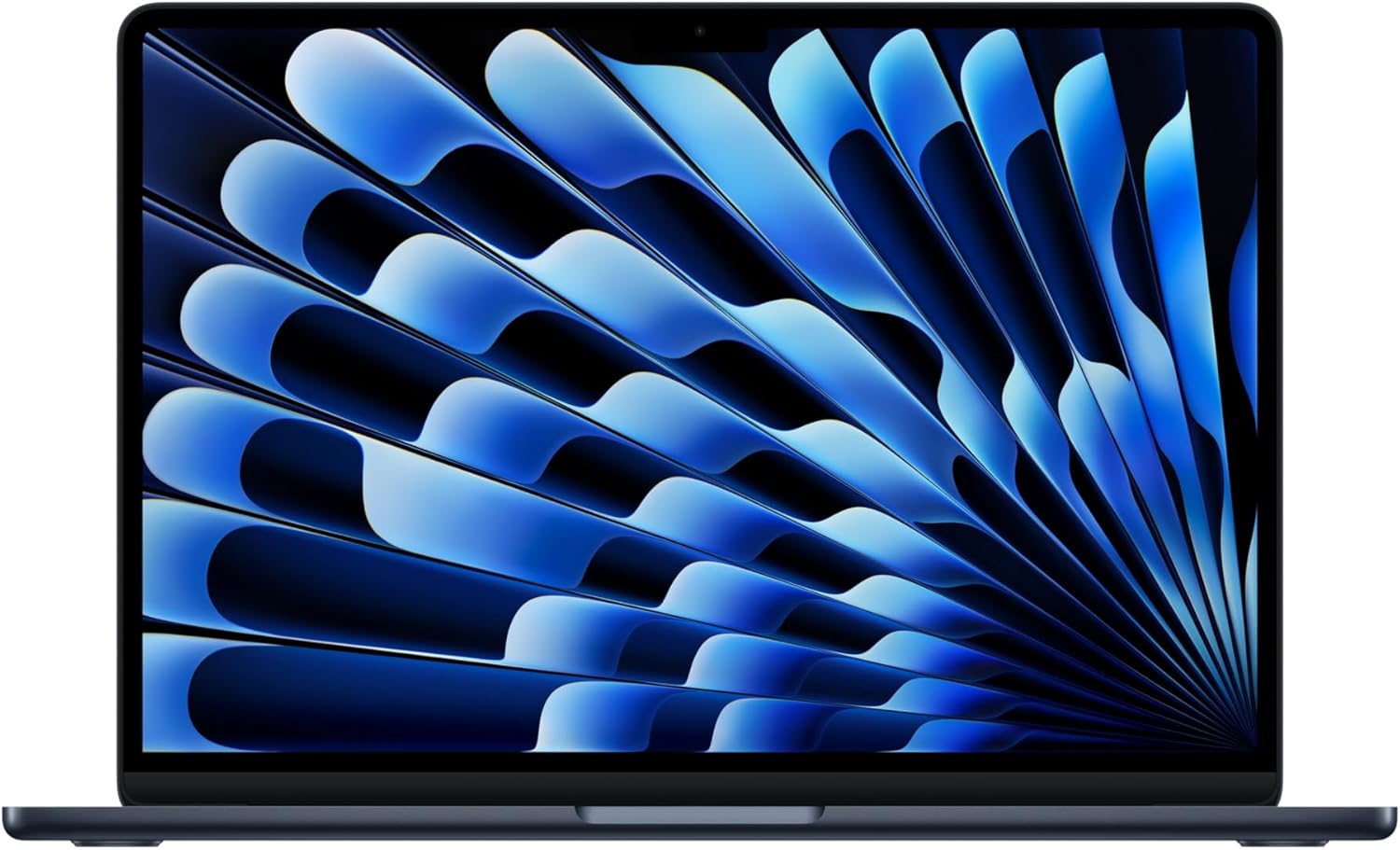
Apple MacBook Air 13-inch (M5) – 16GB Unified Memory, 512GB SSD, Liquid Retina, Touch ID
- M5 chip with 16GB unified memory and a 512GB SSD as the new base
- 13.6-inch Liquid Retina display with a 12MP Center Stage camera
- Up to 18 hours of battery life, Touch ID, Wi-Fi 7
How Much Faster Is the Air?
Tom’s Guide tested both laptops in the same lab. In Geekbench 6, the Air scored 4,168 single-core and 17,067 multi-core against the Neo’s 3,535 and 8,920. That makes the Air about 18% faster in single-core work and 91% faster when the benchmark uses all CPU cores.
The same lab’s Handbrake video transcode took 9 minutes 57 seconds on the Neo and 5 minutes 8 seconds on the Air. Its storage test also showed a much wider gap: roughly 1,440/1,585 MB/s write/read on the Neo against 6,494/6,782 MB/s on the Air.
Geekbench does not measure a lecture or an essay. The Neo’s single-core result is still strong enough for the short tasks that dominate notes, web pages and Office apps. The Air’s advantage becomes material when the work keeps several cores busy, moves large files or leans on memory for compilers, data analysis, media exports and virtual machines.
This is why I would not pay for the Air merely to make essays feel faster. But for sustained work, the Air buys back time.
Memory Is the Bigger Risk
The Neo’s 8GB of memory is soldered, non-upgradeable, and offered in exactly one configuration. Whatever you buy in week 1 is what you graduate with. The Air starts at 16GB and can be configured to 24GB or 32GB, and that difference matters more over 4 years than any benchmark.
macOS handles memory pressure by moving inactive data to the SSD. That keeps an 8GB Mac usable, but it does not create more memory, and the slowdown appears when a video call, a large research session and another demanding app all compete for the same pool. The Neo supports Apple Intelligence, but Apple offers no memory upgrade for it.
Storage tells the same story. The Neo’s 256GB has to hold macOS, apps and every local file. The Air starts at 512GB, and the faster SSD also makes large transfers and swap activity less restrictive.
This is the part I would not compromise on for an undecided major. You are buying a capacity limit, not only today’s speed.
Where Apple Cut Costs
Apple cut several daily-use features to reach $599. None prevents ordinary coursework, but each one creates a small piece of friction:
- No keyboard backlight. A dim lecture hall or shared room makes the missing light obvious.
- No Touch ID on the $599 model. The base Neo uses passwords for unlocking, installs and payments. Touch ID appears only on the 512GB model.
- One port is USB 2. The right-hand port tops out at 480Mb/s, while the left USB 3 port reaches 10Gb/s. The side you choose matters for backups and media drives.
- A 20W charger and no MagSafe. Charging occupies 1 of the 2 USB-C ports. The Air has a separate MagSafe connector and keeps both Thunderbolt ports available.
- A 1080p camera without Center Stage. The Air’s 12MP camera can reframe you and supports Desk View. The Neo camera cannot.
- An sRGB display without True Tone. The panel is suitable for documents and video, but the Air’s P3 gamut is the better fit for color-sensitive coursework.
None of these alone rules out the Neo. Together, they explain what the extra money buys beyond a faster chip.
Battery Is Not the Deciding Factor
Apple rates the Neo for up to 16 hours of video streaming and the Air for up to 18. In Tom’s Guide’s matched Wi-Fi test at 150 nits, the Neo lasted 13 hours 28 minutes and the Air lasted 15 hours 28 minutes.
The Air added exactly 2 hours in that test. The Neo still cleared a long campus day, and both machines weigh 2.7 pounds, so battery life and portability do not rescue a bad workload match.
I would not spend another $600 for those 2 hours alone. The Air wins battery life, but the Neo still lasts long enough for most class schedules.
Which One Lasts the Degree?
Apple publishes no fixed support term for either Mac. Both models were introduced in 2026, so the A18 Pro’s earlier use in an iPhone is not proof that the Neo will lose macOS support before the Air.
The safer longevity argument is capacity. The Air can start with 16GB, 24GB or 32GB of memory and 512GB to 4TB of storage. The Neo stays at 8GB and tops out at 512GB. Software support may remain fine while the workload outgrows the cheaper configuration.
Choose the Air when you expect the laptop to move from college into a first job or graduate program. Choose the Neo when the workload is known and the lower price matters more than future headroom.
Which MacBook Should Students Buy?
This is how I would choose: match the machine to the software and workload, then check the budget. A degree name alone is too broad: 1 business student may live in Google Docs while another runs large models in R or Python.
Buy the 256GB MacBook Neo when $599 is the ceiling and the required work stays inside browser research, Office documents, presentations, video calls and light media. English, history and many general business courses fit that pattern, but the syllabus is the authority.
Buy the MacBook Air when the course uses compilers, virtual machines, large datasets, design software, photo libraries or video timelines. Computer science, engineering, data-heavy sciences and creative programs are more likely to hit the Neo’s fixed 8GB memory, slower storage and sRGB display.
Buy the Air when the major is undecided or the laptop must last beyond graduation. Its 16GB base is not a ceiling: Apple offers 24GB and 32GB configurations. The Neo has no memory upgrade path.
If neither choice fits, the wider MacBook rankings include larger screens and more capable models. Do not move up the range until a course requirement explains the cost.
If you already use an iPad with a keyboard, check my iPad for students comparison before adding a Mac. Some document-heavy courses may not need a second device.
The Air remains the default recommendation for a 4-year degree when the budget supports it. The Neo is the better decision when paying another $600 would weaken the rest of the student budget and the coursework has no demanding software requirement.
Where This Comparison Stops
A comparison cannot read your syllabus. Some programs require Windows-only software, and no MacBook fixes that. I would check the department requirements before buying either, and look at budget Windows laptops if the list demands Windows. Apple also publishes no fixed Mac support term, and every price here can change before checkout.
FAQs on MacBook Neo vs MacBook Air
Does the MacBook Neo get the Apple student discount?
Yes. Apple’s US education store lists the Neo at $599 for 256GB and $699 for 512GB with Touch ID. Eligible higher-education students, accepted students, faculty, staff and parents can use education pricing. The Neo does not qualify for the 2026 back-to-school gift card.
Is the MacBook Neo powerful enough for college?
It has enough CPU performance for notes, browser research, Office apps, video calls and streaming. Tom’s Guide measured 3,535 single-core and 8,920 multi-core in Geekbench 6. The fixed 8GB memory and slower storage make the Air a better fit for large code builds, data analysis and media exports.
Is 8GB of RAM enough for a full degree?
It can be enough when the degree stays inside documents, research tabs and video calls. The risk is fixed capacity: the Neo cannot be upgraded later, and macOS must use SSD swap when memory pressure rises. Choose 16GB or more for heavy multitasking, virtual machines, large datasets or creative software.
Should I buy the 512GB MacBook Neo instead?
Only when you need the storage and Touch ID but cannot reach the Air. The 512GB Neo costs $699 with education pricing and keeps the fixed 8GB memory, unlit keyboard and USB 2 port. The Air is $500 more at checkout, or $400 more when its future $100 Apple Gift Card has full value to you.
Can the MacBook Neo drive an external monitor?
Yes. It supports 1 external display at up to 4K and 60Hz through the USB 3 port. The M5 MacBook Air supports up to 2 external displays at 6K and 60Hz while keeping its built-in display active.
My Final Take
The Neo is not a cut-price Air. It is a fixed-capacity Mac built for a known, lighter workload. The Air costs $600 more at checkout because it leaves more room for the workload to change.
Decide from the course list first and the spec sheet second. If you qualify for education pricing, use it. Count the Air’s gift card only when you already know where that future $100 will go.
Tell Google you want more of this.
Add Gaurav Tiwari as a preferred sourceOne tap, and this site shows up more often in your own Top Stories, AI Overviews and AI Mode. Remove it any time.
Disclaimer: This site is reader-supported. If you buy through some links, I may earn a small commission at no extra cost to you. I only recommend tools I trust and would use myself. Your support helps keep gauravtiwari.org free and focused on real-world advice. Thanks. - Gaurav Tiwari