
 by
by
Recurring app subscriptions can add up, especially when you only need a few features. One-time purchase Mac apps can reduce that bill, but buying overlapping utilities or overlooking paid upgrades can leave you spending more than you expected.
I would start with one job your current apps don’t handle well, then compare the license, device coverage and update costs. You should also check any bundle you already pay for before buying an app separately.
My first picks are CleanShot X for screenshots and screen recording, Typora for Markdown writing and Things 3 for personal tasks on Apple devices. I use each regularly.
Buy Once or Subscribe?
I buy local apps when the version I purchase can keep doing the job. I consider a subscription when I need ongoing services, collaboration or frequent compatibility updates.
Buying several overlapping utilities can cost more than keeping one dependable app. I’d check your existing apps and bundles before adding another license.
Small recurring charges deserve the same scrutiny. You should add up what you actually pay over a year, then compare the purchase and update costs of a suitable alternative.
I choose the payment model after choosing the software. Price, compatibility, support and the way you use the app all affect whether the purchase will last.
I pay once for a local tool that does a stable job. I pay monthly when the product depends on servers, sync, collaboration, security updates or expensive cloud AI.
One-time doesn’t always mean lifetime. Some developers give you every update for as long as the app exists. Others sell you the current major version, or a year of updates, or 3 years. The app generally keeps running after that, but nobody is promising it will run on the macOS that ships next October.
The cheapest purchase can still be wasted money. A $10 utility opened twice costs more per use than a $40 app you open every day, and most app collectors, me included at one point, optimize the checkout price instead of the workflow.
Paying a subscription can be the frugal choice. A subscription that replaces several purchases, works across every device you own, pays for the servers behind it or saves you weeks of trying to replace one missing feature is cheaper than the one-time app that almost does the job.
The apps in my own setup have personal usage notes below. For the others, I compare the documented features and license terms without treating them as hands-on recommendations.
Quick Comparisons
These are the purchases I use regularly. You should start with the job you need done, then check the device and update terms.
| App | Job | License reality | On my Macs | My verdict |
|---|---|---|---|---|
| CleanShot X | Screenshots and screen recording | $35 once, 1 year of updates, then an optional $19 a year | Daily | Buy, unless Setapp already covers it |
| Typora | Markdown writing | $14.99 once for 3 devices | Daily | Buy |
| Things 3 | Personal tasks | $49.99 for the Mac, each platform sold separately | Daily, beside Todoist | Buy for an Apple-only system |
| Pixelmator Pro | Image editing and blog graphics | $49.99 once on the Mac App Store | Weekly | Buy once; subscribe only for Final Cut or Logic |
| Enpass | Passwords | $47.99 for 3 years, every platform | Daily | Buy on sale |
| Brave Origin | Browser | $59.99 once, every device on the account | Daily | Buy if you already run Brave |
| Scrivener | Long manuscripts and ebooks | $59.99 once, iOS sold separately | Occasionally | Buy for this workflow |
| BetterDisplay | External display control | $21.99 Pro, 1 year of updates | Daily on the Mac mini | Buy if you run a non-Apple monitor |
| SEO Utils | Desktop SEO app | $64 once, 1 year of updates | Weekly | Buy if you run more than one site |
| BetterTouchTool | Trackpad gestures and window control | $15 for 2 years of updates, or $25 lifetime | Daily | Buy the lifetime license once you know which jobs you’ll use |
| Eagle | Image and design asset library | $34.95 once for 2 devices, lifetime updates | Weekly | Buy if you collect images for a living |
My broader guide to the best Mac apps and utilities includes free apps and subscriptions alongside these purchases.
What One-Time Purchase Actually Means
A one-time payment can cover the current version, a fixed update period or future upgrades. I read the license’s update terms before comparing prices.
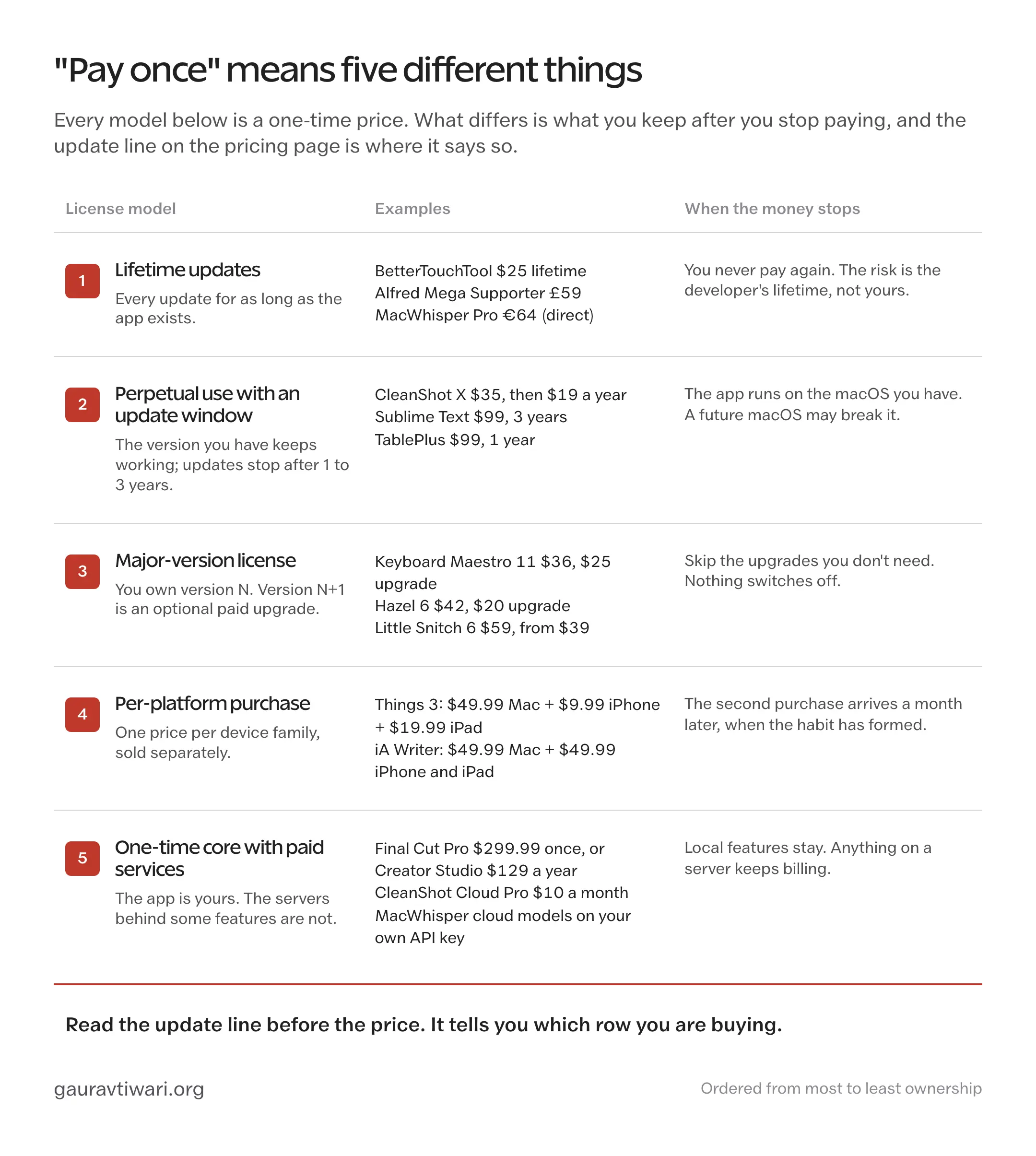
These are the licensing arrangements I look for:
Lifetime Updates
Some developers include future updates for as long as they support the product. I still check the device limits and which services are included.
- BetterTouchTool sells a $25 lifetime license that covers all your personal Macs and receives every update while the app exists. The $15 standard license gets 2 years of updates instead.
- Alfred‘s £59 Mega Supporter license includes lifetime upgrades. The £34 single license covers 2 Macs for the current major version only.
- MacWhisper Pro is €64 once with lifetime updates, but only when you buy the direct version.
- DaisyDisk is $9.99 for up to 5 personal Macs with minor updates included.
Even here, “lifetime” means the commercial lifetime of the product, not yours.
MacUpdater was my update checker for years. CoreCode ended daily maintenance and support in January 2026, but the final version still has limited updating capability. Its discontinuation FAQ explains that coverage is declining and its database server is due to remain available during 2026.
I moved to Latest, which is free and open source. For an app that depends on maintained data, I would check what happens when that maintenance ends.
Perpetual Use With an Update Window
I like a purchase that keeps the last eligible version usable after its update period. You should check the renewal separately so you know what continued updates would cost.
- CleanShot X costs $35 with 1 year of updates, then an optional $19 a year renewal. The app keeps working if you stop.
- Nova costs $99 with 1 year of updates and an optional $49 a year after that. Panic’s own wording is “cancel anytime and keep what you have, forever.”
- Sublime Text‘s $99 personal license includes 3 years of updates on all your computers.
- TablePlus is $99 for 1 device or $129 for 2, with 1 year of updates, then $59 per device to renew.
- BetterDisplay Pro is $21.99 with at least 1 year of updates, including any major version released in that window.
- SEO Utils is $64 for 1 device with 1 year of updates, and you keep the last version you had access to.
- ForkLift 4 is $19.95 for 1 year of updates or $34.95 for 2.
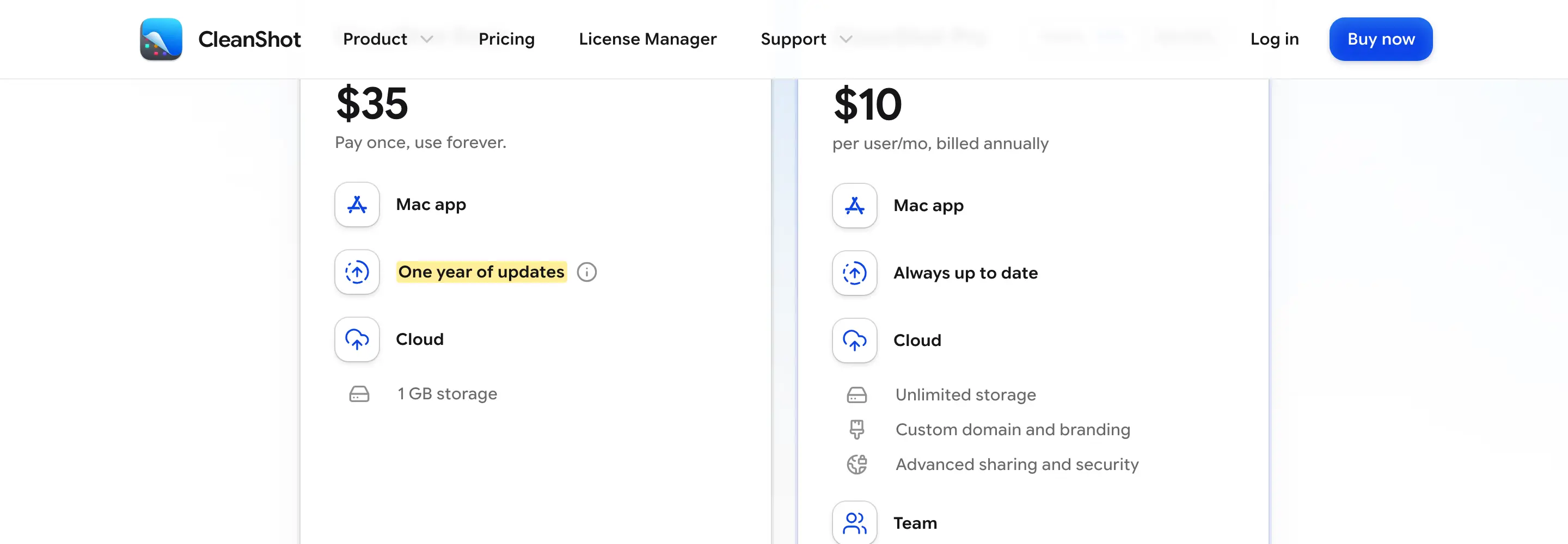
Stopping payment leaves you with the version you bought. I like having that choice, though future macOS changes can make an update necessary. Before a major system upgrade, I’d check compatibility for the apps you depend on.
Major-Version Licenses
You own a particular major version. A future major release may cost an optional upgrade fee.
- Keyboard Maestro 11 is $36, works on up to 5 of your Macs, can be used indefinitely and upgrades from earlier versions for $25.
- Hazel 6 is $42 for one user or $65 for a household of 5, with a $20 upgrade from any earlier version, and Noodlesoft says an older license still unlocks the version you bought.
- Little Snitch 6 is $59 for one license, with upgrades from $39, and licenses bought after January 1, 2024 were carried over to version 6 for free.
- Carbon Copy Cloner 7 is $49.99 for every Mac in your household, with upgrades at up to half price, and the version 7 license also runs versions 5 and 6.
- Parallels Desktop sells a $219.99 one-time license for the Standard edition, and the buy page is blunt about it: current version only, and full compatibility with future versions is not guaranteed.
I would budget for optional major upgrades when comparing this model with a subscription. You can keep an older release while it remains suitable and compatible; software that closely depends on macOS may need upgrades more often.
Per-Platform Purchases
You should add up every platform you need before comparing a one-time purchase with a subscription.
- Things 3 is a one-time purchase, but the Mac, iPhone, iPad and Vision versions are sold separately: $49.99 for the Mac, $9.99 for the iPhone, which includes the Apple Watch app, and $19.99 for the iPad. That is $79.97 for the usual 3, or ₹7,997 in India.
- iA Writer is $49.99 for the Mac and another $49.99 for the iPhone and iPad version, and iA says minor updates are free while major updates may cost.
- Scrivener is $59.99 on the Mac, $99.99 bundled with the Windows version, and the iOS app is a separate $23.99.
For example, $49.99 for the Mac plus $49.99 for iPhone and iPad means $99.98 upfront if you need both editions.
One-Time Core With Paid Services
You may be able to buy the local app once and pay separately for a cloud service or another edition:
- Final Cut Pro is still a one-time purchase at $299.99, or ₹29,900 in India. Apple Creator Studio costs $12.99 a month or $129 a year in the US and ₹399 a month or ₹3,999 a year in India, and it includes Final Cut Pro, Logic Pro, Pixelmator Pro, Motion, Compressor, MainStage and premium content in Keynote, Pages, Numbers and Freeform. Apple says an existing Final Cut Pro purchase will continue to be updated.
- Pixelmator Pro is $49.99 or ₹4,999 as a standalone Mac purchase. The Creator Studio version adds the iPad app and the Warp Tool, which the one-time version doesn’t get.
- CleanShot X is a one-time app with an optional Cloud Pro subscription at $10 a month for unlimited uploads and team features.
- MacWhisper is a one-time app for local transcription and lets you bring your own API keys for cloud models, so the AI cost is a pay-as-you-go bill from the model provider rather than a subscription to MacWhisper.
I compare the purchased features with the services I would actually use. An optional cloud bill belongs in the total if your work depends on it.
Apps That Went Free
You should check whether an app still costs money before following an older roundup’s recommendation.
- Affinity is now free. Canva merged Affinity Photo, Designer and Publisher into one app, and every tool in the Pixel, Vector and Layout studios is included at no cost. Only Canva’s AI tools need a Canva premium plan. The old $69.99 per-app licenses, the resold keys and the “lifetime deal” listings are all unnecessary now.
- SnippetsLab, where my reusable code lives, is free.
- Latest, which replaced MacUpdater for me, is free and open source.
The lesson runs the other way too. A free app can go paid, a paid app can go free, and the license you bought last year is not a prediction of either.
A perpetual license means you can keep using the version you bought. It doesn’t promise compatibility with every future macOS release, and it doesn’t promise the developer will still be around to fix the one thing that breaks.
How I Decide Whether a Mac App Is Worth Buying
Before paying, I run the app through a real task and check the license. These questions help me decide whether it earns a place in my setup:
- Does it solve a problem I run into repeatedly, not once?
- Do I still open it after the novelty wears off?
- Does it replace another paid tool, or does it sit beside one?
- How many Macs and platforms does the license cover?
- What happens when the update period ends?
- Can I export my files and settings if I leave?
- Does it need an account or a cloud service to work?
- Is the developer still shipping updates and answering support?
- Which macOS permissions does it want, and does the job justify them?
- Would I pay for it again at today’s price?
I count an app as good value when it saves time, prevents a mistake or removes an annoyance I would otherwise meet every week. Its price matters alongside how often I use it.
Best One-Time Purchase Mac Apps I Use
I buy for one recurring job at a time. These are the apps that have kept a place in my setup.
CleanShot X
CleanShot X is the screenshot app on all 3 of my Macs. I use scrolling captures, annotations, screen recording with system audio and its desktop-icon controls regularly. A quick recording can replace a Loom link in my own work. macOS covers basic screenshots and recordings; I pay for the extra capture and editing controls.
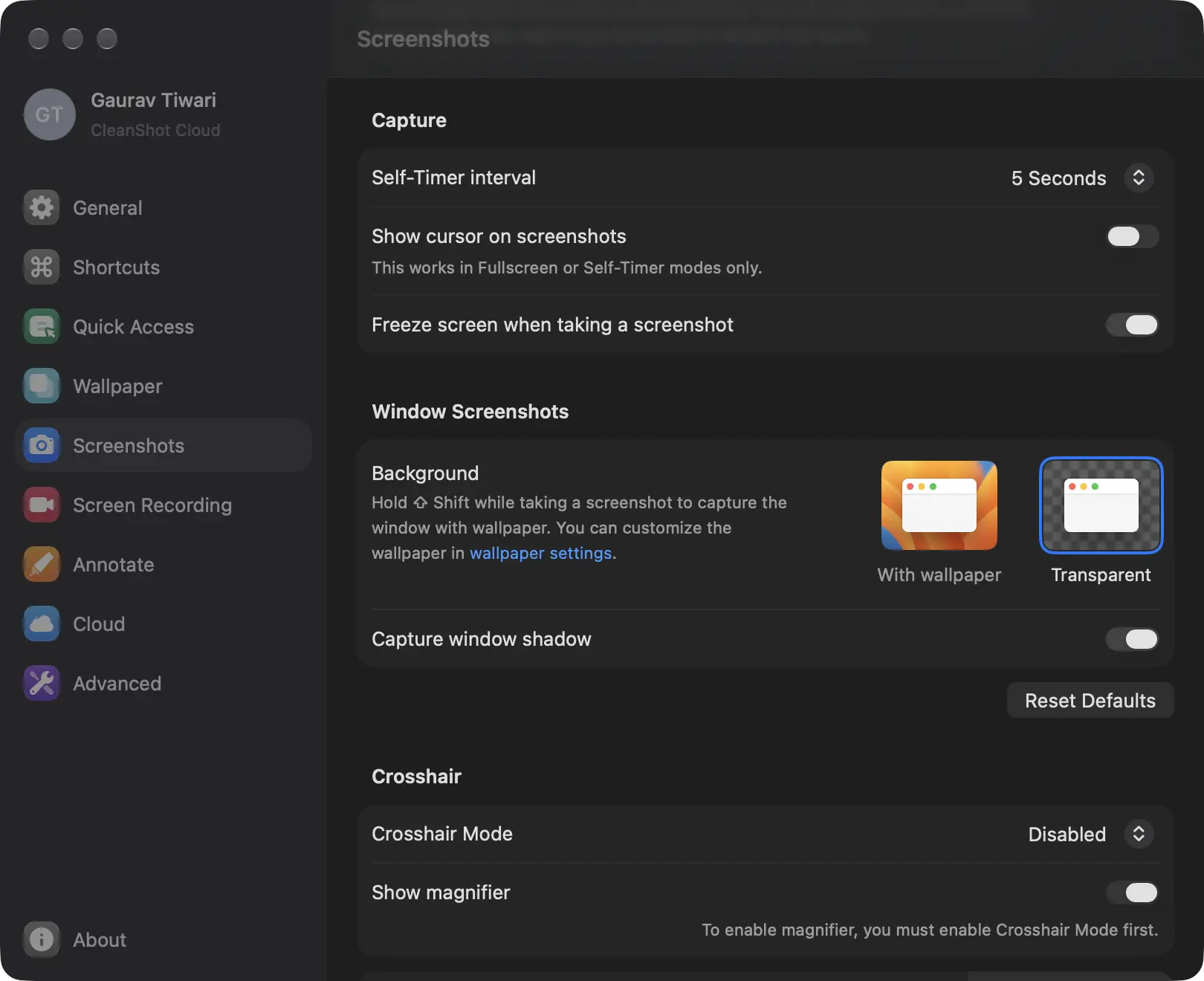
You can buy a CleanShot X license with these terms:
- $35 once for 1 Mac, with more seats available through the license manager
- 1 year of updates included, then an optional $19 a year
- the app keeps working at the last version you had if you stop renewing
- Cloud Pro is a separate $10 a month for unlimited uploads and team features, which I don’t need
- also included in Setapp
What bothers me is small. The $19 renewal is a yearly decision, and a year is long enough to forget what the last round of updates added, so the decision takes a look at the changelog each time.
The real trap is buying it twice. CleanShot X is one of the headline apps inside Setapp, so if you keep Setapp for other reasons, a direct license is a second payment for the same app. And if $35 is the blocker, Screendrop is free and open source and covers most of what I use CleanShot for.
I’d buy CleanShot X on day 1 of a new Mac, unless Setapp already covered it.
- Scrolling capture, annotation and screen recording in one app
- $35 once for 1 Mac, with 1 year of updates included
- Keeps working at the last version you had if you stop renewing
- Also included in Setapp, so don't pay for it twice
Borumi
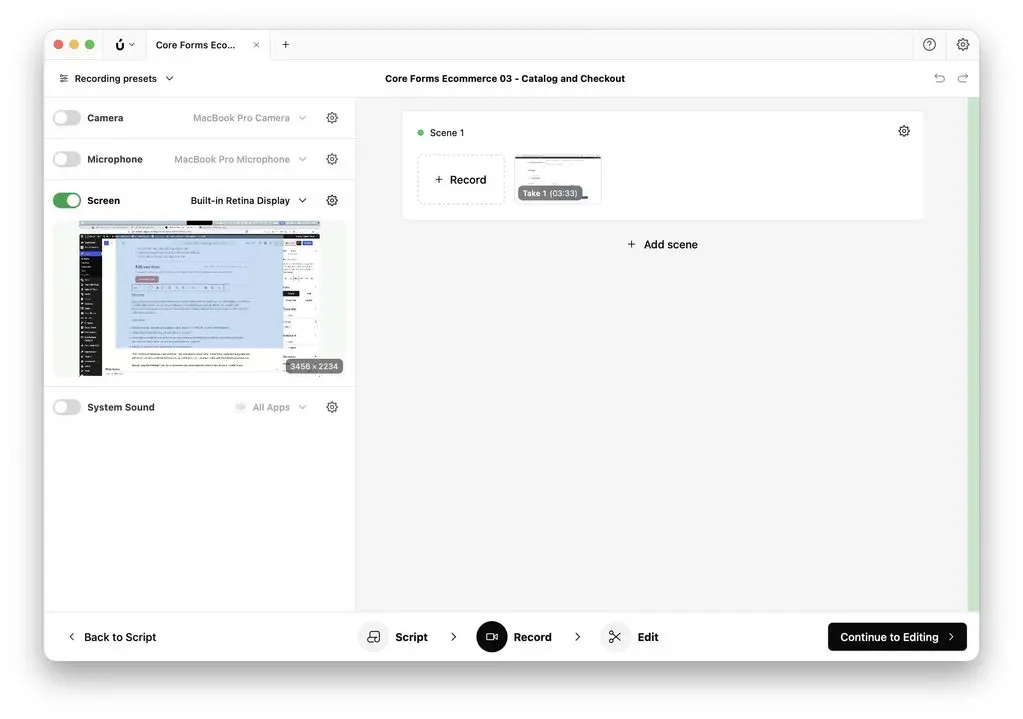
Borumi is how I record product demos and tutorial videos without opening a full video editor. It combines a script editor, scene-by-scene recording and transcript-based editing: delete the “umm” in the transcript and it leaves the video. For someone who dislikes video editing as much as I do, that last part is the whole product.
The license:
- $79 once at the current early adopter price, down from $99, for macOS and Windows
- unlimited personal devices, all belonging to one user
- every future update is included; Borumi says planned cloud features such as video sharing will give lifetime customers basic access with paid add-ons for more
- free to try, with payment asked only when you export
I would buy Borumi for its current recording and editing features. Planned cloud sharing has separate limits and possible charges, so I wouldn’t treat future hosted features as unlimited lifetime access.
I’d buy Borumi if I were shipping tutorial videos a few times a month. If you record every day, you should compare its editing tools with a larger editor before choosing.
Typora
Typora is the app I open more than anything except the browser, and it cost $14.99. Every article on this site is finished in it before it goes to WordPress. It is a live-preview Markdown editor: the syntax disappears as you type and the formatted result appears in place, with tables, footnotes, math and regex search and replace handled properly.
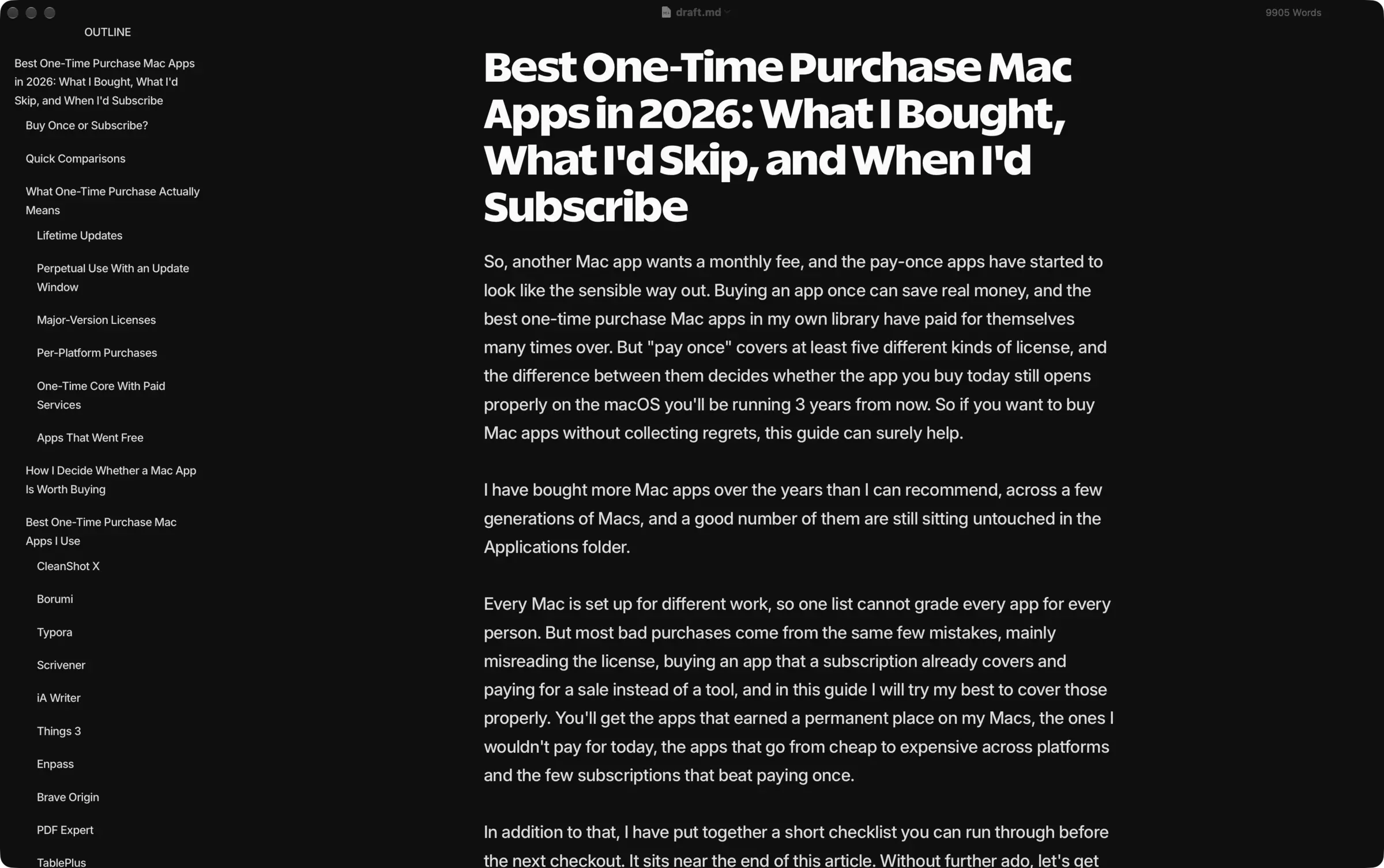
The license:
- $14.99 once for up to 3 devices, on Mac, Windows and Linux
- 15-day trial
- no published update window, and every 1.x update so far has been free for license holders
Typora suits my folders of Markdown files. Ulysses offers a managed library; if that is central to your writing, compare it before switching. I discuss Ulysses and the alternatives in my comparison of Mac writing apps.
Typora is the purchase I’d make first because I open it every day.
Scrivener
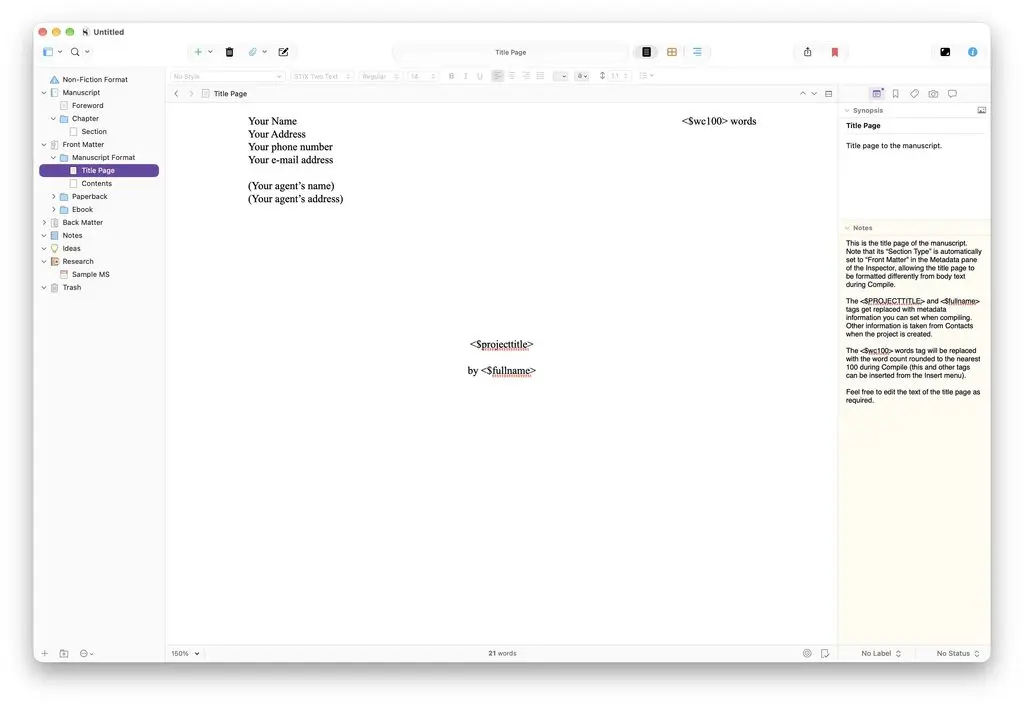
Scrivener is where my long guides and ebook drafts live. I can keep research, footnotes and competing chapter drafts in one project, then rearrange sections as the structure changes. I mostly use it on the Mac mini for longer writing sessions.
The license:
- $59.99 once for the Mac, $49.99 with an education discount, $99.99 bundled with the Windows version
- the iOS app is a separate $23.99
- a household license, so your own Macs are covered
- Scrivener 3 was a paid upgrade from Scrivener 2, and the next major version will most likely be one too
- 30-day trial that counts days of actual use, not calendar days
I’d start with a simpler editor such as Typora or Craft for short articles. Scrivener makes more sense when you need its research storage and manuscript organization.
I’d buy Scrivener again for books and long guides. You should choose it when you need that manuscript workflow.
iA Writer
iA Writer stays installed for pieces where I want fewer distractions. Focus mode dims surrounding text, and Authorship distinguishes text you type from material you paste or mark as coming from another source. I use that as a writing aid, not as proof of who originally wrote a passage.
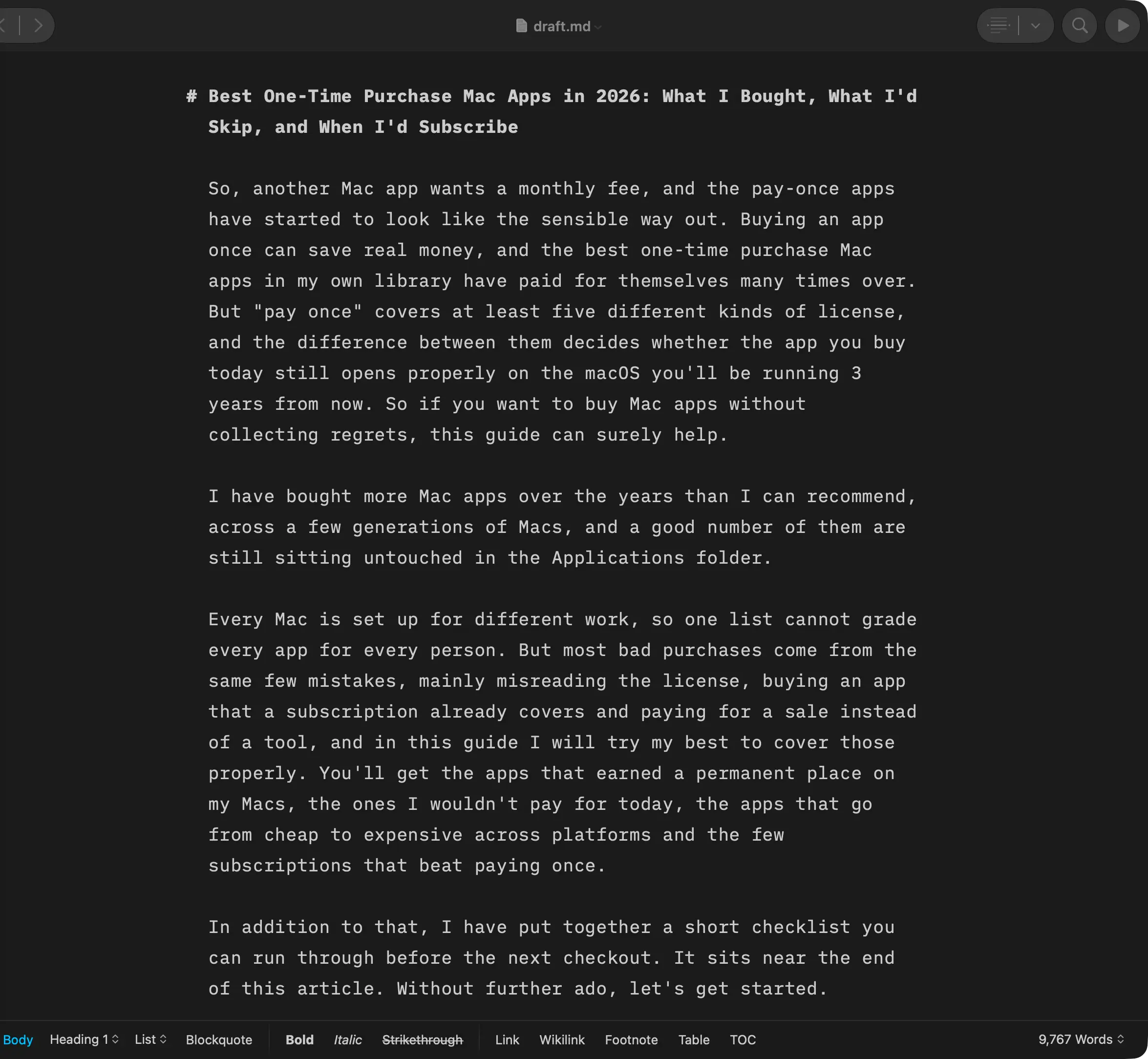
The license:
- $49.99 once for the Mac
- another $49.99 for the iPhone and iPad version, so $99.98 to write on both
- Windows has a separate purchase. The Android app is no longer sold or supported; see iA’s legacy-app guidance.
- iA says minor updates are free and major updates may cost
- also in Setapp
At $49.99 for each Apple edition, I’d need a clear reason to choose it over the $14.99 Typora license I use daily.
I’d buy iA Writer if I wrote mainly on the iPad. You should try it first and check whether it adds anything you need beyond Typora.
Things 3
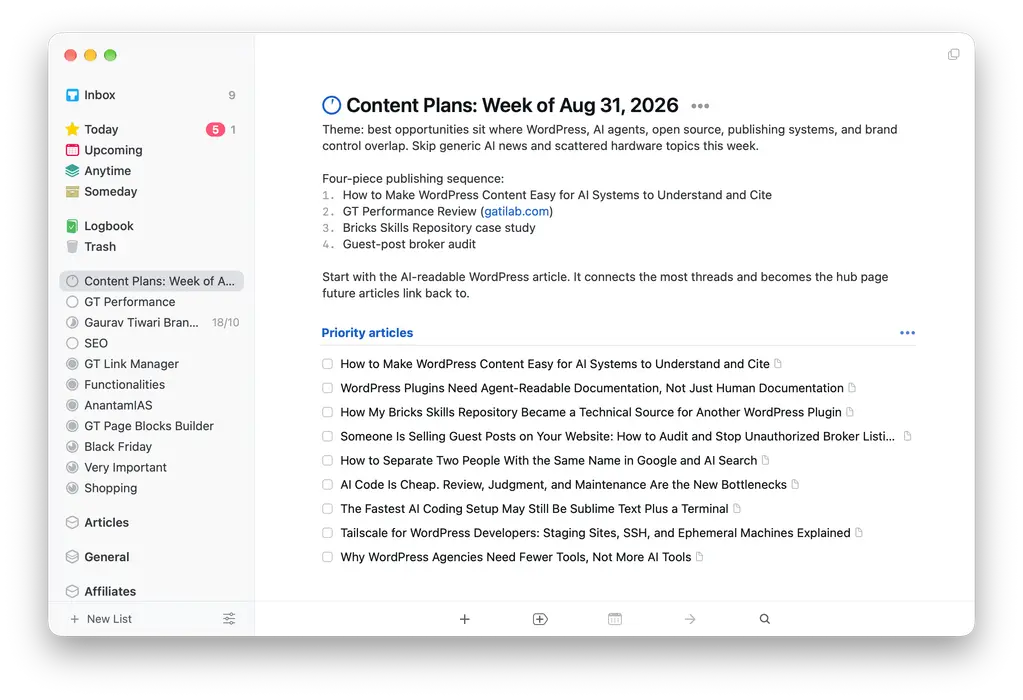
Things 3 is the best-designed personal task manager on the Mac, and I own it and still open it every day. The Today view is calm, quick capture understands “write blog tomorrow at 10am” and it syncs instantly between the Mac mini, the MacBook and the iPhone. It is also the app that taught me that a one-time purchase can be excellent and still not remove a subscription.
The license:
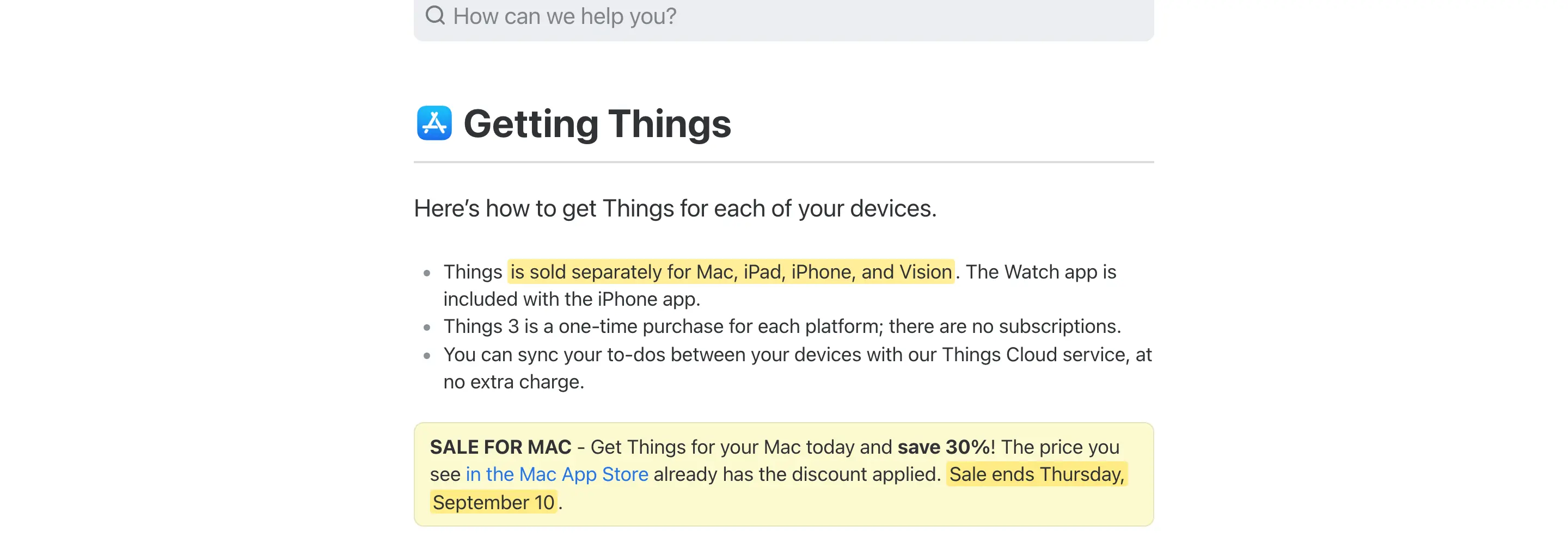
- $49.99 for the Mac; the earlier $34.99 promotion ended September 10, 2026
- $9.99 for the iPhone, which includes the Apple Watch app, and $19.99 for the iPad
- $79.97 for all 3 in the US, ₹7,997 in India, with no meaningful regional discount
- Mac App Store only, so the license lives on your Apple ID and Family Sharing applies
- no subscription, 15-day trial, and Cultured Code has said nothing about upgrade pricing for a future major version
The limits are hard ones. Things has no Android app, no Windows app and no web app, and Cultured Code’s own support pages say it cannot attach photos or files to a task. I own Android devices and client work arrives as files, so Things runs my personal system and Todoist Pro runs the rest. I renewed Todoist this year at ₹3,165 knowing that Things was already paid for. Saving the subscription would have cost me the tasks that occur to me when the Mac is in another room, and I explain that decision properly in my piece on why I went back to Todoist Pro.
I’d buy Things for an Apple-only personal task system. If you need Android, file attachments or shared projects, compare a tool that supports those needs first.
Enpass
Enpass has been my password manager for over 4 years, and it is the app I moved to when 1Password‘s annual charge stopped feeling justified. Your vault stays on your own devices and syncs through your own iCloud, Google Drive, Dropbox or OneDrive, so no Enpass server ever holds it, and it fills credit cards in Brave and Chrome, which Apple Passwords still can’t do properly outside Safari.
The license:
- $99.99 once for a personal lifetime license covering Mac, Windows, Linux, iPhone and Android
- the desktop apps are free with unlimited items; the paid plans mainly unlock the mobile apps beyond 25 items and the extras
- $1.99 a month billed yearly if you would rather subscribe, $3.99 a month for a family of 6
- a $49.99 3-year plan sits in between
- it goes on sale often, and the 3-year plan dropped to $33.59 in this year’s sales, since the lifetime license is off the pricing page; I keep the current Enpass discounts on one page
The trade-off is that convenience is your job. There is no vendor-managed sync, sharing a password with someone is clumsy and losing the master password means losing the vault. 1Password wins on polish and family sharing. Bitwarden wins on price with an unlimited free tier. Enpass wins when you want to own the data and stop paying, and I go through all of that in my Enpass review.
I’d compare the yearly and 3-year options with how long I expect to keep Enpass. A sale can lower the upfront cost, but the shorter plan may suit an uncertain commitment.
Brave Origin
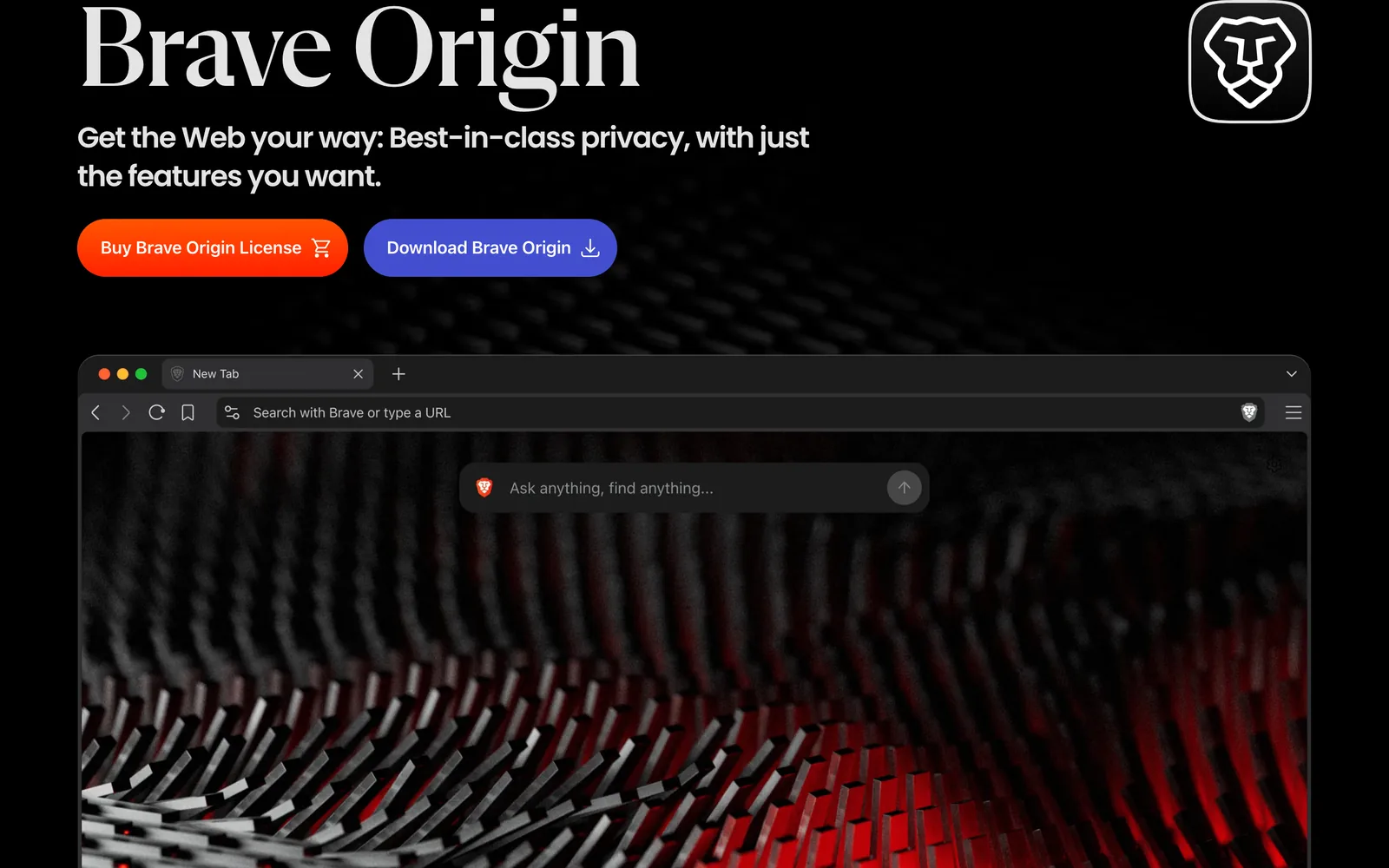
Brave Origin ($59.99) is the browser I open by default, and I bought it. It is a paid edition of Brave with the extras removed at the source: no Leo AI, no Brave News, no Rewards, no VPN, no Wallet, no Talk and no usage analytics. Regular Brave kept growing, and every major update meant an evening of switching things off again. Origin has nothing to switch off.
The license:
- $59.99 once, tied to your Brave account
- unlimited activations across your devices and platforms, on Mac, Windows, iPhone and Android
- free on Linux
- regular Brave stays free and unchanged, so this only makes sense if you already use Brave and are tired of the extras
I open this browser 8 hours a day. $59.99 once for the thing I use most was easy math, and it is the clearest example on this page of cost per use beating checkout price.
I’d buy Brave Origin again. If you don’t already use Brave, you should start with the free version; it may cover everything you need.
PDF Expert
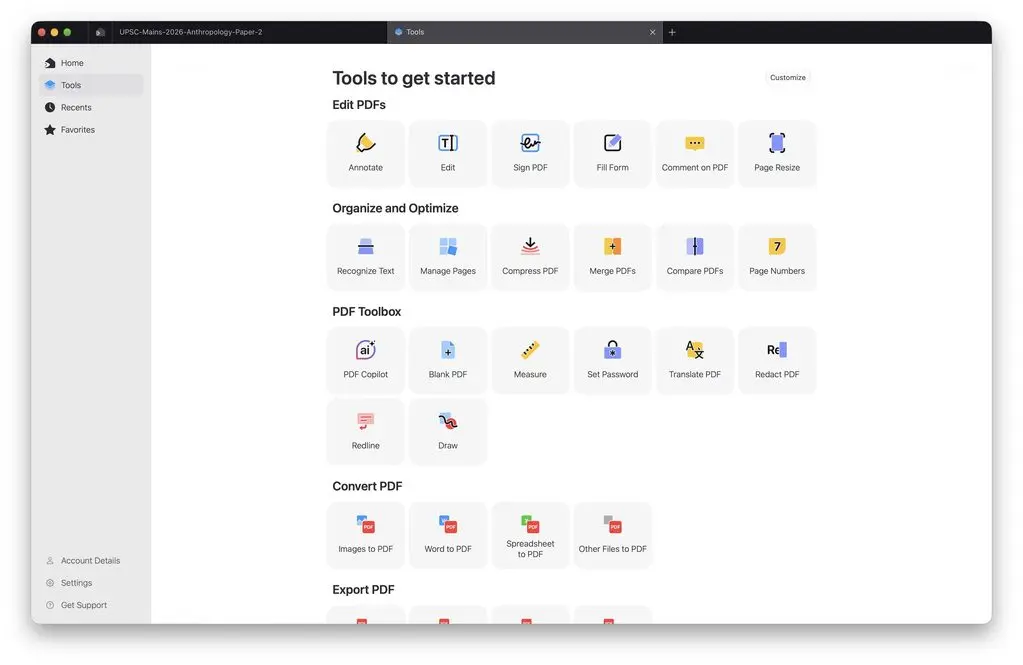
PDF Expert ($139.99) is the one PDF app I have paid for, and I don’t regret it. It edits text inside a PDF, not only highlights, merges and reorders pages by drag and drop and syncs across the Mac, iPad and iPhone. Client contracts, report tweaks and forms all go through it.
The license:
- $79.99 a year for iPhone, iPad and Mac with the AI features, translation and OCR
- $139.99 lifetime, but Readdle limits the lifetime plan to the Mac version only and says “additional new features may come at an extra cost”
- India pricing is ₹7,200 a year or ₹14,900 lifetime
- 30-day money-back guarantee on both
Readdle’s wording deserves a second read. Lifetime here means continuous support and bug fixes, with new features possibly sold separately. It is the perpetual-with-conditions model wearing a lifetime label.
Who should skip it: anyone who only reads and signs PDFs. Preview does that free, and Skim does annotation free.
I’d buy PDF Expert’s lifetime Mac plan for frequent PDF work. If you also need the iPad app, you should compare the subscription that covers both.
SEO Utils
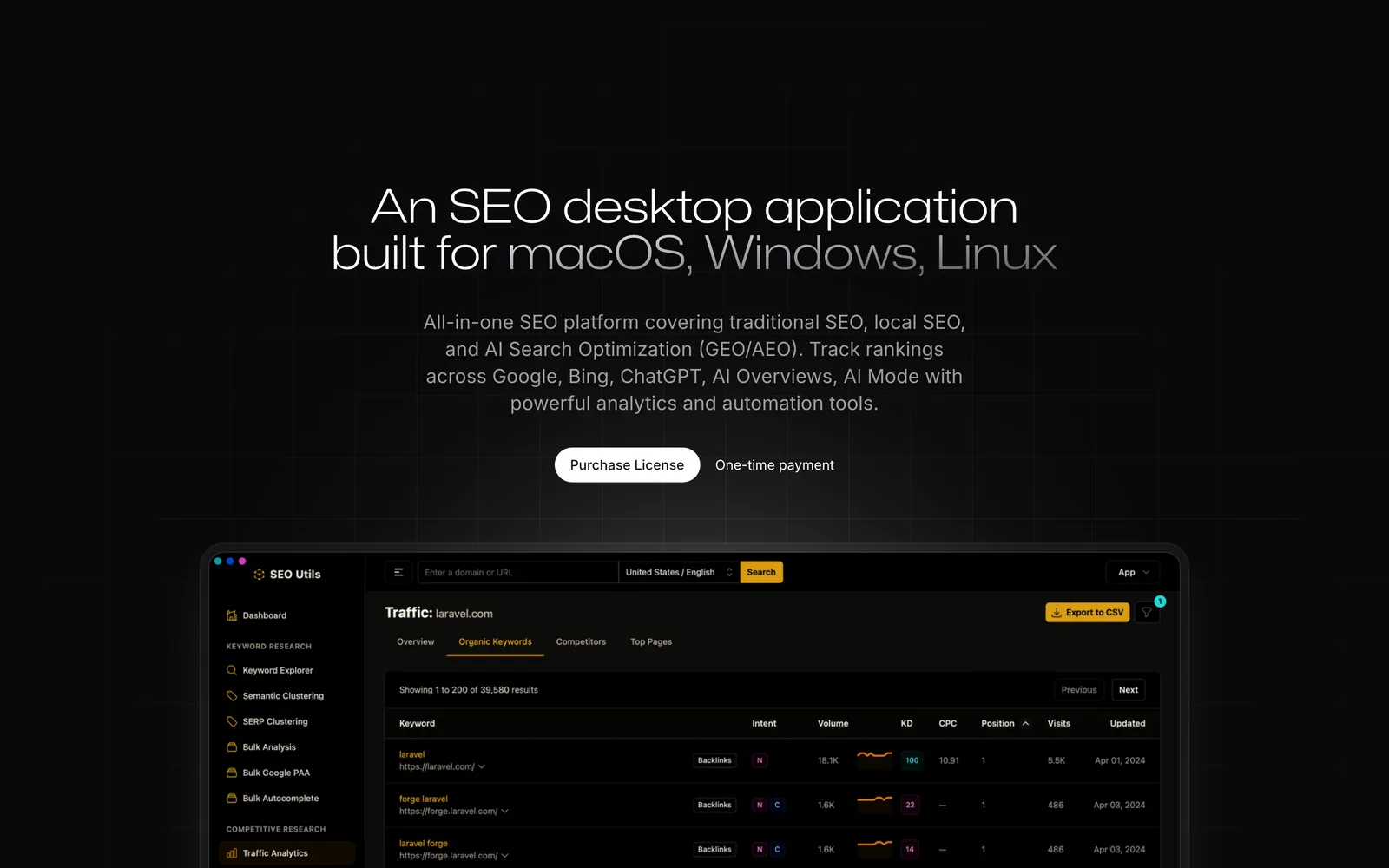
SEO Utils is a desktop SEO app that replaced a stack of browser tabs and a subscription I had stopped enjoying paying for. It stores Search Console data locally past Google’s 16-month cutoff for 7 of my properties, tracks 574 keywords weekly for this site and runs clustering and bulk tools without a monthly plan.
The license:
- $64 once for 1 device, or $165 for 3
- 1 year of updates; after that you keep the last version you had access to
- the database lives on your Mac, not on the developer’s server
- external data such as keyword volumes and backlinks bills pay-as-you-go through your own DataForSEO key, or a key rented from SEO Utils
The catch is the same pay-as-you-go model that makes it cheap. A bulk backlink pull is real money, and you watch the meter for a week until you know what your habits cost.
I’d buy SEO Utils for its local history and specialist tools when I use those features regularly. Search Console may be enough for a simpler reporting workflow.
Pixelmator Pro
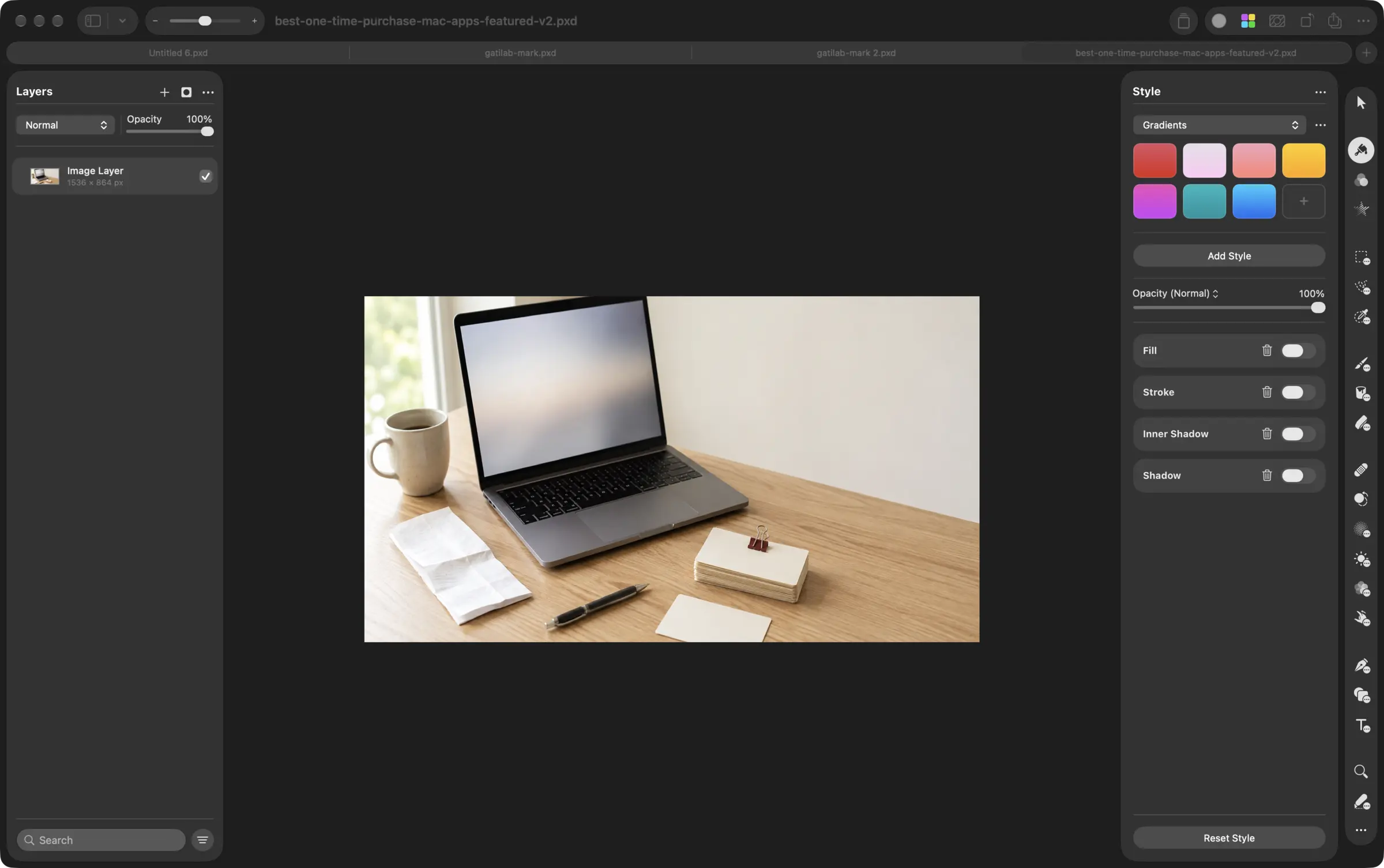
Pixelmator Pro is where my featured images and blog banners get made, and it is the one Apple creative app I bought once and refused to move to the subscription. It is native, fast on Apple silicon and the machine-learning tools, smart remove, auto-enhance and upscaling, do most of what I used to open Photoshop for.
The license:
- $49.99 once on the Mac App Store, ₹4,999 in India
- included in Apple Creator Studio at $12.99 a month or $129 a year, or ₹399 a month or ₹3,999 a year in India
- the Creator Studio version adds the iPad app and the Warp Tool; the one-time version doesn’t get them
- Apple says existing standalone purchases keep working, and its Final Cut Pro page says those purchases continue to be updated
Apple even renamed the app in my Applications folder to Pixelmator Pro Creator Studio, and nothing broke; the license carried over. If Pixelmator Pro is the only app you want from the bundle, the one-time purchase pays for itself against the subscription in under 5 months in the US and in about 15 months in India. I use Pixelmator Pro and Keynote and nothing else on that list, so I stayed on the purchase. For deeper design work I open Affinity, which is now free, and I compare both in my guide to the best photo editors for Mac.
I’d buy Pixelmator Pro once if the standalone Mac features cover the work. I’d compare Creator Studio when I also need its other apps or subscription-only features.
Eagle
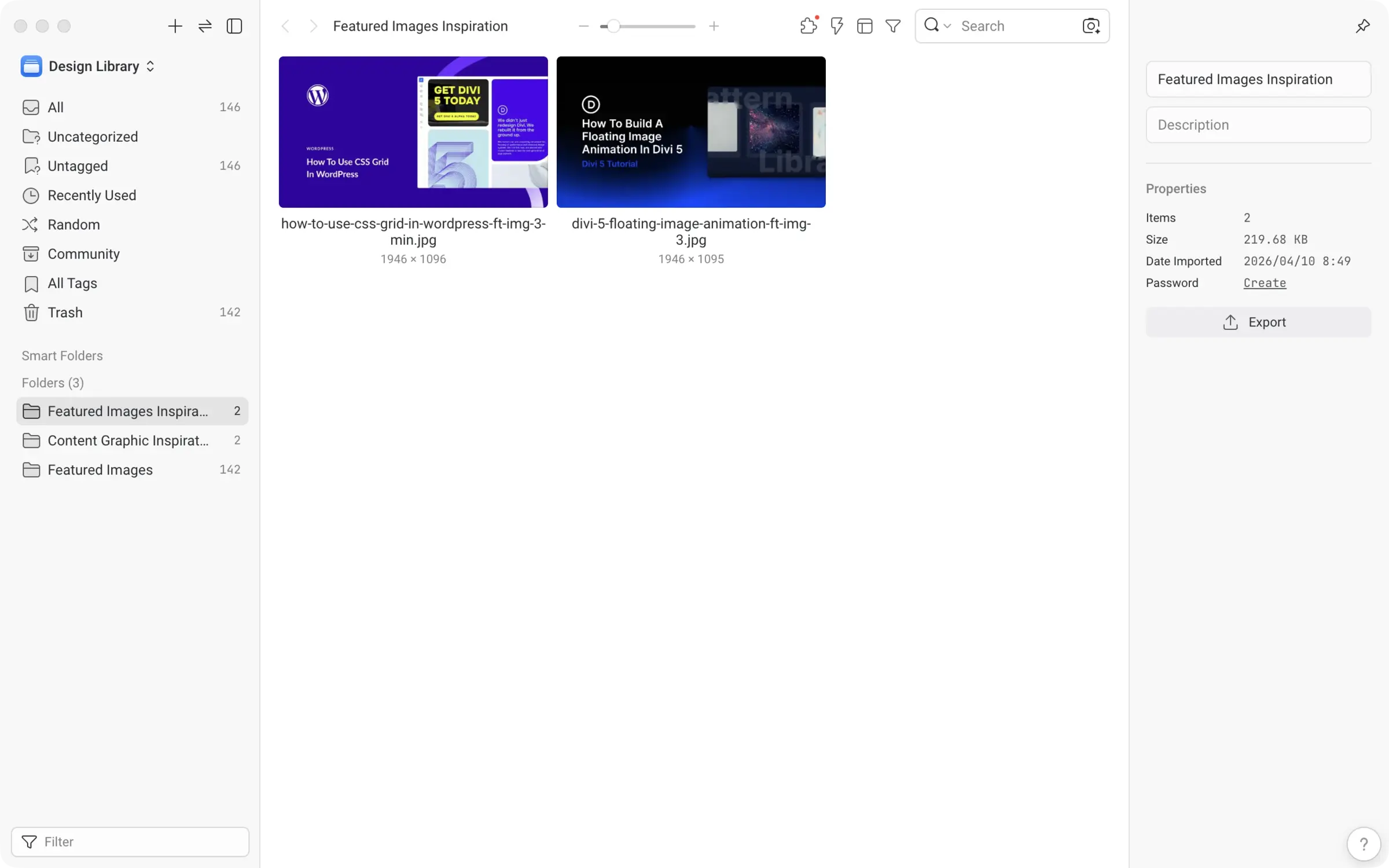
Eagle is where every featured image, content graphic and piece of design inspiration I collect ends up, and I am a proud owner. It is a local library for images and design files: folders and tags, a search that works across a few thousand files without a pause, and previews for every format I have thrown at it. My library has one folder for featured image inspiration, one for content graphics and one for the featured images themselves, and anything I save from a browser or a design app drops straight in.
The license:
- $34.95 once for a license that covers 2 devices, up from $29.95 since November 2024
- one-time purchase with lifetime free updates, which has held from version 1 through the current Eagle 4
- extra devices can be added to an existing license
- 30-day trial with every feature
What bothers me is that the library lives in a folder on one disk. Syncing it between Macs means pairing Eagle with a cloud sync tool, and the app leaves that job to you.
Who should skip it: anyone whose images live in Apple Photos and a Downloads folder and who never goes looking for them again. Eagle earns its place when you collect visual references as part of the work, which for a blog with a featured image on every post is every week.
I’d buy Eagle again for organizing a working collection of images and design references.
BetterDisplay
BetterDisplay fixed the LG monitor on the Mac mini. macOS gave me fuzzy text and the wrong scaling options on a non-Apple 4K display. BetterDisplay forces proper HiDPI scaling, unlocks resolutions macOS hides and creates virtual displays for screen recording. It is the app that makes a third-party monitor feel native.
The license:
- $21.99 or €19.99 for a Pro license from betterdisplay.pro
- at least 1 year of updates, including any major version released in that window, and the versions you unlocked stay yours after
- the free version does a lot; flexible HiDPI scaling, virtual screens, HDR virtual screens and display connect and disconnect need Pro
- direct download only, with no App Store version
You should try the built-in display settings first. I’d pay for BetterDisplay when its extra controls solve a problem in your setup.
I’d buy BetterDisplay when its extra controls fix the monitor problem I’m facing. You should try the free version first; it may be enough.
Clop
Clop compresses every screenshot, copied image and dragged PDF before it reaches the WordPress media library, and it does it without me touching anything. A CleanShot capture lands, Clop shrinks it, and the upload is a fraction of the size. I run every client image through it.
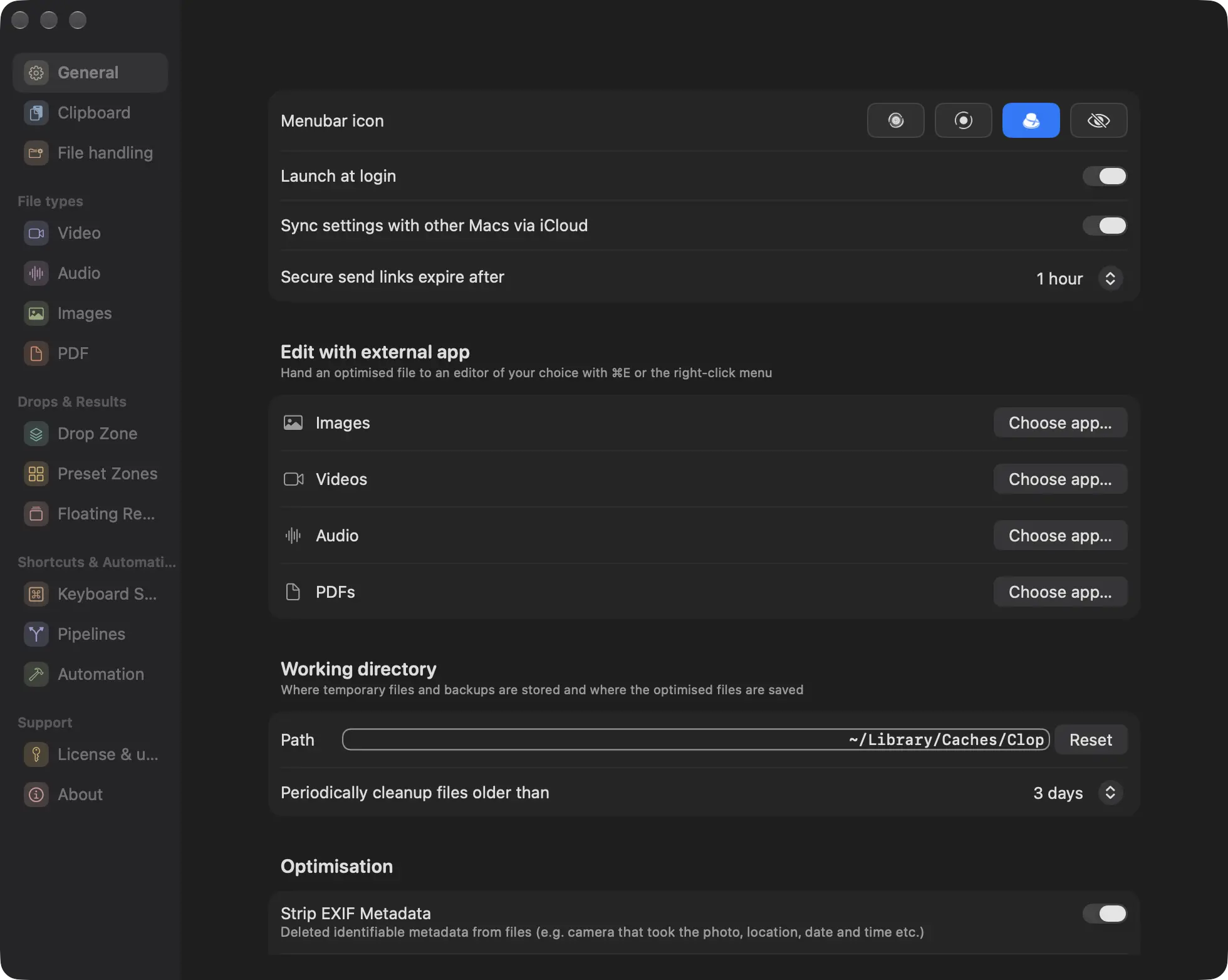
The license:
- €15 once for Clop Pro
- 14-day Pro trial, then a free tier that keeps the automatic clipboard optimization and a handful of optimizations per session
- from Lowtechguys, the developer behind several other small Mac utilities
I’d buy Clop again for the time its automatic compression saves me every day.
BetterTouchTool
BetterTouchTool is a Mac utility for custom gestures, shortcuts and window controls. I bought it and took a while to use it properly. A handful of trackpad gestures now run all day:
- a 3-finger double-tap launches Tot, my scratchpad
- a 4-finger double-tap maximizes the window and a 5-finger tap centers it
- a two-finger TipTap on the left or right snaps the window to that half of the screen
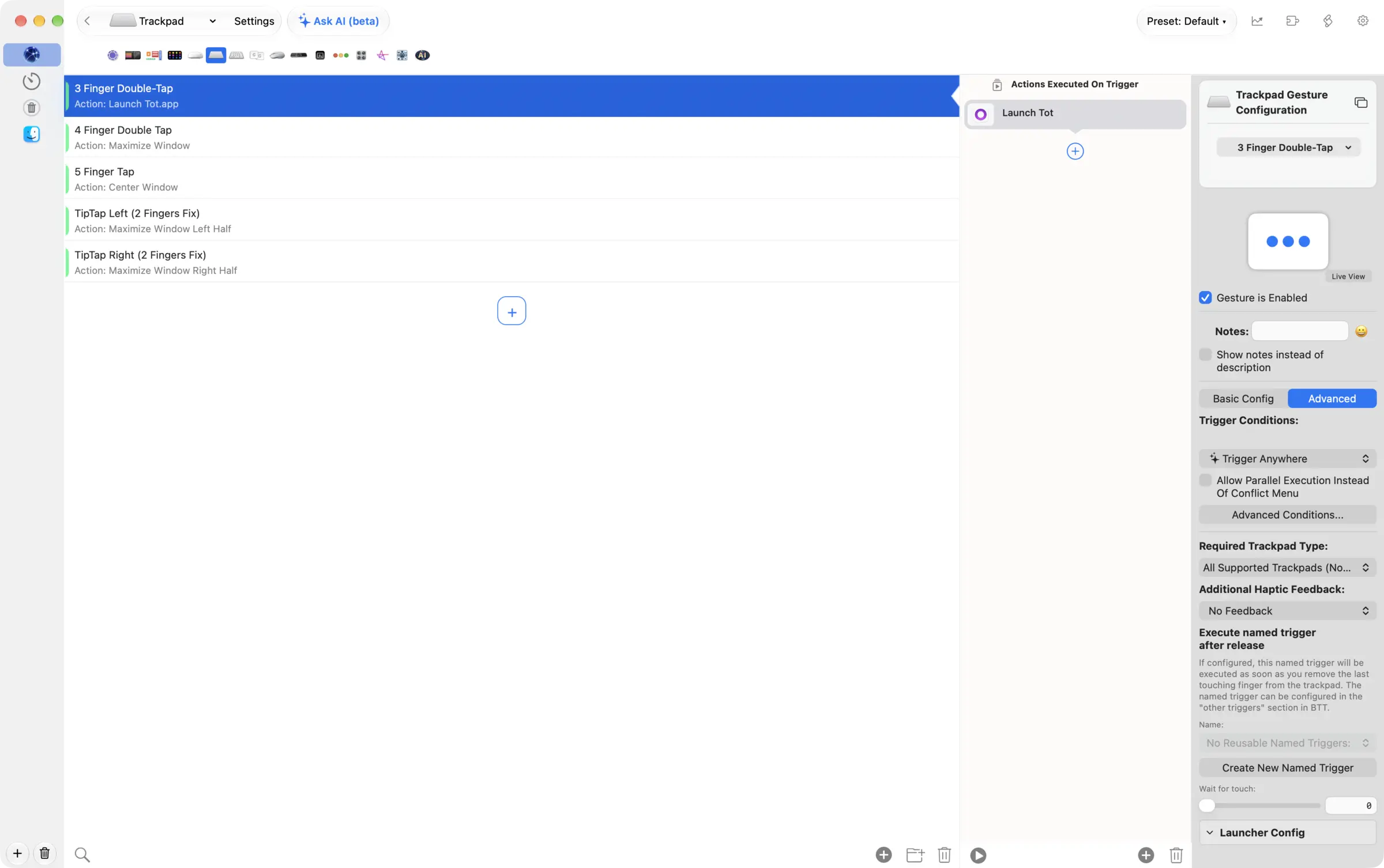
I get value from the gestures I actually use. I’d configure a few recurring actions before exploring BetterTouchTool’s other automation options.
You can choose between 2 BetterTouchTool licenses:
- $15 for a standard license with 2 years of updates; after that you keep the last version you received
- $25 for a lifetime license with every update while the app exists
- both cover all the Macs one person owns
- 45-day trial, and it is also in Setapp
What bothers me is the settings window, which has more panels than most apps have features, and the Accessibility permission it needs to do any of this. The permission is justified. The settings take patience.
Who should skip it: anyone who only wants window snapping. macOS tiling does that now for free.
I’d buy BetterTouchTool’s $25 lifetime license once I knew which gestures and automations I would use regularly.
TG Pro
TG Pro shows temperatures, available fan speeds and hardware diagnostics for your Mac. When a long export makes my MacBook Pro warm, it is where I look for more information. The sensors and controls available depend on the model.
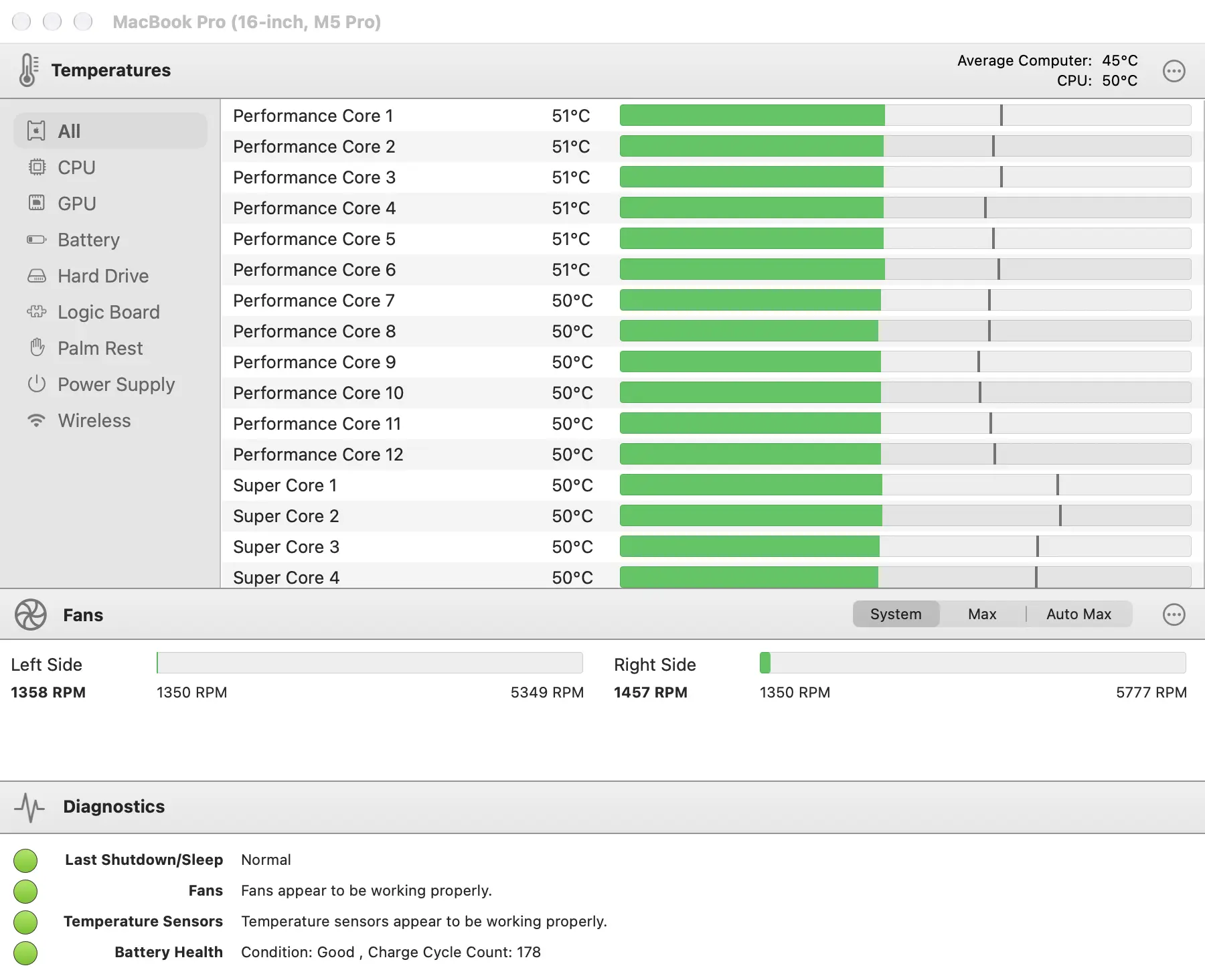
The license:
- $10 once, down from $20, as a one-time payment
- direct download from the developer, not the Mac App Store
- check the supported Mac models and macOS versions before buying
- a free 14-day trial is available from the developer
You can use TG Pro for manual fan controls and automatic adjustments through Auto Boost rules, where your Mac supports them. I would begin by monitoring the existing behavior before changing cooling settings.
I’d pay $10 for TG Pro again to see what is happening when my Mac gets warm or its fans become noisy.
The Small Mac App Store Buys
These smaller purchases handle recurring jobs in my setup:
- Whisk, an HTML and PHP editor with a live preview, for testing a snippet without opening a full project. It is $29.99, either from the developer’s store or as an in-app purchase after the free App Store download.
- ProFind, a file search that looks inside packages, invisible folders and server volumes where Spotlight gives up. It is $6.99 direct or a one-off in-app purchase on the App Store.
- Dropover, a shelf that holds files while you move between windows and desktops. It is $6.99 once.
- Folder Tidy, which sorts a chaotic Downloads folder into subfolders by type and lets you undo it. It is $2.99.
I’d compare each with the free tools already on your Mac. A small one-time price is useful when you keep using the app.
One-Time Mac Apps I Wouldn’t Pay for Today
I stopped using these purchases because another app covered the job or the product’s support changed. That makes them poor repeat purchases for me; your requirements may differ.
MacUpdater
MacUpdater used to track updates across my Macs. CoreCode ended maintenance and support in January 2026. Its final version is free and still offers limited updating, with declining coverage and a database-server shutdown planned after 2026. I now use Latest for routine checking.
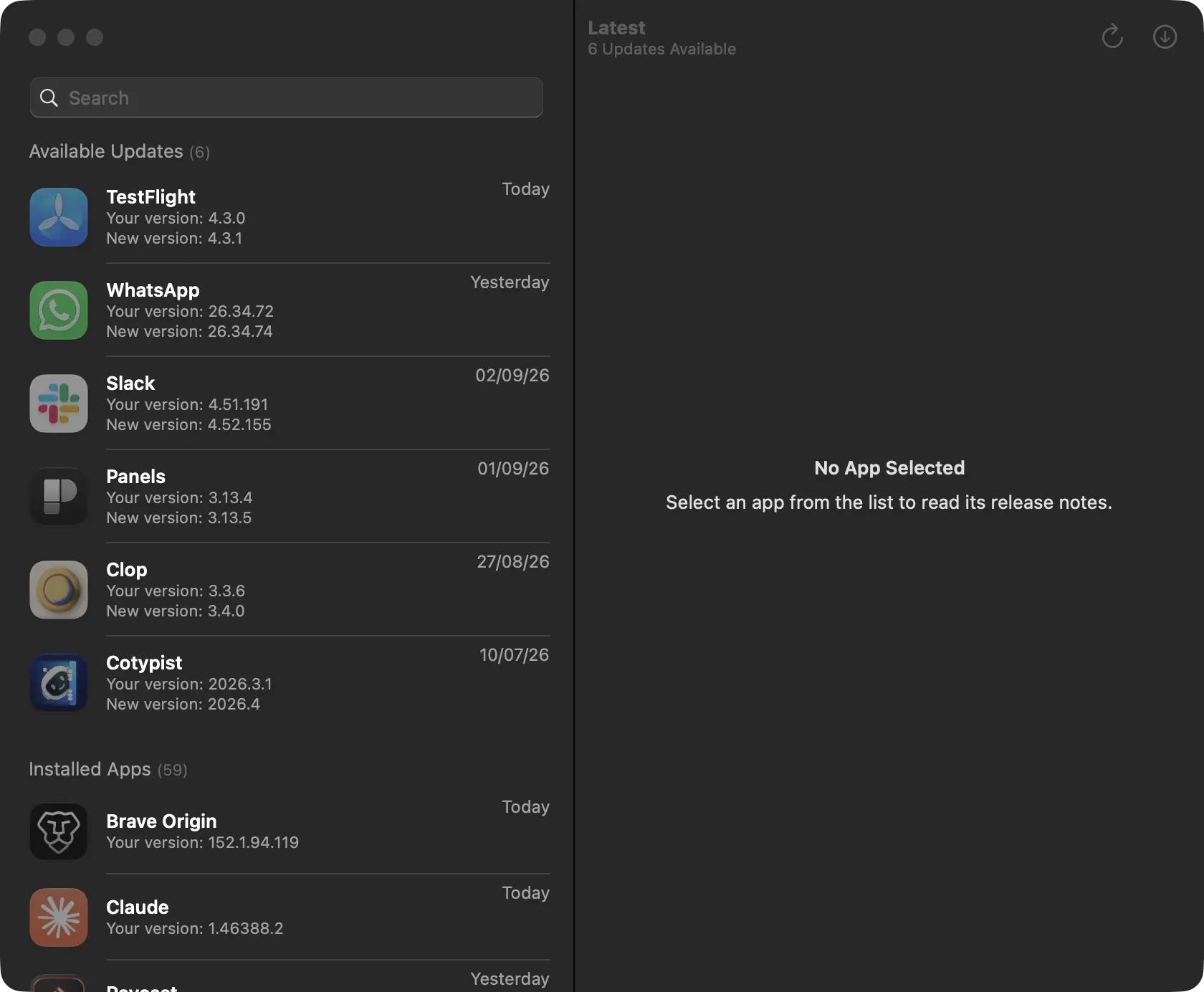
For software that depends on a maintained database, I would check its support period and what remains usable afterward.
I wouldn’t rely on a discontinued updater as my only way to find new releases.
Transmit
Transmit was my file transfer app before ForkLift, and it is still $45 once, well made and reliable. ForkLift replaced it for me because I wanted a dual-pane manager with sync browsing and cloud mounts in one window, and Transmit is a transfer window first. There is nothing wrong with Transmit. It just stopped being the app I opened.
I wouldn’t buy Transmit again because ForkLift covers my work. You may prefer Transmit’s design and its $45 license without a fixed update window. Transmit 4 buyers from mid-2017 onward received version 5 free.
Nova
Nova is what a Mac-native code editor should feel like, and I have used it for months at a stretch. Every time, I go back to VS Code, because the extension ecosystem is deeper and WordPress work leans on it. At $99 plus $49 a year for updates, Nova costs more than any editor I use daily, and the daily editor is free.
I wouldn’t buy Nova again for my VS Code-based work. If you prefer a native Mac editor and its features cover your needs, you can keep the version you bought after its update period ends.
Alfred Powerpack
Alfred was my launcher before Raycast, and I bought the Powerpack for it. It is fast, it stays out of the way and its license terms are the fairest in the category: £34 for the current major version on 2 Macs, or £59 for a Mega Supporter license that includes every future version. I dropped it in favor of Raycast Pro, because Raycast replaced several other small utilities at the same time, and the launcher was only one of them.
I would wait before buying another launcher for my own setup. Alfred 6 is announced for autumn 2026, with a free upgrade for 2026 purchases and Mega Supporter licenses. You can check the upgrade terms if you’re buying now.
Shottr
Shottr is a fast screenshot app with scrolling capture, OCR and a pixel ruler for $12 once, covering 1 user on up to 5 Macs, and I bought it and used it. I dropped it in favor of CleanShot X, which does the same captures and has its own OCR, so the two apps overlapped completely on my Macs.
I wouldn’t buy Shottr again because CleanShot X already covers my captures. You should compare Shottr at $12 if CleanShot’s $35 price is more than you want to spend.
TextSniper
TextSniper copies text out of any region of the screen, and I bought it for exactly that. It is $7.99 for 1 Mac direct, $9.99 for 3, or $11.99 on the Mac App Store, and it does the job well. I dropped it in favor of CleanShot X once CleanShot’s OCR covered the same captures, and macOS Live Text picks up much of the rest.
I wouldn’t buy TextSniper again because CleanShot X covers the same task for me. The same overlap made my Shottr purchase redundant.
The reasons behind a stale purchase repeat, and my own Applications folder has most of them:
- the app was bought for one task and never needed again
- another app already on the Mac grew the same feature
- macOS added a good-enough built-in version
- the developer’s upgrade pricing changed the value
- the license covered the Mac but not the other platforms the work moved to
- Setapp already included it
- the app wanted more permissions than the job justified
- the subscription competitor turned out to be better after using both
One-time Purchase Mac Apps that I haven’t Bought But Will Recommend
I haven’t bought these licenses. They are worth comparing for the jobs below, but my own setup already covers much of that work.
TablePlus
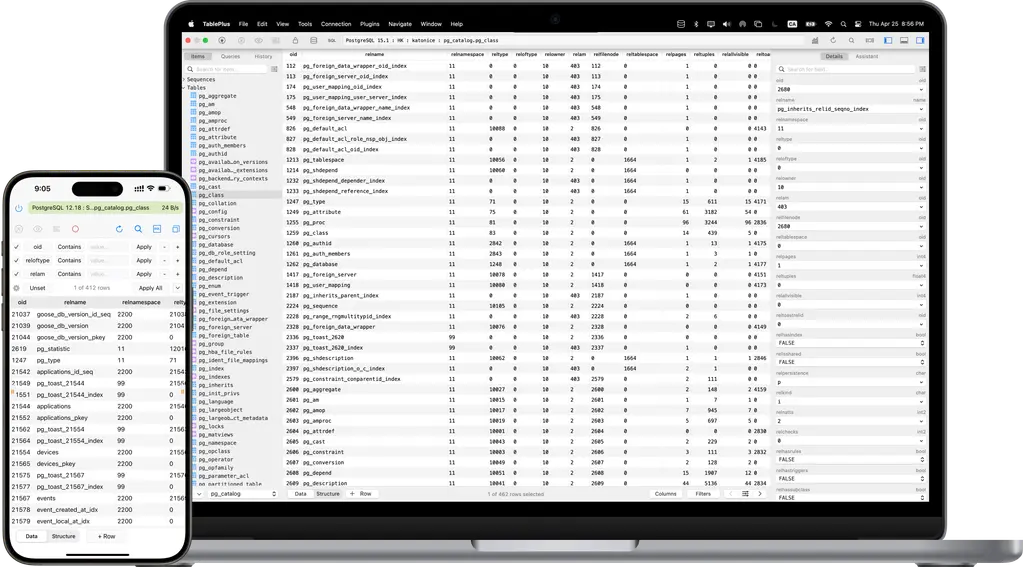
TablePlus manages database connections in a desktop interface and supports SSH connections and safeguards for changes. I would test it with the database systems you use and keep backups and permissions in place; an interface safeguard cannot prevent every production mistake.
You can compare the device options in TablePlus’s pricing:
- $99 once for 1 device, or $129 for 2
- 1 year of updates and support; after that you keep using the version you have with no limits
- $59 per device to renew a year of updates
- the free version works but caps you at 2 tabs, 2 windows and 2 filters
- also in Setapp
Sequel Ace is a free option for MySQL and MariaDB on macOS. It won’t replace TablePlus for every database engine, so check that match first. My guide to the Mac apps I use for WordPress development covers the rest of my setup.
I haven’t bought it yet as most of my work is web-based and I prefer CLI tools to handle the databases more efficiently.
I would keep using the command line for my own database work. If you spend much of the day in client databases, you should try TablePlus on those tasks before buying. Sequel Ace or the trial may cover a single local site.
Sublime Text
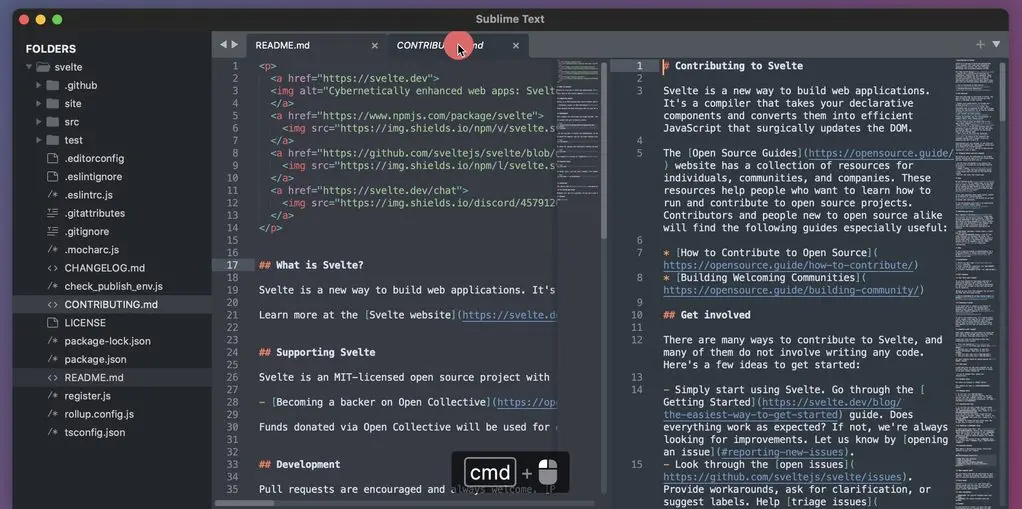
I keep Sublime Text available as a scratchpad and for large text files. VS Code and Cursor handle my daily editing. I would try the same files in your existing editor before paying for another one.
The license:
- $99 for a personal license with 3 years of updates
- one key for all your computers and operating systems
- after 3 years the app keeps working, and further updates need an upgrade purchase
- the unregistered version is for evaluation; a license is required for continued use
I’d buy Sublime if its editing and performance advantages matter in your own work. A backup editor that you rarely open is a harder purchase to justify.
I’d pay for Sublime Text when its handling of my files justified a separate editor. You should try those files in VS Code first if it already covers your work.
Others
| App | Job | License | Price | My hesitation |
|---|---|---|---|---|
| Keyboard Maestro | Macro automation | Version 11 license, up to 5 Macs | $36, $25 upgrade | Shortcuts and Raycast script commands cover simple automation |
| Hazel | Rule-based file organizing | Major-version license, single or family | $42, $65 family, $20 upgrade | Folder Tidy does the weekly cleanup for $2.99 |
| MacWhisper | Local transcription | Lifetime updates, direct version only | €64 | Only worth it once you have recordings to transcribe every week |
| DaisyDisk | Disk space map | Up to 5 Macs, minor updates included | $9.99 | macOS Storage settings cover the occasional check |
| Little Snitch | Outbound firewall | Major-version license; single or family | $59, upgrades from $39 | Most Macs never need per-app outbound control |
| Carbon Copy Cloner | Scheduled backups and recovery | Household license, valid for 5, 6 and 7 | $49.99 | Compare task controls, destinations and recovery needs |
| Soulver | Notepad calculator | One-time, 60-day trial | $59 | Raycast’s calculator handles the quick sums |
Soulver is worth a trial if you work with multi-line calculations, quotes, budgets or unit conversions. A new major release does not guarantee how long it will be until the next paid upgrade, so I would buy for the features available now.
MacWhisper’s direct license and the App Store’s Whisper Transcription edition have different features and purchase options. The direct key doesn’t activate the App Store app. You should check the edition before paying for local transcription or system-wide dictation.
Carbon Copy Cloner is worth comparing when you need configurable backup tasks and copies to other drives. Bombich’s backup and recovery guidance advises against relying on external boot as a backup strategy on modern Macs. I would plan and test data restoration first.
I would buy one of these when it fills a job my existing software cannot handle well.
Lifetime Deals I Would Avoid
I check the following warning signs before buying a lifetime offer. The lifetime deals I list still need clear limits, support terms and a way to export your data.
- a lifetime plan for cloud storage, a VPN, hosted AI or online backup with no visible way to pay for the servers 10 years from now
- an inflated “regular price” that seems to exist mainly to make the lifetime deal look like a discount
- no recent release notes and no statement about the current macOS version
- no export format or plain way to get your data out
- unclear device, commercial-use or platform limits
- a license that excludes compatibility and security updates after a very short window
- an app that wants Accessibility, Screen Recording or Full Disk Access without a job that needs them
- resold or unofficial license keys, which the developer can revoke at any time
- a standalone purchase of an app already included in a subscription you intend to keep
- several cheap utilities that duplicate one dependable app
An optional paid major upgrade can be reasonable. I compare what it adds with the version I already have and whether I need it for compatibility.
When I Subscribe Instead
I keep subscriptions when their services or included apps justify the recurring bill. These are the cases that matter in my setup.
Setapp
Setapp is a subscription service that gives you access to a collection of Mac apps. I keep it for several tools I would otherwise buy separately. The Mac plan costs $14.99 a month billed monthly for 1 Mac, which is $179.88 a year or $539.64 over 3 years, or $8.99 a month billed yearly, which is $107.88 a year. CleanShot X, TablePlus, BetterTouchTool, Ulysses, iA Writer, Soulver, Whisk and TextSniper are all inside it.
I add up the purchase and update costs of the included apps I actually use. The break-even depends on those prices and how long I keep the bundle; there is no minimum number of apps that makes Setapp a bargain.
- Hundreds of Mac apps for one fee, on 1 Mac
- Includes CleanShot X, TablePlus, BetterTouchTool, Ulysses, iA Writer and Soulver
- Compare the recurring fee with buying and updating the included apps you use
- 7-day free trial, cancel anytime
Todoist Over Things 3
I own Things 3 and still pay ₹3,165 a year for Todoist Pro because I also use Android devices and need attachments, web access and shared projects. Things handles my personal tasks on Apple devices; Todoist covers the work that needs those other features. I would choose the app around those requirements before comparing payment models.
Raycast Pro Over Alfred
Raycast Pro is $8 a month billed yearly, or $10 monthly, and I pay it. I bought Alfred’s Powerpack before that and used it as my launcher, and its £59 Mega Supporter license is still the better deal purely on the launcher. I moved to Raycast because it replaced several small utilities across 3 Macs at once, from clipboard history to window management to snippets, and that consolidation is worth more to me than the launcher price. Alfred 6 is unreleased as I write this, and when it ships I will look again. If you only want a launcher, buy Alfred once.
Apple Creator Studio
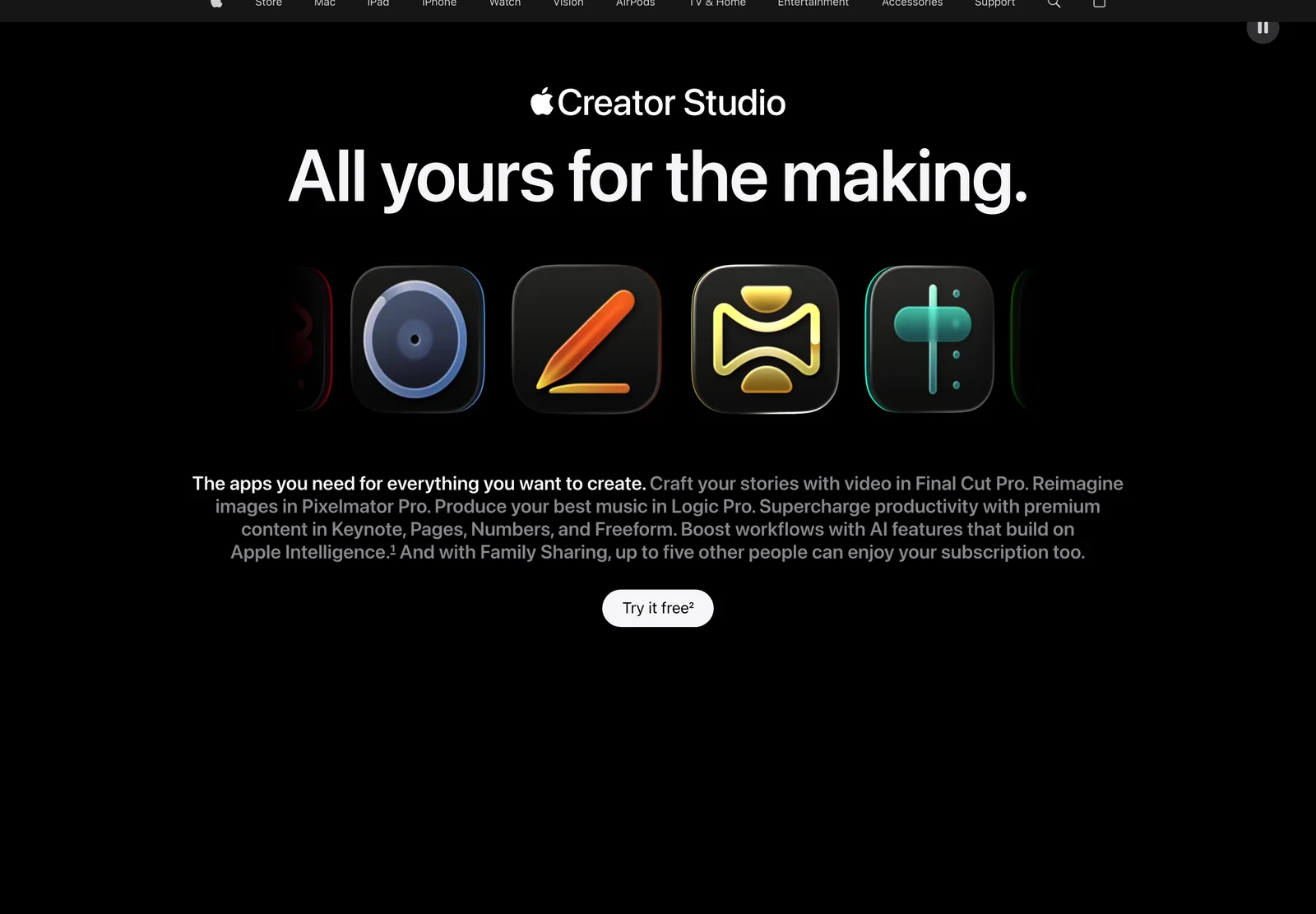
Final Cut Pro costs $299.99 once in the US against $129 a year for Apple Creator Studio. At unchanged annual prices, the subscription’s cumulative cost reaches the purchase price after about 2 years and 4 months. In India, INR 29,900 divided by INR 3,999 is about 7.5 years. Actual annual billing comes in full-year payments, and the bundle includes other apps and features you may value.
For Pixelmator Pro alone, the US purchase price equals about 4 months of the monthly subscription. In India it equals about 12.5 monthly payments, or about 15 months of the annual plan’s monthly equivalent. You should use the billing schedule you would actually choose and include the value of the other apps you need.
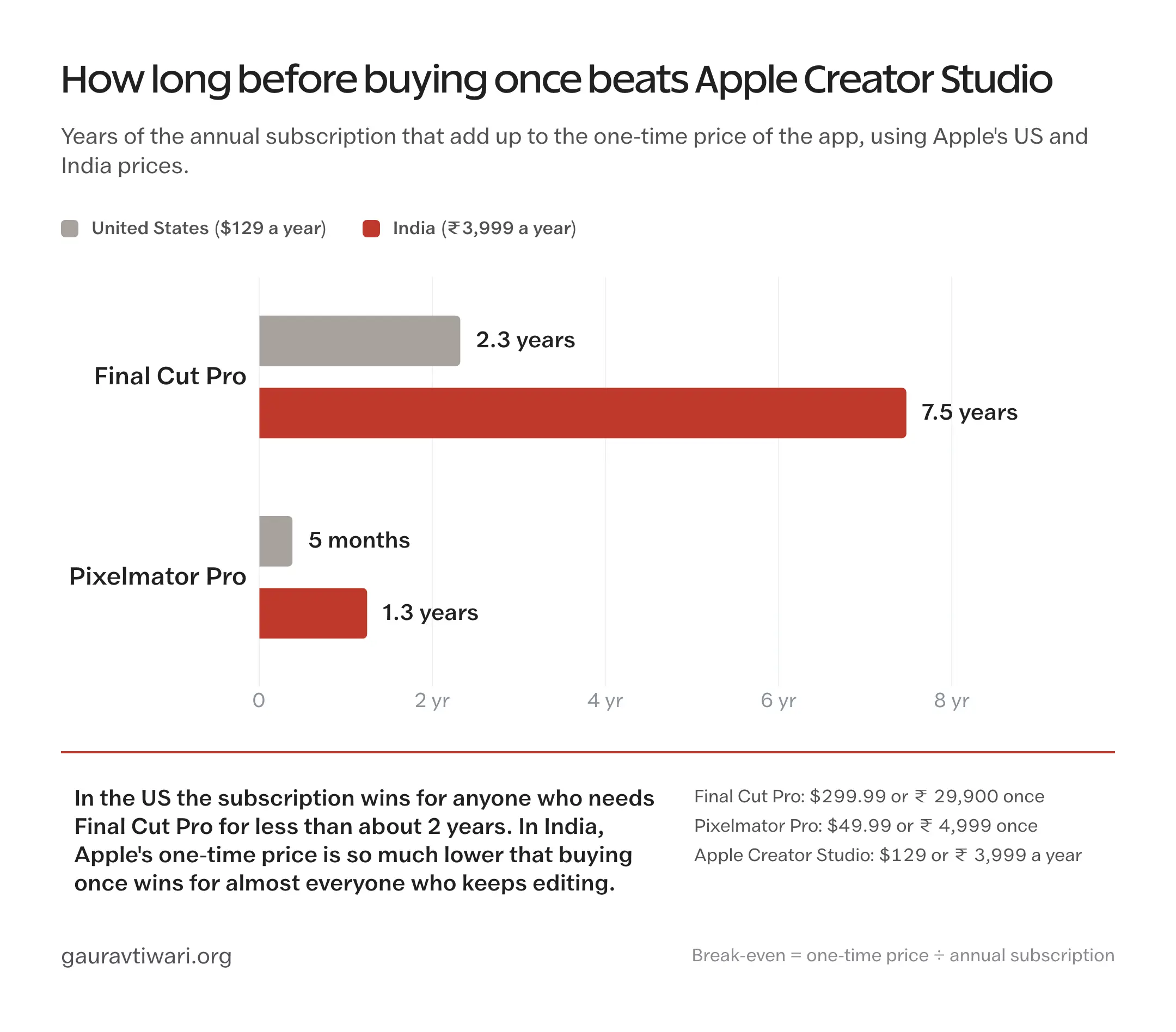
I’d do that comparison in your own currency using the current standalone price and the full subscription payments you expect to make.
Parallels Desktop
Parallels Desktop offers Standard at $99.99 a year or $219.99 once for the current version. I would compare the subscription with likely paid upgrades and check your intended macOS and Windows applications. A future compatibility change can make an upgrade necessary, but it doesn’t happen on a guaranteed annual schedule. My guide to Windows apps running on a Mac covers the alternatives.
Services With Unavoidable Running Costs
A subscription can fund ongoing services you rely on, including:
- off-site storage and cloud backup
- password management with hosted family or team sharing, which is why 1Password costs what it does and why Enpass, which hosts nothing, can price 3 years at $47.99
- collaborative project management
- security software that depends on continuously updated threat data
- licensed stock media
- cloud rendering, transcription or processing
- hosted AI inference, which is why MacWhisper’s cloud models bill through your own API key rather than a one-time fee
A one-time price on any of those should make you ask who is paying for the servers in year 5.
Buy Direct or From the Mac App Store?
I compare both purchase routes because the same app can have different features, device limits and upgrade terms.
| What changes | Buying direct | Mac App Store |
|---|---|---|
| License recovery | A key or account with the developer | Tied to your Apple ID, re-download anywhere |
| Family Sharing | Rarely; some family packs | When the app supports Family Sharing |
| Macs covered | Set by the developer, often 2 to 5 or all personal Macs | Check Apple usage rules, availability and the app license |
| Commercial use | Often a separate business license | Check the app and Apple usage rules |
| Features | Permissions depend on the app and your approval | Sandboxed; compare edition-specific features |
| Upgrade pricing | Discounted upgrades are common | Usually a new app or an in-app purchase |
| Trial | Common, often 14 to 60 days | Free download with an in-app unlock, or none |
| Refunds | Developer’s policy, often 14 to 30 days | Apple’s policy, case by case |
| External license keys | Yes | Almost never accepted in the App Store build |
The examples that make this concrete:
- BBEdit 16 is $59.99 direct as a conventional license, with upgrades at $29.99 or $39.99, while the Mac App Store version is a $4.99 monthly or $49.99 yearly subscription. Same editor, two payment models, and after 30 days the direct version keeps running in a free mode.
- MacWhisper is a €64 one-time license direct and a subscription in the App Store, and the direct key does not work in the App Store build.
- TextSniper is $7.99 for 1 Mac direct or $11.99 in the App Store for all your Macs, so the answer depends on how many Macs you own.
- Things 3 is App Store only, which means Family Sharing and no license key to lose.
I’d buy direct when its license, features or upgrade terms fit better. I’d use the App Store when its purchase management, available Family Sharing or regional price makes more sense. You should check the terms of the specific app.
My Checklist Before Buying Another Mac App
Before paying, I want clear answers to the checks below. If an essential requirement is unresolved, I wait.
- I have used the trial for a real task, not a demo file.
- I expect to open the app at least monthly.
- I checked whether an app I already own does the same thing.
- I checked whether Setapp or another bundle I keep already includes it.
- I compared the direct license and the App Store version.
- I understand the update policy and what happens when it ends.
- I know how many Macs and platforms the license covers.
- I checked the export and backup options.
- I read which macOS permissions it asks for.
- I know what happens when the next major version ships.
- I would still buy it without the current discount.
That last line is the one that stops most of my bad purchases now.
The Limits
Your prices, working habits and device requirements can change the decision:
The Things promotion pictured above ended September 10, 2026. Compare the current checkout totals, including tax and each device you need; a screenshot of an earlier sale is not a current quote.
My setup leans toward WordPress development, writing, screenshots, design assets and SEO. You can use the usage notes to judge whether your work resembles mine before following a recommendation.
These are license comparisons and personal usage notes. I haven’t run a controlled speed or accuracy benchmark across the apps.
What Quietly Ruins a Mac App Purchase
Before buying, I check for these sources of unnecessary cost:
Buying the sale instead of the app. A 40% discount on something you would not buy at full price is not a saving, it is a smaller version of the same waste, and the untouched folder is full of discounts.
Buying an app your bundle already includes. Setapp has CleanShot X, TablePlus and iA Writer in it. Paying for any of them directly while keeping the subscription is paying twice, and it is the easiest mistake on this page to make, because the direct purchase feels like ownership and the bundle feels like renting.
Overlapping utilities add purchases, permissions and maintenance. I’d keep the tools that serve distinct jobs I use regularly.
Reading the Mac price as the total price. Things, iA Writer and Scrivener all sell the iPhone or iPad version separately, and the second purchase usually arrives a month later when the habit has formed and the budget has not.
An older app may continue working for years, or a system change may require an upgrade. A perpetual license preserves your right to the purchased version; it doesn’t guarantee compatibility with future macOS releases.
Hosted storage, sync, VPNs and AI have ongoing costs. For a lifetime plan, I would examine usage limits, the provider’s business and the options for leaving with your data.
FAQs on One-Time Purchase Mac Apps
My first picks are CleanShot X for screenshots, Typora for Markdown writing and Things 3 for personal tasks on Apple devices. Pixelmator Pro, Enpass and TablePlus are worth comparing for image editing, passwords and databases. You should choose an app for a job you already need done and check its device limits and update policy before buying.
Not always. Some licenses, such as BetterTouchTool’s $25 lifetime license or Alfred’s Mega Supporter license, include every future update. Many more include 1 to 3 years of updates and then keep working at the last version you received, and some cover only the current major version. You should read the update line on the developer’s pricing page before you assume anything.
A perpetual license generally lets you keep using the purchased version under its terms. A lifetime offer may include future updates, or may define a shorter product or service lifetime. You should read the actual update and support terms. Ending development does not automatically revoke a license, though compatibility or dependent services can stop working.
You should compare Setapp’s recurring cost with buying and updating the apps you actually use. The listed Mac plan is $14.99 monthly or $8.99 a month billed annually. The number of apps alone does not settle the comparison; their prices and your expected years of use matter.
Buy direct when you need the full feature set, a business license, a discounted upgrade path or a trial. Buy from the Mac App Store when Family Sharing, easy re-installation on a new Mac or a lower regional price matters more. Check both, because BBEdit is a one-time purchase direct and a subscription in the App Store, and TextSniper is cheaper direct for 1 Mac but cheaper in the App Store for 3.
It depends on the developer. Typora allows 3 devices, Shottr and DaisyDisk allow 5 Macs, BetterTouchTool and Carbon Copy Cloner cover all the Macs one person or household owns, and TablePlus sells per device. Mac App Store purchases work on every Mac signed into your Apple ID.
A one-time AI app can be useful when its included features meet your needs and any recurring costs are clear. MacWhisper offers local transcription with a direct license and optional provider-billed cloud processing. Check usage limits and ongoing service costs before buying a lifetime hosted-AI offer.
Things 3 costs $79.97 once for the Mac, iPhone and iPad and has no subscription, so over 3 years it is far cheaper than Todoist Pro at $60 a year. It is only better value if you live entirely on Apple devices and never need file attachments or shared lists, because Things has no Android, Windows or web app. If those matter, the cheaper purchase costs you tasks.
Anything that depends on servers: cloud storage, online backup, password managers with hosted sharing, collaboration tools, security software with live threat data, stock media and hosted AI. Apps that sit close to the operating system, such as Parallels Desktop, also tend to be safer as subscriptions because the one-time license covers only the current version.
You should check who pays for the servers, how many Macs and platforms the license covers, what the update policy says, whether you can export your data, which macOS permissions it needs, whether it is already inside a bundle you keep and whether you would buy it without the current discount.
Final Remarks
For your next purchase, you should try the app on a real task and check whether anything you already own does the job well enough.
You should then save the license terms with your receipt: the devices covered, update period, optional services and upgrade policy. Those details will matter when you change Macs or receive a renewal notice.
My toolbox page lists the rest of my hardware and software setup if you’re comparing what belongs on a new Mac.
Tell Google you want more of this.
Add Gaurav Tiwari as a preferred sourceOne tap, and this site shows up more often in your own Top Stories, AI Overviews and AI Mode. Remove it any time.
Disclaimer: This site is reader-supported. If you buy through some links, I may earn a small commission at no extra cost to you. I only recommend tools I trust and would use myself. Your support helps keep gauravtiwari.org free and focused on real-world advice. Thanks. - Gaurav Tiwari