
 by
by
The best WordPress page builders solve different problems. Bricks is my top visual builder, and GenerateBlocks is the performance-first block setup I trust most. The wrong choice can still leave you paying for a full rebuild when the editor, pricing or vendor changes.
This comparison separates the builders in my benchmark from the ones I have only researched. That distinction matters more than another inflated list. Ten builders are ranked from the archived same-content test, five are compared without a benchmark score and newer or maintenance-only products sit in separate sections.
My short answer: choose Bricks when you want a full visual site builder and can accept builder lock-in. Choose GenerateBlocks or Kadence Blocks when native WordPress content and easier future migration matter more than a separate visual canvas.
My winners in 30 seconds
Bricks wins the visual-builder category because it combines design control, dynamic data and cleaner output better than Elementor or Divi. GenerateBlocks wins for lean block-first builds, while Breakdance gives agencies more WooCommerce, forms and popup features in one license.
| Need | Pick | Why | Evidence |
|---|---|---|---|
| Best visual builder | Bricks | Best balance of control, output and workflow | Benchmark |
| Fastest block-first setup | GenerateBlocks | Lean HTML and native WordPress blocks | Benchmark + ran this site on it |
| Agency and WooCommerce | Breakdance | Forms, popups, WooCommerce and dynamic data | Benchmark |
| Developer control | Oxygen | Granular HTML, CSS, components and dynamic data | Benchmark + client projects |
| Beginner ecosystem | Elementor | Largest learning and add-on ecosystem | Benchmark + client projects |
| Client handoff | Beaver Builder | Stable workflow and restrained interface | Benchmark |
| Unlimited-site value | Divi | $89 yearly or $249 lifetime for unlimited sites | Benchmark |
How I tested and scored these WordPress page builders
The benchmarked group contains the 10 builders represented in my archived performance test: Bricks, GenerateBlocks, Kadence Blocks, Breakdance, Oxygen, GreenShift, Spectra, Beaver Builder, Elementor and Divi. The test record supports the same content and the same hosting. It does not preserve a full environment manifest, exact plugin versions, cache state, run count or median-run calculation, so the figures below are directional rather than lab-grade proof. The test was published in January 2026, before Oxygen 6, Divi 5 and Elementor 4 reached stable releases between February and April. The Oxygen row measured a pre-release Oxygen 6 build, and the Divi and Elementor rows predate those rewrites, so treat those three as the least current until they’re retested.
That missing context is why I no longer score 23 products as if an 8.7 and an 8.6 were scientific measurements. The 100-point score combines the archived performance result with code quality, workflow, dynamic data, portability, accessibility, ecosystem and three-year cost. Newer products without the same benchmark stay unscored.
- Performance and asset output: 20 points
- HTML, CSS and semantic control: 15 points
- Editing workflow: 15 points
- Dynamic data, theme building and WooCommerce: 15 points
- Portability and migration risk: 15 points
- Accessibility and client editing: 10 points
- Ecosystem and support: 5 points
- Three-year cost: 5 points
| Builder | Perf. /20 | Code /15 | Workflow /15 | Dynamic /15 | Portability /15 | A11y + client /10 | Ecosystem /5 | Cost /5 | Total /100 |
|---|---|---|---|---|---|---|---|---|---|
| Bricks | 20 | 15 | 15 | 15 | 8 | 9 | 5 | 5 | 92 |
| GenerateBlocks | 20 | 15 | 13 | 13 | 15 | 9 | 3 | 3 | 91 |
| Breakdance | 18 | 13 | 14 | 15 | 8 | 9 | 5 | 4 | 86 |
| Spectra | 16 | 12 | 14 | 12 | 15 | 9 | 4 | 2 | 84 |
| Kadence Blocks | 18 | 13 | 15 | 13 | 13 | 10 | 2 | 0 | 84 |
| GreenShift | 17 | 13 | 11 | 13 | 15 | 8 | 3 | 3 | 83 |
| Oxygen | 18 | 15 | 11 | 15 | 7 | 7 | 4 | 5 | 82 |
| Beaver Builder | 15 | 12 | 15 | 12 | 10 | 10 | 5 | 1 | 80 |
| Elementor | 14 | 10 | 15 | 15 | 7 | 9 | 5 | 2 | 77 |
| Divi | 13 | 11 | 14 | 14 | 5 | 8 | 5 | 5 | 75 |
The formula is visible so you can disagree with it. Ties go to the builder with the lower three-year license cost, which is why Spectra sits above Kadence Blocks at 84 points. If template volume matters more than HTML size, Elementor gains ground. If portability is non-negotiable, GenerateBlocks and Kadence move ahead of every proprietary visual builder. Your project should change the weighting, not the facts.
Performance benchmark results in accessible text
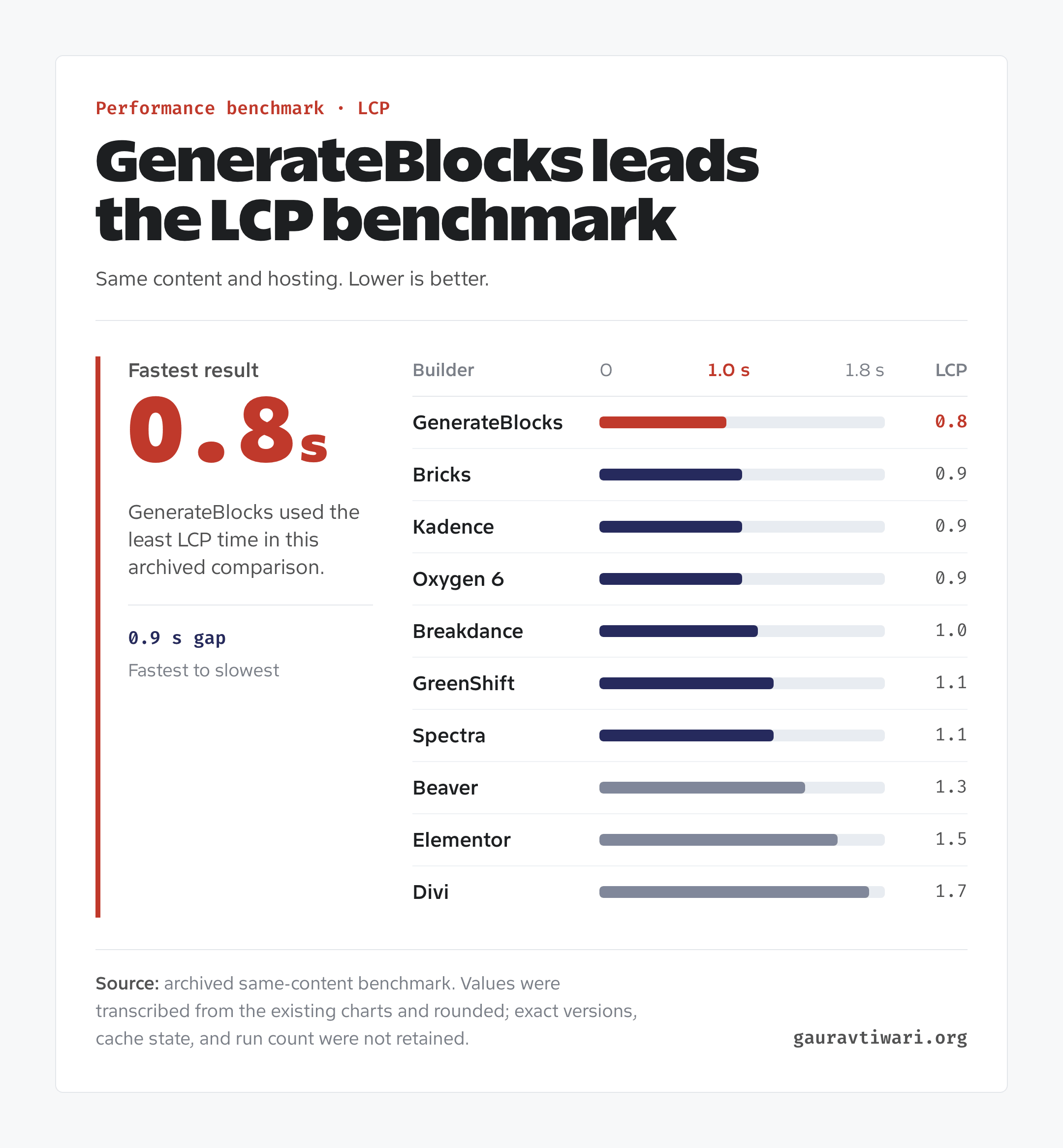
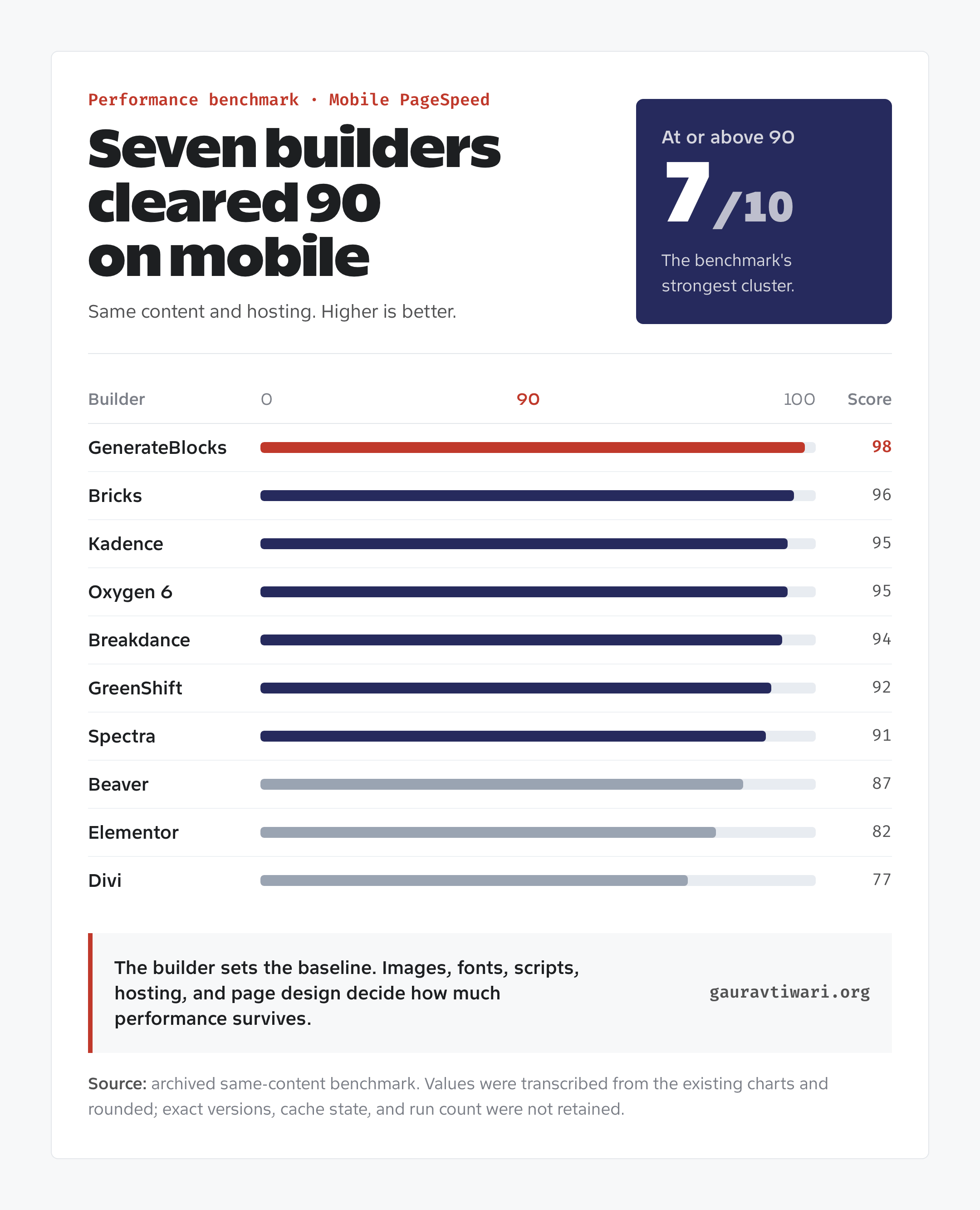
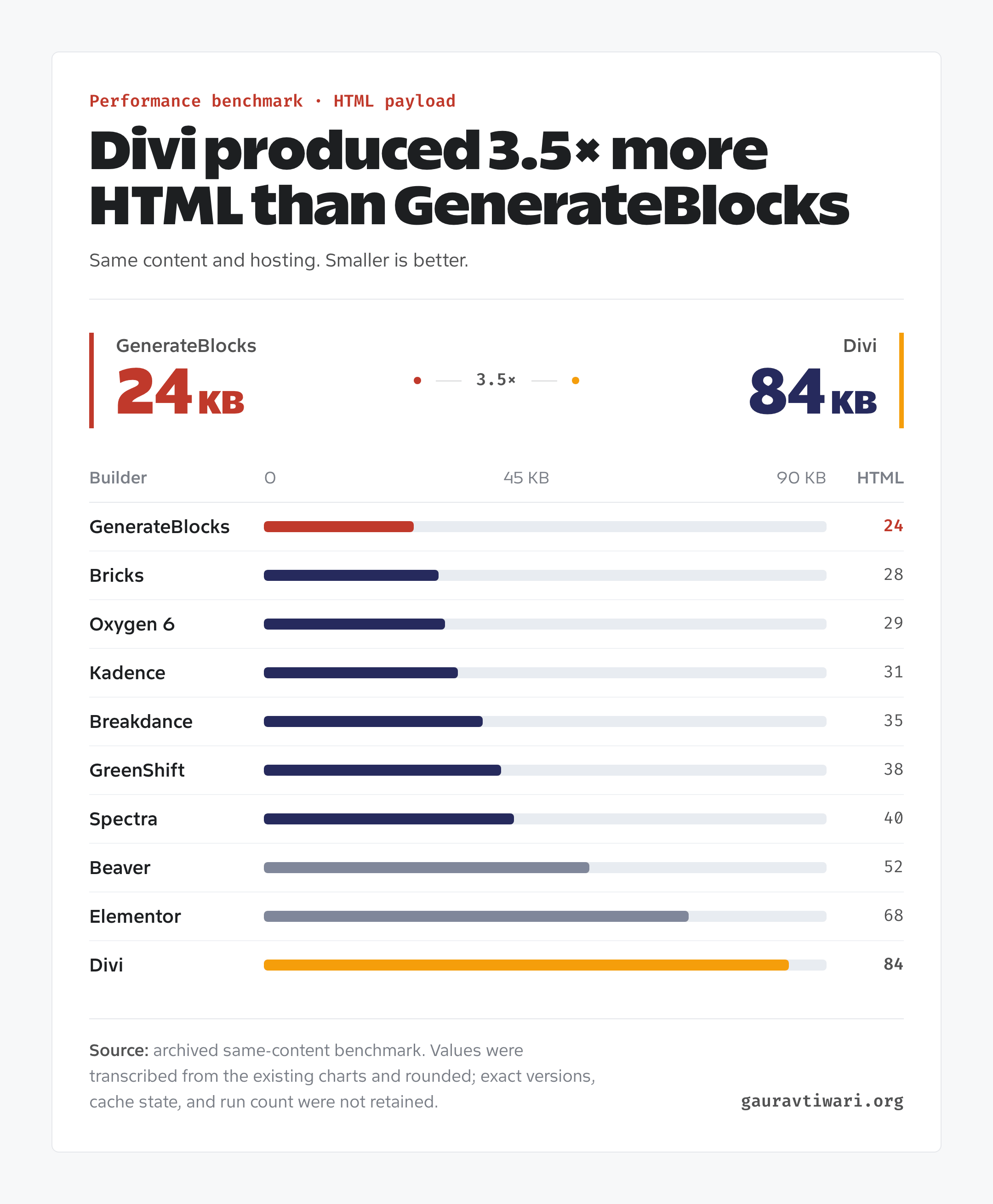
GenerateBlocks recorded the smallest Largest Contentful Paint and HTML payload in the archived comparison. Bricks, Kadence Blocks, Oxygen and Breakdance followed closely. Elementor and Divi needed more front-end output for the same content, which leaves less headroom for images, analytics, WooCommerce scripts and third-party widgets.
| Builder | LCP | PageSpeed Mobile | HTML size | Performance band |
|---|---|---|---|---|
| GenerateBlocks | 0.8 s | 98 | 24 KB | Fast |
| Bricks | 0.9 s | 96 | 28 KB | Fast |
| Kadence Blocks | 0.9 s | 95 | 31 KB | Fast |
| Oxygen | 0.9 s | 95 | 29 KB | Fast |
| Breakdance | 1.0 s | 94 | 35 KB | Fast |
| GreenShift | 1.1 s | 92 | 38 KB | Moderate |
| Spectra | 1.1 s | 91 | 40 KB | Moderate |
| Beaver Builder | 1.3 s | 87 | 52 KB | Slower |
| Elementor | 1.5 s | 82 | 68 KB | Slower |
| Divi | 1.7 s | 77 | 84 KB | Slower |
These values transcribe the rounded chart scale. They help compare broad differences, but they should not be treated as a promise that your site will reproduce the same number. Hosting, theme code, fonts, images, plugins and the person building the page can overwhelm the builder difference.
The 10 best WordPress page builders in the benchmark
These are the only builders that receive a numbered score because they share the archived performance comparison.
Bricks
Bricks takes the top spot as the best visual WordPress page builder in this comparison. It is the builder I would choose for a new custom marketing site when native block portability is not the first priority. It replaces the theme, handles templates and dynamic data, and produces leaner output than Elementor or Divi in my benchmark. When a block-based setup isn’t enough, Bricks is the developer-friendly builder I lean toward.
Bricks 2.4, released on September 16, 2026, added AI Abilities through the WordPress Abilities API and MCP, a Builder Browser, global import and export, interface profiles and new WooCommerce setup tools. The current 2.4.1 from September 22 is a maintenance release. As with any major builder update, I’d move a production client site to it only after the site has survived a round on staging.
- Best for: developers, designers, agencies, ACF projects and custom WooCommerce builds.
- Why it wins: class-based styling, components, dynamic data, query loops and clean output in one visual workflow.
- Main catch: deactivating Bricks means rebuilding the design. Clean HTML does not eliminate builder lock-in.
- Current price: $79/year for one site, $149/year for three, $249/year for unlimited sites or $599 once for unlimited sites.
If you want thousands of ready-made templates and a beginner course for every task, Elementor is easier. If you want to build a reusable design system and inspect the output without wincing, view Bricks pricing.
GenerateBlocks
GenerateBlocks ranks second on score but recorded the fastest result in the benchmark. It is my first choice when performance, native WordPress content and long-term ownership matter more than a separate front-end canvas. This site ran on GeneratePress and GenerateBlocks for years, and I loved that stack before moving to my own theme. The system keeps the block vocabulary small, then lets containers, grids, text, buttons, global styles and patterns do the work.
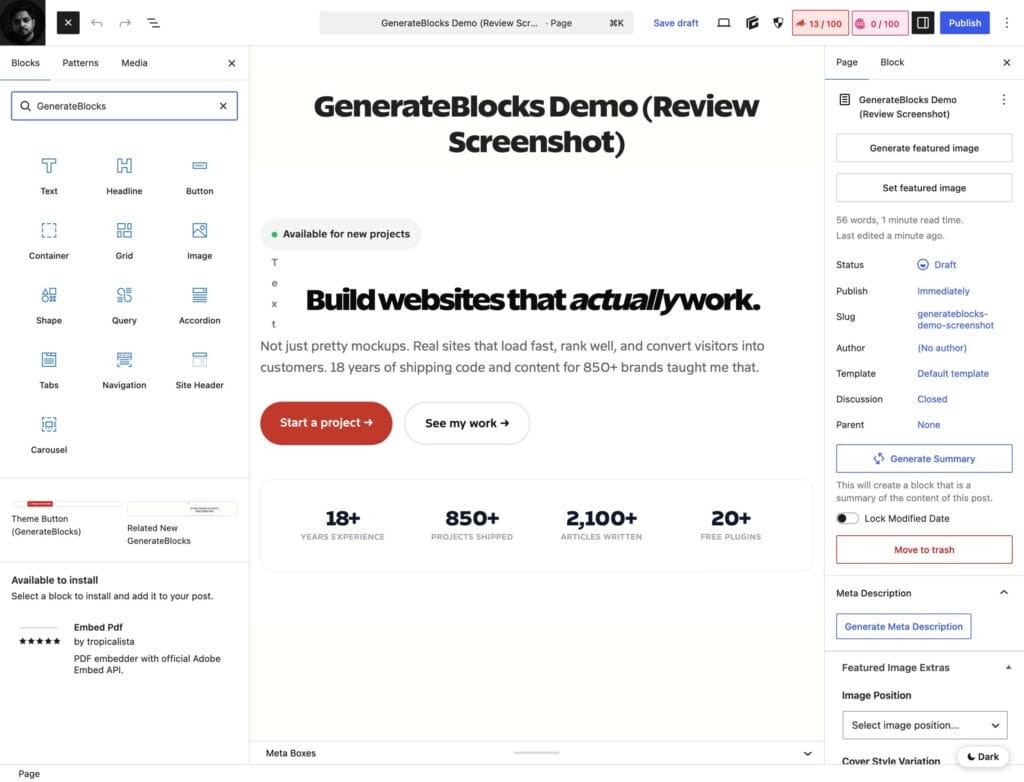
The benchmark recorded a 0.8-second LCP, a 98 mobile score and 24 KB of HTML. More important, the content remains in the WordPress editor. You may lose GenerateBlocks-specific styling if you leave, but you are not extracting a page from an opaque visual-builder document.
- Best for: publishers, developers, SEO sites, documentation and performance-sensitive builds.
- Why it wins: native blocks, lean output, global styles, conditional display, patterns and a restrained interface.
- Main catch: you need to understand layout and spacing. It gives you fewer imported designs to hide weak design decisions.
- Current price: GenerateBlocks Pro now comes only in GeneratePress One: $99/year for 1 site, $149/year for 10 sites or $199/year for 100 sites, with the theme, cloud library and GeneratePress AI included.
My full GenerateBlocks review explains the daily workflow. You can also view GenerateBlocks Pro.
Breakdance
Breakdance ranks third and is the strongest pick here for agencies and WooCommerce stores. It packages the features agencies normally assemble from several plugins: a visual site builder, forms, popups, dynamic data, conditions and a deep WooCommerce builder. Its interface is easier to learn than Oxygen, and its benchmark output stayed close to Bricks.
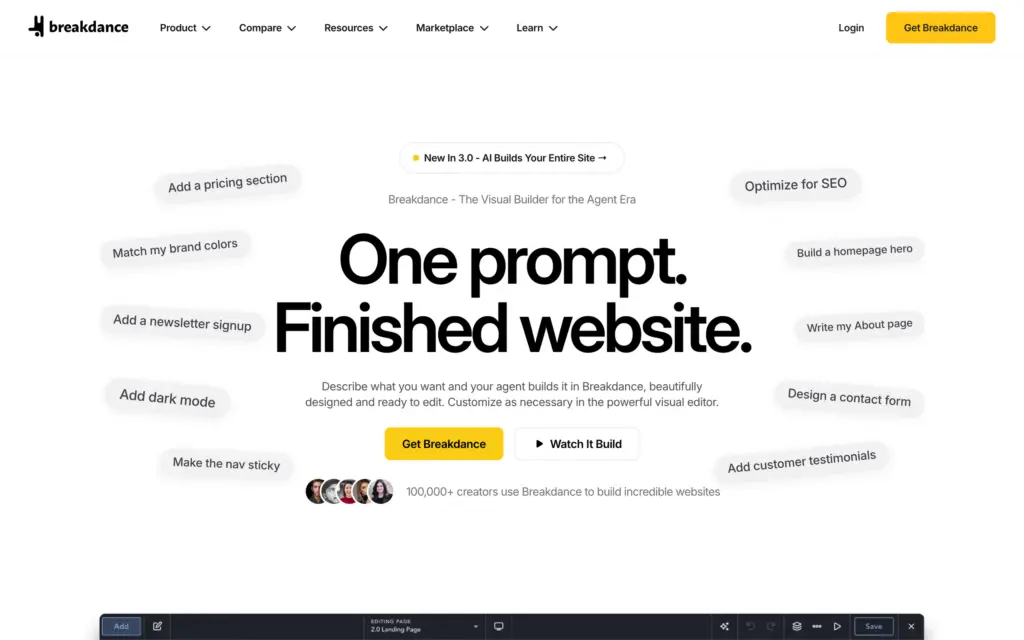
Breakdance 3.0 added an AI agent that builds a full site from a prompt, and the homepage now leads with it. The current price is $99.99/year for one website or $199.99/year for unlimited websites, with a free plan limited to 80 elements. Breakdance promises that renewals stay at the price you paid, so the “soon to be $399.99” label on the unlimited plan affects new buyers, not existing licenses.
- Best for: agencies, lead-generation sites, memberships and WooCommerce stores.
- Why it wins: 145 elements, forms, popups, dynamic data, WooCommerce, conditions and class management in one product.
- Main catch: the design is still tied to Breakdance, and the third-party ecosystem is smaller than Elementor’s.
Use Breakdance when the built-in business features replace enough plugins to justify the lock-in. View Breakdance pricing.
Spectra
Spectra ranks fourth and fits best on sites that already run Astra. It turns the block editor into a broad marketing-page toolkit without abandoning native WordPress content. It makes the most sense when you already use Astra or Brainstorm Force products, because the templates, theme controls and support ecosystem line up.
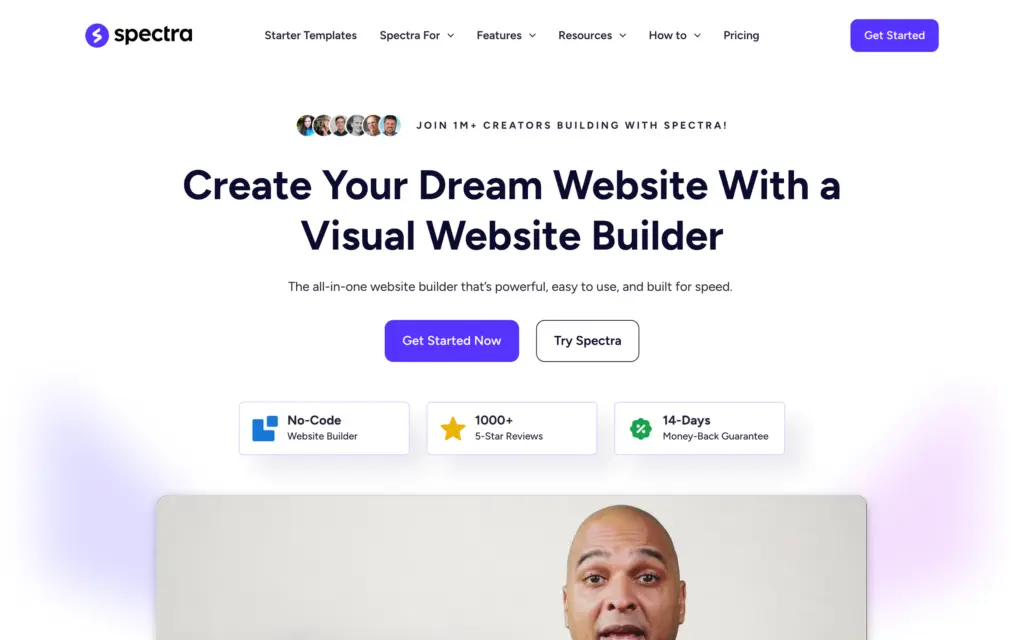
The archived test recorded a 1.1-second LCP, a 91 mobile score and 40 KB of HTML. That is heavier than GenerateBlocks but still far below Elementor and Divi in the same chart. Spectra Pro currently costs $69/year for three sites or $319 once. The plugin in this benchmark is now listed as Spectra Legacy on WordPress.org, and Brainstorm Force has launched a separate Spectra Blocks plugin, so check which one a tutorial or template refers to.
- Best for: Astra sites, marketers, template-led builds and users moving from a traditional page builder.
- Why it works: useful free blocks, templates, popup tools, dynamic content and a familiar Gutenberg workflow.
- Main catch: more blocks and marketing features also mean more settings and a larger footprint than GenerateBlocks.
Read my Spectra review, or view Spectra Pro.
Kadence Blocks
Kadence Blocks ranks fifth, in the middle of the table. It is the block-first option to consider when a team wants more guidance and ready-made patterns than GenerateBlocks provides. The editor feels like WordPress because it is WordPress. Rows, advanced text, forms, galleries, tabs and content blocks cover most business and publishing sites without forcing every page into a proprietary canvas.
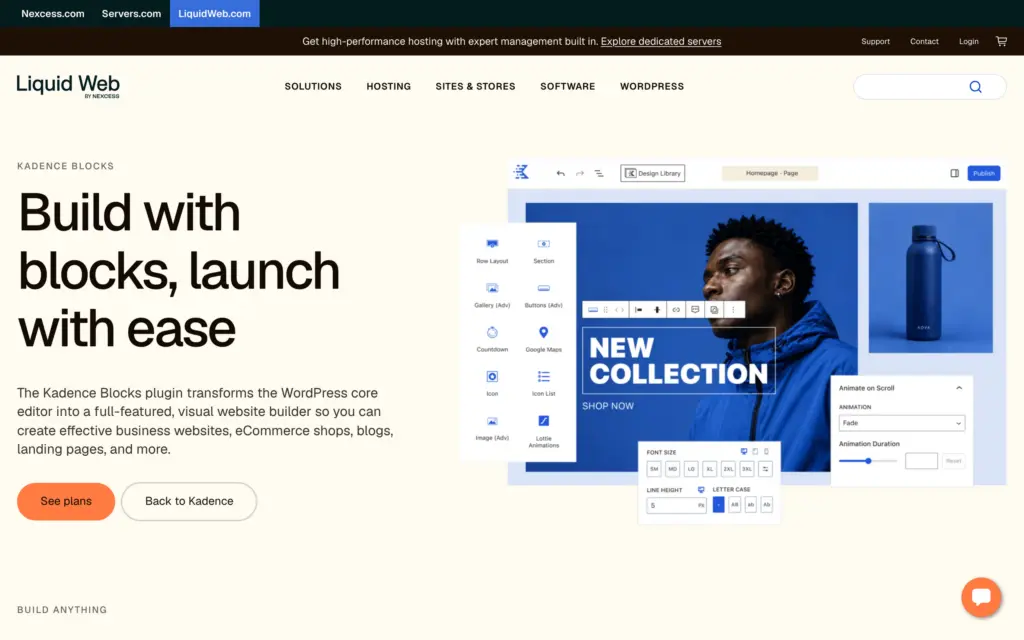
Kadence recorded a 0.9-second LCP, a 95 mobile score and 31 KB of HTML in the archived benchmark. The output is not as sparse as GenerateBlocks, but the workflow is gentler for editors and clients. That trade is worth taking on sites where the content team publishes every day. Its 84 points include full marks for workflow and client editing. It loses points on cost (0 of 5) because Liquid Web now sells it only in per-site plans, and on ecosystem and portability because the StellarWP brand retirement in May 2026 adds vendor risk.
- Best for: blogs, course sites, small businesses, content teams and clients who edit their own pages.
- Why it works: familiar block editing, useful patterns, a form block, responsive controls and low migration risk.
- Main catch: highly art-directed layouts take more work than they do in Bricks, mixing several block libraries creates duplicate controls and the product has been less settled since Liquid Web retired the StellarWP brand in May 2026.
- Current price: Kadence is now sold only through Liquid Web, in per-site plans from $99/year (Essentials, which includes Kadence Blocks Pro) to $499/year (Elite), with no lifetime or unlimited-site option.
See my Kadence Blocks vs GenerateBlocks comparison, or view Kadence Blocks.
GreenShift
GreenShift ranks sixth and is the block-first choice for sites that need interactions, scroll effects, animation, query tools and more experimental layouts. It conditionally loads assets, so adding the plugin does not automatically force every module onto every page. That architecture matters more than the size of its feature list.
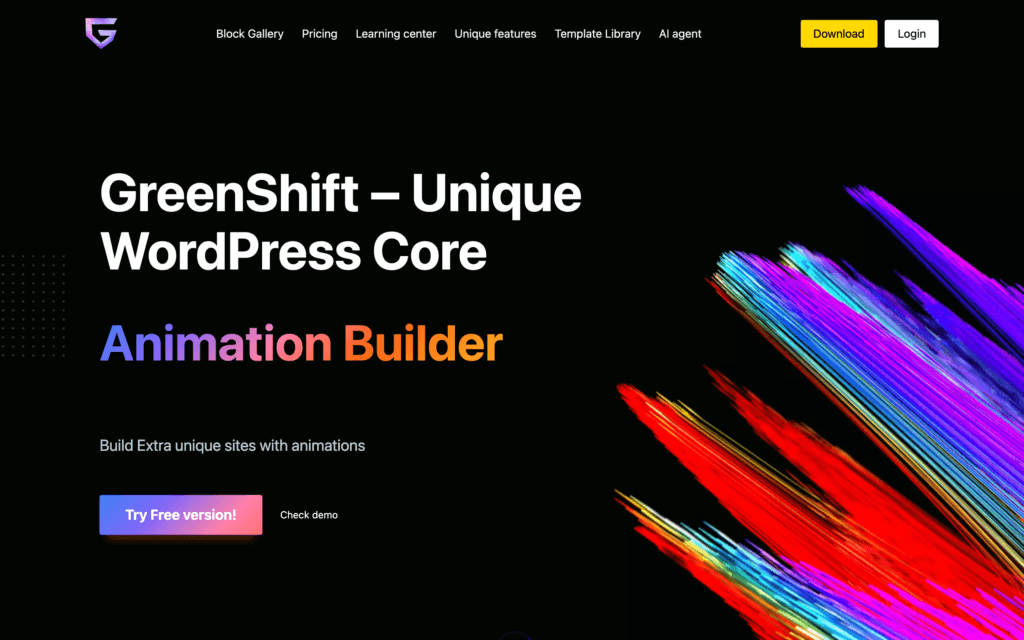
The 1.1-second LCP and 92 mobile score are good, but animation can erase that advantage fast. A builder cannot protect you from a page with five scroll triggers, autoplay video and oversized images. GreenShift gives you the controls. It also gives you enough rope to misuse them.
- Best for: animated landing pages, interactive editorial work and advanced Gutenberg users.
- Why it works: conditional assets, query tools, animation controls and native block content.
- Main catch: the interface has a steeper learning curve, and documentation is less polished than larger ecosystems.
Oxygen
Oxygen ranks seventh and suits developers who want granular control. Oxygen 6 went stable in February 2026, the current release is 6.1.3 and a 6.2 MCP Edition is in beta. The new builder shares much of its foundation with Breakdance but keeps the developer-first controls that made Oxygen useful for custom data, CSS, components, interactions and code-heavy projects. I’ve used Oxygen on client projects, and that control is the reason to pick it.
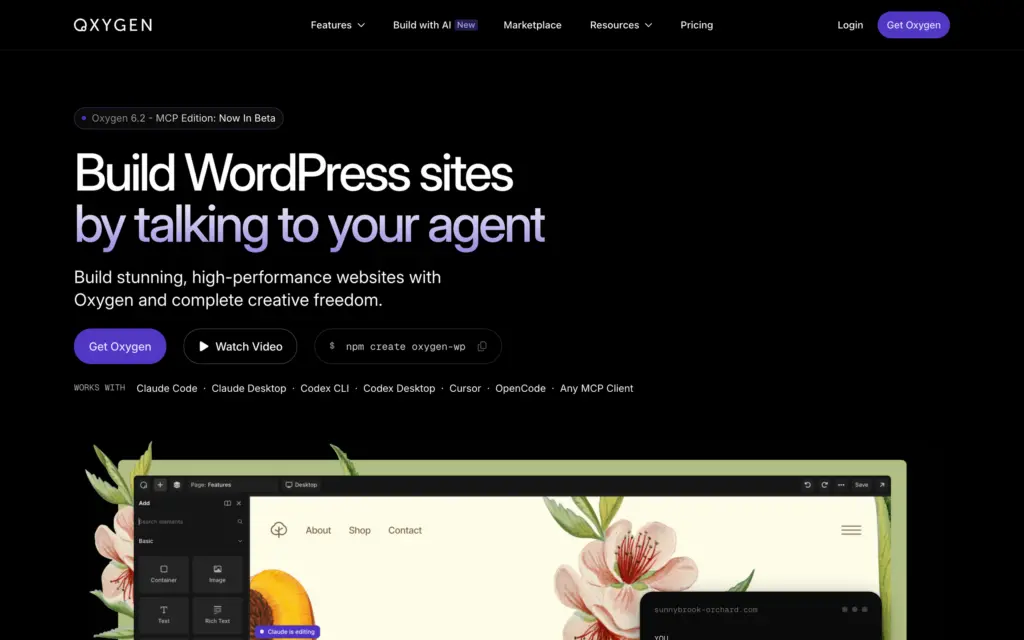
A pre-release Oxygen 6 build recorded a 0.9-second LCP, a 95 mobile score and 29 KB of HTML in the January 2026 test. The $199.50 launch bundle is still on sale past its announced July 3 end date, and it includes Oxygen 6, Oxygen Classic, the Breakdance Elements, WooCommerce and Forms add-ons, lifetime updates and unlimited sites. If you only need the builder, Oxygen 6 Basic costs $129 once for unlimited sites. Either price is strong agency value if the workflow fits your team.
- Best for: developers, dynamic sites, custom post types and teams comfortable with HTML and CSS.
- Why it works: direct control, components, interactions, code tools and an unlimited-site lifetime license.
- Main catch: the learning curve is steeper than Bricks or Breakdance, and client editing needs deliberate setup.
Beaver Builder
Beaver Builder ranks eighth and is the safest choice for a stable client handoff. It is not the flashiest option here, and that is part of its value. The interface is predictable, updates are conservative and clients can edit pages without stepping into a control panel built for front-end engineers. Agencies that maintain sites for years often value that calm more than another animation system. The newest addition, Beaver Builder AI, turns a prompt into an editable layout.
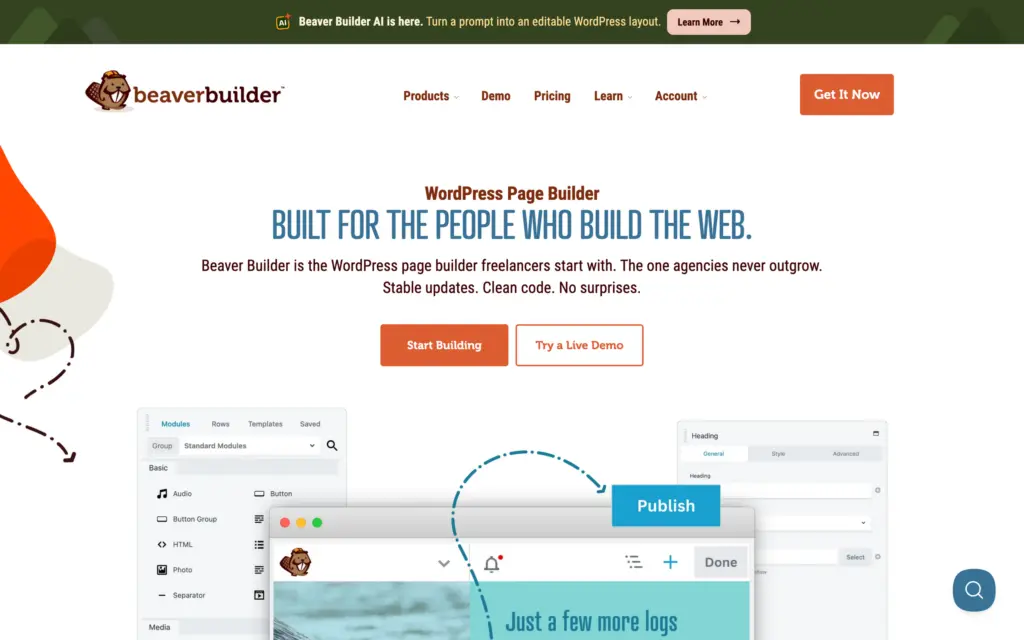
The benchmark recorded a 1.3-second LCP, an 87 mobile score and 52 KB of HTML. Current plans start at $89/year for one site, the Professional plan covers 50 sites for $299/year and unlimited sites cost $546/year, which makes Beaver Builder expensive for a large agency unless its stability reduces enough support time to pay back the difference.
- Best for: long-lived client sites, multisite work and teams that prefer stability over novelty.
- Why it works: clear editing, mature support, Beaver Themer, WooCommerce support and dependable updates.
- Main catch: agency pricing is high, and the design system feels less modern than Bricks or Breakdance.
Elementor
Elementor ranks ninth: it has the biggest ecosystem and pays for it with a performance tax. It remains the easiest builder to recommend when a beginner needs tutorials, templates, freelancers and add-ons for almost any task. That ecosystem lowers training and hiring risk. The cost is heavier output, more plugin dependencies on ambitious sites and a difficult migration when the design has spread across hundreds of pages. I’ve built many sites with Elementor and migrated many away from it.
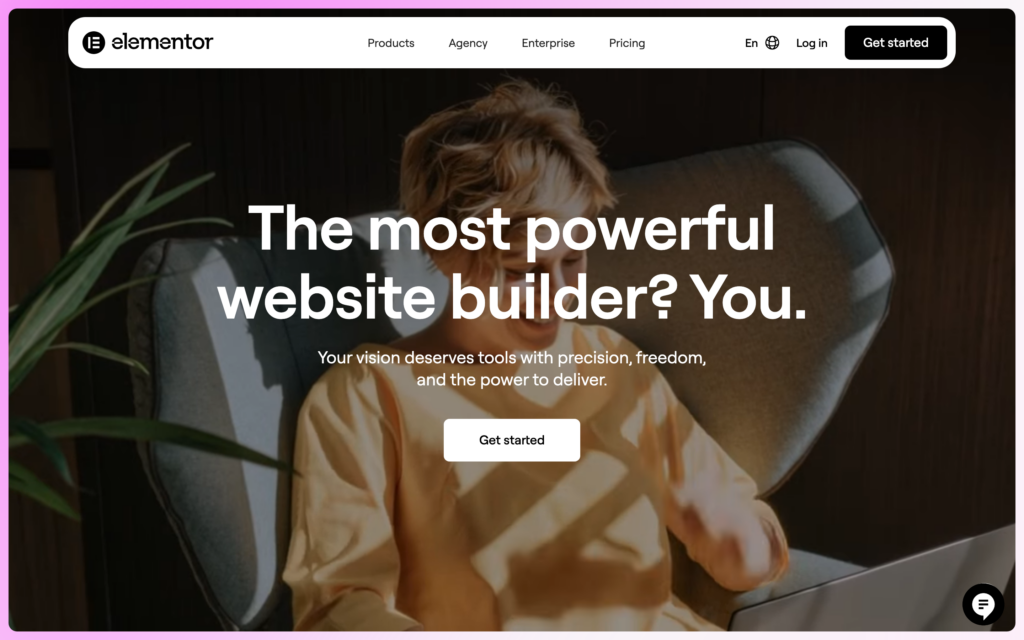
Elementor 4.0 went live on April 15, 2026. Version 4.3 added an official MCP server, and 4.3.2 is the current release. The new Atomic (V4) editor is on by default only for new installs. Existing sites keep their setup until you opt in, and legacy widgets and Atomic elements can share a page. Test V4 on staging before moving a complex existing site.
The January 2026 benchmark, which predates Elementor 4, recorded a 1.5-second LCP, an 82 mobile score and 68 KB of HTML. Those numbers do not make Elementor unusable. They mean you start with less performance headroom and need more discipline around widgets, fonts, motion effects and third-party add-ons.
- Best for: beginners, teams that hire from a large talent pool and sites that depend on the Elementor ecosystem.
- Why it works: familiar editing, deep theme building, templates, WooCommerce, forms, popups and a huge community.
- Main catch: heavier output, add-on sprawl and costly migration on large sites.
See Elementor’s plugin plans for the builder itself.
Divi
Divi ranks tenth and offers the best lifetime value for template-led agencies. Divi 5 left beta on February 26, 2026, the current release is 5.13 from September 15 and 5.12 added AI Agents. The rewrite brings a faster builder, a modern storage model, improved presets, loops, interactions and a cleaner path for future features.
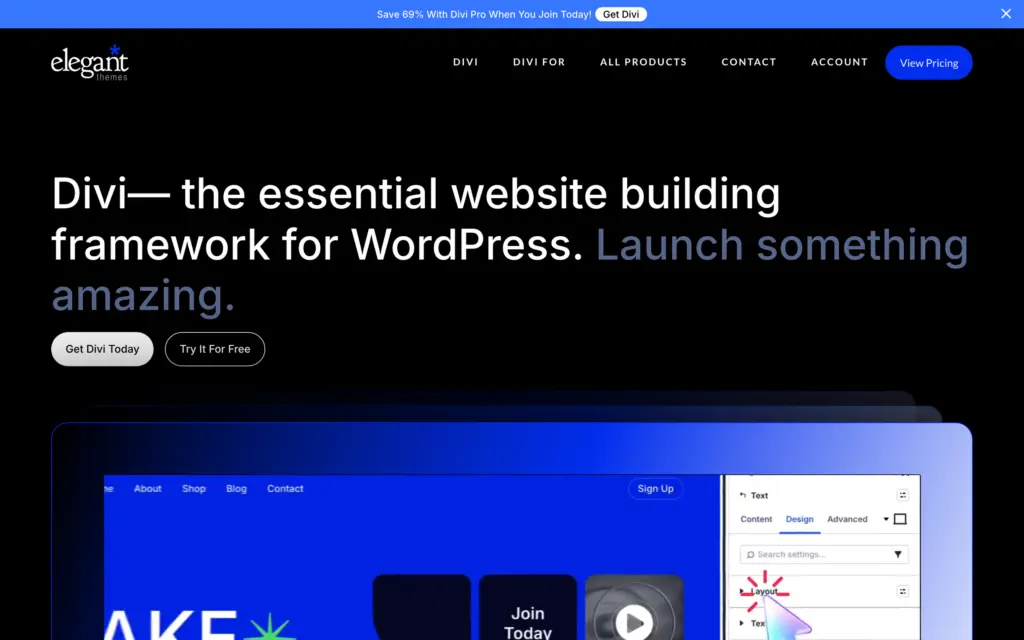
Divi was the slowest builder in the January 2026 comparison, which predates Divi 5’s stable release, with a 1.7-second LCP, a 77 mobile score and 84 KB of HTML. Its commercial case is different: $89/year or $249 once covers unlimited websites. An agency that reuses Divi layouts can recover that cost quickly, but a future migration still means rebuilding proprietary layouts.
- Best for: template-led agencies, freelancers with many small sites and existing Divi teams.
- Why it works: unlimited-site licensing, a large layout library, mature support and the production-ready Divi 5 foundation.
- Main catch: the output is heavier, and Divi-specific layouts carry substantial lock-in.
Five capable builders I compared but did not benchmark
Kirki (formerly Droip), Thrive Architect, Brizy, Stackable and Zion Builder remain useful in specific workflows, but they were not represented in the same archived performance charts. I will not give them numeric scores that look comparable to the 10 benchmarked products.
| Builder | Best fit | Reason to choose it | Reason to skip it |
|---|---|---|---|
| Kirki (formerly Droip) | Design-led agencies | Freeform canvas, dynamic content, interactions and cleaner-output ambitions | Smaller ecosystem, an April 2026 rename and less long-term production history |
| Thrive Architect | Conversion pages | Landing pages and conversion tools tied to Thrive Suite | Strong suite lock-in and less attractive for general site building |
| Brizy | Beginners and quick campaigns | Friendly editor and cloud workflow | Smaller ecosystem and fewer advanced data workflows |
| Stackable | Block-editor marketing sites | Native blocks, patterns and broad design controls | Feature overlap if you already use Kadence or Spectra |
| Zion Builder | Advanced visual design | Fast interface and granular controls | Smaller community, template library and support footprint; no update since January 2026 |
The compact group is not a punishment. It is an evidence boundary. Choose Kirki for its canvas, Thrive Architect for conversion tooling or Stackable for native blocks, but do not read an invented decimal score as proof.
Legacy and maintenance-risk builders
A builder can remain functional and still be a poor foundation for a new project. WPBakery, Visual Composer, Themify Builder, Live Composer and Cwicly belong in a separate risk discussion because vendor direction, legacy content models or migration cost matter more than another feature list.
| Builder | Practical status | What I would do |
|---|---|---|
| WPBakery | Active but tied to a legacy shortcode-heavy model | Maintain inherited sites; do not choose it for a new long-lived build |
| Visual Composer | Active product with a smaller role in the current market | Keep only when an existing workflow depends on it |
| Themify Builder | Mature theme ecosystem with limited momentum | Use for existing Themify sites, not a fresh platform decision |
| Live Composer | Limited recommendation and a small ecosystem | Plan a replacement before expanding the site |
| Cwicly | Maintenance-only | Do not start a new project on it; budget a migration for existing sites |
Cwicly is the clearest warning. A builder can produce good pages and still expose you to vendor risk. The practical question is not whether the old site loads today. It is whether you can support, edit and migrate it three years from now without a full emergency rebuild.
WordPress page builders on my watchlist
Mosaic and Builderius are active products with interesting ideas, but they haven’t been through the same benchmark as the ranked group, so they sit on a watchlist instead of at the bottom of a fake 23-product ranking. Etch is here for a different reason: I’m watching whether its WordPress version keeps getting built.
Etch
Etch is the builder on this watchlist I’d avoid for now. Digital Gravy, the team behind Automatic.css and Frames, sold it as a visual development environment that writes clean core blocks and would eventually replace your page builder, block theme, custom field plugin, SEO plugin and performance plugin. Early buyers paid $499 to $1,499 up front in lifetime deals before a stable version existed.
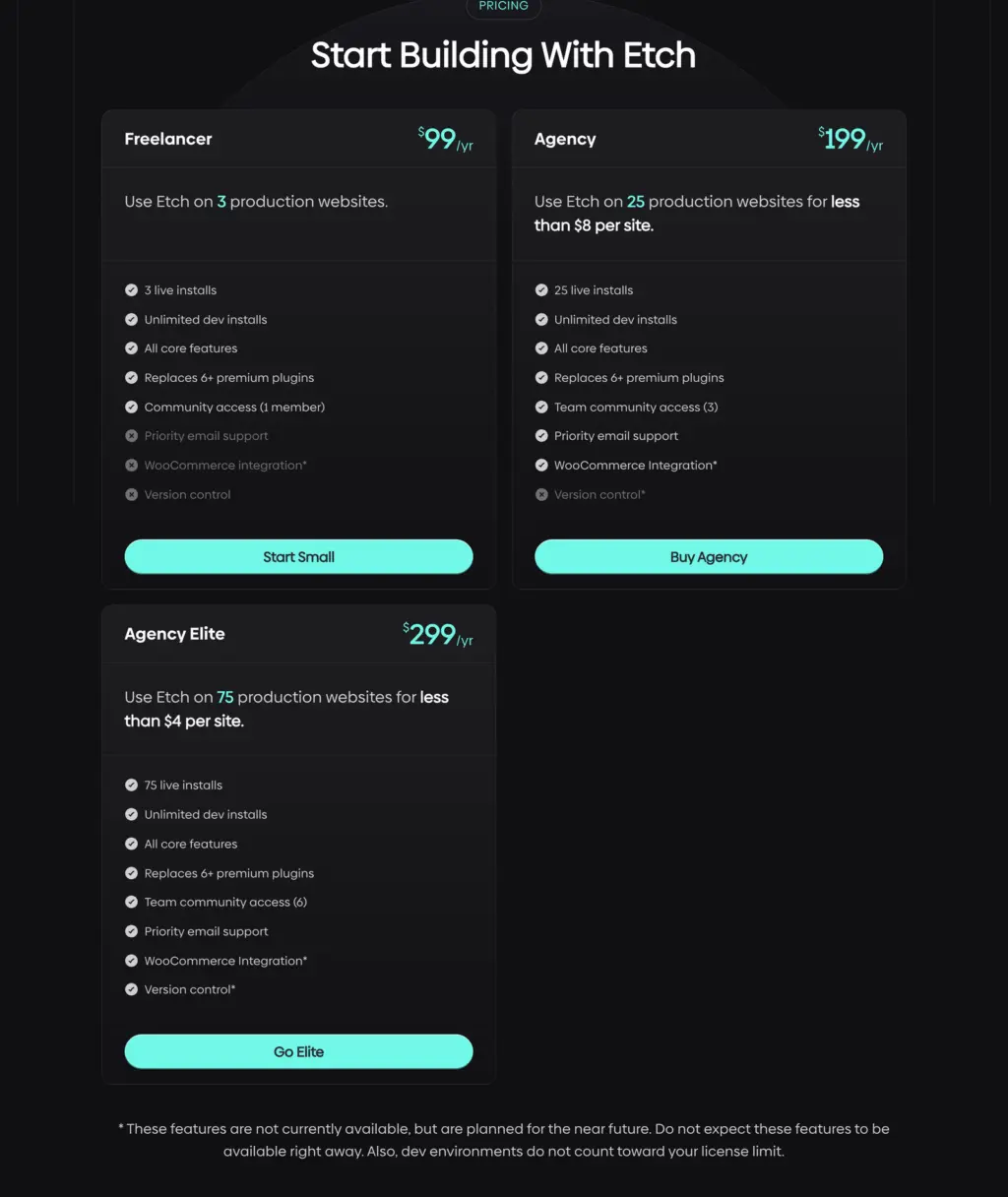
The product arrived late and incomplete. Etch 1.0 shipped on January 30, 2026, about four months after its own September 2025 target, and the pricing FAQ still promises September 2025. WooCommerce integration and version control have carried a “planned for the near future” asterisk on the pricing page since at least August 2025, and neither had shipped by version 1.6.7 on September 3, 2026. Multi-user and dual-monitor support are listed as planned too, with no changelog entry for either.
In September 2026, the focus moved: Digital Gravy introduced Etch Studio, a hosted version of the same builder that runs without WordPress and publishes static sites to Cloudflare. Its own FAQ says most new features will be built in Studio first and ported to Etch for WordPress later, with no timeline. Releases of the WordPress plugin dropped from 9 in April to 2 in August and 1 in September, each described as a small maintenance update. Studio’s pricing page sells one $75/month plan covering static and WordPress sites, and existing EtchWP customers get a lower rate. Digital Gravy says Studio will never get a lifetime deal.
Digital Gravy says Etch for WordPress isn’t dead, and the parts that shipped are good: Auto Block Authoring, components, loops, a content hub and a public API. The lifetime deals ended on July 15, 2026. Annual plans now cost $99/year for 3 production sites, $199/year for 25 and $299/year for 75. That isn’t expensive next to Bricks. The problem is what the money buys: a WordPress plugin whose roadmap now waits on a different product. Until WooCommerce and version control ship and the WordPress version gets new features at the same pace as Studio, build client sites on Bricks for visual work or GenerateBlocks for native blocks.
Mosaic
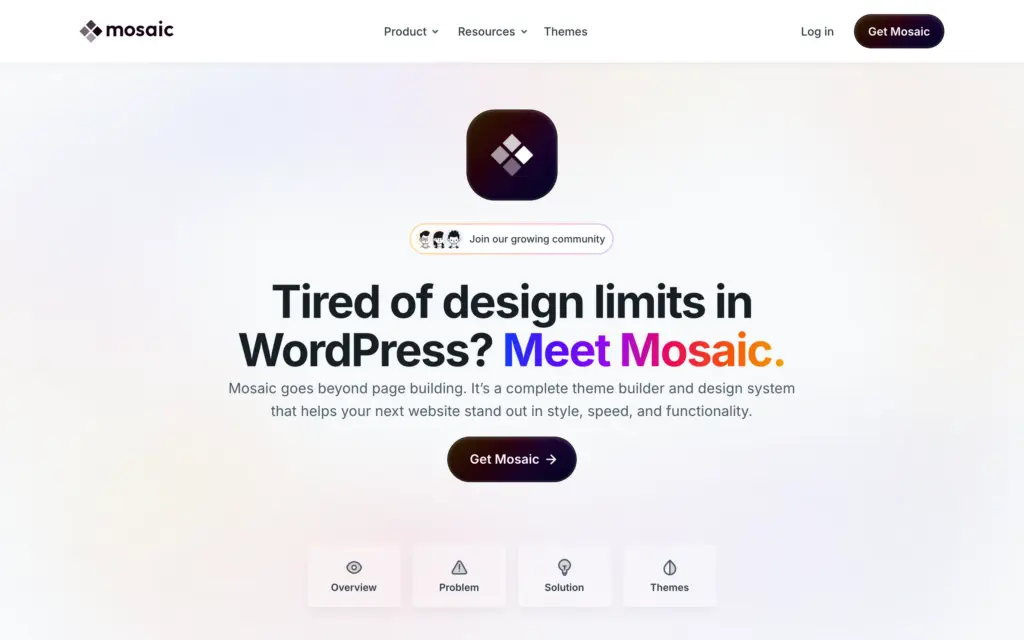
Mosaic is a visual theme builder and design system that reached its first stable release after a beta that began in January 2026. The current version is 1.0.9 from September 22. Active pricing includes a free first year on Personal and Creator plans, then $39/year for one site or $149/year for 10 sites. The Agency plan is $199 once during early-bird pricing, which runs to the end of 2026, against a standard $499. Forms, sliders, tabs, loops, components, interactions, ACF support and semantic list controls are present. I still want broader production evidence before ranking it.
Builderius
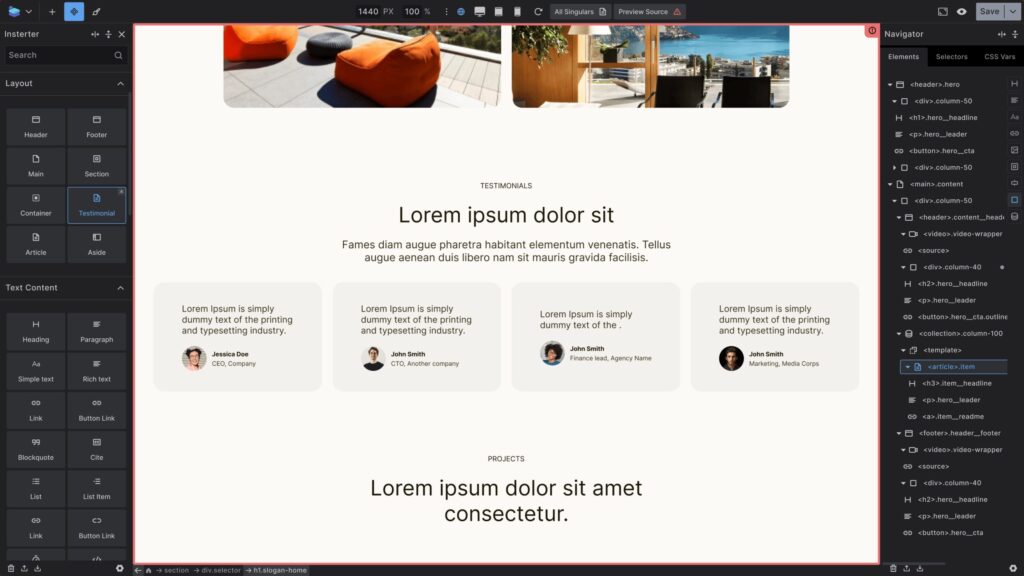
Builderius Professional is on sale again at $219 once for unlimited sites, and the free version and Pro demo remain available. The product now centers Sense AI, a release system for staging and rollback, WordPress or static deployment, GraphQL data and component architecture, and its community has grown past 2,000 developers. WooCommerce and Gutenberg integration are still planned, so it stays on the watchlist rather than in the main buyer ranking.
Three-year cost comparison
License price changes the answer once you manage several sites. The table uses current public prices and assumes the annual rate stays unchanged for three years. Taxes, introductory renewals, add-ons and migration labor are excluded. A cheap license can still become expensive when leaving the builder requires a complete rebuild.
| Builder plan | Sites | Current price | Three-year license cost | Cost warning |
|---|---|---|---|---|
| Bricks Starter | 1 | $79/year | $237 | A rebuild is still needed if you leave Bricks |
| Bricks Agency | Unlimited | $249/year | $747 | The $599 lifetime plan is cheaper after about 2.4 years |
| GeneratePress One | Up to 10 | $149/year | $447 | Native blocks reduce migration risk |
| Kadence Essentials | 1 | $99/year | $297 | Priced per site, so it adds up across client sites |
| Breakdance Pro | 1 | $99.99/year | $299.97 | Builder lock-in; renewals keep the purchase price |
| Breakdance Pro | Unlimited | $199.99/year | $599.97 | New buyers may later pay $399.99/year ($1,199.97 over three years) |
| Oxygen launch bundle | Unlimited | $199.50 once | $199.50 | Still sold past its announced end date; confirm before checkout |
| Oxygen 6 Basic | Unlimited | $129 once | $129 | Builder only, without the add-ons |
| Spectra Pro | 3 | $69/year | $207 | The $319 one-time plan costs more within three years |
| Divi | Unlimited | $89/year | $267 | The $249 lifetime plan is cheaper within three years |
| Beaver Builder Starter | 1 | $89/year | $267 | Stable workflow, but expensive to scale |
| Beaver Builder Professional | 50 | $299/year | $897 | Covers most agencies below the Unlimited tier |
| Beaver Builder Unlimited | Unlimited | $546/year | $1,638 | Highest agency license cost in this table |
Do not buy lifetime access only because the break-even date looks attractive. A lifetime license is valuable when the vendor ships updates, your team likes the workflow and the content model will not trap you. Otherwise, the sunk cost becomes a reason to delay a necessary migration.
Choose by lock-in, not only by demo quality
The editor demo lasts 20 minutes. The content model can stay with you for 10 years. Native block tools such as GenerateBlocks, Kadence, Spectra, GreenShift and Stackable keep more of the page inside the WordPress editor. Bricks, Elementor, Divi, Breakdance, Oxygen, Beaver Builder and similar visual systems give you a richer canvas but make the design dependent on that system.
- Choose Bricks when a visual design system, components, dynamic data and WooCommerce control justify a future rebuild risk.
- Choose GenerateBlocks when lean output and native WordPress ownership are the priority.
- Choose Kadence Blocks when editors need patterns, forms and a friendlier content workflow.
- Choose Breakdance when built-in forms, popups and WooCommerce replace several paid plugins.
- Choose Elementor when training resources and hireable talent matter more than the performance and migration tax.
- Keep an inherited builder when it is stable and the rebuild has no business case. A migration is not automatically an upgrade.
There’s also a code-first route that keeps sections inside the block editor. GT Page Blocks Builder is a free plugin I built, so it isn’t in the benchmark or the ranking above. It stores each section’s HTML, CSS and JavaScript as a native block with a live preview, a reusable section library with revisions and optional AI help on your own API key. It suits people who write their own markup. It carries its own lock-in too: deactivate it and those sections stop rendering, although the source stays in the database.
My WordPress page builder flood analysis explains why export is not interoperability. If a vendor says you can export a template, ask whether another builder can import and edit it as native content. Usually, the answer is no.
Does a WordPress page builder affect SEO?
A WordPress page builder can affect technical performance, accessibility, HTML structure and maintainability. Core Web Vitals contribute to Google’s ranking systems, but they do not override relevance, content quality or links. Choose a builder that lets you produce fast, accessible pages without unnecessary scripts and markup, then judge the finished site rather than the logo on the plugin screen.
A clean builder cannot rescue a 4 MB hero image, six tracking scripts and twenty animated widgets. A heavier builder can still pass Core Web Vitals when the design is restrained and the hosting is good. The builder sets the baseline. Your implementation decides how much of that baseline survives.
Frequently asked questions
These answers cover the decisions that change the recommendation: visual control, speed, native content, beginner fit, WooCommerce, SEO, free options and migration.
What is the best WordPress page builder in 2026?
Bricks is my top visual WordPress page builder because it combines design control, dynamic data, WooCommerce tools and lean output. GenerateBlocks is better when native blocks and portability matter most. Breakdance is the stronger all-in-one pick for agencies and WooCommerce stores.
Which WordPress page builder is fastest?
GenerateBlocks was fastest in my archived same-content comparison, with a 0.8-second LCP, a 98 mobile PageSpeed score and 24 KB of HTML. Bricks, Kadence Blocks and Oxygen followed closely. Treat the figures as directional because hosting, assets, versions and implementation can change the result.
What is the best WordPress page builder for beginners?
Elementor has the easiest learning path because its template, tutorial, add-on and freelancer ecosystem is larger than any rival. Kadence Blocks suits a content site when you want to stay inside the native WordPress editor and reduce long-term migration risk.
Is Gutenberg better than a page builder?
Gutenberg with GenerateBlocks, Kadence Blocks, Spectra, GreenShift or Stackable is better for native content and easier future migration. A visual builder such as Bricks or Breakdance is better when the site needs advanced theme templates, dynamic data, interactions and precise visual control in one interface.
Which page builder is best for WooCommerce?
Breakdance is my first pick for WooCommerce agencies because forms, popups, conditions, dynamic data and store templates are included. Bricks is better for developers who want a class-based design system and granular control. Elementor remains useful when the store depends on its large add-on ecosystem.
Do page builders hurt WordPress SEO?
A page builder can affect HTML structure, accessibility, page weight and Core Web Vitals, but it does not decide rankings by itself. Relevance, content quality, links, hosting, images, fonts and scripts still matter. Pick a builder with enough performance headroom, then optimize the finished page.
What is the best free WordPress page builder?
The native block editor plus the free versions of GenerateBlocks or Kadence Blocks is the safest free starting point for most sites. Elementor Free is easier for visual editing and templates, but it carries more output and migration overhead. Choose the content model before comparing widget counts.
Can I switch WordPress page builders without rebuilding?
Usually not. You can run two builders during a gradual migration, but each old page normally needs to be recreated in the new system. Native block plugins reduce the damage because the content remains in WordPress. Exporting a template rarely makes it editable in a competing builder.
Are lifetime page builder licenses worth it?
A lifetime license is worth considering when you manage several sites, trust the vendor and expect to use the builder beyond the break-even date. Divi’s $249 lifetime plan beats three years of its $89 annual plan. Bricks Agency lifetime beats its $249 annual plan after about 2.4 years.
Related WordPress builder guides
If you are still choosing between native blocks and a visual builder, start with my experience with WordPress page builders. For the setup I use on publishing sites, see my WordPress block editor setup. If the project is a campaign rather than a full site, compare the best landing page builders instead.
If you already have a slow or locked-in site, changing builders is only one option. A careful audit may find that images, fonts, scripts, hosting or a bad template cause more damage than the builder. Rebuild only when the performance, editing, maintenance or licensing gain can repay the migration.
Tell Google you want more of this.
Add Gaurav Tiwari as a preferred sourceOne tap, and this site shows up more often in your own Top Stories, AI Overviews and AI Mode. Remove it any time.
Disclaimer: This site is reader-supported. If you buy through some links, I may earn a small commission at no extra cost to you. I only recommend tools I trust and would use myself. Your support helps keep gauravtiwari.org free and focused on real-world advice. Thanks. - Gaurav Tiwari