by
I made the first commit to GT Extensions for FluentCart on November 19, 2025. Version 1 had 7 small modules, such as custom button text and a sold counter. One year later to the day, it has 39 modules and 6 payment gateways, and I run my own stores on it.
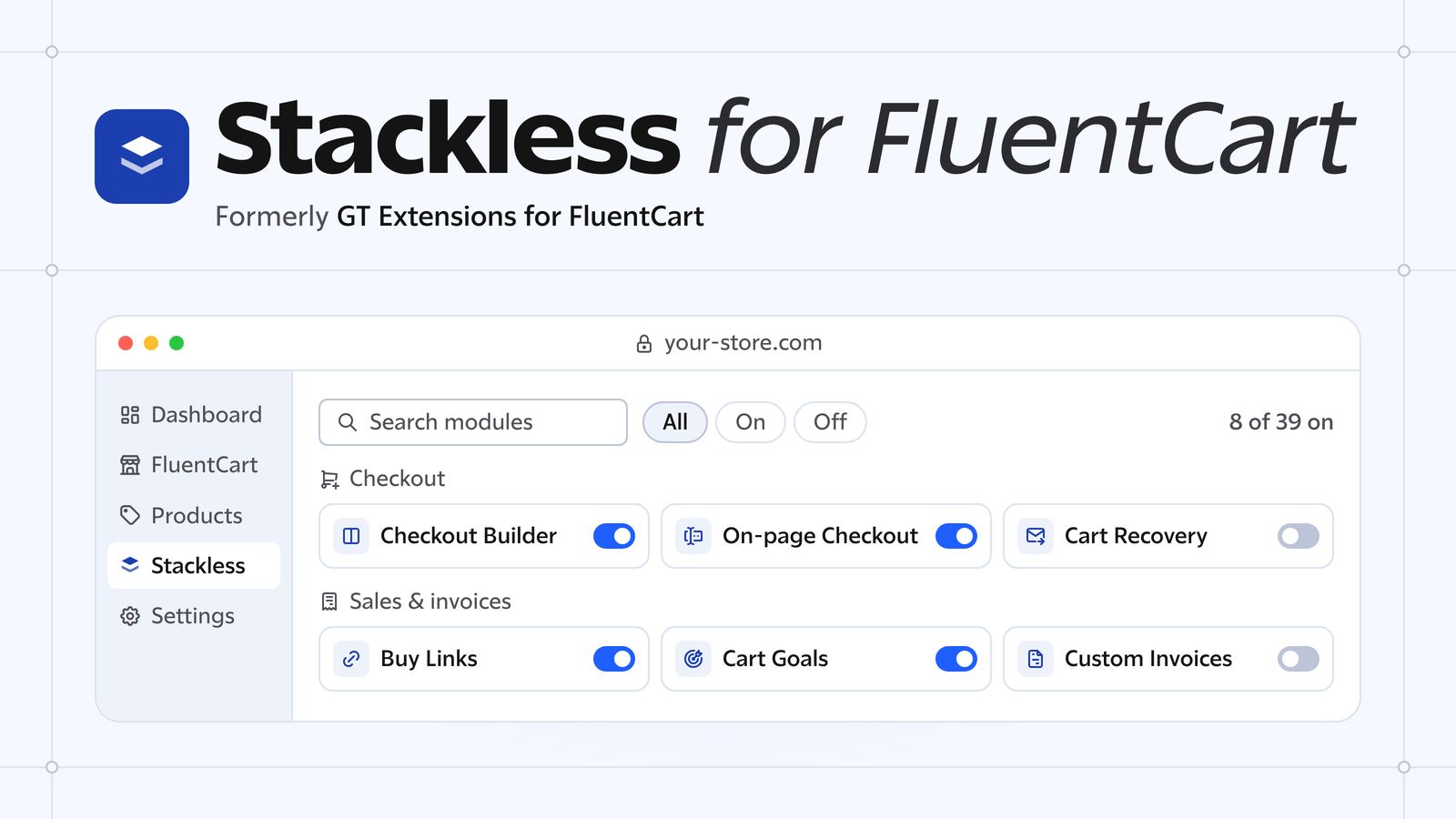
To celebrate the anniversary and the version 3.0 – I have decided one more thing; I’m unifying the branding by naming the GTFC to Stackless for FluentCart. This will be in line with other Stackless plugins like Stackless for WooCommerce and Stackless for EDD.
Don’t worry. Nothing changes for my customers – old or new. Other than the new features, it is just the branding change.
If you’re new here, Stackless for FluentCart adds those modules to FluentCart. You switch on the ones you need and leave the rest off.
V3 also brings new features, and these are the ones I’d look at first:
- Stripe Managed Payments, where Stripe becomes the seller of your digital products and handles sales tax and VAT
- Software Licensing, for selling plugins and themes with license keys and automatic updates
- Payment method and currency links, which open checkout with one payment method or a fixed currency
- A rebuilt dashboard with every module on one screen
- Spanish, German, Italian and French translations
Why GT Extensions Is Now Stackless
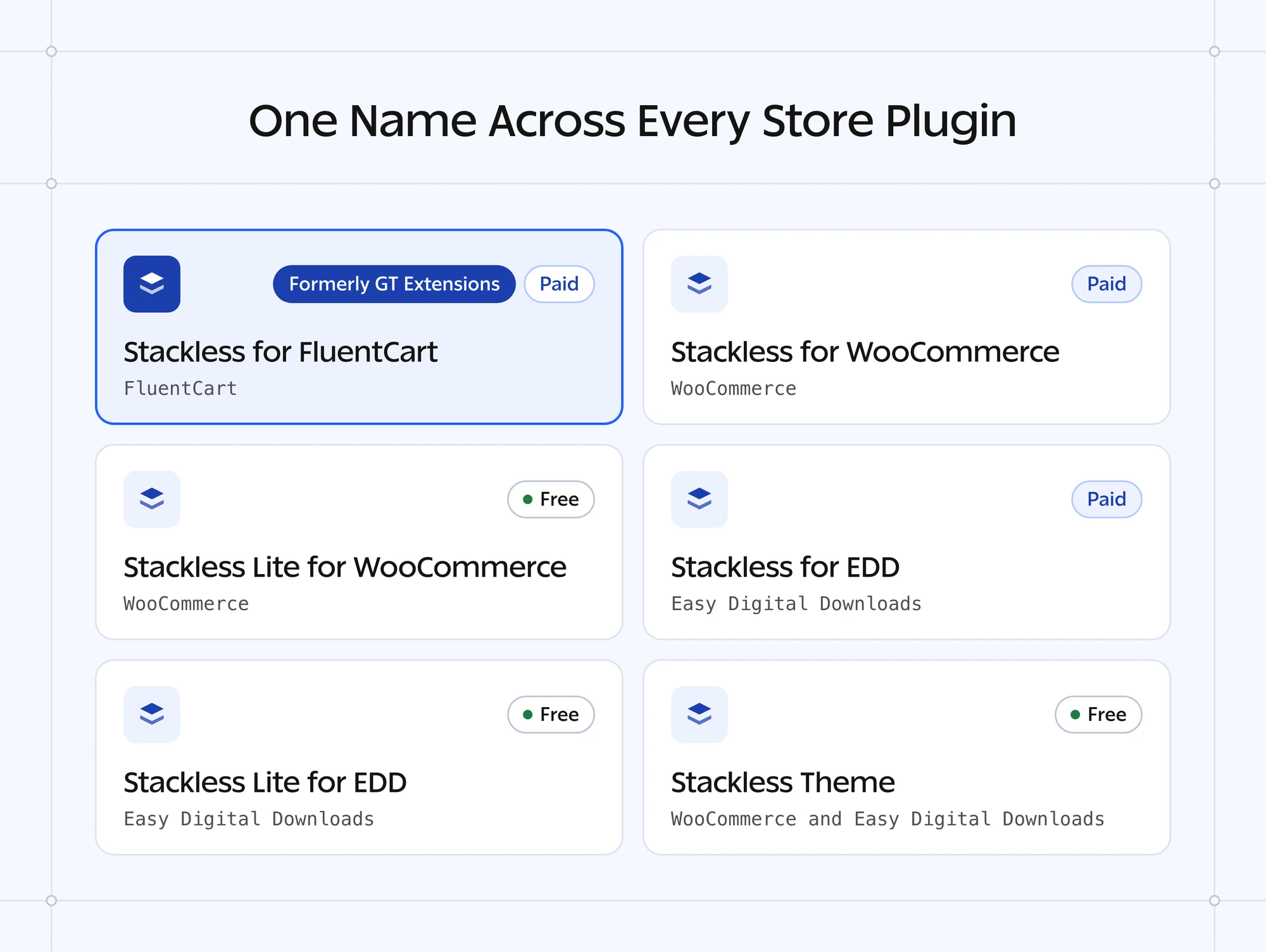
The reason is branding. I already build the same kind of plugin for WooCommerce and Easy Digital Downloads, and those are called Stackless. The FluentCart plugin was the only one in the family with a different name.
These are its sister products:
- Stackless for WooCommerce and its free edition, Stackless Lite for WooCommerce
- Stackless for EDD, for Easy Digital Downloads, and its free edition, Stackless Lite for EDD
- The Stackless theme, a free WordPress theme for WooCommerce and Easy Digital Downloads stores
All of them follow one idea: one plugin does the work of a stack of add-ons. With the new name, the FluentCart plugin sits beside them and the whole family is in sync.
So the name Stackless is there for branding and marketing only. It puts every product in the family under one name, and it says nothing new about the code.
What Changes for Existing Customers
Nothing changes for you if you already own the plugin, and nothing changes for anyone who buys it from now on. New customers get the same plugin and the same license under the new name.
The code still says GT Extensions for FluentCart in many places, and I left it that way so nothing breaks. A branding change that breaks your checkout would be a strange way to do marketing.
This is what you’ll notice after the update:
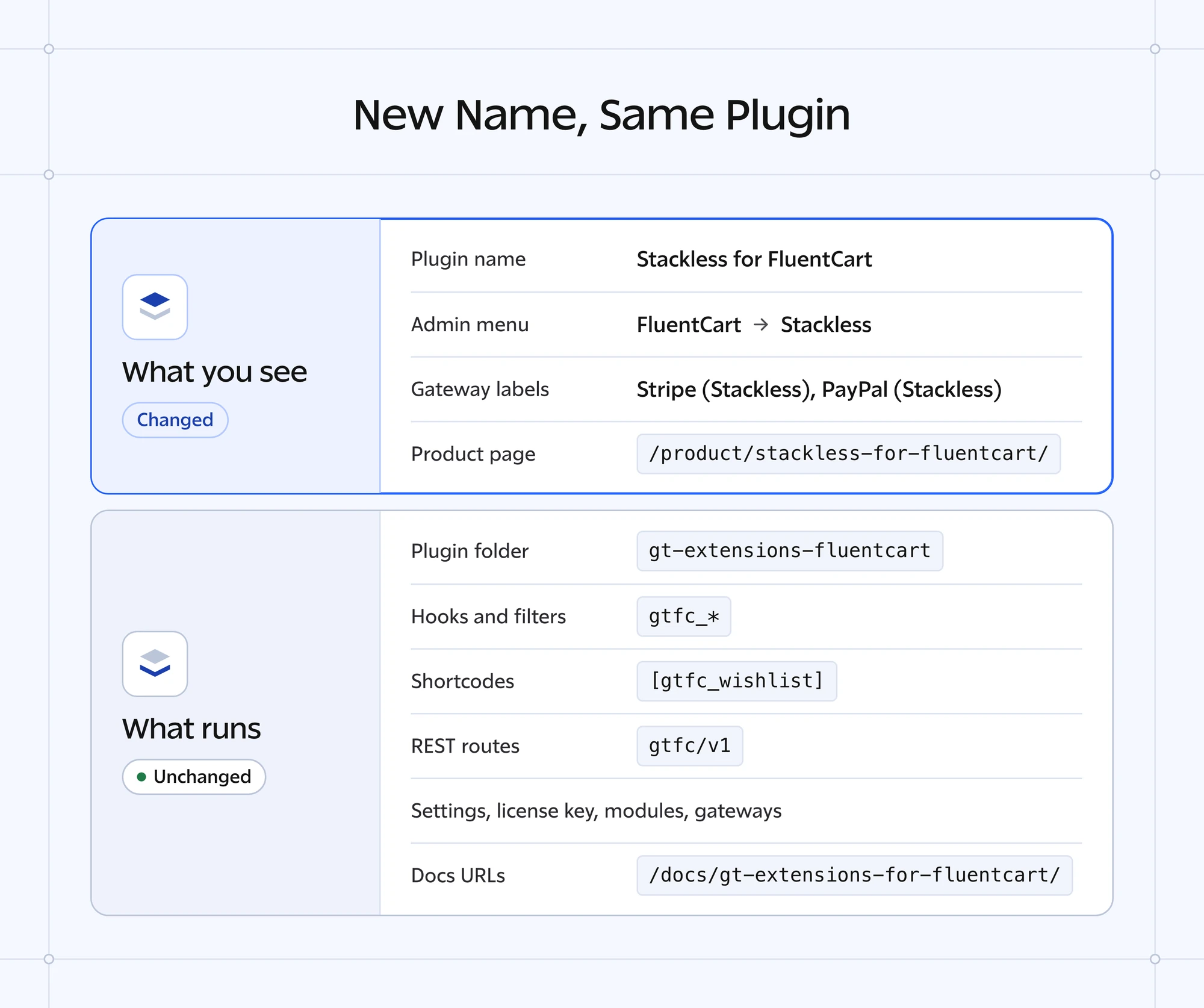
- The plugin is listed as Stackless for FluentCart on your Plugins screen.
- The admin menu is FluentCart → Stackless.
- Gateways carry a Stackless label in the admin, such as Stripe (Stackless) and PayPal (Stackless). Buyers still see plain names at checkout, such as Card or PayPal.
- The product page has a new address, and the old one redirects to it.
And this is what stays exactly as it was:
- The plugin folder,
gt-extensions-fluentcart, and the ZIP file name - Your settings, license key and switched-on modules
- Payment gateways with their connections, webhooks and records
- Shortcodes such as
[gtfc_wishlist], blocks,gtfc_hooks and filters, andgtfc/v1REST routes - Docs and changelog URLs, which keep
gt-extensions-for-fluentcartin the address
Custom code and CSS written against the plugin keep working, because I renamed nothing in the code.
The folder name is the same, so WordPress treats V3 as a normal update of the plugin you already have. I recommend a backup before you update a live store, as with any update.
After the update, admins see a one-time notice about the new name. Click Got it, hide this and it doesn’t come back. The rename guide has the full list of what changed.
What’s New in Stackless for FluentCart V3
Besides the name, V3 has 4 changes you’ll see in your admin. I’ll take them one at a time.
Stripe Managed Payments
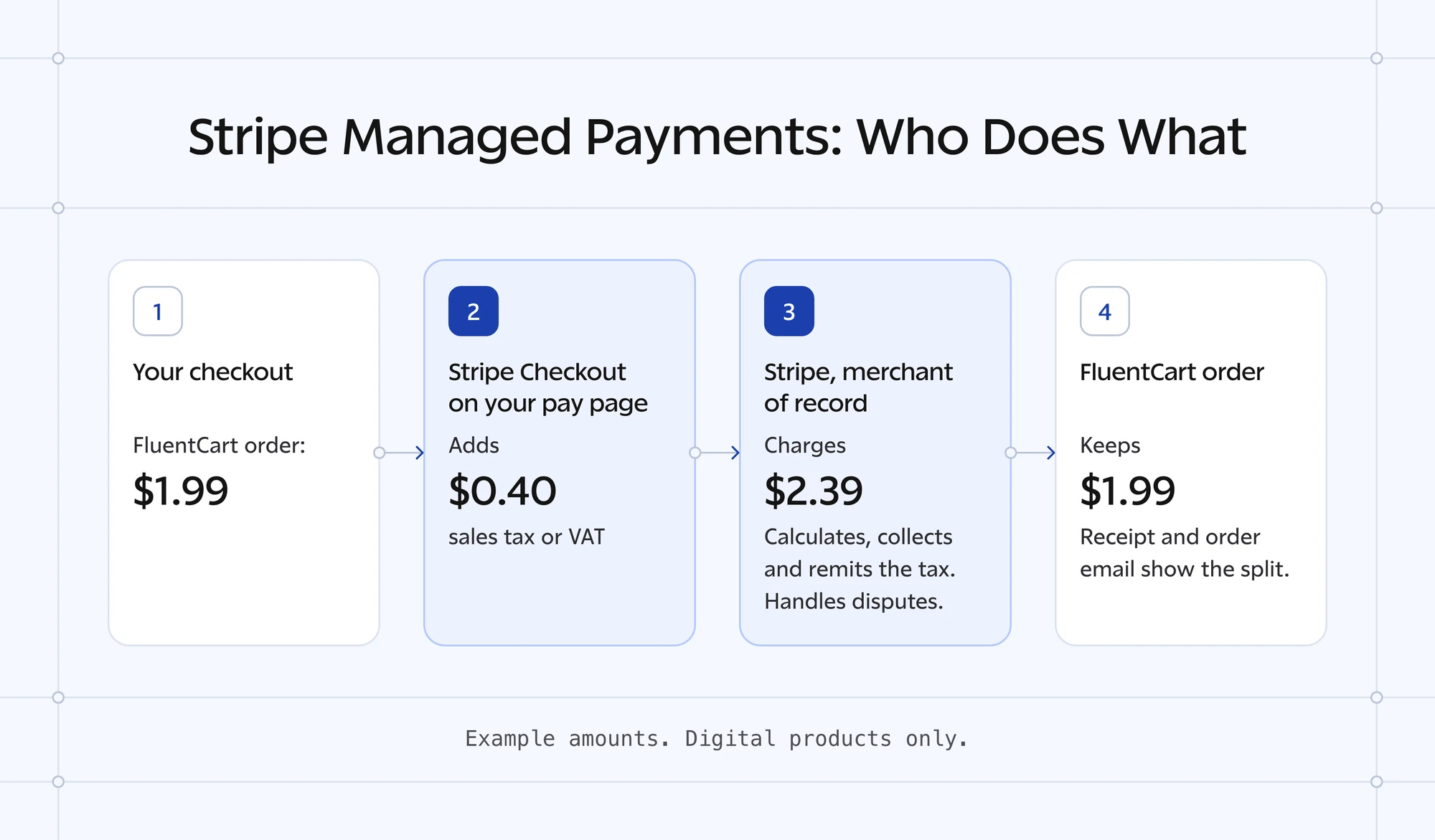
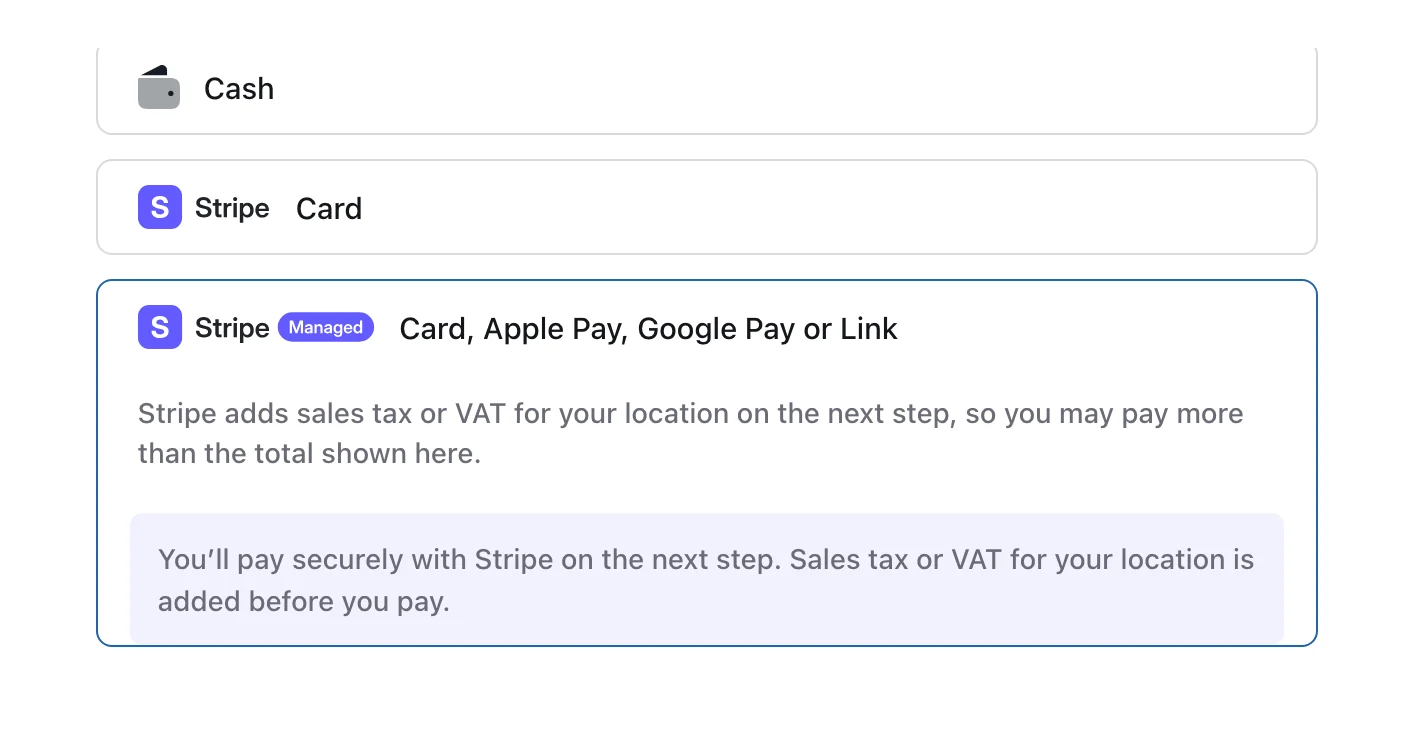
Stripe Managed Payments makes Stripe the merchant of record for your digital products. That means Stripe is the legal seller, so Stripe works out sales tax and VAT, collects it and pays it to the tax authorities.
Without it, every buyer in another country brings a tax rule you’re meant to register for, charge and file. Taking cards through Stripe doesn’t change that, because your business is still the seller on every sale.
With this gateway, buyers pay in Stripe Checkout on a page of your own store. Stripe also handles fraud and disputes and bills subscriptions through Stripe Billing. Stackless keeps FluentCart orders, renewals, refunds and cancellations in step.
This is the order I’d set it up in:
- Activate Managed Payments in your Stripe Dashboard under Settings → Managed Payments. Stripe reviews each account before it can take payments this way.
- Set up Stripe (Stackless) with its API keys and webhook. Managed Payments uses the same keys, so there are no new ones to enter.
- Go to FluentCart → Stackless, open the Payment Gateways settings, tick Stripe Managed Payments and save.
- Open FluentCart → Settings → Payments, choose Manage on Stripe Managed Payments (Stackless), turn on Payment Activation and pick your Stripe tax code.
It has limits you should know before you switch it on:
- Digital products only. The gateway hides itself when the cart needs shipping, holds a Service Product or has more than one subscription.
- FluentCart tax should be off for products you sell this way, or buyers are taxed twice. Stackless doesn’t block that, so I recommend checking your tax settings before you go live.
- No first-payment discount on subscriptions. Stripe Billing charges at least one full billing cycle on the first payment.
I’d keep Stripe (Stackless) switched on beside it. Carts that Managed Payments can’t take then still have a card option. The Stripe Managed Payments guide covers tax codes, subscriptions and refunds.
Software Licensing
Software Licensing lets you sell plugins and themes from FluentCart with license keys, site limits and automatic updates. It is for developers who sell their own software.
That job usually takes a separate licensing plugin, with a second customer list to keep in sync with your store. Here it happens inside FluentCart.
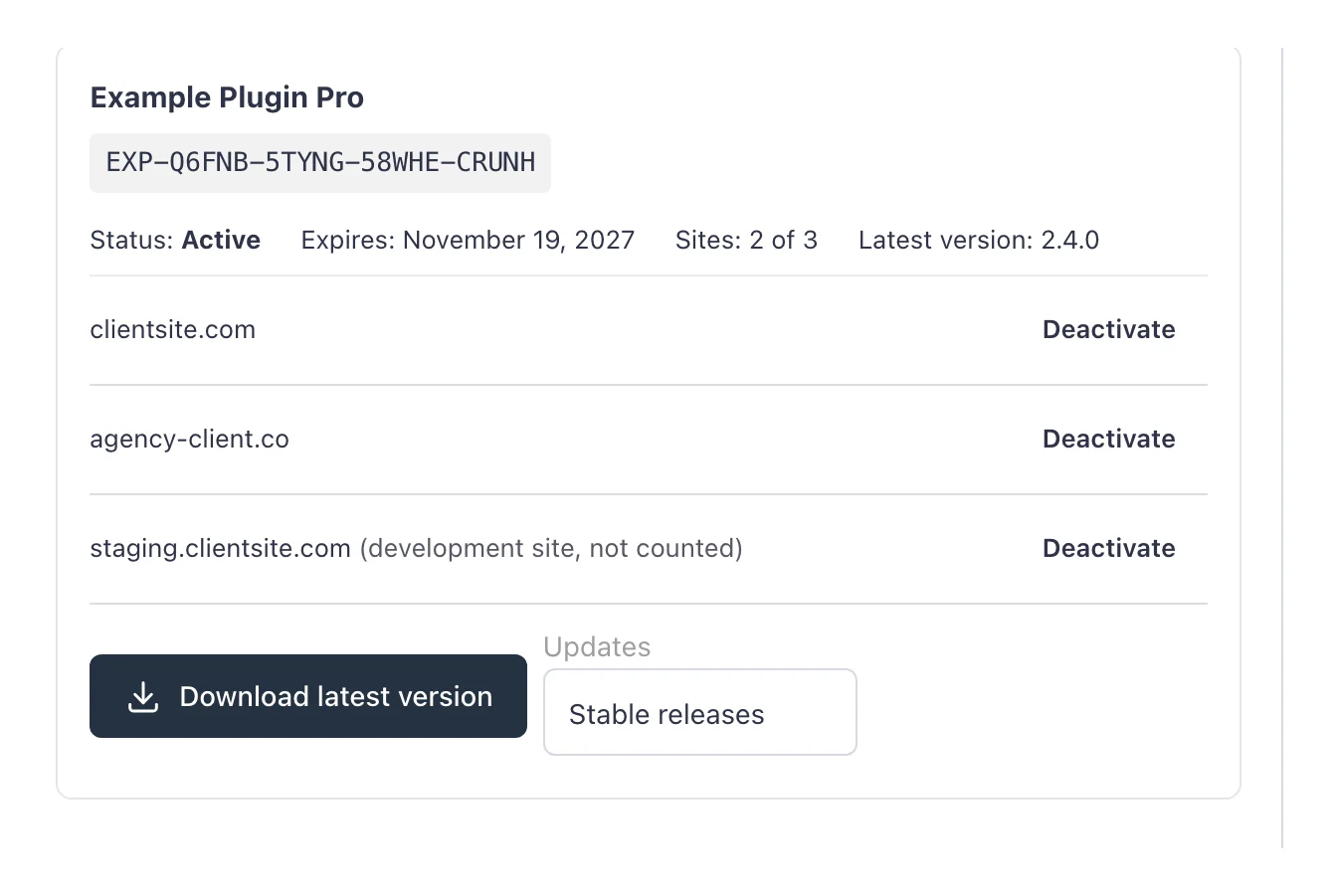
Paying for a licensed product creates a key. Customers activate it on their sites and manage it from their account, and your plugin or theme gets updates from your store through a license API.
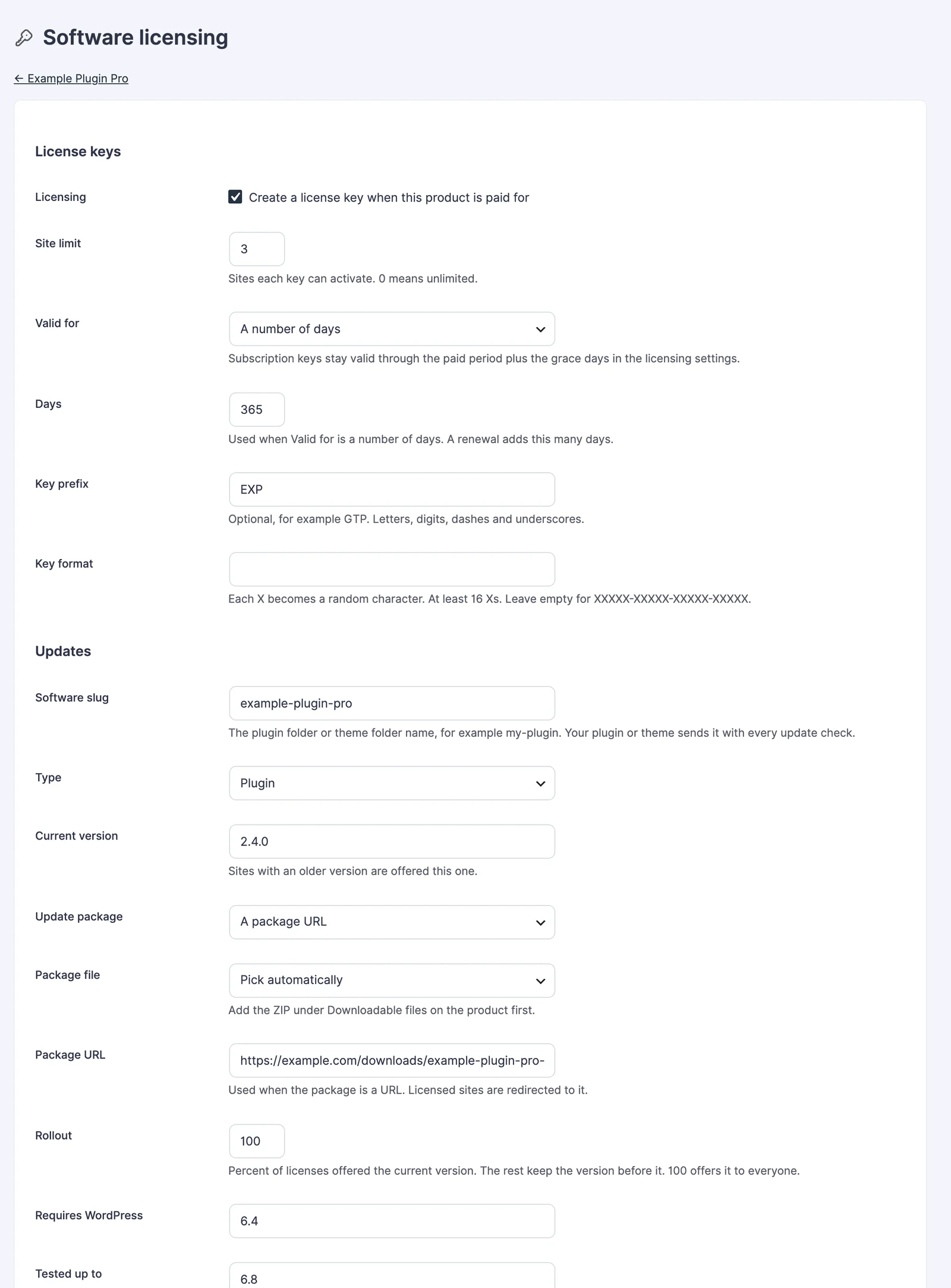
To start, switch on Software Licensing on the Stackless dashboard, open a product and choose Software licensing from its menu. Each product has its own options:
- Site limit: the sites each key can activate. The default is 1, and 0 means unlimited.
- Valid for: lifetime, while the subscription is paid, or a number of days.
- Key format: an optional prefix and your own pattern, so a key can look like
EXP-Q6FNB-5TYNG-58WHE-CRUNH. - Updates: the current version, the update package and a rollout percentage, with a beta channel for licenses that opt in.
Stackless handles refunds, renewals and failed payments for you. A full refund revokes the key, a renewal extends it, and activations on localhost and staging sites don’t count toward the site limit.
It runs beside FluentCart Pro’s own Licensing without touching its keys, products or API. A product that FluentCart Pro already licenses stays with FluentCart Pro, and its Software licensing screen is read-only.
Your plugin or theme still has to call the license API, and the Software Licensing guide has the routes and a sample client. If your store runs on WooCommerce, I covered the same job in selling WordPress plugins from a WooCommerce store.
Payment Method and Currency Links
Payment method and currency links open checkout the way you choose. Add ?paymethod= to a link to limit checkout to the methods you name, and ?paycurrency= to fix the currency.
They help when you already know how a buyer should pay. You may want buyers from India to pay with Dodo Payments in INR, or a reseller to pay only by PayPal. Telling them which option to pick at checkout loses some of them.
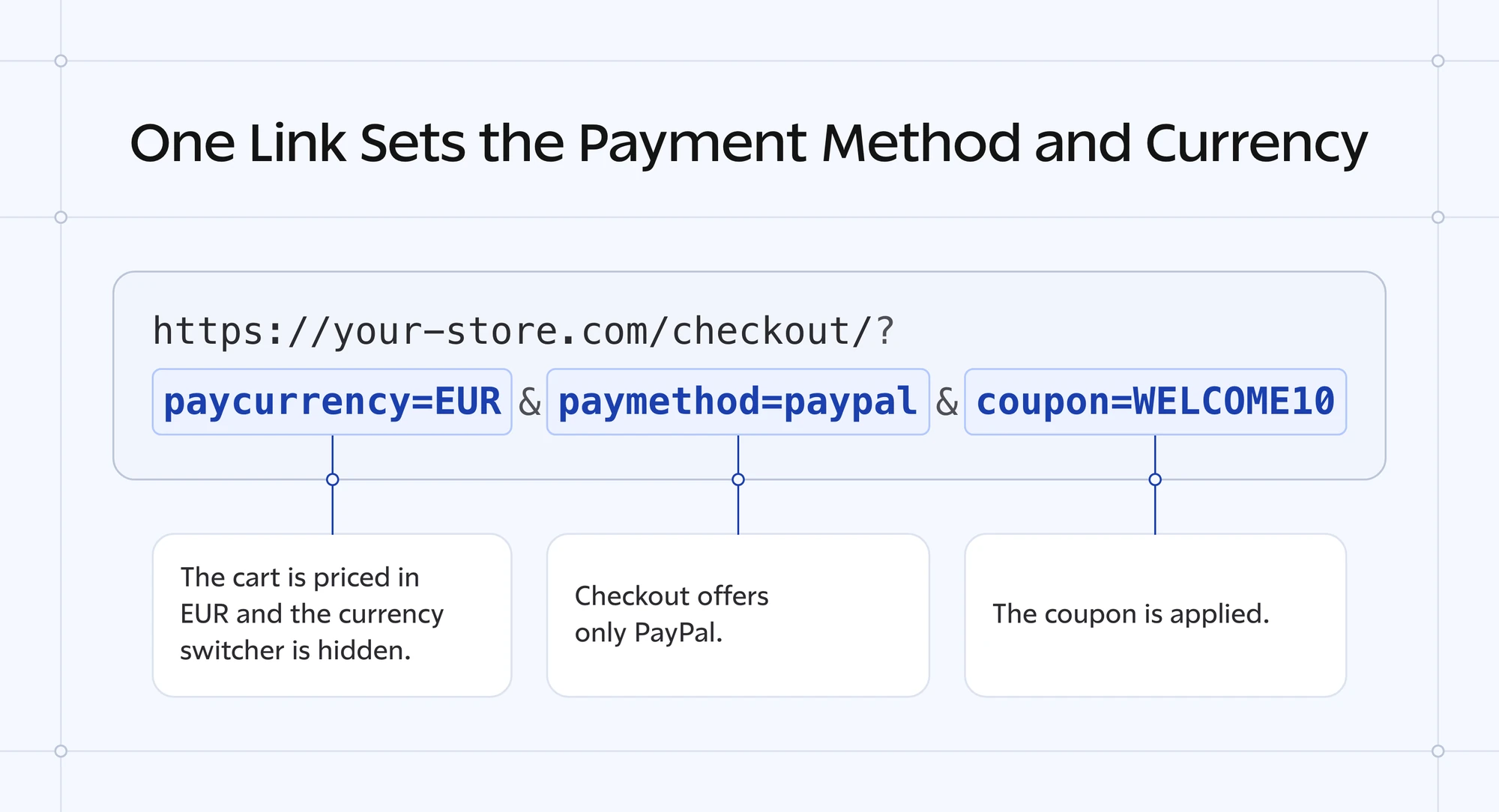
A link for the India example looks like this:
https://your-store.com/checkout/?paymethod=dodo&paycurrency=INRThese are the rules the links follow:
?paymethod=is part of Extra Enhancements and is on by default. It takes the payment method’s key, such asgtfc_stripe, and up to 10 keys separated by commas.?paycurrency=needs Multi-Currency Checkout and a three-letter code for a currency you’ve enabled.- Both work with
?coupon=and with Buy Links. - The link can point at any page of your store. The choice stays with the visitor’s cart, so the checkout page, Modal Checkout and On-page Checkout all follow it.
A key your store doesn’t have changes nothing. If none of the named methods can take the order, checkout shows every method, so a wrong link doesn’t leave a buyer with no way to pay. The payment method and currency links guide lists every value.
Stackless Dashboard
The new Stackless screen puts all 39 modules on one dashboard, grouped by the job they do. It lives under FluentCart → Stackless and replaces the old Modules tab.
- Modules are cards in 8 groups: Subscriptions, Payments, Checkout, Sales & invoices, Currency, Access & licensing, Catalog and Store tools.
- A search box and All, On and Off filters find a module quickly.
- Each switch saves at once, so the Dashboard has no Save button.
- Settings, License and Docs sit on their own tabs.
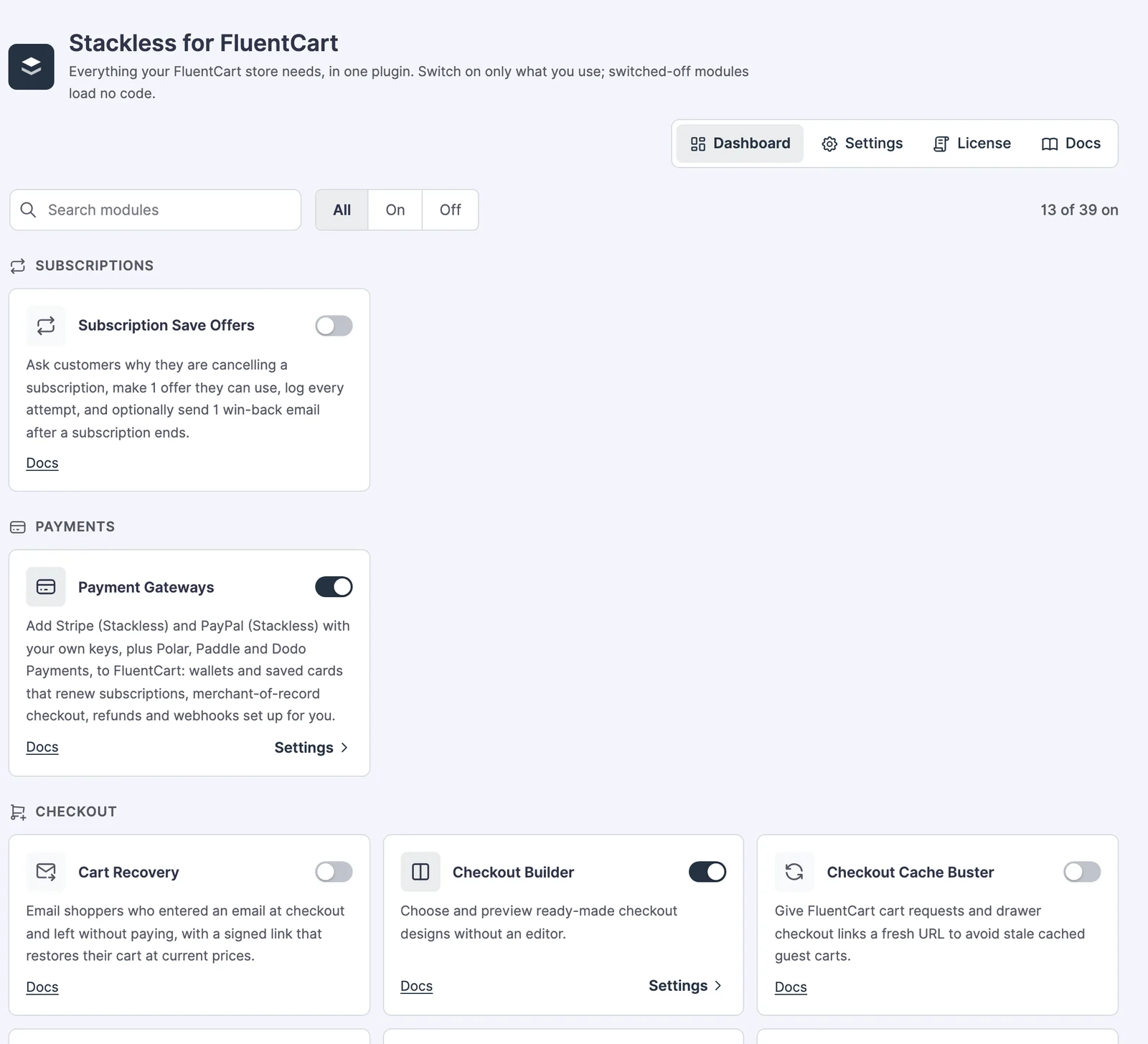
A module that another switched-on module needs shows a “Needed by” note, so you know why its switch matters. The Stackless dashboard guide walks through each tab.
Smaller Changes and Fixes
V3 also has smaller changes you may notice. The full changelog has every line.
Added
- Translations: Spanish, German, Italian and French ship with the plugin. WordPress picks the language from your site and profile settings, and module names stay in English.
- Tax note at checkout: with Stripe Managed Payments, Polar, Paddle or Dodo Payments, checkout says before payment that the provider adds sales tax or VAT. The receipt and order email show what the buyer paid.
Changed
- Gateway labels: lists of payment methods in the admin mark Stackless gateways with a Stackless label. It replaces the old yellow badge.
- Payment Gateways settings: each gateway is a row with its icon, what it does and a link to its guide.
Fixed
- Sale prices: a sale price on a product with several prices no longer reads as a range, and Cart Recovery emails quote the sale price.
- Payments list on FluentCart 2.3: the Stackless labels and the Duplicate, Rename and Remove buttons for gateway copies show again.
- Store settings: no fatal error when another plugin reads FluentCart’s store settings before WordPress has finished loading.
The Limits
A few things in V3 may surprise you, so I want to name them.
- The old name is still in the code. You’ll see
gt-extensions-fluentcartin the plugin folder, the ZIP file and the docs URLs. That is expected. - Some tutorial videos still show the old name and the old admin screen. The written guides are up to date.
- Translations cover 4 languages. Any other site language shows Stackless in English.
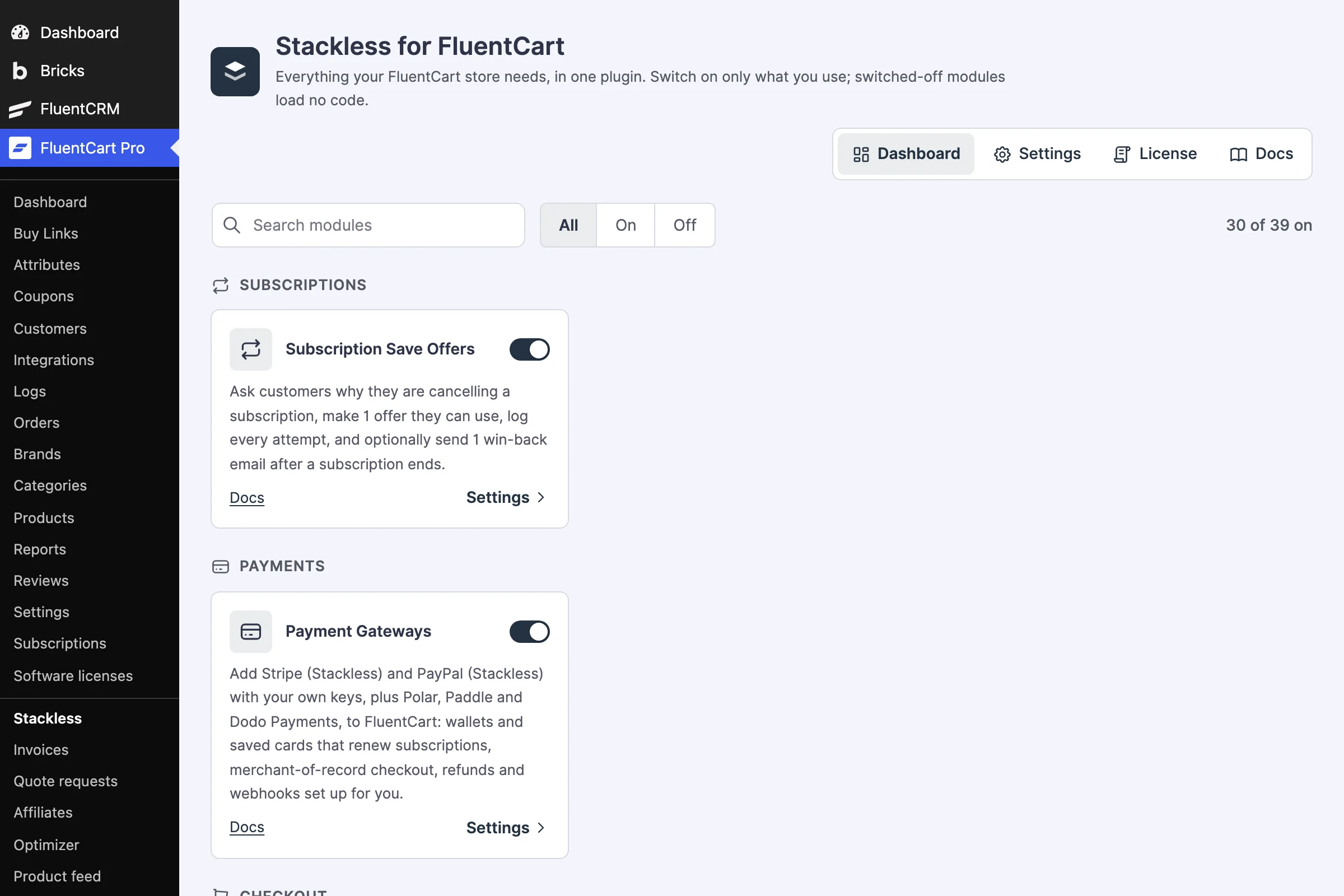
- 39 optional modules for FluentCart, switched on one at a time
- 6 payment gateways, including Stripe Managed Payments
- 13 checkout designs and multi-currency checkout
- Software Licensing, invoices, quotes and store tools
Final Remarks
If you already run the plugin, I’d update to V3 now. It installs like any other update, and your store works the same once it finishes.
After that, I’d pick one new feature and test it on one product. If you sell digital products across borders, my first choice is Stripe Managed Payments. If you sell plugins or themes, it is Software Licensing, with one test activation before you move the rest of your catalog.
And if you have old GT Extensions links saved, they still work, and the docs are at the same address.
Tell Google you want more of this.
Add Gaurav Tiwari as a preferred sourceOne tap, and this site shows up more often in your own Top Stories, AI Overviews and AI Mode. Remove it any time.
Disclaimer: This site is reader-supported. If you buy through some links, I may earn a small commission at no extra cost to you. I only recommend tools I trust and would use myself. Your support helps keep gauravtiwari.org free and focused on real-world advice. Thanks. - Gaurav Tiwari