 by
I released the first version of Stackless Theme on October 14, 2026, as a theme for WooCommerce stores running my Stackless plugin. In the 6 weeks since, it has had 19 releases and it now covers Easy Digital Downloads and FluentCart stores as well.
All this while, I never wrote a proper introduction for it. With version 1.7 out on November 23, 2026, I have decided to put everything the theme does in one place. That means the store pages, the blog, the Customizer and the hooks for developers.
The theme is free. You get a lifetime license key for updates, and one key works on unlimited sites.
If you are new here, Stackless Theme is a minimal classic WordPress theme for stores that run on WooCommerce, Easy Digital Downloads (EDD) or FluentCart. It styles the store pages of all 3, and it works as a normal blog and business theme around them.
This is what you get:
- Styled shop, product, cart, checkout, receipt and account pages for WooCommerce, EDD and FluentCart
- A header with live cart count and a full-screen search that shows products as you type
- One Customizer panel with 10 sections for colors, fonts, layouts and store parts
- Blog and post layouts with sidebars, grids and breadcrumbs
- Full Block Editor support and 2 page templates
- Page Blocks Builder regions and hooks for every part of the theme
What Stackless Theme Is
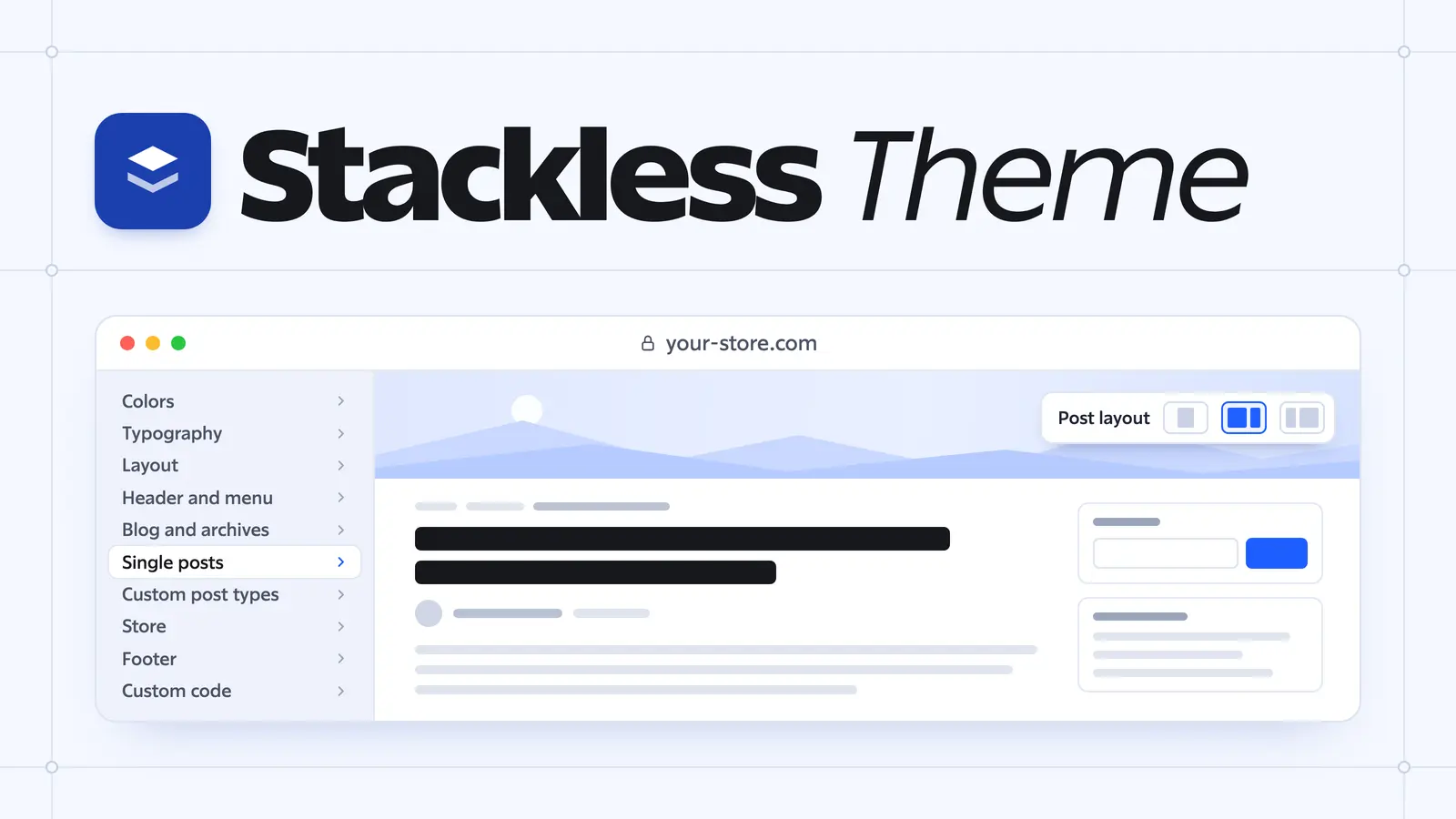
Stackless Theme is a classic theme, so its templates are PHP files. Store plugins that print their pages through PHP templates and hooks work with it directly, and you still write and design pages in the Block Editor.
The design follows Tabler, an open-source UI kit, with its colors, spacing and icons. Buttons, fields and cards have 4px corners and badges have 2px corners, and this is the same across all 3 store plugins. A WooCommerce product page, an EDD download page and a FluentCart product page look like they belong to one site.
Demo Stores
I keep 3 demo stores running on the current version, one for each store plugin:
- WooCommerce demo, a shop that sells physical goods, courses and memberships
- Easy Digital Downloads demo, a digital store with templates, fonts and plugins
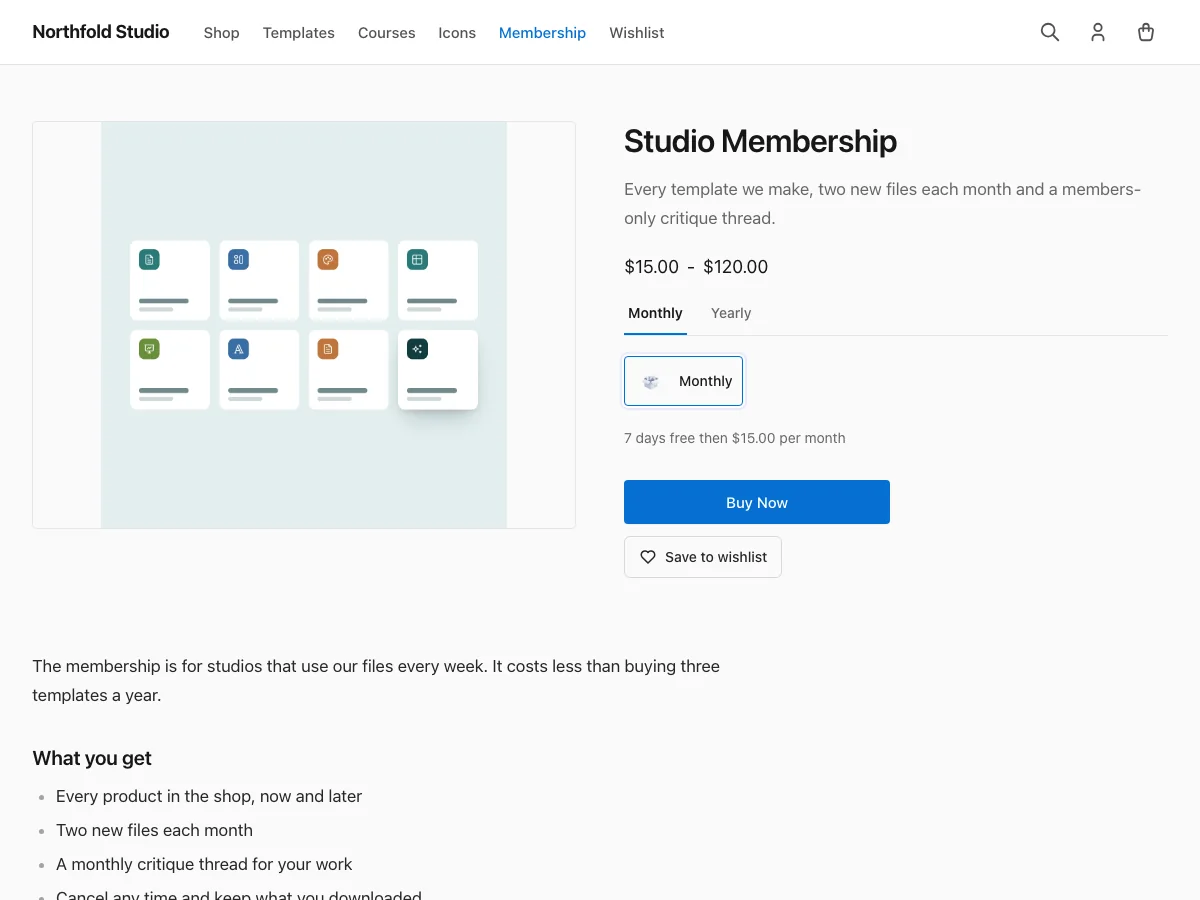
- FluentCart demo, a design studio that sells templates and a membership
Orders, payments and emails are switched off on all 3. So you can add products to the cart and go up to the last step of checkout without buying anything.
Store Support
This table shows what the theme styles for each store plugin.
| Page or part | WooCommerce | Easy Digital Downloads | FluentCart |
|---|---|---|---|
| Shop or store grid | Yes | Yes, with a store toolbar | Yes, with filters |
| Product page | Summary stays in view | Summary stays in view | Summary stays in view |
| Cart | Classic cart and Cart block | Part of the checkout | Cart page and cart drawer |
| Checkout | Classic checkout and Checkout block | Shortcode and block | Yes |
| Receipt | Yes | Yes | Yes |
| Account pages | My Account | Order history, downloads, profile, login and register | Yes |
| Header cart and account links | Yes | Yes | Yes |
| Live results in header search | Products | Downloads | No |
| Stackless plugin modules | Stackless for WooCommerce | Stackless for EDD | The plugin’s own styles |
The theme works without any Stackless plugin too. The styles for the Stackless modules load only when one of those plugins is active.
WooCommerce
WooCommerce was the first store plugin the theme supported, and it has the widest coverage. The theme styles WooCommerce’s classic templates and its Cart and Checkout blocks, so a store can use either.
Shop
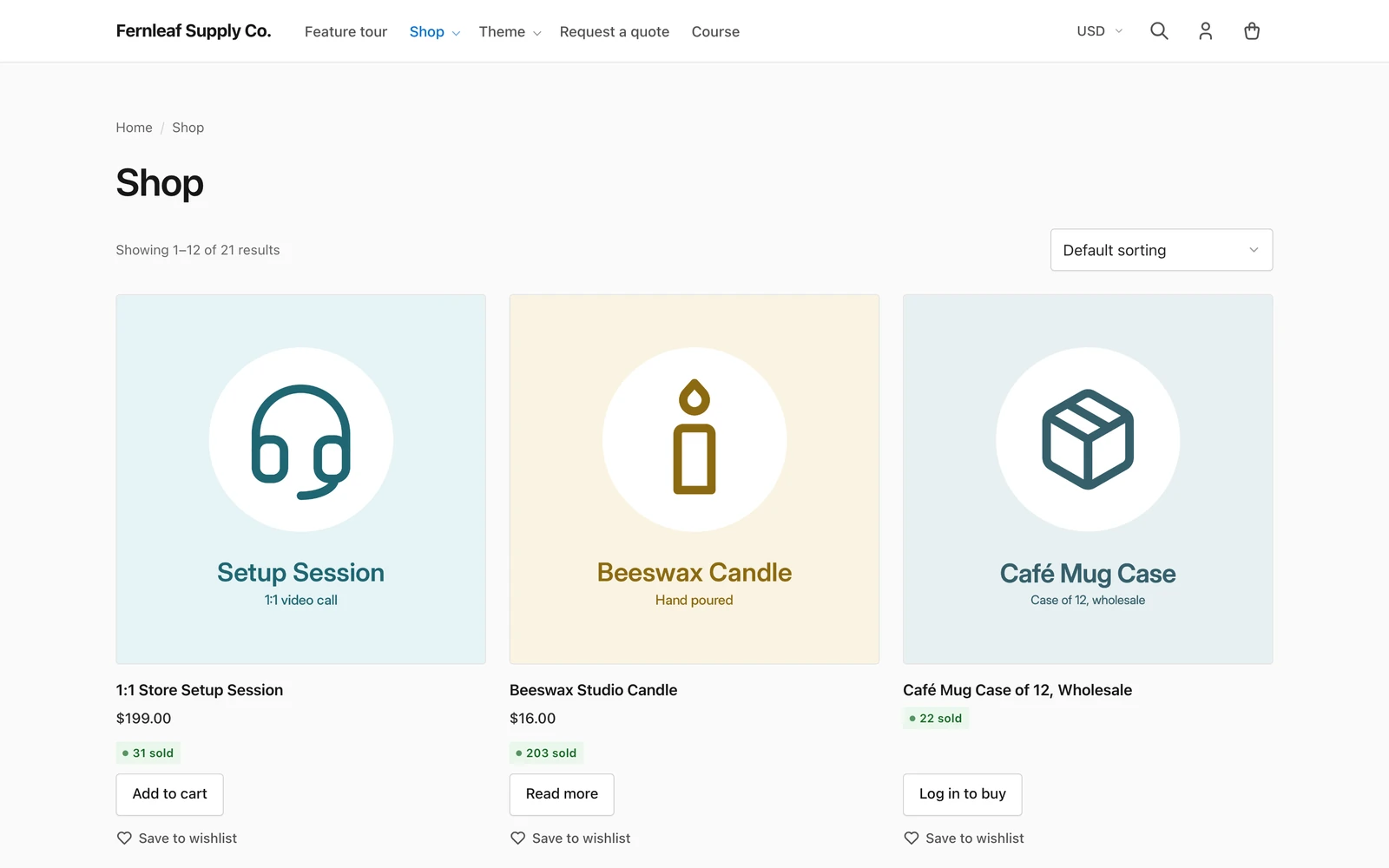
The shop page and the category pages show products in a grid with the image, name, price and button on each card. An optional Shop widget area sits above the grid, where you can place filters or a notice.
Product Pages
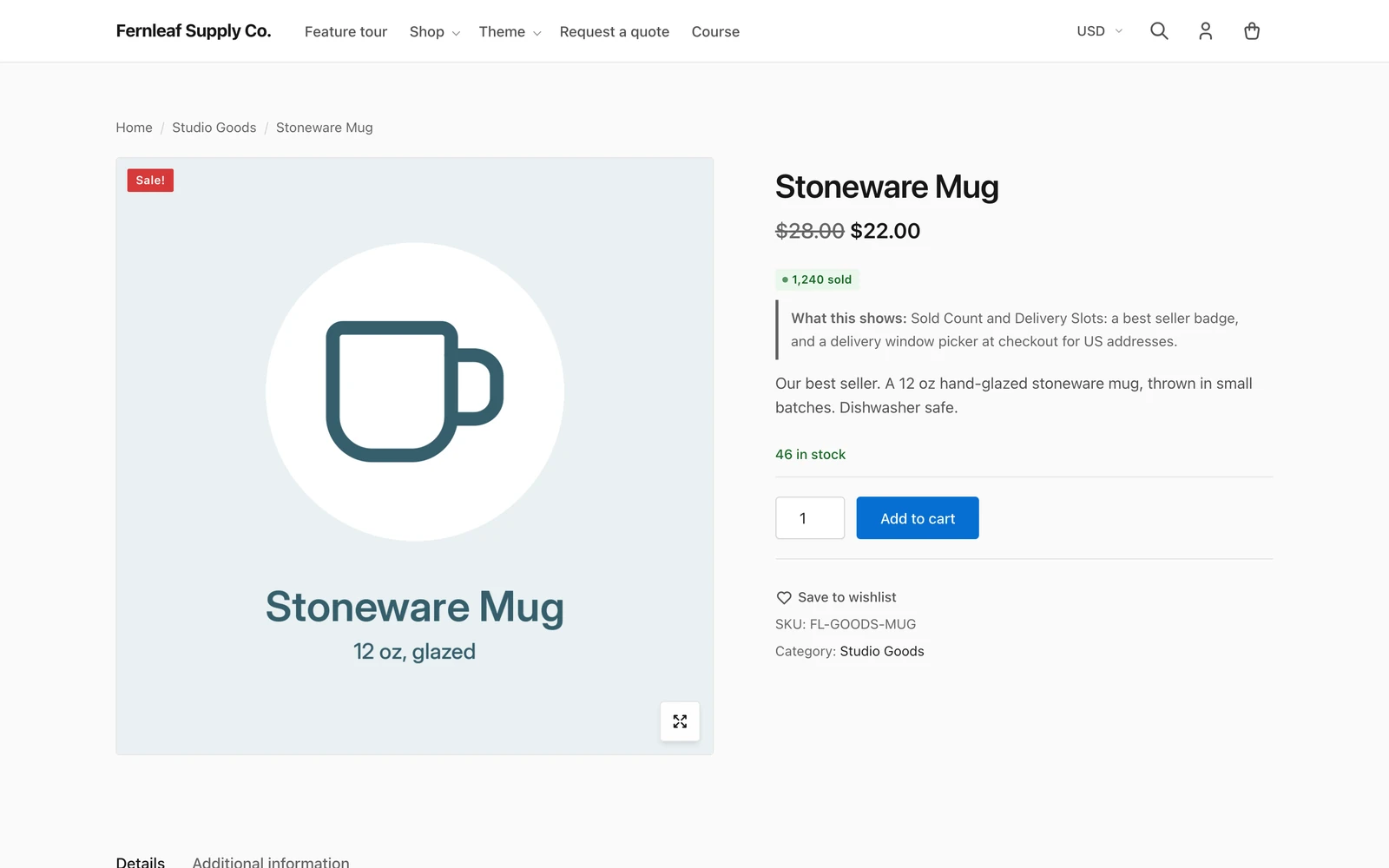
A product page has the gallery on the left and the summary on the right. The summary stays in view while the visitor scrolls the description, so the price and the Add to cart button are always on screen.
Below the product, the theme shows 6 related products in 2 rows of 3. You can change this to any number from 0 to 12 under Store, and 0 hides the section.
Cart, Checkout and Account
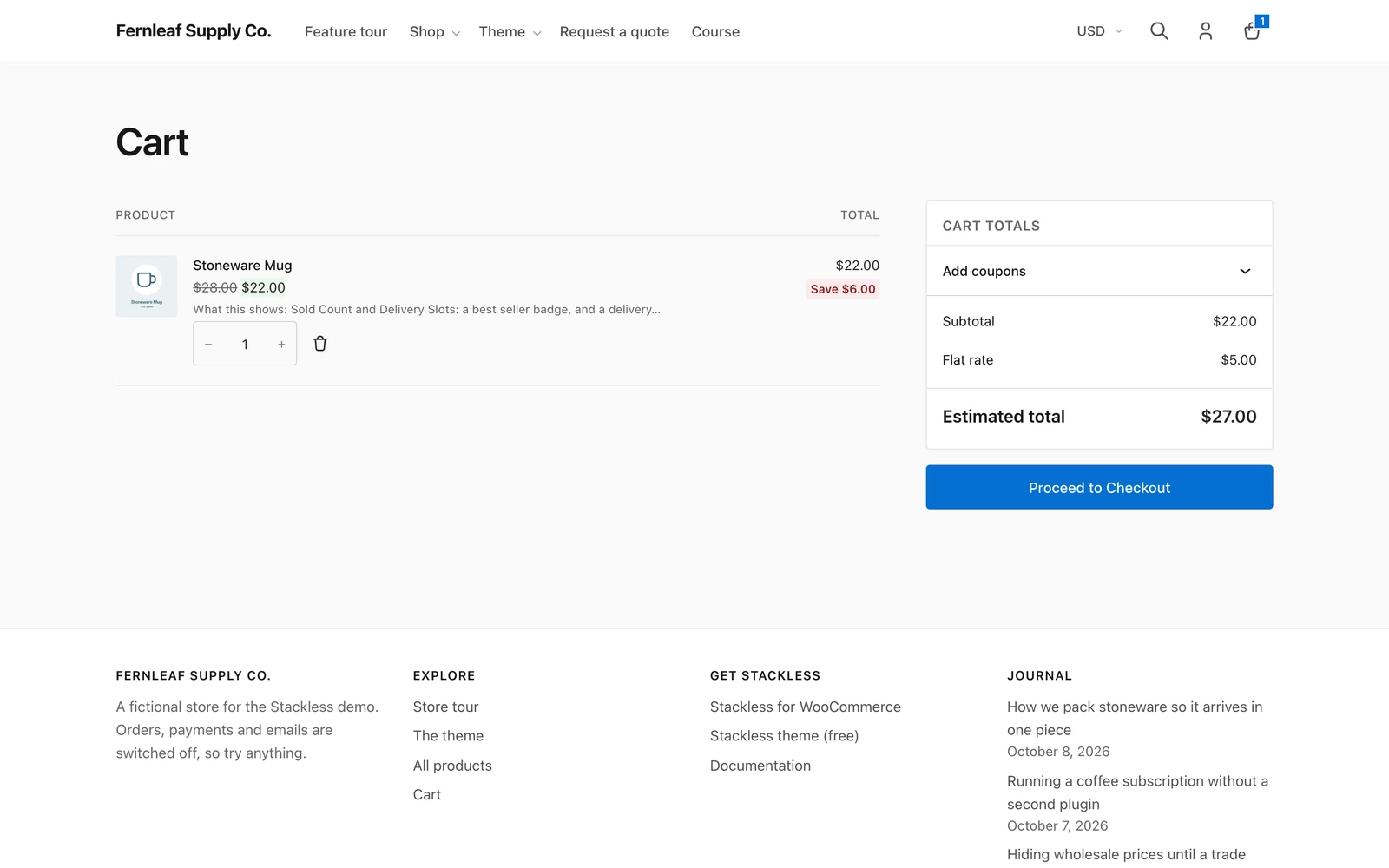
- Cart: the classic cart and the Cart block, with the totals in a card beside the items
- Checkout: the classic checkout and the Checkout block
- Order received: the summary strip and the order details table
- My Account: the menu beside the account content
- Notices: tinted boxes in blue, green and red for information, success and errors
- Store notice: a bar at the bottom of the screen, so it never covers the header
Header Cart and Currency
The cart icon in the header shows the number of items, and the count updates when a visitor adds a product without a page reload. If you use the Storefront Currency Selector of Stackless for WooCommerce with 2 or more currencies, a small currency switcher shows in the header and the footer. On phones under 600px wide, it moves to the bottom of the mobile menu.
Stackless for WooCommerce Modules
If you run Stackless for WooCommerce, the theme styles its modules too. This covers the wishlist, sold counts, quotes, licenses, subscriptions, saved carts and order bumps, among others.
WooCommerce product pages keep WooCommerce’s own hooks. The theme doesn’t replace those templates with its own parts.
Easy Digital Downloads
Support for Easy Digital Downloads came in version 1.4, and it follows the same design as WooCommerce. The EDD styles load only on EDD pages.
Store Toolbar
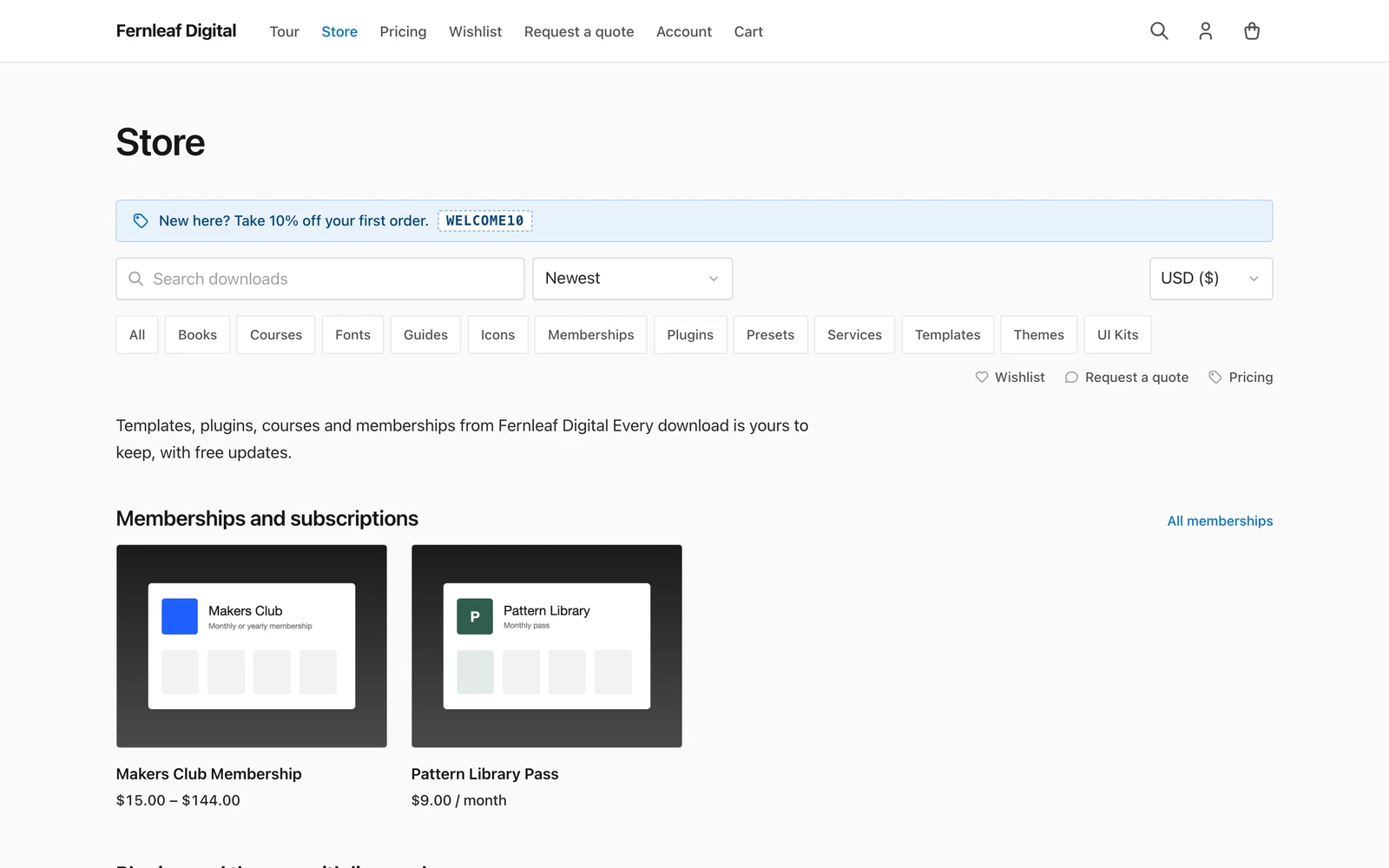
The downloads page and the download archives have a toolbar above the grid. It has a search field, a sorting menu, category chips, a currency switcher, quick links and one promo line. You set these under Appearance > Customize > Stackless Theme > Store, and the options show only while EDD is active.
Download Pages
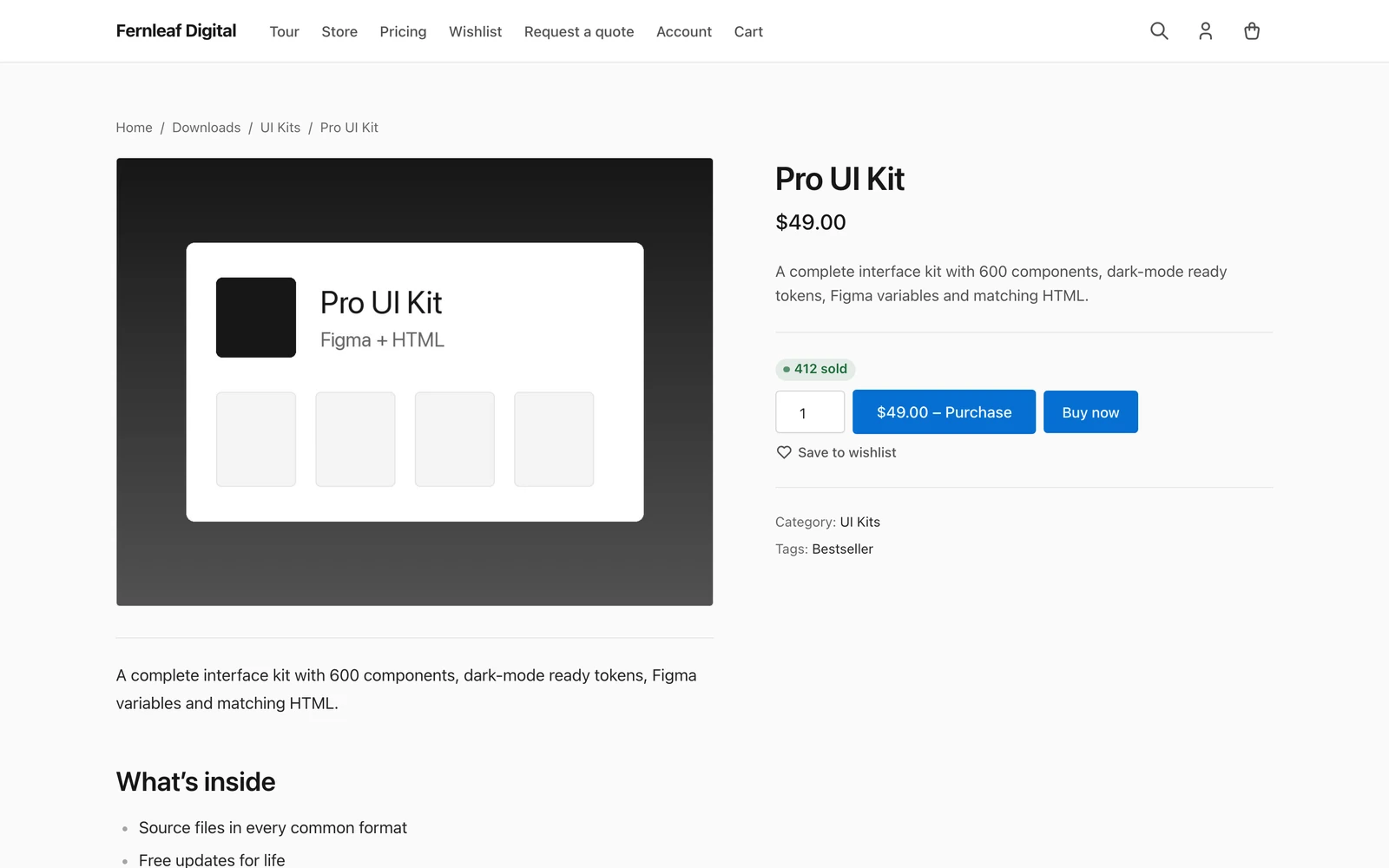
A single download has the same layout as a WooCommerce product. The image sits beside a summary that stays in view, with the price, the price options and the purchase buttons. Free downloads show their Free Price Text label, and downloads with price options show “Choose an option” in grids.
Checkout and Account
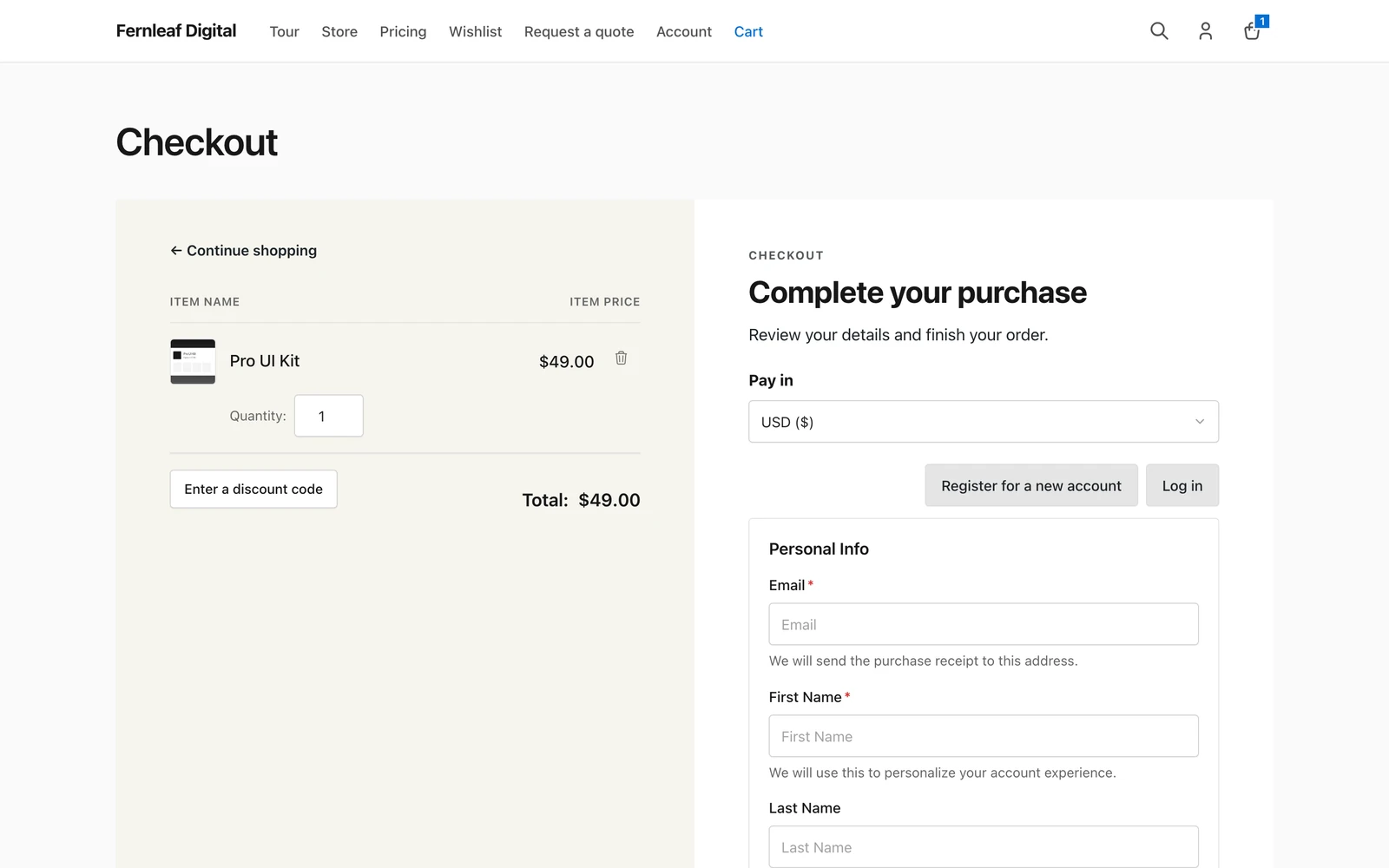
- Checkout: the EDD checkout as a shortcode and as a block
- Receipts: the purchase receipt and its order details
- Account: order history, download history, profile, login and register forms
- Stackless for EDD: the account page and the modules of Stackless for EDD
- Phones: account tables turn into cards on small screens
FluentCart
FluentCart support came in version 1.6. The shop, product, cart, checkout, receipt and account pages and the cart drawer use the theme’s colors and its 4px corners, and flat primary buttons replace FluentCart’s dark gradient ones.
Two things stay under FluentCart’s control. Colors you choose in FluentCart’s own settings still win over the theme’s colors, and FluentCart’s optional card layouts keep their own shapes.
Shop
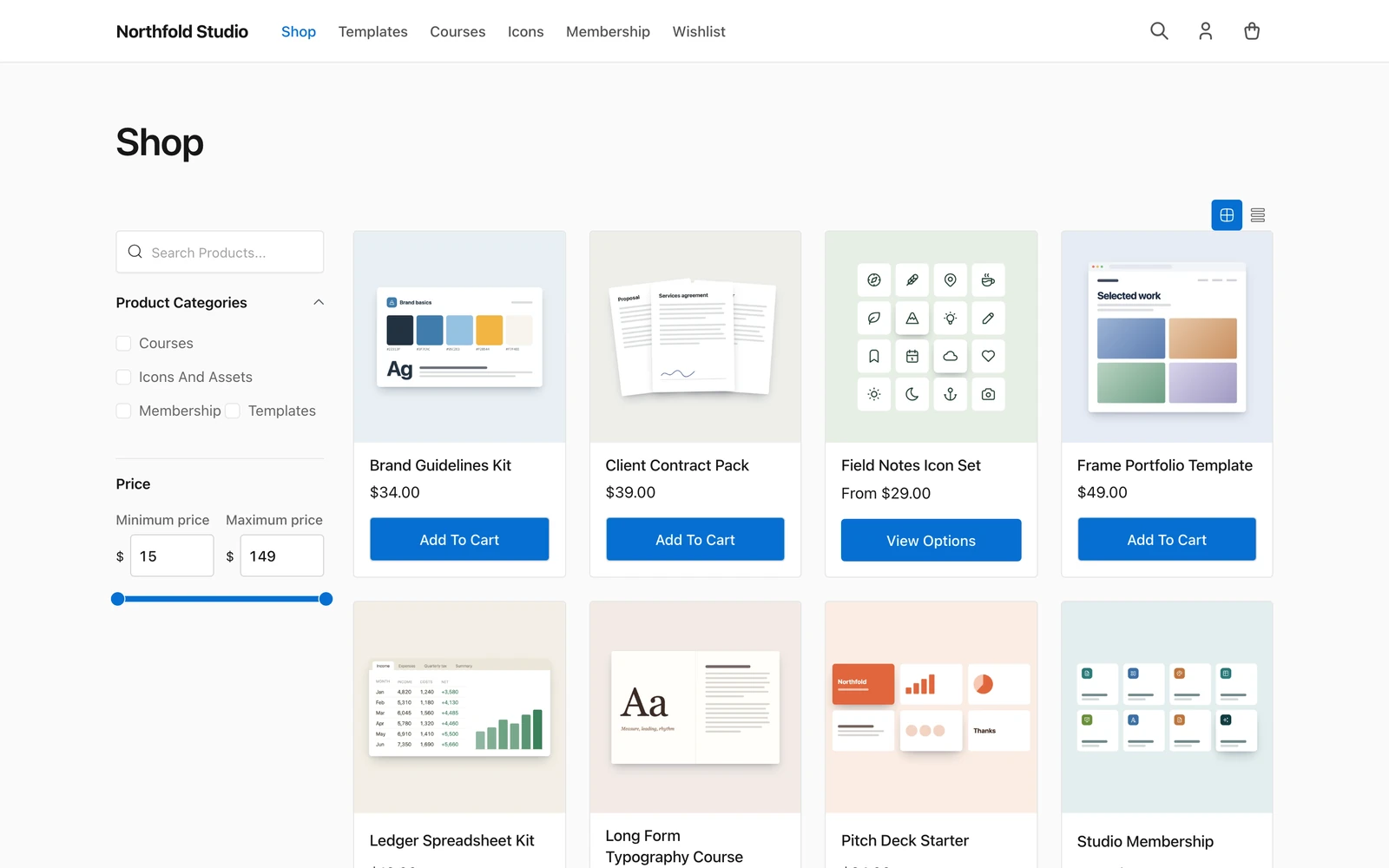
The FluentCart shop shows the filters beside the product grid, with a switch between grid and list view. The price filter has proper number fields, and the grid fills the row on tablets.
Product Pages
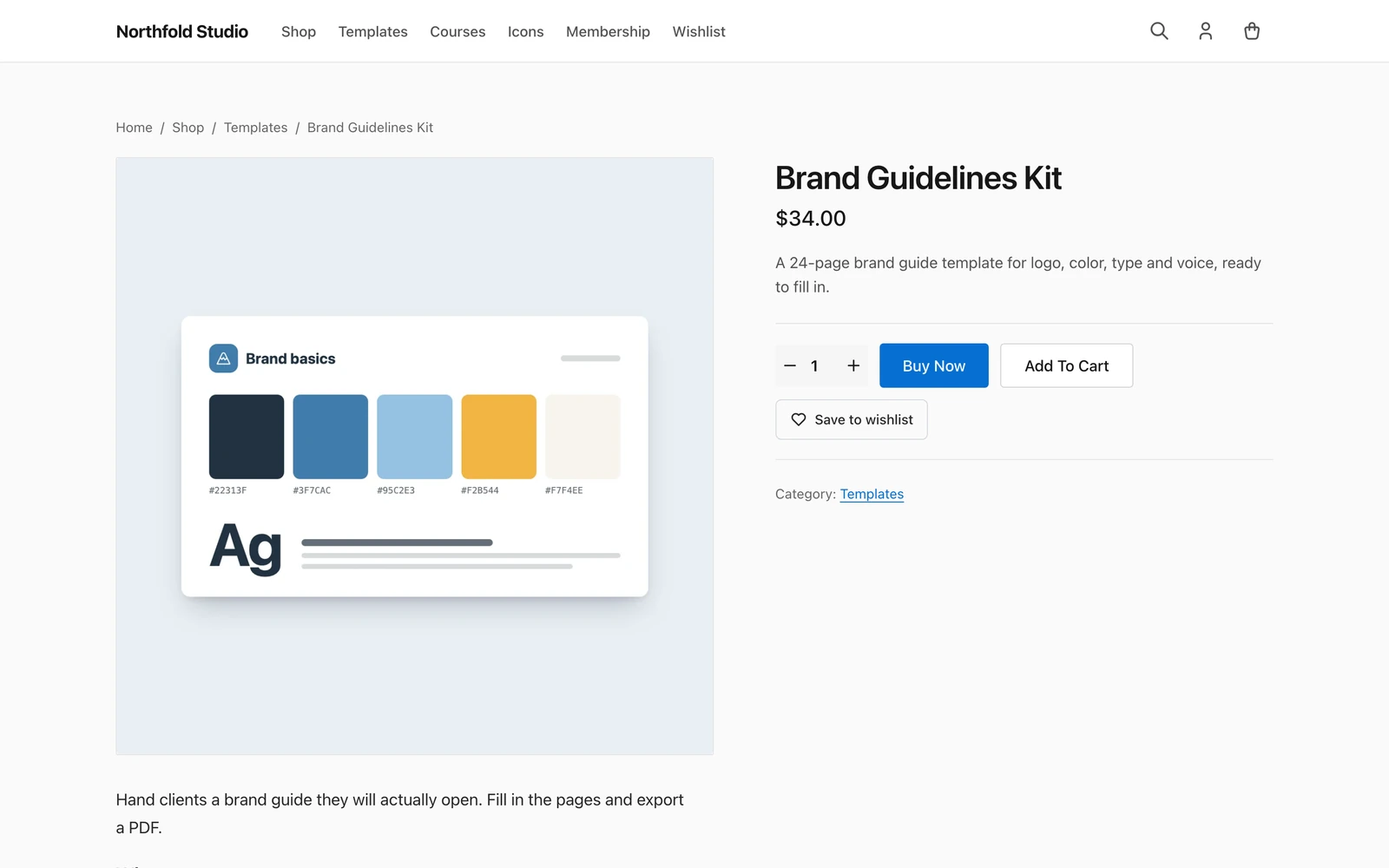
FluentCart product pages use the same layout as WooCommerce products and EDD downloads. A breadcrumb comes first, then the gallery beside a summary that stays in view, with the price, the options and one buy row. The description and the related products follow below.
On phones, the product name and price come before the gallery.
Subscription products get the same summary, with a tab for each billing period.
Cart Drawer and Keyboard Use
FluentCart’s cart drawer, the mobile filters and the checkout order summary work properly with a keyboard. Focus moves into the open panel, stays there and returns to the button when the panel closes.
The header search doesn’t show live FluentCart products yet. On a FluentCart store, a search goes to the results page, where products show their image and price.
Header, Search and Footer
Header
The header has the logo, a primary menu with one level of dropdowns, a search button, an account link and the cart. It stays in view while the visitor scrolls, and you can set it to scroll away with the page.
Each button has its own switch. So a site with no customer accounts can hide the account link, and a catalog site can hide the cart.
Mobile Menu
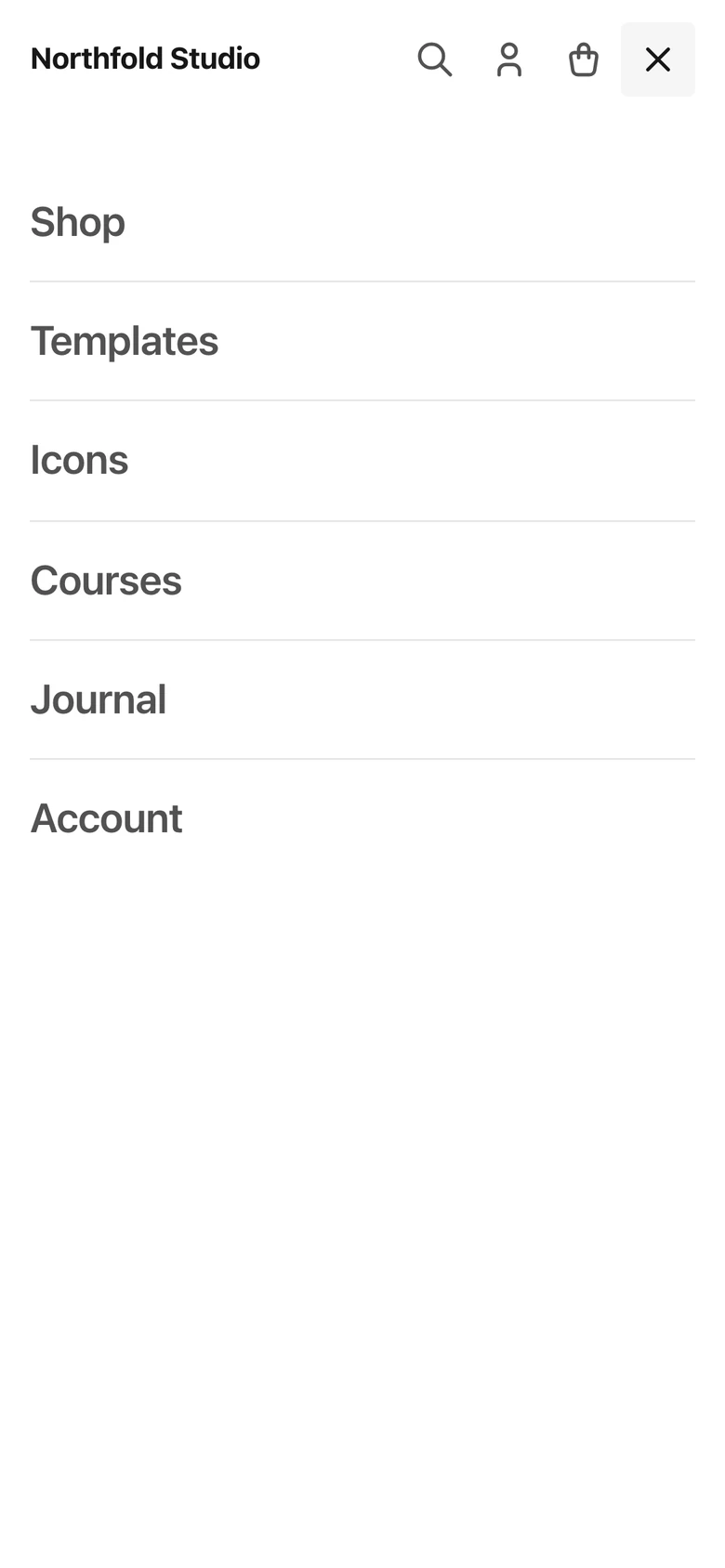
Below 1080px wide, the menu moves behind a menu button. It opens as a dropdown below the header by default, or as a full-screen drawer with large links.
Search
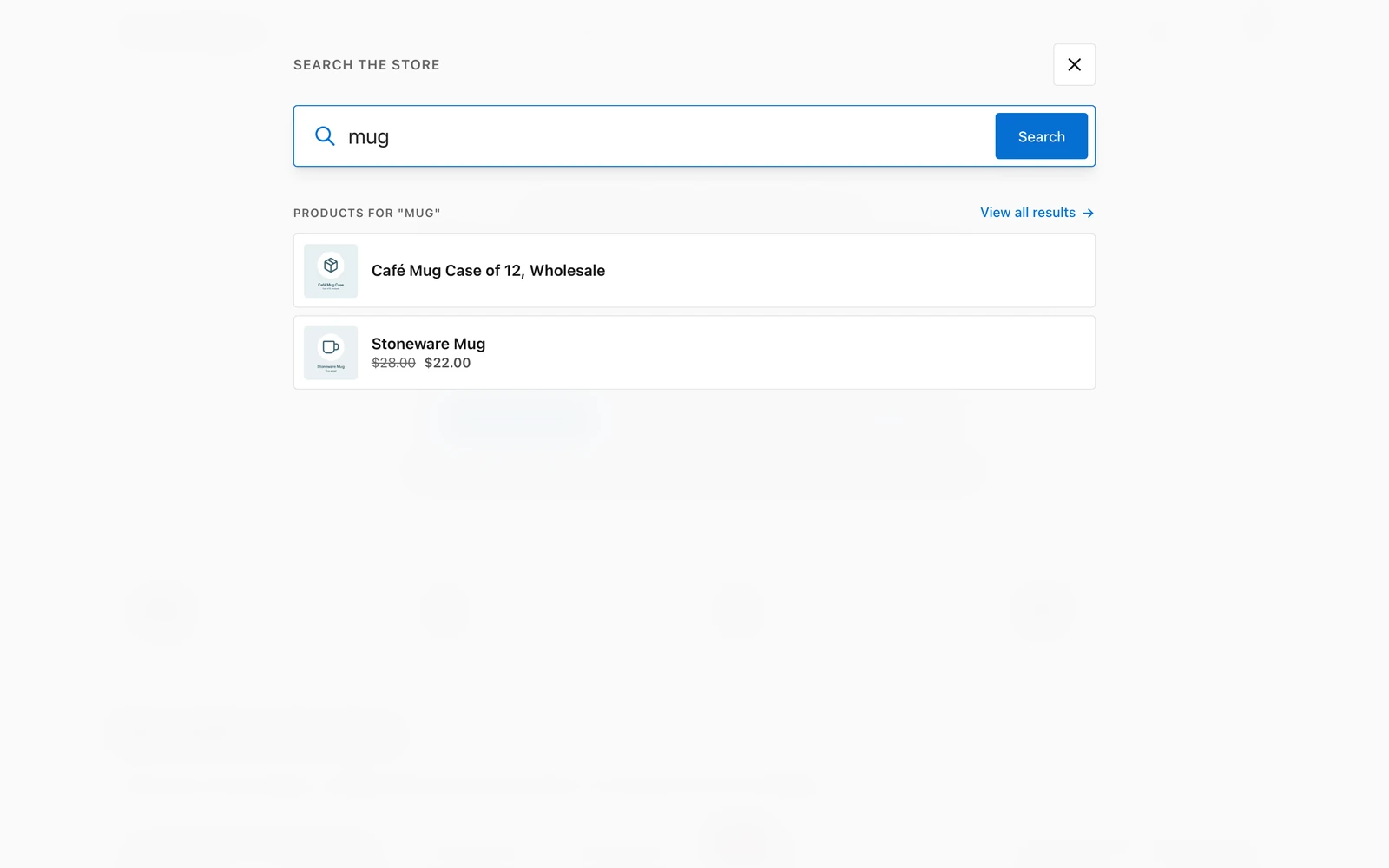
The search button opens a full-screen search. It shows products while the visitor types, with their image and price. It also lists popular categories and best sellers.
A search that finds nothing offers the shop and the product categories that have products.
Footer
The footer has a widget area for columns and a footer menu. The last line is a text field that accepts {year} and {site}, so the copyright year never needs an edit. If you leave the field empty, the default line ends with “Built with Stackless”, and one switch removes that.
Blog and Single Posts
A store theme still has to carry a blog, a documentation section or a changelog. So the theme has full controls for archives and single posts.
Blog and Archives
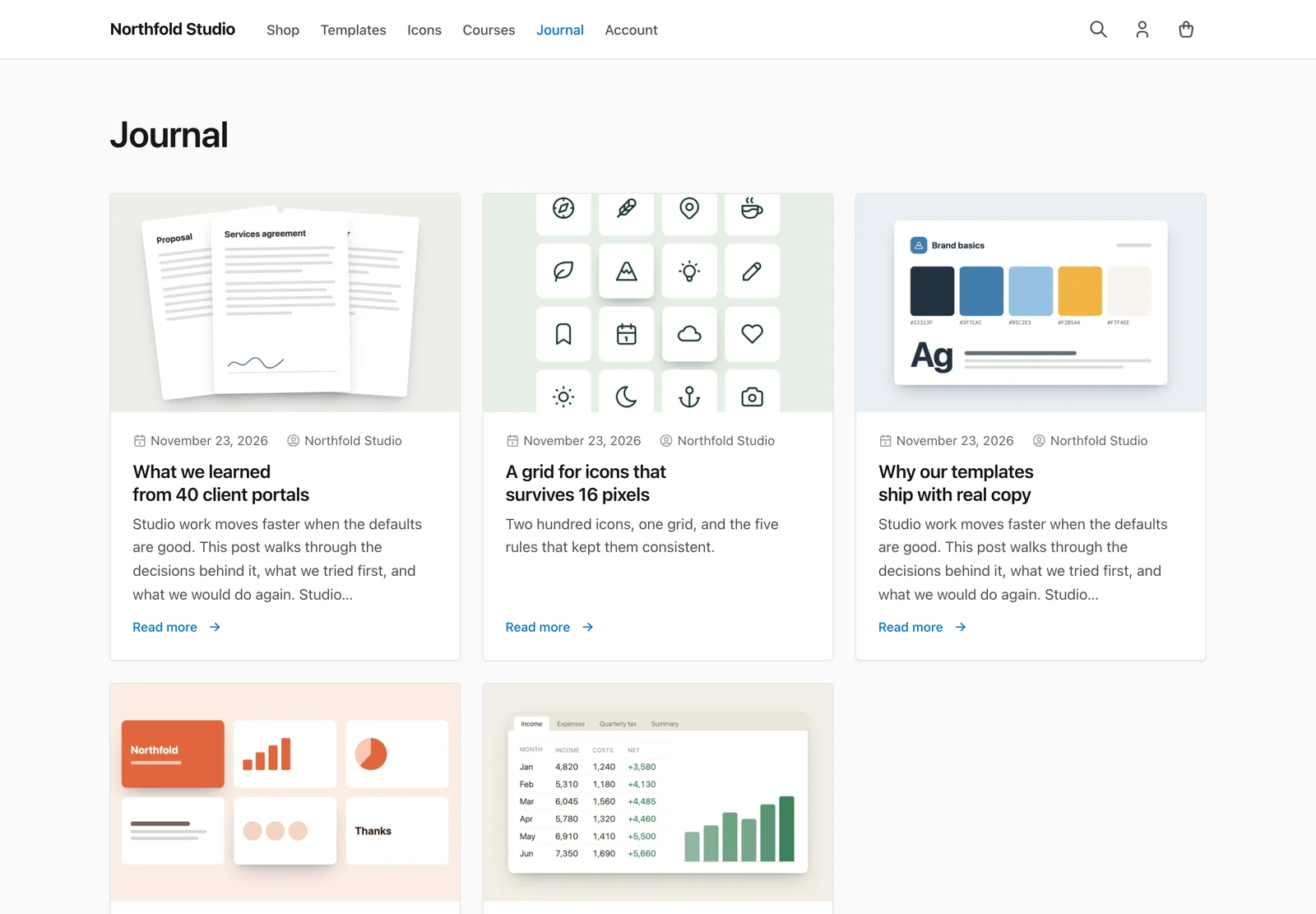
Posts can show as a list or as a grid of 2 or 3 columns. The same setting covers the blog page, the category, tag, author and date archives, custom post type archives and search results.
- Featured images, the date and author, excerpts and Read more each have a switch
- The excerpt length is set in words, and the default is 28
- A Blog sidebar can sit beside the list, with search, recent posts and categories until you add your own widgets
Single Posts
A post can use one of 3 layouts: centered with no sidebar, a sidebar on the right or a sidebar on the left. The sidebar stays in view while the reader scrolls, and the text column keeps its reading width of 720px.
The title area has 4 header styles:
- Centered title
- Left-aligned title
- Featured image above the title
- Full-width featured image above the post and sidebar
Breadcrumbs come from the SEO plugin you already run. The theme reads the trail from Yoast SEO, Rank Math, SEOPress, All in One SEO, The SEO Framework, Slim SEO or Breadcrumb NavXT, with that plugin’s settings and schema.
Each post can also pick its own layout and header style in the editor’s Layout panel. Below the post, the theme shows the tags, an author box and related posts. It shows 6 by default, from the same category first.
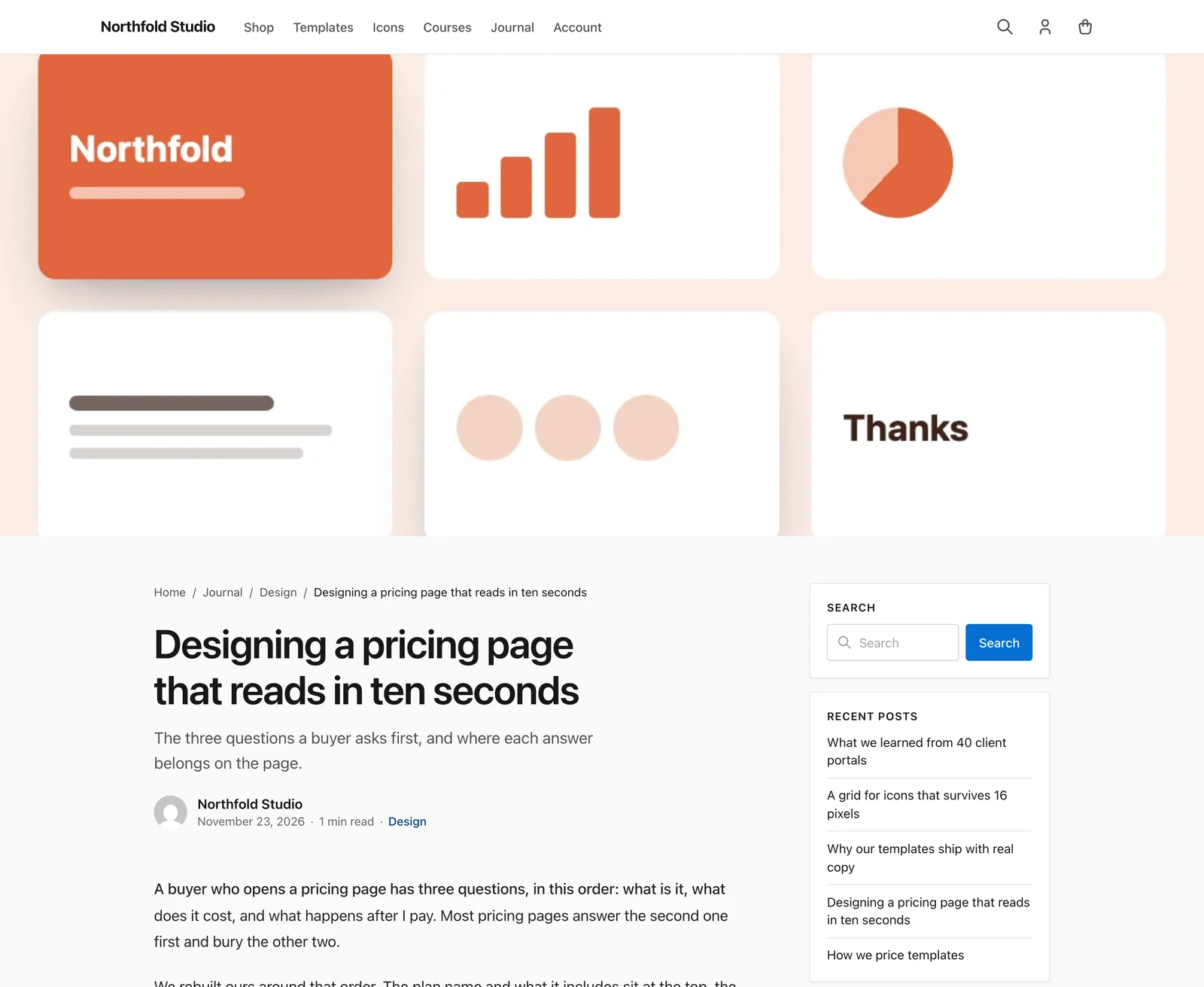
Stackless Theme Panel
All the theme’s options sit in one Customizer panel, under Appearance > Customize > Stackless Theme. The Store section shows only the options for the store plugin that is active.
| Section | What you set there |
|---|---|
| Colors | Primary, text, heading, background and card colors |
| Typography | Body font, heading font and heading letter case |
| Layout | Reading width, wide width and a fade between pages |
| Header and menu | Sticky header, search button and mobile menu style |
| Blog and archives | Post list layout, the parts of a post card, excerpt length and the sidebar |
| Single posts | Post layout, header style, breadcrumbs, category and byline position, author box and related posts |
| Custom post types | Featured image, date and author and related items for each post type |
| Store | Header cart and account buttons, product breadcrumb and category line, related products and search options |
| Footer | Footer text and the theme credit |
| Custom code | Code for the head and for the end of the body |
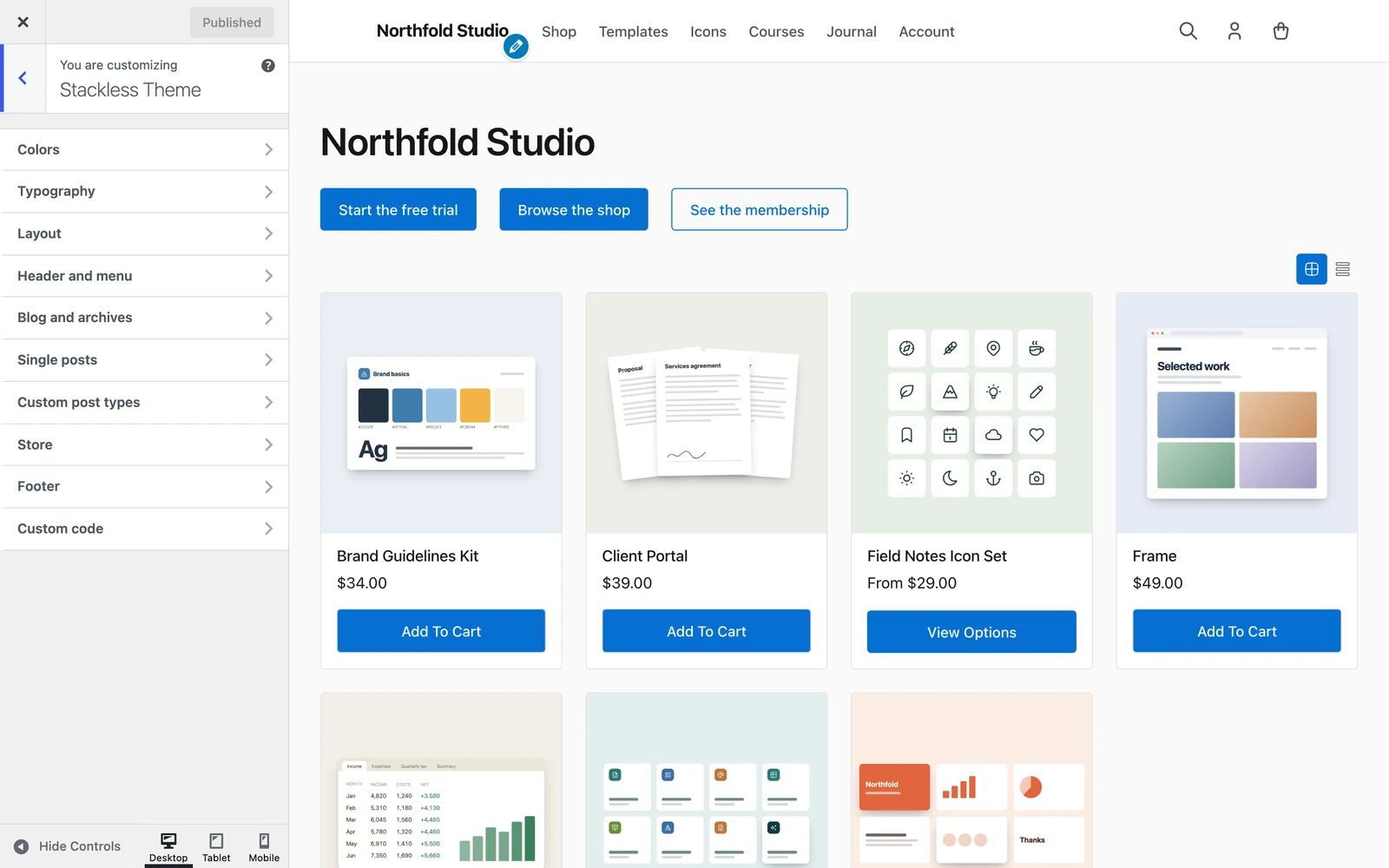
Colors and Widths
You can change 5 colors: primary, text, heading, background and card. Only the values you change are printed, as a few CSS custom properties, and the Block Editor’s palette follows them. The reading width is 720px and the wide width is 1200px by default.
Fonts
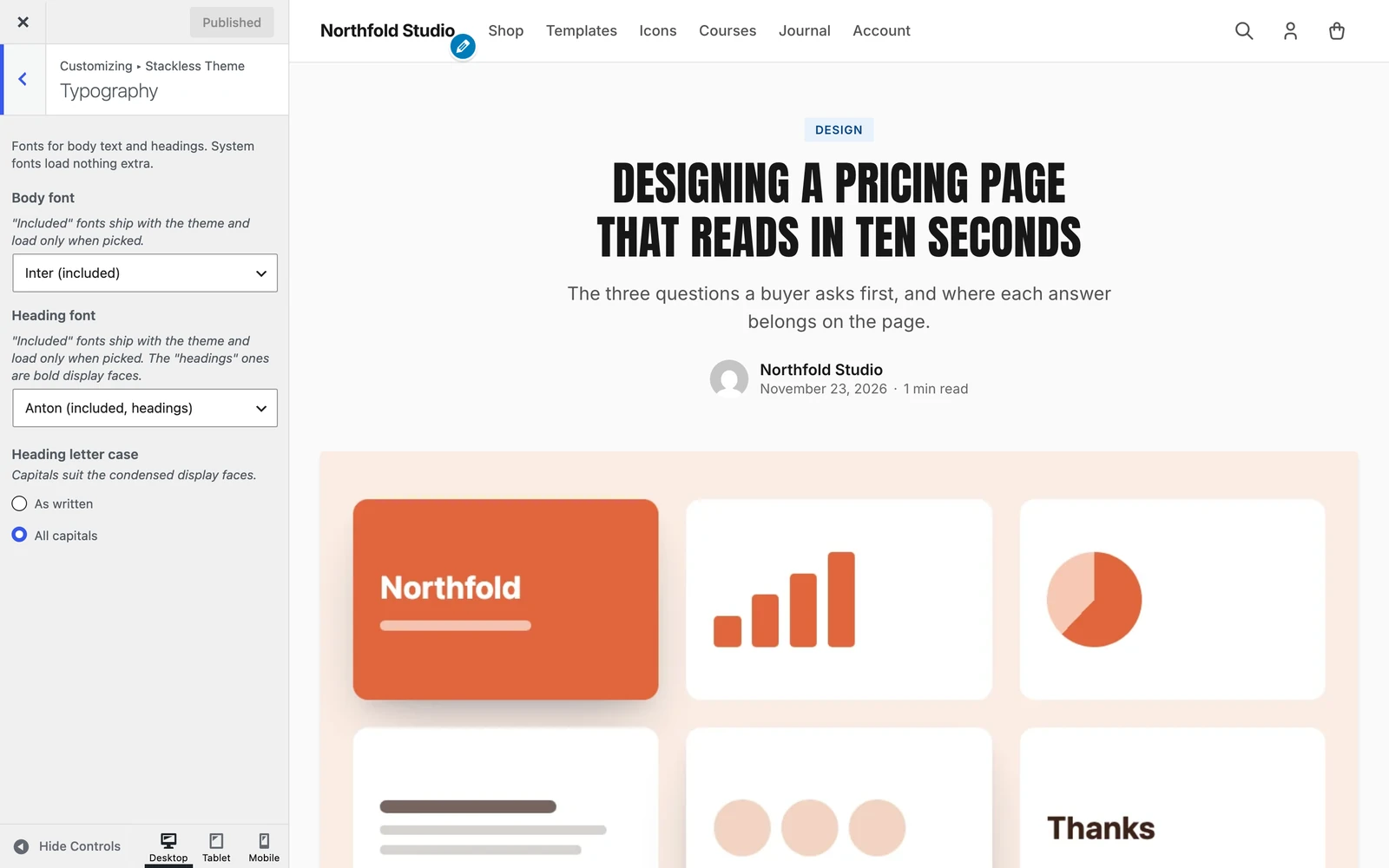
The theme uses system fonts by default, so it loads no font file. It also ships with 10 open-source fonts, and a font file loads only when you pick that font.
- For text and headings: Inter, Geist, Intern, Allo, Newsreader and Geist Serif
- For headings only: Anton, Bebas Neue, Oswald and Archivo Black
Capitals suit the condensed faces such as Anton and Bebas Neue, so I suggest setting Heading letter case to All capitals with these.
For a font outside these 10, you can load it with my free Functionalities plugin and enter its name as a custom stack.
Block Editor and Page Templates
The theme is classic, but the Block Editor gets everything it needs. It has a palette of 12 colors, 5 font sizes and a spacing scale. Wide and full alignment and editor styles are in place too, so the editor shows a page close to the front end.
Pages, posts and other public post types get 2 templates:
- Full width (no title): full-width blocks, covers and background groups run edge to edge, and text keeps the reading width
- Canvas (no header or footer): the same, without the site header and footer, for landing pages
The editor also has a Layout panel for each page. You can hide the title, the site header or the site footer, or lay the header over the first section until the page scrolls. Over a dark cover, the header switches to light text.
Page Blocks Builder
If you build sections with Page Blocks Builder, the theme gives it regions across the site. A block assigned to a region prints in that place across the site.
- Header and Footer, which replace the theme’s own header and footer
- Hero, Before content and After content
- Sidebar and the top of the post sidebar
- 404
- Above the WooCommerce shop grid and above the EDD download grid
The builder’s own template runs edge to edge, and the builder preview uses the theme’s fonts and colors.
Speed
The theme loads 2 stylesheets and 1 deferred script on every page, and they are about 14 KB together after gzip. Each store’s stylesheet loads only where that store needs it.
| File | Loads on | Size | Gzipped |
|---|---|---|---|
| base.css | Every page | 20.9 KB | 5.0 KB |
| layout.css | Every page | 37.6 KB | 7.2 KB |
| theme.js | Every page, deferred | 6.0 KB | 2.1 KB |
| woocommerce.css | WooCommerce screens and pages with store blocks | 46.1 KB | 7.4 KB |
| edd.css | EDD pages | 72.6 KB | 10.2 KB |
| fluentcart.css | Sites running FluentCart | 17.7 KB | 3.3 KB |
| stackless.css | Pages that use Stackless modules | 12.7 KB | 2.3 KB |
- The theme’s own script has no jQuery dependency
- The default fonts are system fonts, so there is no font request
- Related posts are cached for each post and refresh when a post changes
- An optional fade between pages runs in browsers that support it, and it is skipped for visitors who prefer reduced motion
These are file sizes, not speed scores. Your hosting, images and plugins decide the final numbers.
Tools and Migration
Stackless Tools
Under Appearance > Stackless tools, you can export the theme’s settings as a JSON file and import them on another site. The theme takes a backup before each import and keeps the last 3, so you can restore any of them.
Marketers Delight Importer
If you are moving a site from Marketers Delight, the theme has an importer under Tools > Import. It shows a preview first, and it never changes Marketers Delight’s own data.
- The logo, colors, widths and fonts
- Header and footer scripts
- Menu locations and widgets
- The footer copyright
- Page templates and per-page header, footer and headline settings
It also lists what it can’t move, such as Marketers Delight page blocks, shortcodes and blocks inside your content.
Hooks for Developers
Every visible part of a Stackless page can be hidden, replaced, added to or given different classes from a plugin. Each part follows one naming pattern, so once you know a part’s name you know its hooks.
This example hides the byline on posts, prints a note after the title and changes 3 defaults for the whole site:
// Hide the byline on single posts.
add_filter('stackless_theme_show_post_byline', '__return_false');

// Print a note after the post title.
add_action('stackless_theme_after_post_title', function (array $context) {
    echo '<p class="post-note">Free shipping this week.</p>';
});

// Change the defaults for the whole site.
add_filter('stackless_theme_option_defaults', function (array $defaults): array {
    return array_merge($defaults, [
        'stackless_archive_layout' => 'grid-3',
        'stackless_single_layout'  => 'sidebar-right',
        'stackless_mobile_menu'    => 'drawer',
    ]);
});
A plugin can also serve a whole template part through the stackless_theme_template_part_file filter, and a child theme can override the parts in template-parts/. The full list is in the hooks reference, and the code is on GitHub under GPL 2.0 or later.
How to Install
Download the theme
Get the zip from the Stackless Theme product page. It is free, and the order gives you a lifetime license key.
Upload and activate
Go to Appearance > Themes > Add New Theme > Upload Theme, choose the zip and activate it.
Add the license key
Enter the key under Appearance > Stackless License. Updates then show under Dashboard > Updates.
Assign the menus
Under Appearance > Menus, assign a menu to Primary menu and one to Footer menu. Without a primary menu, the header lists the shop and a few top-level pages.
Add a logo and set the design
Add the logo under Appearance > Customize > Site Identity, then open the Stackless Theme panel for colors, fonts and layouts.
The zip on GitHub is the same theme without the license client. If you install that one, you upload each new release yourself.
The Limits
There are a few things the theme doesn’t do today:
- Site Editor: it is a classic theme, so there are no block templates to edit in the Site Editor
- Header layout: the order is fixed as logo, menu and buttons, and hooks can add or hide a part but can’t reorder them
- Dark mode: the theme has one light color scheme
- Sidebar layouts: these are for posts only, so pages and custom post types keep the single column
- Customizer preview: it reloads on every change, including colors and fonts
- Starter sites: the theme has no demo importer or ready-made page templates yet
Two smaller notes. Geist Serif comes in one weight, so the browser draws its bold. And the download is about 1.5 MB because the font files ship inside it, though your visitors don’t download a font unless you pick it.
What’s Next
Next, I’m building Stackless Theme Pro, a plugin that extends this theme. This is what I’m planning for it:
- Starter sites for WooCommerce, Easy Digital Downloads and FluentCart stores
- Page and section templates made for conversion, such as sales pages and pricing sections
- Popups
- More design options
The starter sites and templates will be built with the Block Editor’s core blocks, your store plugin’s blocks and Page Blocks Builder. Pro will change the theme only through the hooks that shipped in 1.7.
The free theme stays complete on its own. I’m not giving a date or a price for Pro yet.
Frequently Asked Questions
Yes. The theme is free and licensed under GPL 2.0 or later. The download from gauravtiwari.org comes with a lifetime license key for updates, and one key works on unlimited sites.
No. The theme styles WooCommerce, Easy Digital Downloads and FluentCart on its own. If you also run Stackless for WooCommerce or Stackless for EDD, it styles their modules too.
Yes. Without a store plugin, the store styles don’t load, and the theme works as a blog or business theme with the same header, post layouts and Customizer panel.
No. It is a classic theme with full Block Editor support, so you edit pages with blocks but there are no templates in the Site Editor.
Yes. A child theme can override the files in template-parts, and most changes need no template at all because every part has hooks.
- Styled shop, product, cart, checkout and account pages for WooCommerce, EDD and FluentCart
- One Customizer panel with 10 sections and 10 included fonts
- Full Block Editor support and Page Blocks Builder regions
- Hooks for every part of the theme
Final Remarks
I suggest you start with the demo store that matches your store plugin and add a product to the cart there. If the theme fits, install it on a staging copy of your store first, then open the Stackless Theme panel and begin with Colors and Typography.
If something looks wrong on your store, please open an issue on GitHub with the page and the store plugin you use. The changelog has every release, and Stackless for FluentCart V3 covers the FluentCart plugin of the same family.
Tell Google you want more of this.
Add Gaurav Tiwari as a preferred sourceOne tap, and this site shows up more often in your own Top Stories, AI Overviews and AI Mode. Remove it any time.