
 by
by
Choosing from the best Easy Digital Downloads themes is harder than it looks, because almost every theme calls itself compatible. That word doesn’t tell you whether your store page will show a price and a buy button, or just a list of blog posts. I’d judge an EDD theme by what your customer sees from the store page through to the file download.
For most stores, I’d start with Stackless if you want a clean free design and Astra if you want more settings. I would choose Mayosis only for a multi-vendor marketplace, because that route also needs paid EDD extensions.
Stackless is the free WordPress theme I develop, with its own EDD templates and store page. Astra is a free multipurpose theme with EDD settings and a paid Pro module. Easy Digital Downloads is itself a free plugin for selling files, so you can try most of these without paying anything.
I ran 9 free themes through one test store, including the 6 free themes on this list. Mayosis and Stocky are paid themes, so I compared those 2 on their published features.
Quick Comparisons
I’d narrow your choice of EDD themes by the kind of store you’re building. A single seller and a multi-vendor marketplace need very different things from a theme.
| Theme | Where I’d Consider It | Price | Keep in Mind |
|---|---|---|---|
| Stackless | A clean free store with search and sorting ready | 100% free | You take the design further with CSS or a child theme |
| Astra | A store with room to grow through settings | Free; Pro from $69 per year | Many layout and checkout controls need Astra Pro |
| OceanWP | A multipurpose site with EDD settings built in | Free | Heavier than the lighter options here |
| Neve | A light site where you build the store page yourself | Free; Pro from $69 per year | Its default store page shows no price or buy button |
| Digital Download | A theme made for selling digital products | Free; Pro from $59 | A large icon script loads on every page |
| ExS | A small theme you’re happy to adjust | Free | Store page images display very large by default |
| Mayosis | A digital marketplace with many sellers | $69 | Multi-vendor selling needs paid EDD extensions |
| Stocky | A stock photo store or marketplace | $55 | Its marketplace tools are sold separately |
EDD Theme Test Results
I set up one local EDD store with 9 sample products, then switched between 9 free themes. Each theme ran on its default settings, with no demo import or add-on.
On a phone-sized screen, I picked a price option, added the product to the cart and placed a guest order in EDD’s test mode. Then I logged in as a customer, bought another product and opened the order history. I also opened the file link from each receipt to confirm the file came through.
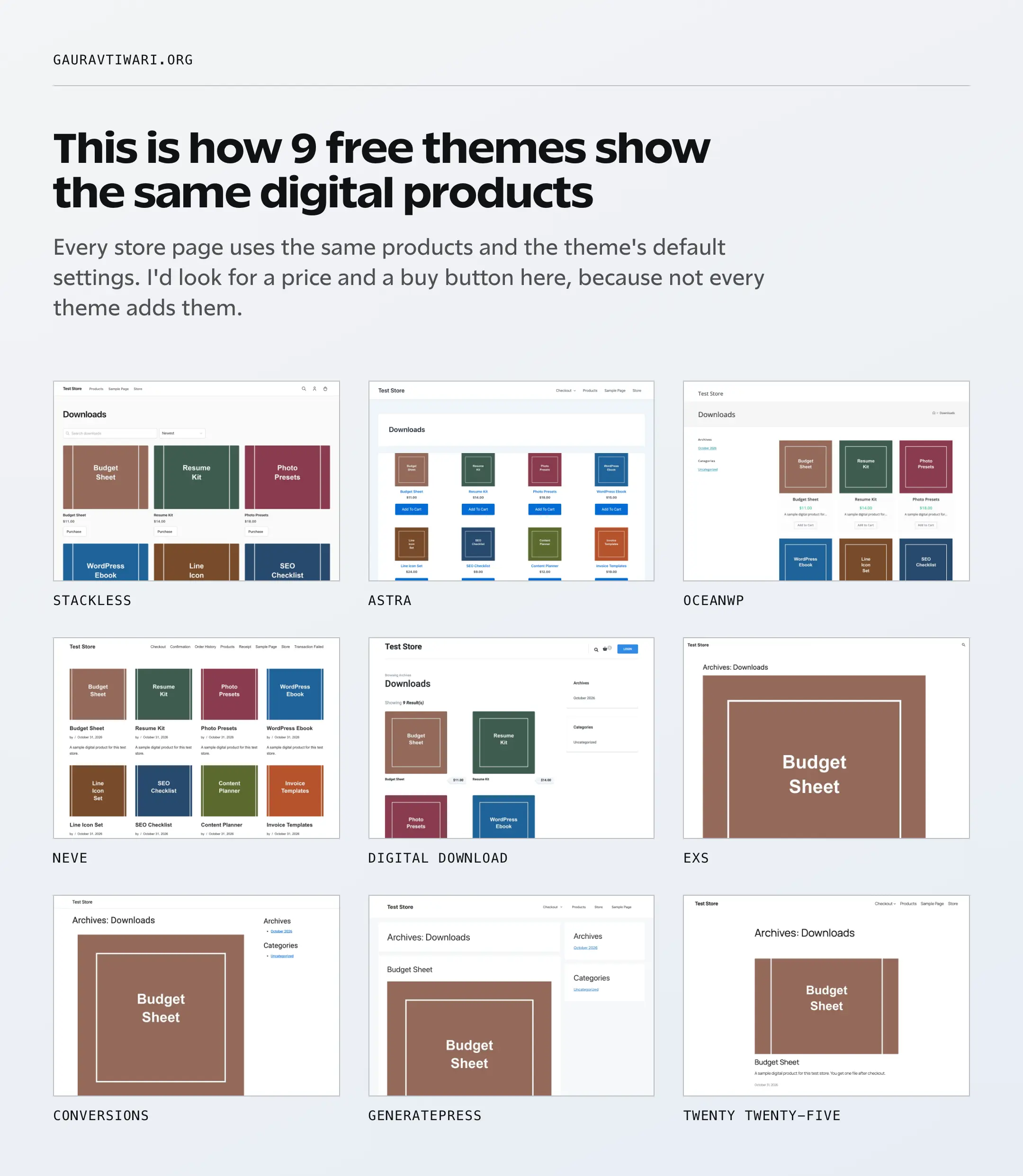
All 9 themes completed both orders, and every receipt gave a working file link. None of them pushed a page sideways on the phone screen. The buying flow worked everywhere, so I’d spend my attention on the store page.
This is what each page downloaded, leaving out images because the catalog was the same. I’ve added up CSS, JavaScript and web fonts after compression and rounded to the nearest 5 KB.
| Theme | Store Page | Product Page | Checkout Page | Web Fonts in That Total | Shown on Store Page |
|---|---|---|---|---|---|
| GeneratePress | 50 KB | 50 KB | 55 KB | None | No price or button |
| Neve | 60 KB | 60 KB | 65 KB | None | No price or button |
| Astra | 65 KB | 65 KB | 70 KB | None | Price and button |
| Stackless | 65 KB | 65 KB | 70 KB | None | Price and button |
| ExS | 65 KB | 65 KB | 75 KB | None | Price and button |
| Twenty Twenty-Five | 115 KB | 115 KB | 120 KB | 50 KB | No price or button |
| OceanWP | 175 KB | 175 KB | 185 KB | 30 KB | Price and button |
| Conversions | 195 KB | 195 KB | 355 KB | 35 KB | Price and button |
| Digital Download | 795 KB | 795 KB | 800 KB | 75 KB | Price only |
I noticed 3 things in these numbers:
- 3 themes list products like blog posts. GeneratePress, Neve and Twenty Twenty-Five showed no price or buy button on the store page, so customers have to open each product first.
- EDD keeps checkout light. 6 of the 9 themes stayed at about 120 KB or less at checkout. In my WooCommerce theme test, the lightest checkout came to about 760 KB.
- One file can outweigh everything else. Digital Download loads a Font Awesome script of about 1.7 MB before compression on every page, which accounts for most of its total.
These numbers show download size, and they don’t show speed. A local store can’t tell you how your host responds, so I haven’t ranked any theme for speed.
Best Easy Digital Downloads Themes in 2026
These are the best Easy Digital Downloads themes I’d shortlist, with the free themes first and the 2 paid marketplace themes last. I care more about what a customer can do on each page than how many demos a theme advertises.
Stackless
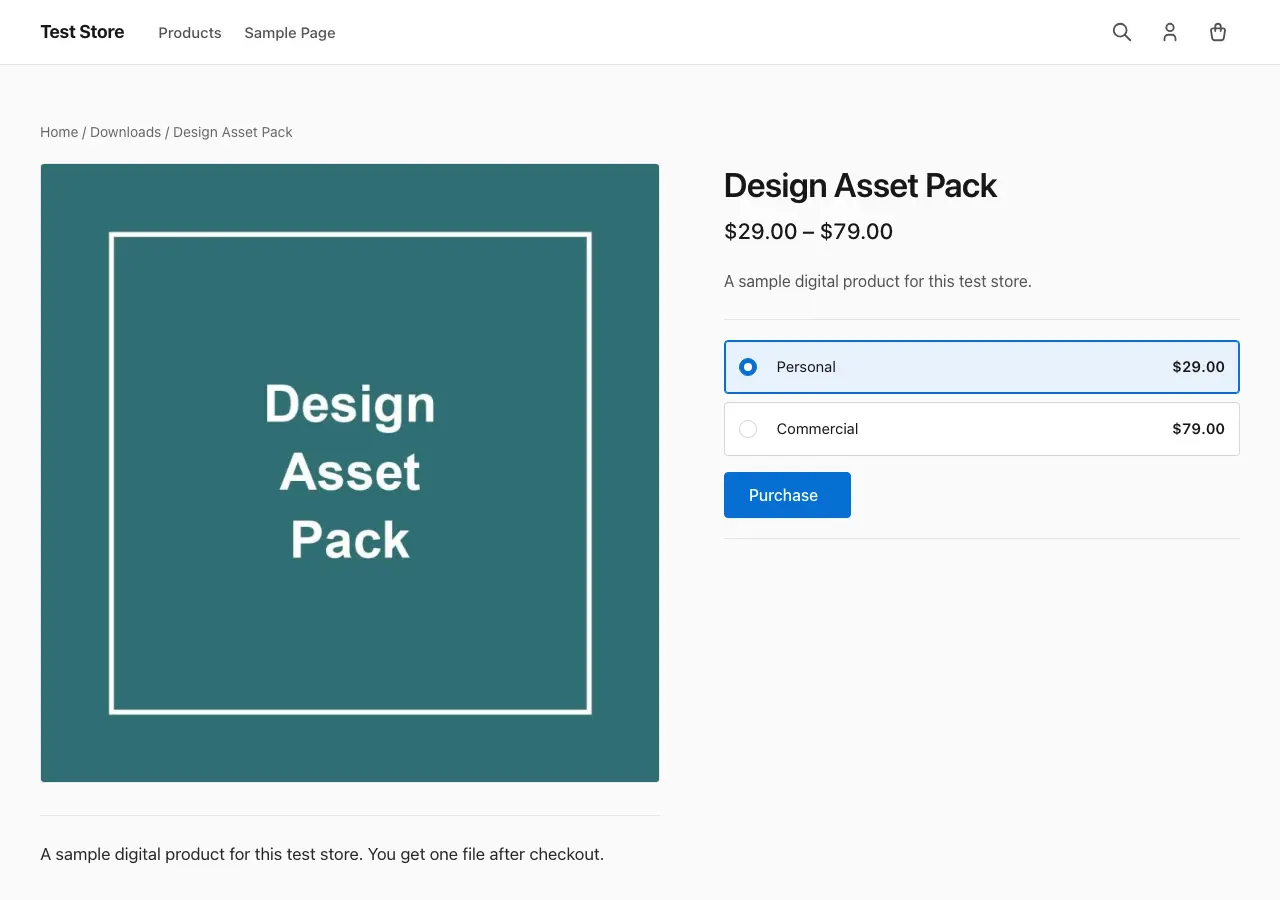
Stackless is my first recommendation for a free EDD store when you want a clean design without much setup.
Its store page was the only one in my test with a search box and a sort menu already in place. Customers get a price and a Purchase button on every card, which is what you’d want before touching any settings.
- The theme is 100% free, with a free lifetime update key for unlimited websites. Its features work without the key; the key enables theme updates.
- It’s the same theme for EDD and WooCommerce, and it loads the integration for whichever plugin is active.
- It has its own download archive and product templates, plus styling for EDD’s checkout and account screens.
- It loads no web fonts. System fonts and inline icons kept the store page at about 65 KB in my test.
- It uses classic PHP templates with Block Editor styles, so you edit pages in blocks and change templates in a child theme.
Stackless for EDD is a separate plugin that adds subscriptions, licensing, invoices and more store tools. You can add it later, and the free theme styles its screens when you do.
I would choose Astra instead if you want to change the layout through settings. Stackless suits you best when you like its starting point and want to get selling.
Astra
Astra is the one I’d try when you want EDD settings you can change without code. Its free theme already gives EDD real attention, and the paid module goes further.
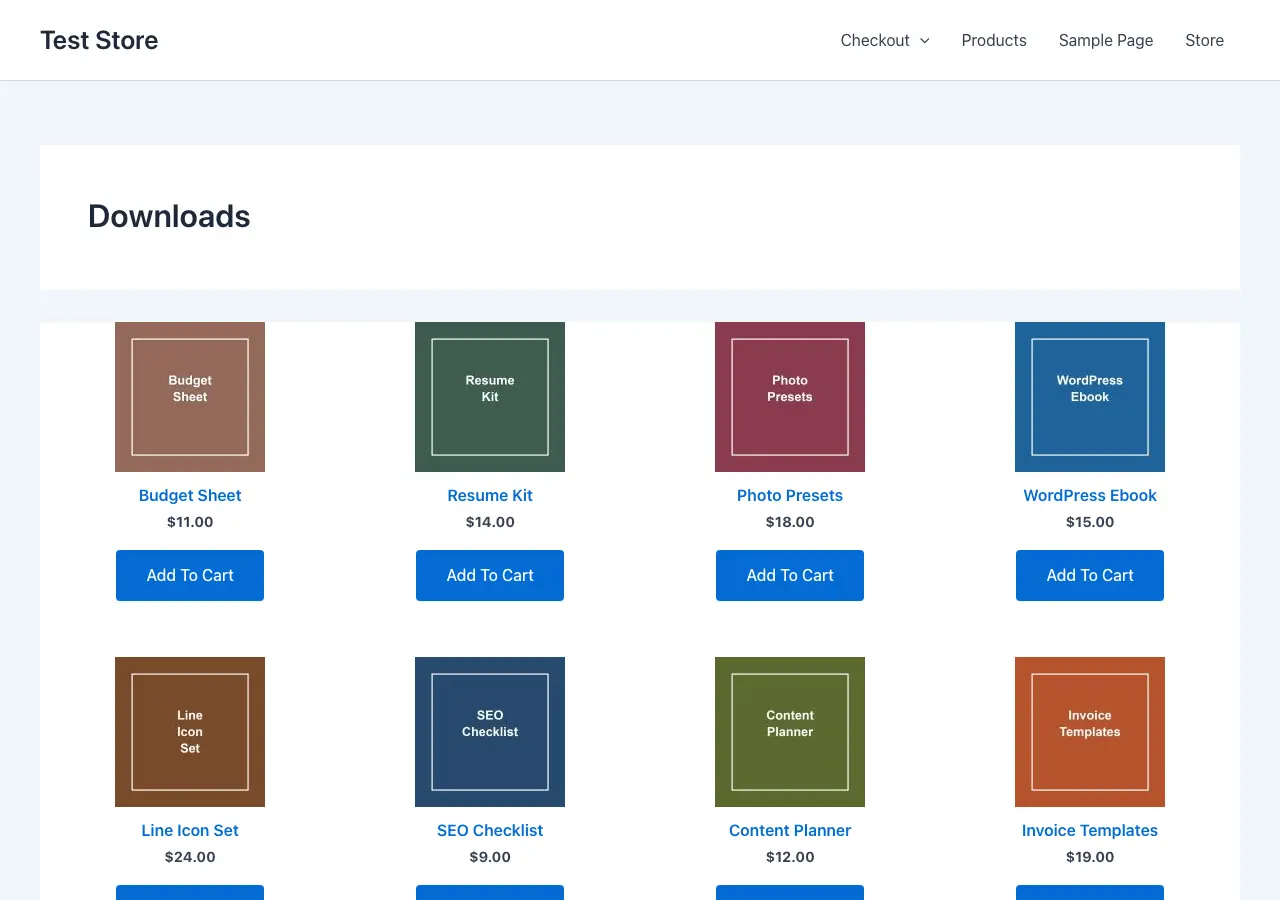
- The free EDD integration covers archive columns and width, the order of product details, Add to Cart text and a menu cart icon.
- The Pro EDD module adds grid and list layouts, dedicated colors and typography, single product controls, distraction-free checkout and checkout width.
- Astra Pro on its own lists $69 per year or $249 for lifetime access, for up to 3 websites.
Its default store page showed 4 columns with prices and Add To Cart buttons, at about 65 KB. I’d start free and upgrade only for a specific missing control, such as distraction-free checkout.
OceanWP
OceanWP has the deepest EDD code of the free themes I checked. I would consider it when the store is one part of a larger site and you want the EDD settings included.
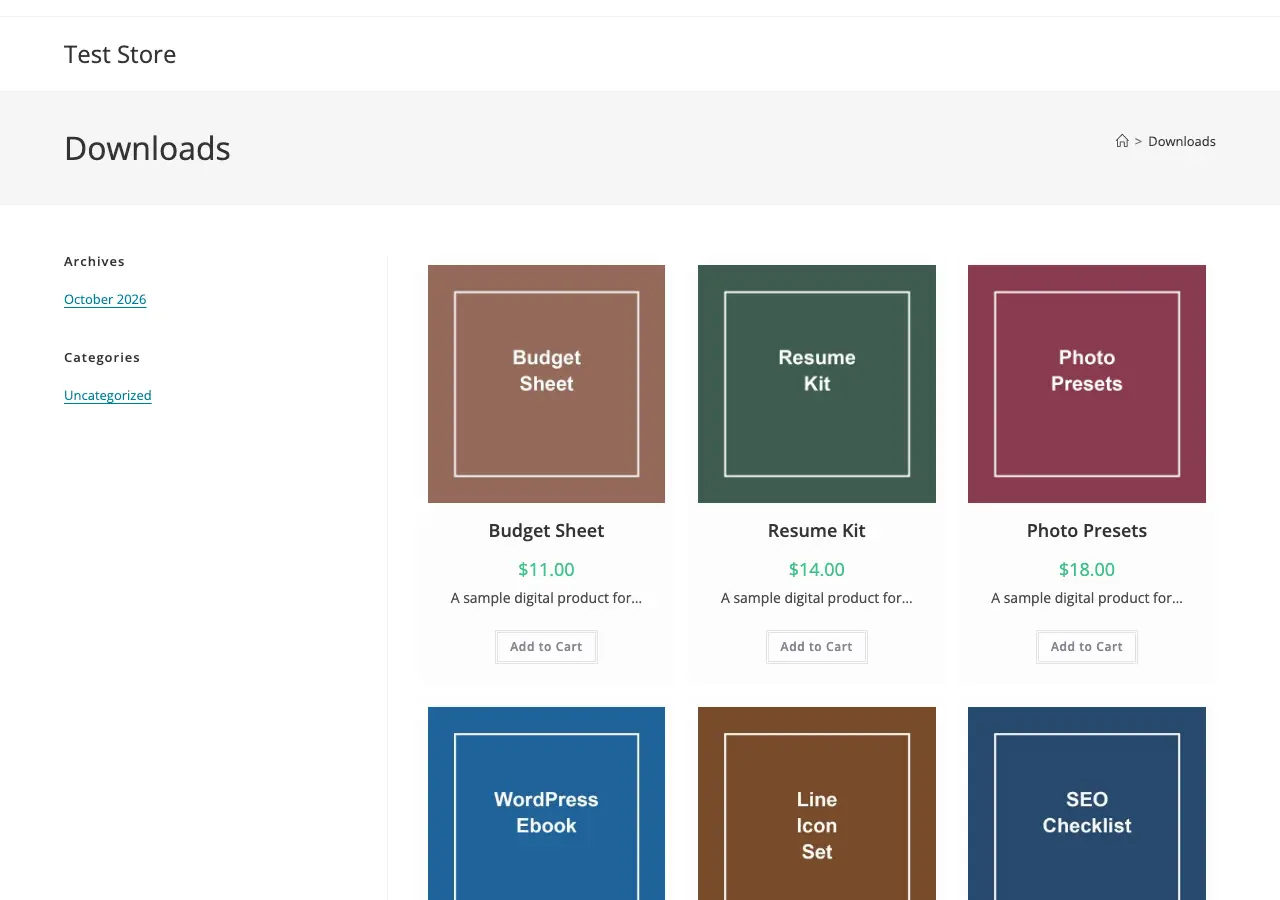
- The Customizer has its own EDD section, with a dedicated sidebar and menu cart options.
- It ships its own templates for the store page, the product page and EDD’s product cards.
- Its store page shows prices and Add to Cart buttons by default.
- The store page came to about 175 KB, helped along by jQuery, a slider script and an icon font.
That weight is the main tradeoff against Astra and Stackless, which show the same price and button at under half the size. I’d pick OceanWP if you already know it or want its settings for the rest of your site.
Neve
Neve is a light theme with EDD templates and an EDD cart icon for its header builder. I would choose it when you plan to design the store page yourself.
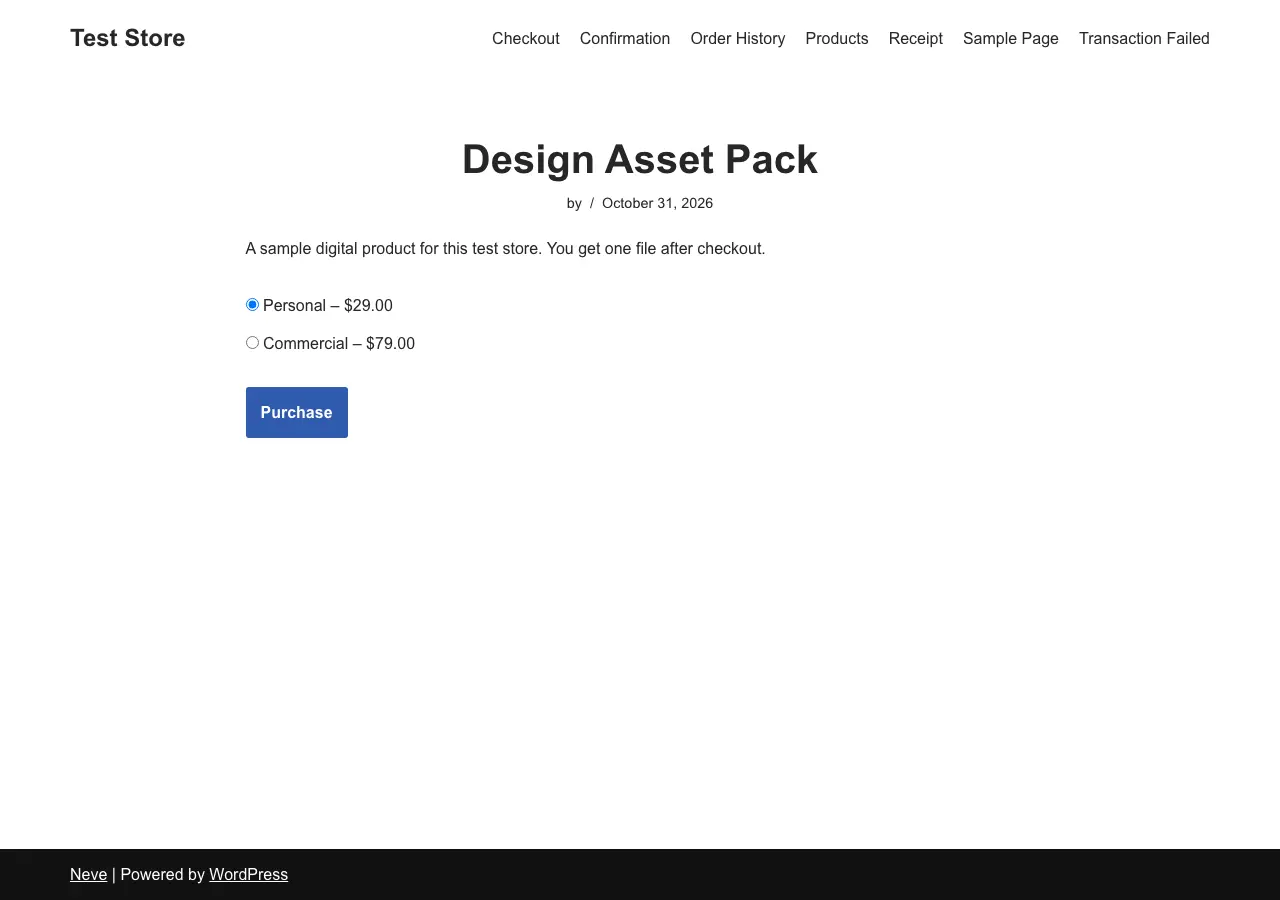
- It was the second lightest in my test, at about 60 KB on the store page.
- Its product page shows price options and a Purchase button.
- Its default store page shows the image, author, date and excerpt, with no price or button.
- Neve Pro starts at $69 per year, but its pricing page doesn’t mention EDD, so I wouldn’t upgrade for store features.
The fix for the store page takes a few minutes. You can build a page with EDD’s Downloads block, then link to that page from your menu.
Digital Download
Digital Download is a free theme built around EDD by Rara Theme. I would consider it when you want a store-first design straight away.
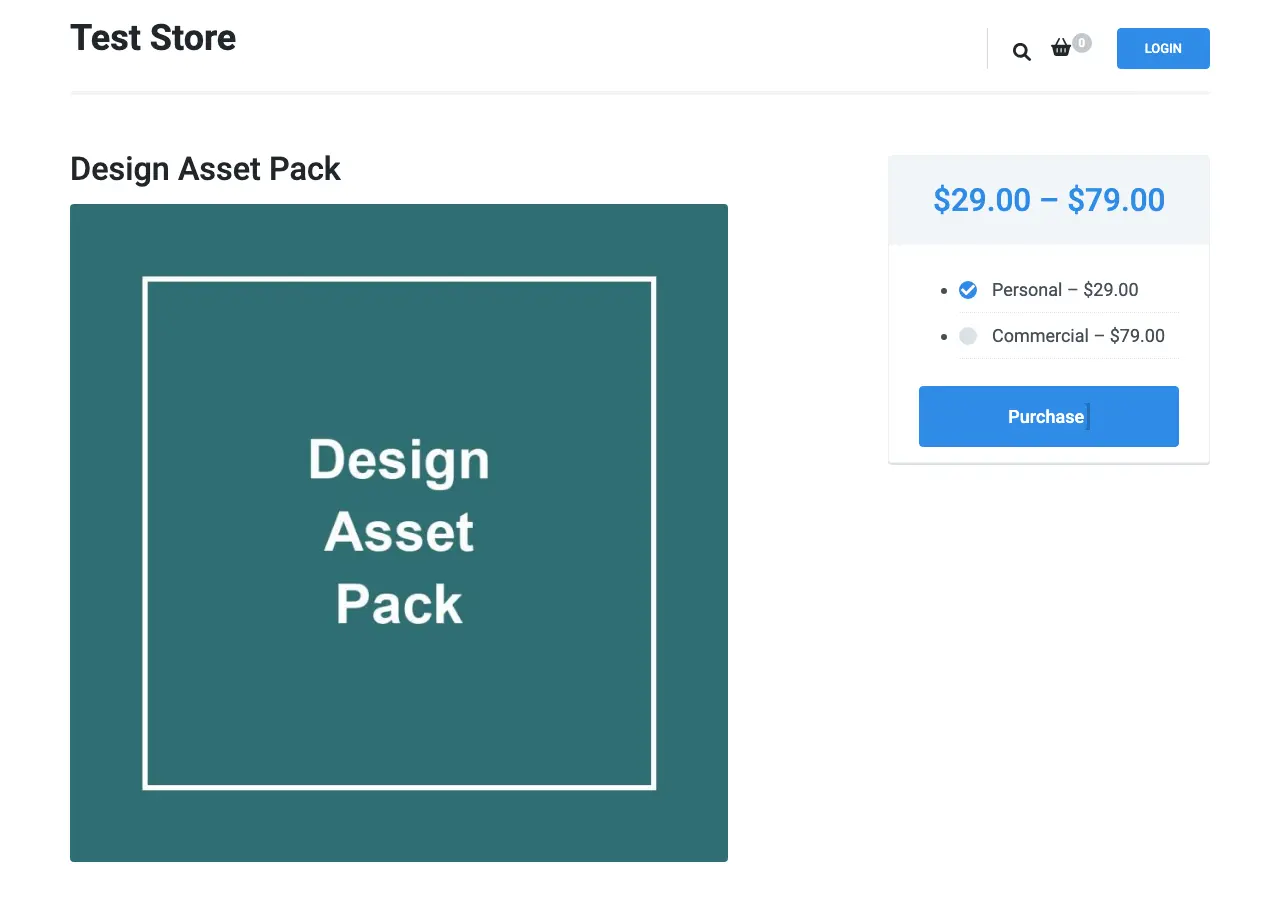
- Its header includes a cart icon with a count and a login button.
- Its product page puts the price, options and Purchase button in a side box.
- Its store page shows prices as tags on each product, with no visible buy button.
- Digital Download Pro starts at $59.
I like the layout, but its page weight gives me pause. Every page came to about 795 KB because of that Font Awesome script, so I’d check how it behaves on your own host first.
ExS
ExS is a small theme with EDD templates, and it was among the lightest in my test at about 65 KB. I would try it if you are comfortable adjusting the design.
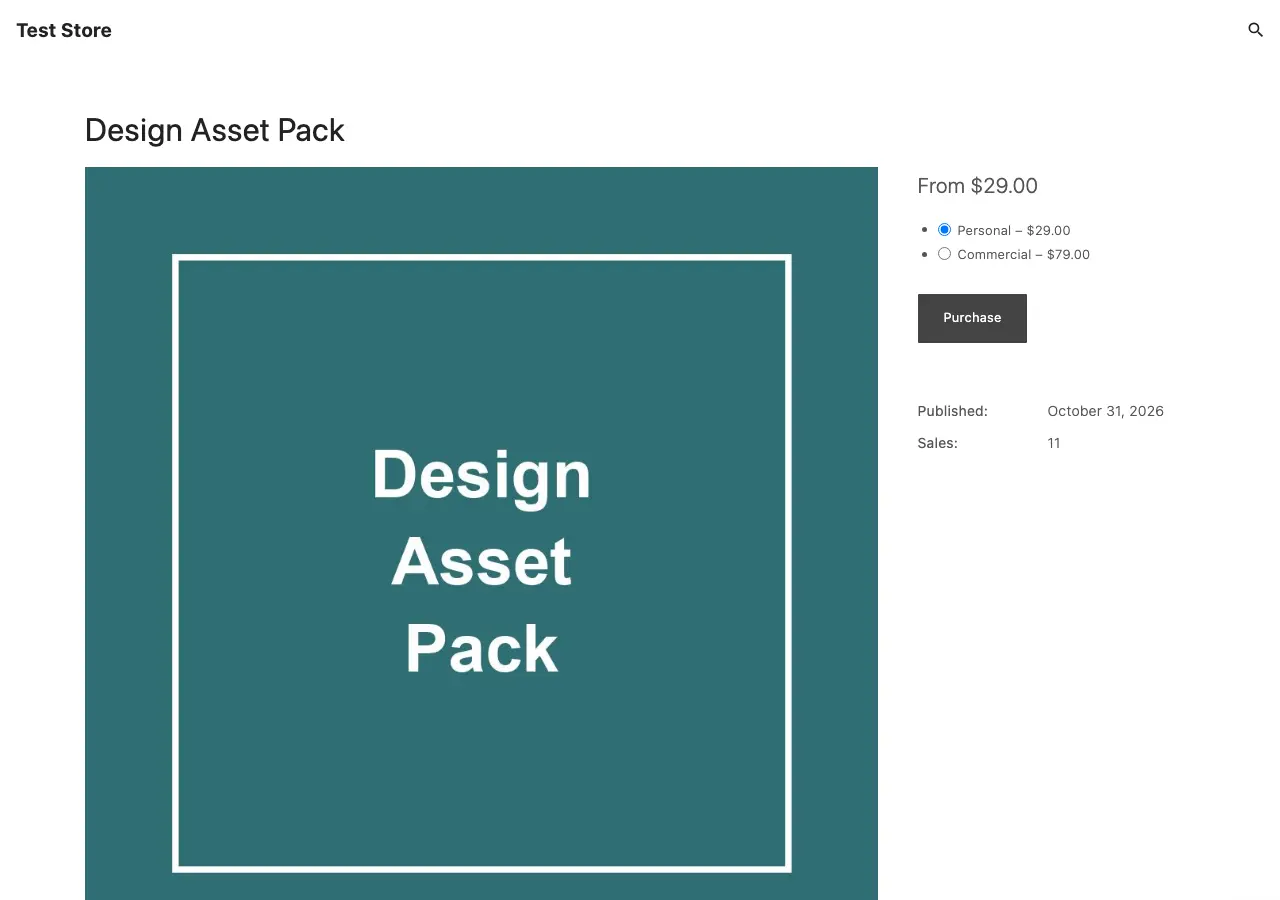
- It has store, product and category templates for EDD.
- Its product page shows price options, a Purchase button and details such as sales count.
- Its store page shows a price and a button for each product.
- Each product image displays very large on that store page, at 1 product per row.
That large image is the part I would fix first, or customers scroll a long way between products. It’s a smaller project than the others here, so I’d keep it for simpler stores.
Mayosis
Mayosis is the paid theme I would look at first for a marketplace where many sellers offer digital products.
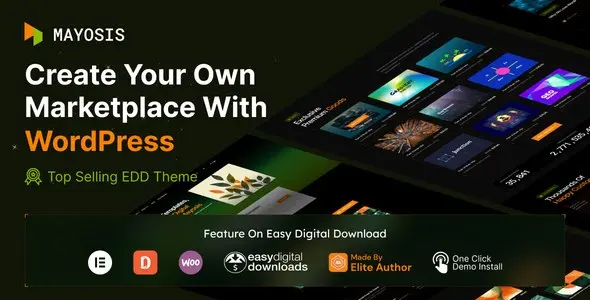
- The regular license is listed at $69.
- It’s built on EDD and also lists WooCommerce compatibility.
- Its listing bundles the WPBakery page builder and lists Elementor compatibility.
- Selling from many vendors uses EDD’s Frontend Submissions extension, which the theme doesn’t include.
So I would budget for the extension as well as the theme. EDD's pricing page lists multi-vendor features on Professional and All Access, and Professional is $299.50 for the first year and $599 on renewal.
Stocky
Stocky is a stock photography theme for EDD. I would choose it when you sell photos, because its layouts are built around browsing images.
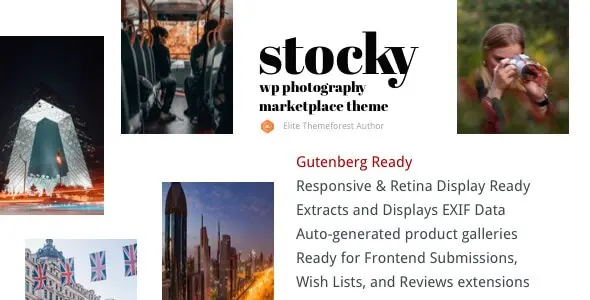
- The regular license is listed at $55.
- It runs as a single-seller store with the free EDD plugin.
- Its listing mentions a vendor portfolio template for use with Frontend Submissions.
- Vendor commissions, reviews and wish lists come from EDD extensions, and the theme doesn’t include them.
I’d start with the single-seller setup, because that needs no extra license. You can add the marketplace extensions once other photographers want to sell through your site.
Do You Need a Special Theme for EDD?
No. All 9 themes sold and delivered a file in my test, including GeneratePress and Twenty Twenty-Five, which have no EDD code at all. A theme with EDD support saves you from building the store page yourself.
You can fix a blog-style store page on any theme with EDD’s Downloads block or [downloads] shortcode. When I added the shortcode to a page, every theme I tried it on showed a price and a Purchase button for each product.
I’d treat the word compatible with care, because it covers very different things:
- ThemeForest tags: 430 of the 440 WordPress results for EDD carried the compatibility tag when I checked, including general themes such as Avada.
- EDD’s theme page: it features GeneratePress and Sydney, but neither free download contains EDD-specific code.
- Older roundups: Marketify still appears in them, but its old ThemeForest listing is gone. Olam is still sold, with no update since January 2025.
- EDD’s own themes: Themedd and Vendd are free on the EDD site, but neither is among the featured themes now, so I’d try them on staging first.
I left Conversions out of the main list even though it has EDD settings and templates. Its stylesheet alone is about 540 KB before compression, and its checkout page came to about 355 KB.
What Is Worth Paying For?
I’d separate what the theme does from what EDD does. A paid theme changes how the store looks, and it won’t add subscriptions or licensing by itself.
| What You Need | Where It Comes From | What It Costs |
|---|---|---|
| Store layout and colors | Your theme | Free to start; Astra Pro from $69 per year |
| Subscriptions | An EDD paid plan or Stackless for EDD | EDD from $99.50 for the first year, then $199 |
| Software licensing | EDD Professional or All Access, or Stackless for EDD | EDD from $299.50 for the first year, then $599 |
| Multi-vendor marketplace | EDD Professional or All Access, plus a marketplace theme | The same EDD plan, plus $55 to $69 for the theme |
Before upgrading, you should be able to name the feature and the package that supplies it. Renewal prices matter here, because EDD’s first-year prices are introductory.
Before You Switch Themes
I would keep your current store online while you try the new theme on a staging copy. My guide on how to choose a WordPress theme covers the general checks, and these are the EDD-specific ones.
- Make a current backup and create a staging copy with customer emails turned off.
- Turn on EDD’s test mode so no real payments go through.
- Open the store page on a phone-sized screen. Check that each product shows a price and a clear way to buy.
- Pick a price option on a product with variable pricing and add it to the cart.
- Complete a guest purchase, then open the file link from the receipt.
- Log in as a customer, buy again and open the order history.
- Confirm that any extension you use, such as subscriptions or licensing, still shows its screens correctly.
FAQs on Easy Digital Downloads Themes
What is the best Easy Digital Downloads theme?
Stackless is my first pick for a free EDD store with a clean default design. I’d choose Astra for more settings and Mayosis for a multi-vendor marketplace.
Do I need a special theme for Easy Digital Downloads?
No. EDD completed orders and delivered files on all 9 themes I tested. A theme with EDD support saves you from building the store page yourself, because it shows prices and buy buttons by default.
Can I use a WooCommerce theme with EDD?
You can if the theme works as a normal WordPress theme, but its store styling may only target WooCommerce. Check the EDD store page, checkout and receipt on staging before you switch.
Which EDD theme is the lightest?
GeneratePress was the lightest in my test at about 50 KB on the store page, but it shows no price or button there by default. Astra, Stackless and ExS came to about 65 KB and do show both.
Does a free EDD theme include subscriptions or software licensing?
No. A theme controls how your store looks. Subscriptions and licensing come from a paid EDD plan or from a separate plugin such as Stackless for EDD.
Is Stackless for EDD a separate theme?
No. Stackless is 1 free theme that supports both EDD and WooCommerce. Stackless for EDD is a separate plugin that adds store features such as subscriptions and licensing.
My Recommendation
I’d install the free theme closest to the store you have in mind, add one real product and buy it in EDD’s test mode.
If the store page shows a price, the checkout feels clear and the file reaches you, I would keep that theme and put your money into the products you sell.
Best of luck.
Tell Google you want more of this.
Add Gaurav Tiwari as a preferred sourceOne tap, and this site shows up more often in your own Top Stories, AI Overviews and AI Mode. Remove it any time.
Disclaimer: This site is reader-supported. If you buy through some links, I may earn a small commission at no extra cost to you. I only recommend tools I trust and would use myself. Your support helps keep gauravtiwari.org free and focused on real-world advice. Thanks. - Gaurav Tiwari