
 by
by
Finding the best FluentCart themes is confusing, because very few themes are built for FluentCart yet. FluentCart runs on most themes, so the real question is whether your store will look designed or just dropped into the page. I’d start with a theme built for it if one fits your products, and use a light general theme if none does.
For a fashion or lifestyle shop, I’d choose Palladium. For an industrial catalog, I’d choose Uranium, which is free. For anything else, I would start with GeneratePress or Astra and turn on FluentCart’s theme colors.
Palladium and Uranium are the 2 themes I build for FluentCart, and both are on my store. FluentCart is a free eCommerce plugin for WordPress, and my FluentCart review covers what it does.
I ran 8 of these themes through one test store. Lumiera is a paid theme, so I compared it on its published features.
Quick Comparisons
I’d narrow your choice of FluentCart themes by what you sell. The 3 themes at the top are styled for a type of store, and the rest give you a general frame around FluentCart’s own layout.
| Theme | Where I’d Consider It | Price | Keep in Mind |
|---|---|---|---|
| Palladium | A fashion, shoe or accessories store | $59 per year, or $199 for unlimited sites | Styled for retail, and made for FluentCart alone |
| Uranium | Industrial catalogs and spare parts | 100% free | Styled for technical catalogs from the start |
| Lumiera | A beauty salon or clinic with a small shop | $39 | Built with Elementor |
| GeneratePress | A light base for a custom design | Free | Its default sidebar narrows store pages |
| Kadence | A content-rich site with a store attached | Free | Its paid Shop Kit targets WooCommerce |
| Astra | A store within a business website | Free | Product pages show author and date by default |
| Blocksy | A site you shape through theme settings | Free | Product pages show author and date by default |
| Twenty Twenty-Five | Editing store templates in the Site Editor | Free | Its shop layout starts quite narrow |
| OceanWP | An existing OceanWP site | Free | The theme color setting strips its Buy Now button |
FluentCart Theme Test Results
I set up one local FluentCart store with 9 sample products, then switched between 8 themes. Each theme ran on its default settings, with no demo import. I tested Palladium as the theme alone, without the GT Extensions plugin it comes with.
On a phone-sized screen, I picked a price option, added the product to the cart and placed a guest order with offline payment. Then I logged in as a customer, bought another product and opened the account page.
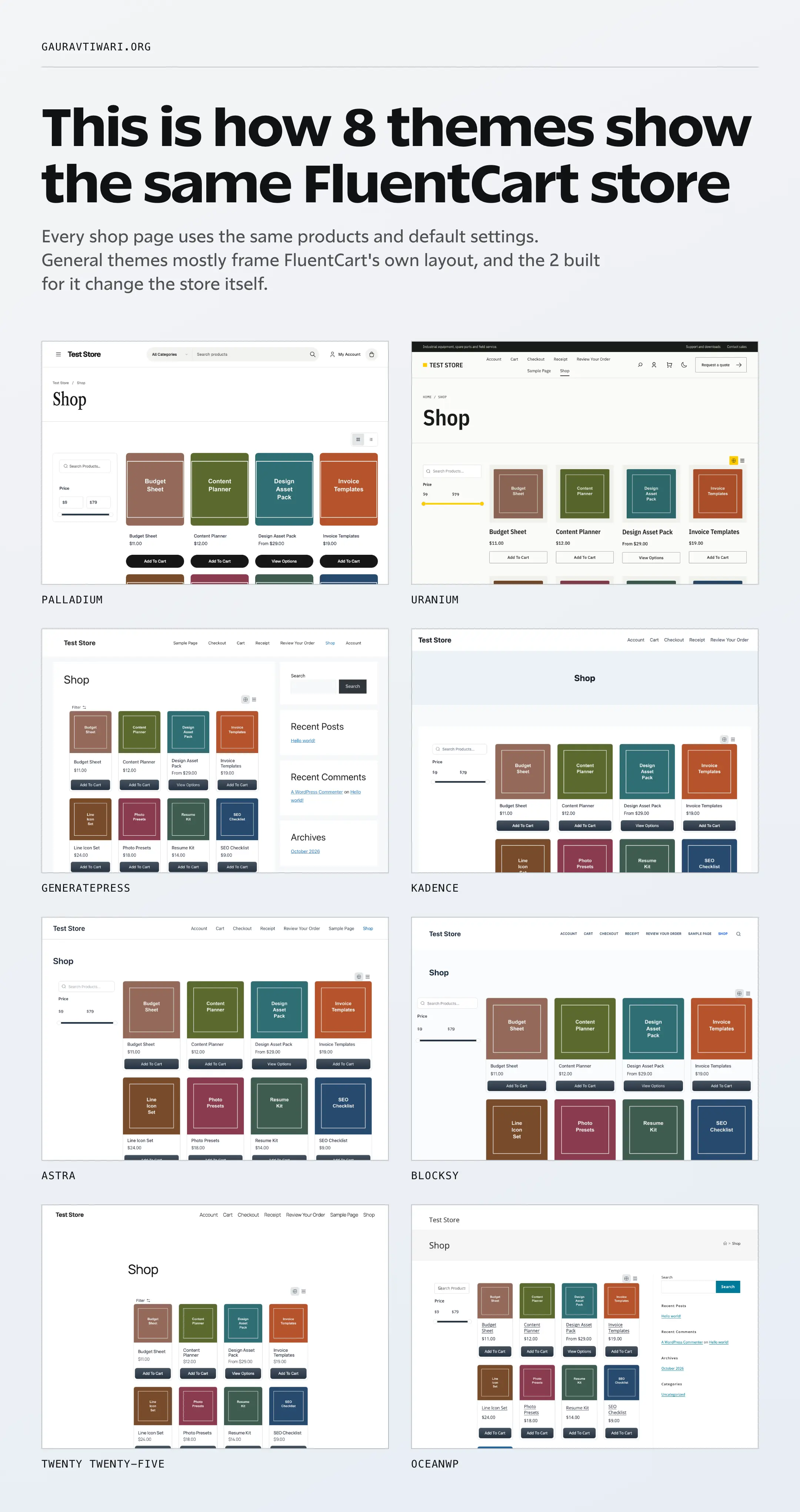
All 8 themes completed both orders, and the account page worked on every one. None of them pushed a page sideways on the phone screen.
This is what each page downloaded, leaving out images because the catalog was the same. I’ve added up CSS, JavaScript and web fonts after compression and rounded to the nearest 5 KB.
| Theme | Shop Page | Product Page | Checkout Page | Account Page | Web Fonts in That Total |
|---|---|---|---|---|---|
| GeneratePress | 90 KB | 90 KB | 150 KB | 590 KB | None |
| Astra | 100 KB | 100 KB | 160 KB | 595 KB | None |
| Blocksy | 105 KB | 105 KB | 165 KB | 605 KB | None |
| Kadence | 105 KB | 110 KB | 165 KB | 605 KB | None |
| Twenty Twenty-Five | 155 KB | 155 KB | 210 KB | 650 KB | 50 KB |
| Uranium | 195 KB | 245 KB | 255 KB | 695 KB | 80 KB |
| OceanWP | 245 KB | 245 KB | 305 KB | 740 KB | 30 KB |
| Palladium | 250 KB | 250 KB | 310 KB | 750 KB | 130 KB |
I noticed 3 things in these numbers:
- FluentCart does most of the work on general themes. Product cards, price options and buttons looked nearly the same on all 6. The theme mostly changes the header, the page width and any sidebar.
- Web fonts explain most of the gap. Without them, every theme except OceanWP sits between about 90 KB and 120 KB on the shop page.
- The account page is the heaviest one. It came to about 590 KB or more on every theme, because FluentCart loads its customer portal there.
Checkout is where the store plugin shows. On GeneratePress, the same page came to about 150 KB on FluentCart, 55 KB in my Easy Digital Downloads test and 760 KB in my WooCommerce test.
These numbers show download size, and they don’t show speed. A local store can’t tell you how your host responds, so I haven’t ranked any theme for speed.
Will FluentCart Match Your Theme’s Colors?
Not by default. FluentCart uses its own colors until you change one setting, so its Buy Now button was the same dark navy on all 6 general themes. You can switch to Inherit From the Active Theme under FluentCart > Settings > Store Settings > Appearance.
I tried both options on each theme, and this is what happened to the Buy Now button:
| Theme | FluentCart’s Own Colors | Inherit From the Active Theme |
|---|---|---|
| Palladium | The theme’s own styling | No change |
| Uranium | The theme’s yellow | No change |
| GeneratePress | Dark navy | GeneratePress’s gray button color |
| Kadence | Dark navy | Kadence’s blue, with tighter corners |
| Astra | Dark navy | Astra’s blue |
| Blocksy | Dark navy | Blocksy’s blue, with tighter corners |
| Twenty Twenty-Five | Dark navy | The theme’s black |
| OceanWP | Dark navy | Plain text with no button color |
I’d turn this setting on for any general theme except OceanWP, then check the Buy Now button yourself. FluentCart’s appearance docs say it copies only colors and corner rounding, so your theme’s fonts and spacing stay separate.
Best FluentCart Themes in 2026
These are the best FluentCart themes I’d shortlist, starting with the 3 styled for a type of store. I care more about how the finished store looks than how many demos a theme advertises.
Palladium
Palladium is my first recommendation for a FluentCart store selling clothing, shoes or accessories. I built it for that kind of shop, so product pages and the catalog look retail-ready before you change anything.
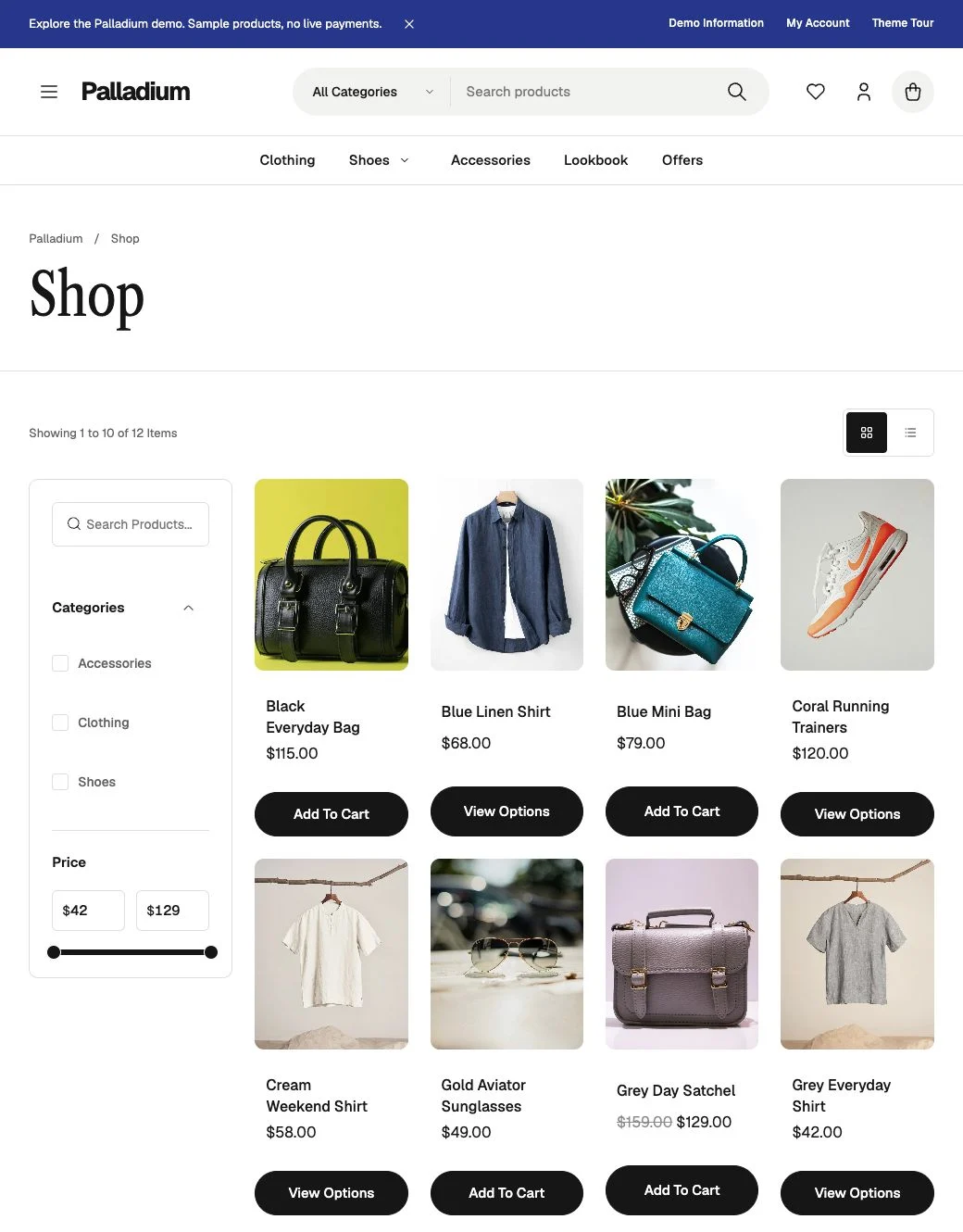
- It’s a premium theme at $59 per year for 1 website, or $199 per year for unlimited websites.
- Both plans include GT Extensions for FluentCart, updates and support during the paid term.
- Product pages have a multi-image layout with a sticky purchase column, image zoom and a swipe gallery on phones.
- Product photos offer quick view, and you get a choice of 3 header layouts with color and typography controls.
- Geist and Libre Caslon are bundled with the theme, at about 130 KB of its 250 KB shop page.
You can browse the Palladium demo store before buying. If you sell something other than fashion and lifestyle products, Uranium or a general theme will start closer to what you want.
Uranium
Uranium is the free theme I’d use for manufacturers, parts suppliers and other technical catalogs. It has its own FluentCart store templates, and its yellow accent and square corners carry through to the buttons.
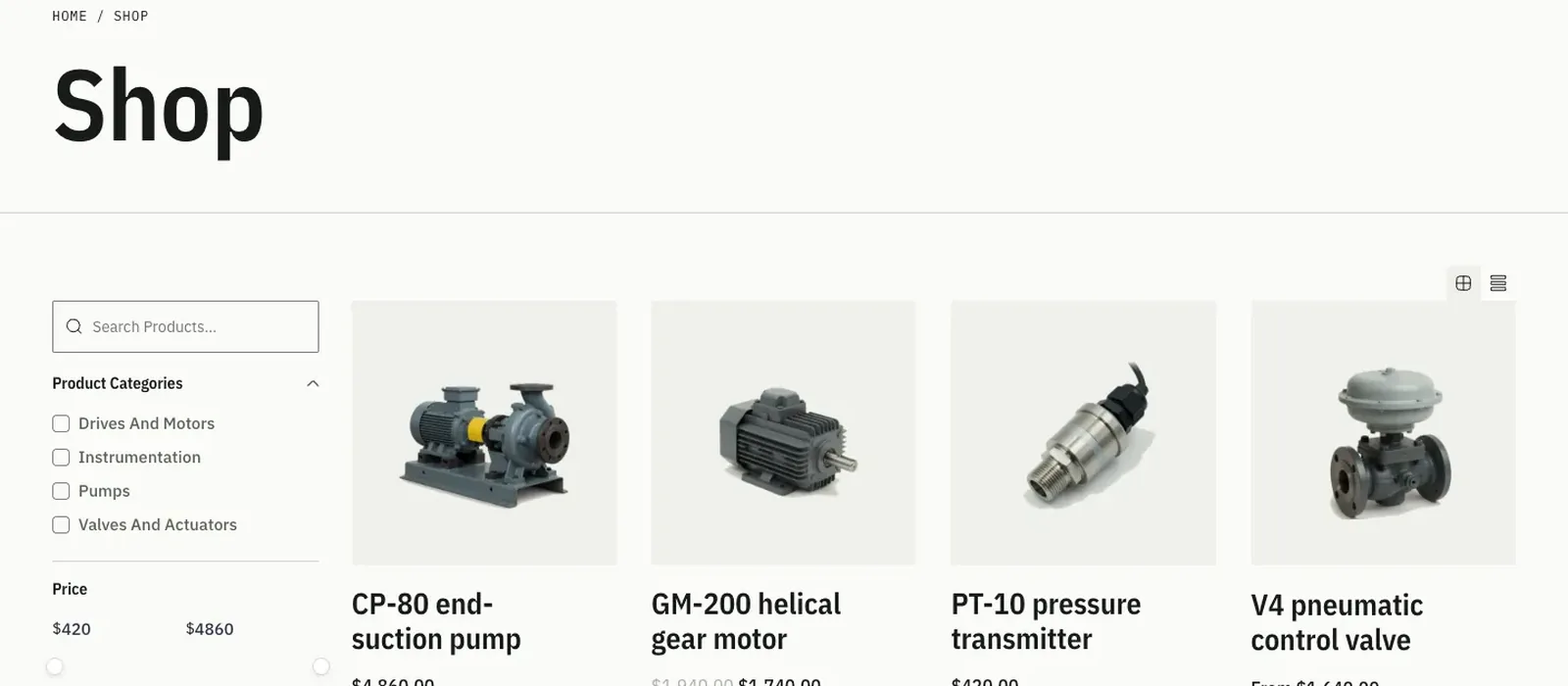
- The theme is 100% free, and it also supports WooCommerce.
- It includes a header cart drawer, 4 accent palettes and light and dark modes.
- Page content uses core WordPress blocks, with patterns for product families and specifications.
- Its 3 IBM Plex web fonts give the catalog its engineering look, at about 80 KB per page.
- You can pair it with the quote form and filter plugins you already trust. Uranium Pro, which I’m building, will add quote requests, catalog filters and compare.
My industrial WordPress themes comparison is the better next step if you run a manufacturing business.
Lumiera
Lumiera is a beauty salon and clinic theme, and it was the one outside theme I found that lists FluentCart support on ThemeForest. I would consider it when the site is mainly about services and the shop is a smaller part.
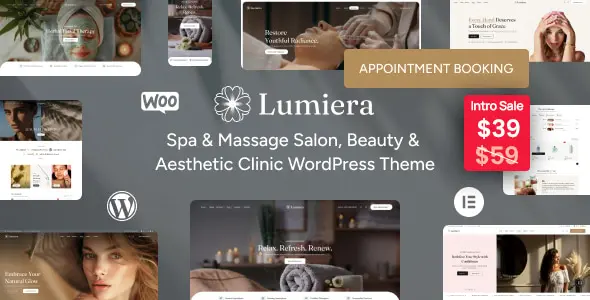
- The regular license is listed at $39 as an intro price, down from $59.
- It’s built with Elementor, so you’d edit it through that builder.
- Its listing describes FluentCart as a lightweight alternative to WooCommerce, with integrated styling.
I’d check the store pages in its live preview before buying, because the listing’s compatibility field leaves out FluentCart.
GeneratePress
GeneratePress had the lightest pages in my test, at about 90 KB on the shop page. I would choose it as a clean base when you plan to shape the design yourself.
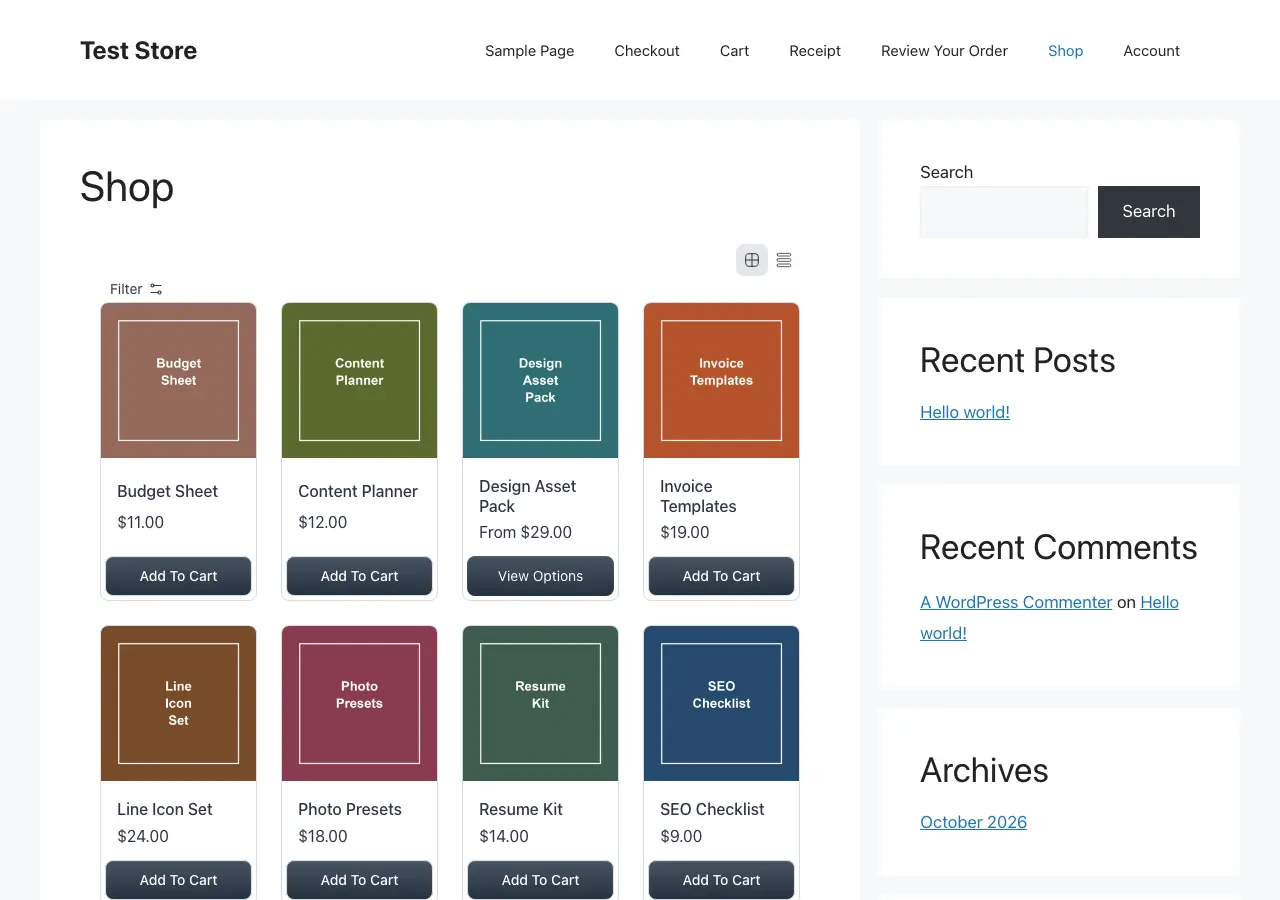
- FluentCart lists it among its tested themes.
- It shows a sidebar on store pages by default, which narrows the product grid until you turn it off.
- The inherit setting picked up its gray button color, so you’d set your own accent in the theme first.
- GP Premium’s WooCommerce module targets WooCommerce, so I wouldn’t buy it for a FluentCart store.
Kadence
Kadence is worth trying when the shop sits beside a blog or a service website. FluentCart lists it as tested, and it stayed light at about 105 KB on the shop page.
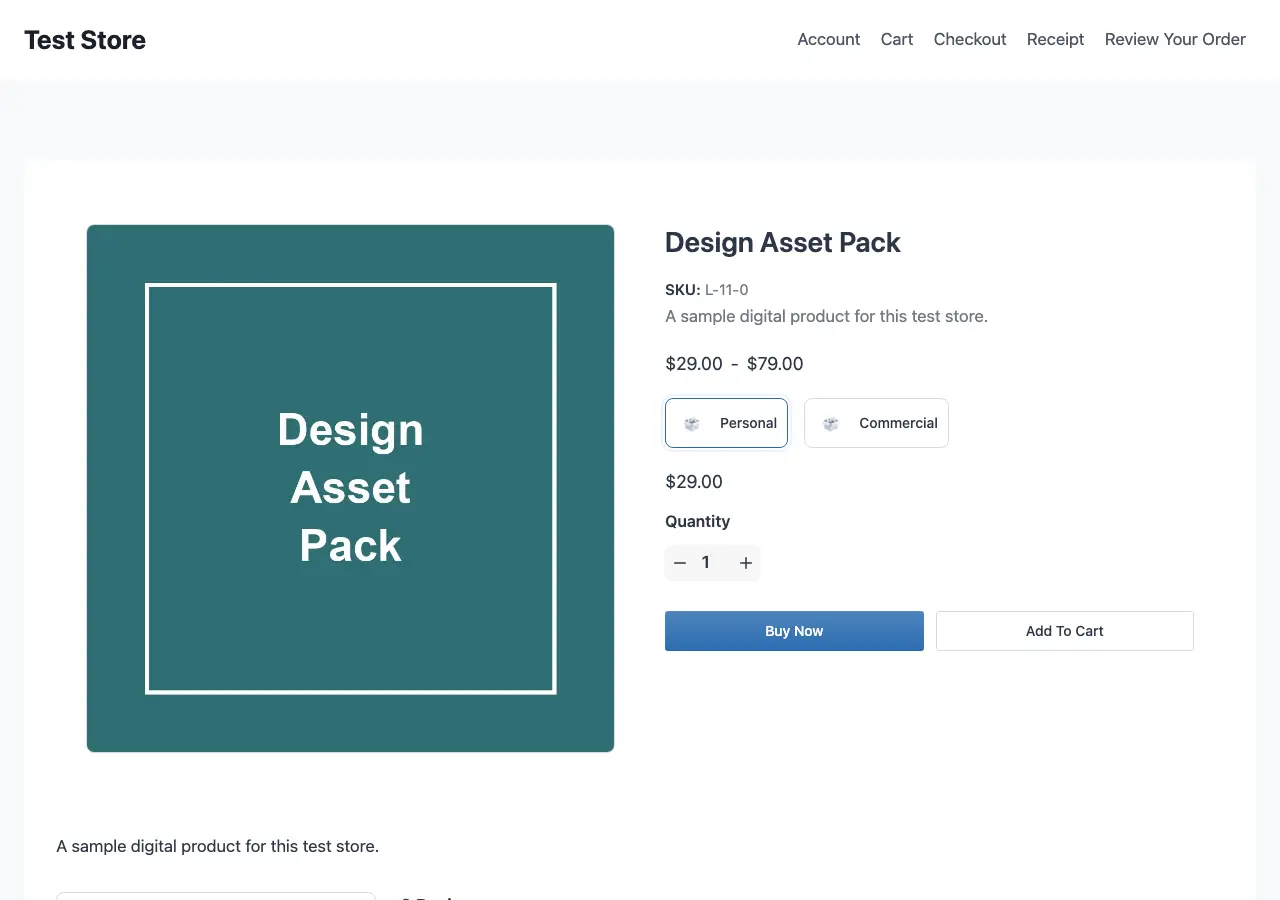
- The free theme includes a header and footer builder and global font and color controls.
- Store pages open with a large title band by default.
- The inherit setting picked up its blue accent and tightened the button corners.
- Shop Kit in its paid plans targets WooCommerce, so I wouldn’t pay for it on a FluentCart store.
I like the free theme’s code, but I would weigh Liquid Web’s changing plans before paying for anything. My Kadence theme review covers that in more detail.
Astra
Astra makes sense when the store shares a website with substantial business content. FluentCart lists it as tested, and it came to about 100 KB on the shop page.
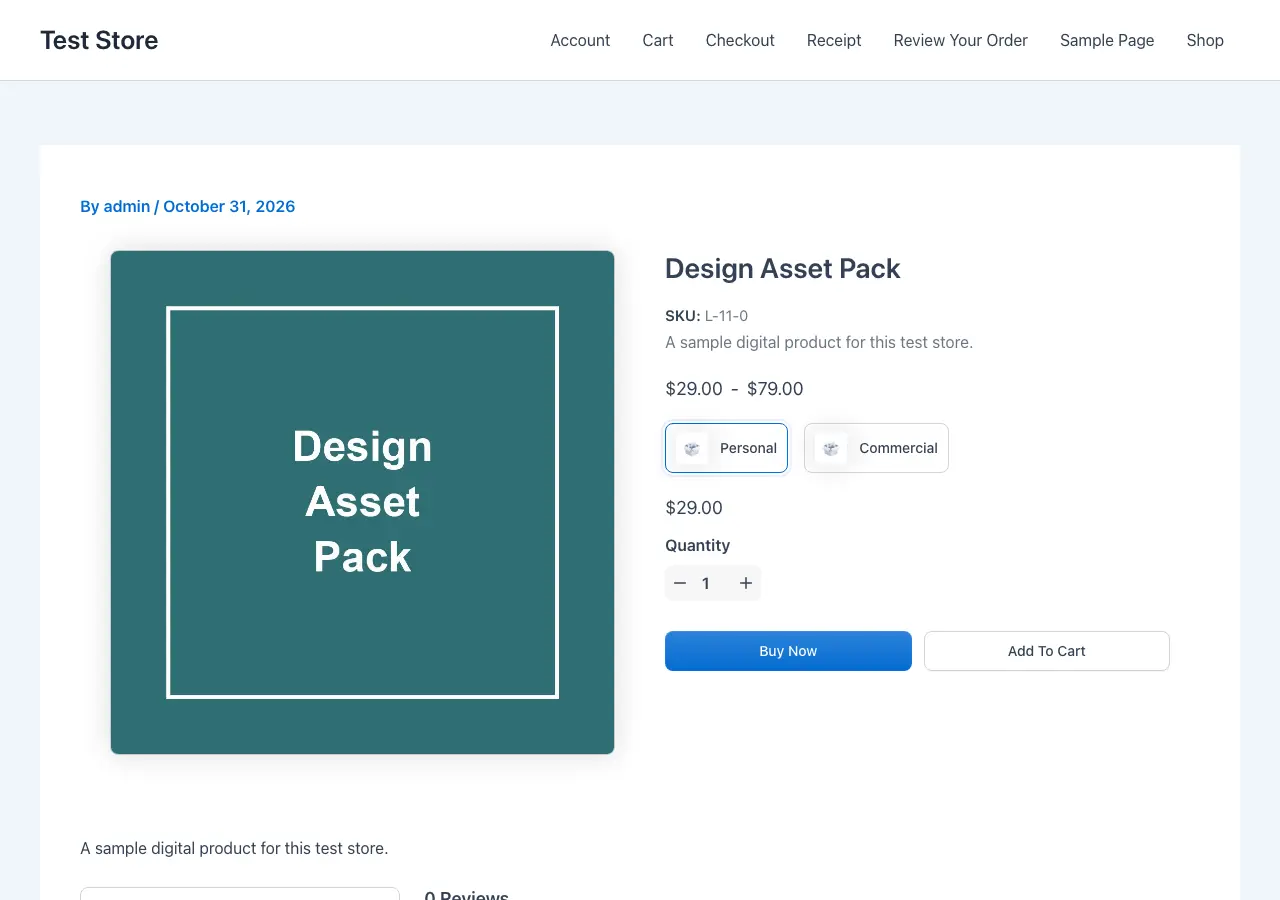
- The inherit setting picked up its blue accent cleanly, and the product page looked the most finished of the general themes.
- Its default product page shows an author and date line, which you’d want to turn off for a store.
- Astra Pro’s store modules target WooCommerce and Easy Digital Downloads, so I would stay on the free theme here.
Blocksy
Blocksy is the one I’d try when you want a lot of control through theme settings. FluentCart lists it as tested, and it came to about 105 KB on the shop page.
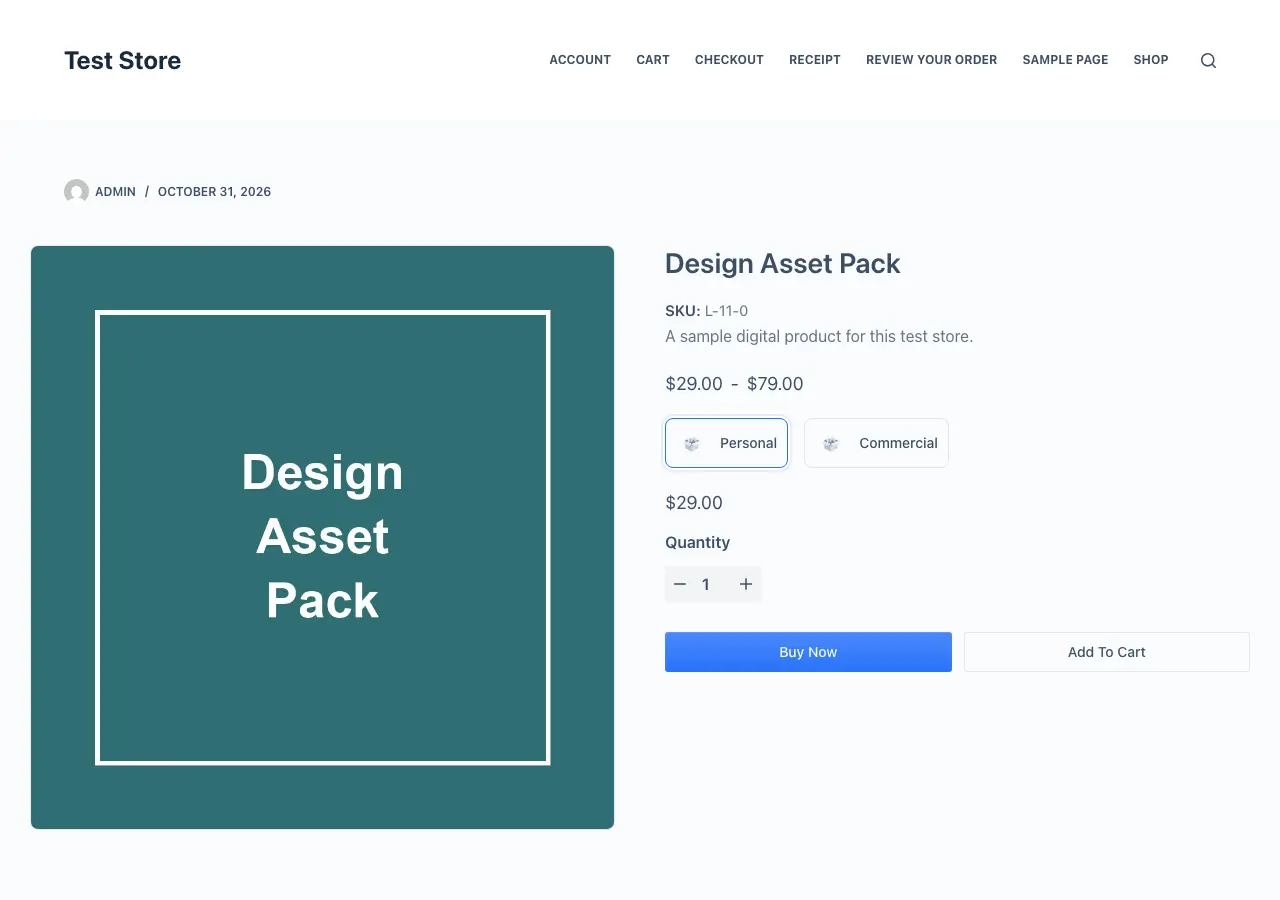
- Its header builder gives you room to design the frame around the store.
- The inherit setting picked up its blue accent and tightened the button corners.
- Its default product page also shows an author and date line.
- Its paid Shop Extra tools target WooCommerce, so I wouldn’t upgrade for a FluentCart store.
Twenty Twenty-Five
Twenty Twenty-Five is the block theme route. I would choose it when you want to edit the store in the Site Editor, because FluentCart adds templates you can change there.
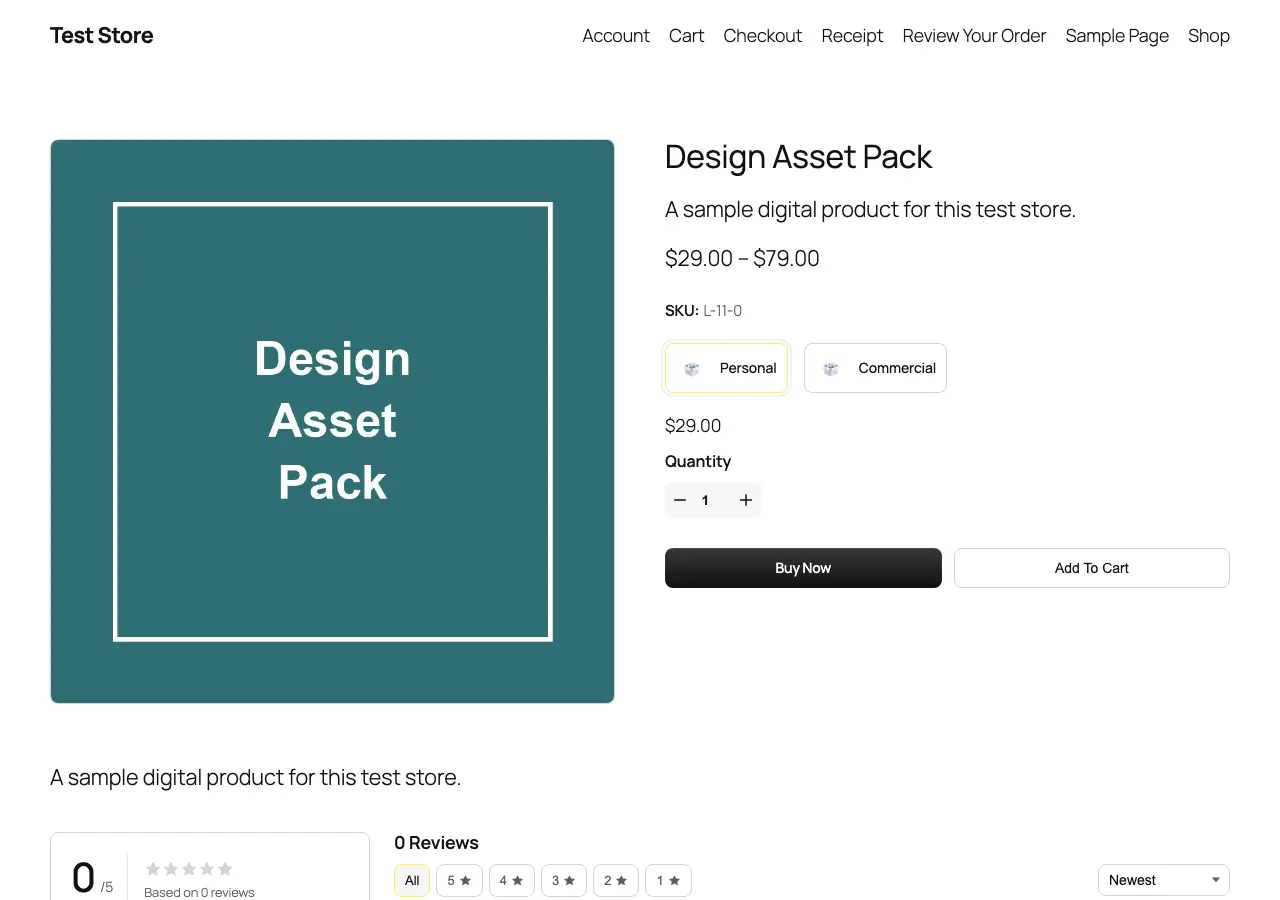
- FluentCart's template docs cover the Single Product and Products by Category templates under Appearance > Editor.
- The inherit setting turned the Buy Now button the theme’s black.
- Its shop layout starts narrow on a wide screen, so I’d widen the template first.
- Its Manrope web font adds about 50 KB to every page.
OceanWP
OceanWP is on FluentCart’s tested list, and I would keep it if your site already runs on it. For a new store, I’d start with one of the lighter themes above.
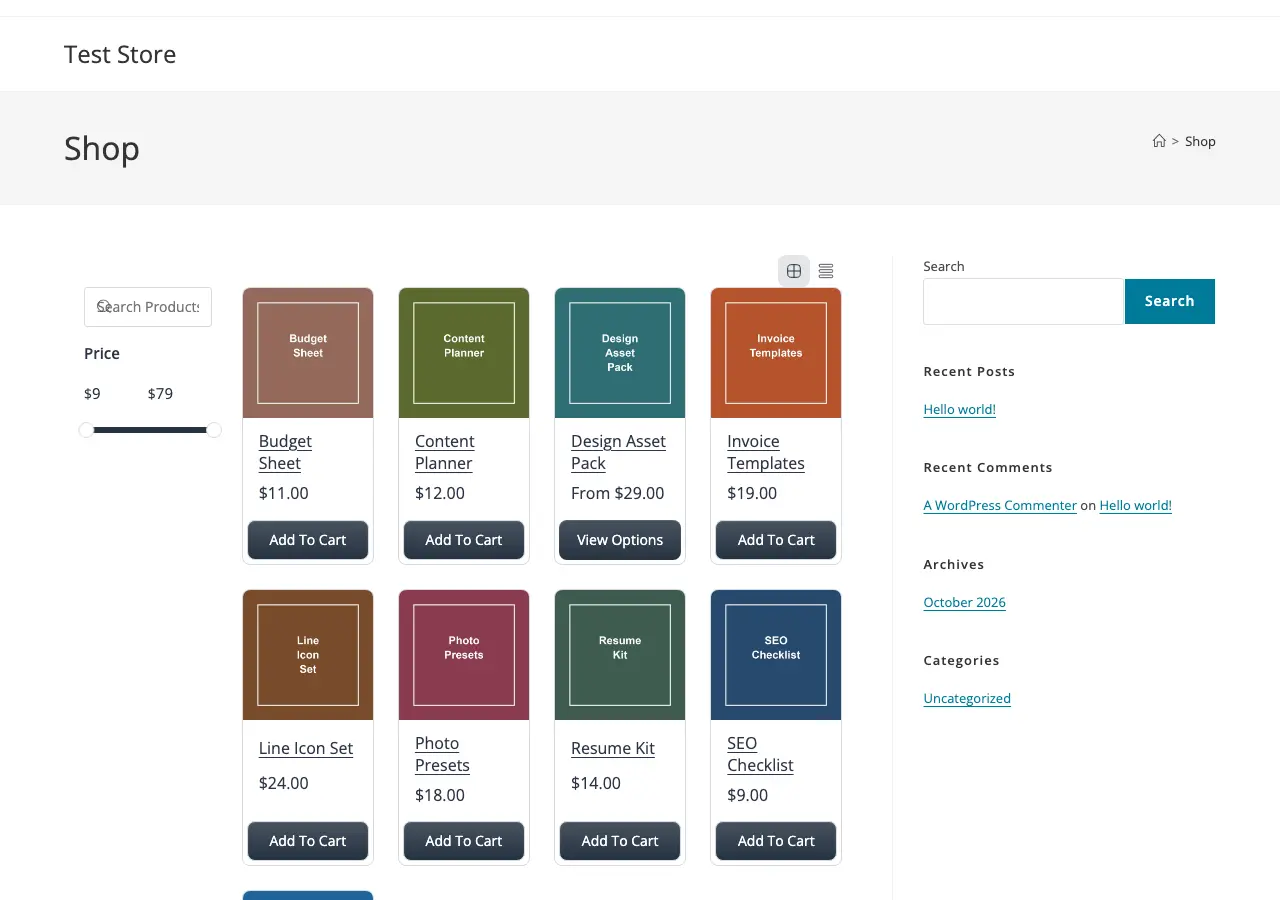
- It was the heaviest general theme in my test, at about 245 KB on the shop page.
- It shows a sidebar on store pages by default.
- The inherit setting removed the color from its Buy Now button, leaving plain text. I would keep FluentCart’s own colors or use the Customize option.
Do You Need a Theme Built for FluentCart?
No. All 8 themes sold a product in my test, and FluentCart's compatibility page says most well-coded themes will work. A theme built for it gives you a store that already looks designed, instead of FluentCart’s layout inside a general frame.
You can get part of the way there on any theme. My guides on FluentCart product page customization and FluentCart checkout customization cover the changes that matter most.
A few other routes come up often, and I’d treat them differently:
- Bricks: it’s a builder decision. FluentCart adds its own product template type, and a separate add-on adds more store elements.
- Divi 5: FluentCart Divi Blocks adds native modules and ready-made store layouts, and it needs the Divi 5 Visual Builder.
- DigiMagnet by Templately: this is a FluentCart template pack for the block editor, and you’d use it with a theme you already have.
- Storefront and Hello Elementor: both are on FluentCart’s tested list, but I see little reason to choose either for a new FluentCart store.
Before You Switch Themes
I would keep your current store online while you try the new theme on a staging copy. These are the checks I’d run on it.
- Make a current backup and create a staging copy with customer emails turned off.
- Set FluentCart to test mode so no real payments go through.
- Open the shop page on a phone-sized screen and check the product grid.
- Pick a price option on a product with variations, then add it to the cart.
- Complete a guest order, then log in as a customer and open the account page.
- Try FluentCart’s Inherit From the Active Theme setting and check the Buy Now button.
- Turn off any sidebar on store pages if it squeezes the product grid.
FAQs on FluentCart Themes
What is the best FluentCart theme?
Palladium is my first pick for a fashion or lifestyle store, and Uranium is my free pick for an industrial catalog. For anything else, I’d start with GeneratePress or Astra.
What is the best free FluentCart theme?
Uranium is the free theme I’d choose if you sell technical products. For other stores, GeneratePress had the lightest pages in my test, and Astra matched its colors most cleanly.
Does FluentCart work with any WordPress theme?
It works with most well-coded themes, because it uses blocks, shortcodes and page templates. All 8 themes I tested completed a guest order and showed the customer account page.
Will FluentCart use my theme’s fonts?
Its inherit setting won’t copy them. FluentCart’s docs say that setting brings over colors and corner rounding, and it doesn’t import fonts, spacing or layout.
Should I buy a theme’s WooCommerce add-on for FluentCart?
I wouldn’t. Add-ons such as Blocksy’s Shop Extra and Kadence’s Shop Kit target WooCommerce, so check that the feature you want works on FluentCart before paying.
My Recommendation
If your products fit Palladium or Uranium, I’d try those first, because the store looks designed before you change a setting.
If they don’t, I would install GeneratePress or Astra, turn on the inherit setting and place one test order. Once that works, your time is better spent on your products than on another theme.
Best of luck.
Tell Google you want more of this.
Add Gaurav Tiwari as a preferred sourceOne tap, and this site shows up more often in your own Top Stories, AI Overviews and AI Mode. Remove it any time.
Disclaimer: This site is reader-supported. If you buy through some links, I may earn a small commission at no extra cost to you. I only recommend tools I trust and would use myself. Your support helps keep gauravtiwari.org free and focused on real-world advice. Thanks. - Gaurav Tiwari