
 by
by
There are more AI study apps now than any student can try, and most of them do the same few things with a different logo. So students end up paying for two chatbots, a summarizer and a flashcard app that overlap, or they ask a general chatbot to do a job a specialist tool does far better.
The fix is a small stack: one AI assistant for everyday questions, then one tool for each study job you actually have. Several of the best AI tools for students are also free for months right now, some for a full year, if you claim the student offer before its deadline.
I use Notion and Todoist myself, and every other pick here is chosen on three things: what it does for a student, what you get for free, and what students actually pay. Tell the picker below how you study and it builds your stack.
Build Your AI Study Stack
Pick what you study, the jobs you want help with and your budget. The picker adds one everyday assistant, then the AI study tool that fits each job best, and you can copy a link to your stack or share it with your study group.
Your AI study stack
-
 Try Gemini
Gemini
Everyday AI help: Explains concepts, drafts and runs Deep Research, and works inside Google Docs.
-
 Try Gemini Notebook
Gemini Notebook
Reading and research: Turns your own PDFs, slides and notes into answers, study guides, quizzes and audio overviews.
-
 Try Grammarly
Grammarly
Writing: Catches grammar, clarity and tone problems in everything you write.
-
 Try Quizlet
Quizlet
Flashcards and revision: Flashcards, practice tests and Learn mode, with AI-made study sets.
Best AI Tools for Students at a Glance
If you only want the best AI for studying in each category, find your study job in the first column. The free alternative is what I would use before paying for the main pick.
| Study job | Best pick | Free alternative | Student offer |
|---|---|---|---|
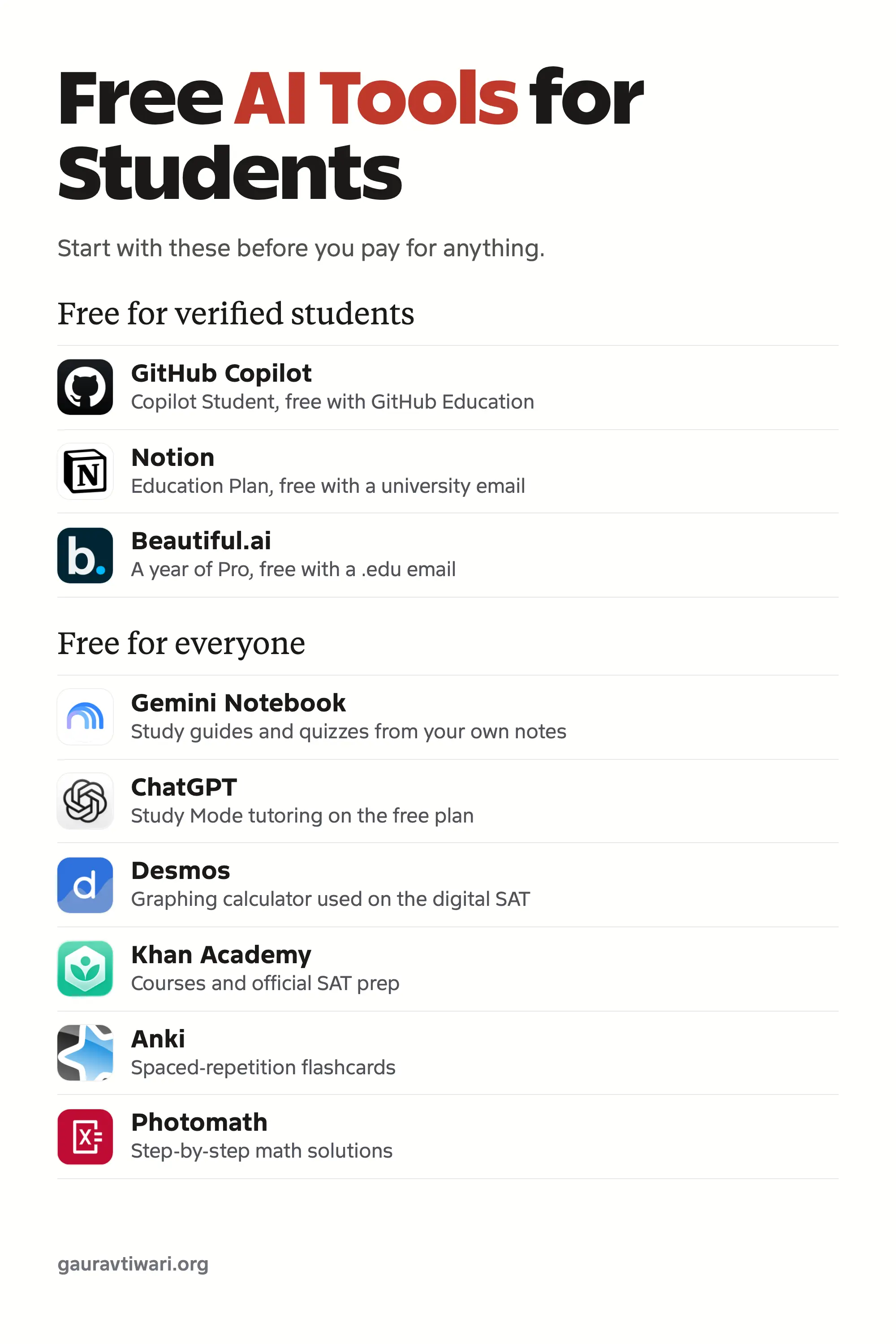
| Everyday AI help | Gemini | ChatGPT | Free for a year (US, India) |
| Studying your own notes and PDFs | Gemini Notebook | Perplexity | Through the Google student plan |
| Academic papers | Elicit | Consensus | Academic pricing |
| Writing feedback | Grammarly | ProWritingAid | 50% off Pro |
| Notes and organization | Notion | RemNote | Free Education Plan |
| Lecture transcription | Otter.ai | Krisp trial | 20% off with .edu |
| Flashcards | Quizlet | Anki | None |
| Math | Photomath | Desmos | None |
| Coding | GitHub Copilot | Cursor | Free Copilot Student |
| Slides | Gamma | Canva | Beautiful.ai free with .edu |
| Languages | Duolingo | Talkpal | None |
| Planning | Todoist | Forest | None |
| Exam prep | Khan Academy | Magoosh trial | Already free |
Free AI Tools for Students
These are the official student offers, plus the Jio and Airtel bundles for India, that are live today. Filter by where you study, and note the deadlines: the Google and ChatGPT offers end soon, and most free years need a card and renew at full price unless you cancel.
- See the offer
Gemini Free
Google AI Pro free for 1 year
- See the offer
Gemini Free
Google AI Plus free for 1 year
- See the offer
Gemini Free
Google AI Pro free for 18 months with Jio
-
 See the offer
ChatGPT Free
4 months of ChatGPT Plus
-
 See the offer
GitHub Copilot Free
Copilot Student, free
-
 See the offer
Notion Free
Education Plan, free
-
 See the offer
Beautiful.ai Free
1 year of Pro free
-
 See the offer
ElevenLabs Free
Creator plan free for 3 months
-
 See the offer
Perplexity Discount
Education Pro for $10 a month
- See the offer
Grammarly Discount
50% off Grammarly Pro
-
 See the offer
Microsoft Copilot Discount
50% off Microsoft 365 Personal, Copilot included
-
 See the offer
DataCamp Discount
50% off annual plans, 30% off monthly
-
 See the offer
Codecademy Discount
Over 35% off Codecademy Pro
-
 See the offer
Otter.ai Discount
20% off Otter Pro
-
 See the offer
ProWritingAid Discount
20% off annual plans
-
 See the offer
RemNote Discount
25% off RemNote Pro
-
 See the offer
Consensus Discount
Up to 40% off Consensus
-
 See the offer
Knowt Discount
1 month free, then 15% off
-
 See the offer
Canva Free
Canva Pro or Pro Lite free for a year with Jio
-
 See the offer
Adobe Express Free
Adobe Express Premium free for a year with Airtel
No offers match these filters. Try another country or offer type.
A few popular tools have no student price at all, despite what some lists claim:
- Claude
- QuillBot
- Gamma
- Cursor
- Todoist
- Coursera
Canva for Education is free only for K-12 students invited by a teacher, so college students pay the normal price unless their university buys Canva Campus.
AI Assistants for Students
Every stack starts with one general assistant, and one is enough. Pick the one that is free in your situation, then add specialists for the jobs it handles badly.
Gemini
Gemini is my pick for most students in the US and India, because the student offer makes the paid plan free for a year. It explains concepts, drafts, runs Deep Research and works inside Gmail and Google Docs, which helps if your school runs on Google Workspace.
- Free plan: the Flash model, limited Pro access, Deep Research and 15 GB of storage.
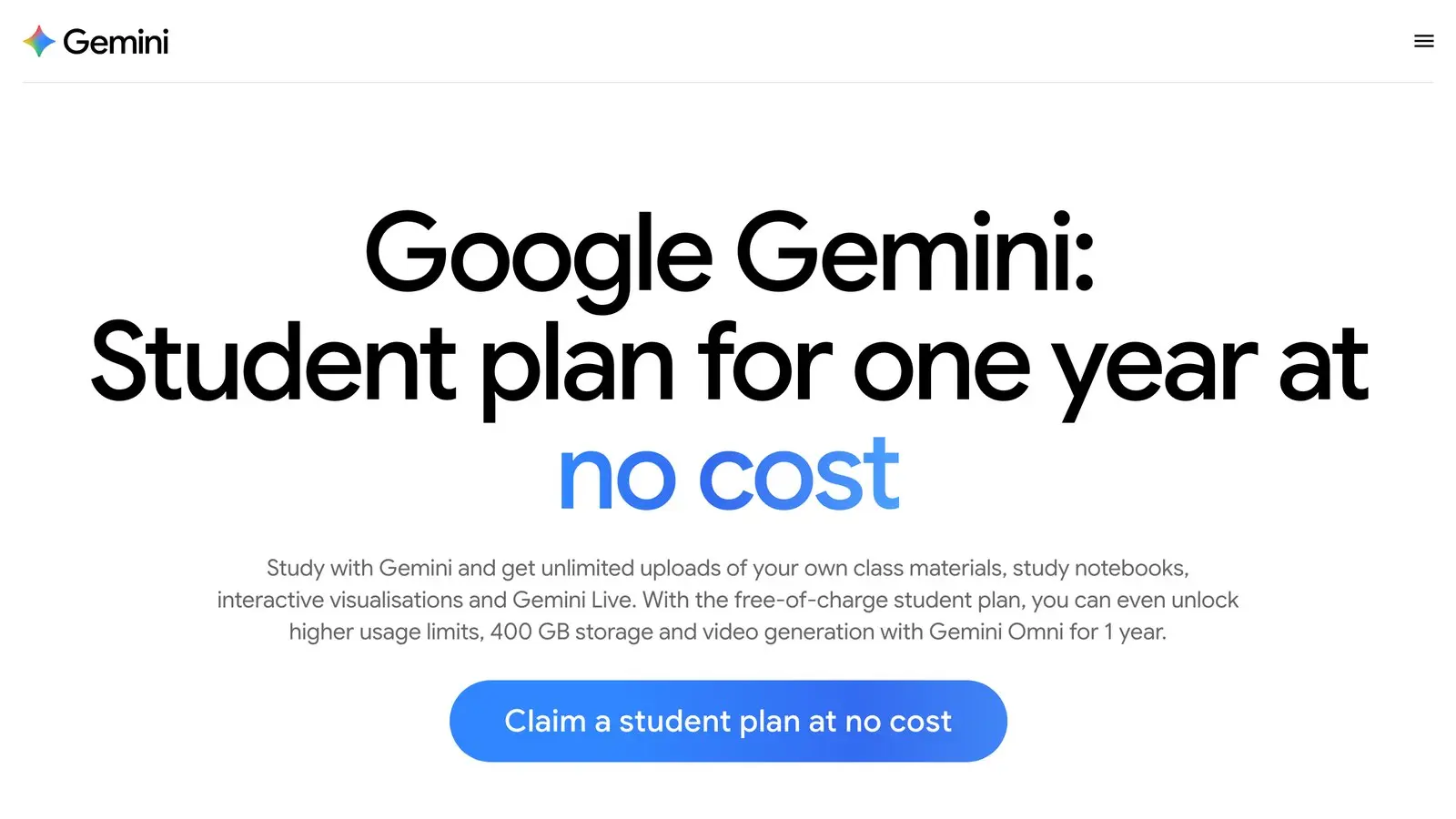
- Student offer: Google AI Pro free for a year for US college students 18+, or Google AI Plus free for a year for university students in India. Redeem by December 31, 2026.
- After the free year: $19.99 a month in the US or ₹399 a month in India. A card is required to start.
- India: Jio users on an unlimited 5G plan of ₹349 or more get Google AI Pro free for 18 months if they claim by October 29, 2026.
- Watch out: the free year renews at full price unless you cancel.
ChatGPT
ChatGPT is the best pick if you want a tutor rather than an answer machine. Its Study Mode works on the free plan and walks you through a problem step by step, checking your understanding as it goes.
- Free plan: unlimited everyday chat, with tight limits on uploads, images and data analysis.
- Student offer: 4 months of ChatGPT Plus free for students at US degree-granting colleges. Claim by October 31, 2026.
- Paid: Go is $8 a month in the US and ₹399 in India. Plus is $20 a month.
- Watch out: OpenAI says Study Mode can make mistakes and sometimes gives a direct answer anyway.
For a wider comparison, see my list of the best AI chatbots like ChatGPT.
Claude
Claude is the strongest of the three for long readings and detailed essay feedback, but there is no student price. It can also build Artifacts, small interactive study aids such as quizzes and flashcard drills, right in the chat.
- Free plan: chat, web search, file uploads and Artifacts.
- Student offer: none for individuals. Claude for Education only comes through universities that sign up.
- Paid: Pro is $20 a month, or $17 a month billed yearly.
Microsoft Copilot
Microsoft Copilot is worth it if you write in Word and Excel, because Microsoft 365 with Copilot inside is half price for students. The Copilot chat app itself is free with a Microsoft account.
- Student offer: 50% off Microsoft 365 Personal, $4.99 a month, for students at accredited colleges.
- Paid: Microsoft 365 Personal is $9.99 a month or $99.99 a year.
- Watch out: AI usage limits apply inside the apps, and Copilot in Excel only works on files saved to OneDrive.
AI Tools for Research and Reading
A general chatbot answers from memory. These tools work from sources you can check, which is what research actually needs.
Gemini Notebook
Gemini Notebook, which was called NotebookLM until July 2026, is the best AI study tool for most students, and it is free. Upload your PDFs, slides, notes and links, and it answers only from those sources, with study guides, quizzes and audio overviews built from your own course material.
- Free plan: 100 notebooks with 50 sources each.
- Student offer: higher limits come with the Google AI student plan above.
- Watch out: the answers are only as good as the sources you upload.
Perplexity
Perplexity is best for quick questions where you need to see the source. Every answer cites the pages it used inline, so you can open them and check.
- Free plan: 3 Pro searches a day and 1 Research query a month.
- Student offer: Education Pro is $10 a month for verified students, half the $20 Pro price, and adds Learn Mode.
- Watch out: the free plan runs out quickly if you research every day.
Consensus
Consensus is best for finding out what studies actually say. It searches peer-reviewed papers and ties every claim in its answer to a real paper.
- Free plan: basic paper search, 10 AI messages and 3 Deep reviews a month.
- Student offer: up to 40% off with a valid school email.
- Paid: Pro is $20 a month, or $12 a month billed yearly.
Elicit
Elicit is my pick for literature reviews in grad school. It searches more than 138 million papers, summarizes them and lets you chat with the full texts.
- Free plan: unlimited search, summaries and chat with full-text papers.
- Student offer: academic pricing, with no free access. Plus is $11 a month billed yearly.
- Watch out: Elicit does not publish its usage limits as numbers.
SciSpace
SciSpace is best for reading dense research PDFs. Chat with a paper and it explains the hard sections in plain language.
- Free plan: 100 agent credits a month on a lighter model.
- Paid: Premium is ₹700 a month billed yearly in India.
- Watch out: unused credits do not roll over.
AI Tools for Writing
These tools check and improve your writing. None of them should write it for you, which is also where most academic integrity trouble starts.
Grammarly
Grammarly is the best everyday writing checker, and students get 50% off Pro. It catches grammar, clarity and tone problems in your browser, Google Docs and Word. Grammarly is now part of Superhuman, but the product keeps its name.
- Free plan: grammar and spelling checks plus 100 AI prompts a month.
- Student offer: 50% off Pro through SheerID, for the first billing period.
- Paid: Pro is $12 a month billed yearly, or ₹11,799 a year in India.
My Grammarly review covers what Pro adds over the free plan.
ProWritingAid
ProWritingAid is best for long essays and theses. Its reports cover style, readability, overused words and sentence length across a whole document, which matters more in a long dissertation chapter than in an email.
- Free plan: daily reports on 500 words at a time.
- Student offer: 20% off annual plans with an academic email.
- Watch out: 500 words is shorter than most essays, so the free plan is a trial.
The ProWritingAid review goes through each report.
QuillBot
QuillBot is best for summarizing readings and checking citations, used carefully. Its paraphraser is popular, and also the feature most likely to land you in trouble.
- Free plan: summaries up to 1,200 words and paraphrasing up to 125 words.
- Student offer: none, only periodic sales. Premium is $99.95 a year.
- Watch out: rewording AI text and submitting it as your own still breaks most integrity rules, and QuillBot’s own terms ban using it to cheat.
If you want more options, my roundup of AI writing tools covers the broader field.
AI Note Takers and Lecture Tools
Notes are where a study system lives or dies. These three cover organizing everything, transcribing lectures and capturing online classes.
Notion
Notion is my pick for organizing a whole semester, and I use it myself. Class notes, assignment boards, reading lists and group projects all live in one workspace, and the Education Plan is free for university students.
- Free plan: the regular free plan, plus a free Education Plan for university students who sign up with their school email.
- Paid: Plus is $10 a month billed yearly.
- Watch out: K-12 students do not qualify for the Education Plan, and the full Notion AI is a Business-plan feature. Education accounts get a limited AI trial.
If you are still choosing a system, my guide to note-taking methods helps.
Otter.ai
Otter.ai is best for recording and transcribing lectures. It writes a live transcript, then a summary and key points you can search later.
- Free plan: 300 minutes a month, up to 30 minutes per recording.
- Student offer: 20% off Pro with a .edu email, which works out to $6.67 a month billed yearly.
- Watch out: a 30-minute cap is shorter than most lectures. Check your school’s rules before recording a class.
Krisp
Krisp is best for online classes and study-group calls. It takes notes without adding a bot to the call and removes background noise from your microphone.
- Free plan: a 7-day trial.
- Paid: Core is $8 a month billed yearly.
- Watch out: sign-up expects a Google or Outlook calendar, so it suits scheduled online sessions better than in-person lectures.
AI Flashcard Makers and Revision Apps
Flashcards still work because they make you recall, not reread. The AI part saves the hours it used to take to make the cards.
Quizlet
Quizlet is best for ready-made flashcards and practice tests. Its library of shared sets means someone has often made cards for your exact course already.
- Free plan: flashcards and practice questions.
- Paid: Quizlet Plus is ₹2,287 a year in India, and the price varies by country.
- Watch out: Plus caps practice tests, textbook solutions and Learn rounds each month.
Anki
Anki is my pick for long-term memorization in medicine, law and languages. Its spaced repetition shows each card right before you are likely to forget it.
- Free plan: free on desktop, the web and Android.
- Paid: the iPhone app is a one-time $24.99.
- Watch out: there is no built-in AI card generator.
To make cards faster, see my guide to AI-designed flashcards.
Knowt
Knowt is the best free Quizlet alternative. You get unlimited sets with Learn, practice tests and spaced repetition at no cost.
- Free plan: unlimited sets and notes with every study mode, and 1 AI summary a month.
- Student offer: 1 month free, then 15% off, through UNiDAYS for students 16+.
- Watch out: AI chat needs the paid Ultra plan.
RemNote
RemNote is best if you want notes and flashcards in one place. Cards come straight from your notes, and its AI can make them from your PDFs.
- Free plan: unlimited notes and cards, 3 annotated PDFs and 5 AI card runs a month.
- Student offer: 25% off Pro with an institutional email.
- Watch out: PDF-heavy study hits the free limits quickly.
AI Tools for Math and Science
Use these to check your work and see the steps, not to skip the steps. The exam will not let you open an app.
Photomath
Photomath is best for high school math. Point your camera at a problem and it shows animated, step-by-step explanations.
- Free plan: step-by-step solutions, which Photomath says will always remain free.
- Paid: Plus is $69.99 a year.
- Watch out: the deeper textbook-specific explanations need Plus.
Wolfram Alpha
Wolfram Alpha is my pick for college math, physics and chemistry. It computes answers from curated data instead of predicting text, so the numbers are worked out, not guessed.
- Free plan: answers without the steps.
- Student offer: a semester plan at $32.75 for 6 months. Pro for Students costs the same as regular Pro.
- Paid: Pro is $60 a year.
Desmos
Desmos is the best free graphing calculator, and it is the same one built into the digital SAT. Practicing with it before the test means no surprises on test day.
- Free plan: every calculator, including 3D and geometry.
- Watch out: it graphs and calculates, but it will not explain the reasoning.
Khanmigo
Khanmigo is the best AI tutor for US students who want guidance instead of answers. Khan Academy built it to ask questions back rather than solve the problem for you.
- Paid: $4 a month or $44 a year.
- Watch out: only adults in the US can buy it. Under-18s are added by a parent, and students outside the US cannot get it.
For more options, see the best online math solvers and the best math apps.
AI Tools for Coding
Computer science students get the best free deal of anyone, so claim it before paying for anything.
GitHub Copilot
GitHub Copilot is the first AI tool every computer science student should claim. Copilot Student is free once GitHub Education verifies you, and it works in VS Code, the terminal and on GitHub.
- Free plan: Copilot Student for verified students. Everyone else gets 2,000 completions a month.
- Paid: Pro is $10 a month.
- Watch out: Copilot Student uses Auto model selection only and leaves out third-party agents.
Cursor
Cursor is the best AI code editor for bigger projects. Its agents read your whole project, so they can explain and edit code across many files.
- Free plan: a limited Hobby plan.
- Student offer: none yet. Cursor says campus promotions are coming.
- Paid: Pro is $20 a month, or $16 billed yearly.
Codecademy
Codecademy is best for learning to code from zero. The lessons run in the browser, and an AI learning assistant helps when you get stuck.
- Free plan: basic courses.
- Student offer: over 35% off Pro on the annual plan for students 16+ (18+ in India) at approved schools.
- Watch out: the cheaper Plus plan leaves out career paths and interview prep.
DataCamp
DataCamp is best for data science, Python and SQL. Every lesson has hands-on exercises in the browser.
- Free plan: the first chapter of every course.
- Student offer: 50% off annual plans and 30% off monthly with a university email.
If you need a machine for all this, see my picks of laptops for computer science students.
AI Tools for Presentations and Projects
These save the hours spent nudging boxes around a slide. Your argument still has to come from you.
Gamma
Gamma is my pick for turning an outline into a clean presentation fast. Paste your notes and it lays out the slides, then you edit.
- Free plan: 400 credits, one time.
- Student offer: none.
- Paid: Plus is ₹400 a month billed yearly in India.
- Watch out: the free credits do not refill.
Beautiful.ai
Beautiful.ai is the best deal for US students with a .edu email, who get a free Pro year. Its slides reformat themselves as you add content, so they never look crowded.
- Student offer: 1 year of Pro free for new subscribers with a verified .edu email.
- Paid: Pro is $14.50 a month billed yearly.
- Watch out: there is no free plan, and the .edu rule shuts out most students outside the US.
ElevenLabs
ElevenLabs is best for natural voiceovers on projects, and its ElevenReader app reads your PDFs and readings aloud.
- Free plan: 10,000 credits a month.
- Student offer: the Creator plan free for 3 months for university students 18+ in the US, Canada, EU, UK and Australia, plus a free year of ElevenReader Ultra with a .edu email.
- Watch out: the student plan does not cover India yet.
InVideo
InVideo is best for video assignments made from a script. It drafts the video and gives you a timeline editor to fix it.
- Free plan: limited weekly credits.
- Paid: Basic is $9 a month.
- Watch out: unused credits do not roll over.
CapCut
CapCut is the best free video editor outside India, with auto captions, text to speech and background removal on your phone or laptop.
- Free plan: the core editor.
- Watch out: CapCut is not accessible from India.
Canva
Canva is best for posters, infographics and visual assignments. Its templates and AI tools cover almost any school project.
- Free plan: a generous free plan.
- Student offer: Canva for Education is free for K-12 students through a verified teacher. College students do not qualify unless their university buys Canva Campus.
- Paid: Pro is $144 a year in the US. India has a ₹199 a month Pro Lite plan.
- India: Jio users get Canva Pro or Pro Lite free for a year, depending on their plan.
For live, audience-facing slides, see my list of interactive presentation tools. For AI images in your projects, see the best AI image generators.
AI Tools for Learning Languages
AI made speaking practice cheap. A human tutor still catches what an app misses.
Duolingo
Duolingo is best for building a daily language habit. The lessons are short enough that you will actually do them.
- Free plan: every lesson, with ads. Explain My Answer has been free for everyone since January 2026.
- Watch out: AI roleplay and video calls need the Max plan, on mobile, for a few courses.
Talkpal
Talkpal is best for speaking practice without a tutor. You talk to an AI conversation partner in more than 130 languages.
- Free plan: 10 minutes a day.
- Paid: $119.99 a year.
ELSA Speak
ELSA Speak is best for English pronunciation, which matters for IELTS and TOEFL speaking. It scores each sound you make and shows you what to fix.
- Free plan: 2 lessons a day.
- Watch out: the cheapest Pro tier does not include the AI conversation tools.
Preply
Preply is the pick when you need a human tutor. It is a marketplace of one-on-one tutors for languages and school subjects.
- Paid: per lesson. English tutors usually cost $15 to $50 an hour.
- Watch out: quality varies by tutor, so book one lesson before buying a package.
AI Tools for Planning and Focus
The best study tool is useless if you never open it. These two keep the plan and the phone in check.
Todoist
Todoist is my pick for keeping deadlines out of your head, and I use it myself. Type “essay due Friday 5pm” and it becomes a dated task.
- Free plan: 5 projects.
- Paid: Pro is $5 a month billed yearly.
- Watch out: there is no student discount, and 5 projects is tight if you want one per course.
If Todoist is not your style, see the Todoist alternatives.
Forest
Forest is best for staying off your phone. A virtual tree grows while you study and dies if you leave the app.
- Free plan: focus sessions, app blocking and group focus.
- Paid: Forest Plus is $35.99 a year on iPhone.
- Watch out: on a laptop it is only a browser extension, so it cannot block desktop apps.
Pair it with the Pomodoro technique for steady study blocks.
AI Tools for Exam Prep and Courses
For a big exam, a structured course beats a chatbot, because it knows what the exam actually tests.
Khan Academy
Khan Academy is the best free SAT prep, built with College Board, plus free courses for school and early college.
- Free plan: everything, including Official SAT Prep.
- Watch out: full-length SAT practice tests run in College Board’s Bluebook app, not on Khan Academy.
Magoosh
Magoosh is my pick for GRE, GMAT, IELTS and TOEFL prep, especially for students in India planning to study abroad. It has video lessons, practice tests and AI grading for essays and speaking. Start with Magoosh GRE or Magoosh IELTS.
- Free plan: a 7-day trial.
- Paid: GRE Premium is $129 for 6 months, and SAT Premium is $129 a year.
- Watch out: access is time-boxed, so start when you can study every day.
Coursera
Coursera is best for university courses and professional certificates when you want to go beyond your syllabus.
- Free plan: a first-module preview and financial aid. Free auditing ended in August 2025.
- Paid: Coursera Plus is $399 a year, or ₹13,999 in India.
- Watch out: there is no student discount.
Starter Stacks by Student Type
If you skip the picker, start with the stack that matches you. Each one is free to begin, with the one upgrade I would pay for first.
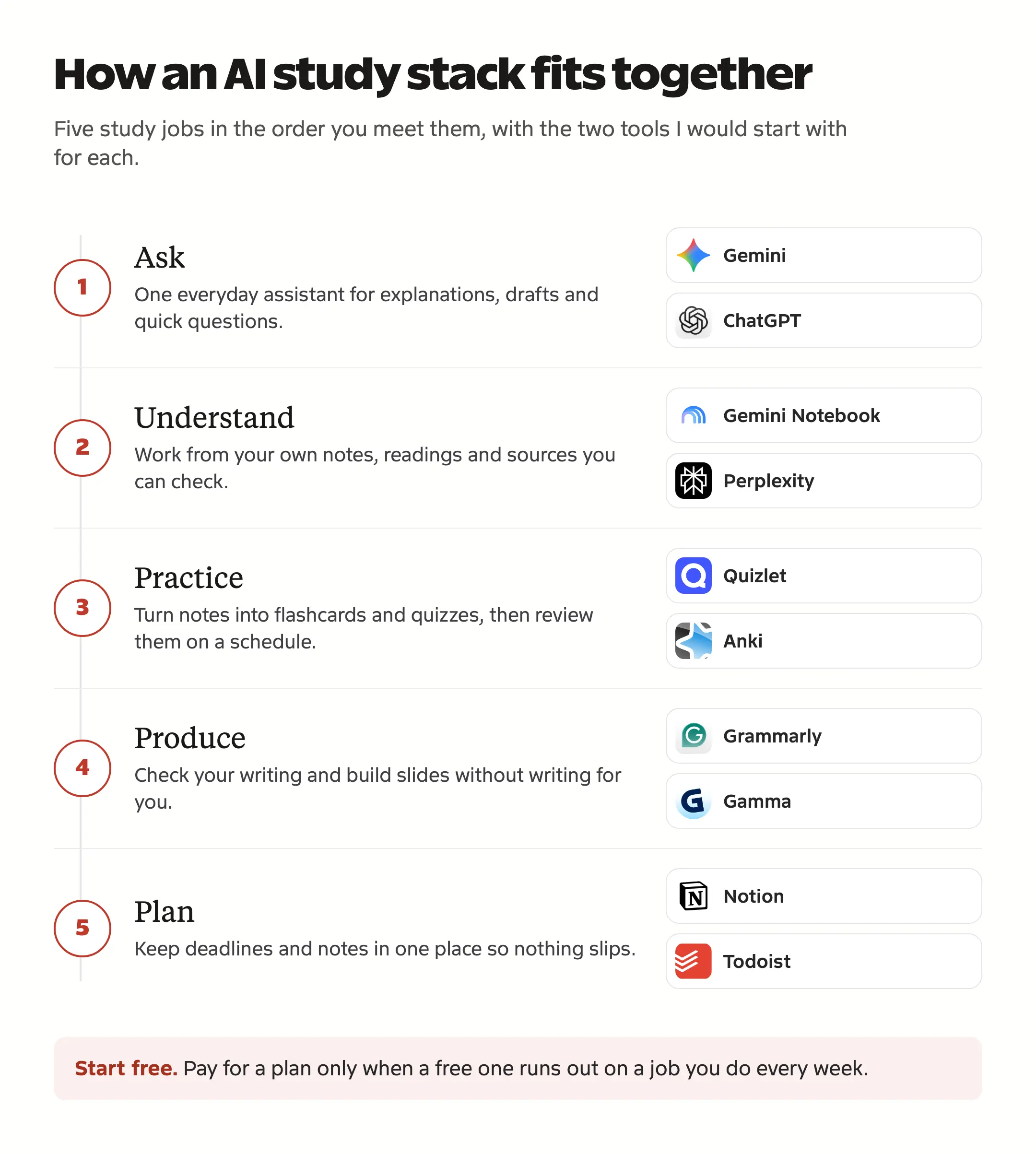
- High school: ChatGPT with Study Mode, Photomath, Quizlet and Khan Academy. Upgrade: Khanmigo, if you are in the US.
- College humanities and business: Gemini, Gemini Notebook, Grammarly and Notion. Upgrade: Grammarly Pro at 50% off.
- College STEM: Gemini, Wolfram Alpha, Desmos and Anki. Upgrade: the Wolfram Alpha semester plan.
- Computer science: GitHub Copilot Student, ChatGPT, Cursor’s free plan and Notion. Upgrade: Codecademy Pro at the student price.
- Research and grad school: Elicit, Consensus, Gemini Notebook and Claude. Upgrade: Perplexity Education Pro at $10 a month.
- Study-abroad exams from India: Gemini with the free AI Plus year, Magoosh IELTS or GRE, Anki and ELSA Speak.
Before you pay for anything, tick the plans you are considering. The calculator shows the first-year cost at full price and with every student offer you qualify for.
Tick the paid plans you would buy. The total shows the first year at full price and with each student offer.
- Full price, first year
- 0
- With student offers
- 0
- You save
- 0
Plans without a price in this currency are left out of the total.
Is Using AI for School Cheating?
It depends on what you use it for and what your instructor allows. Universities have mostly settled on the same rules, and the detectors are less reliable than many students fear:
- Harvard, Stanford, Oxford and IISER Pune leave AI rules to each instructor, expect substantial AI use to be disclosed and treat submitting AI-written work as your own as misconduct unless it is allowed.
- OpenAI withdrew its own AI text detector in July 2023 because of its low accuracy. It caught 26% of AI-written text and wrongly flagged 9% of human writing.
- A Stanford study published in Patterns in 2023 found AI detectors flagged 61.3% of essays by non-native English speakers as AI-written, on average.
- Turnitin says its false-positive rate is under 1% for documents with 20% or more AI writing and about 4% at the sentence level, and that its score should not be the sole basis for action against a student.
So the safest habit is disclosure, not disguise. If you use AI help, cite it. APA’s current format is OpenAI. (2025). ChatGPT [Large language model]. https://chatgpt.com/, and MLA uses your prompt as the title, followed by the tool, model, company, date and link.
Open any scenario below to see how most universities treat it, and what to do instead when it is a problem.
-
Usually fineAsking AI to explain a concept you don't understand
This is the use most universities are comfortable with. Ask for a simpler explanation or an example, then check it against your notes or textbook, because a chatbot can be confidently wrong.
-
Usually fineHaving AI quiz you before a test
Practice questions never end up in graded work, so this is fine almost everywhere. Gemini Notebook, Quizlet and Knowt can build quizzes from your own notes.
-
Usually fineFixing grammar and spelling
Spelling and grammar checkers are usually allowed. Some writing and language courses grade the language itself, so read the syllabus for those.
-
Check your policyGetting AI feedback on an essay draft
Harvard, Stanford and Oxford all leave this to the instructor and expect substantial AI use to be disclosed. Ask first, and keep a note of what the feedback changed.
-
Check your policyAsking AI for an essay outline
An outline shapes your argument, so some courses count it as AI-generated work. Check the policy, and make the final structure your own.
-
Check your policySummarizing assigned readings with AI
Usually allowed for your own study, but a summary leaves out the details exams ask about. Use it to preview a reading, not to replace it.
-
Check your policyTranslating your own writing with AI
Courses treat this differently, and language courses often ban it. Check the policy and say that you used it.
-
Don'tSubmitting AI-written paragraphs as your own
Harvard, Stanford, Oxford and most universities treat this as misconduct unless your instructor allows it and you disclose it.
-
Don'tRewording AI text so it won't get flagged
Rewording doesn't change who wrote it, and hiding it turns a simple disclosure question into a misconduct case.
-
Don'tCopying step-by-step homework solutions
Copied solutions count as cheating on graded work and teach you nothing for the exam. Use a solver to check an answer you already worked out.
-
Don'tLetting AI write your reference list
Chatbots sometimes list papers that don't exist. Build citations from the real sources with a citation tool, then check each one.
AI Tools for Students in India
Most AI tool lists price everything in dollars and assume a .edu email. In India, the biggest free AI deals come through your SIM rather than your college, and Jio and Airtel users can claim these right now:
- Jio and Google AI Pro: 18 months of Google AI Pro free, worth ₹35,100, for Jio users 18+ on an unlimited 5G plan of ₹349 or more, prepaid or postpaid. Claim it in the MyJio app with your Gmail ID by October 29, 2026.
- This beats the Indian student offer: you get Google AI Pro, the plan US students get, for 18 months, instead of Google AI Plus for 12. Your 5G plan has to stay active for all 18 months to keep it.
- Jio and Canva: a free year of Canva Pro on the ₹399 plan, or Canva Pro Lite on the ₹349 plan and other 2 GB/day plans above ₹349. Activate it from the MyJio app until September 15, 2027.
- The Canva offer is only for people who have never paid for Canva. It does not auto-renew, and it stops if you move to a plan that does not qualify.
- Airtel and Adobe Express: 12 months of Adobe Express Premium free for every Airtel customer on prepaid, postpaid, broadband or DTH, with no card needed. It is a Canva-style design tool with Adobe Firefly AI built in. Claim it in the Airtel Thanks app by January 28, 2027.
If you are on Jio, claim the Google AI Pro offer before anything else in this list, because its deadline is the closest and it is worth the most. Two offers that many lists still recommend have closed to new sign-ups:
- Airtel’s free year of Perplexity Pro stopped taking claims on January 16, 2026. If you activated it before then, it lasts 12 months from your activation date.
- OpenAI’s free year of ChatGPT Go for Indian users stopped taking claims on January 21, 2026. Go now costs ₹399 a month.
Here is what else changes when you study in India:
- Gemini for students: Google AI Plus is free for a year for university students 18+, then ₹399 a month. Redeem by December 31, 2026. If you are not on Jio, this is the best free AI offer for Indian students.
- ChatGPT: the free Plus offer is for US students only.
- Canva: India has a Pro Lite plan at ₹199 a month, or get it free for a year through Jio.
- Grammarly: there is an India-only Plus plan at ₹1,000 a month.
- CapCut: not accessible from India, so use InVideo, Canva’s video editor or Adobe Express instead.
- Perplexity: Education Pro at $10 a month is open to verified students.
- ElevenLabs and Beautiful.ai: their student offers do not cover Indian students yet.
For free study material to use with these tools, browse my free study notes and exam prep.
FAQs on AI Tools for Students
Which AI tool is best for students?
Gemini is the best everyday AI tool for most students in the US and India, because the student offer makes the paid plan free for a year. For studying your own notes and PDFs, Gemini Notebook is the best tool, and ChatGPT’s Study Mode is the best free AI tutor.
Which AI tools are free for students?
Google AI Pro (US) and Google AI Plus (India) are free for a year, GitHub Copilot Student is free, Notion’s Education Plan is free for university students, and US students can get 4 months of ChatGPT Plus. Gemini Notebook, Desmos, Khan Academy, Anki and Knowt are free for everyone.
Do students get ChatGPT Plus for free?
Students at US degree-granting colleges can get 4 months of ChatGPT Plus free if they claim it by October 31, 2026. A card is required, and it renews at $20 a month. There is no free Plus offer for students in India, where ChatGPT Go costs ₹399 a month.
Is Google AI Pro free with Jio?
Yes, if you are 18+ and on a Jio unlimited 5G plan of ₹349 or more. Jio gives 18 months of Google AI Pro, worth ₹35,100, when you claim it in the MyJio app by October 29, 2026, and your plan has to stay active for the full 18 months.
Is Claude better than ChatGPT for students?
Claude is stronger for long readings and detailed essay feedback. ChatGPT has Study Mode for step-by-step tutoring and a student offer, while Claude has no student discount, so most students should start with ChatGPT or Gemini and add Claude for heavy reading.
What is the 30% rule for AI?
There is no official 30% rule. No university, style guide or Turnitin defines one. Online it usually means letting AI do no more than about 30% of the work, and a few schools use it as a local cutoff for detector scores, so your instructor’s policy is what counts.
Can teachers detect ChatGPT?
Sometimes, but detectors are unreliable. OpenAI withdrew its own detector for low accuracy, and a Stanford study found detectors flagged the majority of essays by non-native English speakers as AI-written. Disclosing your AI use is safer than trying to hide it.
What is the best AI for studying from my notes?
Gemini Notebook, formerly NotebookLM. Upload your notes, slides and PDFs, and it answers only from those sources, with study guides, quizzes and audio overviews.
Final Remarks
Start with the free stack for your study job, claim the student offers before their deadlines and pay only for the one gap a free tool cannot cover. My own default would be Gemini plus Gemini Notebook, then the single specialist your course needs most.
Tell Google you want more of this.
Add Gaurav Tiwari as a preferred sourceOne tap, and this site shows up more often in your own Top Stories, AI Overviews and AI Mode. Remove it any time.
Disclaimer: This site is reader-supported. If you buy through some links, I may earn a small commission at no extra cost to you. I only recommend tools I trust and would use myself. Your support helps keep gauravtiwari.org free and focused on real-world advice. Thanks. - Gaurav Tiwari