by
I get why putting an AI-built site online still feels like a chore. Claude or ChatGPT can build a decent page in a few minutes, and then you lose the next hour to a GitHub repo, a hosting account and DNS settings.
Spacefast cuts that detour out, and after testing it with Claude Code, I think it’s amazing at that one job. I asked for a photography portfolio in a single sentence, and about 8 minutes of agent time later it was live on a private address, without a Spacefast account. My score is 4.3 out of 5, and most of the missing points come from a sign-in step that shows up too late.
Spacefast is a new hosting platform from Automattic, the company behind WordPress.com. It doesn’t build anything on its own. You connect the AI you already use, and Spacefast gives that AI the skills, tools and hosting to publish what it makes.
Everything I report here comes from one run on November 13, 2026, through the free route, plus Spacefast’s own pricing and documentation. I haven’t paid for a plan or connected a custom domain yet, and I’ll say so wherever that limits what I can tell you.
Spacefast turns something your AI built into a private, shareable link in minutes. It works with Claude, ChatGPT, Cursor and other MCP clients, the free plan allows commercial use and paid plans start at $5 a month. The rough edge is sign-in: my first publish failed until I switched to the no-account route.
If you’d rather watch than read, this video walks through the same build and publish in about 3 minutes.
What Is Spacefast?
Spacefast is hosting for the things AI makes: single pages, portfolios, decks, dashboards and full-stack apps. Every project gets its own Space, with its own address, database and version history.
It launched on November 9, 2026. Its founder, Batuhan İçöz, wrote in the launch post that it began during Radical Speed Month, an internal Automattic month of open-ended building. He wanted a quick way to share AI artifacts, and the project grew into a full app platform from there.
The difference from AI website builders is where the building happens:
- AI builders such as Bluehost AI Builder, Lovable and Bolt build the site inside their own chat and publish it from there.
- Spacefast leaves the building to the AI you already use and handles the hosting, sharing, versions and data.
So the design quality depends on your AI. Spacefast’s job is to make the trip from that AI to the web short and safe.
Every Space also runs a WordPress install behind its published files. A static page never touches it, but Spacefast’s app runtime, media storage and database sit on top of it, and you can run WP-CLI commands against it with sf wp.
How I Connected Spacefast to Claude Code
The setup starts on the Spacefast home page. It has one big button for people who already work with an AI, and a second one for setting things up by hand.
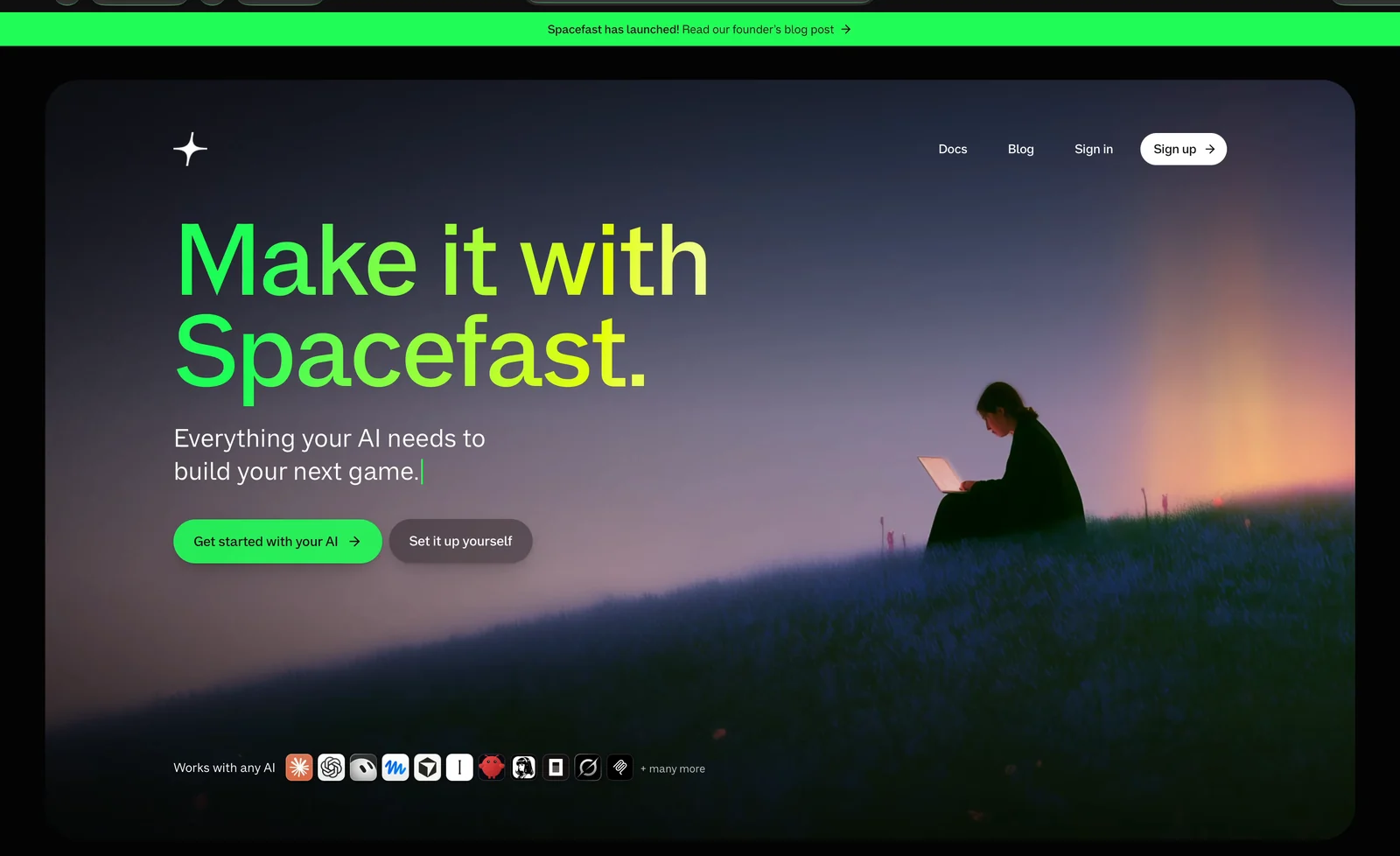
Clicking Get started with your AI copies a setup prompt to your clipboard and shows 3 steps: copy the prompt, paste it into your AI and let the AI connect.
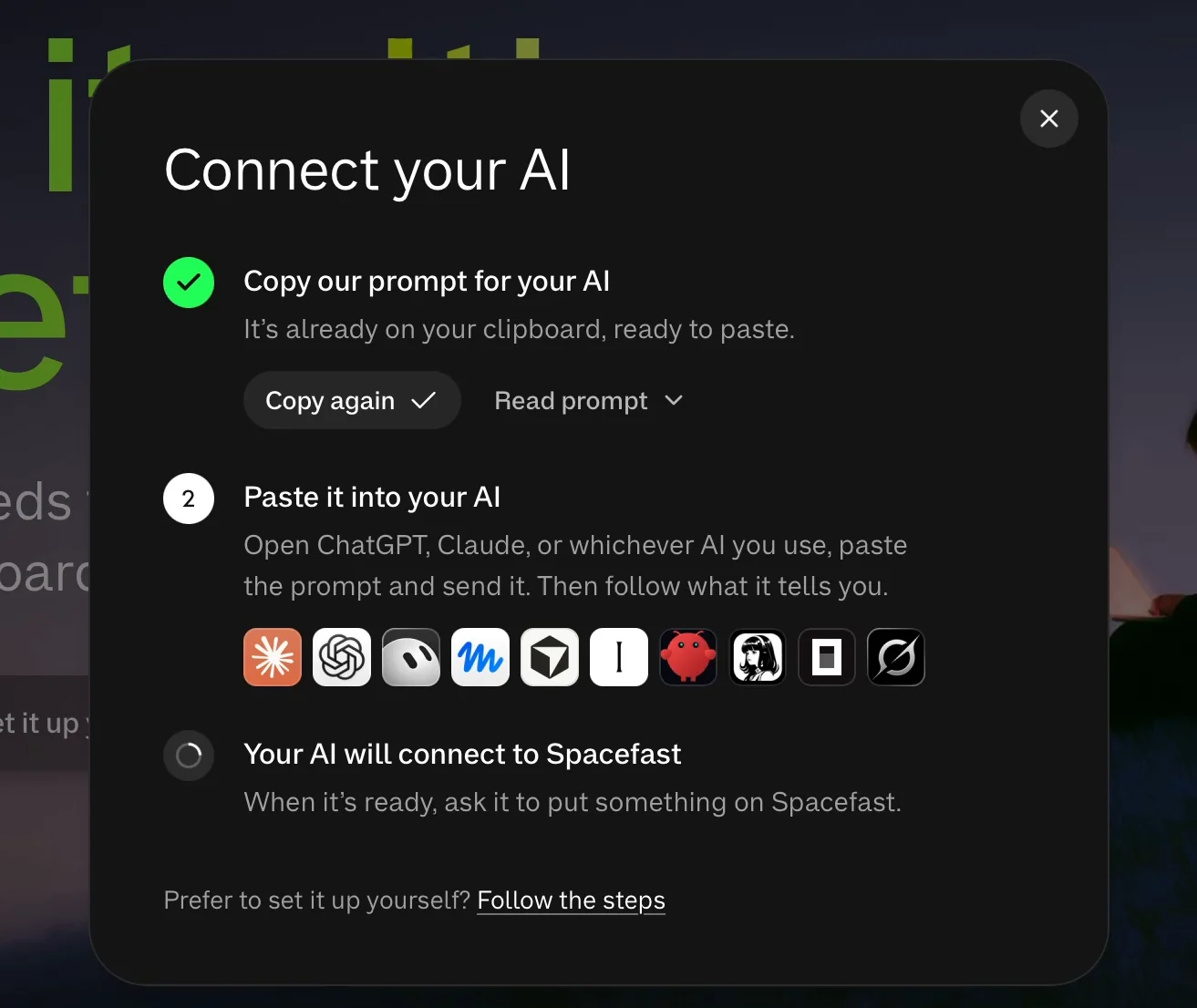
I pasted that prompt into Claude Code on my Mac. It carries a one-time handoff link, and it tells the agent to stop and ask for a fresh link if that link has expired or was already used. I like that guardrail, because it keeps an agent from guessing URLs on your behalf.
Claude fetched the handoff and offered 2 ways forward. It could publish a single page or a static folder right away, with nothing installed. Or it could install the Spacefast plugin for repeat use, with one command:
npx -y spacefast plugins --agent claude-codeI chose the plugin. It installed from Spacefast’s GitHub repository as 1 plugin with 13 skills, hooks and an MCP server, at user scope and with auto-updates turned on.
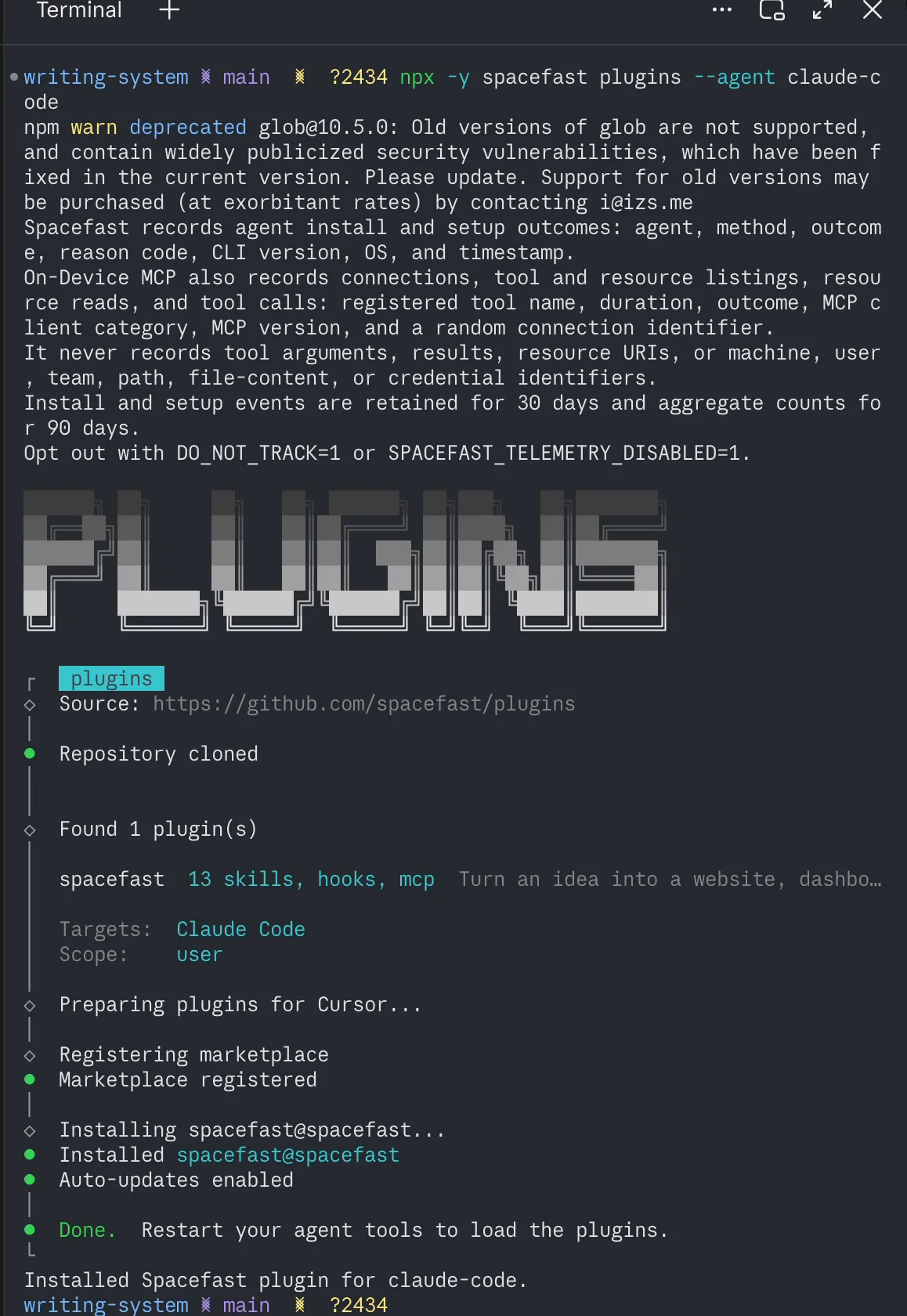
Before the install started, the terminal printed what Spacefast collects:
- Setup data: the agent, install method, outcome, CLI version, OS and time.
- MCP usage: tool names, durations and outcomes, never tool arguments, results, file contents or credentials.
- Retention: 30 days for install events and 90 days for aggregate counts.
- Opt-out:
DO_NOT_TRACK=1orSPACEFAST_TELEMETRY_DISABLED=1turns it off.
I’d rather read that in the terminal than find it later in a privacy policy.
Building a Portfolio From One Prompt
My whole request was one sentence: Let’s create a beautiful photography portfolio website using Spacefast.
Claude loaded the plugin’s build-website skill, which set out a 5-step plan:
- reading Spacefast’s build references
- confirming the portfolio content
- building the site
- checking it at desktop and mobile widths
- publishing it to Spacefast and checking the live page
Before writing any code, it asked one question: whose portfolio is this, and which photos should it show? That was the right first question, because the photos decide most of the layout.
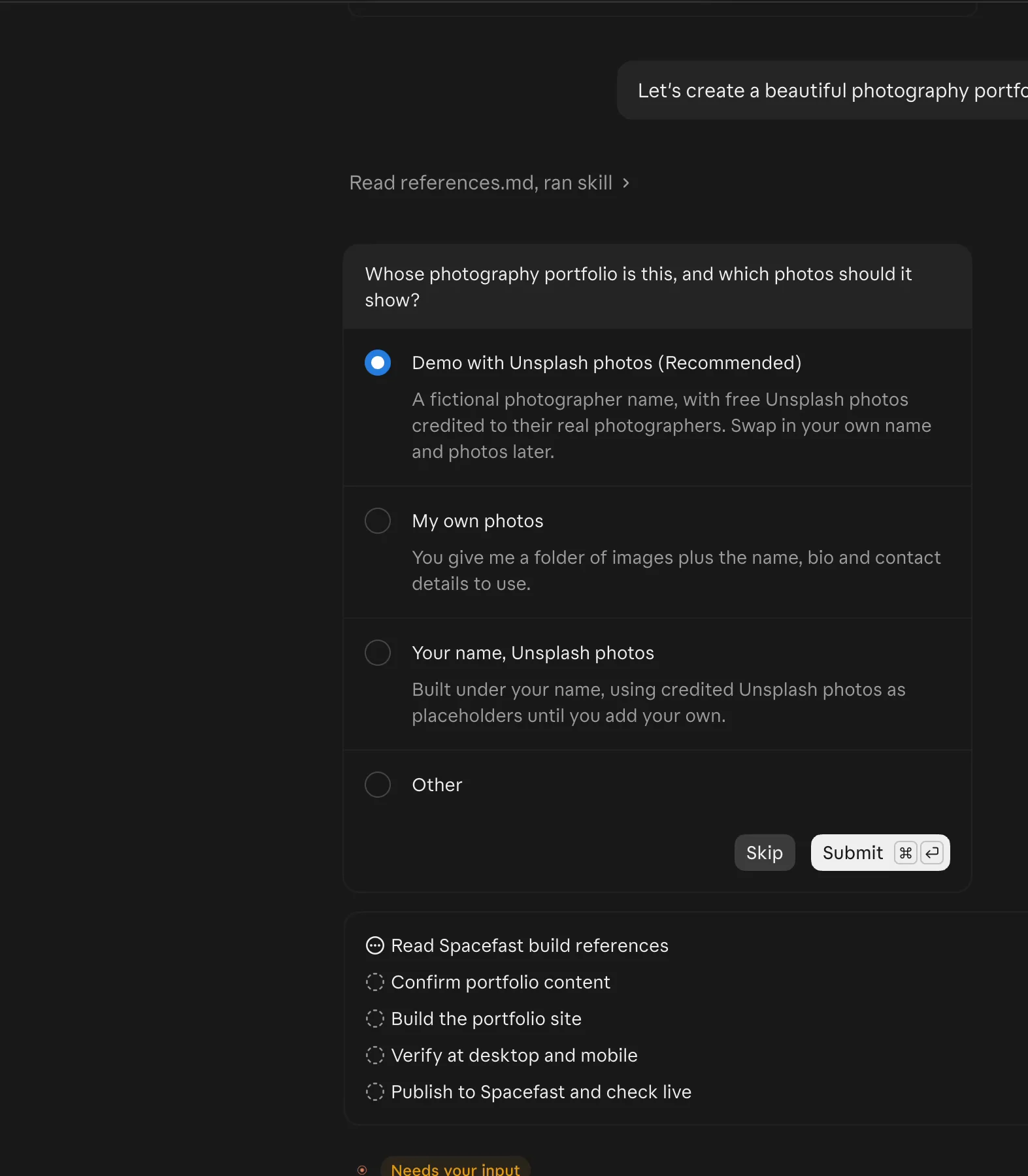
I picked the recommended option, a fictional photographer with free Unsplash photos, each credited to its real photographer. The other choices were my own photos, or my name with Unsplash placeholders.
The only hiccup came from my own setup. Claude fetched the photos with an Unsplash skill I already had installed, and that skill’s Python environment pointed at an old install, so the first searches failed. Claude found the cause, switched to the current Python and carried on without asking me.
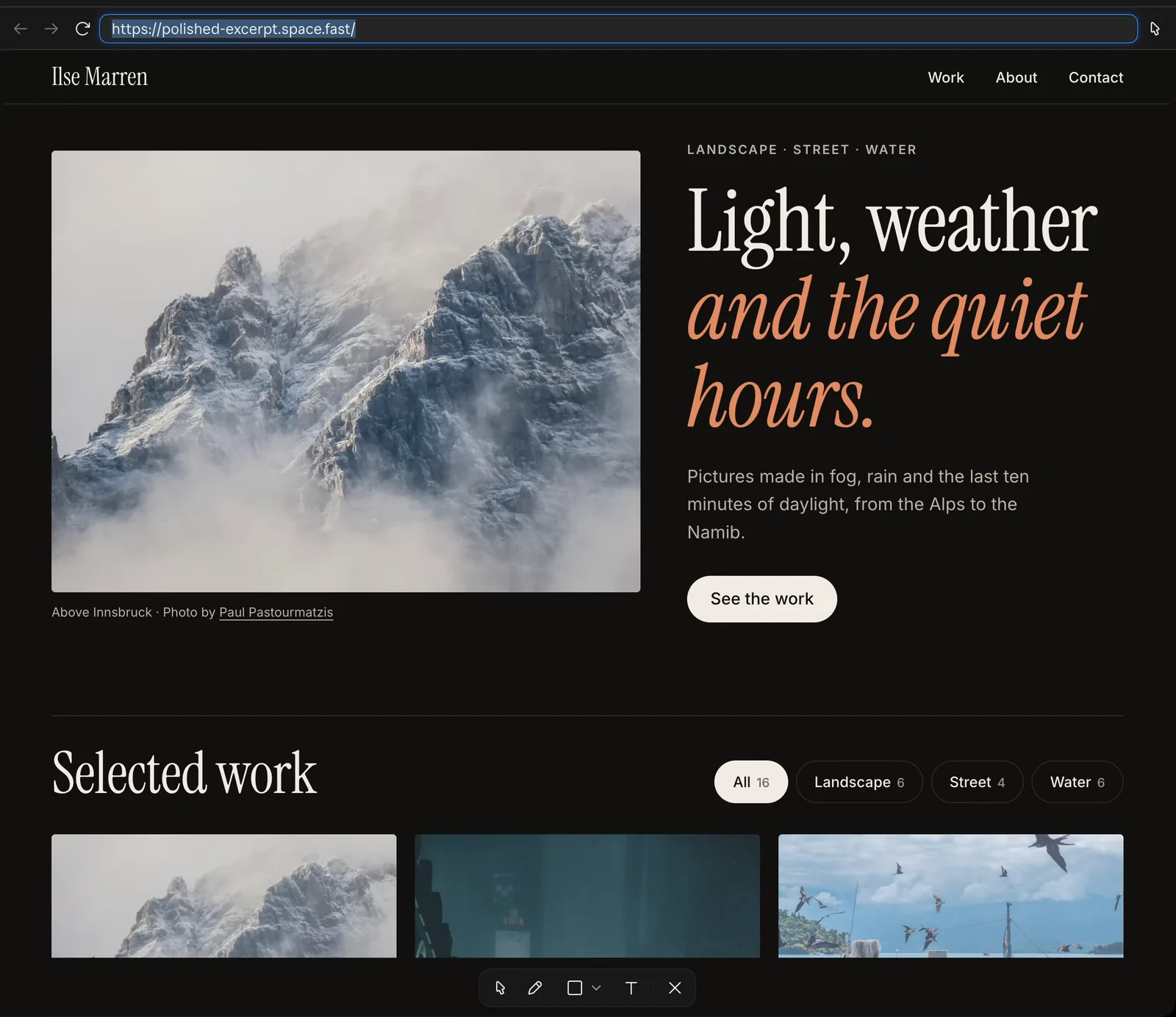
The result was a dark, editorial portfolio for a made-up photographer named Ilse Marren:
- a large serif headline with a one-line intro
- 16 photos with Landscape, Street and Water filters
- a full-screen lightbox that works with arrow keys, Esc and swipe
- an about section, a contact button and a footer that says the site is a demo
- light and dark versions that follow the visitor’s device setting
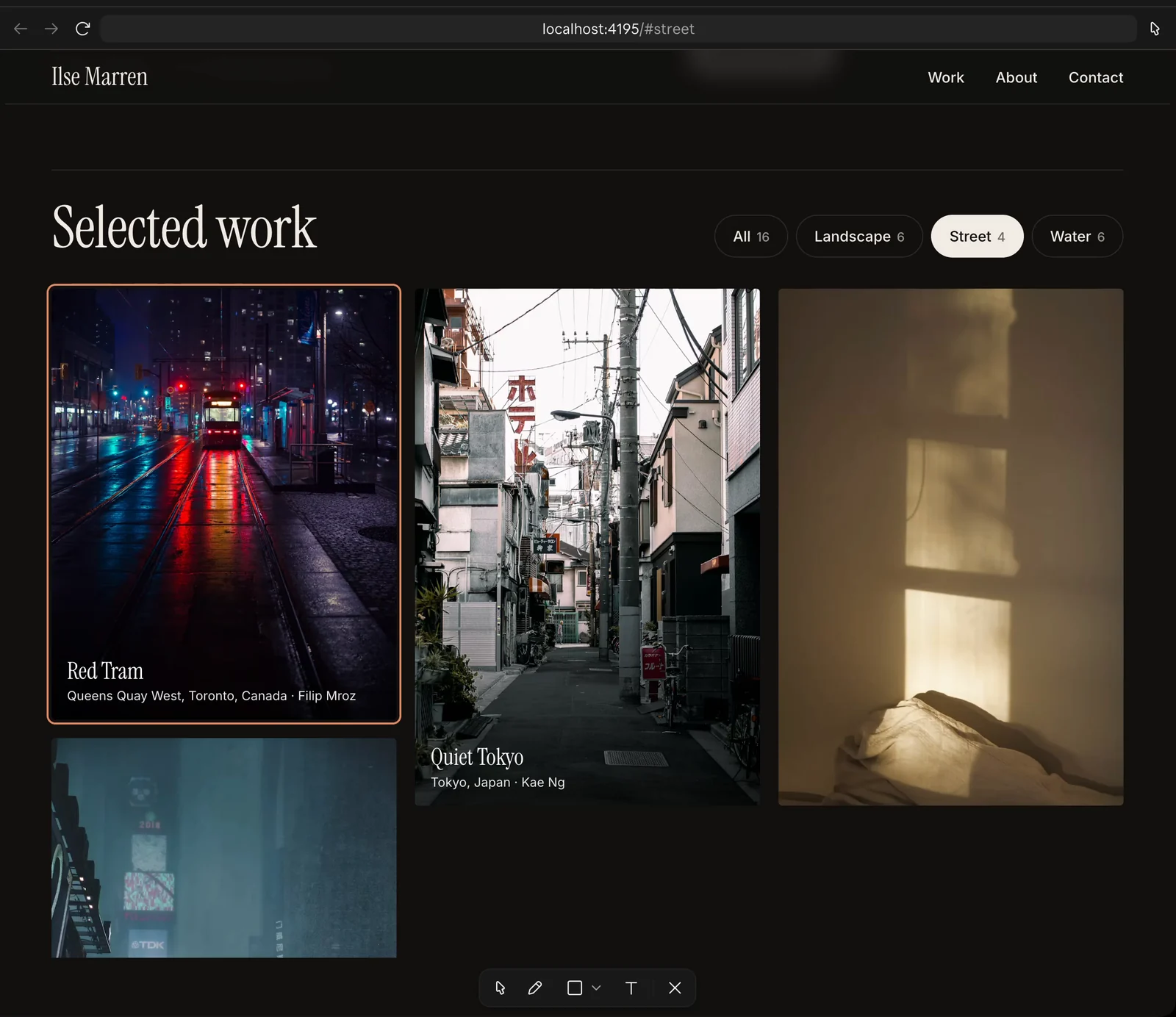
Clicking a photo opens it full screen, with the photographer’s name and an Unsplash credit under it.
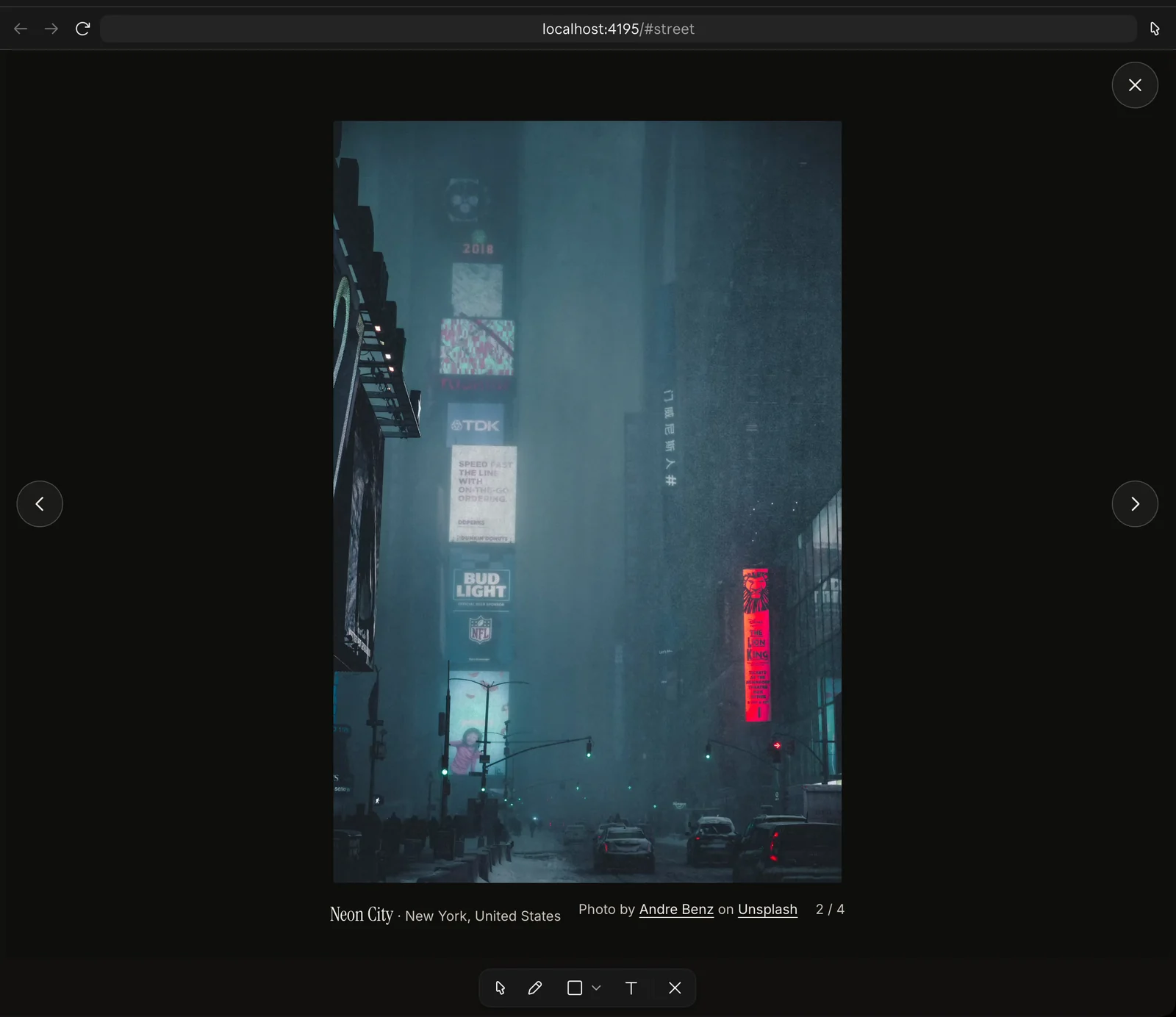
Claude then checked its own work. It tested desktop and phone widths in both color modes and reported no console errors and no sideways scrolling.
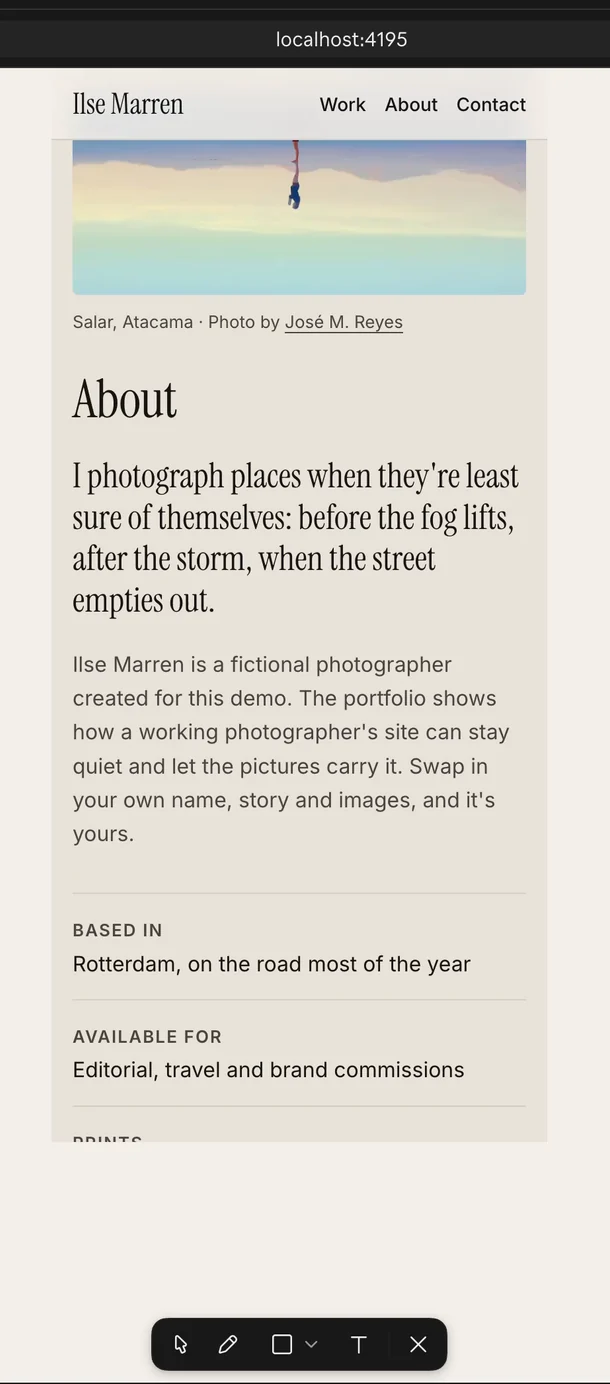
This looks better than a lot of paid portfolio themes. That credit belongs to Claude and Spacefast’s build skill together, since Spacefast doesn’t design anything on its own.
Publishing Without an Account
Publishing is where I hit the one real problem. Claude tried to publish through the plugin’s MCP connection. The call sat for about a minute and a half, then failed with This MCP server needs you to sign in.
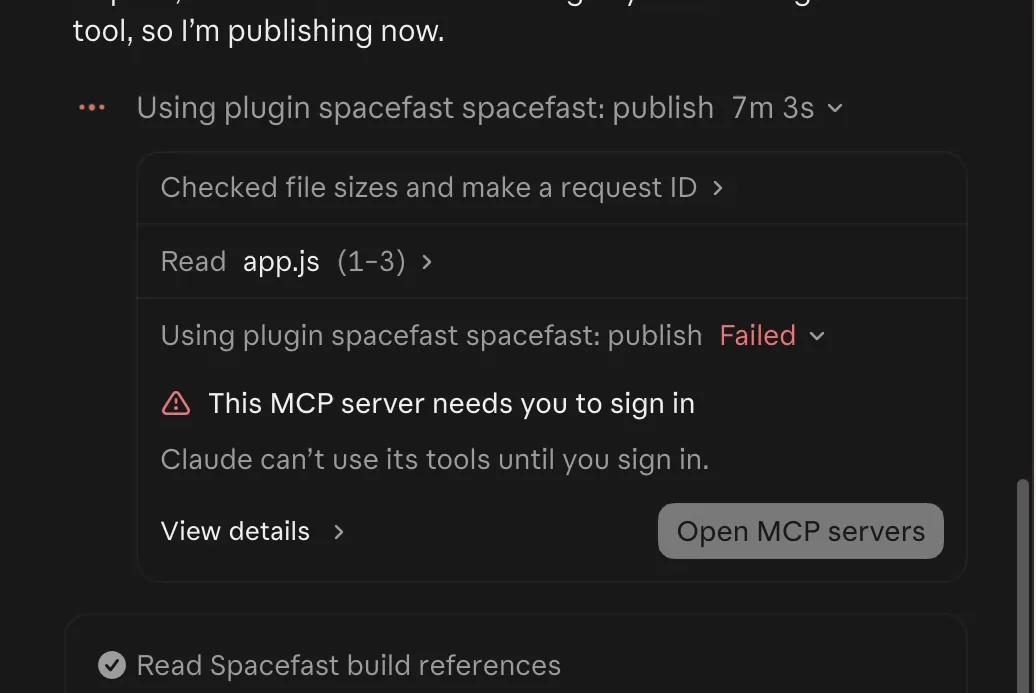
The fix is simple once you know it: run /mcp in Claude Code and sign in to the Spacefast server. My complaint is the timing. The setup never asked me to sign in, so I found out only after the build was done.
Claude then offered 2 ways out:
- Sign in again with
/mcpand publish to your Spacefast account. - Publish without an account, which uploads the site to a private, temporary Space you can claim later.
I picked the second route. About 40 seconds later, version 1 of the portfolio was live as a private Space, with a private link and a separate claim link.
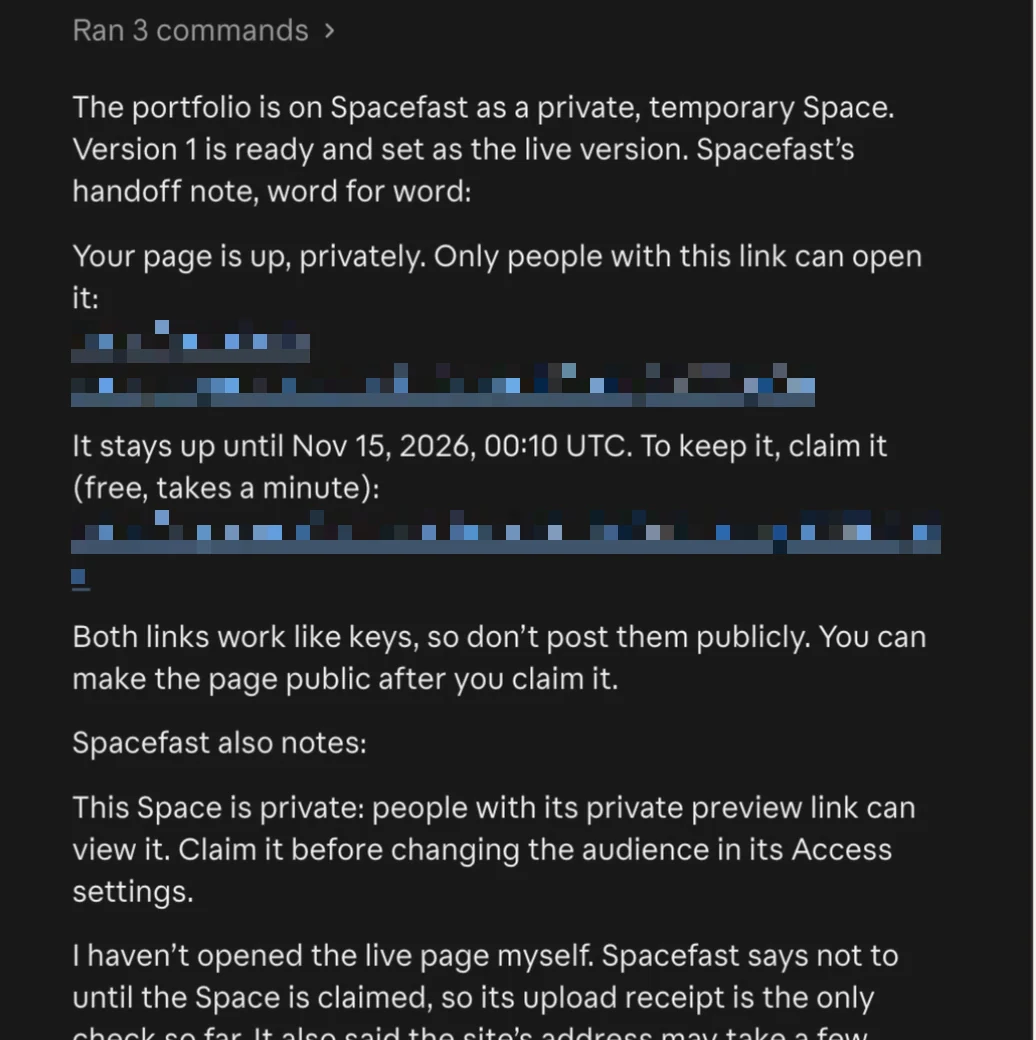
Opening the private link showed the same portfolio, now served by Spacefast from its own space.fast address instead of my Mac.
These are the rules for an unclaimed Space, from Spacefast's documentation:
- It serves for 33 hours and 20 minutes after it’s created or last changed, and never past 30 days.
- After that, the key stays valid for 7 more days, so you can still claim the Space and bring it back.
- Claiming is free, but it needs a Spacefast account.
- Until it’s claimed, the Space serves only web files such as HTML, images, fonts, JavaScript and PDFs, up to 100 MiB per version.
- The claim link carries the Space’s key, so anyone who has it can take the Space.
My test Space was set to stay up until November 15, 2026, at 00:10 UTC. If you publish this way, I’d save the claim link somewhere private right away, because losing every copy of it means you can’t claim the Space.
Spacefast Features
My test covered building, publishing and sharing. The platform goes further, and these are the features Spacefast documents for every Space:
- Private by default. New Spaces are private, and you can add a password, invite people or create share links you can revoke later.
- Versions and rollback. Every publish is saved as a version with its own link, and a rollback needs no rebuild.
- A database in every Space. Each Space has a MySQL-compatible MariaDB database, with daily or hourly backups depending on the plan.
- Static sites and full-stack apps. Spacefast publishes built output from Next.js, Astro, Nuxt, SvelteKit, Eleventy, Hugo and many other frameworks, or builds it from source for you.
- Zero runtime. A TypeScript app runtime with tables, endpoints, crons and storage, running next to the Space’s database.
- Git and CI. Built-in source control, GitHub support and pull request previews.
- Custom domains. Domains are sold at cost with no DNS lock-in, and Spacefast handles the HTTPS certificates.
- Collaboration. Comments on any page, live cursors and drawings that your AI can read.
- Connectors. Data from any API can feed your apps and live dashboards.
- Delivery and security. A CDN, DDoS protection, bot detection and spam checks.
- Site migration. You paste a public website address, and Spacefast copies every page into a Space you can claim.
- Agent access. An API, a CLI called
sf, an MCP server and a dashboard.
Transactional email and file storage are in beta. E-commerce, payments and ad monetization are still on the coming-soon list, so a store isn’t a good fit yet.
Spacefast Pricing
Spacefast lists 4 plans on its pricing page, and every plan allows commercial use. Each plan includes a monthly usage credit that pays for metered resources, and unused credit doesn’t roll over.
| Plan | Price | Included usage | Spaces and custom domains | Members | Disk per Space | Database backups |
|---|---|---|---|---|---|---|
| Personal | $0, no card | $1 | 20 | 1 | 1 GB | Daily, kept 7 days |
| Go | $5 a month | $5 | 100 | 1 | 10 GB | Hourly, kept 7 days |
| Pro | $15 a month | $15 | 500 | Free up to 5, then $15 each | 25 GB | Hourly, kept 30 days |
| Enterprise | Custom | By contract | Custom | By contract | Up to 1 TB | Custom |
A Business plan from $500 a month is listed as coming soon. The free plan already includes 20 custom domains, which many builders keep for paid plans.
Beyond the included credit, usage is metered. These are the rates that matter for most small sites:
- Cached traffic: 1 TB included on Personal, then $0.02 per GB, and fair use on paid plans.
- Uncached traffic: 10 GB, 100 GB or 500 GB included, then $0.04 per GB.
- Dynamic PHP requests: 1, 3 or 10 million included, then $0.25 per million. Cached requests are free.
- Compute: $0.1188 per CPU-hour of code that is actively running.
- Builds: 100, 500 or 2,000 minutes included, then $0.0055 per minute.
Boost costs $9 per Space a month on Go and up. It raises one Space to 8 compute workers, 50 GB of disk and 2 GB of memory per request.
A few billing rules are worth knowing before you pay:
- Go and Pro have a spending cap that starts at twice the plan price, with alerts at 50%, 75% and 100%.
- When Personal uses its $1, new builds and Workers pause, but deployed Spaces keep serving.
- If Spacefast raises the price of a plan you pay for, you keep your price for at least 12 months and get 60 days’ notice.
- Nonprofit and education pricing is available through sales.
For a portfolio like mine, I’d start on Personal. A static site served from cache uses very little of anything, so the $0 plan should cover it. I’d move to Go at $5 a month when I need hourly backups, a choice of datacenter or more than 20 Spaces.
Where Spacefast Falls Short
Spacefast does its core job well, but these are the limits I’d weigh before moving anything important to it:
- Sign-in comes too late. The plugin’s MCP connection needed a sign-in that the setup never asked for, and the failure took about a minute and a half to show.
- Unclaimed Spaces expire fast. 33 hours and 20 minutes is fine for a quick share, but anything you want to keep needs an account.
- Metered billing. The rates are fair, but a mix of credits and per-unit prices is harder to predict than a flat monthly plan.
- It’s brand new. Spacefast launched on November 9, 2026, and e-commerce and payments aren’t out yet.
- The build is only as good as your AI. Spacefast hosts and shares the result, and the design comes from Claude, ChatGPT or whichever agent you connect.
Spacefast vs Other Ways to Publish
Spacefast publishes its own comparison pages against Netlify Drop, GitHub Pages, Cloudflare Workers and here.now. This is how I’d choose between those options and an all-in-one AI builder:
| Option | Best for | Main difference |
|---|---|---|
| Spacefast | Anything your AI builds, from one page to a full-stack app | Private by default, with a database in every Space |
| Netlify Drop | A one-time static upload | Drag and drop with no account, best when the site will live on Netlify |
| GitHub Pages | Static sites already in a GitHub repo | Needs a repo and publishes static files only |
| Cloudflare Workers | Developers who want full control | You manage configuration, adapters and runtime limits yourself |
| Bluehost AI Builder | People who don’t use an AI agent yet | The builder and the host are one product |
If you already work in Claude or ChatGPT, Spacefast is the shortest path of the lot. If you don’t, an all-in-one builder is easier to start with.
Who Should Use Spacefast?
Spacefast fits best when you already build with an AI and want a link to share today. It’s a good choice when:
- you use Claude, ChatGPT, Cursor or Codex and want their output online without a hosting detour
- you share prototypes, reports, decks or dashboards with clients and want them private by default
- you want a database and versions without signing up for 3 more services
I’d choose something else in these cases:
- You don’t use an AI agent. An all-in-one builder is easier when you want the tool itself to do the building.
- You run an established WordPress site. Spacefast runs WordPress under the hood, but it isn’t sold as hosting for an existing site with its themes and plugins. A managed WordPress host is the safer home there.
- You need to take payments now. E-commerce and payments are still coming soon.
Is Spacefast Worth It?
Yes. The free plan costs nothing, and one publish shows you within minutes whether it fits your work. At $5 a month, Go is cheap for hourly backups, 100 Spaces and email support.
My scores below average out to 4.3 out of 5. Setup, privacy and the build skill earn the high marks. The late sign-in step and a few unfinished features pull the total down.
Spacefast
Pros
- One copied prompt connected Claude Code, and the handoff link works only once.
- The plugin installs with one npx command and states its telemetry and opt-out up front.
- The build skill asked about the photos first and produced a polished 16-photo portfolio.
- Publishing without an account worked, and the Space was private by default.
- The free plan allows commercial use and includes 20 custom domains.
Cons
- The first publish failed with an MCP sign-in error after about a minute and a half.
- An unclaimed Space stops serving 33 hours and 20 minutes after its last change.
- Metered usage makes the monthly bill harder to predict than a flat plan.
- E-commerce and payments are still listed as coming soon.
- It launched on November 9, 2026, so it has a short track record.
Summary
Spacefast gives the AI you already use a place to publish what it builds. In my test, Claude Code built a 16-photo portfolio from one sentence and published it to a private Space without a Spacefast account. The free plan allows commercial use, paid plans start at $5 a month, and the main drawback was a sign-in step that appeared only after the build.
FAQs on Spacefast
Yes. The Personal plan costs $0, needs no card and includes $1 of usage a month, 20 Spaces and 20 custom domains, with commercial use allowed. Paid plans start at $5 a month.
Spacefast is built by Automattic, the company behind WordPress.com, WooCommerce and Tumblr. It launched on November 9, 2026.
No. Your AI agent or the Spacefast CLI can publish without an account to a private, temporary Space. It serves for 33 hours and 20 minutes after the last change unless you claim it with a free account.
Spacefast works with Claude, ChatGPT, Cursor, Codex and any MCP client. In my test, Claude Code installed the Spacefast plugin with one npx command.
No. It doesn’t generate sites by itself. Your AI builds the site, and Spacefast gives it the skills, tools and hosting to publish it.
Every Space runs a WordPress install behind its published files, which powers its database, storage and app runtime, and you can reach it with WP-CLI. Spacefast doesn’t sell it as hosting for an existing WordPress site, so I’d keep a WordPress business site on a managed WordPress host for now.
Final Remarks
If you’re still unsure whether Spacefast fits your work, I’d let one small project decide. My suggestion is to ask your AI for something you’d normally send as a screenshot, such as a report or a client preview, and publish it without an account.
If that link turns out useful, I’d run /mcp to sign in before the next build, claim the Space and move to Go when you need backups. You can start from the Spacefast home page with the AI you already use.
Tell Google you want more of this.
Add Gaurav Tiwari as a preferred sourceOne tap, and this site shows up more often in your own Top Stories, AI Overviews and AI Mode. Remove it any time.