
 by
by
The best WordPress themes for writers and poets make your work comfortable to read and easy to find. My starting choices are Osmium for essays and independent publishing, Indium for illustrated writing, and Primarium for a personal poetry journal. They solve different problems, so the right choice depends on what you publish.
A poem needs deliberate spacing. A long essay needs a readable column. An author website needs somewhere to introduce the books and tell readers where to buy them. I’d choose a theme around those jobs, not around the most impressive homepage demo.
Disclosure: I develop Osmium and Indium, which appear first below, and GT ACF Blocks, the optional plugin resource near the end. Some external links are affiliate links, so I may earn a commission if you buy through them. Every theme in this guide has a free version; optional upgrades and other website costs are separate.
Compare the WordPress themes
Start with the type of writing you want to put online. The table separates the editing approach from the theme’s main use, because editing a post with blocks is not the same as editing your entire site with the Site Editor.
| Theme | I’d use it for | Site design | Cost and main limitation |
|---|---|---|---|
| Osmium | Essays and independent publishing | Site Editor | Free. Requires WordPress 7.0+; test an existing site before switching. |
| Indium | Illustrated poems and creative portfolios | Site Editor | Free through checkout. Its visual style is less suited to a text-only journal. |
| Primarium | Poetry journals and personal notebooks | Site Editor | Free. Handwriting-inspired typography will not suit every reader or publication. |
| Author | A traditional, reading-focused blog | Customizer | Free theme. Less freedom to rebuild templates visually than a block theme. |
| Twenty Twenty-Five | A flexible starting point for a writing site | Site Editor | Free. You still need to choose patterns and organize your pages. |
| GeneratePress | Writers who want to set their own typography | Customizer | Free; paid upgrades available. Expect some initial layout configuration. |
| Astra | An author website with several page types | Customizer | Free; paid upgrades available. Check the chosen starter template’s dependencies. |
| Blocksy | Blogs with flexible archive and header layouts | Customizer | Free; paid upgrades available. Block-editor support doesn’t make it a full block theme. |
| Kadence | An author site using coordinated theme and block tools | Customizer | Free; paid upgrades available. The theme, blocks, and starter templates are separate components. |
| Neve | A blog alongside portfolio or service pages | Customizer | Free; paid upgrades available. It’s not a poetry-specific design. |
My practical shortlist: compare Osmium and Twenty Twenty-Five for a text-led publication, Primarium for a poetry notebook, and Indium when your artwork matters as much as your words. Choose GeneratePress when you would rather configure a restrained layout yourself.
On this page
WordPress themes for different kinds of writing
Some themes give you a distinctive design immediately. Others give you controls for building your own. The official previews below show sample content, not a promise that activating a theme will import the same pages, images, forms, or shop.
Osmium
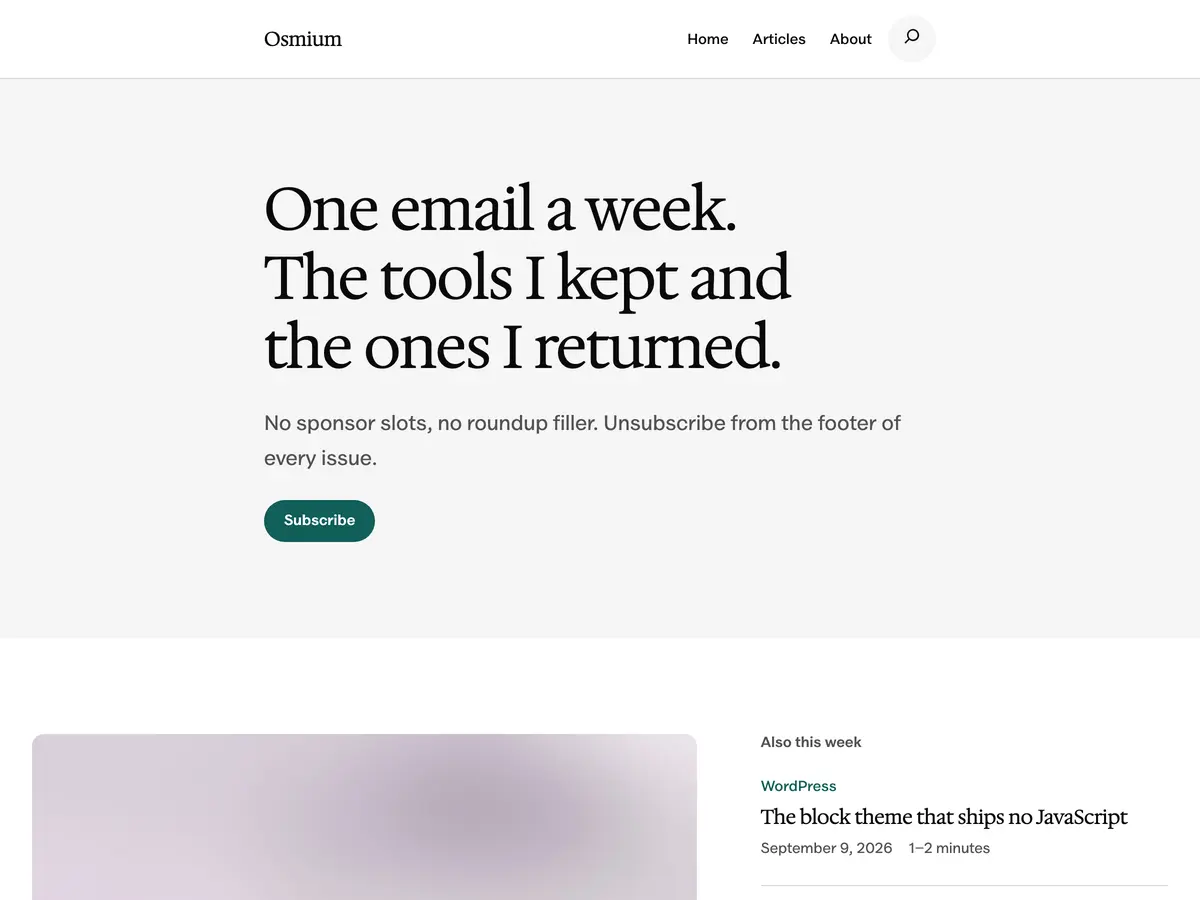
Osmium is the free block theme I develop for writers and independent publishers. Its article layouts keep prose in a defined reading column while allowing images and tables to use more space. That is a useful combination for essays, explainers, and reviews.
You can edit the header, footer, and templates in the Site Editor. The patterns use WordPress core blocks, and the bundled fonts load from your own site. You don’t need a separate page builder to use those layouts.
Why I’d choose it: the structure is built around publishing rather than a business landing page. Start with an article, an About page, and a useful archive instead of assembling a large marketing site.
Know before installing: Osmium requires WordPress 7.0+ and PHP 7.4+. It’s an early release, so test your existing posts and plugins on staging. Newsletter layouts still need a working signup service. The theme is available through the WordPress theme directory, without checkout.
Indium
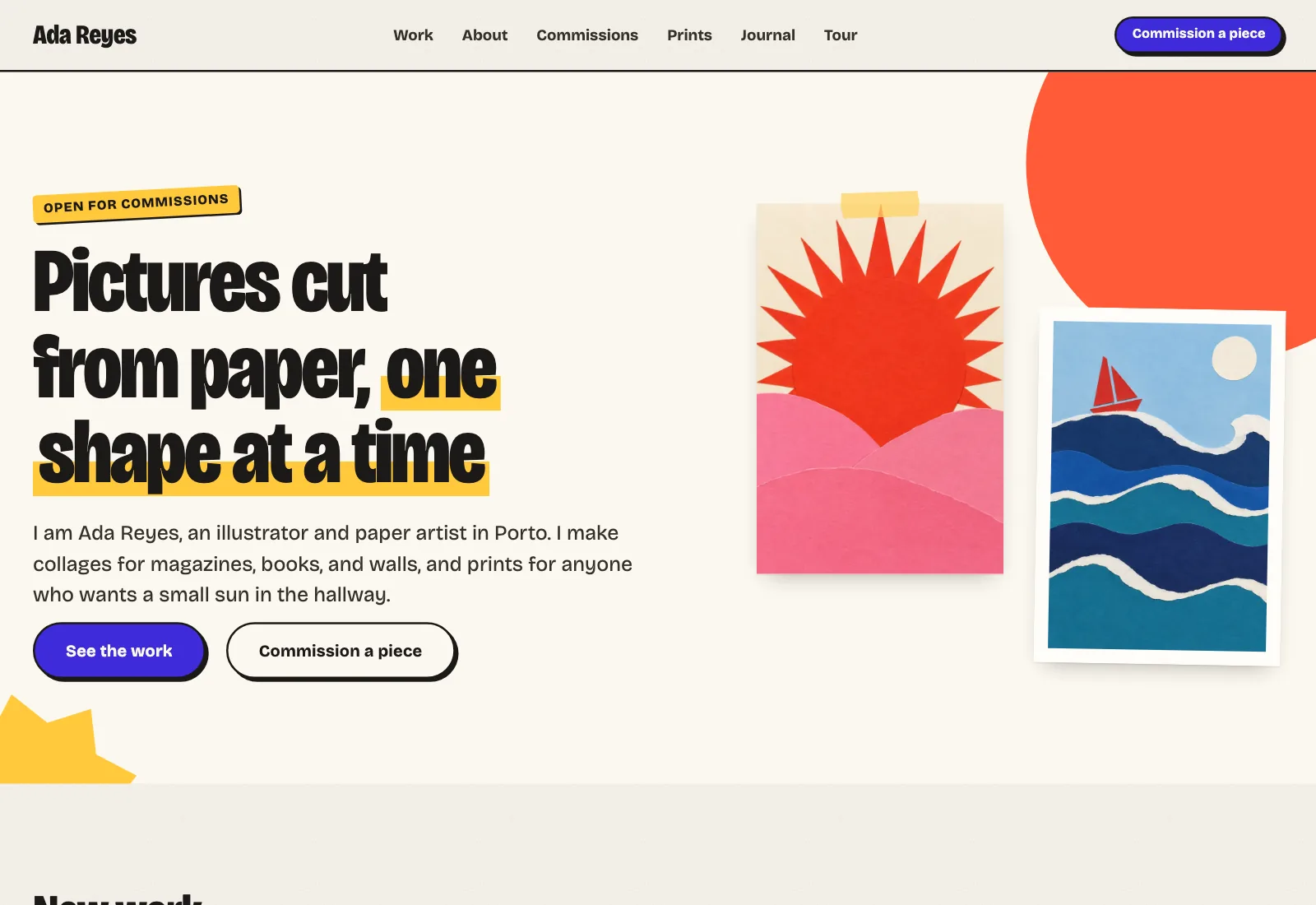
Indium is my free block theme for artists and illustrators. Its paper-and-collage design makes it worth considering when your writing sits alongside drawings, prints, or visual storytelling.
I’d use it for an illustrated poetry collection, a writer-illustrator portfolio, or a project where each piece needs both an image and a short written introduction. Its artwork and portfolio layouts give the pictures a clear place rather than treating them as occasional decorations.
The tradeoff: a text-only journal probably doesn’t need taped prints and collage styling. Osmium or Primarium would be a more direct starting point. Indium’s prints, rates, and newsletter patterns are layouts, not working checkout or email systems.
Indium requires WordPress 7.0+ and PHP 7.4+. Complete the free checkout to get the ZIP, then try this early release on staging. You can compare it with the rest of my free WordPress themes before deciding.
Primarium
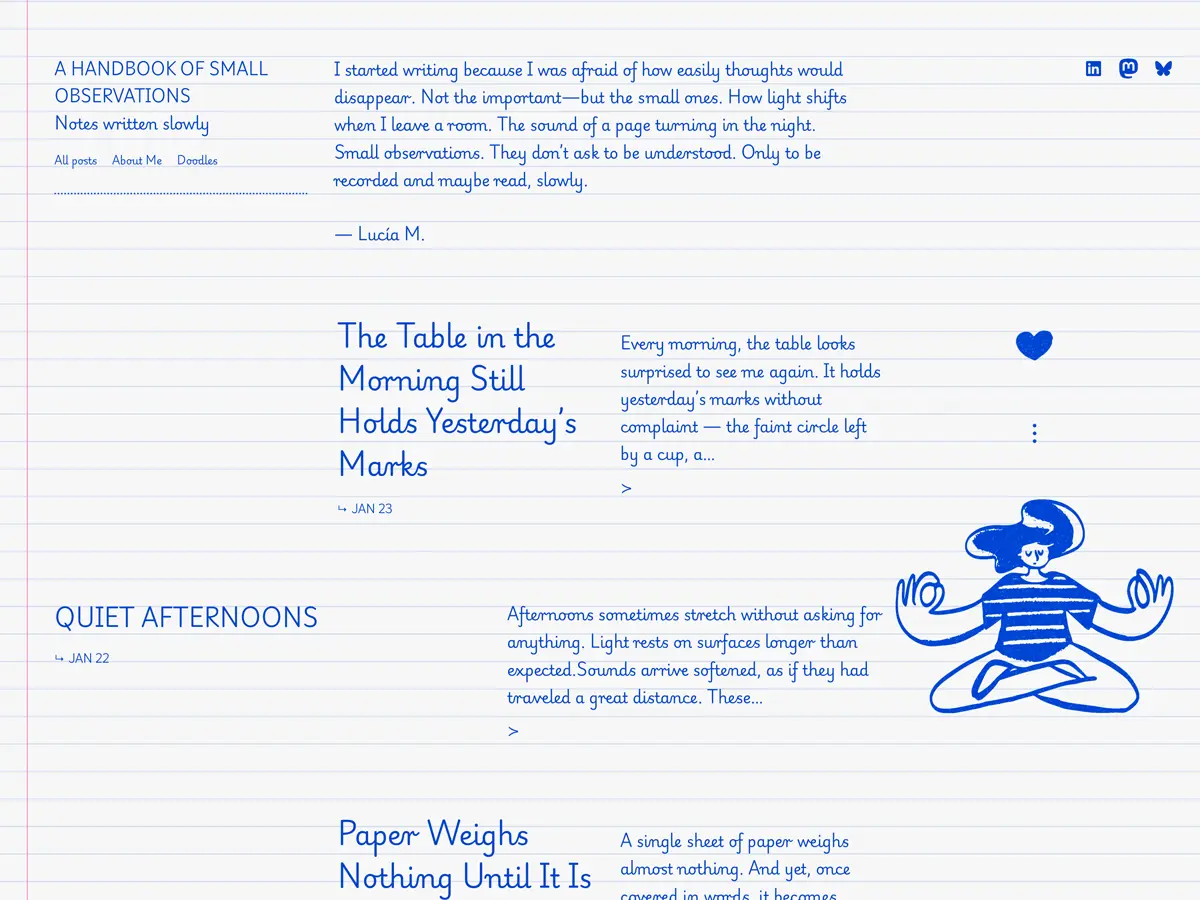
Primarium, by Automattic, is a text-first notebook with handwriting-inspired typography. It’s one of the more directly relevant options here for reflective writing and poetry, rather than a business theme that happens to include a blog.
I’d shortlist it for a small poetry journal or a personal collection where the words need little surrounding structure. The block-theme approach also lets you change templates in the Site Editor.
The limitation: handwriting-inspired text is a strong visual choice, not a guarantee of easier reading. Preview a complete poem and a longer prose piece on your phone. Check punctuation, italics, and the scripts you actually write in before choosing a font.
The theme is free, and its directory listing requires WordPress 6.9+. For an extensive book catalog or a service-based writing business, I’d compare a more conventional structure too.
Author
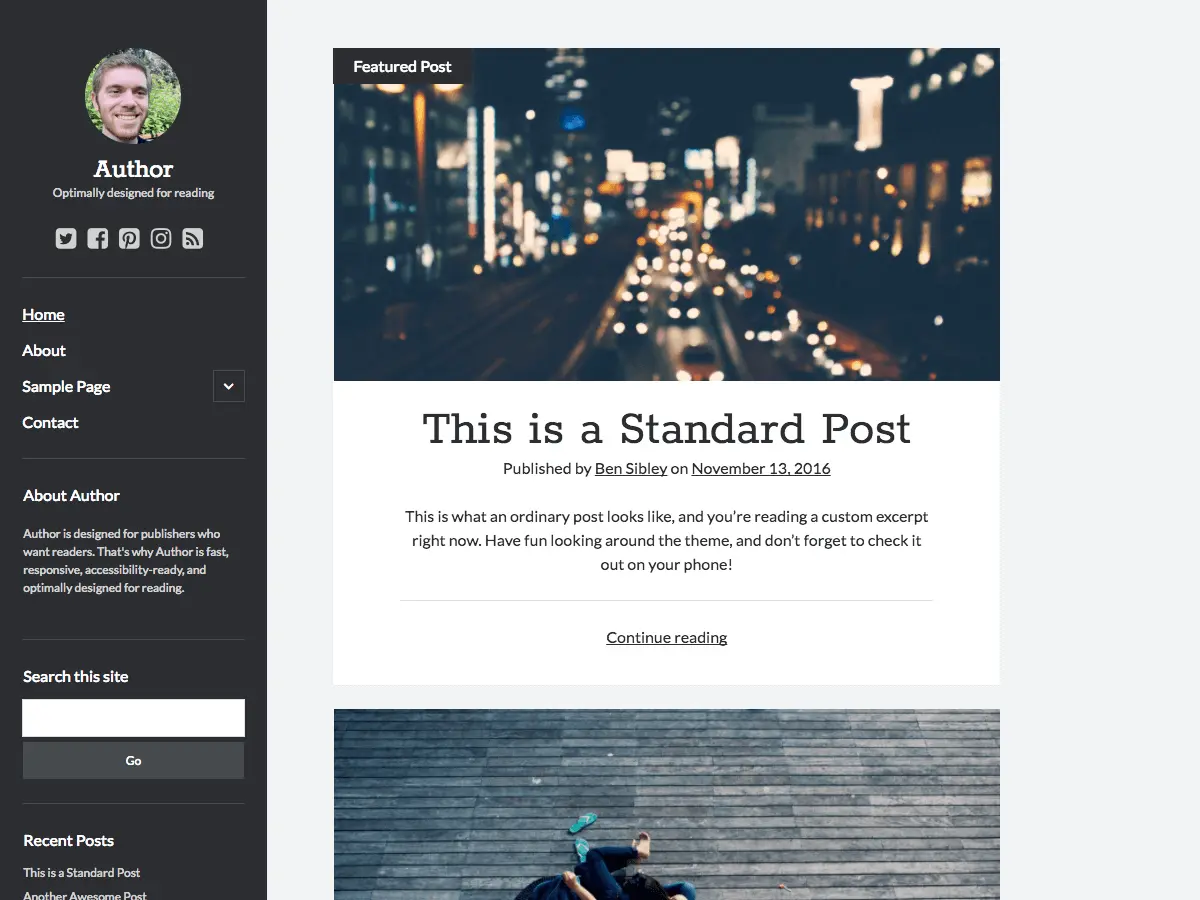
Author, by Ben Sibley of Compete Themes, is a free option for a straightforward publishing site. Its directory lists one- and two-column layouts, sidebar support, block-editor compatibility, and the accessibility-ready tag.
I’d consider it for a personal blog where readers mostly move between posts, archives, and an About page. It’s a sensible alternative when you prefer a defined layout over rebuilding every template yourself.
The limitation: this is not a full Site Editor theme. Also, accessibility-ready describes a set of theme-review requirements, not certification of your finished website. Your headings, images, navigation, and forms still need attention; WordPress explains that distinction in its accessibility guidance.
Twenty Twenty-Five
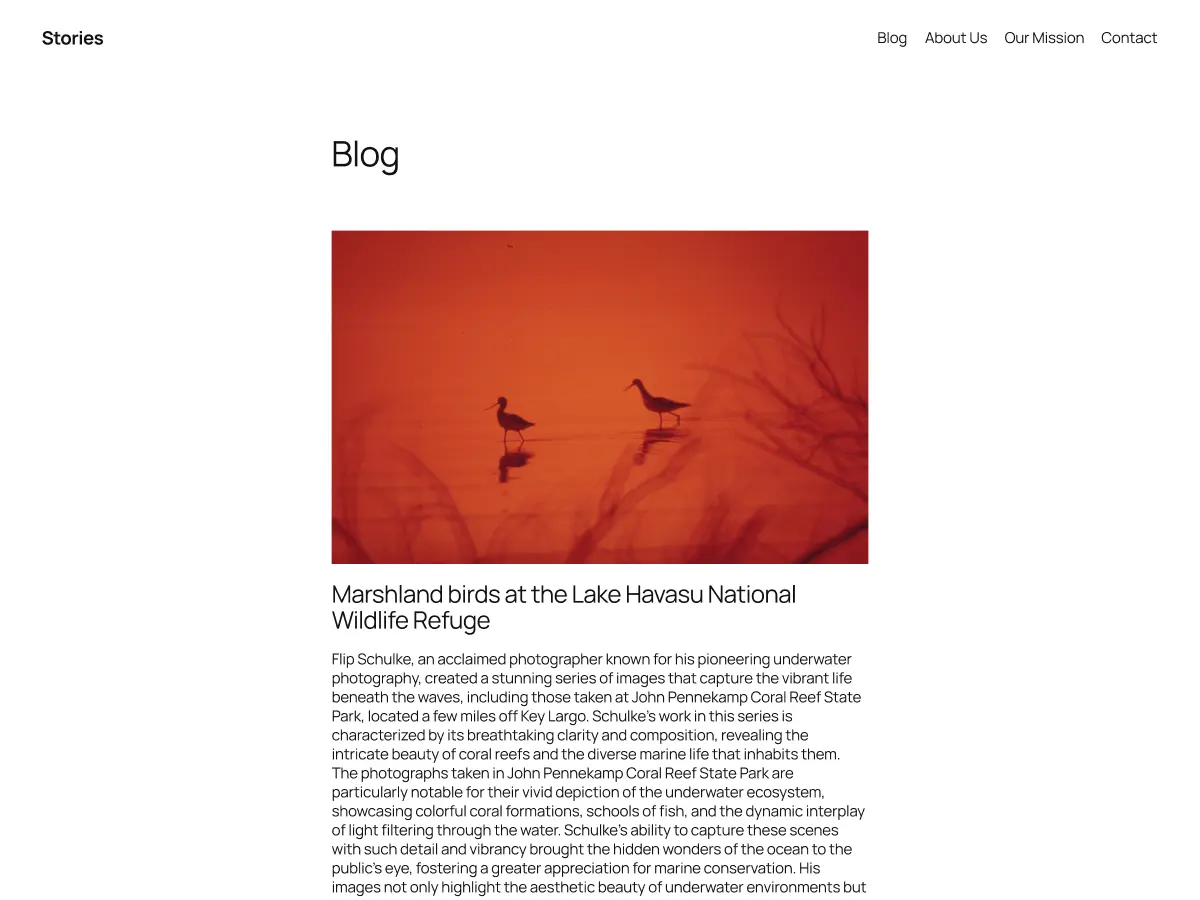
Twenty Twenty-Five is a free, community-developed block theme with templates for both text-focused and image-heavy blogs. It’s a useful baseline to compare against more specialized designs.
I’d start here when you want to learn the Site Editor while building a writing site. Choose a blog layout, set the typography, and create the few pages your readers need. There is no need to use every available pattern.
The tradeoff: flexibility still leaves decisions to you. The theme will not automatically organize a novelist’s books or a freelancer’s writing samples. You need to select a structure and replace the sample content. It’s available from the theme directory even when your host has not installed it for you.
GeneratePress
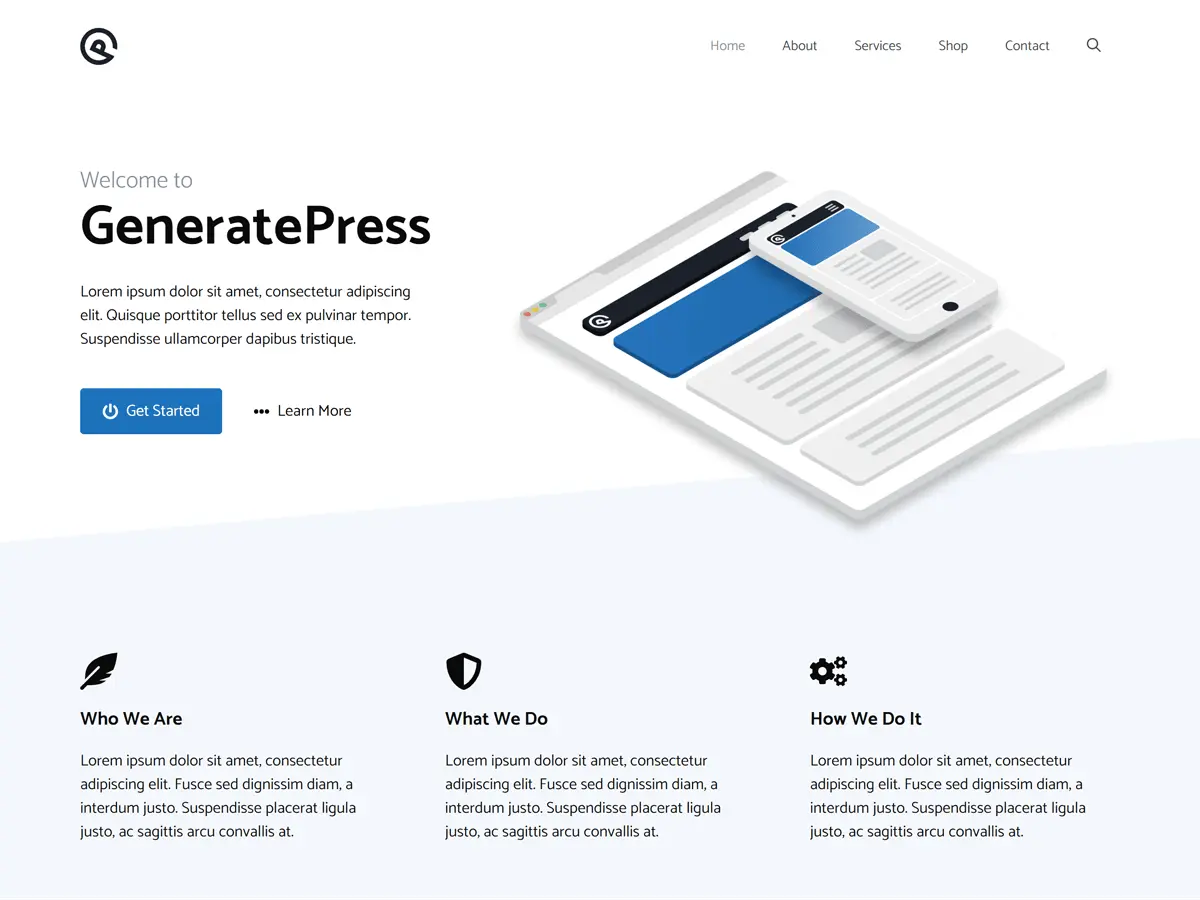
GeneratePress suits writers who would rather configure a restrained layout than inherit a heavily styled one. Its Customizer includes controls for the typography of body text, headings, navigation, and other elements.
The useful distinction: typography controls are part of the free theme. You can set fonts, sizes, weights, line heights, and spacing without buying GP Premium. The paid plugin adds a local Font Library, among other features, as the official typography guide explains.
I’d use that control to set up one comfortable article layout, then keep it consistent across the site. The limitation is the setup work: GeneratePress doesn’t choose a literary identity for you. Start free and pay only when you can name the extra feature you need.
Astra
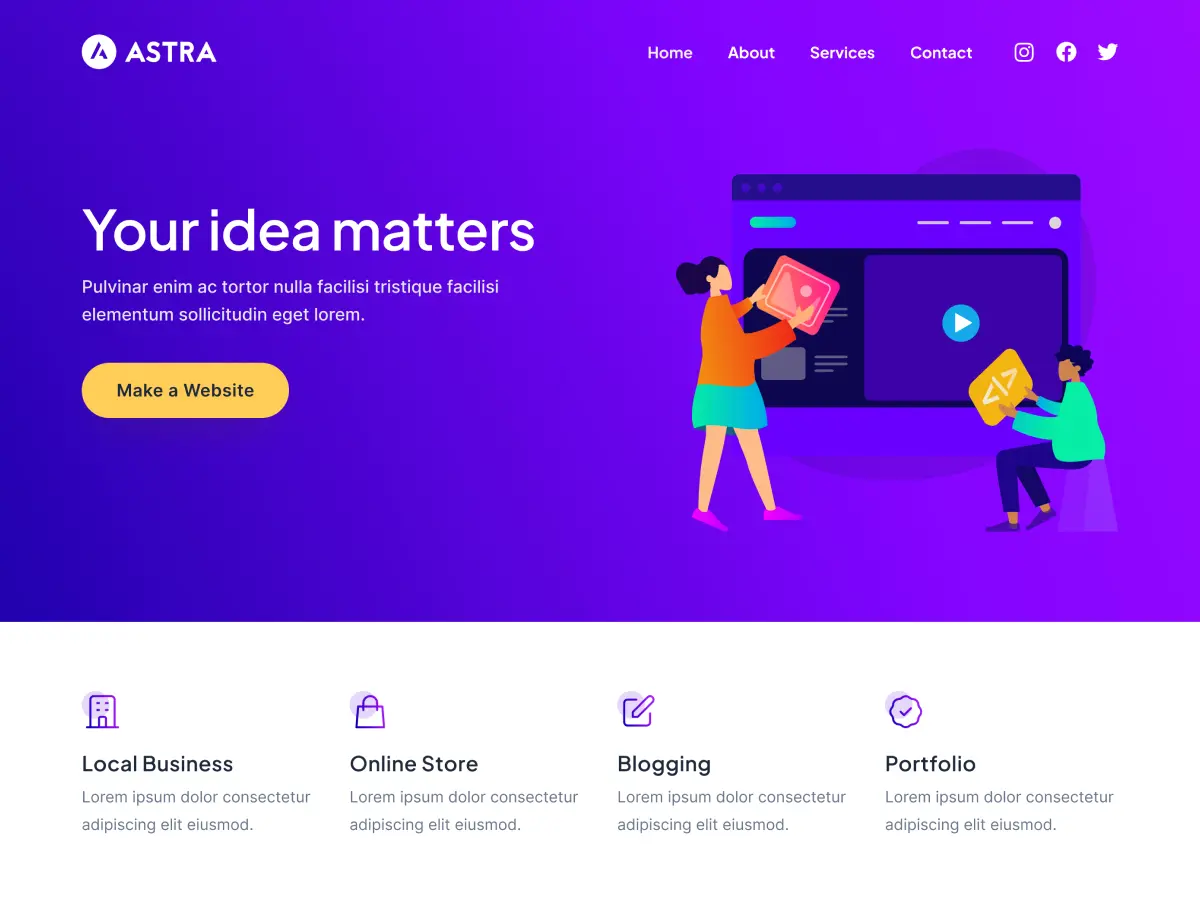
Astra is a general-purpose theme that I’d consider for an author website with a blog, book pages, a biography, and other landing pages. Its appeal is the range of possible site structures, rather than a poetry-specific layout.
The free theme is a reasonable starting point. Astra Pro also includes features relevant to writers, such as additional blog and typography controls, so I wouldn’t dismiss every paid feature as something only businesses need.
Check before importing: a starter template is not the same product as the theme itself. Confirm which editor and plugins the design uses and whether it needs paid access. Choose the setup you want to maintain, not merely the nicest screenshot. Astra’s official Pro comparison explains the upgrade features.
Blocksy
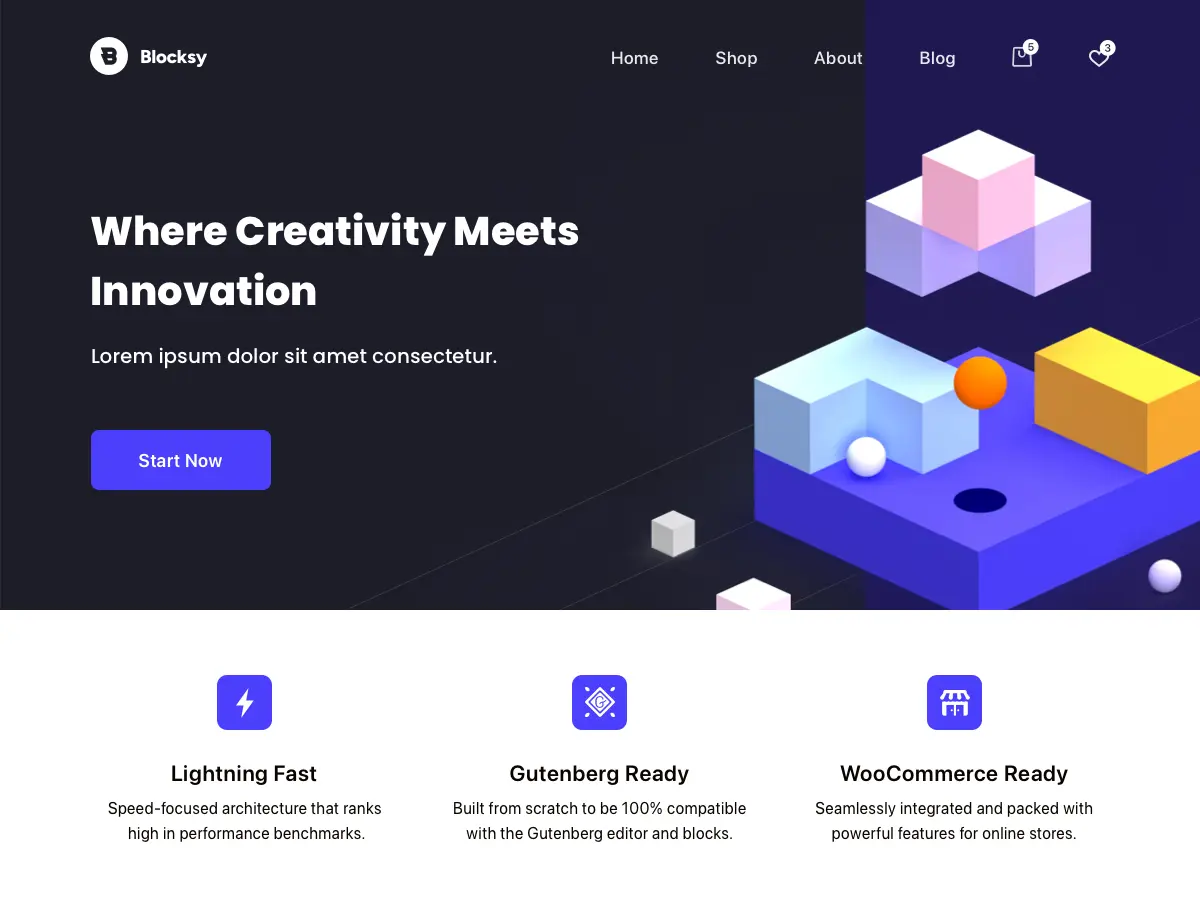
Blocksy is a free theme with optional paid upgrades and support for the WordPress block editor. Its layout options make it worth comparing when the presentation of your blog archive matters alongside the individual article.
I’d consider it for a writer who publishes across several topics and needs clear navigation between them. Start by comparing a simple list of posts with a card-based archive. More columns are not automatically better when titles and excerpts need room.
The limitation: despite the name, Blocksy is not a full Site Editor theme. Its site-design controls use the Customizer. That can be a benefit when you prefer defined controls, but it is a different workflow from Osmium or Twenty Twenty-Five.
Kadence
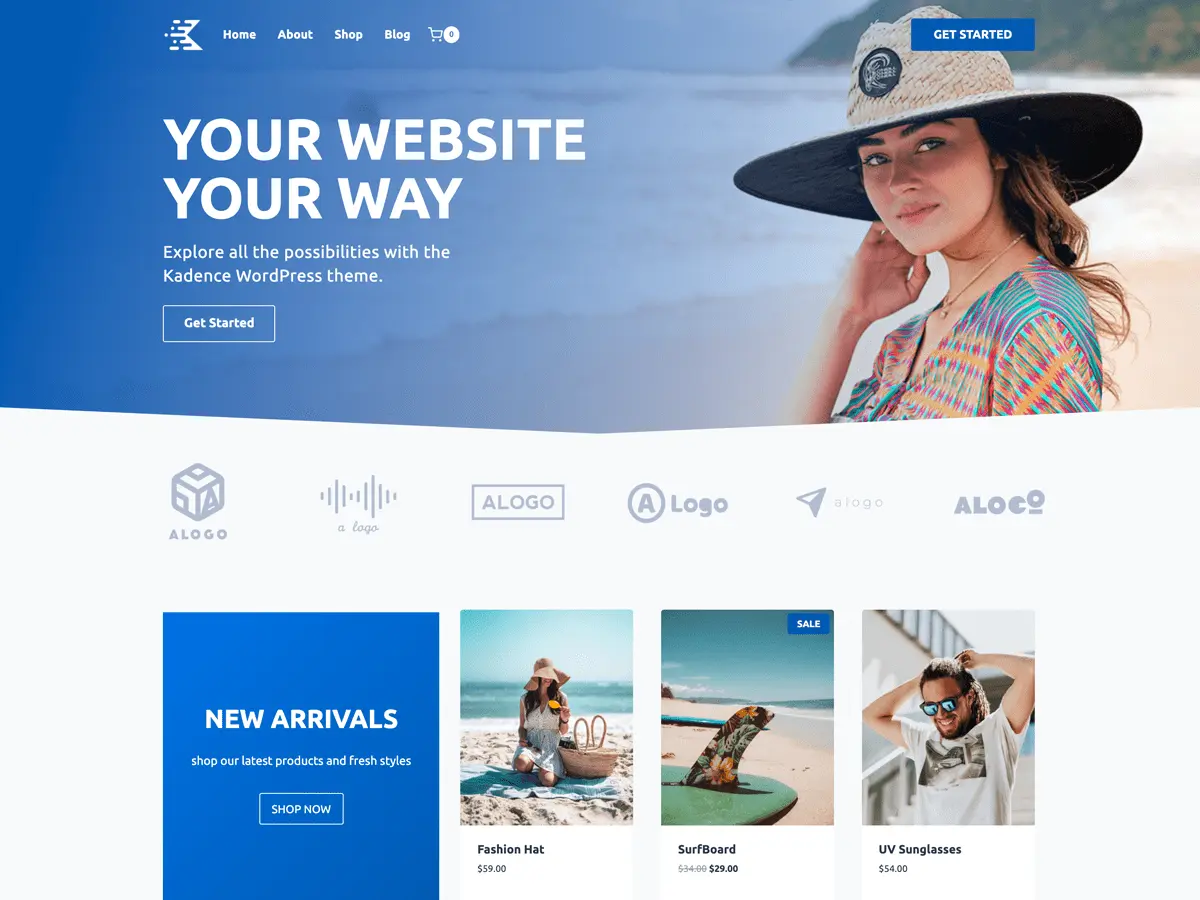
Kadence includes a free theme with a header and footer builder and global styling controls. I’d consider it for an author site where the biography, books, speaking page, and blog should share a consistent design.
Kadence Blocks is a separate plugin, not another name for the theme. You can use the theme with WordPress’s normal content blocks, or add the block plugin when a particular layout needs it.
The tradeoff: the ecosystem can give you more choices than a small writing site needs. Check the requirements of the exact starter design you choose. Start with the free components and buy a paid package only for a feature you will actually use.
Neve
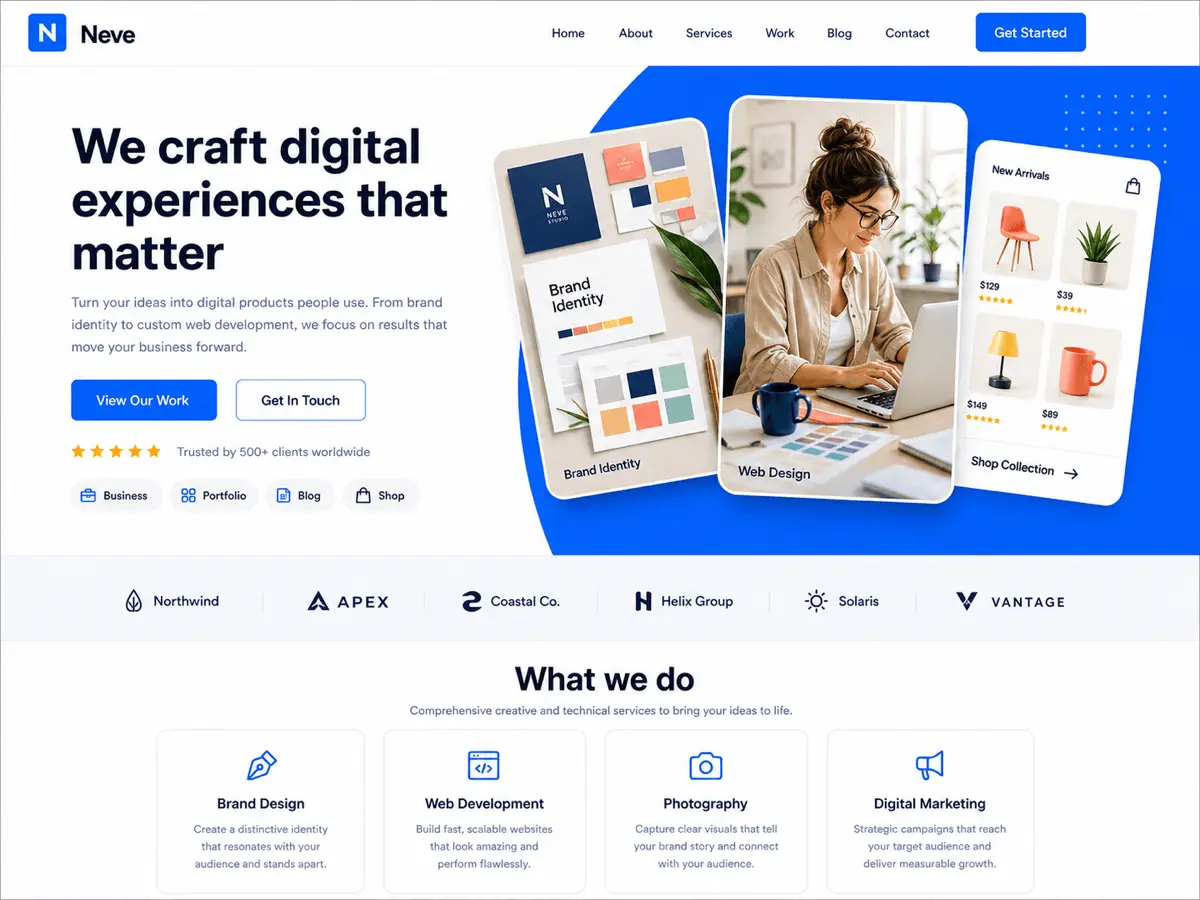
Neve, by Themeisle, is a general-purpose option for a writing site that also needs portfolio or service pages. It supports the block editor and uses the Customizer for site-design settings.
I’d consider it for a freelance writer whose site needs to show published work and encourage inquiries, with a blog alongside those pages. For a poetry-only journal, compare its reading layout with the more focused designs earlier in this guide.
The limitation: Neve doesn’t solve poetry formatting by itself. You still need the appropriate block and a mobile check. The free theme and optional upgrades are separate decisions; use the official feature overview to check what your chosen setup includes.
How to choose a theme for your writing
Use the same piece of your own writing when comparing themes. That makes it easier to spot differences a polished demo can hide: crowded titles, an overly wide reading column, awkward image captions, or a poem that breaks in the wrong place.
Check the single-post layout first
I’d test one long essay, one poem with indentation, one image caption, and a deliberately long title. Open the article itself rather than stopping at the homepage. Make sure the date, categories, sharing controls, and related content don’t overwhelm the writing.
For prose, I’d start around 18 to 20 pixels for body text, a line height of 1.5 to 1.7, and a column roughly 60 to 75 characters wide. These are starting points, not accessibility rules. The font, language, screen, and reader should determine the final settings.
A decorative heading font can work while the body uses something quieter. Check actual punctuation, numerals, italics, and any Hindi or other non-Latin text you publish. A font that looks attractive in an English demo may not contain the characters your work needs.
Choose between the Site Editor and Customizer
With a block theme and the Site Editor, you can work on templates, headers, and footers with blocks. With a classic theme, you generally use the Customizer and the controls the developer provides. Both approaches can still use the block editor for individual posts.
I’d choose a block theme for someone who wants to change the whole page structure visually. I’d choose Customizer-based controls for someone who prefers a more defined structure and mostly wants to adjust colors, fonts, and layout options. Neither choice makes the writing better by itself.
Check the complete setup, not only the theme price
Before installing a starter design, identify its required plugins, paid features, and editing tools. A free theme paired with a paid template is not an entirely free setup. A newsletter box shown in a demo may be only a visual pattern until you connect it to a service.
Do not buy a theme because it promises an SEO advantage or a perfect speed score. Check an actual page with your images and plugins. My guide to WordPress speed optimization covers the wider setup; theme choice is only one part of it.
Test mobile reading and basic navigation
On a phone, check the longest title, a full article, the menu, and any table or poem with long lines. Increase the text size and confirm you can still read the content and reach the controls. Then use a keyboard to check that navigation and forms are reachable and the focused control is visible.
Keep an existing site on staging until those checks are done. Back up the live site, leave its URLs intact, and check the places visitors already use: archives, search, contact forms, and book links.
How to format poetry in WordPress
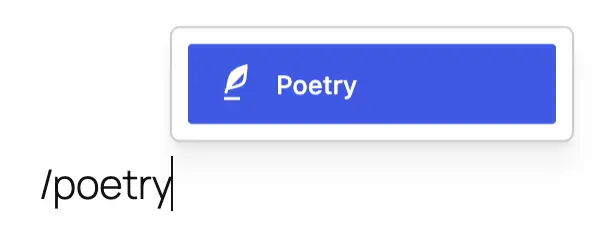
Use the Poetry block when a poem depends on spaces and line breaks. It preserves the spacing you enter, unlike an ordinary paragraph. In WordPress versions before 7.0, the same block is called Verse.
Check line breaks, indentation, and stanza gaps
Insert the block, paste your poem, and preview the published layout. This short example gives you indentation, a blank line between stanzas, and lines of different lengths to inspect:
The window holds the last of the rain.
    I leave the lamp unlit.

Outside, a bicycle leans into the evening,
its silver bell collecting small reflections
    of a street that has almost gone quiet.
Compare the editor with the front end. Check that the indentation remains visible and the space between stanzas feels intentional. The block stores the structure, but the theme still controls the presentation around it.
Decide what should happen to long lines on mobile
Test your longest line on a narrow screen. Do not shrink all the text just to force that one line to fit. Decide whether wrapping is acceptable for the poem, then inspect the result rather than assuming the desktop layout will translate neatly.
For visual poetry whose spatial arrangement cannot fit a phone, consider offering a printable version alongside an accessible text version. Do not make an image the only way to read the poem. For ordinary prose, decorative touches such as a drop cap in an opening paragraph are optional; they should not interfere with the text.
Set up the pages your readers need
A writing site doesn’t need every page from a theme demo. It needs a clear route from discovering your work to reading more, buying a book, or contacting you. I’d start with the structure that matches the work.
| Your site | Useful starting pages | The action to make clear |
|---|---|---|
| Poetry journal | Poems, collections or themes, About, contact | Read another poem or follow future work. |
| Essay publication | Latest writing, topic archives, About, newsletter | Find related essays or subscribe. |
| Book author | Books, individual book pages, biography, contact | Read a sample or follow a retailer link. |
| Freelance writer | Selected clips, services, About, inquiry page | Assess your work and send a relevant inquiry. |
| Writer-illustrator | Projects, individual work pages, About, commissions | Explore a series or ask about a commission. |
For a book page, include the cover, a short description, a sample where appropriate, and a clearly labeled buying option. You don’t need a full store just to link to a retailer. Selling downloads or accepting payments on your own website requires a suitable commerce or payment setup.
For a freelance portfolio, a few relevant clips with context are more useful than a large unexplained grid. For a newsletter, submit the form yourself and verify that the signup reaches the email service. A button that looks finished can still lead nowhere.
Need inspiration before choosing a structure? Study a few personal blogs worth reading. For the installation and hosting side, follow my guide to setting up a WordPress blog.
Additional resource: ACF Blocks
Once you’ve chosen a theme, my free, open-source GT ACF Blocks plugin gives you ready-to-use content blocks inside the WordPress editor. It’s an optional companion for writers who want more structure in articles, book pages, or a portfolio, not another theme or a requirement for publishing poems.
For essays and guides: use Table of Contents to help readers navigate a long piece, Callout for a short note or explanation, and Checklist for an exercise readers can work through. Start with the block that makes a specific page more useful rather than adding extra sections everywhere.
For an author website: Product Box can present a book cover, description, and buying link. Post Display can bring selected essays or writing samples together, while Call to Action can send readers to a sample chapter or newsletter signup page. Those layouts don’t replace a checkout or email service.
The included fields register automatically, so you don’t need to build field groups or write PHP templates to use the supplied blocks. GT ACF Blocks needs either Secure Custom Fields, which is free, or ACF Pro 6.0 or newer, which is sold separately. Choose one, not both. The regular free edition of Advanced Custom Fields doesn’t provide the required block framework.
The tradeoff: you’re adding a plugin and a field framework to maintain. Preview the blocks with your theme, and keep their dependencies active while your content uses them. For the poem itself, I’d still start with WordPress’s native Poetry block. For longer articles, my guide to adding an automatic table of contents walks through the setup and checks.
Frequently asked questions
These are the practical questions I’d settle before installing a theme or paying for an upgrade.
Which free WordPress theme should a writer start with?
I’d compare Osmium for editorial publishing, Twenty Twenty-Five for a flexible block-theme foundation, and GeneratePress for typography controls in the Customizer. Start with the layout and editing approach you prefer, then check how your real content looks.
Is there a WordPress theme designed for poetry?
Primarium is presented by Automattic as a text-first notebook for poetic and personal writing. Its handwriting-inspired typography gives it a distinctive appearance. I’d preview several complete poems before choosing it, particularly when long lines or unusual spacing are important.
How do I preserve line breaks and indentation in a poem?
Use WordPress’s Poetry block, called Verse in versions before 7.0. It preserves entered spaces and line breaks. Check the published page on mobile too, because the theme’s styling and the available screen width still affect the result.
Does an accessibility-ready theme make my website accessible?
No. The label means the theme meets WordPress’s accessibility-ready review requirements. It doesn’t certify your finished website as WCAG-compliant. Your content, color choices, navigation, and other site components still need checking.
Do I need GeneratePress Premium to change fonts and line height?
No. GeneratePress includes typography controls in the free theme. GP Premium adds its local Font Library and other features, but changing the font settings and line height doesn’t by itself require the upgrade.
Can I upload these themes to WordPress.com?
WordPress.com currently supports third-party theme uploads on its Personal, Premium, Business, and Commerce plans; free sites need an upgrade. Check the current theme-upload requirements and the chosen theme’s minimum WordPress version before uploading a ZIP.
Can a writer’s theme sell books or collect newsletter subscribers?
A theme can provide the layout, but the actions need working services behind them. A book button can link to a retailer. Direct sales need a payment or commerce setup, and newsletter signups need an email service or connected form. Do not assume a demo includes those functions.
Choose using your own writing
For a text-led publication, I’d start by comparing Osmium with Twenty Twenty-Five. For a poetry notebook, try Primarium. For illustrated work, look at Indium. GeneratePress is the alternative when you want to configure the typography and layout yourself.
Put a real piece of writing into your shortlist before making the final choice. Check it on your phone, follow the navigation, and test the links and forms. Choose the theme that handles your work with the least unnecessary adjustment, then give the next piece of writing your attention.
Tell Google you want more of this.
Add Gaurav Tiwari as a preferred sourceOne tap, and this site shows up more often in your own Top Stories, AI Overviews and AI Mode. Remove it any time.
Disclaimer: This site is reader-supported. If you buy through some links, I may earn a small commission at no extra cost to you. I only recommend tools I trust and would use myself. Your support helps keep gauravtiwari.org free and focused on real-world advice. Thanks. - Gaurav Tiwari