
 by
by
Gravatar backlinks were one of the easier off-page SEO wins from 2010 to roughly 2020 — set up a properly-filled Gravatar profile, link to your site from the profile, and you’d pick up modest backlink authority from one of the highest-DA properties on the internet (Gravatar.com is operated by Automattic, parent of WordPress.com, currently a DR-95 domain). In 2026, the playbook has changed. Gravatar profiles still pass some link equity, but Google has discounted profile-page backlinks substantially, and the easy backlinks era ended around 2021. This guide covers what still works with Gravatar in 2026, what doesn’t, and where Gravatar profile setup is genuinely worth the time even if the direct backlink value has dropped.
This trick no longer works as Gravatar has patched the dofollow links to nofollow. But I have kept this article alive for archives and nostalgia reasons. This article was published on September 29, 2014.
Gravatar.com is a Page Rank 8 and DA 94 website which enables users to have online profiles using custom Avatars. Gravatar is an acronym of Globally Recognized Avatar. Here you create your profile once and become an internet identity forever. Gravatars are used as user-profiles on all WordPress.com and nearly 90% of WordPress blogs.
This means, as a blogger, it’s highly recommended to have a stunning gravatar profile.
Here is my Gravatar profile:
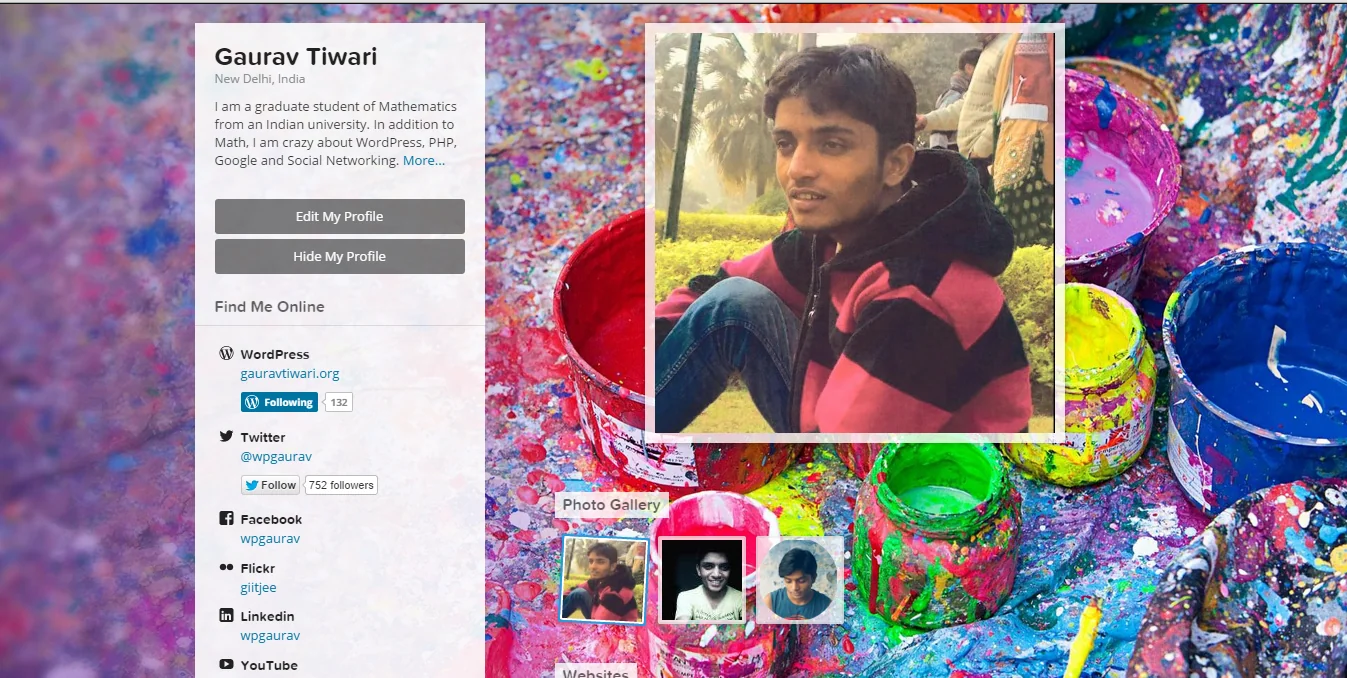
Gravatar can drive huge amount of traffic via comments. Plus on profile pages, it allows to link as many sites you want but unluckily assigns them rel=’nofollow’ . In one line, gravatar.com gives a plenty of nofollow backlinks from your gravatar profile page.

Nofollow backlinks? Well, no. Those aren’t that relevant to SEO as are general (follow) links. You want genuine backlinks? There is a simple way to get genuine follow links from gravatar. All you need to be cautious about formatting. Follow these easy steps to get backlinks from your gravatar profile:
- Sign Up/ Login to gravatar.
- Go to My Profile tab

What Gravatar Backlinks Actually Do in 2026
The 2026 honest take. Direct link equity from a Gravatar profile: minimal but non-zero. Google has explicitly stated that profile-link signals are heavily discounted post-2021. Don’t build a backlink strategy around Gravatar. Indirect benefit through commenter recognition: real. Every comment you leave on a WordPress site with your Gravatar email pulls in your profile photo and (in many themes) links to your registered site. Over years of consistent commenting on industry blogs, this builds genuine recognition and refers traffic. Identity verification across the web: real and growing. Gravatar is increasingly the de facto avatar system for Mastodon, Stack Exchange, GitHub, and dozens of other platforms — having a consistent Gravatar with your real photo and bio is now a professional-presence baseline.
What to actually do in 2026: set up a complete Gravatar profile with a real photo, real name, current bio, and a single high-priority link to your primary website. Don’t optimize for backlink quantity (Gravatar lets you add many links; only the first counts for SEO purposes). Treat it as a professional identity card that happens to integrate with WordPress comments, rather than as a backlink generator. The combined effect of a real Gravatar plus consistent commenting on industry blogs is worth more in 2026 than any one-shot backlink play.
Video Guide
[youtube http://www.youtube.com/watch?v=VHHwTMvJo5Q]
- Start typing in About Me section. Write about yourself and add external links. But be careful not to use double quotes (“…”) inside anchor ( <a> ..</a>) tag. Use single quotes as Gravatar removes everything inside double-quotes. Be specific and add rel=’author’ or any other. Never add rel=’follow’ or rel=’dofollow’ because these tags are incorrect.
- You can add as many as possible external links using the same way.
- Save profile.
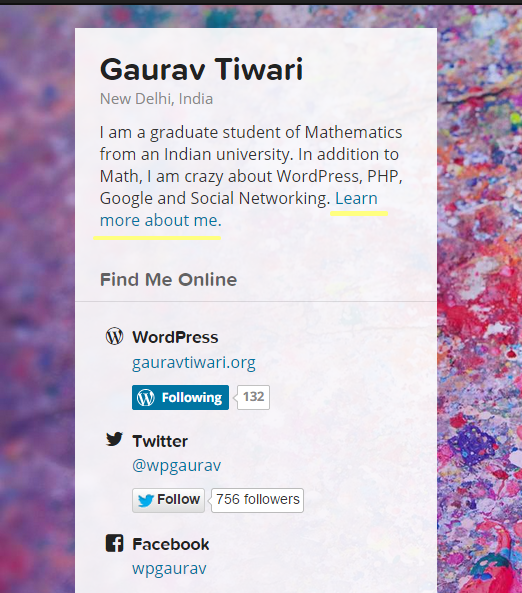
When you are done, you will see these links on the left of your profile. Cool. You just got DA94 and PA40+ juice passing backlinks with no hard-work. These links will also pass juice from the countless webpages which support gravatar profiles.
Enjoy!
Tell Google you want more of this.
Add Gaurav Tiwari as a preferred sourceOne tap, and this site shows up more often in your own Top Stories, AI Overviews and AI Mode. Remove it any time.