
Hide Price Until Login in GT Extensions for FluentCart
Hide Price Until Login replaces a price with a sign-in message and takes the purchase controls off the page for visitors who aren’t allowed to buy. It can cover the whole store or only the products you mark with Login to purchase, so a shop can keep its retail range public and put a trade range behind login.
This is a visibility and purchase-access rule. It does not create a wholesale pricing tier, approve customer accounts or assign roles for you. The behavior below needs GT Extensions 2.6.5 or newer.
Choose Where It Applies
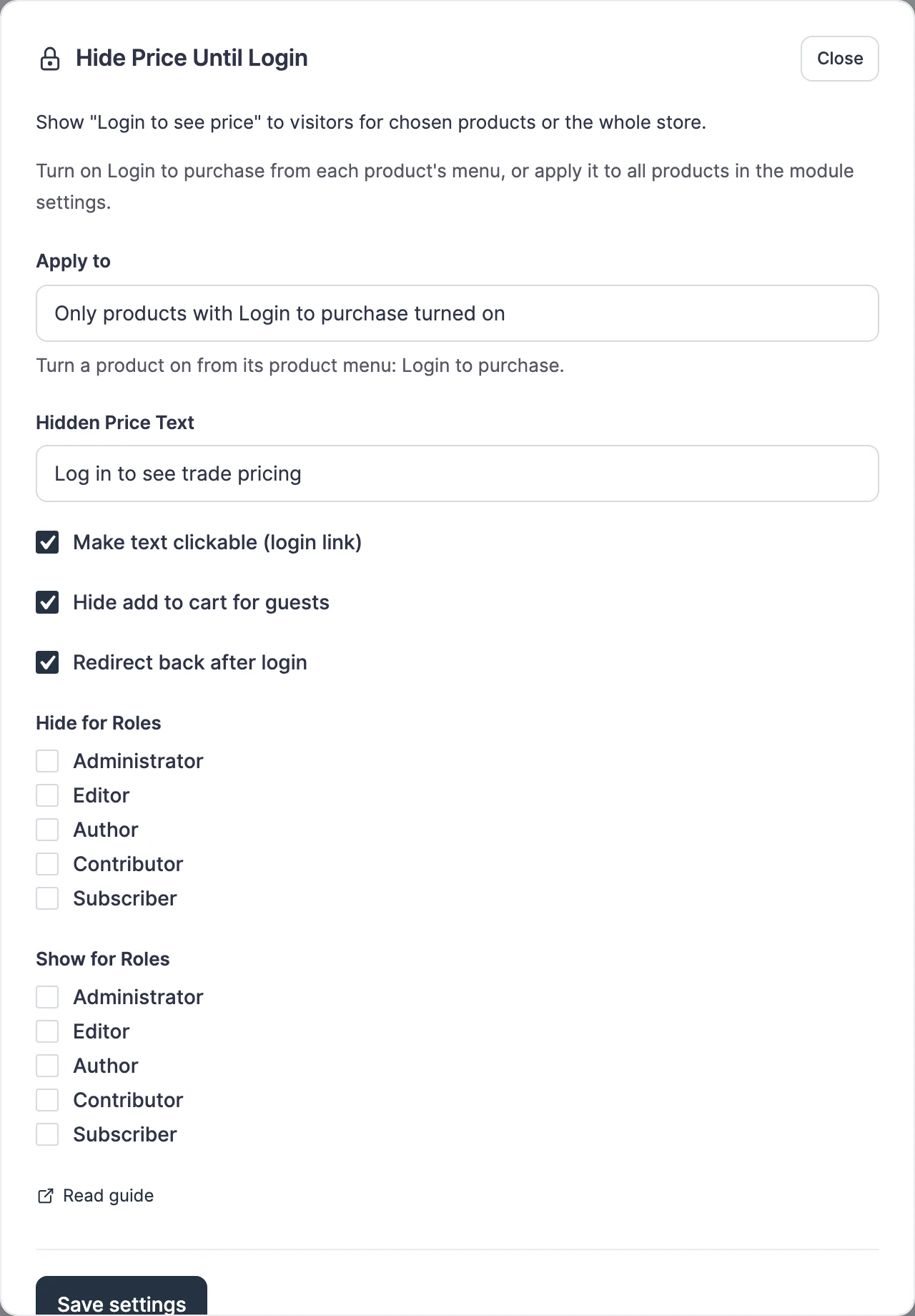
Enable the module, open Configure and set Apply to first.
- Only products with Login to purchase turned on: the rule covers the products you mark one by one. New setups start here.
- All products: every product requires login. Stores that used the module before version 2.6.5 stay on this setting after updating, so no hidden price becomes visible.
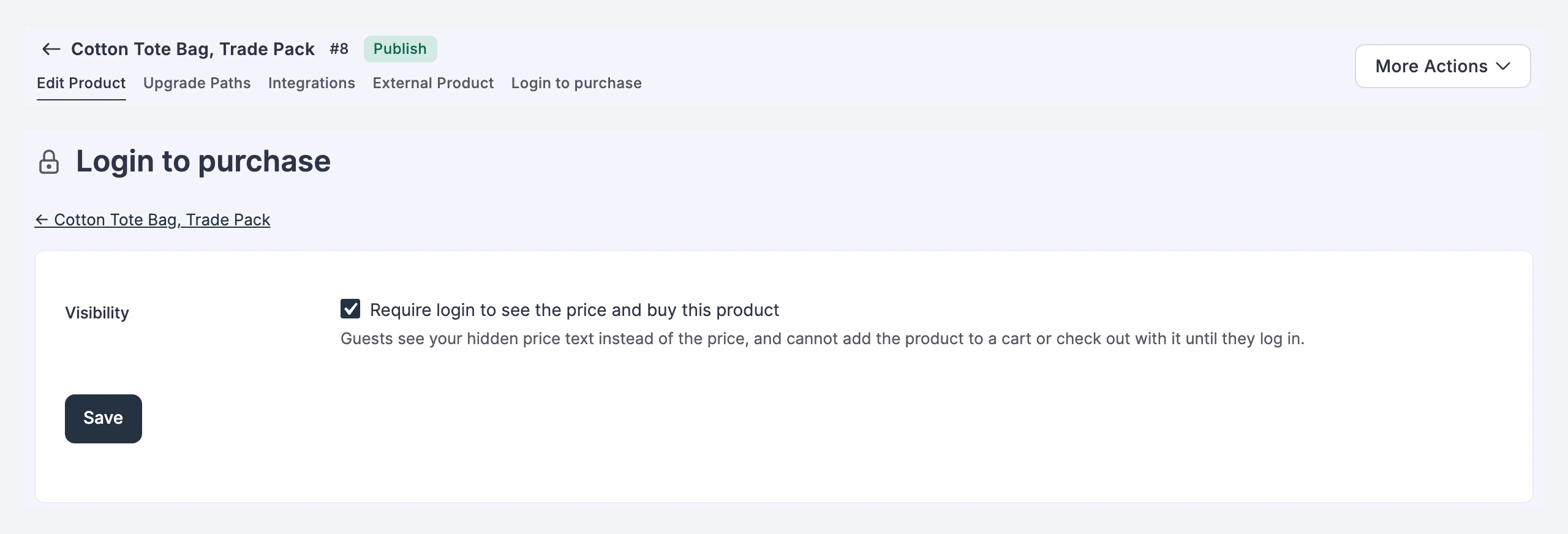
To mark a product, open it in FluentCart and choose Login to purchase from the product menu, next to Edit Product and Integrations. Tick Require login to see the price and buy this product, then save.
Configure Access
Review the remaining settings before saving.
- Hidden Price Text: the message shown instead of the price.
- Make text clickable (login link): turns that message into a link to sign in. Leave it unticked to show plain text.
- Hide add to cart for guests: leaves Buy Now, Add to Cart and the quantity selector out of the page for restricted visitors.
- Redirect back after login: sends the customer back to the product after they sign in.
- Hide for Roles: keeps prices hidden for matching signed-in roles.
- Show for Roles: limits visible prices to matching signed-in roles when the list is set.
With both role lists empty, signed-in users can see prices and guests cannot. A matching Hide for Roles rule takes priority over an allow list.
What Guests Receive
The price is removed before the page leaves the server, so it isn’t in the page source either. The same applies to shop grids, product cards, variant data, pricing tables, search results and FluentCart’s public product API. Pages built with FluentCart’s product shortcodes, such as [fluent_cart_products], get the same treatment. Sold count, stock urgency and quantity limits that sit inside the hidden price block are removed with it.
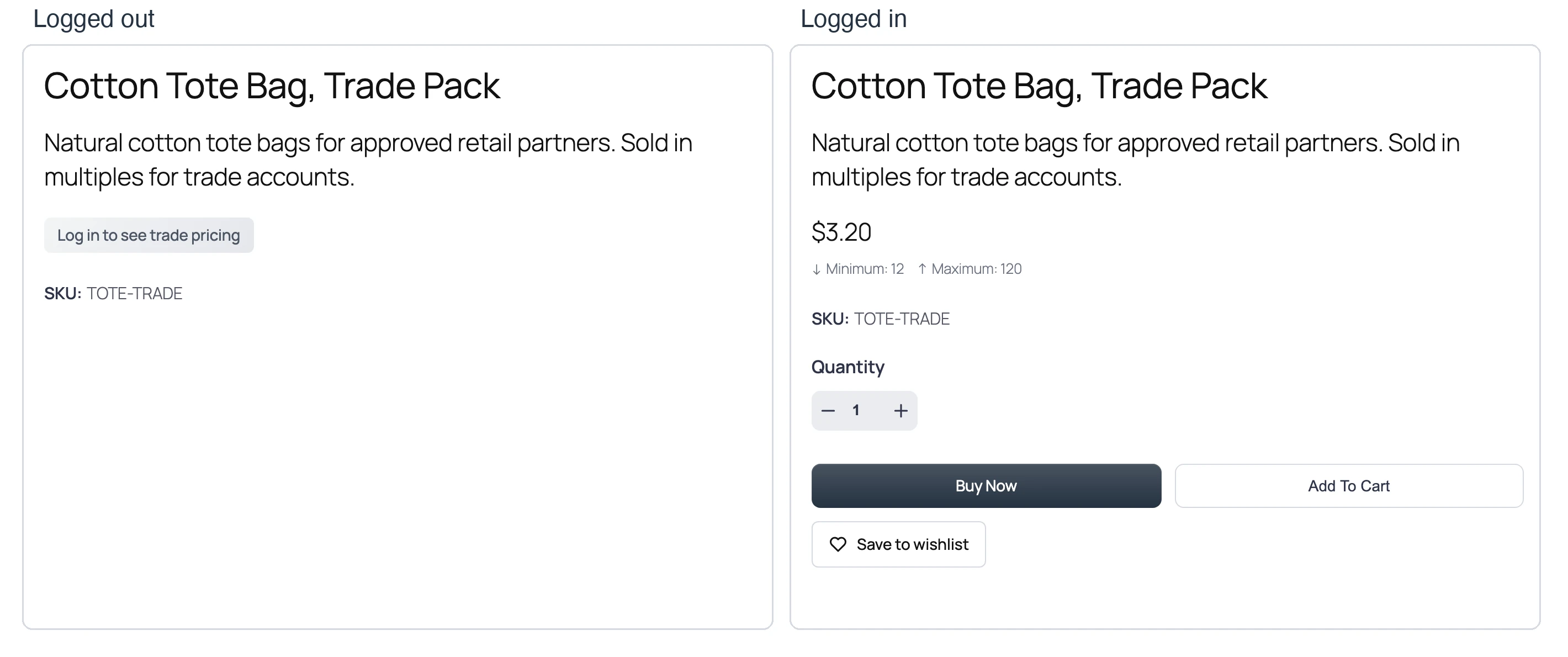
Purchasing is refused at every entry point:
- Buy Now, Add to Cart and the quantity selector are left out of the page.
- An add-to-cart request is refused with “Please login to purchase this product.”
- Buy Now and instant-checkout links are refused.
- Modal checkout shows the login prompt.
- Checkout refuses an order that contains a login-only product when the buyer must log in, which closes carts created before the product required login.
Invoice payment links and payments for existing orders are not affected. The rule also holds on stores using Multi-Currency Checkout, where the login prompt stays in place of the converted price.
Example: Approved Trade Customers
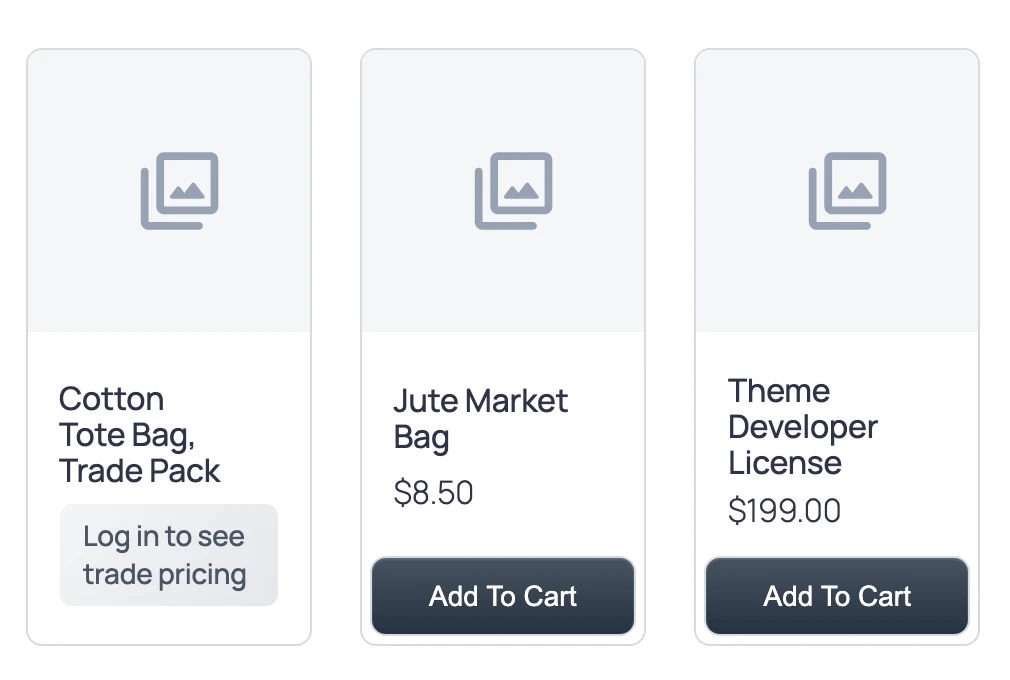
Give approved buyers an appropriate WordPress role through your account-management process. Mark the trade products with Login to purchase, select that role in Show for Roles, then compare a trade product and a retail product as a guest, an ordinary subscriber and an approved buyer.
Check purchasing as well as appearance, and view the page source of one trade product as a guest. The trade price should not appear anywhere in it.
Use a Login Prompt Elsewhere
For a custom page, add this shortcode in a Shortcode block or another shortcode-capable area.
[gtfc_login_to_see_price text="Sign in to view pricing"]Common Problems
If a product still shows its price to guests, check Apply to and that product’s Login to purchase setting. If a signed-in customer still cannot see prices, check both role lists and the roles assigned to that account.
Keep restricted-price pages out of shared page caches, because a page cached for a signed-in buyer carries the price. Test the wishlist too, because saved items should respect the same visibility rule, and use Min/Max Quantity when trade orders need a minimum.