Core Forms
WordPress forms with payments, digital products and spam protection.
 Gaurav TiwariDocs
Core Forms does not create a public single-product page for every Core Commerce product by default. You choose the WordPress page, template, pattern, or builder layout, then insert the product block or shortcode you need.
Open a product under Core Forms → Core Commerce → Products to find copy-ready snippets using its exact slug and active plans.
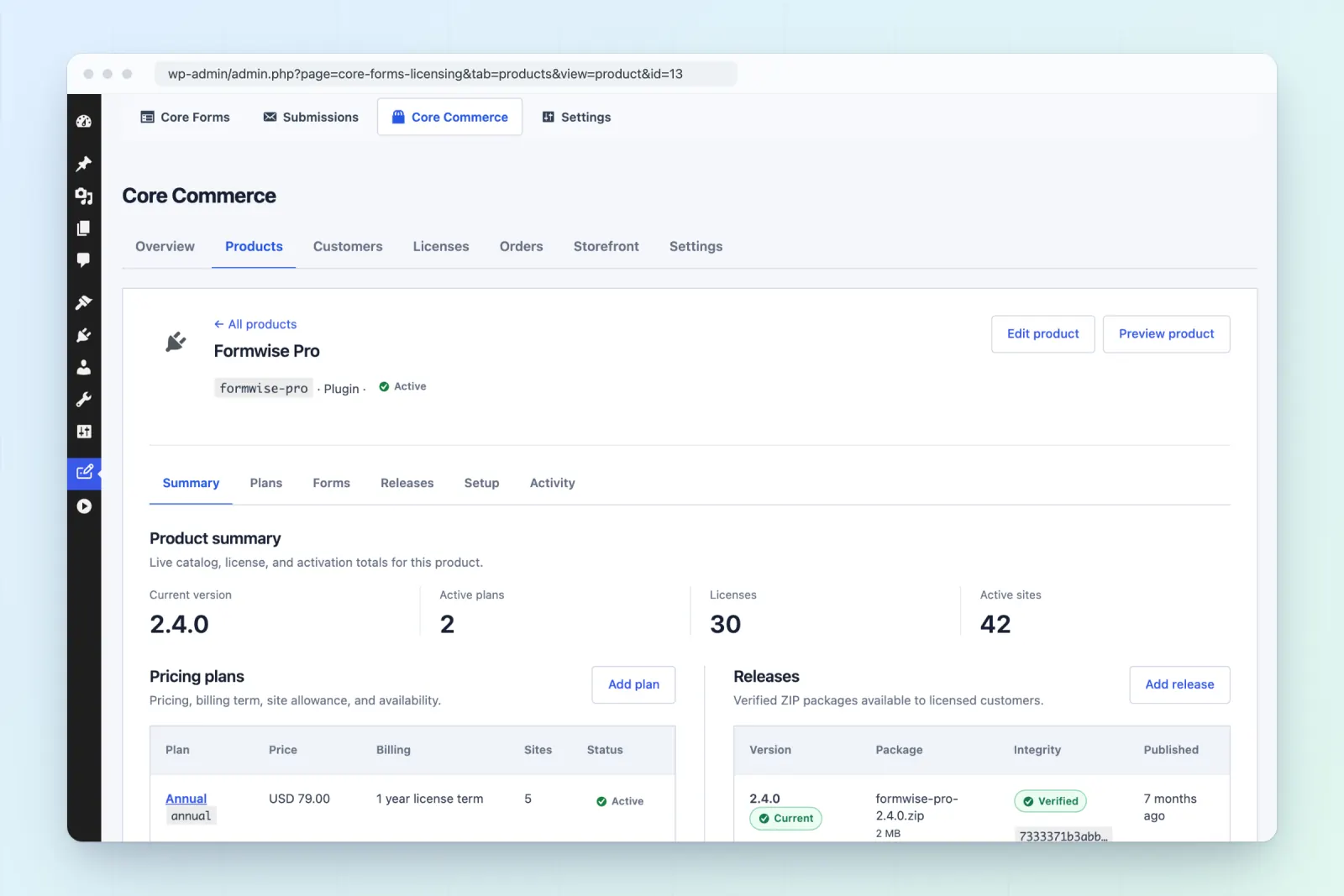
Blocks provide product and plan selectors plus a server-rendered preview. Search the inserter for Core Forms and choose:
Use shortcodes in classic content, PHP templates, widgets, and builders that do not expose WordPress blocks.
In Bricks, the same storefront pieces are native elements in the Core Forms category: Product Catalog, Product List, Single Product, Product Price, Product Buy Button, Product Checkout, Customer License Dashboard and Product Gallery. Pick the product and plan in the element controls. Product Price and Product Buy Button need both. See Bricks Builder.
Show one product with all active plans:
[cf_license_product product="sample-product"]Show one product and one plan:
[cf_license_product product="sample-product" plan="pro-annual"]Render only a price or buy button:
[cf_license_price product="sample-product" plan="pro-annual"]
[cf_license_buy_button product="sample-product" plan="pro-annual" label="Choose Pro"]
Render a catalog or compact list:
[cf_license_products columns="3" type="plugin" limit="6"]
[cf_license_product_list type="plugin" limit="8" show_price="1"]
Pin checkout to a product and plan:
[cf_license_checkout product="sample-product" plan="pro-annual"]Display customer access:
[cf_license_dashboard]The shared checkout and customer dashboard pages are created when the License Issuing Server is enabled. Those utility pages are different from a marketing-focused single-product page.
Astro, Next.js, and other external sites can read the active public catalog through the Storefront REST API. Checkout remains on WordPress so payment verification, order creation, license fulfillment, and signed downloads use the secured Core Commerce workflow.
See Products, licenses, and subscriptions for routes and response behavior.
Still stuck? Open a support ticket