
Generic Webhook Integration
Send form data to any external URL via POST request with configurable content type and authentication.
Action type: webhook Class: Core_Forms\Actions\Webhook Source: extensions/webhooks/src/Action.php
Setup
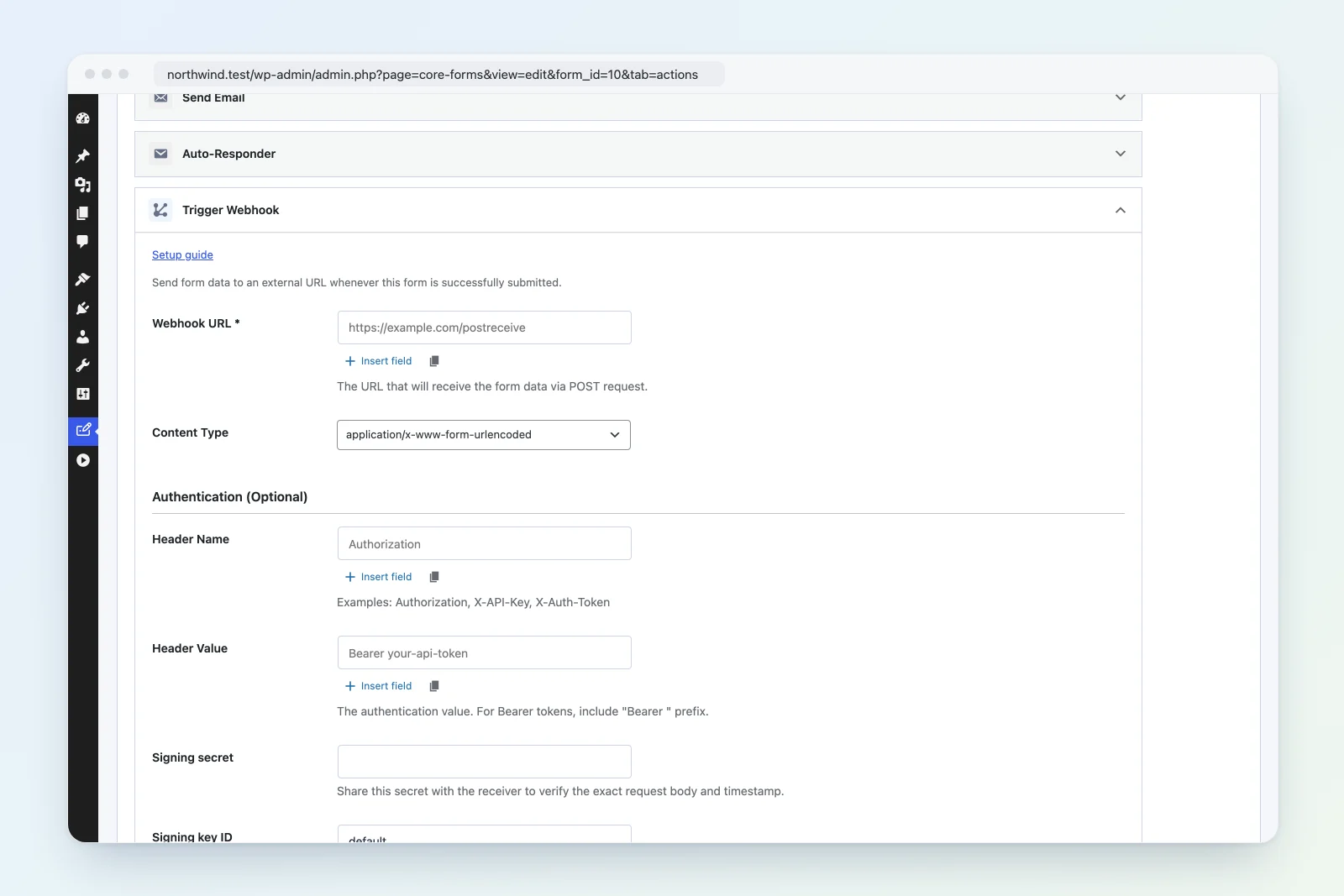
- In WordPress, edit your form > Actions tab > Add Action > Trigger Webhook.
- Enter the target URL.
- Choose the content type (JSON or form-encoded).
- Optionally configure authentication headers.
Settings Reference
| Setting | Required | Default | Description |
|---|---|---|---|
| Webhook URL | Yes | — | The URL that receives the POST request |
| Content Type | No | form |
json (application/json) or form (application/x-www-form-urlencoded) |
| Header Name | No | — | Authentication header name (e.g., Authorization, X-API-Key) |
| Header Value | No | — | Authentication header value (e.g., Bearer your-token) |
Content Types
JSON (application/json)
Sends all form fields as a JSON object:
{
  "name": "Jane Smith",
  "email": "jane@example.com",
  "message": "Hello"
}
Form-encoded (application/x-www-form-urlencoded)
Sends all form fields as standard form data:
name=Jane+Smith&email=jane%40example.com&message=HelloAuthentication
The authentication header is optional. Common configurations:
| Header Name | Header Value | Use Case |
|---|---|---|
Authorization |
Bearer your-api-token |
Bearer token auth |
Authorization |
Basic base64string |
HTTP Basic auth |
X-API-Key |
your-api-key |
API key auth |
X-Auth-Token |
your-token |
Custom token auth |
Both header name and value must be provided for auth to be included. A Referer header with the site URL is always sent.
Filters
cf_webhook_request_args
Modify the request arguments before sending:
add_filter( 'cf_webhook_request_args', function( $args, $settings, $submission, $form ) {
    // Add a custom header
    $args['headers']['X-Form-ID'] = $form->ID;
    // Modify the body
    $body = json_decode( $args['body'], true );
    $body['source'] = 'website';
    $args['body'] = json_encode( $body );
    return $args;
}, 10, 4 );
cf_webhook_response
Act on the webhook response:
add_action( 'cf_webhook_response', function( $response, $settings, $submission, $form ) {
    if ( is_wp_error( $response ) ) {
        error_log( 'Webhook failed: ' . $response->get_error_message() );
    }
}, 10, 4 );
How It Works
- Validates that the URL is not empty.
- Builds request headers including
Refererand optional auth header. - Encodes the body as JSON or form-encoded based on content type setting.
- Applies the
cf_webhook_request_argsfilter. - POSTs to the URL via
wp_remote_post(). - Fires the
cf_webhook_responseaction with the response. - Returns
trueif no WP_Error occurred.
Example: Send to Custom API
- Webhook URL:
https://api.example.com/submissions - Content Type:
json - Header Name:
Authorization - Header Value:
Bearer sk_live_abc123
Troubleshooting
- Request failing silently: Use the
cf_webhook_responseaction to log errors. - Authentication rejected: Ensure the header value includes the full prefix (e.g.,
Bearerwith trailing space for Bearer tokens). - Array fields: When using form-encoded content type, array values (checkboxes) are sent as PHP array notation. Use JSON for cleaner handling of arrays.