Core Forms
WordPress forms with payments, digital products and spam protection.
 Gaurav TiwariDocs
Core Commerce combines buyer activity by normalized, case-insensitive email address. Abc@example.com and abc@example.com appear as one customer, while original order and license records remain linked for auditing.
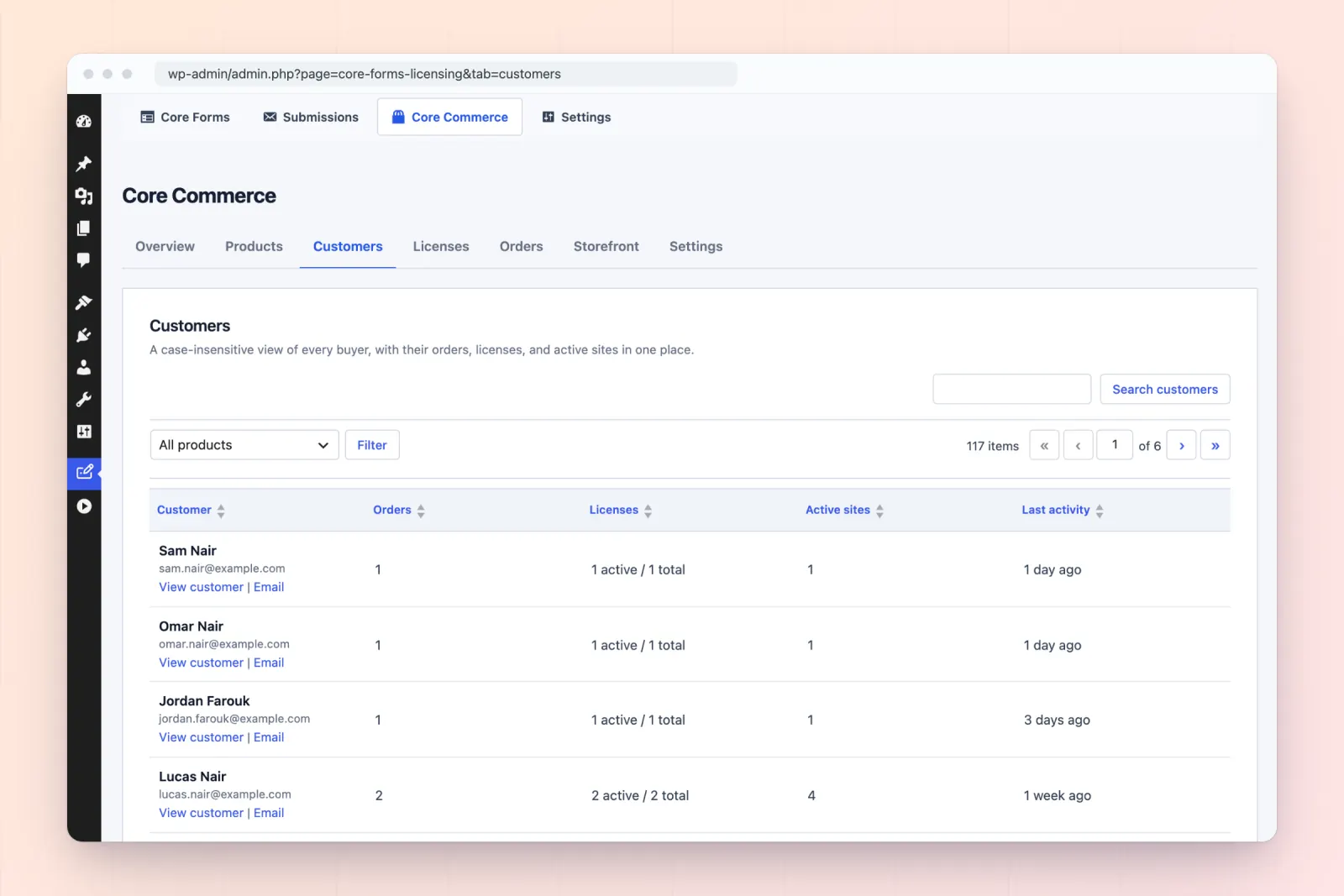
Open Core Commerce → Customers. Search by email or filter by product. The table shows:
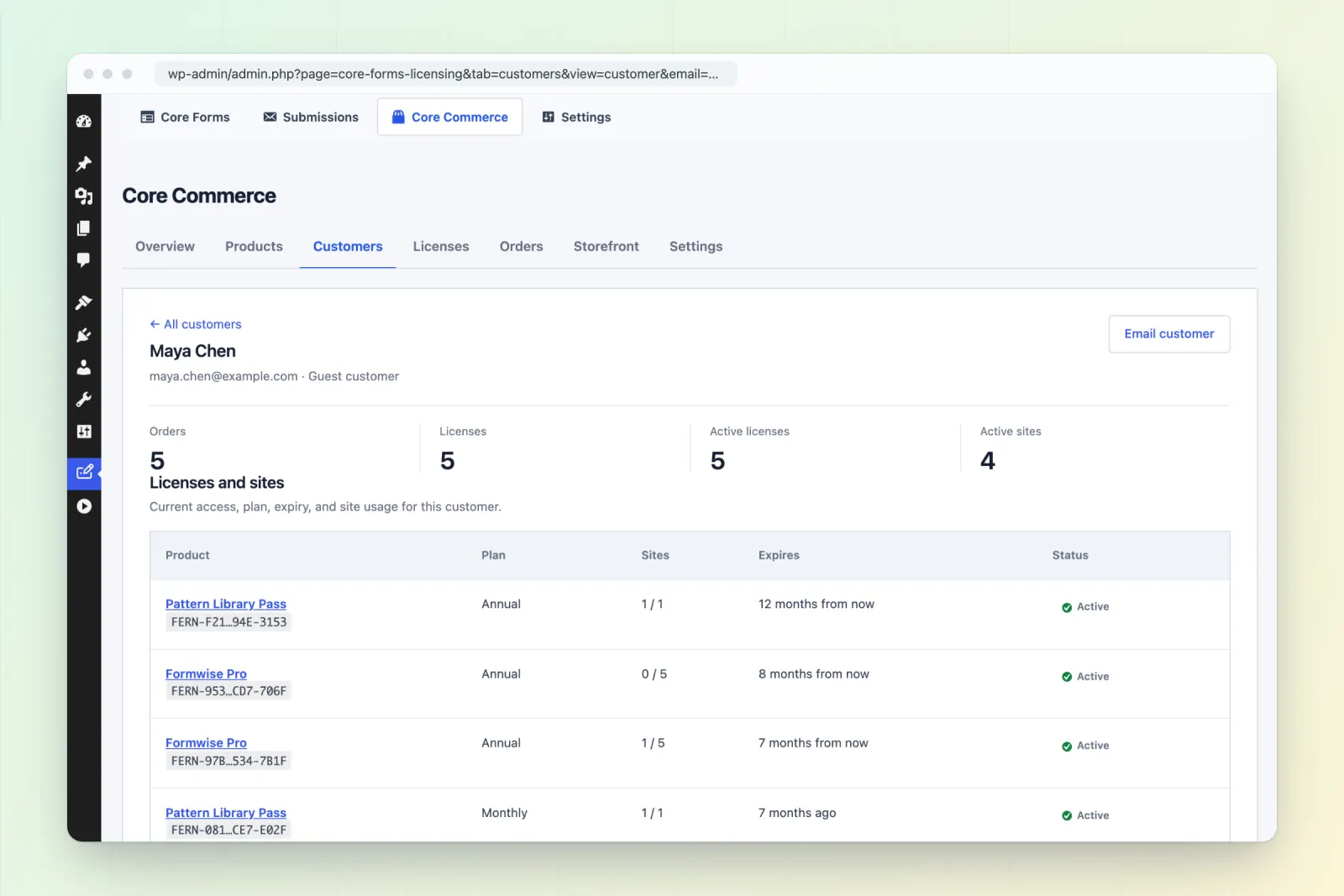
Open a customer to see the buyer’s orders, licenses, activation state, and relevant store activity together.
The Orders tab is the payment and fulfillment record. The Licenses tab is the current entitlement record. A paid order may issue one or more licenses depending on its items and quantities.
Use the order or license record actions to resend access, adjust a non-secret status, or inspect related activity. Core Forms does not expose full license keys through its administrative REST or MCP summaries.
An activation belongs to a license and a normalized site identity. Core Forms records:
Normal license checks act as heartbeats. If an older install has a valid key but a missing activation row, the server can rebuild the canonical activation during a successful check. Repeating activation with URL case or trailing-slash differences updates the same site instead of consuming another slot.
Use Integrate license keys and automatic updates for the client request format and end-to-end test checklist.
Still stuck? Open a support ticket