
SureContact Integration
Add or update a contact in SureContact when a form is submitted, with optional tag and list assignment.
Action type: surecontact Handler: Core_Forms\Integrations\IntegrationHandlers::surecontact Source: src/integrations/class-integration-handlers.php (registered in src/integrations/class-integration-manager.php)
Requirements
Unlike the other CRM actions in the 4.4 set, SureContact does not require a plugin on your site. The action talks to SureContact’s public REST API (https://api.surecontact.com/api/v1/public/contacts) and is always available in the Add Action list. You only need a SureContact account and its public API key.
Setup
- In SureContact, create or copy your public API key.
- In WordPress, edit your form > Actions tab > Add Action > Add to SureContact.
- Paste the API key and map the contact fields. Optionally add tag and list UUIDs.
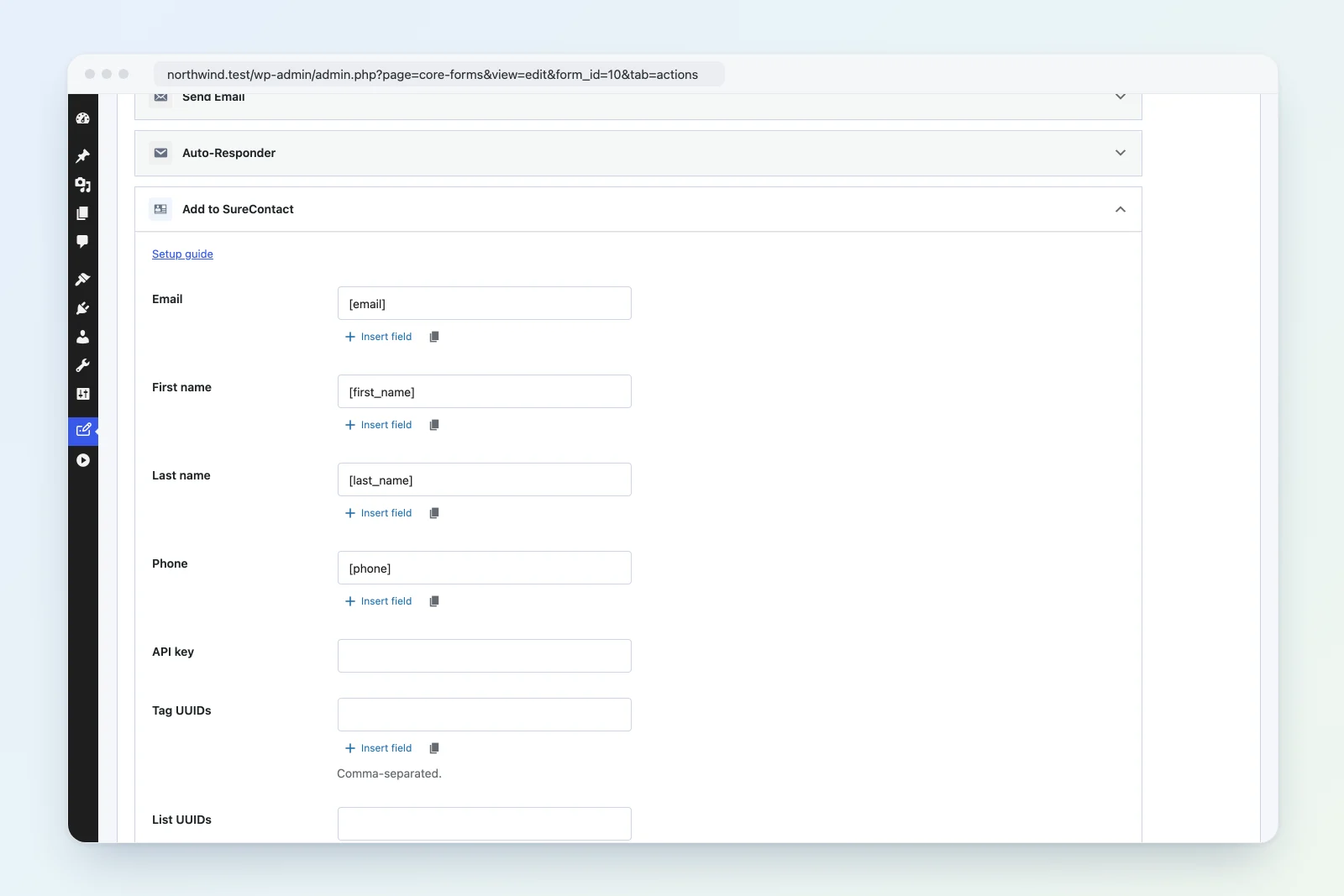
Settings Reference
| Setting | Required | Default | Description |
|---|---|---|---|
| Yes | [email] |
Contact email address | |
| First name | No | [first_name] |
Contact first name |
| Last name | No | [last_name] |
Contact last name |
| Phone | No | [phone] |
Contact phone number |
| API key | Yes | — | SureContact public API key (stored as a password field) |
| Tag UUIDs | No | — | Comma-separated SureContact tag UUIDs |
| List UUIDs | No | — | Comma-separated SureContact list UUIDs |
Every text setting supports Core Forms data variables such as [email] or [any_field_name].
Request Payload
The action sends a JSON body with the X-API-Key header:
{
  "primary_fields": {
    "email": "jane@example.com",
    "first_name": "Jane",
    "last_name": "Smith",
    "phone": "555-0100"
  },
  "tag_uuids": ["uuid-1", "uuid-2"],
  "list_uuids": ["uuid-3"]
}
Whitespace around UUIDs is trimmed and empty entries are dropped.
How It Works
- Validates that both the API key and a resolved email are present; otherwise the action fails with an explicit message.
- POSTs the payload to the SureContact public contacts endpoint with a 15-second timeout.
- Any HTTP status of 300 or higher is treated as a failure, and the API’s
messagefield is surfaced in the action log. - On success, the returned contact UUID is stored in the action log metadata.
Idempotency
The action claims a run key of sha256(submission ID | action type | resolved settings) before executing, so re-processing a submission never sends the contact twice.
Troubleshooting
- “SureContact API key and email are required”: the API key setting is empty, or the Email setting resolved to an empty/invalid value.
- “SureContact API request failed” or an API message: the key is wrong or revoked, or a UUID does not exist in your account. The response message from SureContact is logged verbatim.
- Timeouts: the request aborts after 15 seconds; check outbound connectivity from your host to
api.surecontact.com.
See also: Integrations overview, Groundhogg, Jetpack CRM.