
Dynamic options
Fill a dropdown, a group of radio buttons or checkboxes, or a text field’s suggestions from your site’s content instead of typing every option by hand. The list stays current: publish a new course, add a category or a new author, and the form shows it the next time it loads.
Core Forms checks every submitted answer against the same list on the server. A visitor can’t edit the page and send a value the list doesn’t offer.
In the Block Editor
Select a Form Choices block and open Options source in the block settings:
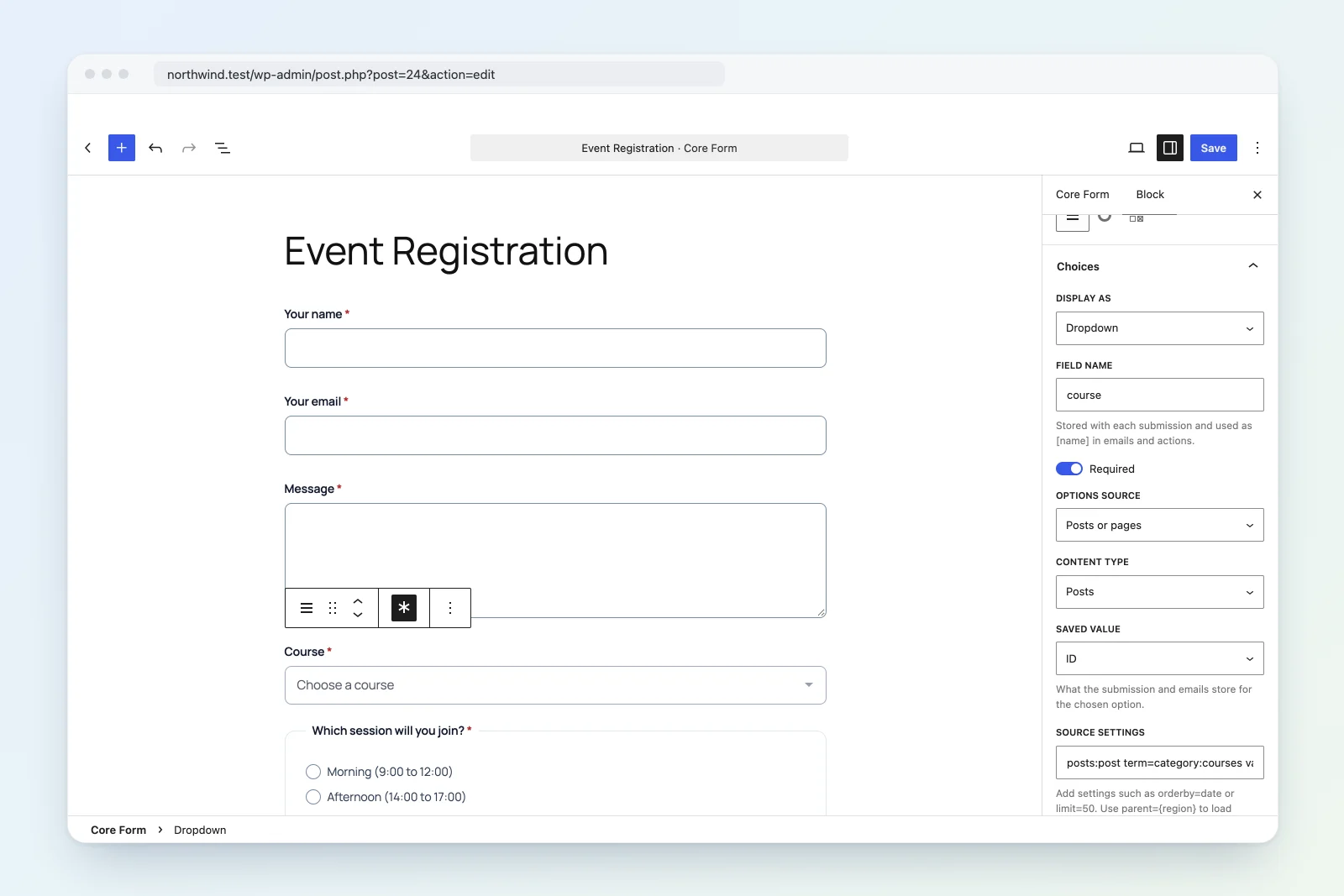
- Options I type: the default, a list you type yourself.
- Posts or pages: published posts of any public content type.
- Categories, tags or terms: terms of any public taxonomy.
- Authors: people with published posts.
- ACF field choices: the choices of an ACF select, radio or checkbox field.
- Custom field values: every value a custom field has on published content.
- JSON URL: a list from a JSON file or API.
- Custom (developer filter): a list your own code supplies.
Saved value picks what submissions, emails and actions store for the chosen option: the title or name (the default), the ID or the slug. Source settings shows the whole source as text. Edit it there to add the settings below.
Preselected value and Placeholder option still work. The placeholder stays the first, empty option.
In HTML forms
Add a data-cf-options attribute:
<label>Course
    <select name="course" data-cf-options="posts:course value=id" required>
        <option value="">Choose a course</option>
    </select>
</label>
Options you type in the HTML stay, and the dynamic ones are added after them. Use that for a placeholder.
For radio buttons or checkboxes, put the attribute on a <fieldset> and name the field with data-cf-name:
<fieldset data-cf-options="terms:topic" data-cf-name="topics" data-cf-input="checkbox" data-cf-required>
    <legend>Topics</legend>
</fieldset>data-cf-input:radio(default) orcheckbox. Checkbox values arrive as a list, like anyname[]field.data-cf-required: make a choice required.data-cf-selected: preselect values, comma separated. Works on dropdowns too.
Use a <fieldset> for required checkbox groups, so the requirement is checked on the server as well.
For suggestions on a text field, fill a <datalist>. Visitors can still type anything:
<input name="city" list="cities">
<datalist id="cities" data-cf-options="meta:city"></datalist>
Sources
The value has the shape source:argument setting=value setting=value. Settings are separated by spaces, so a value can’t contain one.
| Source | Argument | Settings |
|---|---|---|
posts |
Post type, default post |
value=title|id|slug, orderby=title|date|menu_order|modified|id, order=asc|desc, parent=<id>, term=<taxonomy>:<slug or id>[,...], limit |
terms |
Taxonomy, default category |
value=name|id|slug, parent=<id, slug or name> (0 for top level), hide_empty=1, orderby=name|slug|count|term_order|id, order, limit |
users |
Roles, comma separated (optional) | value=name|id, order, limit |
acf |
ACF field key or name | None |
meta |
Custom field key | post_type, order, limit |
json |
URL (http or https) |
path=data.items, value=<key>, label=<key>, cache=<seconds> |
custom |
A name you choose | Anything; your filter receives them |
limit defaults to 100 and can’t go above 500 (filter cf_dynamic_options_max_limit to change that).
What each source will list
postslists published posts of public content types. Drafts, private posts and password-protected posts are never listed.termslists terms of public taxonomies.userslists only people who have published posts, so a form never reveals accounts that aren’t already public on your site.metalists values from published content of public content types, and refuses keys that start with an underscore (WordPress’s protected keys).jsonis fetched by your server, cached for an hour by default (cache=sets 60 seconds to a day), and cached empty for 5 minutes if the request fails. The response must be JSON and under 1 MB. It can be a list of strings, avalue: labelobject, or a list of objects. Usepathto reach a nested list, andvalue/labelto name the object keys.
Dropdowns that depend on another answer
Put {field_name} in the source to fill in another field’s answer. The list stays empty until that field has an answer, then loads in the browser:
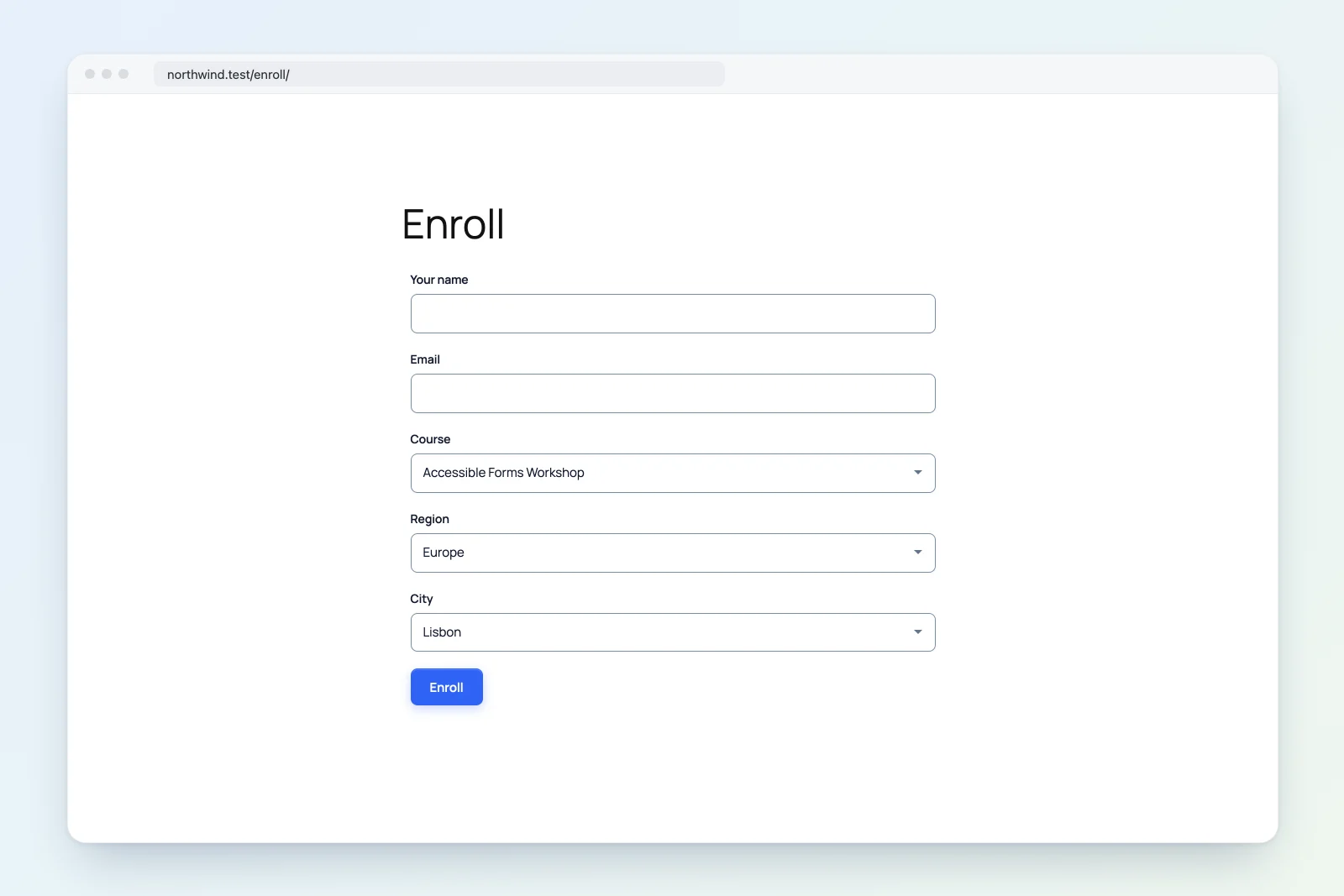
<select name="region" data-cf-options="terms:location parent=0" required>
    <option value="">Choose a region</option>
</select>
<select name="city" data-cf-options="terms:location parent={region}" required>
    <option value="">Choose a city</option>
</select>- Lists can chain: a third field can depend on
city. - When the parent changes, the dependent list reloads and keeps its answer if it’s still offered.
- On submit, the server rebuilds the list with the submitted parent answer, so a city from another region is rejected.
- With JSON URLs, the answer is URL-encoded:
json:https://example.com/states.json?country={country}.
The browser loads these lists from GET /wp-json/core-forms/v1/forms/{id}/options?field=city&values[region]=North. The source always comes from the saved form, so visitors can only supply field answers. The route answers only for published forms, and for logged-in visitors when the form requires a login.
Custom sources
add_filter( 'cf_dynamic_options_custom_plans', function ( $options, $params, $form, $values ) {
    return array(
        'starter' => 'Starter, $9/month',
        'pro'     => 'Pro, $29/month',
    );
}, 10, 4 );
<select name="plan" data-cf-options="custom:plans"></select>Return a list of strings, a value => label array, or a list of array( 'value' => ..., 'label' => ... ). $params holds the source settings with {field} answers filled in. $values holds those answers.
Filters
cf_dynamic_options_custom_{name}: options forcustom:{name}.cf_dynamic_options: every resolved list, for any source.cf_dynamic_options_posts_args,cf_dynamic_options_terms_args,cf_dynamic_options_users_args: the query arguments.cf_dynamic_options_allow_post_type,cf_dynamic_options_allow_taxonomy: allow a non-public type, or block a public one.cf_dynamic_options_max_limit: the most options one list may return (500).
Good to know
- Lists are built each time the form is shown. A page cache keeps showing the list it cached until it’s cleared; dependent lists are always fetched fresh.
- Submissions store the saved value. If you store IDs, emails show IDs too, so the title is usually the friendlier choice.
- If a source returns nothing (a typo in the post type, a JSON URL that’s down), the field shows only the options you typed.