
Drip Integration
Create or update a subscriber in Drip when a form is submitted.
Action type: drip Class: Core_Forms\Actions\Drip Source: src/actions/class-drip.php
Setup
- In Drip, go to Settings > User Settings > API Token and copy your token.
- Find your Account ID in the URL when logged in (the numeric ID).
- In WordPress, edit your form > Actions tab > Add Action > Add to Drip.
- Enter the API Token and Account ID.
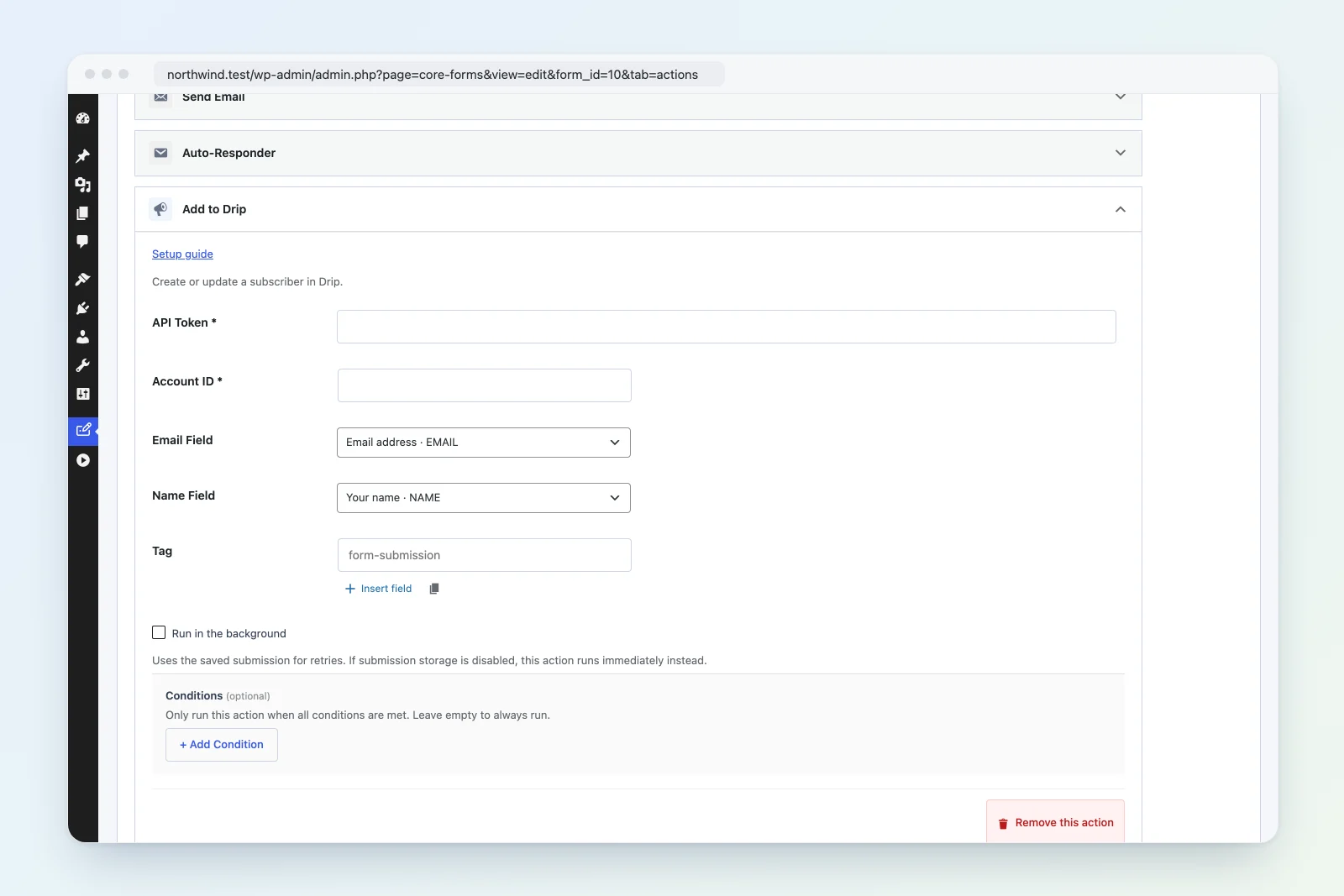
Settings Reference
| Setting | Required | Default | Description |
|---|---|---|---|
| API Token | Yes | — | Drip API token |
| Account ID | Yes | — | Numeric Drip account ID |
| Email Field | No | email |
Form field name containing the email address |
| Name Field | No | name |
Form field name containing the subscriber’s name |
| Tag | No | — | Tag name to apply to the subscriber (e.g., form-submission) |
Tag Assignment
Unlike other integrations that use numeric tag IDs, Drip uses tag names. Enter the tag as a text string:
form-submissionThe tag is applied during subscriber creation. If the tag does not exist in Drip, it will be created automatically.
Custom Fields
The name field value is stored as a Drip custom field called name. Drip does not have built-in first/last name fields, so the full name is stored as-is.
Authentication
Drip uses HTTP Basic authentication with the API token as the username and an empty password. The authorization header is: Basic base64(api_token:).
How It Works
- Validates the API token, account ID, and email address.
- Builds a subscriber object with email, custom_fields (name), and optional tags.
- POSTs to
https://api.getdrip.com/v2/{account_id}/subscriberswith Basic auth. - The payload wraps the subscriber in a
subscribersarray (Drip API requirement). - The request times out after 15 seconds.
- Returns
trueon success.
Example
Form with name and email fields, tagging new subscribers:
- API Token:
your_drip_api_token - Account ID:
1234567 - Email Field:
email - Name Field:
name - Tag:
website-contact
Troubleshooting
- “Unauthorized”: Verify the API token. Regenerating the token in Drip invalidates the old one.
- Account not found: The Account ID must be numeric. Find it in your Drip dashboard URL.
- Subscriber not appearing: Check that the email address is valid. Drip may also reject disposable email addresses depending on your account settings.